Your Guide to a Flawless Project Implementation Plan


Starting a new project can feel like staring up at a mountain. You know the summit is up there, but the path is full of unknowns. The hard truth? A surprisingly small number of projects ever actually make it to the top. Most get derailed by the same predictable issues, time and time again.
A solid project implementation plan is the map and compass that guides your team through that uncertainty, helping you sidestep those common pitfalls right from the get-go.
Why Projects Fail and How Your Plan Prevents It
So many agencies dive into new projects headfirst, running on pure enthusiasm. It’s a gamble, and the stats show just how badly that can go. Without a clear, structured plan, teams are wide open to the classic mistakes that cause projects to completely break down.
This isn't about being negative; it's about being prepared. Truly understanding why projects fail is the first step toward making sure yours doesn't.
The Sobering Reality of Project Success Rates
The numbers don't lie. Research from respected sources like Harvard Business Review and the Project Management Institute (PMI) consistently shows that only about 35% of projects are successfully completed on a global scale. Think about that. The majority either miss their deadlines, blow their budgets, or fail to deliver on the original promise.
But here’s the good news: the data also points to a powerful solution. Projects that use formal management practices are 2.5 times more likely to succeed. You can explore more project management statistics on Ravetree.com to see the full picture.
A well-crafted project implementation plan is the very foundation of that formal practice. It’s what turns abstract goals into a concrete, step-by-step guide your team can actually follow.
Common Failure Points a Strong Plan Solves
Projects rarely fail because of one single, catastrophic event. Instead, they die a death of a thousand cuts—a series of small, unmanaged issues that pile up over time. A strong implementation plan is your best defense, acting as a preventative measure against these all-too-common threats.
Here's a look at the most frequent culprits and how a good plan stops them in their tracks.
| Common Failure Point | How Your Implementation Plan Solves It |
|---|---|
| Scope Creep | Clearly defines and locks in project boundaries from day one, preventing endless "can we just add…" requests. |
| Poor Communication | Establishes a communication protocol—who gets what updates, when, and how—so everyone stays on the same page. |
| Unclear Roles & Responsibilities | Explicitly assigns tasks and ownership, eliminating confusion and ensuring accountability. |
| Inaccurate Timelines | Breaks the project into manageable tasks with realistic deadlines, creating an achievable schedule. |
| Resource Shortages | Allocates people, budget, and tools in advance so you know you have what you need, when you need it. |
| Unidentified Risks | Forces you to proactively identify potential problems and create contingency plans before they become emergencies. |
By building a plan that accounts for these common failure points, you're not just creating a document; you're building a system for success.
By addressing these issues before they arise, your project implementation plan shifts your team from a reactive, firefighting mode to a proactive, strategic one. It's not just a document—it's your agency's best defense against chaos.
Defining Your Project Scope and Deliverables
Before your team even thinks about writing a line of code or mocking up a design, the fate of your project is already being sealed. This is the moment that matters most: defining what you will and will not do. Get this wrong, and you're practically inviting scope creep, blown budgets, and a very unhappy client.
Think of a well-defined scope as the guardrails for your project. It's the documented handshake between your agency and the client, clearly mapping out the project's boundaries, its goals, and every piece of work needed to get there. This isn’t just a friendly suggestion; it’s the single source of truth that shields your team from those dreaded "can you just add…" requests that torpedo timelines and kill profitability.
Mastering the Art of Scope Definition
Defining the scope is all about translating a client's big-picture vision into a detailed, actionable blueprint. This takes more than just listening; it requires asking the right questions to dig into what the client really needs, which is often different from what they initially think they want. Vague goals like "we need a new website" are the natural enemy of a successful project.
Your job is to break that down. What does "new" actually mean? Does it need an e-commerce platform? A blog? How many pages are we talking about? Who's responsible for writing the copy? Nailing down these answers upfront saves you from making incredibly expensive assumptions down the road. It’s no surprise that a failure to manage scope is consistently cited as a top reason projects fail, with a direct and painful impact on budgets and deadlines.
To get this right, you have to separate what’s essential from what’s extra. I've found one of the best ways to do this is to categorize every feature and request into three simple buckets:
- Must-Haves: These are the absolute non-negotiables. The project is a failure without them. For a website launch, this would be things like a homepage, a working contact form, and full mobile responsiveness.
- Should-Haves: These are important and add a ton of value, but the project can still launch without them. They're prime candidates for a "Phase 2" if time or budget gets tight. Think of an integrated blog or advanced SEO features.
- Nice-to-Haves: These are the bells and whistles. We're talking slick animations or a niche feature that only a small slice of users might appreciate.
Going through this exercise with your client forces a strategic conversation right from the get-go. It gets everyone on the same page and manages expectations from day one, giving you a clear framework for making tough calls if priorities have to shift later on.
A project without a tightly defined scope is like a ship without a rudder. You might be moving, but you're definitely not in control of where you're going. Documenting everything gives you that control.
From Vague Goals to Tangible Deliverables
Once you’ve locked in the scope, the next move is to translate it into project deliverables. A deliverable is simply a tangible, measurable thing you will hand over. It’s the physical proof that work got done. Being almost painfully specific here is your best friend—ambiguity is the breeding ground for misunderstandings.
Don't just say "social media assets." A proper deliverables list gets into the weeds: "Five unique Instagram post graphics (1080x1080px) in JPG format" and "Three animated Instagram Story videos (1080x1920px), 15 seconds each, in MP4 format." See the difference? There's absolutely no room for misinterpretation.
Let’s walk through a classic agency scenario to see how this plays out in a real project implementation plan.
Agency Example: A New Client Onboarding Campaign
Imagine your digital marketing agency just landed a new software client. The task is to create an onboarding email sequence to welcome new users. Here’s how you’d break down the scope and deliverables.
Project Goal: Build an automated 7-day email sequence that educates new users and pushes them to activate a key feature in the software.
| Scope Inclusions | Scope Exclusions |
|---|---|
| Strategy and concept development | A/B testing different subject lines |
| Copywriting for four distinct emails | Designing custom graphics for each email |
| Basic, reusable email template design (HTML/CSS) | Integration with a brand new email service provider |
| Setting up the automation in Mailchimp | List segmentation beyond the "new user" category |
Deliverables List:
- Project Brief Document: A final brief covering campaign goals, target audience, and key messaging, signed off by the client.
- Email Copy Document: A Google Doc with the final, approved copy for all four emails.
- Email Template: One responsive HTML email template, tested and confirmed to be compatible with Mailchimp.
- Live Automation: A fully configured and activated 7-day email sequence inside the client's own Mailchimp account.
- Final Report: A short summary doc with screenshots to prove the setup is live, plus a quick guide on how the client can monitor its performance.
By detailing precisely what’s in, what’s out, and what the client will actually get, the agency protects its time and budget. More importantly, it ensures the client knows exactly what’s coming. That kind of clarity is the foundation of every great project and every lasting client relationship.
Mapping Your Project Timeline and Resources
So, you've nailed down the scope and have a neat list of deliverables. It's tempting to dive right in and start creating, but hold on. A list of deliverables without a timeline is just a wish list. And a timeline without the right people and tools assigned is pure fantasy.
This is the part of your implementation plan where the rubber really meets the road. It’s where we connect the what to the how and the when. We’re about to create a realistic, interconnected map that turns big-picture goals into day-to-day actions. By breaking things down now, you'll avoid the classic agency pitfall: over-optimism leading to a last-minute scramble.
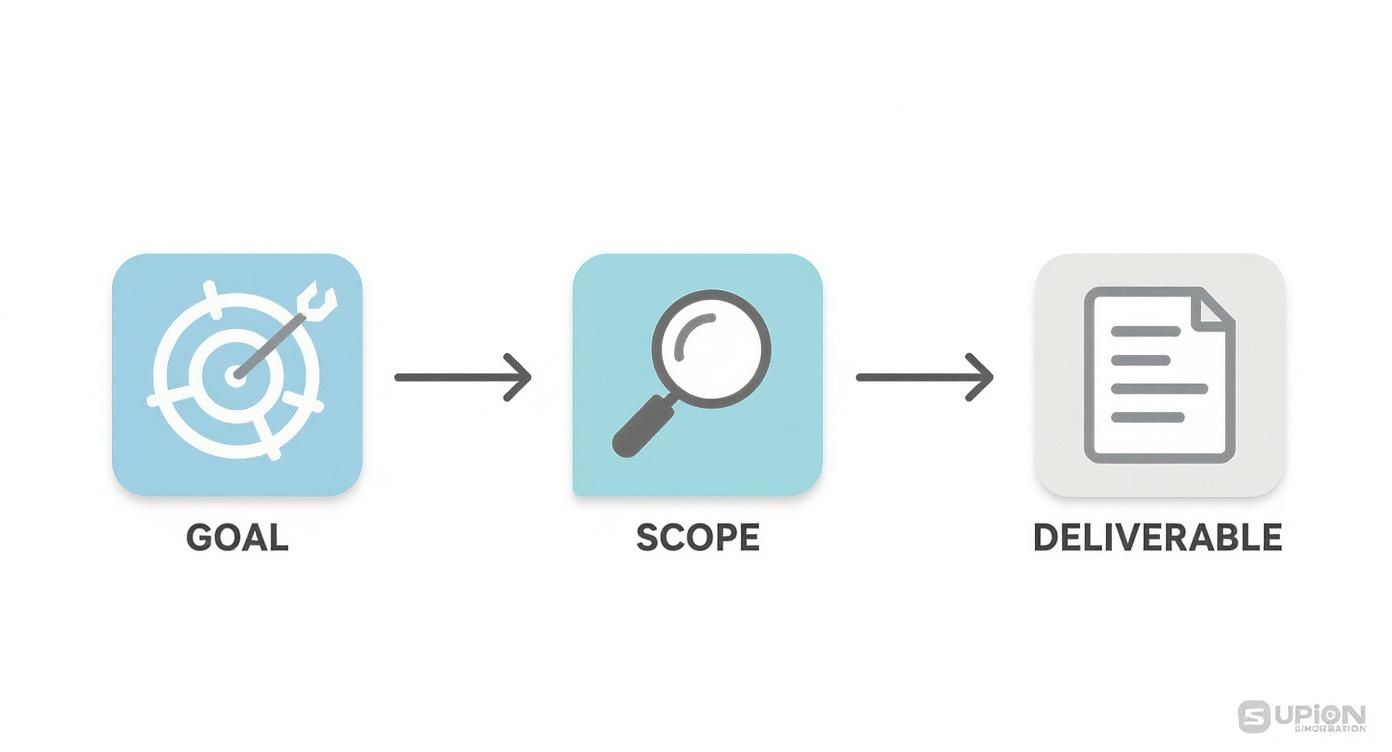
This simple flow gets to the heart of project planning. You start with the big goal, define the boundaries with your scope, and then identify the tangible things you'll create. Following this logic ensures every single task on your timeline directly serves an agreed-upon output, which means no more wasted effort on "busy work."
Breaking Down Work into Actionable Tasks
First up: deconstruction. Take each deliverable and break it down into the smallest possible actions. Think of it this way: a deliverable like an "Email Template" isn't a single task. It’s a mini-project.
It actually looks more like this:
- Wireframe the email template design.
- Write placeholder copy and headlines.
- Develop the template with HTML/CSS.
- Run tests across major email clients (Gmail, Outlook, etc.).
- Get final client sign-off on the design and functionality.
Once you have this granular list, you can start putting real time estimates against each item. Be honest here. A task that takes a developer four hours of pure, focused work might need a full day blocked out on the calendar to account for meetings, questions, and other daily interruptions.
A rookie mistake is building a timeline based on a perfect, uninterrupted world. Always plan for reality. I’ve learned to pad estimates slightly and, most importantly, identify dependencies—those tasks that can't kick off until another is complete. This builds a resilient timeline that won't shatter at the first minor delay.
This detailed view is also the key to allocating resources properly. Now you know you need a designer for a few hours at the start, a developer for a day in the middle, and a project manager to oversee testing and manage client feedback throughout.
Aligning Resources with Your Timeline
With a task list and a draft schedule in hand, you can start building your resource map. This is all about assigning the right people, technology, and budget to each phase. It's not just about who's free; it’s about matching the right skills to the job. A junior designer can probably handle the wireframe, but you’ll want a senior developer for any complex coding.
Don't forget about the non-human resources, either.
- Software and Tools: Will you need a subscription to a specific stock photo service? A license for a particular testing tool?
- Budgetary Needs: Make sure to account for any contractor fees, software costs, or even ad spend if it's baked into the project.
This kind of careful planning is exactly why skilled project managers are so in-demand. The global need for this expertise is exploding, with roughly 40 million project management professionals already out there. The Project Management Institute even predicts a major talent gap, with demand expected to surge by 2035. You can discover more insights about project management trends on monday.com if you want to dive deeper into the data. It really highlights how valuable a well-resourced plan is.
Choosing the Right Visualization Tool
How you actually see all of this information—the tasks, the deadlines, the people—makes a huge difference in how manageable it feels. For agencies, the two most common tools are Gantt charts and Kanban boards. Each has its own strengths, and the right choice really depends on your project's rhythm and your team's workflow.
A Gantt chart is your best friend for showing task dependencies and the project's overall duration from start to finish. It’s perfect for projects with a hard deadline and a clear, step-by-step process. A Kanban board, on the other hand, is all about flexibility and visualizing your workflow, making it great for managing continuous delivery and adapting on the fly.
To help you decide, here’s a quick comparison of what each brings to the table.
Choosing Your Timeline Tool Gantt Charts vs Kanban Boards
| Feature | Gantt Chart | Kanban Board |
|---|---|---|
| Primary Focus | Scheduling and Dependencies | Workflow and Process |
| Best For | Projects with fixed deadlines and a clear, sequential path (e.g., a website launch). | Continuous improvement projects or tasks with variable priorities (e.g., ongoing content creation). |
| Visual Style | Horizontal bar chart showing tasks against a calendar. | Vertical columns representing stages (e.g., To Do, In Progress, Done). |
| Flexibility | Less flexible; changes can be complex due to cascading dependencies. | Highly flexible; tasks (cards) can be easily moved and re-prioritized. |
| Complexity | Can become cluttered and overwhelming on very large, complex projects. | Simple and intuitive, providing a clear snapshot of current work in progress. |
Ultimately, the best tool is the one your team will actually use and keep updated. For a big, multi-phase website build, a Gantt chart provides the structure you need to keep everything on track. But for a nimble, fast-moving marketing campaign, a Kanban board might offer the agility you need to react to real-time feedback.
Assembling Your Team and Defining Roles
A brilliant plan is just a document until you have the right people to make it happen. Now we get to the heart of it—the human element. It's not enough to just list names on a roster; you need to map out exactly who's doing what. This single step can be the difference between a smooth-running project and a chaotic mess of missed deadlines and duplicated work.
I’ve seen too many projects derail because of one simple, toxic phrase: "I thought you were doing that." That's the red flag signaling that roles were never clearly defined from the start. To avoid that pitfall, you have to get granular and assign specific responsibilities for every single part of the project.
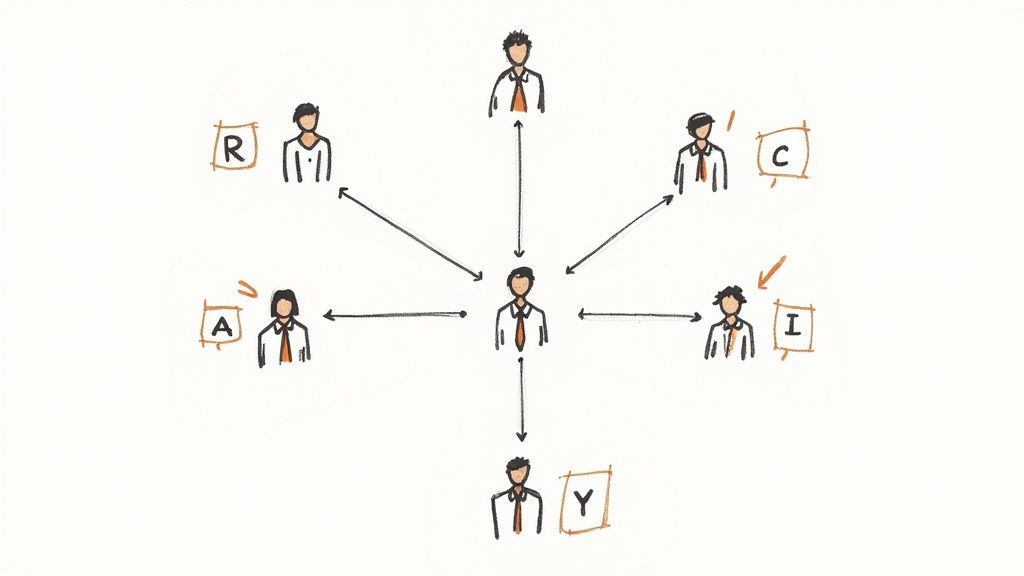
This structure is what turns a group of talented individuals into a high-functioning team. Everyone knows who owns each task, and stakeholders know exactly who to go to for decisions. It transforms potential chaos into organized, collaborative energy.
Building Your RACI Chart
One of the most powerful tools I've used to bring this clarity is the RACI chart. It’s a simple matrix, but it’s a game-changer for agencies because it visualizes who does what. RACI is an acronym that stands for:
- Responsible: This is the doer. The person with their hands on the keyboard, actually creating the deliverable—think the designer building the wireframes or the copywriter drafting the ad copy.
- Accountable: This is the owner. The single person whose neck is on the line for the task's success. Critically, there should only ever be one "A" per task to avoid confusion.
- Consulted: These are the experts you bring into the loop for their feedback. It could be the SEO strategist weighing in on a site map or the legal team reviewing compliance language.
- Informed: These are the people who just need a heads-up on progress. They aren't directly involved, but the outcome affects them. Think clients, department heads, or the executive sponsor.
The act of building this chart forces crucial conversations early on. It uncovers assumptions and clarifies ownership before any work even begins, empowering everyone by showing them exactly where they fit.
A Web Development Project in Action
Let’s make this real. Imagine your agency is building a new e-commerce site. Your core team is a Project Manager (PM), a Lead Developer, a UI/UX Designer, a Content Strategist, and, of course, the Client.
For a task like "Design Homepage Mockup," the RACI chart might look like this:
| Task | Project Manager | Lead Developer | UI/UX Designer | Content Strategist | Client |
|---|---|---|---|---|---|
| Design Homepage Mockup | A | C | R | C | I |
Here's the breakdown:
- The UI/UX Designer is Responsible (R) for the hands-on design work.
- The Project Manager is Accountable (A) for making sure it gets done on time and meets the brief.
- The Lead Developer and Content Strategist are Consulted (C) for feasibility and to ensure the design supports the content strategy.
- The Client is kept Informed (I) of progress and will review the final mockup.
This simple chart prevents so many future headaches. The designer knows who to talk to, the PM knows the final sign-off is on them, and the developer doesn't get blindsided by a design that’s impossible to build.
Setting Up Communication Channels
Defining roles is step one; making sure those people can actually talk to each other effectively is step two. Your plan needs to spell out the how and when of communication. This isn't about scheduling more meetings—it's about making every interaction count.
Set up specific channels for different needs:
- Daily Huddles: A quick 15-minute stand-up or a dedicated Slack channel works perfectly for quick blockers and progress updates.
- Weekly Status Reports: A more formal email digest for stakeholders (your "Informed" group) summarizing wins, progress, and next steps.
- Technical Problem-Solving: A separate channel or scheduled session for developers and designers to hash out technical issues without derailing the main project conversation.
By baking these communication protocols directly into your plan, you build a system that keeps information flowing. It ensures the right people get the right information at the right time, preventing those frustrating delays where a key decision is just sitting, unread, in someone's inbox.
Anticipating Roadblocks with a Risk and Communication Plan
Let's be honest—no project plan, no matter how detailed, survives contact with reality completely unscathed. Things happen. The real difference between a project that succeeds and one that goes off the rails is how you handle those inevitable bumps in the road.
This is where you shift from being just a planner to a prepared realist. By thinking through what could go wrong and setting up clear lines of communication from the start, you build resilience right into the project's DNA. It’s not about having a crystal ball; it’s about creating a framework that can absorb shocks without collapsing.
Conducting a Practical Risk Assessment
Your first move is to get the team in a room (or on a call) and brainstorm all the ways this project could get derailed. Seriously, no idea is too paranoid at this stage. To keep things organized, try thinking in categories.
What kind of gremlins usually pop up for agency projects?
- People Problems: What's the plan if your lead designer quits to join a silent retreat mid-project? Or if the main client contact goes on an unexpected month-long vacation?
- Tech Headaches: What happens if that critical third-party software goes down for a day? What if the "simple" API integration turns out to be a nightmare?
- Client Curveballs: What if the stakeholder who needs to sign off on everything suddenly goes silent? Or worse, they come back with scope-creeping feedback two weeks before launch?
- Outside Forces: What if a platform you depend on changes its terms of service overnight, breaking a key feature?
Once you have a healthy list of potential disasters, it's time to prioritize. A simple likelihood vs. impact matrix works wonders here. How likely is this to happen, and how bad will it be if it does? Focus your attention on the stuff that's both likely and damaging.
For each major risk, you need a game plan. These usually fall into two buckets:
- Mitigation: These are the proactive moves you make before the problem hits. Worried about your lead developer being a single point of failure? Schedule regular knowledge-sharing sessions to get another team member up to speed.
- Contingency: This is your "break glass in case of emergency" plan. What will you do if the risk becomes reality? For example, having a trusted freelance developer on standby who can jump in if needed.
Your risk register isn't a "set it and forget it" document. It's a living, breathing part of your plan. Revisit it in team meetings to see if new threats have appeared or if old ones are no longer relevant.
Building a Bulletproof Communication Plan
Spotting a risk is one thing; making sure the right people know about it at the right time is another. A solid communication plan is the nervous system of your project, ensuring information gets where it needs to go without getting lost in a sea of emails and Slack messages.
This plan simply defines who gets what update, how often, and in what format.
This becomes absolutely critical on bigger, more complex projects. For example, public sector IT projects are notoriously difficult to coordinate. Research shows that around 81% of these projects run over schedule, a stark contrast to the 52% in the private sector. You can learn more about project management statistics on PM360Consulting.ie. Why the gap? Often, it comes down to messy communication and stakeholder management. A clear plan helps close that gap.
So, what does a good communication cadence look like?
- Internal Team: A quick daily stand-up (15 minutes max) on Slack or a video call works perfectly. Cover what you did yesterday, what you're doing today, and any roadblocks.
- Primary Client Contact: A weekly progress email sent every Friday. Keep it scannable: here’s what we accomplished, here’s what’s next, and here’s what we need from you.
- Executive Leadership: They don’t need the nitty-gritty. A bi-weekly or monthly high-level summary focusing on major milestones and KPIs is all they need to see.
By laying this all out in the implementation plan, you set expectations from day one. No one is left wondering what’s going on, and when a problem does pop up, everyone already knows the protocol for flagging it. It’s this structure that builds trust and keeps the whole team aligned, even when things get rocky.
Your Top Questions About Project Implementation Plans, Answered
Even with the best template in hand, you're bound to run into some questions once you start building and using a project implementation plan. The theory is great, but the day-to-day reality of agency projects always throws a few curveballs.
Let's dig into some of the most common questions that pop up. This isn't about high-level concepts; it’s about getting you practical answers to smooth out the process and keep your projects from getting stuck.
What’s the Real Difference Between a Project Plan and an Implementation Plan?
This is a big one. People often use these terms interchangeably, but they serve very different functions. Mistaking one for the other can lead to a lot of confusion.
Think of it this way: a project plan is the entire map of a cross-country road trip. It shows the starting point, the final destination, major cities you'll pass through, and the overall budget for gas and lodging. It’s the big-picture document covering everything from initiation to final sign-off.
The project implementation plan is your detailed, turn-by-turn GPS navigation for that trip. It’s zoomed in, telling you exactly which roads to take, when to turn, where to stop, and who's driving each leg of the journey. It focuses exclusively on the execution phase—the "doing" part of the project.
For your agency, the project plan might set a goal to "Boost client lead generation by 20%." The implementation plan breaks that down into the nitty-gritty: the content calendar, the ad creatives needed for the Q3 campaign, the specific landing page wireframes, and which copywriter is assigned to each task.
Your project plan is the "what" and the "why." Your project implementation plan is the "who does what by when." You need both, but the implementation plan is what your team will actually use every single day.
How Often Should I Update My Implementation Plan?
If you create your implementation plan and then just file it away, you've already failed. This has to be a living, breathing document that mirrors the reality of your project, not the fantasy you planned for weeks ago.
The right update schedule really depends on your project's pace and the methodology you're using.
- For Agile projects: The plan is constantly evolving. You'll be reviewing and tweaking it at the end of every sprint cycle, which is usually every one or two weeks. Your daily stand-ups act as mini-reviews, while sprint retrospectives are for making bigger course corrections.
- For Waterfall projects: The updates are a bit more formal. You'll likely schedule reviews at major milestones or on a monthly basis. But don't let that fool you—if a major roadblock appears, you update the plan immediately. Don't wait for the next scheduled meeting.
The golden rule is this: update the plan whenever something significant changes. A shift in scope, a key team member going on leave, a task that's taking way longer than anyone thought—these all warrant an immediate update. Weekly project check-ins are the perfect time to review progress and make these adjustments, ensuring your plan stays a useful tool, not a historical relic.
What Are the Most Critical KPIs to Track?
The KPIs (Key Performance Indicators) you track must connect directly to your project's goals. While every project is unique, there are a handful of metrics that are almost universally critical for keeping things on track. Your implementation plan should spell these out from the very beginning.
Here are the non-negotiables:
-
Schedule Variance (SV): Are we ahead or behind? This metric cuts through the noise and tells you exactly where you stand against your timeline. It compares the work you've actually done with the work you planned to have done by now.
-
Cost Variance (CV): Just like SV, but for your budget. This KPI measures the difference between what you planned to spend and what you've actually spent to get the work done.
-
Task Completion Rate: A straightforward but powerful way to gauge your team's momentum. Tracking how many tasks are getting knocked out per week or sprint helps you spot bottlenecks and forecast your ability to hit future deadlines.
-
Stakeholder Satisfaction: For an agency, this is everything. You can measure it with quick, informal check-ins or through more structured client surveys at key milestones. A happy client is one of the best indicators of a healthy project.
-
Quality Metrics: This will look different for every project. It could be the bug count in a software build, the number of revision rounds on a design, or the click-through rate of a marketing campaign. These KPIs ensure the final product doesn't just get delivered, but that it actually works and meets the quality standard you promised.
At RGK, we built an operating system designed to eliminate the operational chaos that holds agencies back. By unifying project management, CRM, billing, and support into a single source of truth—powered by an AI that understands your entire business—we help you run, grow, and keep your clients without the duct tape. See how a truly integrated platform can transform your agency's workflow. Learn more about RGK today.