How to Improve Operational Efficiency: how to improve operational efficiency

Before you can plug the leaks, you have to find them. Improving your agency's efficiency starts with a brutally honest look at where you're losing time, money, and momentum. This isn't about some abstract business theory; it's about getting crystal clear on what to fix so you can make changes that actually move the needle.

Diagnosing Your Operational Bottlenecks

Trying to boost efficiency without first finding your specific problems is like trying to fix a car that won't start by just washing it. It might look better, but you haven't touched the engine. Too many agency leaders jump straight to buying shiny new software or overhauling processes, only to realize they've solved a problem they didn't really have.

So, the first and most important step is to assess where you are right now. This means getting past gut feelings and digging into the real friction points in your daily workflows, from the second a lead hits your inbox to the moment you send that final invoice.

Map Your Current Reality

You can’t improve a process you don't fully understand. Start by mapping out your core workflows as they actually happen, not how they’re supposed to happen. Get in a room with a whiteboard or a simple tool like Miro and sketch out the journey.

For a standard client project, that might look something like this:

  • Intake: A new lead fills out a form on your website.
  • Assignment: The project gets handed off to a project manager.
  • Kickoff: You schedule and hold a discovery call.
  • Execution: Your team gets to work on the deliverables.
  • Review: Drafts go to the client for their feedback.
  • Revisions: You make changes based on that feedback.
  • Final Delivery: The finished project is officially handed over.

Just getting this down on paper forces you to see every handoff, every decision, and every potential spot where things get stuck. It’s a simple exercise that gets the whole team on the same page.

Gather Ground-Level Intelligence

Your team knows where the bodies are buried. They live with the frustrating workarounds and the mind-numbing repetitive tasks every single day. If you want to know what's really broken, you have to talk to them.

The goal isn't to find fault; it's to find friction. When team members feel heard and know their insights are valued, they become active partners in building a more efficient system rather than passive participants.

Pull people aside for informal one-on-one chats or get small groups together. Ask open-ended questions like, "What's the most annoying part of your day?" or "If you had a magic wand, what's the one task you'd make disappear forever?" You’ll be amazed at the patterns that pop up.
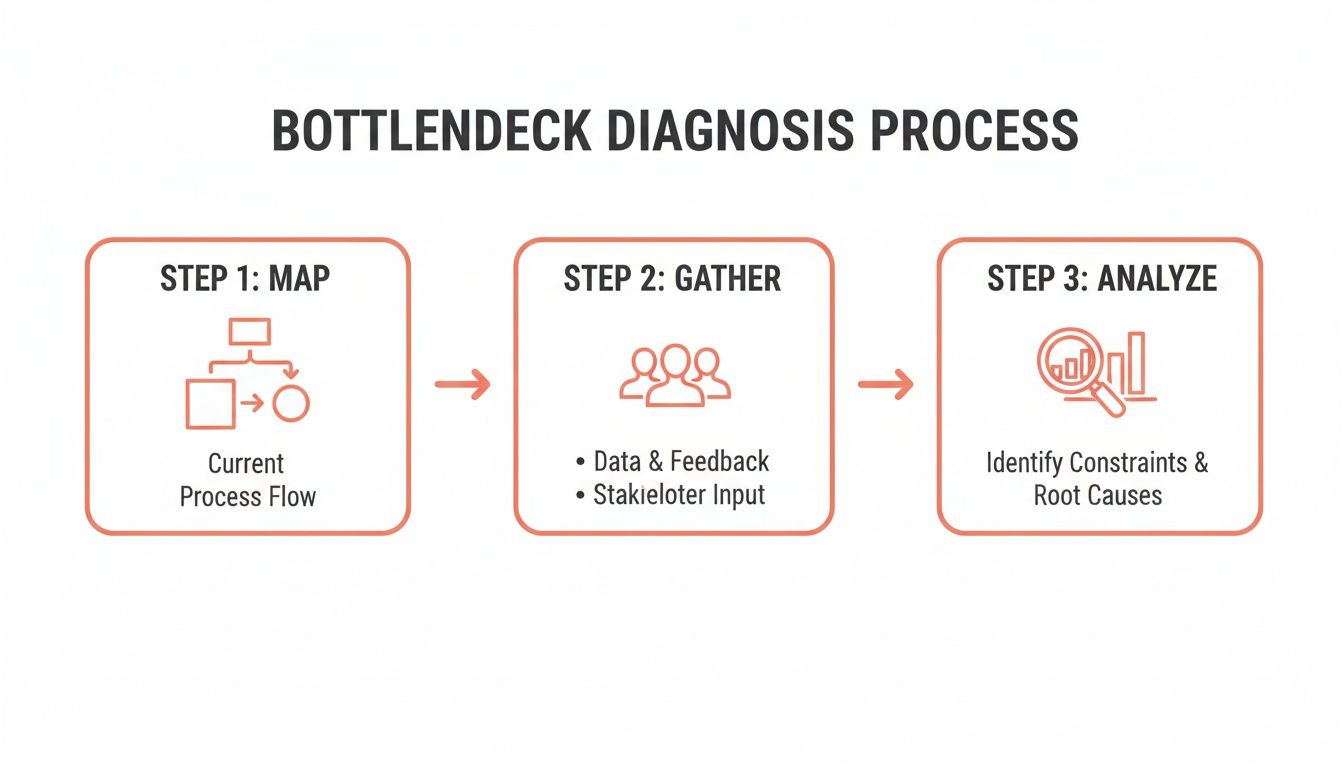
A three-step bottleneck diagnosis process illustrating mapping, gathering data, and analyzing constraints to improve efficiency.

This process shows how a systematic approach—moving from a high-level map to human insights and finally to data-backed analysis—is the most effective way to figure out where to focus your energy.

Analyze Simple Data for Hidden Clues

Finally, back up what you've heard with some simple numbers. You don't need a fancy business intelligence dashboard for this. Just look at basic metrics that tell a story.

For example, you might look at your project management data and realize that 74% of your projects go through more than two rounds of client revisions. That's not just a hunch anymore; it’s a clear sign that something is off in your initial briefing or review process.

Or maybe you find that the average time from project completion to sending the final invoice is 12 days. That’s almost two weeks of cash just sitting there, pointing directly to a snag in your finance workflow.

These little data points are gold. They turn vague feelings into concrete, actionable problems. This whole diagnostic phase sets the foundation for everything else, making sure that when you do start making changes, you're fixing the things that will make the biggest difference.

Defining Success with Clear KPIs and Metrics

Once you’ve pinpointed the bottlenecks slowing your agency down, the next question is obvious: What does better actually look like? You can't improve what you don't measure. This is where Key Performance Indicators (KPIs) become your agency’s scoreboard, turning vague ambitions into tangible goals.

Without solid metrics, you're just guessing. You might feel like your team is busier than ever, but activity doesn't always equal progress. The real win is moving beyond vanity metrics (like the number of emails sent) and zeroing in on the data that truly reflects the health and profitability of your operations.
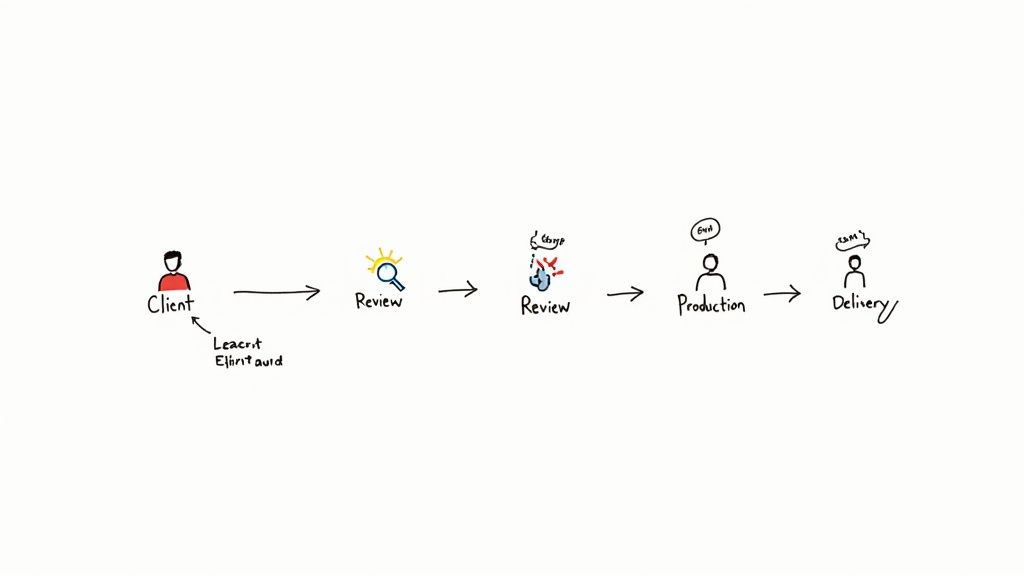
Workflow diagram depicting client input, review, production, delivery, with a note on learning and iteration.

From Vague Goals to Specific Metrics

It's common for agency leaders to set goals that sound great but are impossible to track. Think "boost client happiness" or "make the team more productive." How do you put a number on that? The trick is to translate these broad objectives into specific, measurable figures.

For instance, "boost client happiness" is a fantastic goal, but it becomes actionable when you start tracking your Net Promoter Score (NPS) after each project wraps. Or, even simpler, track the number of revision cycles a project goes through. Fewer revisions almost always mean you nailed the brief, leading to happier clients.

In the same way, "make the team more productive" gets real when you measure your team utilization rate or the average project turnaround time. These numbers give you a crystal-clear picture of your team’s capacity and speed, showing you exactly where the improvement opportunities are.

KPIs That Truly Matter for Agencies

While your agency has its own unique rhythm, a few core KPIs offer a ton of insight for just about everyone in the service business. These are the metrics that cut through the noise.

Here’s a breakdown of some essential KPIs that we see the most successful agencies tracking.

KPI What It Measures Operational Goal
Project Profitability Revenue minus all direct costs, including billable hours. Ensure every project contributes positively to the bottom line.
Team Utilization Rate The percentage of an employee's time spent on billable work. Maximize billable output without causing team burnout.
Average Billable Rate The effective hourly rate you're actually earning on a project. Identify if scope creep or inefficiencies are eroding your profits.
Process Cycle Time The total time from project start to finish. Shorten delivery timelines to increase capacity and cash flow.
Revision Cycles The number of times a deliverable is sent back for changes. Improve initial communication and the quality of first drafts.

This isn't an exhaustive list, but it’s a powerful starting point for understanding where your time, money, and energy are really going.

A classic mistake is trying to track everything at once. Pick three to five KPIs that directly address the bottlenecks you’ve already identified. A cluttered dashboard quickly becomes an ignored one.

Building Your Efficiency Dashboard

You don’t need a fancy, expensive business intelligence tool right out of the gate. Honestly, a well-organized spreadsheet or a simple dashboard in your existing project management software like Asana or ClickUp is more than enough to get started. The important part is making the data visible and reviewing it regularly.

Make it a habit. Block off time in your weekly or monthly leadership huddles to go over the numbers. Ask the tough questions:

  1. What is this metric telling us?
  2. Why did it move up or down this week?
  3. What's one thing we can do next week based on this trend?

This simple routine turns your KPIs from a list of numbers into a powerful tool for driving real change. It builds a culture where decisions are backed by data, and every process tweak is measured by its impact on the metrics that matter most.

Time to Build Your Agency's Playbook

Once you’ve pinpointed your bottlenecks and have your KPIs dialed in, the next move is all about creating consistency. Running an agency without standard processes is like trying to run a professional kitchen where every chef makes the same dish their own way. The results are all over the place, quality is a guessing game, and training new cooks is a nightmare.

Real operational efficiency isn’t about luck; it’s built on a bedrock of clear, repeatable systems that take the guesswork out of daily work.

This is where your Standard Operating Procedures (SOPs) come into play. Forget the idea of rigid, bureaucratic manuals. Think of SOPs as your agency’s playbook—the best, most efficient way to get recurring tasks done right, every single time. It's how you empower everyone on the team to perform with the same confidence and quality.

From "Ask Steve" to a Documented Playbook

Let's be honest. In most agencies, the "process" for critical tasks lives inside the heads of a few key people. This “tribal knowledge” is a massive risk. What happens when that person goes on vacation, calls in sick, or worse, leaves the company? The whole system grinds to a halt, projects stall, and chaos takes over.

The goal here is to pull that invaluable knowledge out of people's heads and turn it into a simple, accessible guide that anyone can follow. Start by thinking about your core, repeatable workflows. Good candidates for your first few SOPs are usually things like:

  • Client Onboarding: What are the exact steps from a signed contract to a successful project kickoff? Who’s responsible for gathering assets, setting up the project in Asana or ClickUp, and scheduling that first call?
  • Project Kickoff Meetings: What's the standard agenda? What information do you absolutely need to collect from the client every single time to ensure the project starts smoothly?
  • Content Creation & Review: How does a blog post or social media campaign move from a brief to a final, client-approved piece? Who needs to sign off at each stage? Map it out.
  • Final Project Handoff: What does "done" actually look like? Detail exactly what files, reports, and access credentials the client gets at the end of an engagement.

Documenting these workflows instantly clarifies roles, sets clear expectations, and cuts down on the endless back-and-forth that kills productivity.

Creating Living Documents, Not Dusty Binders

The biggest mistake I see agencies make is treating SOPs as a one-and-done project. They create a beautiful document, save it to a shared drive, and it’s never seen again. An SOP is only valuable if it’s a living, breathing part of your daily operations.

To avoid creating a process graveyard, stick to these principles:

  1. Keep It Simple and Visual: Nobody wants to read a 20-page wall of text. Use checklists, annotated screenshots, and quick video recordings (a Loom walkthrough is perfect for this). Break it down into a simple, scannable list.
  2. Make Them Easy to Find: Don't bury your SOPs in a maze of folders. Put them where your team already works—a dedicated Slack channel, a Notion database, or right inside your project management tool.
  3. Assign an Owner: Every single SOP needs a designated owner who is responsible for keeping it current. When a tool gets an update or a process changes, their job is to update the documentation right away.

Your playbook does more than just reduce errors; it empowers your team. It frees up your senior talent from constantly answering the same basic questions, letting them focus on high-impact strategic work instead of being the process police.

But building a playbook is just one piece of the puzzle. Workforce and productivity metrics are just as critical. Recent survey data from 2024–2025 shows a bit of a disconnect; while 58% of tech leaders expected their budgets to increase in 2025, only 17% ranked improving processes as a top priority. This shows that many organizations are trying to balance new digital investments with cost pressures, when really, process improvements should be driving efficiency across the board. You can discover more insights about these technology leadership trends for a deeper dive.

By building this solid foundation of SOPs, you’re not just cleaning up your current workflows. You’re building the very structure you need to scale your agency effectively and profitably.

Get Your Systems Talking and Automate the Grunt Work

Once you’ve standardized your core processes, the next big win for your agency's efficiency is getting your tools to do the heavy lifting. This is where you claw back hours, slash human error, and rescue your team from the soul-crushing monotony of manual, repetitive tasks. Think of it as building a digital assembly line that handles the boring stuff, freeing up your people for strategy and creative work.

The modern agency runs on a whole stack of specialized software—a CRM for sales, a project management tool for delivery, maybe Slack or Teams for communication. When these systems don’t talk to each other, your team is forced to act as the human glue, constantly copying and pasting information between platforms. This isn't just slow; it’s a breeding ground for mistakes and a major source of frustration for your team.

Bridge the Gaps in Your Tech Stack

The goal here is to create a seamless flow of information. An action in one system should automatically trigger the next logical step in another.

Let's take client onboarding. When a deal is marked "won" in your CRM, a whole cascade of events should fire off without anyone lifting a finger:

  • A new project pops up in Asana or ClickUp using your standard onboarding template.
  • A private Slack channel is instantly created for the project team and the client.
  • A welcome email sequence kicks off, sending the kickoff meeting scheduler and initial questionnaire.

That’s the real power of system integration. You’re not just saving a few minutes here and there; you're building a reliable, error-proof engine that runs your operations in the background.

Tools like Zapier and Make have become the central nervous system for thousands of agencies for this very reason. They let you connect different apps without having to write a single line of code.

Here’s a classic example: a simple automation that connects a website form to your project management tool, instantly turning a new lead into a task for your team.

This visual setup shows how you can link a "trigger" (a new form submission) to an "action" (creating a task), completely removing the need for manual data entry.

Find the Best Candidates for Automation

You don't need to automate everything. The sweet spot is high-frequency, low-complexity work. Look for the recurring tasks that don’t require a ton of critical thinking but chew up a surprising amount of your team’s day.

Start by spotting the common "if-this-then-that" scenarios happening in your agency:

  • If a project task is marked "Ready for Review," then ping the project manager in Slack.
  • If a client support ticket sits unanswered for over 2 hours, then automatically escalate it to the support lead.
  • If a project hits 75% of its budgeted hours, then send an alert to the account manager.

Automation isn't about replacing people. It's about augmenting them. When you let technology handle the tedious admin load, you free up your team to focus on the high-value work clients are actually paying for.

This focus isn't just an agency trend; it's a near-universal business priority. In a 2025 operations survey of 610 executives, a massive 93% of respondents said increasing operational efficiency was a top goal. What's more, 96% of tech and telecom leaders reported that digital tools gave them much better cost visibility. The same study also found that 62% of executives see AI as "very effective" at creating value through higher productivity. You can dive deeper into these findings in the PwC 2025 Digital Trends in Operations Survey.

By connecting your systems and putting these routine workflows on autopilot, you shift from being reactive—constantly chasing down information and fixing mistakes—to being proactive. Your processes just run themselves. That shift is absolutely fundamental if you want to scale your agency without just throwing more people at every problem.

Bring in AI and Assistants to Power Up Your Workflow

Once you’ve standardized your processes and connected your core systems, you have a solid operational engine. Now, it's time to add the high-octane fuel. This is where you bring in Artificial Intelligence (AI) and specialized assistants to create a workflow that’s not just efficient, but genuinely smart.

Let's be clear: this isn't about replacing your talented people. It's about giving them superpowers. Think of AI as the ultimate junior team member—one that can draft, research, and analyze at an incredible pace, freeing up your team for the strategic, high-value work that actually grows the business.
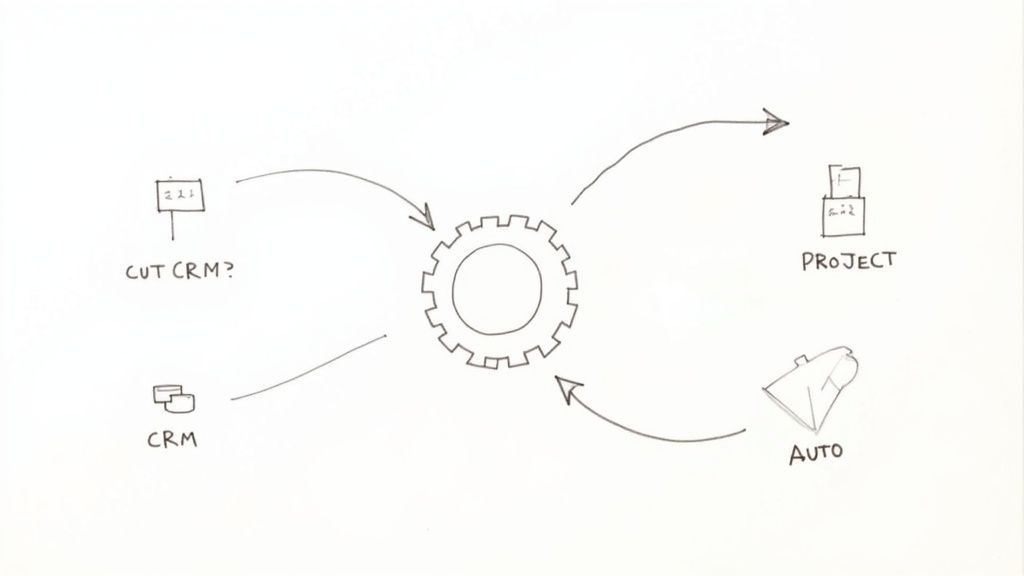
A hand-drawn diagram illustrating a central gear connected to 'CUT CRM?', 'PROJECT', 'AUTO', and 'CRM' in a circular flow.

From First Drafts to Quick Insights

AI has moved beyond sci-fi and into the everyday toolkit of savvy agencies. We're seeing teams get immediate wins by using AI to bust through common bottlenecks in creative and strategic work.

For instance, that dreaded blank page is becoming a thing of the past. Instead, your team can use AI to:

  • Generate initial content briefs: Plug in client goals and audience info to get a structured brief complete with key themes, headline ideas, and SEO keywords.
  • Draft marketing copy: Get first drafts for social media updates, ad copy, or email campaigns that your team can then polish and perfect.
  • Summarize research: Feed AI a lengthy report or a client interview transcript and get back a clean, bulleted summary in moments.

This approach massively shortens the "time to first draft," which means your team can jump straight to editing, strategizing, and adding that uniquely human creative spark.

Delegate the Administrative Drag

Besides content, the single biggest drain on any skilled team is administrative overhead. These are all the necessary evils that eat away at productive, billable hours. This is the perfect place to deploy a virtual assistant (VA) or other specialized support.

A good VA can take over the countless tasks that pull your senior people away from actual client work.

Here are some of the most common things we see agencies offload:

  1. Scheduling & Calendar Juggling: Coordinating meetings across different time zones is a classic time-sink.
  2. Data Entry & CRM Hygiene: Making sure client records are current and new leads are logged correctly.
  3. Basic Research: Pulling together lists of outreach targets or finding preliminary industry stats for a new project.
  4. Report Prep: Grabbing data from different platforms and dropping it into your standard weekly or monthly report template.

By handing off this work, you're not just saving time; you're protecting the focus and energy of your most critical thinkers. This is a direct line to improving operational efficiency.

Don't think of delegation as just offloading work. You're creating capacity. Every hour a senior strategist spends scheduling meetings is an hour they're not building a client's growth plan.

The financial upside here is real. Companies that have jumped on AI and automation are seeing serious gains. Industry data shows these technologies can drive logistics cost reductions of about 15%, cut inventory by roughly 35%, and boost service-level efficiency by nearly 65%. These figures aren't abstract; they show how smarter, AI-driven planning directly impacts the bottom line. You can read the full analysis of these supply chain statistics to dig deeper.

Building a Leaner, Smarter Agency

Bringing AI and assistants into the fold isn't a one-and-done project. It’s about developing a new instinct across your organization. The goal is to get everyone asking, "Could an AI or an assistant do this faster?"

My advice? Start small. Pinpoint one or two repetitive, high-friction tasks inside a single team. Pilot a new tool or hire a part-time VA to focus only on that workflow. Track the time saved and, just as importantly, ask the team how it feels.

Once you prove the value in one spot, you can start expanding the model across the rest of the agency. This deliberate, phased approach ensures you build a smarter, more resilient operation—one where technology truly empowers your people to do their absolute best work. The result is an agency that produces more, better work without just throwing more people at the problem.

Frequently Asked Questions
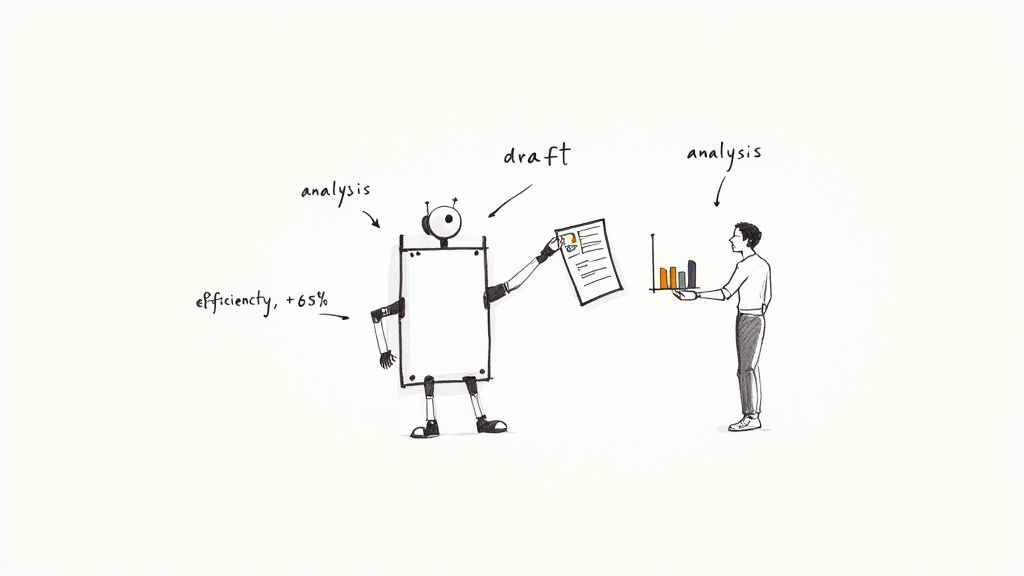
Cartoon drawing of a robot passing a draft document to a man analyzing data, symbolizing improved efficiency.

As you start pulling on these threads, you’re bound to have questions. This isn't about ticking boxes on a checklist; it's a living, breathing part of running your agency. I've gathered some of the most common questions and concerns that come up when leaders like you start putting these ideas into practice.

Let’s get into some of the real-world hurdles you're likely to face.

Where Should I Start Improving Operational Efficiency on a Tight Budget?

You don't need a huge budget to make a real difference. In fact, some of the highest-impact moves cost nothing more than your time and focus.

The best place to begin is almost always process mapping. Grab your team, pick one core process that feels like a mess—client onboarding is a classic culprit—and just map out every single step on a whiteboard. I guarantee you'll spot redundancies, communication breakdowns, or weird workarounds that can be fixed on the spot, no new software required.

Focus on these low-cost, high-return moves first:

  • Create simple checklists: Make sure every project kickoff or creative handoff follows the same essential steps.
  • Define communication channels: Establish a simple rule like, "Client feedback lives in the project tool, urgent questions go to Slack." This alone can save hours of confusion.
  • Run a "gripe session": Seriously. Book an hour for the team to vent about their biggest daily frustrations. The solutions are often hiding in those complaints.

Nailing these fundamentals gets the human side of your operations sorted out. That creates a solid foundation for any tech you might decide to invest in later on.

How Do I Get My Team on Board with New Processes and Tools?

Here's a hard truth: without your team's buy-in, even the most brilliant new process is doomed. The secret is to make them partners in the change, not just recipients of it. Resistance isn't about stubbornness; it's about feeling like change is being done to them.

So, don't just drop a new SOP or tool on their desk. Bring them into the conversation from day one. Ask them what's broken. Ask them what would make their jobs easier. Frame the changes as the solution to their problems, not just another way for management to track things.

A pro tip: always start with a small pilot program. Find a few people on the team who are excited about the change and let them test the new process on a single project. Their success stories will do more to convince the skeptics than any memo you could ever write.

What Are the Most Common Mistakes Businesses Make When Trying to Improve Efficiency?

So many agencies try to get more efficient and end up spinning their wheels. It's almost always because they fall into one of a few classic, and completely avoidable, traps.

The biggest mistake, by far, is buying tech before understanding the process. A leader sees a shiny new tool, thinks it's a silver bullet, and buys it. But without a clear workflow to plug it into, the software just adds another layer of complexity. Always map out the process first, then find a tool that fits it—never the other way around.

Another common pitfall is the "set it and forget it" mentality. Improving your operations isn't a one-and-done project. It's a constant cycle of doing, measuring, and tweaking. Your SOPs should be living documents that evolve as your agency grows.

Finally, and this is a big one, don't neglect the human element. If a new process makes your team's life harder or they don't understand the "why" behind it, they'll just go back to the old way of doing things the second you turn your back. Communication and training aren't optional—they're how you make change actually stick.


Tired of duct-taping your agency's operations together with a dozen different tools that don't talk to each other? RGK is the unified operating system built for agencies, by an agency. Stop fighting your software and start scaling your business with a single source of truth for projects, clients, and billing. Discover how RGK can streamline your agency's workflow today.
Customer Support Ticket System: Transform Your Operations and Delight Customers

At its core, a customer support ticket system is a piece of software designed to bring order to the chaos of client communication. It takes every single client request—from an email to a live chat message—and turns it into a neatly organized, trackable "ticket" in one central place. It’s the difference between a messy shared inbox and a well-oiled machine for managing and resolving client needs.

From Chaotic Inboxes to Clear Resolutions

Picture this: your agency's main email account is a constant flood of messages. A client's urgent request for a website fix is lost somewhere between a vendor invoice and a dozen newsletters. A critical bug report gets accidentally ignored. This is inbox anarchy, and it leads to missed deadlines, wasted effort, and unhappy clients. A support ticket system is built to prevent exactly this scenario.

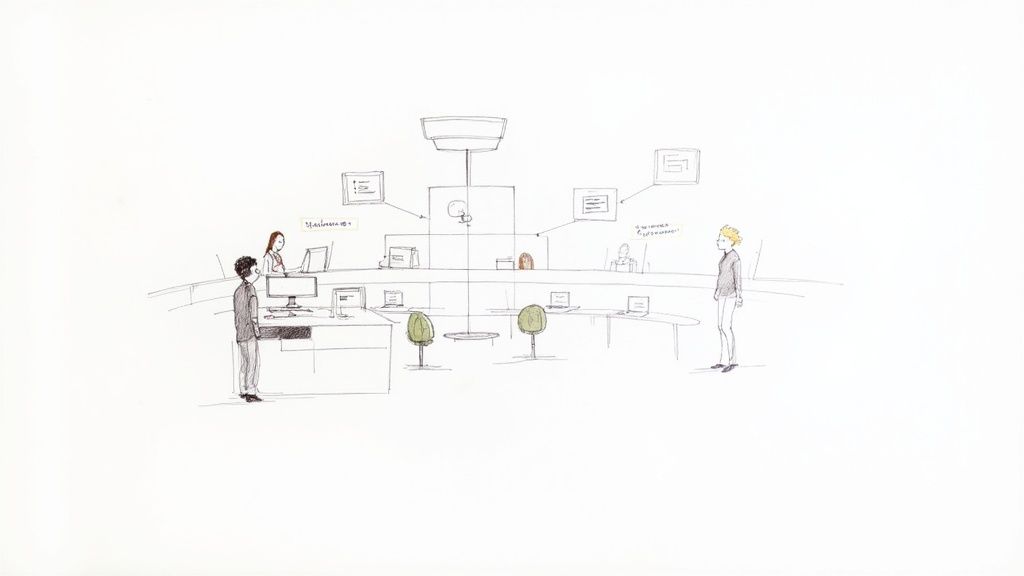
A hand-drawn illustration showing a customer support office with staff and digital information.

Think of it like an air traffic control tower for all your client conversations. Instead of emails circling aimlessly with no one in charge, each request is given a unique flight number (a ticket), assigned to a specific controller (your team member), and tracked from the moment it arrives until it's safely landed (resolved).

The Anatomy of a Support Ticket

So, what exactly is a ticket? When a client contacts you, the system automatically creates a digital file for that specific issue. It’s not just a forwarded email; it's a living record that holds everything related to that conversation.

A typical ticket will contain:

  • A unique ID number so you can find it in a second.
  • The client's information and their entire history with your agency.
  • The full conversation thread—every email, note, and reply in one place.
  • An assigned agent or team so everyone knows who’s responsible.
  • A real-time status (like Open, In Progress, On Hold, or Resolved).

This simple structure makes it nearly impossible for things to get lost. It gives your entire team a clear, single view of every client interaction, eliminating confusion and guesswork.

The real job of a ticketing system is to help you process, prioritize, and manage customer issues from start to finish. It flips the script from a reactive free-for-all to a proactive, manageable workflow, making sure every client is heard and every issue gets the attention it deserves.

Why This Matters for Agencies

In the agency world, strong client relationships are everything. A ticketing system isn't just a nice-to-have; it's fundamental to scaling your business. It puts an end to the classic "I thought you were handling that" problem that crops up with shared inboxes.

By keeping all communication in one place, it allows your team to work together seamlessly. An account manager can quickly see the status of a technical ticket without having to ping a developer for an update—it’s all logged right there. This organized approach is the first step to building a truly professional client service operation that can handle more clients without dropping the ball on quality.

What Really Makes a Modern Ticketing System Tick?

Not all support platforms are created equal. A true customer support ticket system is much more than a glorified shared inbox. It’s built around a core set of features designed to bring order to chaos, automate the tedious stuff, and make your support team remarkably efficient. These aren't just bullet points on a sales page; they're the engine that transforms reactive fire-fighting into a proactive, well-oiled machine.

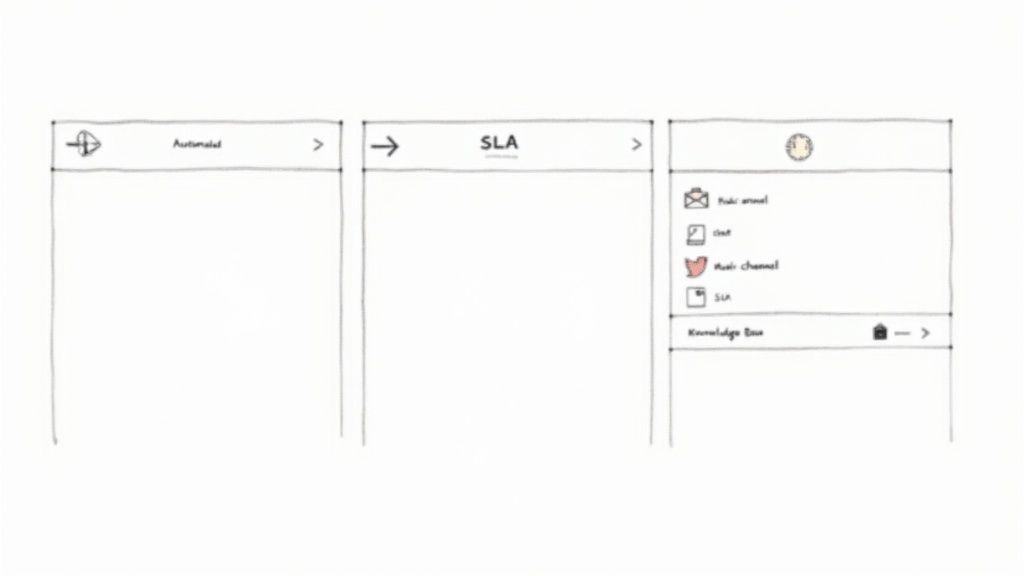
Wireframe sketch showing three UI panels for a customer support ticket system, featuring automated, SLA, and multi-channel options.

Once you understand what these features actually do, you'll see why moving away from email is a no-brainer for any growing agency. Let’s break down the capabilities that separate a basic tool from a platform built for exceptional client service.

H3: Automated Workflows and Intelligent Routing

Picture this: a new support request pops up. In the old world, someone has to stop what they're doing, read it, figure out who can handle it, and then forward it along. This manual triage is slow, a recipe for human error, and simply doesn't scale as your client base grows.

Automated workflows get rid of that bottleneck completely. Think of them as a smart set of "if this, then that" rules for your entire support operation. You can teach the system to instantly analyze and route incoming tickets based on whatever criteria you set.

For example, you could have a workflow that:

  • Scans for keywords: If a ticket mentions "invoice" or "billing," it zips straight over to the finance team. No manual hand-off needed.
  • Routes by client: Any ticket from your VIP clients can be automatically flagged as high-priority and assigned to a senior account manager.
  • Assigns by skill: A complex request mentioning "API integration" can land directly with your most experienced developer.

This kind of intelligent routing ensures every single issue gets to the right person instantly. It slashes your response times and makes sure the real experts are tackling the problems they're best equipped to solve.

H3: Service Level Agreements for Accountability

A Service Level Agreement (SLA) is your promise to a client. It’s a formal commitment you make about how quickly you'll respond and resolve their issues. Inside a ticketing system, SLAs are more than just words in a contract—they're active, automated clocks that keep everyone accountable and manage client expectations.

The moment a ticket is created, the system starts a timer based on your SLA policies. A critical bug report might have a one-hour first-response SLA, while a general question gets a 24-hour window.

The system keeps a constant watch on these timers. If a ticket is getting close to its deadline, the system can automatically bump its priority, notify a manager, or escalate it to ensure your promises are kept and nothing ever falls through the cracks.

For an agency, this is huge. It gives you a clear, measurable way to prove your reliability to clients. It also gives your team a perfectly prioritized to-do list, so they always know which fire to put out first.

H3: Multi-Channel Support for a Unified View

Your clients don't just use email anymore. They might reach out via live chat on your website, send a message on social media, fill out a web form, or even make a phone call. Without a central hub, your team is stuck juggling a dozen different tabs, losing context and creating a choppy, frustrating experience for the client.

A modern ticketing system brings all of that together with multi-channel support. Every conversation, regardless of where it started, is pulled into a single, unified view for your agent. A client can start a conversation on chat and follow up with an email an hour later, and your team sees the entire story in one clean, chronological thread.

This is a complete game-changer. It means clients never have to repeat themselves, and your team has the full picture needed for a quick, effective resolution. It’s no surprise that companies providing consistent quality across channels retain 89% of their customers, a stark contrast to the 33% retention for those who don’t.

H3: Integrated Knowledge Base for Self-Service

Let's be honest, a lot of client questions are repeats. An integrated knowledge base—a searchable library of articles, FAQs, and how-to guides—is your first line of defense. It empowers clients (and even your own team) to find answers on their own, instantly.

The real magic happens when it's deeply connected to your ticketing system. As an agent types a reply, the system can intelligently suggest relevant articles to send, saving them from writing the same answer for the hundredth time.

Even better, a good knowledge base deflects tickets before they're even created. When clients can solve their own problems through a self-service portal, your overall ticket volume drops. This frees up your team to focus their brainpower on the more complex, high-value issues that truly require a human touch.

How AI Is Revolutionizing Customer Support

Let's be clear: Artificial Intelligence isn't some far-off concept anymore. It's the single biggest change happening in customer support right now. When you weave AI into your customer support ticket system, it becomes a powerful co-pilot for your team. It handles the tedious, repetitive tasks and uncovers insights you’d otherwise miss, shifting your entire support operation from reactive to proactive and intelligent.

Two business professionals discuss a summary report and a suggested reply in an office setting.

This goes way beyond basic chatbots. Modern AI can analyze the tone, urgency, and true intent of an incoming ticket in a fraction of a second. It knows the difference between a frustrated client reporting a critical bug and someone just asking a quick question, getting each ticket to the right person before a human even lays eyes on it.

This technology has quickly moved from a "nice-to-have" to a "must-have." By 2025, it's expected that around 75% of support teams will have adopted AI in some form. This explosive growth is fueling a market projected to jump from $12.06 billion in 2024 to an incredible $47.82 billion by 2030. You can learn more about the rapid adoption of AI in customer service.

AI-Powered Triage and Intelligent Routing

Imagine every new ticket getting instantly analyzed for sentiment and intent. That's the magic of AI-driven triage. Instead of a manager manually sifting through the inbox, the system does it for them—automatically and with far greater accuracy.

And this isn't just about spotting keywords. The AI understands nuance. It can pick up on the frustration in a customer's phrasing or recognize a high-value client with a time-sensitive issue, then apply rules to act immediately.

For instance, an AI-powered system can:

  • Identify urgency: A ticket with phrases like "system down" or "can't log in" gets flagged as critical and escalated on the spot.
  • Detect sentiment: A message expressing disappointment can be sent straight to a senior agent or customer success manager for a more empathetic response.
  • Route by topic: The AI figures out if a ticket is about billing, a technical bug, or a feature idea and assigns it to the team best equipped to handle it.

The Rise of the Agent Co-pilot

Perhaps the most practical use of AI is as a "co-pilot" for your human agents. Generative AI is now being built directly into the ticketing interface, working alongside your team to make them faster, smarter, and more consistent.

This AI assistant tackles the tasks that used to eat up so much of an agent's day. Instead of spending ten minutes digging through a long, complex ticket history, an agent gets a one-paragraph summary in seconds. That instant context is crucial for giving a personal and effective response.

With AI handling the background research and initial drafts, human agents are freed to focus on what they do best: problem-solving, building relationships, and handling complex issues that require empathy and critical thinking. It’s about augmenting human skill, not replacing it.

This partnership between people and technology pays off. Some companies have seen first response times plummet by as much as 97%, dropping from minutes to mere seconds. That kind of speed completely changes the customer experience and sends agent productivity through the roof.

From Automated Responses to Data-Driven Strategy

AI also elevates your support function from a simple service desk to a strategic intelligence hub. By analyzing thousands of tickets over time, it can spot recurring problems, common customer pain points, and new trends as they emerge.

These insights are gold for your entire agency. For example, if the AI detects a spike in tickets about a new software feature, it can alert your product team to a potential bug or usability issue. This creates a powerful feedback loop, letting you improve your services based on what your customers are actually telling you, in real-time.

Ultimately, bringing AI into your customer support ticket system changes the very nature of the job. It automates the grunt work, empowers your agents with instant knowledge, and delivers the strategic insights you need to not just solve problems, but to stop them from happening in the first place.

Choosing The Right System For Your Agency

Picking a customer support ticket system is more than just buying another piece of software. It’s a foundational decision that will dictate your team's workflow and shape client relationships for years to come. It’s easy to get lost in flashy feature lists, but the right choice for an agency really comes down to a few critical, and often overlooked, criteria. You need a platform that not only works today but grows with you tomorrow.

The real question isn't "what can it do?" but "how will it work for us?" The system that’s perfect for a big e-commerce company could easily hamstring a nimble, project-based agency. Let's cut through the marketing fluff and focus on what actually matters.

Scalability: Can You Grow Without The Pain?

For an agency, growth can be unpredictable. You might land a huge new retainer, kick off a massive project, or suddenly expand your service offerings. Your ticketing system has to absorb that pressure without cracking. True scalability means the platform can handle a sudden 2x or 3x spike in ticket volume without lagging, crashing, or forcing you into a complicated, time-consuming reconfiguration.

Think about it this way: can you add new brands, teams, or channels on the fly? If you sign a major new client, can you spin up a dedicated support workflow for them in an afternoon, or does it take a week of back-and-forth with a support tech? A scalable system fuels your growth; a rigid one becomes a bottleneck you’re constantly fighting.

Pricing Model: Seat vs. Access

This is probably the most important—and financially impactful—factor for any agency. Most traditional software is priced per-seat, a model designed for static, internal corporate teams. For agencies that rely on a fluid mix of contractors, freelancers, and part-time experts, this model is a budget-killer.

Paying for a full-time license for a developer who only needs to jump in for a few hours a week just doesn't make sense. Instead, look for a customer support ticket system with a more intelligent pricing structure.

  • Core Team Seats: A set number of licenses for your full-time staff—the people who live in the system every day.
  • Flexible Access: The ability to give temporary or limited access to outside collaborators and part-timers for a fraction of the cost, or even for free.

The right pricing model shouldn't make you second-guess bringing in an expert to solve a client's problem. It should reflect the way modern agencies actually operate: with a stable core team and a flexible, project-based network of talent.

Extensibility And The Single Source Of Truth

Your ticketing system can't be an island. Its real power is unlocked when it talks to the other tools your team depends on, creating one unified picture of every client relationship. This is extensibility.

Before you sign on the dotted line, dig into how well it integrates with your agency’s core tools.

  • CRM (like HubSpot or Salesforce): Can your support agent see a client’s entire sales history and contract details right from the ticket view?
  • Project Management (like Asana or Jira): Can a support ticket be turned into a task for the dev team with one click, keeping the two linked so everyone stays in the loop?
  • Communication (like Slack): Can your team create tickets directly from a Slack conversation or post internal notes back to a project channel?

When your systems are connected, your team stops wasting time switching between tabs and digging for context. The ticket itself becomes the single source of truth, holding every piece of information needed to resolve the issue quickly and correctly. That’s what turns a simple ticketing tool into a true operational hub.

A Practical Guide to Switching and Onboarding

Picking the right customer support ticket system is a huge step, but it’s only the beginning. The most powerful software in the world is useless if rolling it out creates chaos for your team and clients. A smart, deliberate implementation plan is what turns a new tool into a real-world advantage.

Think of it less like flipping a switch and more like moving your entire operation into a new, better-equipped headquarters. You have to move your people, your data, and your established ways of working without dropping any of the important stuff. This isn't just a technical project; it's a people project. A good roadmap gets everyone to the destination smoothly and ready to work.

Phase 1: The Pre-Launch Prep Work

Before you even think about migrating a single ticket, you need to lay the groundwork. This is all about setting up the rules for your new system and doing a bit of house-cleaning. So many agencies rush this part and end up with a mess they have to fix later.

Start with data cleanup. If you’re coming from a cluttered shared inbox, now is your golden opportunity to archive ancient conversations and organize what’s actually important. A clean slate is a beautiful thing. It's like spring cleaning before you move—you don’t want to pack up all the junk and bring it with you.

With a tidy dataset, you can define your core settings:

  • Establish User Roles: Who needs to do what? Set up clear roles like Agent, Manager, or Admin. This stops team members from accidentally tripping over settings they shouldn't touch and keeps their interface focused.
  • Set Up Your First Workflows: Start with simple, high-impact automation. For example, you can create a rule that instantly routes any ticket containing the word "invoice" or "billing" straight to your finance person.
  • Define Ticket Statuses: Your options shouldn't just be "Open" and "Closed." Add custom statuses that reflect your actual process, like "Awaiting Client Reply," "In Review," or "Blocked by Engineering." This gives everyone instant clarity just by looking at the ticket queue.

Phase 2: Moving Day and Go-Live

Okay, the foundation is set. Now it’s time for the big move. Migrating data sounds scary, but modern ticketing platforms have made this much less painful, even if you’re just moving out of Gmail or Outlook. Most tools have built-in importers for CSV files or direct connections to your old email provider.

The trick is to do a small test run first. Move a dozen or so recent conversations over to make sure everything lands where it should—client names, custom fields, and especially attachments. Once you’ve confirmed it’s working as expected, schedule the full migration for a slow period, like over a weekend, to cause as little disruption as possible.

This is where change management becomes critical. Your goal isn't just to launch a new piece of software; it's to get your team to actually want to use it. Frame the switch as the solution to their biggest headaches—no more buried emails, no more wondering who's supposed to reply. This turns a top-down mandate into a team-wide win.

Phase 3: Training and Team Adoption

The system is live, but your job isn't over. Great training is what separates a tool that gets used from a tool that gets ignored. Don't just email everyone a link to the user manual. Run a live, hands-on session that walks through the exact workflows your agency will use every day.

Show them, step-by-step, how this new system solves old problems. Trace the journey of a typical client request from the moment it arrives to the moment it's resolved. According to a study by Pylon, teams that receive proper onboarding can be 2-3x more productive because they learn how to use the best features right from the start.

Finally, create a dedicated feedback channel in Slack or Teams. Let your team ask questions, report confusion, and suggest improvements. This gives them a sense of ownership and provides you with invaluable insights to fine-tune your setup based on how people are actually using it. This is how your customer support ticket system grows and adapts along with your agency.

Measuring The KPIs That Actually Matter

Getting a customer support ticket system in place is a great first step, but proving it’s actually working is what really counts. To do that, you need to look past the surface-level numbers and dig into the Key Performance Indicators (KPIs) that tell you the real story about your client support.

These aren't just numbers on a screen. They paint a clear picture of your team’s efficiency, how happy your clients are, and how strong your operations really are. Without data, you’re flying blind. A good ticketing platform replaces that guesswork with concrete insights, giving you a live dashboard of the metrics that truly matter for your agency's success.

Core Metrics for Agency Success

You could track a hundred different data points, but a handful of core KPIs will give you the most accurate snapshot of your performance. These are the non-negotiables that every support manager should have on their dashboard.

  • First Response Time (FRT): This is all about speed. It measures how long a client waits for that very first reply after submitting a ticket. A low FRT is huge for client confidence; it shows them you're on the ball and their problem is officially on your radar.

  • Average Resolution Time: From the moment a ticket is opened to the second it’s closed for good, this KPI tracks the entire lifecycle of an issue. It’s a direct reflection of how efficiently your team can find solutions and get things done.

  • Customer Satisfaction (CSAT): This is the ultimate report card. Usually gathered through a quick survey after a ticket is resolved ("How did we do?"), CSAT gives you a direct line into your client's experience and their perception of the value you provide.

Adapting to Evolving Client Behaviors

The way your clients reach out has a massive impact on these KPIs. Sticking to just email metrics is a recipe for falling behind. We're living in an era of instant communication, and client expectations have shifted dramatically.

For instance, industry studies consistently show that live chat has become the preferred support channel for roughly 41% of consumers. It's comfortably ahead of phone support (32%) and email (23%). With satisfaction rates hovering between 73–87%, chat isn't just popular—it's effective. You can learn more about these customer support trends and statistics.

By tracking KPIs for each channel separately—email, chat, web forms—you can spot where your team shines and where you might need to allocate more resources. For example, if your FRT on email is great but your chat response time is lagging, it's a clear signal you might need more hands dedicated to real-time support.

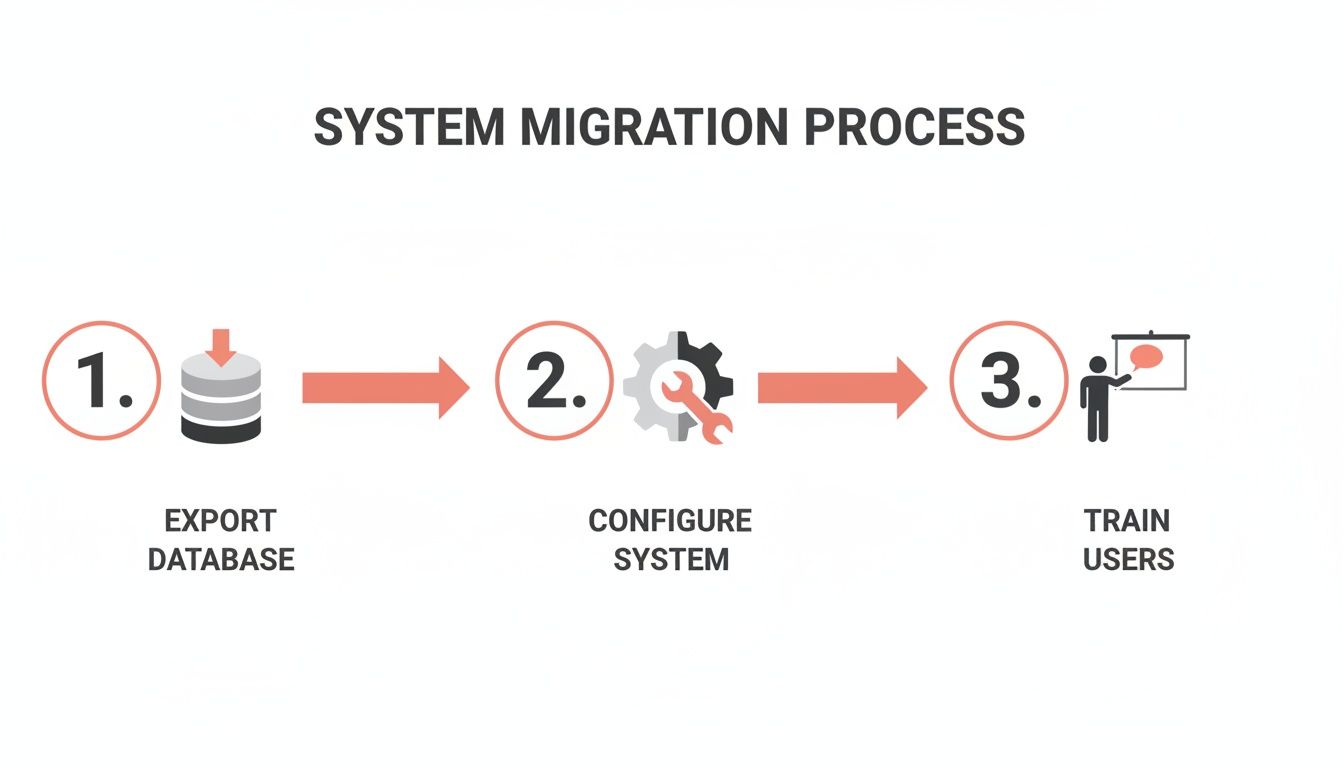
The infographic below outlines the typical three-step process for moving to a new system that can actually track these modern metrics.

Infographic illustrating a three-step system migration process: export database, configure system, and train users.

Getting this process right—exporting your data, setting up new workflows, and training your team—is the bedrock of accurate KPI measurement. If the setup is sloppy, your data will be unreliable, and you'll end up making strategic calls based on faulty information. That's a risk no growing agency can afford to take.

Frequently Asked Questions

Jumping into the world of support software can definitely feel overwhelming. Let's tackle some of the most common questions we hear from agencies when they're thinking about a customer support ticket system.

How Long Does Implementation Take?

Honestly, it depends on what you're starting with. For most small to mid-sized agencies, you can get a cloud-based system up and running in about a week. That usually covers the basics: connecting your email, setting up a simple web form, creating a few core workflows, and getting the team comfortable with the new tool.

If you're migrating a mountain of data from an old, clunky system or untangling years of history from a shared inbox, you should probably budget more time—think three to four weeks. The secret to a fast, smooth rollout is mapping out your plan before you start clicking buttons.

Can a Ticketing System Integrate With Other Tools?

Absolutely. In fact, if it doesn't, you should run the other way. A modern customer support ticket system should act as the central nervous system for all your client communications and tasks. Look for systems that play nicely with the tools your team already lives in.

We're talking about direct connections to your:

  • CRM: Syncing with HubSpot or Salesforce gives your support team the full picture of who they're talking to—no more flying blind.
  • Project Management Software: The ability to push a support ticket directly into Asana or Jira is a lifesaver. It turns a client request into an actionable task for your delivery team in one click.
  • Communication Apps: Linking up with Slack or Microsoft Teams is also huge. It connects the dots between quick internal chats and the official client record.

When your tools talk to each other, you create a genuine single source of truth. It stops the madness of flipping between ten different tabs just to figure out what’s going on with a client.

Is a Ticketing System Only for Large Companies?

That's one of the biggest myths out there. While large companies can't survive without one, a ticketing system can be a complete game-changer for small agencies and even freelancers.

Getting a system in place early builds good habits. It establishes a professional and scalable process from the very beginning, ensuring no client request ever falls through the cracks. It’s the foundation you need to grow without letting your service quality slip. Plus, many of today’s best platforms have plans specifically designed for small, nimble teams.


Ready to see how a truly unified platform with a built-in AI layer can transform your agency's operations? RGK was built by agency owners, for agency owners, to eliminate the chaos of disconnected tools. Explore RGK today.
The 12 Best Project Timeline Template Free Resources for Agencies in 2025

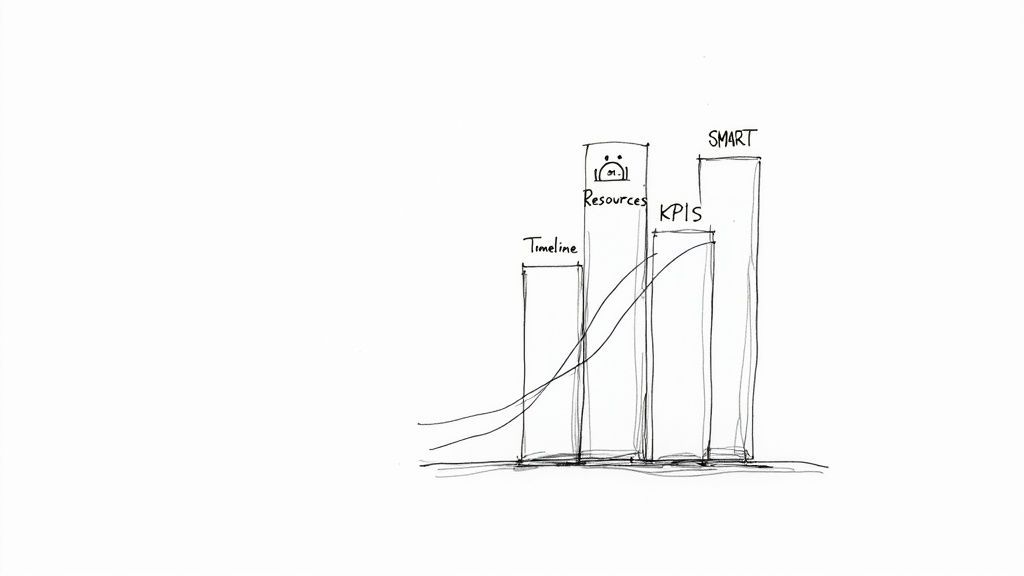
Juggling multiple client projects can feel like a high-wire act without a net. Your agency's success depends on delivering great work on time and on budget, yet the very tools meant to help often create more chaos. Disconnected spreadsheets, static documents, and overly complex project management software can quickly lead to miscommunication, missed deadlines, and the dreaded scope creep that erodes profitability. A clear, accessible project timeline is the foundational tool that brings order to this chaos, providing a single source of truth for your team and clients.

Finding the right starting point is crucial. This is why we've curated a definitive list of the best project timeline template free resources available today. We’ve moved beyond generic lists to provide a practical guide tailored specifically for agency workflows. Whether you need a simple visual roadmap for a client presentation or a detailed Gantt chart for a complex development sprint, the right template is here. This guide is designed to help you quickly identify the best tool for your immediate needs without the friction of endless searching.
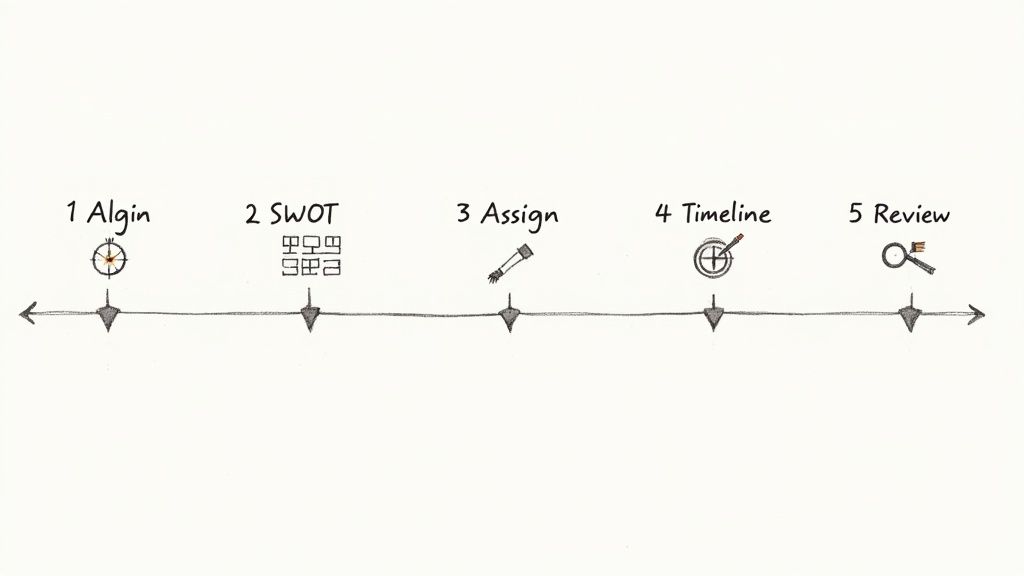
Each entry includes a direct download link, a brief analysis of its strengths and weaknesses, and practical tips for implementation. We'll explore options from robust platforms like Smartsheet and Asana to flexible tools like Excel, Google Sheets, and even visual-first solutions like Canva and Miro. Our goal is to equip you with a high-quality, free project timeline template that you can implement immediately to improve project clarity, align your team, and set client expectations effectively from day one. Let’s find the perfect template to streamline your agency's project delivery.

1. Microsoft Excel templates (official)

For agencies already operating within the Microsoft ecosystem, the official template gallery is the most direct source for a project timeline template free of charge. Sourced directly from Microsoft, these templates guarantee compatibility and seamless integration with both the desktop and web versions of Excel. The collection offers a variety of pre-built options, from simple task-based timelines to more detailed Gantt chart-style trackers, making it a reliable first stop for teams familiar with spreadsheet-based project management.

Microsoft Excel templates (official)

The primary advantage is the minimal learning curve. If your team knows Excel, they can immediately use these templates to map out project phases, assign tasks, and set deadlines. Customization is straightforward, allowing you to adjust colors, add agency branding, and modify columns to fit specific project needs. Sharing via OneDrive facilitates easy collaboration with clients and internal stakeholders, providing a simple visual for status updates.

Our Assessment

Category Rating Summary
Ease of Use ⭐⭐⭐⭐ High familiarity for Excel users means you can start immediately. No new software to learn.
Customization ⭐⭐⭐ Strong visual and structural customization, but lacks automated project management features.
Collaboration ⭐⭐⭐ Good for sharing and co-editing via OneDrive, but lacks real-time commenting or notification features.
Overall ⭐⭐⭐ An excellent, no-cost starting point for basic timeline management, especially for internal projects or straightforward client work.

However, these templates are fundamentally spreadsheets. They lack the automated functionality of dedicated project management software, such as dynamic task dependencies or resource allocation tracking. Setting up complex critical paths must be done manually, which can become cumbersome for large-scale agency projects.

  • Best for: Quick, visual project plans and status reporting.
  • Not for: Complex projects requiring automated dependency management.

Link: Microsoft Excel Project Tracker & Timelines

2. Microsoft PowerPoint (official how-to)

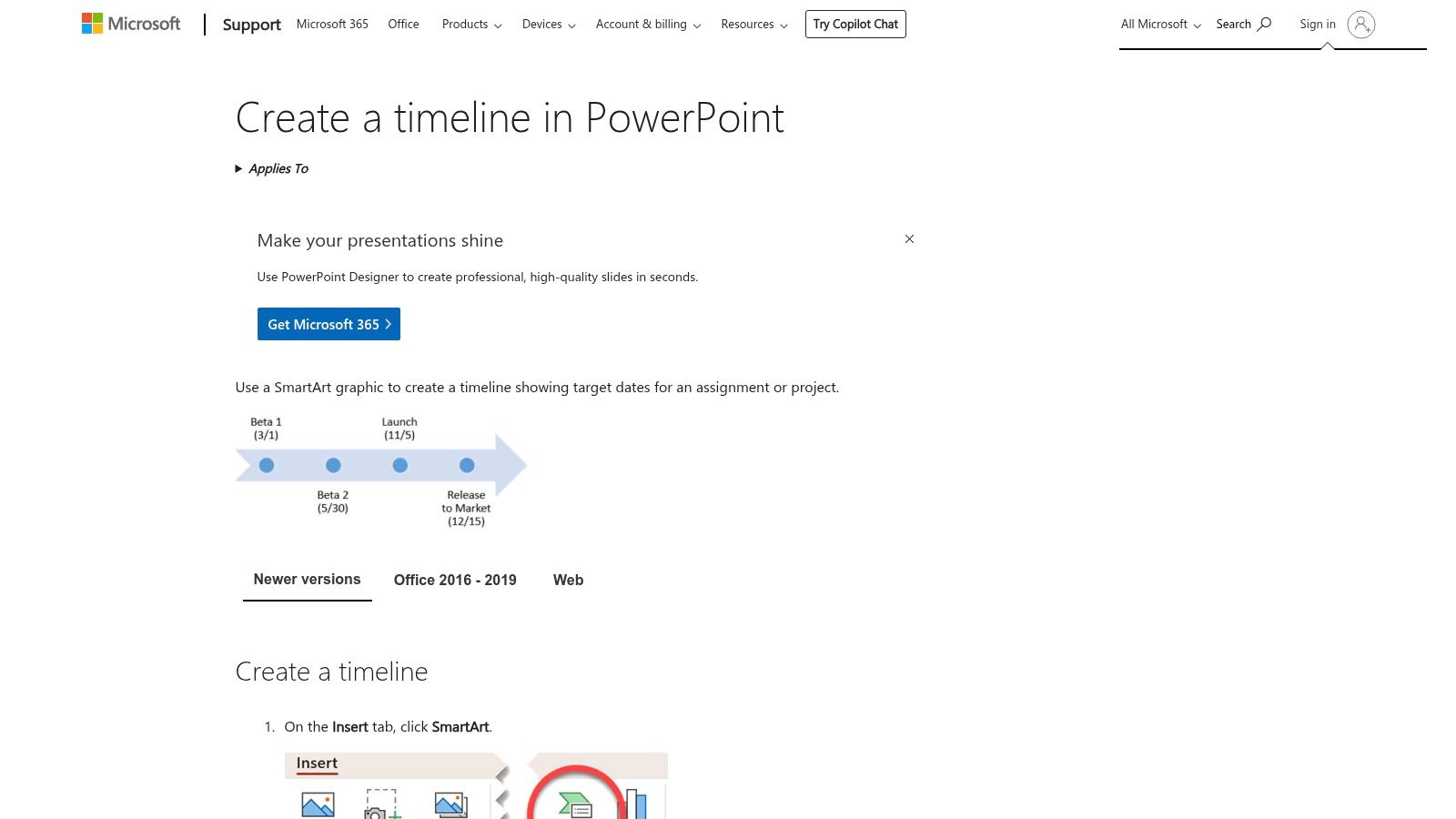
For agency presentations and high-level client updates, a spreadsheet isn't always the best visual tool. Microsoft’s official guide on creating timelines in PowerPoint shows how to build a project timeline template free from complex data, using the built-in SmartArt graphics. This approach is perfect for transforming key dates and milestones into a clean, presentation-ready visual without needing third-party add-ins or downloads. It focuses on clarity and communication over granular task management.

Microsoft PowerPoint (official how-to)

The main advantage is its native integration within the most common presentation software in the business world. Teams can quickly generate visuals like a Basic Timeline or Circle Accent layout, apply brand colors with a single click, and embed them directly into stakeholder reports or pitch decks. This method bypasses the need to import images or struggle with formatting, ensuring the timeline looks professional and is easy to edit right up to the meeting time.

Our Assessment

Category Rating Summary
Ease of Use ⭐⭐⭐⭐ Very simple for anyone familiar with PowerPoint. The SmartArt interface is intuitive.
Customization ⭐⭐⭐ Good for visual styling (colors, fonts, effects) but structurally limited to pre-set layouts.
Collaboration ⭐⭐⭐ Easy to share within a presentation file, but lacks interactive or real-time project tracking.
Overall ⭐⭐⭐ An excellent solution for creating high-level, static timelines for presentations and client reporting.

PowerPoint timelines are purely for visual representation. They are not linked to project data and must be updated manually, making them unsuitable for detailed project tracking. Any change in the project schedule requires manually editing the SmartArt graphic, which is inefficient for dynamic, fast-moving projects.

  • Best for: Client-facing presentations, project kickoff meetings, and high-level reporting.
  • Not for: Detailed, day-to-day project management or tracking dependencies.

Link: Create a timeline in PowerPoint

3. Smartsheet

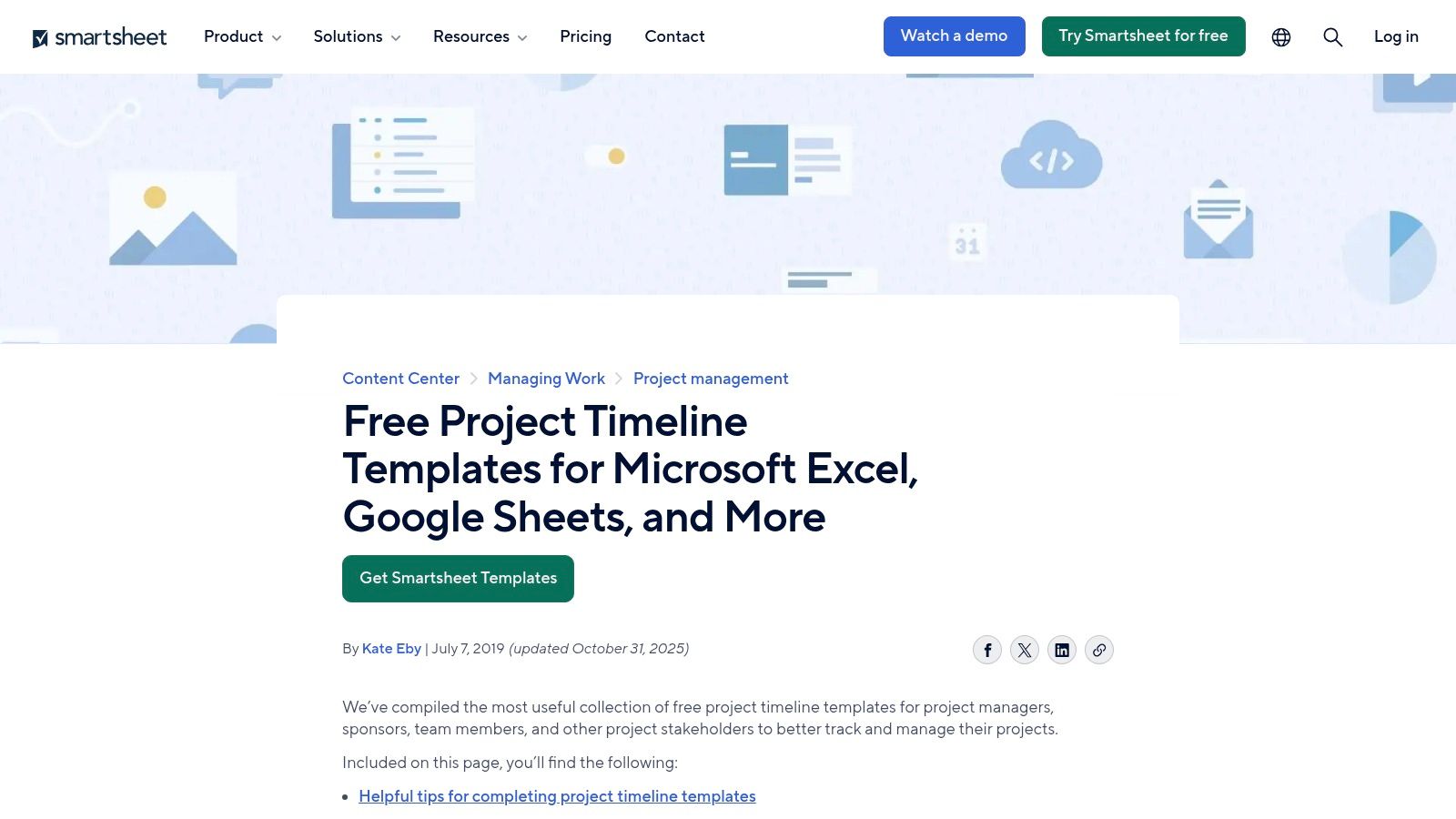
Smartsheet offers one of the most extensive and well-organized libraries for anyone seeking a project timeline template free of charge, regardless of their preferred software. The platform provides a rich collection of downloadable templates compatible with Excel, Google Sheets, and PowerPoint, catering to a wide array of industries and specific use cases. This makes it an ideal resource for agencies needing specialized timelines, such as those for construction projects, marketing campaigns, or product launches, without committing to Smartsheet’s own software.

Smartsheet

The key benefit is the sheer variety and the freedom to download templates directly without mandatory account creation. Each template page also includes helpful guidance and tips on how to effectively use project timelines, adding an educational layer. This approach allows teams to quickly find and implement a suitable template in the tool they already use, making it a highly practical and accessible option for immediate project planning needs.

Our Assessment

Category Rating Summary
Ease of Use ⭐⭐⭐⭐⭐ Extremely easy to find and download templates in multiple formats without any sign-up process.
Customization ⭐⭐⭐⭐ High, as templates are provided for Excel and Google Sheets, allowing for full native customization.
Collaboration ⭐⭐⭐ Dependent on the software used (e.g., Google Sheets for real-time), not a feature of the templates themselves.
Overall ⭐⭐⭐⭐ A top-tier resource for a diverse range of high-quality, free templates in familiar formats.

While the templates are free, the website is designed to guide users toward Smartsheet's paid project management platform. The marketing content is present but doesn't obstruct access to the free downloads. For agencies looking for a quick, no-strings-attached template for a specific purpose, this is an excellent and reliable source.

  • Best for: Agencies needing industry-specific templates in various formats (Excel, Sheets, PowerPoint).
  • Not for: Teams looking for a fully integrated, all-in-one project management solution.

Link: Smartsheet Project Timeline Templates

4. Vertex42

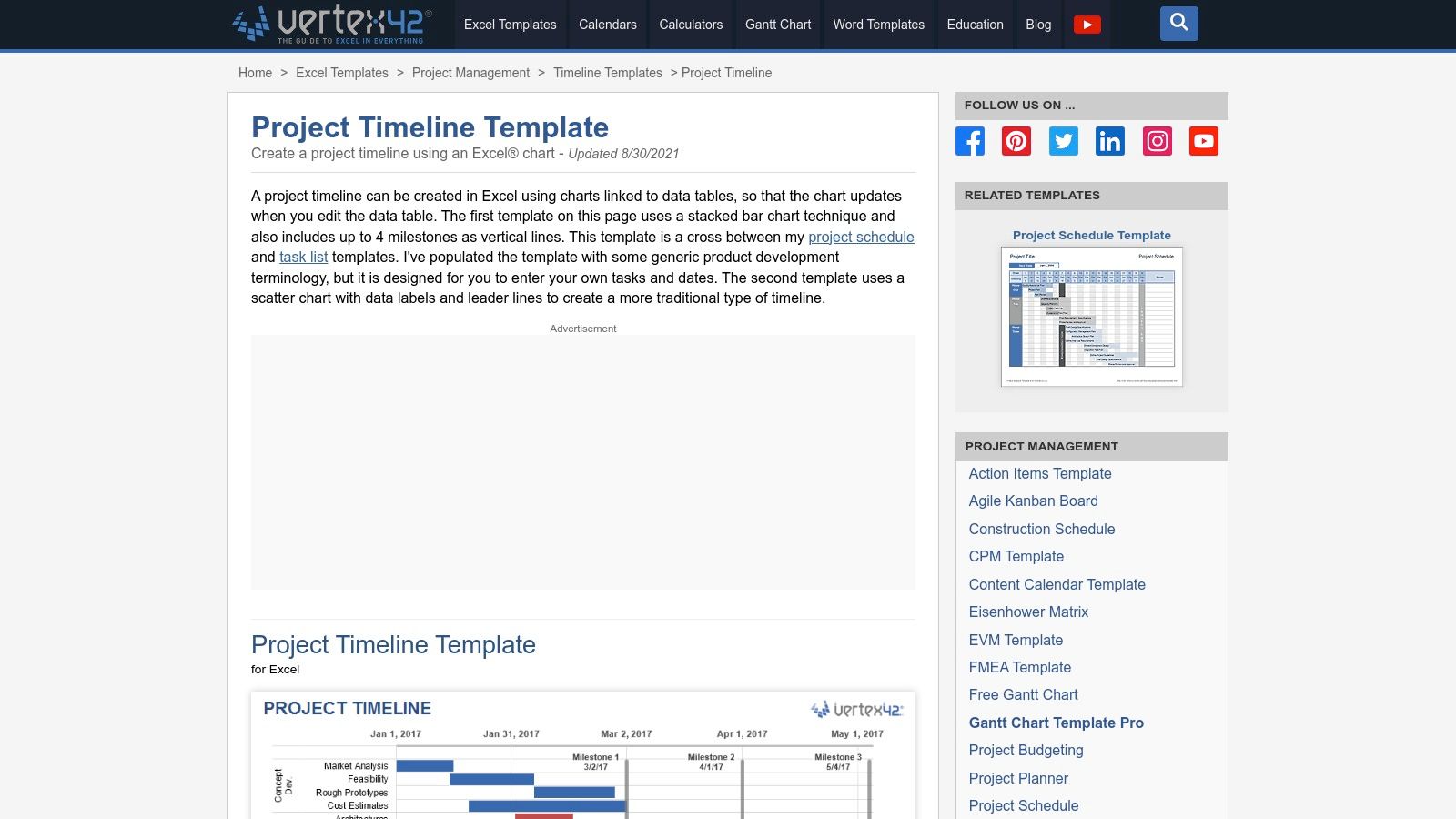
For those seeking a more refined spreadsheet experience, Vertex42 is a long-standing and trusted source for high-quality Excel templates. Their project timeline template free collection stands out for its clean design and practical application. The templates, available in styles like stacked bar and scatter-based charts, are intentionally formula-light. This makes them exceptionally easy to customize for agency projects without needing advanced spreadsheet knowledge, offering a significant step up from basic built-in options.

Vertex42

The key benefit of Vertex42 templates is their professional polish and excellent documentation. Each download comes with clear instructions and tips, helping users get the most out of the file immediately. They are perfect for creating visually appealing timelines with clear milestone markers for client presentations or internal reviews. While many are designed for Excel, the site often provides links to Google Sheets compatible versions, offering some flexibility.

Our Assessment

Category Rating Summary
Ease of Use ⭐⭐⭐⭐ Very straightforward for anyone with basic Excel skills. Excellent documentation helps bridge any gaps.
Customization ⭐⭐⭐ Easy to modify colors, fonts, and data, but lacks dynamic, automated features of dedicated PM tools.
Collaboration ⭐⭐⭐ Relies on the host application (Excel/Sheets) for sharing. Good for co-editing but no built-in communication.
Overall ⭐⭐⭐ A top-tier choice for agencies wanting a professional-looking, easy-to-edit spreadsheet timeline without the complexity.

The main limitation is the private-use license, which restricts commercial redistribution, though internal agency and client reporting use is typically fine. Like other spreadsheet solutions, these templates lack automated scheduling or dependency tracking; all updates must be made manually. They function best for projects where a clear, static visual representation of the timeline is the primary goal.

  • Best for: Creating clean, well-documented timelines for presentations and status reports.
  • Not for: Live project management or projects with complex, shifting dependencies.

Link: Vertex42 Project Timeline Template

5. ProjectManager

For agencies looking for a bridge between static spreadsheets and a dynamic project management platform, ProjectManager offers a smart solution. They provide a project timeline template free for download in Excel, designed as a direct on-ramp to their more powerful online software. This approach allows teams to start planning immediately with a familiar tool and then seamlessly import that data into a live environment when the project's complexity grows. The template includes key fields like task duration, milestones, and percent complete.

ProjectManager

The standout feature is the clear upgrade path. While the Excel file works perfectly as a standalone document, importing it into ProjectManager's software unlocks real-time Gantt charts, Kanban boards, and collaborative dashboards. This makes it an ideal choice for agencies that anticipate needing more sophisticated tracking and reporting capabilities down the line but want to begin with a simple, no-cost template. It effectively de-risks the transition to a dedicated project management tool.

Our Assessment

Category Rating Summary
Ease of Use ⭐⭐⭐⭐ The initial Excel template is very easy to use. The software has a modern interface but requires a small learning curve.
Customization ⭐⭐⭐ The Excel template is fully customizable, but the software's customization is tied to its feature set and pricing tier.
Collaboration ⭐⭐⭐ Limited to Excel's capabilities initially. Full collaboration (comments, assignments) requires upgrading to the paid software.
Overall ⭐⭐⭐⭐ An excellent hybrid model that serves both basic and advanced needs, offering a clear path for scaling project management efforts.

The primary limitation is that the most valuable features, like live dashboards and multi-view project tracking, are locked behind a paid subscription. The free offering is essentially a well-designed lead-in to their core product. However, for agencies testing the waters of more formal project management, this "start free, then upgrade" model is incredibly practical.

  • Best for: Agencies that want to start with a simple template but plan to scale to a full project management tool.
  • Not for: Teams needing advanced, free collaboration features from the outset.

Link: ProjectManager Project Timeline Template

6. TeamGantt

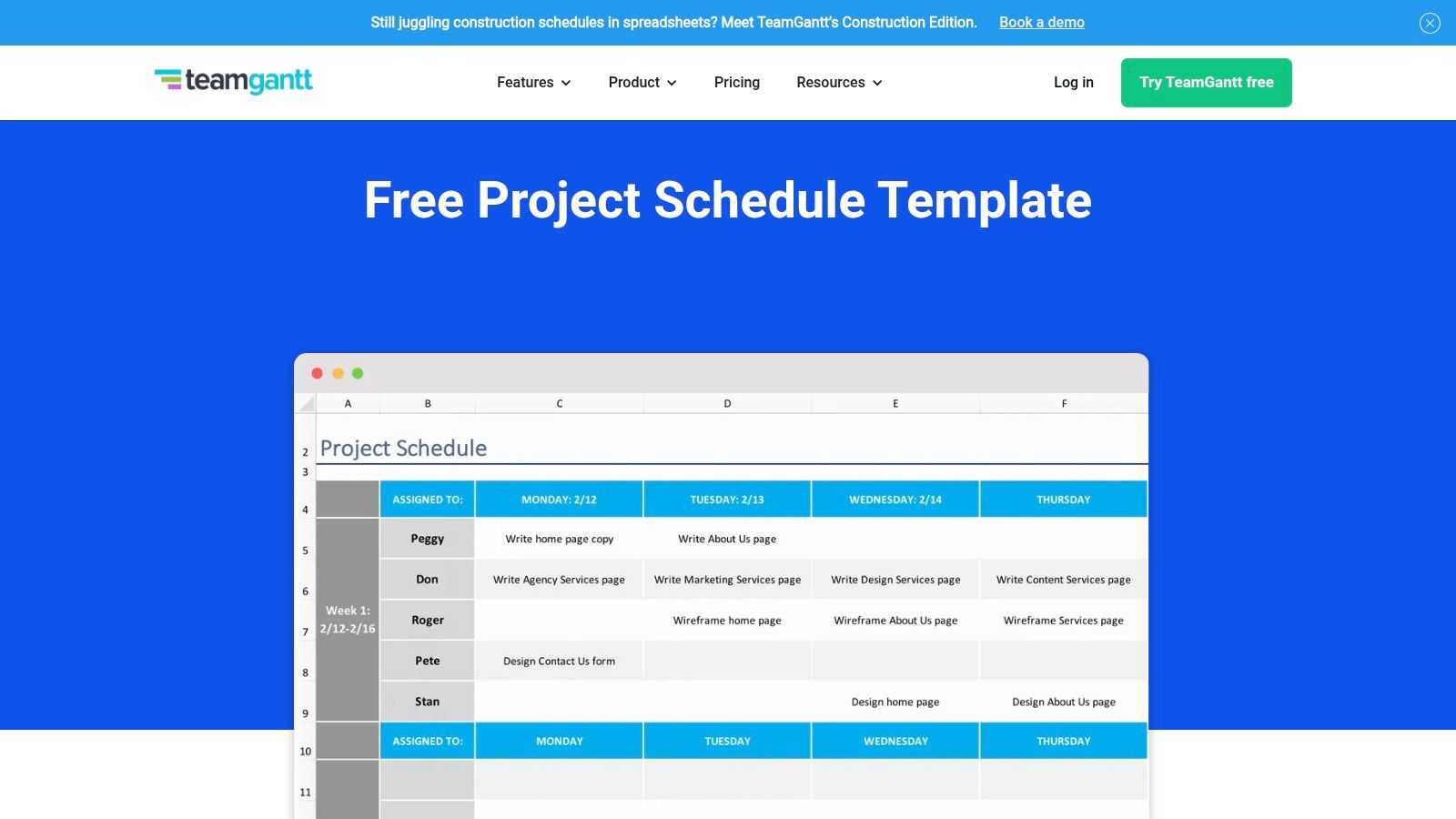
TeamGantt provides a unique hybrid approach for agencies looking for a project timeline template free of charge. It bridges the gap between static spreadsheets and dynamic project management software by offering both a free Excel scheduling template and a free tier for its intuitive online Gantt chart maker. This makes it an ideal starting point for teams wanting to begin with a familiar spreadsheet format but quickly graduate to a more collaborative, web-based tool.

TeamGantt

The main advantage is the clear upgrade path. Agencies can download the Excel template instantly, without an email requirement, to draft initial plans. When the project requires real-time collaboration or task dependencies, they can sign up for the free online tool and import their data. The web app's drag-and-drop interface simplifies timeline adjustments, making it far more user-friendly than manually updating a spreadsheet.

Our Assessment

Category Rating Summary
Ease of Use ⭐⭐⭐⭐⭐ Extremely beginner-friendly with a simple interface and a seamless transition from Excel to a web app.
Customization ⭐⭐⭐ Good customization in the Excel file; the web app offers solid visual and structural options on the free plan.
Collaboration ⭐⭐⭐⭐ The free web app tier allows for basic project sharing and real-time updates, a big step up from spreadsheets.
Overall ⭐⭐⭐⭐ An outstanding choice for agencies that need a simple starting point with a clear path to more robust, collaborative features.

The primary limitation is that advanced features like portfolio views, workload management, and time tracking are reserved for paid subscriptions. The free online plan is generous for a single project but can feel restrictive for managing an entire agency's client portfolio.

  • Best for: Agencies transitioning from spreadsheets to a dedicated PM tool.
  • Not for: Teams needing advanced resource management or portfolio views on a free plan.

Link: TeamGantt Free Scheduling Template

7. Asana

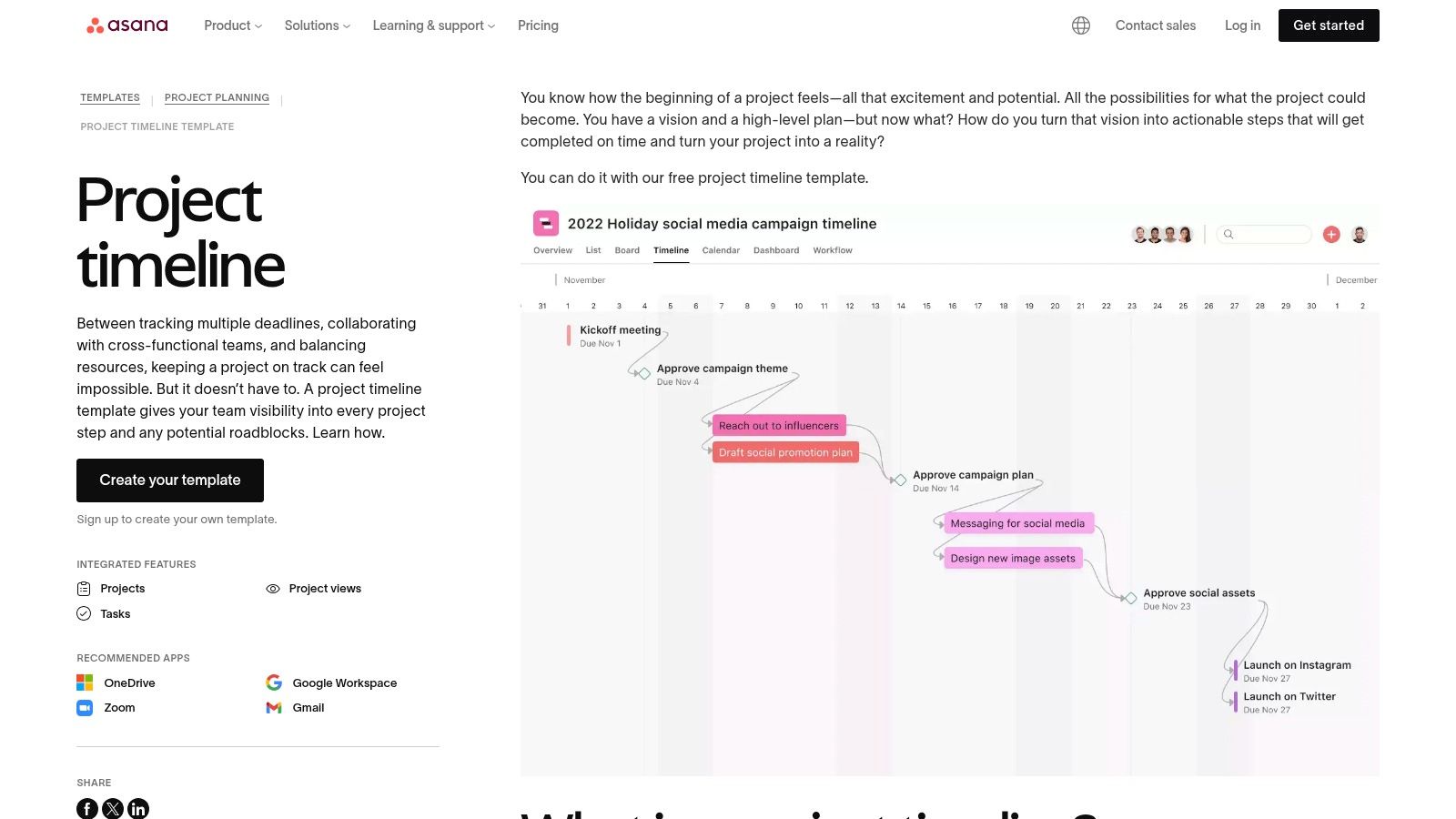
For teams seeking more than a static spreadsheet, Asana offers a powerful project timeline template free within its robust work management platform. This isn't just a file to download; it's an interactive, dynamic tool built into Asana's ecosystem. The template leverages the platform’s Timeline View, a Gantt-style interface that allows teams to map out project schedules, set dependencies, and visualize the entire project lifecycle from start to finish.

Asana

The key benefit is integrating your timeline directly with task management. Each item on the timeline is a live task that can be assigned, commented on, and updated. This connection ensures the timeline is always a real-time reflection of project progress, not a document that needs manual updates. Drag-and-drop functionality makes it simple to adjust deadlines, and task dependencies automatically shift subsequent tasks when a predecessor's dates change.

Our Assessment

Category Rating Summary
Ease of Use ⭐⭐⭐⭐ The drag-and-drop interface is intuitive, though there's a slight learning curve for the full platform.
Customization ⭐⭐⭐⭐ Highly customizable within the Asana framework; add custom fields, sections, and task details.
Collaboration ⭐⭐⭐⭐⭐ Excellent real-time collaboration with comments, file attachments, and @-mentions on each task.
Overall ⭐⭐⭐⭐ A top-tier choice for agencies needing a dynamic, integrated timeline connected to daily work management.

While Asana’s free tier is generous for small teams, larger agencies may find its limitations, such as the lack of advanced portfolio views or custom fields, a reason to upgrade to a paid plan. The functionality is also tied to the Asana platform, so it’s not a standalone file you can easily share with clients who don't use the tool.

  • Best for: Agencies managing active projects within a dedicated work management tool.
  • Not for: Those needing a simple, shareable file for external stakeholders unfamiliar with Asana.

Link: Asana Project Timeline Template

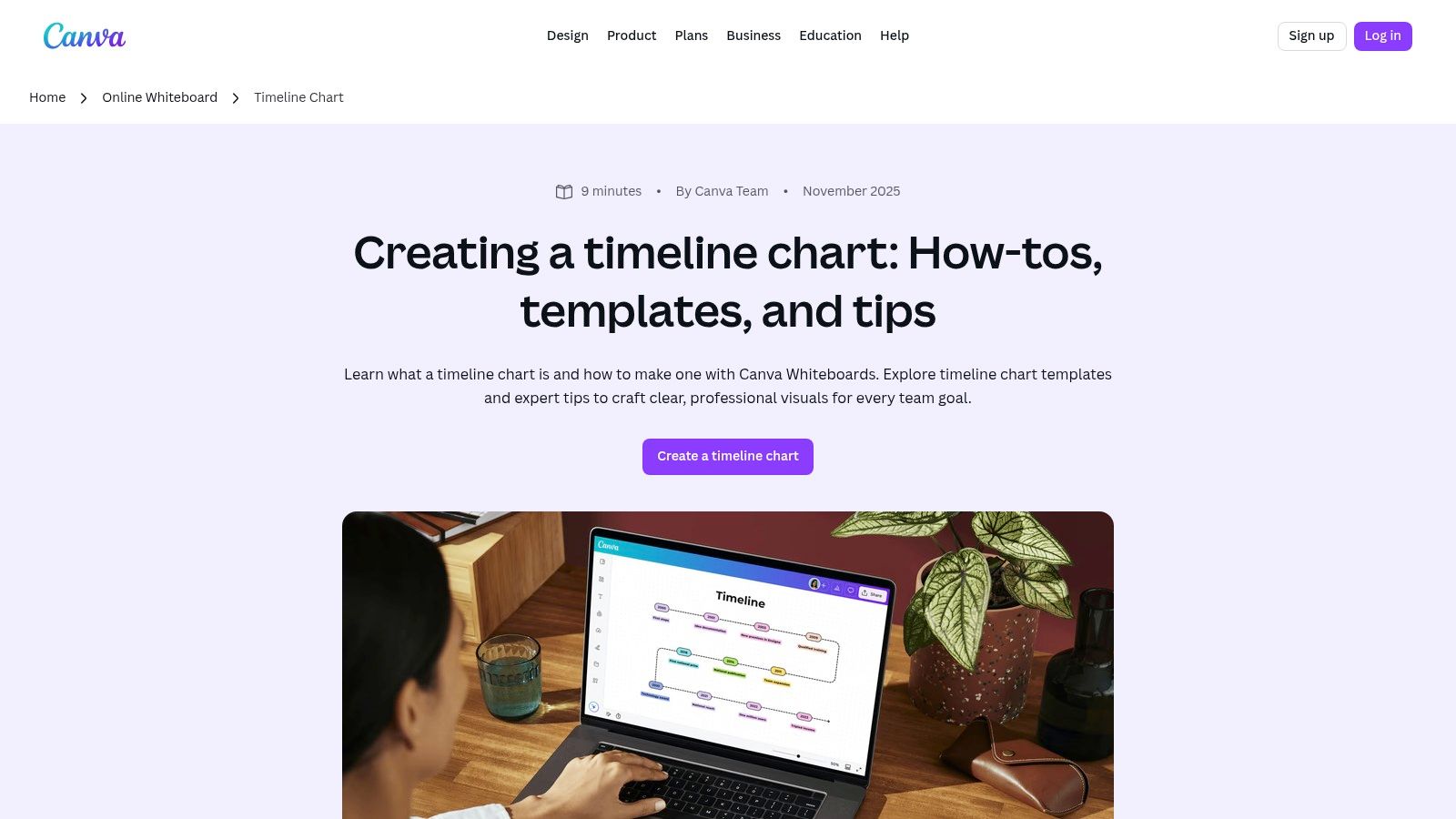
8. Canva

When a project timeline needs to be more of a visual presentation than a functional spreadsheet, Canva is the go-to tool. It offers a vast library of design-forward templates perfect for creating polished, client-facing graphics. Instead of focusing on task dependencies and resource management, Canva excels at producing visually appealing timelines for presentations, proposals, and project kickoff meetings, where clarity and aesthetics are paramount. Agencies can find a project timeline template free and customize it in minutes.

Canva

The platform’s strength lies in its drag-and-drop interface and extensive asset library. You can quickly add your agency’s branding, change colors, and insert icons to match the project's theme. The real-time collaboration features are great for team brainstorming sessions, and the ability to export to high-quality PNG, PDF, or even PPT formats makes it incredibly versatile for client communication. This makes it an ideal supplementary tool to a more robust project management system.

Our Assessment

Category Rating Summary
Ease of Use ⭐⭐⭐⭐⭐ Extremely intuitive drag-and-drop interface requires no design experience.
Customization ⭐⭐⭐⭐ Excellent visual customization with vast libraries of fonts, icons, and graphics.
Collaboration ⭐⭐⭐ Good for real-time design collaboration and commenting, but not for project task management.
Overall ⭐⭐⭐⭐ The best choice for creating beautiful, presentation-ready timelines that impress clients.

While Canva’s free plan is very generous, some of the more premium templates, icons, and advanced collaboration features are locked behind the Canva Pro subscription. It is not a project management tool; it lacks any functional timeline capabilities like automated date adjustments, task assignments, or progress tracking. It’s purely for visual representation.

  • Best for: High-level project roadmaps for client presentations and proposals.
  • Not for: Detailed, functional project management or day-to-day task tracking.

Link: Canva Timeline Chart Maker

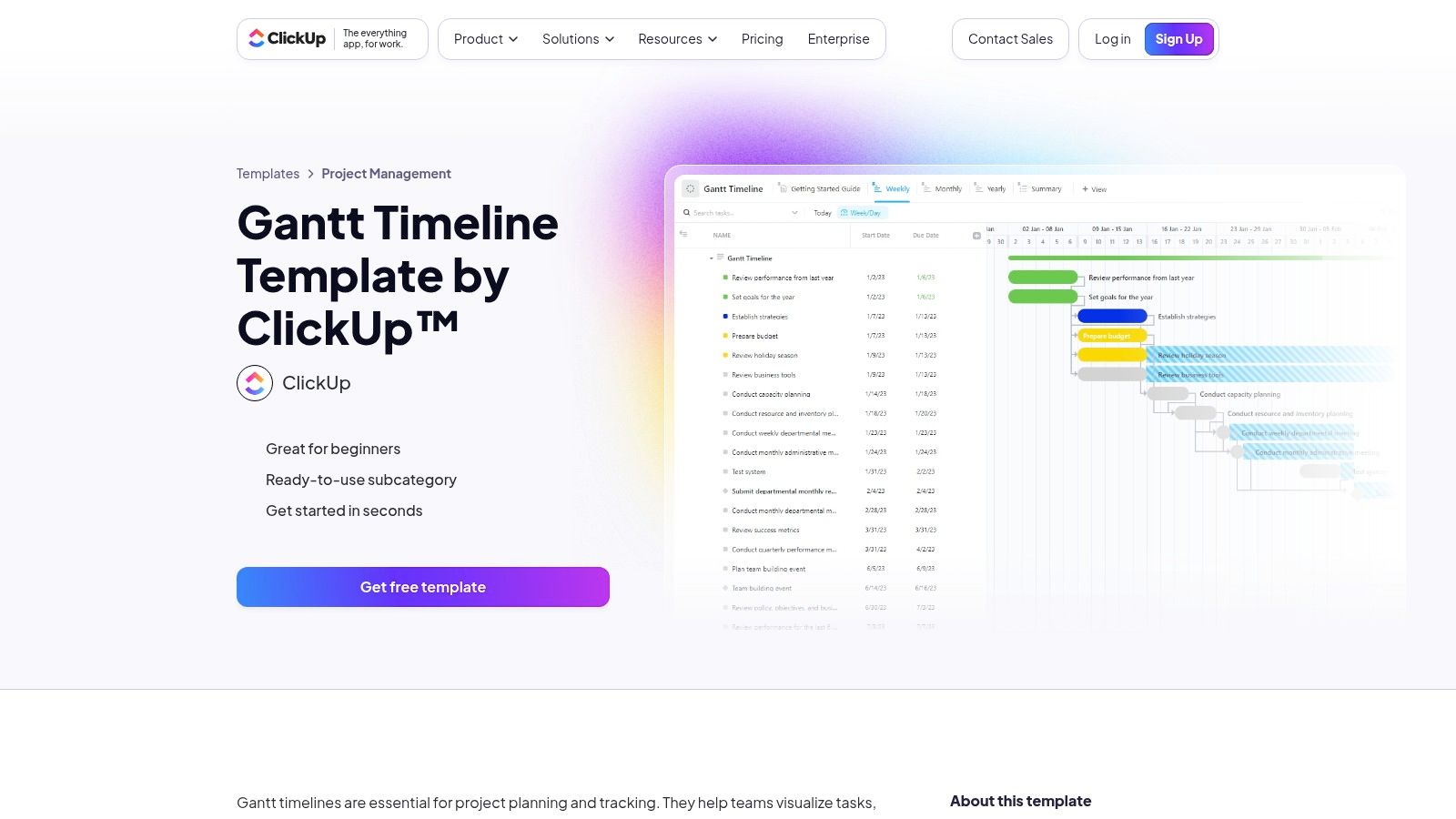
9. ClickUp

ClickUp moves beyond static templates into a dynamic, all-in-one project management platform. While it offers a vast library of templates, its core strength is the native Timeline view, which functions as a powerful, interactive Gantt chart. For agencies needing more than a simple visual, ClickUp provides a project timeline template free within a system built for complex workflows, dependencies, and real-time collaboration. The platform is designed to scale with your project's complexity.

ClickUp

The primary advantage is its robust feature set, available even on the generous free forever plan. Users can set dependencies with clear visual connectors, create milestones, and adjust time scales from daily to yearly views. Custom fields and statuses allow agencies to tailor the timeline precisely to their specific project stages, from "Client Review" to "Awaiting Feedback." This makes it a comprehensive solution that can replace multiple single-purpose tools.

Our Assessment

Category Rating Summary
Ease of Use ⭐⭐⭐ Powerful, but the extensive features can present a steeper learning curve for new users.
Customization ⭐⭐⭐⭐⭐ Extremely high. Custom fields, statuses, and views allow for deep workflow personalization.
Collaboration ⭐⭐⭐⭐ Strong real-time collaboration with comments, assignments, and notifications built directly into tasks.
Overall ⭐⭐⭐⭐ A top-tier choice for agencies ready to graduate from spreadsheets to a full project management system.

However, the sheer depth of features can be overwhelming for those seeking a simple, one-off timeline for a small project. Configuring a template to perfectly match your agency's workflow may require an initial time investment. It's a powerful tool, but its complexity might be overkill for very basic needs.

  • Best for: Agencies managing multiple complex projects with overlapping dependencies.
  • Not for: Individuals or teams needing a quick, simple visual for a single project.

Link: ClickUp Gantt & Timeline Templates

10. Miro

For agencies that prioritize visual collaboration and brainstorming, Miro offers a dynamic alternative to traditional spreadsheet templates. Its infinite canvas is an ideal environment for building a project timeline template free from the constraints of rows and columns. Miro provides several pre-made timeline templates, allowing teams to map out project phases, product roadmaps, and key milestones in a highly interactive and visual format that excels in workshop settings.

The platform’s strength lies in its real-time, multi-user collaboration. Team members and clients can simultaneously add sticky notes, connect ideas with arrows, and comment directly on the board, making it perfect for kickoff meetings and cross-functional planning sessions. The drag-and-drop interface and customizable elements allow for the creation of truly bespoke visual roadmaps that can evolve with the project.

Our Assessment

Category Rating Summary
Ease of Use ⭐⭐⭐⭐ Highly intuitive drag-and-drop interface makes it easy to build visual timelines quickly.
Customization ⭐⭐⭐⭐ Near-infinite visual customization on the canvas, though structured timeline features are less robust.
Collaboration ⭐⭐⭐⭐⭐ Best-in-class real-time collaboration with commenting, cursors, and live editing.
Overall ⭐⭐⭐⭐ A top-tier choice for visual-first teams who need a collaborative space for planning and roadmapping.

While the free plan is generous, more advanced features, such as the interactive Timeline widget (beta) and private boards, are part of paid tiers. The platform is less suited for granular task management and detailed data tracking compared to a dedicated project management tool, functioning more as a high-level planning and visualization space.

  • Best for: Collaborative workshops, high-level project roadmapping, and visual planning sessions.
  • Not for: Detailed, data-heavy project management with granular task dependencies.

Link: Miro Timeline Template

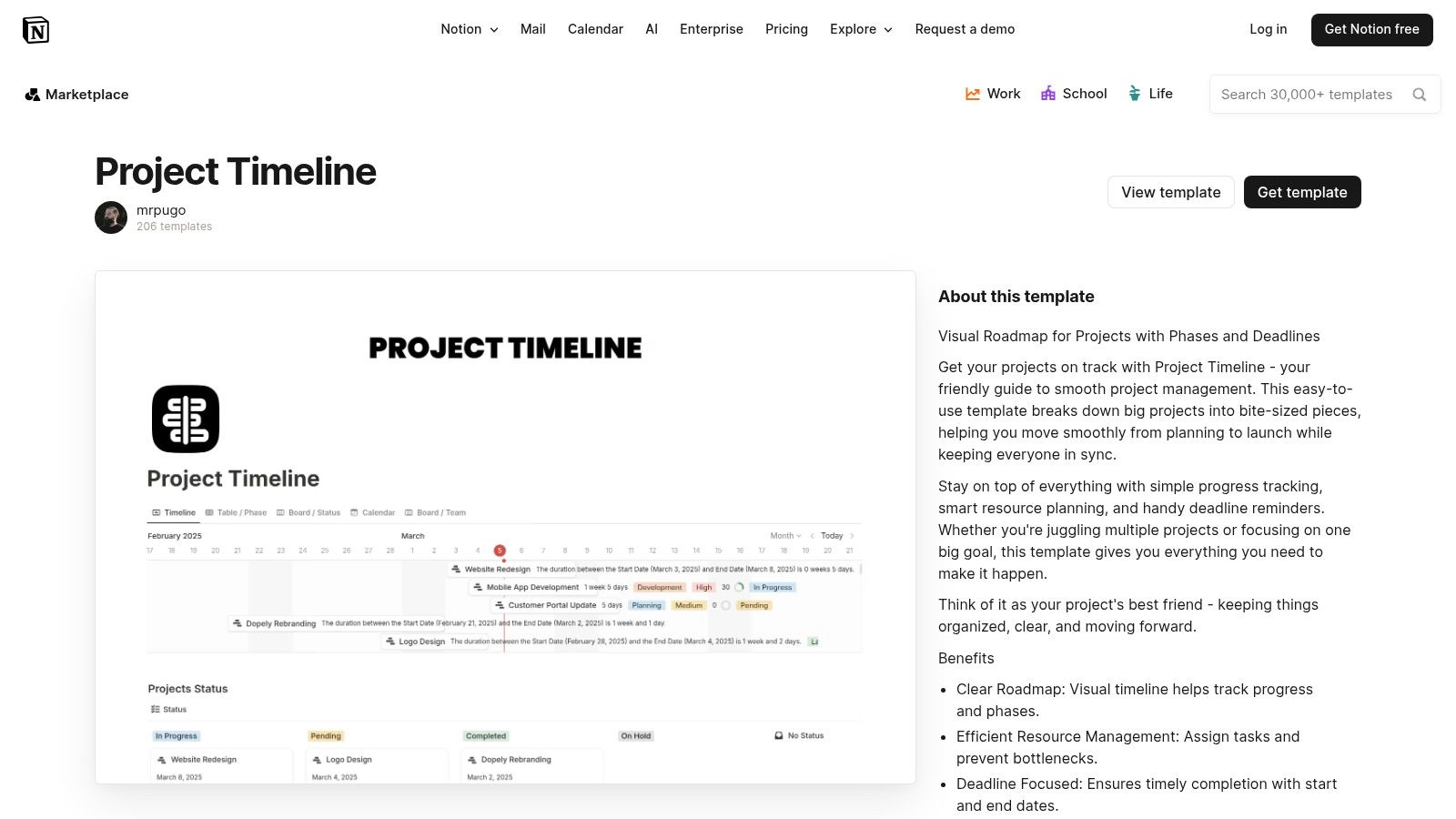
11. Notion

For teams seeking an all-in-one workspace, Notion provides a project timeline template free through its extensive template gallery and community contributions. Unlike traditional spreadsheets, Notion integrates project timelines directly with documentation, notes, and task management using its powerful database "Timeline" view. This creates a single source of truth where project schedules live alongside the context, briefs, and deliverables, making it a dynamic hub for agency operations.

Notion

The key benefit is its flexibility. A Notion timeline is not just a static chart; it's an interactive database where each item can be a rich document containing subtasks, owners, files, and comments. This makes it ideal for content calendars, product roadmaps, and client project plans that require more than just dates. Teams already using Notion will find adding a timeline a seamless extension of their existing workflow, connecting strategy directly to execution.

Our Assessment

Category Rating Summary
Ease of Use ⭐⭐⭐ Intuitive for existing Notion users, but has a learning curve for newcomers. Setup is required.
Customization ⭐⭐⭐⭐⭐ Extremely high. Can be tailored to nearly any workflow by adding properties, views, and relations.
Collaboration ⭐⭐⭐⭐ Excellent real-time collaboration with comments, mentions, and shared workspaces.
Overall ⭐⭐⭐⭐ A top-tier free option for teams wanting to integrate timelines with broader project documentation and knowledge management.

While incredibly powerful, Notion's strength can also be its weakness. The sheer number of features can be overwhelming, and setting up the perfect template requires some initial effort. While the free tier is generous, more advanced project management features like granular permissions or deeper analytics are part of paid plans.

  • Best for: Agencies that want a single, integrated workspace for timelines, tasks, and documentation.
  • Not for: Teams needing a simple, standalone Gantt chart without the knowledge base features.

Link: Notion Project Timeline Templates

12. Lucidchart

For agencies that need to create visually impressive and easily shareable timelines, Lucidchart offers a powerful, cloud-based diagramming tool. While not just for timelines, its library includes a diverse range of templates that can be adapted for project planning, from simple event sequences to complex, multi-stream roadmaps. It provides a polished alternative to spreadsheet-based timelines, making it ideal for client presentations and high-level strategic planning.

Lucidchart

The platform's strength lies in its intuitive drag-and-drop interface and robust collaboration features. Team members can comment directly on the timeline, tag colleagues, and co-edit in real-time. Lucidchart’s extensive integrations with tools like Slack, Google Workspace, and Microsoft Teams allow agencies to embed timelines directly into their existing communication workflows, ensuring everyone has access to the latest version. This makes it a great choice for a project timeline template free from the constraints of traditional document formats.

Our Assessment

Category Rating Summary
Ease of Use ⭐⭐⭐⭐ The drag-and-drop interface is highly intuitive, requiring minimal training to create professional visuals.
Customization ⭐⭐⭐⭐ Excellent control over visual elements, shapes, colors, and layout for brand-aligned presentations.
Collaboration ⭐⭐⭐⭐ Top-tier real-time co-editing, commenting, and integration with communication platforms.
Overall ⭐⭐⭐⭐ A superb tool for creating presentation-ready timelines with strong collaborative features, though limited on the free plan.

The main limitation is the free tier, which restricts users to three editable documents and provides access to a smaller subset of templates. For agencies managing numerous projects simultaneously, this can be a significant constraint. However, for occasional high-stakes presentations or creating a master project overview, the free version is an exceptional resource.

  • Best for: Creating high-quality, presentation-ready timelines for client meetings and strategic planning.
  • Not for: Agencies needing to manage a large portfolio of active project timelines on the free plan.

Link: Lucidchart Timeline Maker

12 Free Project Timeline Templates Compared

Tool Core features UX & Quality ★ Value / Pricing 💰 Target audience 👥 Unique selling points ✨🏆
Microsoft Excel templates (official) Prebuilt timeline/milestone sheets, web + desktop, OneDrive sharing ★★★ 💰 Free (full features may need M365) 👥 Spreadsheet-first PMs, agencies needing quick reports ✨ Familiar Excel format, fast status reporting; 🏆 Microsoft-first
Microsoft PowerPoint (official how-to) SmartArt timeline layouts, step-by-step editing, web + desktop ★★★★ 💰 Free with Office/M365 👥 Presenters, client-facing teams ✨ Fast, native presentable timelines; 🏆 Ubiquitous presentation tool
Smartsheet Large template library (Excel/Sheets/PPT/Smartsheet), guidance ★★★★ 💰 Templates free; product paid 👥 Users wanting industry-specific template variety ✨ Broad selection + multi-format downloads
Vertex42 Formula-light Excel timelines, stacked-bar/scatter, Gantt links ★★★★ 💰 Free (private-use license) 👥 Excel users seeking clean, editable templates ✨ Well-documented, trusted templates
ProjectManager Excel timeline + import into app (Gantt/Kanban/Calendar) ★★★ 💰 Template free; app paid tiers 👥 Teams planning to scale from sheet → live tool ✨ Smooth on-ramp to dashboards and reports
TeamGantt Free Excel template + drag-and-drop online Gantt, dependencies ★★★★ 💰 Freemium (paid for advanced) 👥 Beginners & small teams needing collaboration ✨ Easy spreadsheet → web app transition
Asana Built-in Timeline (Gantt), dependencies, integrations ★★★★ 💰 Freemium (advanced features paid) 👥 Task-focused teams & agencies 🏆 Mature PM platform with strong Timeline view
Canva Design-first timeline templates, drag-and-drop, PNG/PDF/PPT export ★★★★★ 💰 Freemium (Pro for teams) 👥 Designers, client-facing teams ✨ Polished, brandable client visuals fast
ClickUp Gantt/Timeline views, dependencies, custom fields, many views ★★★★ 💰 Generous free plan; paid tiers 👥 Teams wanting all-in-one customizable PM 🏆 Robust feature set + template library
Miro Visual timeline templates, interactive timeline widget, realtime collab ★★★★ 💰 Freemium; paid for advanced boards 👥 Workshop facilitators, cross-functional teams ✨ Infinite canvas + real-time collaboration
Notion Timeline database view, docs + tasks combined, community templates ★★★ 💰 Freemium; paid tiers 👥 Teams wanting unified docs + timelines ✨ Single workspace for docs/tasks + community templates
Lucidchart Editable vertical/horizontal timelines, collaboration, integrations ★★★★ 💰 Freemium; paid for heavy use 👥 PMs & designers needing diagram-quality visuals 🏆 Professional, presentation-ready timeline visuals

Beyond Templates: The Leap to a Truly Integrated Agency OS

We've explored a comprehensive array of free project timeline templates, from the familiar grids of Excel and Google Sheets to the dynamic canvases of Miro and Lucidchart. Each tool offers a powerful starting point, a way to impose structure on complex projects and provide much-needed visibility to clients and internal teams alike. For agencies just beginning to formalize their processes or for one-off projects with simple requirements, a high-quality project timeline template free from this list can be an invaluable asset.

These templates succeed in creating a visual roadmap, transforming abstract goals into a concrete sequence of tasks, milestones, and deadlines. They are excellent for initial planning, client presentations, and establishing a baseline for project execution. However, as your agency grows and your projects increase in complexity, you will inevitably reach an operational ceiling. This is the point where the very nature of a template becomes its greatest limitation.

The Disconnected Data Dilemma

The fundamental challenge with any template, no matter how well-designed, is that it exists in isolation. Your project timeline in a PowerPoint slide is a static snapshot, disconnected from the actual task management happening in Asana, the client conversations in your inbox, the scope documents in Google Drive, and the time tracking that dictates your billing.

This fragmentation creates significant operational drag. Project managers spend hours manually updating timelines to reflect real-world progress, creating a constant risk of version control issues. There is no single, reliable source of truth. Answering a simple question like, "Are we on track and on budget?" requires cross-referencing multiple, disconnected systems. This is the operational chaos that even the most sophisticated project timeline template free simply cannot solve. It's a document, not a dynamic system.

Evolving from Templates to an Agency Operating System

The next logical step in an agency's evolution is to move beyond managing projects with disparate documents and transition to running the entire business on a unified platform. This is where a true Agency Operating System (OS) becomes essential. It's not about finding a better template; it’s about fundamentally changing how work, communication, and finances are interconnected.

An Agency OS like RGK is designed specifically to solve this fragmentation. It integrates project timelines directly with task management, resource allocation, client communication, and financial tracking. The timeline is no longer a separate artifact to be updated; it becomes a living, breathing component of the project itself, automatically reflecting progress as tasks are completed.

Furthermore, integrating an AI assistant like Greta elevates this capability to another level. Greta can proactively analyze project data against the established timeline, flagging potential budget overruns, identifying at-risk tasks, and providing predictive insights that are impossible to glean from a static spreadsheet. It transforms the timeline from a passive planning tool into an active, intelligent risk-management system. The leap is from manually plotting a course to having an intelligent navigator that helps you steer the ship.

This transition represents a move from simply documenting the work to optimizing the entire workflow. It’s about creating an environment where your timeline, your team's capacity, and your agency's profitability are all part of the same, interconnected conversation. While the free templates in this guide are excellent first steps, a truly scalable and efficient agency requires a unified system built for the unique pressures of client service work.


Ready to move beyond the limitations of static templates? RGK provides a unified Agency Operating System where your timelines, tasks, and financials are always in sync. See how an integrated platform can eliminate manual updates and provide real-time project intelligence by exploring RGK today.
10 Transformative Benefits of Process Automation for Agencies in 2025

Running a modern agency often feels like a constant battle against operational chaos. Disconnected tools, manual data entry, and repetitive client tasks create bottlenecks that stifle growth and drain profitability. While 'automation' is often thrown around as a magic solution, the reality is far more strategic and impactful. The core benefits of process automation aren't just about saving a few minutes here and there; they are about fundamentally re-architecting your agency to be more resilient, scalable, and profitable.

In a competitive market where client expectations for speed and quality are higher than ever, implementing smart automation is no longer a luxury, it's the new operational standard. Manual processes are not just inefficient, they introduce risk, limit your team's capacity, and prevent you from focusing on high-value strategic work. Shifting from reactive problem-solving to proactive system-building is the key to breaking free from the cycle of operational drag.

This article moves beyond generic advice to provide a comprehensive breakdown of the 10 most critical automation benefits. For each point, we will provide actionable steps, concrete examples, and clear guidance on measuring ROI. You will learn not just what the benefits are, but how to implement the right systems to achieve them. Our goal is to give you a clear roadmap for transforming your agency's efficiency, empowering your team, and building a robust foundation for sustainable growth.

1. Increased Productivity and Efficiency

One of the most immediate and impactful benefits of process automation is the substantial boost in operational productivity and efficiency. By delegating rule-based, repetitive tasks to automated systems, agencies free their teams from the manual work that consumes valuable time and energy. This shift allows skilled employees to redirect their focus toward strategic, creative, and client-facing activities that drive real business growth.

Automation fundamentally redefines workflow capacity. Instead of measuring tasks in human hours, organizations can measure them in machine-speed seconds. This accelerates task completion cycles dramatically, enabling teams to handle a higher volume of work without a corresponding increase in headcount or burnout. The result is a more agile, responsive, and productive operation capable of delivering results faster.

Real-World Impact

  • Accounting: A digital marketing agency using Robotic Process Automation (RPA) can automate invoice processing. A bot can extract data from incoming invoices, validate it against purchase orders, and enter it into the accounting system, reducing a process that once took 15 minutes per invoice down to under a minute.
  • Manufacturing: In production environments, automated assembly lines can increase output by over 50% while simultaneously reducing error rates, operating 24/7 without fatigue.
  • Marketing: Platforms like HubSpot or Marketo automatically segment audiences, trigger personalized email sequences, and nurture leads based on user behavior. This allows a small marketing team to manage complex campaigns that would otherwise require significant manual effort.

Key Insight: True efficiency isn't just about doing the same tasks faster; it's about reallocating your most valuable resource, your team's cognitive power, to work that automation cannot perform, such as innovation, strategy, and complex problem-solving.

How to Implement and Measure

To successfully leverage automation for productivity gains, start by identifying high-volume, low-complexity tasks.

  1. Establish Baselines: Before implementing any solution, meticulously measure the current state. Track key metrics like "time per task," "tasks completed per week," and "error rate."
  2. Involve Process Owners: Collaborate directly with the employees who perform the tasks. Their insights are crucial for designing an effective automation workflow that addresses real-world nuances.
  3. Start Small: Begin with a pilot project that has a clear and measurable ROI. A successful first implementation builds momentum and provides a strong business case for broader adoption.
  4. Track Post-Implementation: After launch, continuously monitor the same baseline metrics to quantify the improvement and calculate the return on investment. This data proves the value of your automation efforts.

2. Cost Reduction and Improved ROI

One of the most compelling benefits of process automation is its direct and measurable impact on the bottom line. Automation drives significant cost reduction by minimizing manual labor expenses, reducing costly human errors that lead to rework, and optimizing the allocation of valuable resources. This financial efficiency allows agencies to re-invest savings into growth-oriented activities like innovation, client acquisition, and talent development.

A detailed sketch showing a gear facing a piggy bank with an ROI coin on its tail.

By automating high-volume, rule-based tasks, organizations can achieve more with their existing headcount, avoiding the need to hire additional staff as the workload increases. This translates to lower overhead and improved profitability per project. Furthermore, automated systems operate with near-perfect accuracy, eliminating the financial drain associated with correcting mistakes, re-running processes, and managing compliance issues that arise from manual data entry.

Real-World Impact

  • Financial Services: JPMorgan Chase’s COIN (Contract Intelligence) platform automates the review of commercial loan agreements. This technology saves the bank an estimated 360,000 labor hours annually, drastically cutting operational costs and freeing legal experts for more strategic work.
  • Insurance: By automating claims processing, insurance companies can reduce processing costs by up to 25%. Bots can extract data from claim forms, verify policy details, and flag fraudulent activity, accelerating settlement times and lowering administrative overhead.
  • Banking: Automated Know Your Customer (KYC) and Anti-Money Laundering (AML) processes help banks reduce compliance costs and avoid hefty fines. Automation handles identity verification and transaction monitoring with speed and precision, ensuring regulatory adherence.

Key Insight: The ROI of automation extends beyond direct labor savings. It encompasses the value of avoided errors, enhanced compliance, and the strategic redeployment of your team's expertise toward revenue-generating opportunities, creating a powerful compounding effect on profitability.

How to Implement and Measure

To ensure automation delivers a strong financial return, approach implementation with a focus on a clear cost-benefit analysis.

  1. Conduct a Cost-Benefit Analysis: Before investing, map out the current costs of a manual process, including labor hours, error correction expenses, and opportunity costs. Compare this to the projected cost of an automation solution.
  2. Calculate Total Cost of Ownership (TCO): Look beyond the initial software license. Factor in implementation, maintenance, training, and potential integration costs to get a complete picture of the investment.
  3. Prioritize High-Impact Processes: Start with tasks that have a high manual labor cost but a relatively low automation complexity. These "quick wins" deliver the fastest and most visible ROI.
  4. Track and Monitor Savings: Implement a system to continuously track metrics like "cost per transaction" and "manual hours saved." Regularly report on these savings to demonstrate the value of automation and justify further investment.

3. Enhanced Accuracy and Quality Control

Beyond speed, one of the most critical benefits of process automation is the dramatic improvement in accuracy and quality control. Human error is an unavoidable variable in any manual process, leading to costly mistakes, rework, and inconsistent client deliverables. Automated systems, however, execute tasks based on pre-defined rules with perfect consistency every single time. This eliminates typos, miscalculations, and procedural oversights, ensuring a higher standard of quality.

An abstract architectural diagram showing concentric circles, a central grid, a blue dot, and a rectangular extension.

This level of precision is fundamental to maintaining brand reputation and client trust. When every report, transaction, and deliverable is produced with machinelike accuracy, agencies build a reputation for reliability and excellence. This operational integrity, heavily influenced by methodologies like Six Sigma and the Toyota Production System, ensures that quality is not an occasional outcome but an integrated part of the process.

Real-World Impact

  • Financial Services: Banks can automate transaction verification and fraud detection algorithms. This significantly reduces the risk of fraudulent activities, with some institutions reporting a decrease of over 40% in certain types of financial fraud.
  • Manufacturing: Computer vision systems on an assembly line can inspect thousands of components per hour, detecting microscopic defects invisible to the human eye. This ensures near-perfect quality control before products are shipped.
  • Pharmaceuticals: Automated systems in pharmaceutical manufacturing ensure precise measurements and adherence to strict formulas for every batch. This level of accuracy is crucial for regulatory compliance and patient safety.

Key Insight: Automation transforms quality control from a reactive, inspection-based activity into a proactive, built-in function of your workflow. It embeds accuracy into the process itself, rather than trying to correct errors after they occur.

How to Implement and Measure

To enhance quality, automation must be designed with precision in mind from the start.

  1. Map Critical Quality Points: Identify the stages in your current process where errors are most common or have the highest impact. These are your prime candidates for automation.
  2. Incorporate Validation Checkpoints: Build rules and validation steps directly into your automated workflows. For example, an automation that processes data can cross-reference it against a primary source to confirm accuracy before proceeding.
  3. Implement Statistical Process Control (SPC): Use software to monitor key quality metrics in real-time. SPC charts can automatically flag any deviation from the expected standard, allowing for immediate intervention.
  4. Combine with Human Oversight: Schedule periodic human reviews of automated outputs, especially during the initial rollout. This hybrid approach builds confidence and helps refine the automation rules for even greater accuracy.

4. Improved Employee Satisfaction and Retention

Beyond operational metrics, one of the most significant benefits of process automation is its profoundly positive impact on your team. Automating mundane, repetitive, and low-value tasks liberates employees from the drudgery that often leads to burnout and disengagement. This strategic shift allows your team to focus their intellect and creativity on more fulfilling, strategic, and high-impact work that drives the business forward.

When employees feel their daily contributions are meaningful and that their skills are being utilized for complex problem-solving rather than administrative churn, job satisfaction skyrockets. This enhanced sense of purpose and value directly contributes to higher morale, a more positive workplace culture, and, crucially, improved employee retention. A happier, more engaged team is a more stable and innovative team.

Real-World Impact

  • Human Resources: An agency’s HR department can automate the initial screening of resumes for open positions. A bot can parse applications, check for required qualifications, and shortlist candidates, freeing up HR professionals to focus on meaningful interviews and building relationships with top talent.
  • Customer Support: By implementing a chatbot to handle common, tier-one support queries (e.g., "What are your business hours?"), support agents can dedicate their time to resolving complex, high-stakes customer issues that require empathy and critical thinking.
  • Creative Teams: Automation tools can manage project setup, file organization, and administrative reporting for creative projects. This allows designers, writers, and strategists to spend more time on creative ideation and execution, which is their core expertise and primary job motivator.

Key Insight: Automation isn't about replacing people; it's about augmenting their capabilities. By handling the robotic work, you empower your team to be more human, focusing on creativity, strategic relationships, and innovation, which are the cornerstones of a thriving agency.

How to Implement and Measure

To use automation to boost morale and retention, focus on communication and employee involvement.

  1. Frame Automation as an Ally: Communicate openly about automation initiatives, emphasizing that the goal is to eliminate tedious work and create opportunities for professional growth, not to replace jobs.
  2. Involve Your Team: Ask employees which parts of their jobs are the most repetitive or least rewarding. Involve them in the process of identifying and designing automation solutions to ensure buy-in and effectiveness.
  3. Invest in Upskilling: Provide training programs to help employees develop new skills that align with a more strategic, tech-enabled workplace. Create clear career paths that show how automation can lead to more advanced roles.
  4. Measure Employee Sentiment: Use tools like employee Net Promoter Score (eNPS), regular pulse surveys, and formal feedback sessions to track changes in job satisfaction and morale before and after implementation. Correlate this data with retention and turnover rates.

5. Scalability and Business Growth Enablement

One of the most strategic benefits of process automation is its ability to decouple business growth from operational headcount. Automation builds a framework that allows an organization to scale its operations, handle increased transaction volumes, and expand into new markets without a proportional increase in manual labor or infrastructure costs. This empowers agencies to pursue growth opportunities aggressively without being constrained by their current operational capacity.

Automated systems are designed to handle variable workloads with consistent performance. As your client base or project complexity grows, these systems absorb the additional demand seamlessly, whereas a manual process would quickly become a bottleneck. This creates an elastic operational model where your agency can scale up during peak seasons and down during lulls, ensuring you only pay for the resources you need while maintaining high service levels.

Real-World Impact

  • E-commerce: Shopify’s platform automation allows a small startup to manage thousands of orders, process payments, and handle shipping logistics with minimal human intervention, enabling them to compete on a global scale.
  • Media and Entertainment: Netflix uses sophisticated automation to manage its massive content library, personalize recommendations for millions of users, and optimize streaming quality globally, a feat impossible to achieve manually.
  • Logistics: Amazon's automated fulfillment centers use robots to pick, sort, and pack orders, allowing the company to process an immense volume of transactions and enable services like same-day delivery at a massive scale.

Key Insight: Scalability through automation isn't just about handling more work; it's about building a business architecture that is inherently ready for future growth, allowing you to say "yes" to new opportunities without hesitation.

How to Implement and Measure

To build an automation strategy that supports growth, focus on creating flexible and resilient systems.

  1. Design for Scalability: From the outset, architect automation workflows with future growth in mind. Use cloud-based platforms like AWS or Azure that offer elastic scaling capabilities.
  2. Adopt a Modular Approach: Build automation in smaller, independent components. This makes it easier to update, replace, or scale individual parts of a process without disrupting the entire system.
  3. Monitor Performance Metrics: Track key performance indicators (KPIs) like transaction throughput, system response time, and resource utilization. These metrics will signal when it's time to scale your infrastructure.
  4. Forecast Future Demand: Use business growth projections to anticipate future automation needs. Proactively plan for increases in data volume, user load, and process complexity to avoid future bottlenecks.

6. Better Compliance and Risk Management

Beyond speed and cost savings, one of the most critical benefits of process automation is its ability to fortify compliance and mitigate operational risk. Automated systems enforce business rules and regulatory standards with unwavering consistency, removing the potential for human error or oversight that often leads to costly compliance breaches. This creates a more secure, auditable, and resilient operational framework.

By embedding compliance checks directly into workflows, automation ensures that every transaction, report, and client interaction adheres to required protocols. It generates immaculate, time-stamped audit trails for every action taken, simplifying internal reviews and external regulatory inspections. This systematic approach transforms compliance from a periodic, manual effort into an ongoing, automated function, protecting the agency from legal penalties, reputational damage, and financial loss.

Real-World Impact

  • Financial Services: Banks and FinTech agencies use automated systems for Anti-Money Laundering (AML) screening, automatically flagging suspicious transactions against global watchlists in real-time, a task impossible to perform manually at scale.
  • Healthcare: A healthcare marketing agency can automate HIPAA compliance checks on its digital platforms, ensuring patient data is handled, stored, and transmitted according to strict privacy and security rules.
  • Insurance: Insurers automate Know Your Customer (KYC) verification processes, using bots to cross-reference customer documents with official databases, ensuring compliance and reducing the risk of fraud.

Key Insight: Automation shifts risk management from a reactive, post-incident activity to a proactive, preventative strategy. It builds compliance directly into the DNA of your operations, making adherence the default standard rather than an afterthought.

How to Implement and Measure

To enhance compliance through automation, focus on codifying rules and creating transparent, auditable systems.

  1. Map Regulatory Requirements: Begin by documenting all relevant industry standards (like GDPR, HIPAA, or SOC 2) and internal policies. Translate these requirements into clear, logical rules that an automated system can follow.
  2. Consult Compliance Experts: Involve legal or compliance professionals during the design phase. Their expertise is crucial for ensuring the automated workflows correctly interpret and apply complex regulatory nuances.
  3. Build in Auditability: Design every automated process to generate a detailed, immutable log. This audit trail should record what action was taken, when it occurred, and which system or user initiated it.
  4. Automate Exception Handling: Create clear, automated escalation paths for any exceptions or flagged issues. This ensures that potential compliance failures are immediately routed to the appropriate personnel for review.

7. 24/7 Operations and Improved Response Times

One of the most transformative benefits of process automation is the ability to achieve true 24/7 operational capability. Unlike human teams, which are bound by work schedules, holidays, and fatigue, automated systems operate continuously. This enables your agency to serve a global client base, respond to customer needs instantly regardless of the time, and maintain business continuity without interruption.

This constant operational readiness fundamentally changes the customer experience and your competitive positioning. An automated system can process an order, answer a query, or escalate a critical alert at 3 a.m. with the same speed and accuracy as it would during business hours. This eliminates delays, improves service level agreement (SLA) adherence, and ensures your agency is always "on" for its clients, building trust and reliability.

Real-World Impact

  • Customer Support: An agency can deploy a support chatbot on its website to provide instant answers to frequently asked questions around the clock. The bot can handle common inquiries, create support tickets for complex issues, and escalate urgent matters, ensuring no customer query is left unanswered.
  • E-commerce: An online retailer’s automated platform processes orders, manages inventory, and sends shipping confirmations 24/7. This allows them to capitalize on sales from different time zones and ensures immediate order fulfillment, boosting customer satisfaction.
  • IT Monitoring: A managed services provider uses automated tools to continuously monitor client server health. The system can detect anomalies, attempt automated fixes (like restarting a service), and alert an on-call engineer if human intervention is required, preventing downtime before clients even notice a problem.

Key Insight: Continuous operation isn't just about extended hours; it's about shifting from a reactive to a proactive service model. By automating responses and monitoring, you solve problems and engage customers at the moment of need, not just during your next business day.
How to Implement and Measure

To effectively transition to 24/7 operations, focus on system resilience and intelligent escalation.

  1. Identify Critical Pathways: Determine which processes provide the most value by operating continuously. Focus on client-facing interactions like support, sales inquiries, and project status updates first.
  2. Implement Redundancy: Design your automated systems with failover and backup protocols. Use cloud infrastructure that provides high availability to ensure a single point of failure doesn't halt your entire operation.
  3. Establish Automated Escalation: Create clear, automated rules for when a system should hand off an issue to a human. This ensures critical problems are addressed by an on-call team without flooding them with low-priority alerts.
  4. Measure Response Time: Track metrics like "Average First Response Time" and "Ticket Resolution Time" before and after implementation. The goal is to see a dramatic reduction in these times, especially for requests made outside of standard business hours.

8. Data-Driven Decision Making and Analytics

Beyond simply completing tasks, one of the most transformative benefits of process automation is its ability to generate a wealth of clean, structured data. Automated systems act as meticulous record-keepers, capturing every action, outcome, and variable without human error or bias. This continuous data collection feeds a powerful business intelligence engine, turning operational noise into strategic clarity.

A hand-drawn line graph showing data progression over time, leading to a bright lightbulb.

This shift empowers organizations to move from reactive decision-making based on gut feelings to proactive strategies informed by real-time analytics. With automated dashboards and reports, leaders can instantly identify performance bottlenecks, spot emerging trends, and forecast future needs with far greater accuracy. The result is a more intelligent and agile organization capable of making smarter, faster decisions at every level.

Real-World Impact

  • Retail: A retail company uses automated sales analytics to track product performance across different regions in real time. This data feeds directly into demand forecasting models, optimizing inventory levels and preventing both stockouts and overstock situations.
  • Manufacturing: Sensors on a production line feed data into an automated system that uses predictive analytics to identify when a machine part is likely to fail. This allows for scheduled maintenance, preventing costly unplanned downtime.
  • Financial Services: Banks leverage automation to analyze thousands of transactions per second. The system flags unusual patterns in real-time, providing immediate fraud detection alerts that protect both the institution and its customers.

Key Insight: Automation transforms data from a historical artifact into a live, predictive asset. Instead of analyzing what happened last quarter, you can understand what is happening right now and reliably predict what will happen next.

How to Implement and Measure

To build a culture of data-driven decision-making, you must treat data as a primary output of your automation efforts.

  1. Define Key Metrics First: Before automating, identify the key performance indicators (KPIs) you want to track. What data points will tell you if the process is successful?
  2. Integrate with BI Tools: Ensure your automation platforms can feed data directly into business intelligence tools like Tableau or Power BI. This integration is crucial for creating accessible, visual dashboards for stakeholders.
  3. Establish Data Governance: Implement clear standards for data quality, access, and security. A centralized data platform or data lake can help ensure consistency and reliability across the organization.
  4. Train for Interpretation: Provide your team with the skills to read, interpret, and question the data. The goal is not just to present numbers but to empower employees to draw actionable insights from them.

9. Reduced Time-to-Market and Faster Innovation

In a hyper-competitive market, speed is a critical advantage. Process automation is the engine that accelerates the entire lifecycle of a product or service, from initial concept to market launch. By automating key stages of development, testing, and deployment, organizations can drastically shorten their innovation cycles and respond to market demands with unprecedented agility.

This acceleration is achieved by creating a seamless, automated pipeline that minimizes manual handoffs and delays. Instead of waiting for manual quality assurance or deployment approvals, automated workflows execute these tasks instantly and reliably. This allows teams to iterate, experiment, and deliver value to customers faster, turning ideas into tangible products before competitors can react.

Real-World Impact

  • Software Development: A digital agency implementing a Continuous Integration/Continuous Deployment (CI/CD) pipeline using tools like GitHub Actions or Jenkins can automate code compilation, testing, and deployment. This transforms a multi-day release process into a repeatable, on-demand action that takes minutes.
  • Tech Industry: Companies like Netflix are famous for their DevOps culture, using extensive automation to deploy thousands of changes to their live environment daily. This allows them to rapidly test new features and improve user experience without service interruptions.
  • Product Experimentation: A SaaS company can use automated A/B testing platforms to deploy multiple versions of a new feature to different user segments. The system automatically collects performance data and provides insights, enabling rapid, data-driven decisions on which version to fully release.

Key Insight: Reducing time-to-market isn't just about launching first; it's about increasing the frequency of learning. Automation enables a rapid cycle of building, measuring, and learning, which is the cornerstone of modern innovation.

How to Implement and Measure

To use automation for faster innovation, focus on creating a frictionless development and deployment workflow.

  1. Map the Value Stream: Identify every step in your current process, from idea to launch. Pinpoint bottlenecks and manual handoffs that cause the most significant delays.
  2. Implement CI/CD Pipelines: Adopt DevOps practices by building automated CI/CD pipelines. This ensures that every code change is automatically built, tested, and prepared for release, ensuring quality and speed.
  3. Automate All Testing: Create a comprehensive suite of automated tests, including unit, integration, and end-to-end tests. This provides immediate feedback on code quality and builds confidence for faster deployments.
  4. Track Cycle Time: Measure the time it takes for a task to move from "in progress" to "done." Continuously monitor this metric to identify areas for further automation and process improvement.

10. Improved Customer Experience and Satisfaction

Process automation is a powerful tool for elevating the customer experience, directly impacting satisfaction and long-term loyalty. By automating key touchpoints in the customer journey, organizations can deliver faster, more personalized, and consistently high-quality service. Automation removes friction, provides instant responses to common queries, and ensures that interactions are seamless across different channels, meeting the modern consumer's demand for immediate and effortless engagement.

This enhancement is not about replacing human interaction but augmenting it. Automation handles the high-volume, predictable inquiries, freeing up customer service and account management teams to focus on complex, high-value conversations that require empathy and strategic thinking. This creates a dual benefit: customers get instant answers to simple questions, and they receive more focused, expert attention for complex issues, leading to a far superior overall experience.

Real-World Impact

  • E-commerce: Retailers use AI-powered chatbots to provide 24/7 support, instantly answering questions about order status, return policies, and product details, significantly reducing customer wait times.
  • Airlines: Major airlines automate the entire pre-flight process, sending automated notifications for check-in, flight status updates, and gate changes, creating a smooth and informed travel experience.
  • Banking: Financial institutions offer automated mobile app features for tasks like balance inquiries, fund transfers, and fraud alerts, empowering customers with self-service capabilities that are both fast and secure.

Key Insight: A superior customer experience is built on speed, consistency, and personalization. Automation is the engine that drives all three, creating a scalable framework for delighting customers at every touchpoint.

How to Implement and Measure

To effectively use automation for customer satisfaction, focus on designing workflows from the customer’s point of view.

  1. Map the Customer Journey: Identify key interaction points and moments of potential friction, such as onboarding, support requests, or billing inquiries. These are prime candidates for automation.
  2. Balance Automation and Human Touch: Design systems with clear and easy escalation paths. If an automated chatbot cannot resolve an issue, it should seamlessly transfer the customer to a live agent with full context.
  3. Gather Feedback Continuously: Implement post-interaction surveys (like CSAT or NPS) to measure how customers perceive the automated experience. Use this direct feedback to refine and improve workflows.
  4. Monitor Key Metrics: Track metrics like "first response time," "resolution rate," and "customer effort score." A decrease in response time and customer effort are strong indicators that your automation is improving the customer experience.

Process Automation: 10-Benefit Comparison

🔄 Implementation Complexity ⚡ Resource Requirements 📊 Expected Outcomes (Impact) 💡 Ideal Use Cases ⭐ Key Advantages
Increased Productivity and Efficiency — Medium: initial setup and workflow mapping Moderate: automation platforms, developer time, retraining High: 30–40% faster task completion; higher throughput High-volume repetitive tasks (accounting, marketing automation) Frees staff for strategic work; faster time-to-market
Cost Reduction and Improved ROI — Medium–High: integration and business-case planning High: capital investment, licenses, ongoing maintenance High: 20–30% cost savings; typical 6–12 month payback Processes with high labor or error costs (claims, contract review) Scalable cost savings; improved ROI
Enhanced Accuracy and Quality Control — Medium: precise configuration and validation Moderate: sensors/vision, QA tools, monitoring Very High: up to 99.9% error reduction; stronger compliance Regulated production, transaction verification, QC inspection Consistent execution; fewer defects and rework
Improved Employee Satisfaction and Retention — Low–Medium: change management and engagement Low–Moderate: training, upskilling, communication Medium–High: reduced burnout; higher engagement and retention Roles with repetitive tasks (support agents, HR ops) Better morale; lower turnover costs
Scalability and Business Growth Enablement — High: architecture, integration, planning High: robust cloud infra, modular systems, integration work Very High: handle 10–100x volume without linear cost increases E‑commerce, SaaS platforms, global expansion Enables rapid scale and market entry
Better Compliance and Risk Management — Medium–High: regulatory mapping & updates Moderate: compliance tooling, logging, audit capability High: fewer violations; easier audits; lower fraud risk Finance, healthcare, data‑sensitive industries Strong audit trails; reduced legal exposure
24/7 Operations and Improved Response Times — Medium: monitoring, redundancy, runbooks Moderate–High: uptime infrastructure, failover, alerting High: continuous service; faster incident response Customer support bots, monitoring, automated trading Round‑the‑clock availability; competitive CX edge
Data‑Driven Decision Making and Analytics — High: data integration, governance, pipelines High: data platforms, ETL, analytics talent High: real-time insights; predictive forecasting Retail demand forecasting, predictive maintenance, BI Faster, more informed decisions; predictive advantage
Reduced Time‑to‑Market and Faster Innovation — Medium–High: CI/CD, test automation, governance Moderate–High: DevOps tools, testing frameworks, skilled teams High: 50–70% faster development and release cycles Software products, digital services, iterative R&D Accelerated releases; rapid experimentation
Improved Customer Experience and Satisfaction — Medium: CX design and escalation flows Moderate: CRM, personalization engines, chatbots High: higher CSAT/NPS; increased retention and LTV E‑commerce, banking, service industries Personalized, consistent service at scale

From Automation to Agency OS: Your Next Steps

We've explored the extensive and transformative benefits of process automation, moving far beyond simple efficiency gains to touch every corner of your agency. From boosting productivity and slashing operational costs to enhancing quality control and enabling true scalability, the message is clear: automation is no longer a luxury, but a core strategic imperative for modern agencies.

The journey we've taken through these ten key benefits reveals a powerful, interconnected narrative. Improving employee satisfaction by eliminating repetitive tasks directly fuels faster innovation. Enhancing data accuracy leads to smarter, more strategic decision-making. These advantages don't exist in a vacuum; they create a powerful flywheel effect, where each automated process strengthens the others, compounding your agency's capabilities and competitive edge.

Recapping Your Path to a Smarter Agency

Let's distill the core takeaways from our deep dive into the benefits of process automation:

  • Beyond Efficiency: The goal isn't just to do things faster. It's about creating capacity for high-value strategic work, empowering your team to focus on creativity, client relationships, and innovation.
  • Quality as a Standard: Automation institutionalizes excellence. By removing the potential for human error in repetitive tasks, you deliver consistently high-quality work, building client trust and protecting your agency's reputation.
  • Growth on Your Terms: True scalability isn't about hiring more people to handle more manual work. It's about building systems that can handle a 10x increase in workload without a 10x increase in headcount or operational chaos.
  • Data is Your Compass: Effective automation generates clean, reliable data. This data is the foundation for understanding your agency's performance, identifying bottlenecks, and making informed decisions that drive sustainable growth.

The Pitfall of a Fragmented Approach

However, realizing these benefits comes with a critical warning. Many agencies fall into the trap of adopting dozens of disconnected tools: one for project management, another for CRM, a separate one for invoicing, and various point solutions for specific automated tasks. This "tool sprawl" creates new problems, including data silos, integration headaches, and a disjointed experience for both your team and your clients.

Instead of solving chaos, a fragmented tech stack often multiplies it. Your team wastes precious time switching between platforms and manually syncing information, which completely undermines the core purpose of automation. The true evolution of process automation lies in integration.

Key Insight: The ultimate goal is not just to automate individual tasks but to create a unified, intelligent Agency Operating System (OS). This is a single source of truth where all your core functions, from client acquisition to project delivery and financial management, work in harmony.

Moving Forward: From Isolated Actions to a Unified System

Your next steps should be guided by a holistic vision. Don't just ask, "What task can I automate?" Instead, ask, "How can I build a system that makes my entire agency run smoother, smarter, and more profitably?"

This shift in perspective is what separates agencies that merely survive from those that truly thrive. It's the difference between patching holes and architecting a resilient, future-proof business. By embracing a unified approach, you amplify every single one of the benefits of process automation we've discussed, creating a cohesive operational engine that powers predictable growth and exceptional client delivery. The future of your agency depends not on the number of apps you use, but on the intelligence of the system you build.


Ready to move beyond fragmented tools and build a true Agency Operating System? RGK is the unified platform designed to manage your clients, projects, and finances in one place, with AI-driven automation built into its core. See how you can consolidate your tech stack and unlock the full potential of process automation by visiting RGK to start your journey today.
How to Manage Multiple Projects Without Burning Out

The secret to successfully managing a dozen projects at once isn't a magical piece of software or a new methodology. It starts with something much simpler: categorizing everything you're working on, visualizing the entire portfolio in one place, and shifting your mindset from frantic task-juggling to strategic oversight. This is the foundation. It lets you spot conflicts and see what really matters before you ever get bogged down in the details.
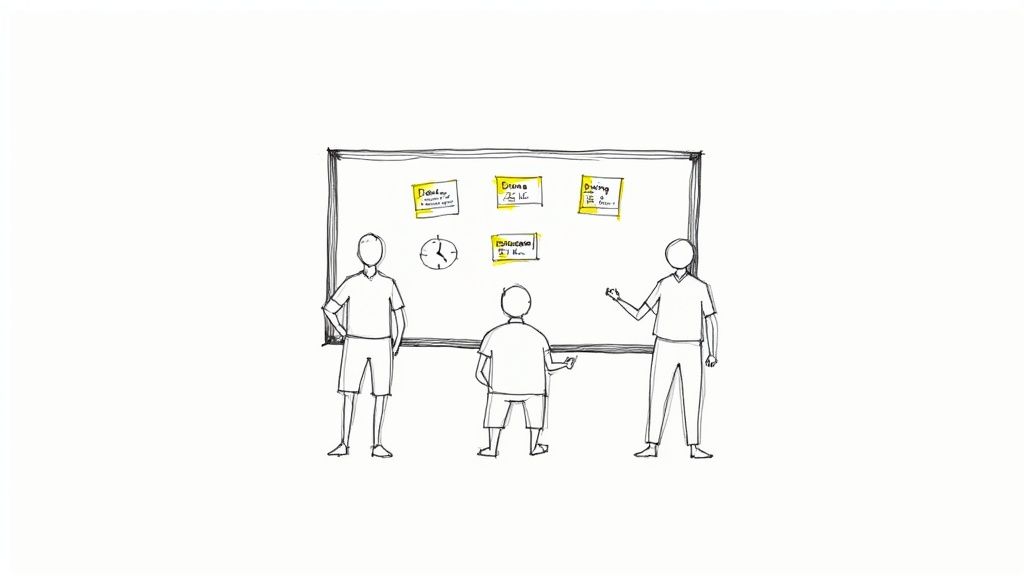

Laying the Groundwork for Multi-Project Success

Let's be honest, the real pain of managing multiple projects isn't just the sheer volume of work. It’s the chaos that comes from a lack of a unified system. When every project lives in its own silo—a separate spreadsheet here, a different Slack channel there—you spend your days fighting fires and reacting to whoever yells the loudest.

This constant reactive state is a recipe for burnout. It forces you into endless context switching and decision fatigue, which are absolute productivity killers for any manager. The goal is to climb out of the weeds and get to a place where you have a calm, portfolio-level view of everything that's happening.

This isn't just a nice-to-have. It’s a necessity. Think about it: 59% of project managers are juggling between two and five projects at any given time. When you’re spread that thin, the risk of scope creep and resource conflicts goes through the roof. It’s no wonder that global project performance hovers at just 73.8%, as you can see from other project management statistics. That means over a quarter of projects are missing the mark, often because no one had a clear, coordinated view from the top.

Your First Step: A Quick Triage

Before you even think about complex frameworks or new tools, do a quick triage of your current workload. The goal here is to get a high-level snapshot of everything on your plate. Forget about listing every single task—just focus on understanding the strategic purpose and current status of each major initiative.

The most powerful tool for gaining control is clarity. You can't manage what you can't see, and a simple triage framework forces you to define and categorize your work, turning chaos into a coherent inventory.

For instance, an agency might be handling a major website redesign, a new social media campaign, and an internal software update all at once. Each of those has completely different goals, stakeholders, and timelines. By categorizing them, you stop seeing a tangled mess of to-dos and start seeing distinct, manageable value streams.

This simple act of organizing provides immediate psychological relief and sets the stage for smarter prioritization down the line. To help you get started, here's a basic framework you can use to sort through your active projects right now.

Initial Project Triage Framework

This table is a quick way to get a handle on your portfolio. Just run each of your current projects through these columns to build an instant high-level dashboard.

Project Category Key Objective Primary Metric Next Action
Client A – Website Launch Go live by end of Q3 100% of core features deployed Finalize QA testing schedule
Client B – Ad Campaign Increase lead gen by 20% Cost Per Lead (CPL) < $50 Review ad creative with client
Internal – CRM Update Improve sales team efficiency Reduce data entry time by 15% Onboard final group of users

Once you've filled this out, you'll have a much clearer picture of your workload. This isn't the end of the process, but it's the critical first step toward establishing real control over your projects.

Building Your Centralized Project Command Center

Scattered information is the number one enemy when you’re trying to juggle multiple projects. If a project brief lives in one person’s inbox, the budget is on some rogue spreadsheet, and crucial client feedback is buried in a Slack thread, you aren't managing projects—you're just reacting to chaos.

The only way out is to build a centralized command center. This becomes the single source of truth for your entire portfolio. It doesn't have to be some overly complex, expensive platform. It could be a well-structured system in a tool you already use, like Asana or Monday.com, or even a really well-designed spreadsheet.

The key is creating one unified space where all project information is standardized, accessible, and consistently updated. Think of it as the air traffic control tower for your agency; it gives you a clear view of every project, helps you spot potential collisions, and ensures everything lands smoothly.

Standardize Your Project Intake

Your command center has to start with a consistent entry point for all new work. When project requests fly in from every direction—email, text, a casual hallway conversation—it's a recipe for disaster. This unstructured approach almost always leads to incomplete information, wildly inaccurate scoping, and projects kicking off without any clear objectives.

A standardized intake form is your first line of defense. This isn't just paperwork; it's a strategic tool that forces everyone to capture the essential details needed to properly scope and prioritize a new project before it ever hits your team’s workload.

Here’s what any solid intake process needs to collect:

  • The Core Objective: What business goal is this project actually supposed to achieve?
  • Key Stakeholders: Who needs to be involved, and what are their specific roles (e.g., final decision-maker, reviewer, subject matter expert)?
  • Success Metrics: How will we know we’ve won? Define the specific KPIs from day one.
  • Budget and Resources: What's the approved budget? Are there any known resource constraints we need to plan for?
  • Timeline: Are there any hard deadlines or critical milestones we absolutely cannot miss?

This simple step ensures every project enters your system with the same foundational information, making it infinitely easier to compare, prioritize, and assign resources effectively.

Establish a Clear Information Hierarchy

Once projects are in your system, the information needs a logical structure. A messy command center is just as useless as having no center at all. The goal is to give every stakeholder the right level of visibility without creating a tidal wave of information overload.

For instance, an agency owner needs a high-level portfolio view showing overall project health and profitability. A project manager, on the other hand, needs to see task dependencies and resource allocation across their specific projects. Meanwhile, a designer just needs a clear, focused view of their assigned tasks for the day and the week ahead.

This diagram breaks down a simple but powerful process for building this project foundation through triage, visualization, and adopting the right mindset.

A project foundation process diagram outlining steps: Triage, Visualize, and Mindset.

This flow really drives home the importance of categorizing your work before you try to visualize it all—a fundamental step for a successful command center.

A great command center doesn't just store information; it presents it in a way that fuels quick, smart decisions. It should answer key questions at a glance: "Are we on track?" "Who is overloaded?" and "Where are the real bottlenecks?"

This kind of hierarchy is best implemented with a dedicated project management tool. It's surprising, but while the PM software market is expected to hit $15.06 billion by 2030, a staggering 23% of organizations don’t use any.

This is a massive missed opportunity. High-performing organizations completely flip this statistic: 77% of them use PM software, which has been shown to boost internal communication by 80% and drastically improve project outcomes. You can dig deeper into these numbers by reviewing these project management statistical insights.

Ultimately, building this command center is the most critical step you can take. It’s what transforms your workflow from a series of disconnected tasks into a cohesive, predictable, and scalable operation.

Choosing a Ruthless Prioritization Framework

So you’ve got your command center set up and can finally see everything in one place. That's a huge win. But what happens next is the real test. When three different clients have "urgent" requests and a critical internal project is slipping, where do you point your team?

This is precisely where a ruthless prioritization framework stops being a nice-to-have and becomes your most valuable operational tool. It’s what shifts your agency from a reactive, "whoever shouts loudest wins" mode to one driven by objective, data-backed decisions. The whole point is to create a shared understanding of what "priority" actually means, supported by a system everyone gets and respects.

Without one, your project managers are just making gut calls, often swayed by a squeaky-wheel stakeholder or their own biases. That’s not just stressful; it’s a recipe for burnout and inefficiency. A solid framework takes the guesswork out of the equation, guaranteeing your team is always focused on the work that delivers real, strategic value.

The Eisenhower Matrix for High-Level Triage

A fantastic first stop for sorting out your project pipeline is the classic Eisenhower Matrix. It’s deceptively simple but incredibly powerful, forcing you to think about work along two lines: urgency and importance. This helps you instantly cut through the chaos.

It breaks down everything into four easy-to-understand quadrants:

  • Urgent & Important (Do First): These are the fires you have to put out now. Think of a major client website launch that’s happening next week or a critical bug that’s crashing an app for every single user. There’s no debating these; they get top billing.
  • Important & Not Urgent (Schedule): This is where your best, most strategic work gets done. We're talking long-term planning, process improvements, R&D, and building key client relationships. If you don't intentionally block out time for these, they'll never happen.
  • Urgent & Not Important (Delegate): These are the noisy interruptions that feel pressing but don’t move the needle on your main goals. A last-minute request for a minor report or sitting in on a low-value meeting often lands here. The goal is to delegate, automate, or politely decline.
  • Not Urgent & Not Important (Eliminate): Pure time-wasters. These are the tasks and activities that offer zero value. Be ruthless and cut them out completely.

Using this matrix gives you a clear, logical reason why one "urgent" project gets your team's full attention while another is scheduled for two weeks from now. It ends the arguments before they start.

MoSCoW for Nailing Down Project Scope

Okay, so a project has made the cut. Now you need to manage priorities inside that project. This is where the MoSCoW method is brilliant for defining scope and keeping stakeholder expectations grounded in reality.

MoSCoW is just an acronym for categorizing features or deliverables:

  1. Must-Have: Non-negotiable. If these aren't delivered, the project is a failure. Period.
  2. Should-Have: These are important and add a lot of value, but the project won't fall apart without them.
  3. Could-Have: Desirable, "nice-to-have" features that you'll tackle only if you have the time and resources to spare.
  4. Won't-Have (This Time): This is the secret weapon against scope creep. It's a list of everything you've all agreed is out of scope for this particular phase or release.

Getting stakeholders to agree on the "Won't-Have" list is one of the most powerful things you can do. It protects your team's focus and ensures the "Must-Haves" actually get done, which is absolutely critical for keeping multiple projects moving forward.

Value vs. Effort for Smart Task-Level Decisions

Drilling down even further, your team is now looking at a backlog of tasks within a single project. What should they work on today? The Value vs. Effort matrix is perfect for making these daily and weekly calls. It’s all about spotting the quick wins that deliver the biggest bang for your buck.

You just score each task on two simple criteria, maybe on a 1-5 scale:

  • Value: How much impact will this have on the client or the project's main goal?
  • Effort: How much time and energy will this really take?

This quickly sorts tasks into four buckets: high-value, low-effort (quick wins); high-value, high-effort (major projects); low-value, low-effort (fill-ins); and low-value, high-effort (time sinks).

Focusing on the quick wins first is a game-changer. It builds momentum, shows progress to clients, and keeps team morale high. This simple scoring gives you an objective, defensible plan for what your team is doing and why.

Master the Juggling Act: Resource Allocation and Capacity Planning

You can have the most sophisticated project command center and a bulletproof prioritization system, but if your team is constantly drowning, none of it matters. The most common reason great systems fail is simple: human burnout.

This is where you shift from just assigning tasks to strategically allocating your team's time. It's about getting brutally honest about your team's true capacity—the real number of hours they have for deep work after you account for the meetings, admin, and general chaos of agency life. Getting this right is your best defense against overload.

A handwritten diagram illustrating project task management with capacity, resources, and bottleneck alerts.

Honestly, this kind of planning is no longer optional. The industry is facing a massive talent crunch, with a projected need for 87.7 million project management roles by 2027—a huge leap from the current pool of 40 million.

This puts immense pressure on existing teams. We're already seeing managers handle 2-5 projects at once, but the sustainable limit is closer to 3-4 before things start to break. You can dig into more of the numbers in these recent project management statistics.

Find Your Team’s Real Capacity

First things first: you have to stop guessing. The biggest mistake managers make is assuming a 40-hour work week means 40 hours of available project time. It's a recipe for disaster.

To get a real number, you have to subtract all the non-project work that eats up the week:

  • Internal Meetings: All-hands, department check-ins, one-on-ones.
  • Admin Time: Filling out timesheets, doing expense reports, and clearing the inbox.
  • Professional Development: Training, workshops, or just time for skill-building.
  • Client Comms: The calls, emails, and meetings that aren't tied to a specific deliverable.

A team member booked at 100% capacity is a brittle resource. They have zero flexibility for unexpected client feedback, helping a colleague, or thinking creatively. I always aim for a 70-80% allocation on billable work to build in a necessary buffer. That’s how you create a resilient, sustainable workflow.

This simple math gives you a baseline for every single person on your team. It's the only number that matters when you start scheduling work.

Build a Visual Resource Plan

Once you know everyone’s true capacity, you need to see who is working on what, and when. A visual resource management plan, usually built right into your PM tool, is perfect for this. Think of it as a shared calendar for your team’s workload across every single project.

Let's say your design team is juggling three website builds and a couple of branding projects. A visual plan would instantly flag that your lead UX designer is scheduled for 150% of her capacity in week one because two major wireframing phases landed at the same time. Without that high-level view, you wouldn't know there's a problem until deadlines start slipping and the panic sets in.

This visual approach lets you practice resource leveling—the subtle art of shifting timelines and tasks around to smooth out the crazy peaks and quiet valleys in someone's schedule. You might push a lower-priority task to the next week or hand it off to another designer who has the bandwidth.

Resource Capacity Planning Template

Here’s a snapshot of how this looks in practice. This simple table gives you a bird's-eye view of your team's workload, making it easy to spot trouble before it starts.

Team Member Total Weekly Hours Admin/Meeting Hours Available Project Hours Allocated Hours Remaining Capacity (%)
Alex (Lead UX) 40 8 32 30 6%
Brianna (UI) 40 8 32 35 -9%
Carlos (Junior) 40 10 30 15 50%

A quick glance tells you Brianna is overbooked. The clear next step? Move some of her less complex UI tasks over to Carlos, who has plenty of room. This one small adjustment saves Brianna from becoming a bottleneck and keeps multiple projects moving forward smoothly.

Mastering this balancing act is how you scale your agency’s output without scaling your team’s stress.

Setting a Clear Communication Rhythm

Consistent, predictable communication is the glue that holds a multi-project environment together. Without it, you’re stuck with a constant barrage of “just checking in” pings, endless status meetings that go nowhere, and nervous stakeholders who are always in the dark. The goal isn't more communication; it's smarter, more rhythmic communication.

A detailed handwritten project management calendar with daily, monthly tasks, and a workflow diagram.

This means building a system of updates and check-ins that proactively answers questions before anyone even thinks to ask. When your team and clients know exactly when and how they'll hear from you, it builds a massive amount of trust. It also frees everyone from the mental load of wondering what’s going on, letting them get back to actual, deep work.

Design a Smart Meeting Cadence

First things first: you need a meeting schedule that delivers clarity without burning everyone out. Not every update needs a face-to-face meeting. The key is matching the format to the function so that every single interaction has a clear purpose.

Here’s a battle-tested rhythm that works well for agencies juggling multiple projects:

  • Daily Stand-Ups (15 minutes max): These are quick, rapid-fire syncs for the core project team. The focus is purely tactical: what did you do yesterday, what's on the list for today, and are you blocked by anything? This is an alignment check, not a problem-solving session.
  • Weekly Tactical Reviews (30-45 minutes): This one’s for the project manager and key team leads. It's where you'll review progress against the week's goals, shuffle task priorities if needed, and tackle any blockers that came up in the daily stand-ups.
  • Monthly Portfolio Reviews (60 minutes): Think of this as the 30,000-foot view with leadership and key stakeholders. The conversation is strategic—reviewing the health of the entire project portfolio, discussing budgets and resources, and making sure everything still ladders up to the big-picture business goals.

The secret to great meetings isn't the perfect agenda; it's a ruthless commitment to purpose. If a meeting's goal can be met with a quick email or a dashboard update, cancel it. Give your team their time back.

This tiered approach ensures the right people are having the right conversations at the right time. The team doing the work gets daily clarity, managers get weekly control, and leadership gets monthly oversight—all without dragging people into meetings that aren't relevant to them.

Lean into Asynchronous Updates

If you truly want to master managing multiple projects, you have to break the addiction to meetings. Asynchronous communication—updates that don’t require an instant response—is your most powerful weapon for keeping everyone in the loop without constant interruptions. This is where you proactively share information and build a culture of documentation.

For instance, that weekly client status call that could easily be an email? Turn it into a standardized weekly summary. This asynchronous update is often more effective than a meeting because it provides a clear, documented record of progress that people can refer back to.

A simple, effective template could include:

  • Overall Project Health: A quick status indicator (Green, Yellow, Red).
  • Key Accomplishments This Week: Bullet points highlighting what the team just knocked out.
  • Upcoming Priorities: A clear list of what’s on deck for next week.
  • Action Items & Blockers: Anything you need from the client or decisions that need to be made.

A structured, predictable update like this keeps stakeholders informed on their own time. It respects their schedule and dramatically cuts down on the random, ad-hoc messages that kill productivity, helping your team keep the momentum going across all their projects.

Managing Risks Across Your Entire Project Portfolio

Look, managing risk on a single project is tough. But when you're juggling an entire portfolio? The complexity goes through the roof. A tiny delay on one project can easily cascade, creating a domino effect that throws timelines and budgets into chaos for everyone else.

Real portfolio risk management isn't just about what might go wrong on Project A or Project B, like a client being slow with feedback. It’s about taking a 10,000-foot view to spot the threats that could hit several projects at once. These are the systemic risks, the ones that can genuinely cripple an agency if you're not paying attention.

Thinking Beyond Single Project Risks

Most teams are pretty good at spotting the obvious, in-your-face risks for the project they're working on right now. But portfolio-level threats? They often get missed because they don't have a single "owner." They’re the subtle, background hum of potential problems that can quickly escalate into a full-blown crisis.

Think about common portfolio-level risks we see all the time:

  • Key Person Dependency: What’s the plan if your only senior developer—the one holding three critical projects together—walks out the door tomorrow?
  • Technology Failures: Your main project management software subscription is about to lapse, and nobody's on top of the renewal. Oops.
  • Systemic Burnout: Your best design team has been sprinting at 110% for six weeks straight. Now, their work is starting to slip, not just on one project, but on all of them.

These are the exact kinds of threats that demand a centralized, top-down perspective to catch and handle properly.

Creating a Portfolio-Wide Risk Register

First things first: get these potential problems out of hallway conversations and into a documented, shared space. A portfolio-wide risk register becomes your single source of truth for every potential threat looming over your projects. This isn't just a list of anxieties; it's a structured tool for tracking, analyzing, and actually planning what to do next.

For every risk you identify, your register needs to capture a few key things:

  1. A clear description of the risk itself.
  2. Which specific projects would be impacted.
  3. An assigned owner who is responsible for keeping an eye on it.

Doing this is what shifts your team's mindset from constantly fighting fires to being genuinely prepared.

Risk management isn’t about trying to eliminate every single risk. That’s impossible. It's about increasing your odds of success. When you anticipate what could go wrong at a portfolio level, you give yourself the power to make smart adjustments before a small hiccup snowballs into a complete disaster.

Prioritizing Threats with a Probability and Impact Matrix

Okay, so you've listed out all the things that could go wrong. Now what? You can't tackle everything at once, and not all risks are created equal. This is where a probability and impact matrix becomes your best friend for ruthless prioritization. It forces you to focus your limited time and energy on the threats that truly matter.

The matrix is brilliantly simple. For each risk in your register, you just score it on two scales:

  • Probability: How likely is this thing to actually happen? (e.g., Low, Medium, High)
  • Impact: If it does happen, how bad will the damage be? (e.g., Low, Medium, High)

This simple scoring exercise lets you sort risks into clear priority buckets. A high-probability, high-impact risk—like that lead developer quitting mid-launch—demands an immediate, rock-solid contingency plan. A low-probability, low-impact risk? You probably just need to keep an eye on it for now.

By making this risk assessment a standard part of your monthly portfolio reviews, you start building resilience into your agency's DNA. It ensures that potential problems are flagged, talked about, and dealt with long before they get a chance to threaten the health of your entire project portfolio. That’s a cornerstone of learning how to manage multiple projects without burning out your team or your business.

Common Questions We Hear

Even with the best system in place, you're bound to run into a few tricky situations when juggling multiple projects. It happens to everyone. Let's tackle some of the most common questions that come up in a busy agency setting.

What's the Best Software for Managing Multiple Projects?

Honestly, there’s no single "best" tool out there. The right choice really comes down to your team’s size, how complex your projects are, and what your budget looks like.

For smaller, nimble teams, a tool like Trello or Asana can be perfect because they're so flexible. If you're a larger agency, you'll probably get more out of a heavy-hitter like Monday.com or ClickUp, since they have more advanced features for reporting and managing who's working on what.

Whatever you choose, make sure it gives you:

  • A bird's-eye view of everything in flight at once.
  • Crystal-clear task ownership so nothing falls through the cracks.
  • Simple, visual ways to see who’s available and who’s swamped.

The best project management tool is the one your team actually uses. Always run a pilot with a real project before you commit. See how it feels in your day-to-day workflow, not just how it looks in a demo.

How Do You Handle Conflicting Stakeholder Priorities?

Ah, the classic agency dilemma. You’ve got two stakeholders, and both think their project is the most important thing in the universe. This is where you have to take the emotion out of the conversation.

Lean on an objective prioritization framework, like the Value vs. Effort model we talked about earlier. When a conflict pops up, don't just mediate—facilitate. Guide the stakeholders through the scoring process for their requests.

By presenting the data, you shift the conversation from "My project is more important" to "Which of these tasks delivers the most value to the business right now?" It's a game-changer.

How Much Buffer Time Should You Really Add to Schedules?

This is more art than science, but a good rule of thumb is to add a 15-25% buffer to your time estimates. This is especially true for those big, hairy projects with a lot of moving parts or unknowns. Think of it less as "padding" and more as a strategic reserve for when—not if—the unexpected happens.

On a portfolio level, never book your team members at 100% capacity. It’s a recipe for burnout. Aim for a max allocation of 70-80%. That leaves them with the breathing room they need to handle urgent requests, help a teammate, or just think, without throwing the entire schedule into chaos.


Tired of juggling disconnected tools to manage your agency? RGK is the unified operating system built to eliminate operational chaos. With integrated project management, billing, and an AI-powered assistant, it provides the single source of truth you need to scale profitably. See how RGK can transform your agency's operations.

10 Essential Project Tracking Metrics for Agency Success in 2025

In the world of agency operations, the gap between a busy team and a profitable project is often filled with guesswork. While Gantt charts and task lists show activity, they rarely reveal the full story of a project’s financial health or its trajectory toward success. Many agencies struggle with operational chaos born from disconnected data, leading to a reactive management style where problems are addressed only after they've already impacted the bottom line. This reactive cycle, fueled by missed deadlines, unchecked scope creep, and eroding margins, is a direct result of not tracking the right performance indicators.

This guide moves beyond surface-level project management to focus on the specific project tracking metrics that directly influence profitability and client satisfaction. We will break down the ten most impactful metrics that provide a real-time, data-driven view of your projects, from financial efficiency to team productivity and client sentiment. This isn't just another list of KPIs; it's a strategic framework for gaining control. You will learn not only what to measure but how to measure it, with clear definitions, formulas, and target benchmarks for each.

Traditional project management tools often keep this data in silos, making it nearly impossible to get a cohesive, high-level view without tedious manual reporting. We’ll show you how to overcome this challenge by centralizing your data. By implementing a system to track these essential metrics, you can transform your agency from being constantly behind to proactively steering projects toward predictable, profitable outcomes. This article provides a clear, actionable roadmap to make that happen.

1. Schedule Performance Index (SPI)

The Schedule Performance Index (SPI) is a crucial project tracking metric that measures your team's efficiency in progressing against the planned schedule. It’s a core component of Earned Value Management (EVM), a methodology popularized by the Project Management Institute (PMI). SPI provides a clear, numerical value indicating whether you are ahead of, on, or behind your project timeline.

Hand-drawn diagram illustrating Planned Value (PV), Earned Value (EV), and Schedule Performance Index (SPI) in project tracking.

This metric compares the value of work actually completed (Earned Value or EV) to the value of work that was scheduled to be completed (Planned Value or PV) by a specific date. The calculation is straightforward:

Formula: SPI = Earned Value (EV) / Planned Value (PV)

An SPI of 1.0 indicates perfect alignment with the schedule. A value greater than 1.0 means you're ahead, while a value less than 1.0 signals you're falling behind.

When to Use SPI

SPI is most effective for projects with well-defined tasks, timelines, and budgets, such as website builds, app development sprints, or multi-phase marketing campaigns. It allows agency project managers to move beyond subjective "Are we on track?" questions and get objective, data-driven answers. For example, a construction company can use SPI to ensure a multi-year build hits key milestones, preventing costly overruns.

Actionable Tips for Tracking SPI

To effectively leverage SPI, consider these best practices:

  • Set Threshold Alerts: Configure your project management platform to send an alert if SPI drops below a certain threshold, like 0.95. This triggers an immediate review before delays compound.
  • Analyze Trends, Not Just Points: Review SPI weekly or bi-weekly. A single dip might be a blip, but a consistent downward trend indicates a systemic issue that needs addressing, such as resource bottlenecks or scope creep.
  • Combine with CPI: For a complete picture of project health, always analyze SPI alongside the Cost Performance Index (CPI). Being ahead of schedule (high SPI) is less impressive if you're massively over budget (low CPI).
  • Centralize Data: Platforms like RGK/Greta can automatically calculate SPI by pulling timesheet data (actuals), budget information (planned value), and task completion status (earned value) into a unified dashboard, eliminating manual calculations and providing real-time visibility.

2. Cost Performance Index (CPI)

The Cost Performance Index (CPI) is a fundamental project tracking metric that assesses the financial efficiency of your project's budget. As the primary cost-efficiency metric within the Earned Value Management (EVM) framework, CPI provides an objective measure of the value you're getting for every dollar spent. It tells you whether you are over, under, or on budget for the work completed so far.

This metric compares the budgeted value of work performed (Earned Value or EV) to the actual amount of money spent to achieve it (Actual Cost or AC). The calculation is a simple ratio:

Formula: CPI = Earned Value (EV) / Actual Cost (AC)

A CPI of 1.0 means the project is perfectly on budget. A value greater than 1.0 indicates excellent cost efficiency (under budget), while a value less than 1.0 signals you're overspending for the work accomplished.

When to Use CPI

CPI is indispensable for any project with a defined budget, especially where cost control is critical. It's particularly valuable for IT consulting firms tracking billable hours against project budgets, pharmaceutical companies monitoring R&D expenditures, and government contractors who are often required to report on budget performance. Using CPI helps managers make proactive financial decisions rather than reacting to budget overruns after they happen.

Actionable Tips for Tracking CPI

To make CPI a powerful tool in your project management toolkit, follow these best practices:

  • Monitor Trends, Not Just Snapshots: A single low CPI might be explainable, but a consistent downward trend is a red flag for systemic issues like inaccurate estimates or uncontrolled scope creep. Track it weekly to catch problems early.
  • Establish Baselines: Set clear CPI expectations for different project types. For example, a target CPI of 1.05 might be a goal for a standard web build, allowing for a small efficiency buffer.
  • Trigger Budget Reviews: Use a declining CPI as an automatic trigger for a budget review. If your CPI drops below a preset threshold like 0.9, immediately investigate the root causes with your team.
  • Analyze Alongside SPI: Never look at CPI in isolation. A high CPI (under budget) is less impressive if your SPI is low (behind schedule), as it may simply mean you haven't done enough work yet. The combination of these two project tracking metrics gives you the full picture of project health.

3. Burndown Charts

A Burndown Chart is a powerful visual tool among project tracking metrics, primarily used in Agile methodologies like Scrum. It provides an at-a-glance representation of the work remaining in a project versus the time available to complete it. This simple yet effective chart makes progress, or lack thereof, immediately apparent to the entire team and stakeholders.

Hand-drawn burndown chart showing project progress over time with work remaining and various labels.

The chart plots remaining effort (often in story points or hours) on the vertical axis against time on the horizontal axis. It features two lines: an "ideal" line showing a steady, linear progression to zero, and an "actual" line showing the real-time progress.

Concept: The goal is to keep the actual work line tracking as closely as possible to the ideal line. A line above the ideal indicates the team is behind schedule, while a line below suggests they are ahead.

This visualization transforms abstract progress data into a clear, shared understanding of project momentum.

When to Use Burndown Charts

Burndown charts are indispensable for iterative, time-boxed projects common in software development, product design, and fast-paced marketing sprints. For example, Spotify engineering teams rely on sprint burndown charts to manage their two-week development cycles, while Google's product teams might use them to track progress on quarterly feature releases. Their clarity makes them perfect for daily stand-ups, helping teams quickly identify impediments and adjust their focus.

Actionable Tips for Tracking Burndown Charts

To maximize the value of burndown charts, follow these best practices:

  • Update Daily: Make the burndown chart a central focus of your daily stand-up meeting. This ensures the data is always current and keeps the team aligned on daily goals and obstacles.
  • Track Scope Changes: Introduce a separate line or notation on the chart to visualize the impact of scope creep. When new tasks are added, the "actual" work line will jump up, clearly communicating why progress may seem to stall.
  • Use Trends for Better Estimation: Analyze the patterns in your burndown charts over several sprints. If your team consistently finishes above the ideal line, it’s a sign that your initial estimations may be too optimistic and need refinement for future sprints.
  • Create Release Burndowns: For larger initiatives spanning multiple sprints, create a higher-level "release burndown" chart. This provides long-term visibility for stakeholders and helps in strategic planning beyond the immediate sprint.

4. Burn Rate

The Burn Rate is a vital project tracking metric that measures the speed at which a project consumes its budget. Popularized in the fast-paced startup world and a key concept in lean methodologies, this metric provides a clear picture of financial consumption over time, typically calculated on a weekly or monthly basis. It’s the pulse check on your project’s financial health.

This metric calculates the total amount of money spent over a specific period. By understanding how quickly you are "burning" through project funds, you can forecast future spending, anticipate budget shortfalls, and make necessary adjustments to keep the project financially viable. The calculation is simple:

Formula: Burn Rate = (Total Costs to Date) / (Number of Time Periods Elapsed)

A consistent and predictable burn rate aligned with your plan is a sign of good financial control. A burn rate that is unexpectedly high signals potential cost overruns, while a rate that is too low might indicate that the project is under-resourced or falling behind schedule.

When to Use Burn Rate

Burn Rate is essential for any project with a fixed budget and a defined timeline, particularly where consistent expenditure is expected. It's indispensable for marketing agencies managing monthly ad spend retainers, development teams in a long-term software build, or any project where resource allocation (like team salaries) is the primary cost driver. For instance, a startup developing a new app uses its monthly burn rate to determine its financial runway before needing more funding.

Actionable Tips for Tracking Burn Rate

To effectively manage your project's financial trajectory using burn rate, consider these best practices:

  • Compare Actual vs. Planned: Calculate and track both your planned burn rate and your actual burn rate. A significant variance between the two is an early warning sign that requires immediate investigation into scope, resource allocation, or initial estimates.
  • Project Your Budget Exhaustion Date: Use the current burn rate to forecast the exact date your project will run out of money. This "zero-cash date" is a powerful motivator for making tough decisions about scope or resourcing.
  • Break It Down by Category: Don’t just track the total burn. Segment it by cost categories like labor, software licenses, and third-party expenses. This helps pinpoint exactly where overspending is occurring.
  • Adjust for Project Phases: A project's burn rate is rarely linear. It might be low during the initial planning phase, spike during peak development, and then level off. Adjust your expectations and planned burn rate to reflect these natural cycles.

5. Velocity

Velocity is a fundamental project tracking metric in Agile environments, measuring the amount of work a team can complete in a single iteration, commonly known as a sprint. Popularized by frameworks like Scrum and Extreme Programming (XP), it provides a powerful forecast of how much work a team can reliably deliver in the future. It’s not about speed but about predictability.

This metric is calculated by summing the "story points" or the number of work items (like user stories) that the team successfully completes according to their "Definition of Done" within a sprint. The result is a single number that represents the team's output for that period.

Calculation: Velocity = Sum of Story Points for all completed user stories in a sprint

A stable velocity indicates a predictable team, which allows for more accurate long-term planning and release forecasting. A volatile velocity, however, often points to underlying issues that need investigation.

When to Use Velocity

Velocity is essential for Agile teams, particularly in software development, marketing, and product design where work is broken into iterative cycles. It's perfect for a mobile app development team trying to predict a release date or a SaaS company managing its feature delivery cadence. An agency building an e-commerce platform can use velocity to track how many features are delivered per sprint, providing clients with realistic timelines for new functionalities.

Actionable Tips for Tracking Velocity

To make Velocity one of your most effective project tracking metrics, implement these practices:

  • Establish a Baseline: Track velocity over at least 5-7 sprints to establish a reliable average. This historical data is crucial for accurate future forecasting and shields planning from outlier sprints.
  • Investigate Significant Variations: A sudden spike or dip in velocity is a signal. Did the team get new tools that boosted productivity? Or did unplanned work and scope creep derail the sprint? Investigate the root cause to learn and adapt.
  • Inform Capacity Planning: Use the established average velocity to plan future sprints. If a team consistently delivers 30 story points, avoid overloading the next sprint with 45 points, as this leads to burnout and lower quality.
  • Manage Stakeholder Expectations: Velocity is a powerful tool for communication. Use the data to show stakeholders what is realistically achievable within a given timeframe, turning vague delivery date requests into data-driven conversations.

6. Critical Path Method (CPM) Variance

Critical Path Method (CPM) Variance is a project tracking metric that measures the deviation between planned and actual completion dates for tasks on the project's "critical path." This path is the longest sequence of dependent tasks that determines the overall minimum project duration. Any delay in a critical path task directly delays the entire project, making this metric vital for proactive schedule management.

This metric highlights which specific, high-impact activities are slipping and by how much, allowing project managers to focus their recovery efforts where they matter most. The analysis involves calculating the difference between the actual finish date and the planned finish date for each critical task.

Formula: CPM Variance = Actual Finish Date – Planned Finish Date

A variance of 0 means the task finished on time. A positive value (e.g., +5 days) indicates a delay, while a negative value means the task finished early.

When to Use CPM Variance

CPM Variance is essential for complex projects with numerous interdependencies, where a delay in one area can cascade and jeopardize the entire timeline. It's a go-to metric in industries like construction, where hundreds of tasks must be perfectly sequenced, or in aerospace programs with rigid launch windows that cannot be missed. An event management agency coordinating venues, vendors, and logistics would also rely on this to ensure a seamless launch day.

Actionable Tips for Tracking CPM Variance

To effectively manage your project's critical path, implement these strategies:

  • Update the Critical Path Weekly: In active projects, the critical path can change as tasks are completed ahead of or behind schedule. Recalculate it weekly to ensure you are always focused on the right priorities.
  • Monitor Near-Critical Paths: A secondary sequence of tasks with very little "float" or slack can quickly become the new critical path if it experiences a delay. Keep an eye on these near-critical paths to prevent unexpected schedule threats.
  • Allocate Resources Strategically: Assign your most experienced and reliable team members to critical path activities. Protecting this sequence is the most effective way to protect your project's delivery date.
  • Centralize Task Dependencies: Use a platform like RGK/Greta to map out all task dependencies and automatically calculate the critical path. This provides a real-time, visual representation of schedule risks and variance without manual spreadsheet management.

7. Scope Creep Index

The Scope Creep Index is a vital project tracking metric that quantifies the expansion of a project's scope beyond its original, agreed-upon baseline. Often expressed as a percentage, it provides a clear measure of uncontrolled changes and additions, which are notorious for derailing timelines and budgets. This metric helps teams maintain discipline and manage stakeholder expectations effectively.

This index compares the original scope baseline (often measured in tasks, features, or story points) to the current scope. The calculation highlights how much the project has grown:

Formula: Scope Creep Index = ((Current Scope – Baseline Scope) / Baseline Scope) × 100%

A Scope Creep Index of 0% means the project scope has not changed. Any value greater than 0% indicates that scope has been added. A significant or rapidly increasing percentage is a major red flag that requires immediate attention.

When to Use the Scope Creep Index

This metric is indispensable for projects where boundaries are prone to blurring, such as software development, website redesigns, or large-scale consulting engagements. It forces a quantitative discussion about what was initially promised versus what is now being delivered. For an agency building a new e-commerce site, tracking this index can prevent a simple project from morphing into a complex, unprofitable endeavor due to endless client change requests.

Actionable Tips for Tracking Scope Creep

To effectively manage scope and maintain project health, consider these practices:

  • Establish a Formal Change Control Process: Do not accept verbal or informal requests. Implement a formal change request system where every proposed addition is documented, evaluated for its impact on cost and schedule, and requires formal approval from a change control board or key stakeholders.
  • Maintain a Change Log: Keep a detailed log that distinguishes between approved changes (scope evolution) and unapproved additions (scope creep). This helps in analyzing where the creep is originating and reinforces accountability.
  • Educate Stakeholders Proactively: At the project kickoff, clearly explain the scope baseline and the process for requesting changes. Make the cost and schedule implications of scope additions transparent to prevent surprises later on.
  • Automate Tracking in a Central Hub: Use a project management platform like RGK/Greta to define your baseline scope (e.g., number of tasks or story points). As new tasks are added, the system can automatically update the Scope Creep Index, providing a real-time dashboard view and triggering alerts when the index exceeds a predefined threshold.

8. Resource Utilization Rate

The Resource Utilization Rate is one of the most critical project tracking metrics for service-based businesses, measuring how effectively your team's available time is being used for productive, often billable, work. It provides a clear percentage of how much an employee's potential capacity is actually being applied to value-generating tasks versus being spent on internal meetings, administrative overhead, or sitting idle.

This metric compares the total time an employee logs on project-related activities (Actual Hours Worked) against their total available working hours. The formula is essential for capacity planning and profitability analysis:

Formula: Resource Utilization Rate = (Total Billable or Project Hours / Total Available Hours) × 100%

A rate of 100% is unsustainable and leads to burnout. The industry benchmark typically falls between 75-85%, which accounts for necessary non-project time like training, administration, and team meetings.

When to Use Resource Utilization Rate

This metric is indispensable for consulting firms, creative agencies, and software development teams where the primary "product" is employee time and expertise. It helps managers ensure they are neither overworking their teams nor leaving valuable capacity on the table. For example, a digital marketing agency can use utilization rates to determine if they can take on a new client or if they need to hire more staff to meet demand without compromising quality.

Actionable Tips for Tracking Resource Utilization Rate

To effectively manage team capacity with this metric, consider these best practices:

  • Aim for the Sweet Spot: Target a utilization rate of 75-85%. A rate above this range often signals over-allocation and burnout risk, while a rate below it may indicate a weak sales pipeline or inefficient work allocation.
  • Balance with Employee Well-being: High utilization looks great on paper but can mask underlying issues. Pair this metric with employee satisfaction surveys or one-on-one feedback to ensure productivity doesn't come at the cost of morale.
  • Track by Role and Department: Analyze utilization rates by specific skill sets or departments. Low utilization among your design team might indicate a sales bottleneck for creative work, while high utilization for developers could highlight a need for hiring.
  • Automate Data Collection: Manually calculating this for every team member is tedious. Platforms like RGK/Greta can automate this by integrating timesheet data with employee capacity settings, providing real-time dashboards that show utilization rates across the entire organization.

9. Defect Density and Resolution Rate

Defect Density and Resolution Rate are twin project tracking metrics that provide a powerful view into the quality of deliverables and the efficiency of your quality assurance (QA) processes. Defect Density measures the concentration of bugs or errors within a specific unit of work, while Resolution Rate tracks how quickly your team addresses those identified issues. Together, they form a feedback loop that assesses both product quality and process responsiveness.

Hand-drawn sketches illustrating software project tracking metrics: defect density grid and resolution rate chart.

These metrics originated in software quality assurance but are now widely applied across industries. Their calculations are straightforward, offering a clear measure of quality management.

Formulas:
Defect Density = Total Number of Defects / Size of Work Unit (e.g., KLOC, # of test cases, pages)
Resolution Rate = (Total Defects Resolved / Total Defects Found) x 100%

A high defect density early on can signal underlying issues in development or design, while a low resolution rate indicates a growing backlog of technical debt that can jeopardize project timelines and client satisfaction.

When to Use Defect Density and Resolution Rate

These metrics are essential for projects where quality is a primary success criterion, such as software development, manufacturing, and financial process implementation. A software agency can track bugs per feature to ensure code stability, while a content marketing agency could track errors per 10,000 words to maintain editorial standards. Monitoring these metrics helps teams move from reactive bug-fixing to proactive quality improvement, preventing small issues from becoming major client-facing problems.

Actionable Tips for Tracking These Metrics

To effectively manage quality using these project tracking metrics, implement the following practices:

  • Establish Resolution SLAs: Define clear Service Level Agreements (SLAs) for fixing defects based on their severity. For example, critical bugs must be resolved within 24 hours, while minor cosmetic issues can be addressed within two weeks.
  • Categorize Defects by Severity: Not all defects are equal. Classify them as Critical, High, Medium, or Low to prioritize the team's efforts and focus on what impacts the user most. This prevents the team from getting bogged down by trivial issues while critical bugs remain unresolved.
  • Conduct Root Cause Analysis: Don't just fix bugs; understand why they happened. Use the "5 Whys" technique for high-density areas to identify systemic issues in your process, whether it's inadequate training, unclear requirements, or insufficient testing protocols.
  • Drive Quality Training: Use these metrics to identify opportunities for team improvement. A consistently high defect density in a specific module might indicate that the assigned developer needs more training or mentoring on that part of the system.

10. Stakeholder Satisfaction and Health Check Scores

While quantitative metrics like SPI and CPI are vital, they don't capture the full picture of project success. Stakeholder Satisfaction and Health Check Scores are crucial qualitative project tracking metrics that measure the perceptions, confidence, and contentment of key project participants, including sponsors, clients, and end-users. They act as an early warning system for issues that objective data might miss.

These scores are typically gathered through structured surveys, regular check-in meetings, or formal health assessments. They evaluate various dimensions of the project beyond just budget and schedule, such as communication effectiveness, deliverable quality, risk management, and overall team morale. This provides a holistic view of project health from the perspective of those most invested in its outcome.

Method: A combination of surveys (e.g., Net Promoter Score-style questions), interviews, and a Red-Amber-Green (RAG) status report across key project dimensions.

A low score, even when quantitative metrics look good, can signal misalignment, unmet expectations, or poor communication that could derail the project later.

When to Use Stakeholder Satisfaction Scores

This metric is indispensable for any project where client relationships and user adoption are paramount. It's particularly critical for long-term enterprise software implementations, agency-client partnerships, and consulting engagements where perceived value is as important as delivered functionality. For example, a marketing agency can use mid-campaign client surveys to adjust communication strategies, ensuring the client feels heard and valued throughout the process.

Actionable Tips for Tracking Stakeholder Health

To effectively leverage these qualitative metrics, consider these best practices:

  • Establish a Consistent Cadence: Conduct health checks at regular, predictable intervals, such as monthly or at the end of each major phase. This prevents survey fatigue while providing enough data to spot trends.
  • Use a Standardized Framework: Create a consistent set of questions or a scorecard for every health check. This allows you to compare scores over time and across different projects to identify systemic strengths or weaknesses.
  • Separate Internal and External Views: Always distinguish between internal team satisfaction and external stakeholder satisfaction. A happy team can still deliver a project that misses the client's expectations, and vice versa.
  • Take Action on Feedback: A low score is a call to action. Immediately schedule a conversation with the stakeholder to understand their concerns and collaboratively create an action plan. Documenting these steps shows you take their feedback seriously.

Top 10 Project Tracking Metrics Comparison

Metric Implementation complexity 🔄 Resource requirements ⚡ Expected outcomes ⭐📊 Ideal use cases 💡 Key advantages
Schedule Performance Index (SPI) Medium — needs EVM baseline and periodic calculation Low–Medium — schedule baseline + EV/PV data Objective schedule variance detection and completion forecasts Large, schedule-driven projects (construction, gov) Quantifiable schedule health; industry-standard
Cost Performance Index (CPI) Medium — requires accurate cost tracking and EVM setup Medium — actual cost recording and EV data Cost-efficiency insight and EAC forecasting Budget-sensitive projects (consulting, defense) Clear indicator of under/over‑spend; supports EAC
Burndown Charts Low — simple plotting updated frequently Low — daily progress updates or tool support Immediate team progress visibility; short-term trends Agile sprints and short iterations Highly visual; quick detection of slipping work
Burn Rate Low — straightforward periodic calculation Low — expense tracking by period Runway forecasting and spending velocity alerts Startups, campaigns, cash‑constrained projects Simple runway indicator; easy to communicate
Velocity Low–Medium — needs consistent estimation practice Low — tracking story points per sprint Predictive sprint capacity and release planning Agile teams using story points (scrum/XP) Team-specific predictability; improves planning
Critical Path Method (CPM) Variance High — activity‑level scheduling and dependency management High — detailed activity data and frequent updates Identifies tasks that directly affect finish date Large, dependency-heavy projects (construction, aerospace) Focuses management on high‑impact schedule risks
Scope Creep Index Medium — requires clear baseline and change tracking Medium — change logs and approval records Measured scope growth and correlation to delays/costs Projects with evolving requirements (software, design) Quantifies uncontrolled scope changes; enforces control
Resource Utilization Rate Low — timesheet-based calculation Medium — timesheet/tooling and role-level data Capacity insights; overallocation or idle time detection Professional services and staffing-planning contexts Reveals resource bottlenecks; supports hiring decisions
Defect Density & Resolution Rate Medium — defect classification and SLA tracking Medium — QA tools, triage process and reporting Quality level measurement and fix responsiveness Software, manufacturing, regulated processes Objective quality metrics; drives root-cause improvements
Stakeholder Satisfaction & Health Check Scores Medium — survey design and qualitative analysis Low–Medium — surveys, interviews, facilitation Subjective health signals; early stakeholder risk detection Complex change programs and client engagements Captures perceptions and morale not visible in metrics

Unifying Your Metrics: How RGK and Greta Turn Data into Decisions

Throughout this guide, we've explored ten essential project tracking metrics that form the bedrock of successful agency management. From the financial precision of the Cost Performance Index (CPI) and Schedule Performance Index (SPI) to the agile insights provided by Velocity and Burndown Charts, each metric offers a unique lens through which to view project health. We've seen how metrics like Resource Utilization Rate and Scope Creep Index can signal internal strains, while others like Defect Density and Stakeholder Satisfaction measure the quality of your output and client relationships.

The core challenge, however, isn't understanding these individual data points. The real obstacle for most agencies is the fragmented nature of the data itself. Your CPI might live in a spreadsheet, your Burndown Chart in a project management tool, and your Resource Utilization in a separate time-tracking app. This separation creates blind spots, delays insights, and forces your team to spend more time compiling reports than making strategic decisions. True operational excellence isn't just about tracking metrics; it's about integrating them into a single, cohesive narrative.

From Disparate Data to a Single Source of Truth

This is precisely where a unified platform like RGK transforms your approach to project tracking metrics. Instead of treating each metric as an isolated island of information, RGK acts as a central nervous system for your agency. It automatically pulls data from time tracking, task management, and project budgets to calculate and visualize these critical indicators in real-time.

Imagine a world where you no longer need to manually calculate SPI or CPI after every sprint. Picture a dashboard where a project’s Burndown Chart is displayed right next to its Resource Utilization and Burn Rate, giving you an immediate, holistic view of its trajectory. This centralization eliminates manual data entry, reduces the risk of human error, and, most importantly, frees up your project managers to focus on proactive problem-solving rather than reactive reporting.

The Proactive Power of AI-Driven Insights

RGK goes a step further by integrating Greta, its intelligent AI layer, to connect the dots you might have missed. While a human might see a declining CPI, Greta can analyze data across the entire platform to identify the root cause. It can proactively flag correlations that would otherwise remain hidden in the noise.

For instance, Greta could generate an alert like this:

"Project 'Phoenix' is showing a CPI of 0.85, indicating a 15% budget overrun. This trend correlates with Lead Developer Alex's Resource Utilization Rate, which has spiked to 125% this week due to their assignment on Project 'Atlas.' Consider reallocating tasks from Project 'Atlas' to prevent further budget deviation on 'Phoenix.'"

This is the future of project management: not just seeing that something is wrong, but understanding why it's wrong and receiving an actionable recommendation to fix it. Greta transforms your project tracking metrics from passive, historical data points into active, predictive signals. It connects the dots between a developer's workload, a project's budget, and a client's satisfaction score, giving you the foresight to steer your projects back on course before they veer into crisis.

Mastering these ten metrics is the first crucial step toward building a more predictable, profitable, and scalable agency. The second, and arguably more transformative, step is to unify them. By breaking down data silos and leveraging intelligent automation, you can move beyond simply tracking what happened yesterday and start shaping what happens tomorrow. This proactive, data-driven approach is what separates good agencies from great ones.


Ready to stop chasing data and start making decisions? See how RGK centralizes all your essential project tracking metrics into a single, intelligent dashboard. Book a demo today to discover your agency's single source of truth.

What Is Operational Planning a Guide to Daily Execution

Operational planning is where the rubber meets the road. It’s the nitty-gritty process of turning your company's big, ambitious goals into a concrete action plan that guides what your teams do every day, week, and month. Think of it as the detailed blueprint that answers the fundamental questions: what needs to happen, who is going to do it, and when it needs to be finished.

Without it, your grand strategy is just a nice idea sitting in a PowerPoint deck.

From Grand Vision to Daily Wins

So, how does a company's five-year vision actually connect to the tasks your team is tackling tomorrow? That’s the magic of operational planning. It's the critical link between the high-level strategic plan and the everyday work that actually moves the needle.

Let's use an analogy. If strategic planning is the architect drawing up the final design for a skyscraper, then operational planning is the construction foreman's detailed work schedule. The architect sets the vision—the building's height, style, and purpose. But it's the foreman who maps out the day-to-day: pouring the foundation this week, erecting the steel frame next month, and scheduling the electricians, all with specific crews and deadlines. The architect's vision can't become a reality without that ground-level plan.

This is often visualized as a hierarchy, where each level of planning gets more specific and covers a shorter timeframe.

Diagram showing the hierarchy of strategic, tactical, and operational planning levels with descriptions.

As you can see, strategy provides the "why" from the top, while operations deliver the "how" at the foundation.

Why You Need to Connect Actions to Outcomes

A solid operational plan isn't just a nice-to-have; it's essential for any business that wants to grow efficiently and predictably. It’s what gives your organization structure and purpose.

Here’s what a good operational plan really does for you:

  • Keeps Everyone on the Same Page: It ensures every team, whether it's marketing, sales, or product development, is pulling in the same direction toward a common goal.
  • Puts Resources in the Right Place: It details how your budget, people, and tools should be used for specific tasks, which helps you avoid waste and get the most out of what you have.
  • Makes Big Goals Feel Possible: It breaks down intimidating strategic objectives into small, actionable steps. This not only makes progress easier to track but also keeps your team motivated along the way.

The business world is taking this seriously. The market for Sales and Operations Planning (S&OP) systems, for instance, was valued at USD 5.45 billion in 2023 and is on track to nearly double by 2031. This surge shows just how much companies are investing in better planning to handle everything from supply chain issues to changing customer demand. You can read the full research on the growing S&OP market to see where things are headed.

An operational plan is what turns abstract goals into real-world results. It’s the difference between saying, "we want to grow market share," and creating a detailed plan to launch three specific marketing campaigns and hit ten sales demos a week to capture 5% of a new customer segment this quarter.

To really get a handle on operational planning, it helps to see it alongside its counterparts. The table below breaks down the key differences between strategic, tactical, and operational plans.

Strategic vs Tactical vs Operational Planning

This table shows how each level of planning has a distinct purpose, timeline, and scope, all working together to drive the business forward.

Planning Level Focus Timeline Key Question Answered
Strategic The big picture, long-term vision, and overall direction of the company. 3-5+ Years Where do we want to be in the future?
Tactical Department or function-specific goals that support the strategic plan. 1 Year What major initiatives will get us closer to our strategic goals this year?
Operational Day-to-day tasks, activities, and processes needed to execute the tactical plan. Daily, Weekly, Monthly, Quarterly What specific actions do we need to take right now?

Understanding these distinctions is the first step. With this foundation, we can now dive into how to build an effective operational plan for your own organization.

The Core Components of an Actionable Operational Plan

A great operational plan isn't just a to-do list; it’s the detailed blueprint that makes your big-picture strategy actually happen. If your strategy is the destination on a map, your operational plan provides the turn-by-turn directions to get there without getting lost. For it to work, it has to be built on four essential pillars that create clarity, accountability, and a clear path forward.

Without these, a plan is just a collection of good intentions. With them, it becomes a powerful tool that gives your team the confidence to execute flawlessly. Let's break down each of these foundational elements.

Hand-drawn diagrams illustrating the connection between a strategic plan and a detailed operational calendar.

Pillar 1: SMART Objectives

The first step is moving from vague ambitions to concrete targets. A goal like "improve client satisfaction" sounds nice, but it's impossible to act on. It's too fuzzy. This is exactly where SMART objectives come into play.

SMART is a simple acronym that forces clarity:

  • Specific: What, exactly, do you want to accomplish? Who’s involved?
  • Measurable: How will you track progress and know when you’ve hit the mark?
  • Achievable: Is this goal actually realistic with the resources you have?
  • Relevant: Does this objective directly support your bigger strategic goals?
  • Time-bound: When does this need to be done? A deadline creates focus.

For example, a marketing agency might take a fuzzy goal like "get more leads" and turn it into a SMART objective: "Increase marketing qualified leads (MQLs) from our blog by 15% in Q3 by publishing eight new SEO-optimized articles and promoting them via our newsletter." Now that's a target your team can actually work towards.

Pillar 2: Resources and Budget

An objective without the resources to back it up is just a wish. This second pillar is all about doing a realistic audit of what you'll need to execute your plan. And it’s not just about money—it’s a full accounting of every asset required.

Your resource plan needs to spell out:

  • Personnel: Who owns each task? Do they have the right skills? More importantly, do they have the time?
  • Budget: What are the actual costs? This includes software subscriptions, ad spend, freelance fees, or new equipment.
  • Tools and Technology: What software or platforms are needed to do the job right?

Imagine a web dev agency launching a new client support program. The resource plan would detail the budget for helpdesk software like Zendesk, block out 20 hours per week of a specific support engineer's time, and assign a project manager to run the show. This simple step prevents so many plans from failing because of an unexpected shortage of time, money, or people.

Pillar 3: Timelines and Milestones

A single deadline at the end of a project isn't a timeline. A truly effective operational plan breaks the entire project down into a sequence of smaller, manageable tasks and milestones. This gives you a clear roadmap and helps everyone keep the momentum going.

Think of it like building a house. You don't just set a move-in date. You have clear milestones for pouring the foundation, framing the walls, installing plumbing, and finishing the interior. Each step has its own deadline and depends on the one before it.

A well-structured timeline turns an overwhelming goal into a series of achievable wins. It allows you to track progress, identify bottlenecks early, and keep the entire team aligned on what needs to happen next.

This timeline should be visual, often laid out in a Gantt chart or a project management tool. If an agency's goal is to onboard five new clients by the end of the quarter, key milestones might be: finalizing the new onboarding docs by week two, training the client success team by week four, and completing the first full client onboarding by week six.

Pillar 4: Key Performance Indicators (KPIs)

The final pillar answers the most critical question: "Is this thing actually working?" Key Performance Indicators (KPIs) are the specific, numbers-based metrics you'll track to measure success. It’s crucial that they tie directly back to your SMART objectives.

KPIs are not the same as your everyday business metrics. While you might track overall website traffic, a truly relevant KPI for that MQL objective we mentioned earlier would be "Blog-Sourced MQL Conversion Rate." It's more focused.

For that client support program example, the right KPIs might be:

  • Average First Response Time: How fast are we getting back to people?
  • Client Satisfaction Score (CSAT): Are clients happy with the support they get?
  • Ticket Resolution Time: How long does it take to actually solve the problem?

By defining these KPIs from the start, you create an objective way to judge performance. This data-driven approach lets you make smart adjustments along the way, making sure your operational plan stays on track to hit those big strategic goals.

A Practical Step-by-Step Guide to Building Your Plan

Knowing what goes into an operational plan is one thing. Actually building one is where the real work begins. A great plan isn’t dreamed up in isolation; it’s hammered out with your team, turning those big, ambitious company goals into the concrete, everyday tasks that get the job done. This is where strategy gets its hands dirty.

The following steps will walk you through creating a plan that’s comprehensive, realistic, and—most importantly—fully embraced by the people who will execute it. Think of it as a blueprint to sidestep common pitfalls and make sure every ounce of effort pushes you toward your ultimate objectives.

Hand-drawn bar chart illustrating project management elements like Timeline, Resources, KPIs, and SMART goals.

Step 1: Align with Strategic Goals

Before you can even think about daily tasks, you need to be laser-focused on the bigger picture. What are the company's main strategic objectives for the year? Your operational plan is the engine that will drive you there, so it has to be pointed in the right direction.

Start by dusting off the company’s strategic plan. Pinpoint the one or two high-priority goals your department is responsible for. For example, if a company-wide goal is to "Increase market share in the enterprise segment by 10%," your operational plan will spell out the specific marketing campaigns, sales initiatives, and product tweaks needed to make that happen.

This simple alignment exercise ensures every bit of work is purposeful. It gives every task a "why," connecting it back to the main mission and preventing your team from getting sidetracked on activities that don’t move the needle.

Step 2: Conduct a SWOT Analysis

Okay, you know where you're going. Now it's time for a reality check. A SWOT analysis is a refreshingly simple but powerful way to take stock of your current situation, looking at both internal factors you can control and external ones you can't.

Here’s the breakdown:

  • Strengths (Internal): What does your team do incredibly well? Maybe you have a few rockstar developers, an ultra-efficient workflow, or proprietary software that gives you an edge.
  • Weaknesses (Internal): Where are the cracks? This could be anything from a skills gap on the team to outdated tech that’s slowing everyone down. Be honest here.
  • Opportunities (External): What’s happening out in the world you can jump on? Think new market trends, a competitor's misstep, or emerging technology.
  • Threats (External): What could throw a wrench in your plans? This might be economic shifts, new industry regulations, or a new competitor popping up.

Running through this with your team gives you a solid, realistic foundation. You’ll know exactly where to lean into your advantages and where you need to build up defenses to navigate the road ahead.

Step 3: Define Key Actions and Tasks

Now for the heart of the plan. This is where you translate your big objectives into a detailed to-do list, moving from broad statements to an actual work plan.

Take each major objective and start breaking it down into every single step required to achieve it. Don't be afraid to get granular. For instance, if the goal is to "launch a new client onboarding portal by Q4," your task list might look something like this:

  1. Gather user requirements from the client success team.
  2. Develop wireframes and mockups for the portal interface.
  3. Build the back-end functionality and database.
  4. Conduct user acceptance testing with a pilot group of clients.
  5. Create training documentation and support articles.

This level of detail makes a huge project feel manageable and leaves no room for confusion about what needs to happen next. It's also the point where you can start putting rough estimates on time and resources for each piece of the puzzle.

An operational plan without clear ownership is a recipe for failure. Vague responsibility leads to dropped balls and stalled progress. Assigning a single, accountable owner for each task and milestone is non-negotiable for effective execution.

Step 4: Assign Ownership and Resources

You've got your list of tasks. Now, every single one needs a name next to it. This step is all about accountability. One person should be ultimately responsible for seeing each task through, even if they aren't doing all the hands-on work themselves.

At the same time, you have to equip these owners for success. Go back to your resource audit—do they have the budget, the people, and the tools they need? This is where a project management platform like RGK becomes invaluable, letting you see everyone's capacity and project budgets all in one place.

Finish this step by setting firm but realistic deadlines for each task, creating a timeline that builds momentum toward your final objective.

Step 5: Establish a Communication Cadence

A plan collecting dust in a shared drive is useless. Your operational plan needs to be a living, breathing document that fuels regular conversations and guides decisions.

Set up a clear rhythm for communication and review. A good cadence often includes:

  • Weekly Check-ins: Quick huddles to talk through progress, tackle immediate roadblocks, and set priorities for the week ahead.
  • Monthly Reviews: A more in-depth look at your KPIs and milestones. Are you on track? This is your chance to adjust based on real data.
  • Quarterly Resets: A high-level review to zoom out and confirm the plan is still aligned with the big strategic goals. If not, this is the time for a course correction.

This constant feedback loop keeps your plan relevant and helps your team stay agile, adapting to changes without ever losing sight of the finish line.

How to Measure Success and Adapt Your Plan

Getting your operational plan down on paper is a huge step, but it’s really just the starting line. A plan that collects dust on a shelf is worthless. Its true value comes to life when you treat it as a living, breathing guide for navigating the day-to-day chaos of business.

The most successful agencies I've worked with don't see their operational plan as something set in stone. They see it as a dynamic roadmap, one that needs constant attention, measurement, and a willingness to adapt on the fly.

This is where tracking your progress becomes non-negotiable. To know if you’re actually moving forward, you need a real-time pulse on the KPIs you set earlier. Without data, you’re just guessing. Good monitoring helps you spot a bottleneck before it derails a project, celebrate the small wins that keep your team motivated, and make smart calls that keep the plan relevant.

Diagram illustrating a 5-step operational planning process: Align, SWOT, Assign, Timeline, Review, with icons.

Key Metrics for Operational Plan Success

To keep your plan grounded in reality, you need to track the right things. The specific KPIs will vary based on your goals, but they generally fall into a few key categories. Here are some of the most crucial metrics we see agencies track to gauge whether their operations are truly hitting the mark.

Category Example KPI What It Measures
Project Completion On-Time Completion Rate The percentage of projects or tasks finished by their original deadline.
Budget Adherence Budget vs. Actual Spending How closely your project or departmental spending aligns with the allocated budget.
Team Productivity Billable Hours vs. Total Hours The ratio of client-facing, revenue-generating work to total hours worked.
Client Satisfaction Net Promoter Score (NPS) The likelihood of clients to recommend your services, indicating overall satisfaction.
Quality of Work Client Revision Requests The number of times clients request changes, which can indicate quality gaps.

Tracking these isn't just about creating reports; it's about getting an honest, data-backed picture of what's working and what’s not. This data becomes the foundation for every adjustment you make.

Turning Data into Real-Time Insight

The days of waiting for a monthly report to tell you you're behind are over. Modern operational planning runs on operational analytics—the simple practice of using live data to make better decisions every single day. This means pulling information directly from your tools to see exactly how things are going, right now.

It's no surprise that the demand for this kind of insight is exploding. The operational analytics market was valued at USD 13.93 billion in 2024 and is forecast to hit an incredible USD 50.71 billion by 2032. This isn't just a trend; it's a fundamental shift. You can discover more insights about operational analytics market growth and see why so many businesses are going all-in on data.

This approach lets you answer critical questions in seconds, not weeks:

  • Are we hitting our weekly production goals?
  • Is that big project still on budget?
  • Is our support team meeting their response time SLAs?

Establish a Rhythm for Review

Having the data is one thing, but it’s the conversations around the data that spark change. A good operational plan thrives on a consistent feedback loop. This isn't about packing your calendar with more meetings; it's about creating a smart cadence of communication that keeps everyone aligned and the plan on track.

Here's a review rhythm that just works:

  1. Weekly Check-Ins: These should be fast and focused, maybe 15-30 minutes. You're talking about the week ahead, calling out any roadblocks, and making sure priorities are clear.
  2. Monthly Performance Reviews: Here, you zoom out a bit. Look at your KPIs, see how you’re tracking against major milestones, and have an honest chat about what’s working and what isn’t. This is where you make small course corrections.
  3. Quarterly Strategic Reviews: Every three months, take a big step back. Is this operational plan still moving you toward your larger strategic goals? This is your chance to make bigger adjustments based on performance and any shifts in the market.

The goal of a review meeting is not to assign blame but to solve problems. It's a collaborative effort to identify friction points and find agile solutions to keep the momentum going.

It All Comes Down to an Agile Mindset

In the end, the success of your operational plan comes down to your team’s ability to adapt. No plan survives contact with reality unscathed. Unexpected challenges are a guarantee.

An agile mindset means you treat your plan like a hypothesis—something to be tested and refined, not a rigid script to be followed no matter what.

Encourage your team to be proactive. If a task is dragging, they should feel comfortable flagging it early. If a new opportunity pops up that wasn't in the original scope, the team should be empowered to discuss it and adjust priorities.

This flexibility is what separates the plans that work from the ones that fail. When you combine real-time data with a regular review cadence and a culture of adaptation, your operational plan becomes more than just a document. It becomes a powerful engine for continuous improvement.

Common Pitfalls in Operational Planning and How to Sidestep Them

Even the most meticulously crafted operational plan can fall apart. Knowing where the common landmines are is the first step to avoiding them, turning what could be a failure into a predictable success. A great plan isn't just a document; it's a living commitment to a process, and that process is full of potential missteps.

Many agencies and businesses stumble when trying to weave their plans into day-to-day work. It's a surprisingly common problem. In fact, industry data shows that only 39% of organizations globally have managed to truly embed operational analytics—a core piece of the planning puzzle—into their processes. The usual suspects? Messy data, a team that's resistant to change, and a clear failure to connect the plan to actual business results. You can learn more about these operational planning findings to see just how widespread these issues are.

Let’s walk through the mistakes I’ve seen time and time again and, more importantly, how to proactively dodge them so your plan stays on track.

Mistake 1: Overly Ambitious Goals

It’s so easy to get swept up in the big-picture excitement and set goals that sound amazing but aren't actually achievable. An operational plan that, say, aims to double revenue in a single quarter without a massive injection of resources is really just a recipe for burnout and disappointment. This kind of overreach kills morale and sets up a vicious cycle of missed targets.

The fix is refreshingly simple: keep your objectives grounded in reality. Really lean into the SMART framework, especially the "Achievable" and "Relevant" components. Instead of chasing one giant, intimidating target, break it down into smaller, incremental milestones. Focus on securing a series of smaller wins that build momentum and keep the team fired up.

Mistake 2: A Disconnected and Rigid Plan

Another classic mistake is creating a plan in a silo, completely detached from what other departments are doing and too rigid to handle the unexpected. When the marketing team’s operational plan promises leads the sales team can't possibly handle, you have a problem. The same goes for a plan so inflexible that a sudden market shift makes it instantly obsolete.

A plan is a compass, not a GPS. It should give you direction, not a rigid, unchangeable route. Flexibility is a feature, not a flaw.

To avoid this, make cross-functional collaboration a non-negotiable part of the planning process from the very beginning. Get leaders from different departments in the same room to make sure everyone is pulling in the same direction. Then, schedule regular check-ins—maybe weekly or bi-weekly—to see what’s working and what isn't. This builds an agile system where the plan evolves with the business instead of shattering against it.

Mistake 3: Ignoring Team Buy-In

You can architect the most brilliant plan ever conceived, but if the people who have to execute it don't believe in it, it’s already failed. When a plan is handed down from on high with zero input from the frontline team, it almost always lacks crucial on-the-ground context and, unsurprisingly, fails to get anyone excited.

The best way to sidestep this is to treat planning like a team sport, not a top-down directive. Bring your team members into the SWOT analysis and task-definition stages. Ask them directly: What resources do you need? What roadblocks do you see coming? When people feel like they helped build the plan, they take ownership. They become invested in seeing it succeed.

Got Questions About Operational Planning? We’ve Got Answers.

As you start turning big-picture strategy into on-the-ground reality, questions will pop up. That’s normal. Operational planning has a lot of moving parts, and getting the details right is what separates a good plan from a great one. Here are some of the most common questions we hear from agency leaders and project managers, answered straight up.

How Is Operational Planning Different From Strategic Planning?

Think of it like this: strategic and operational planning are two sides of the same coin, but they operate on completely different timelines and levels of detail.

Strategic planning is like picking a destination for a cross-country road trip. You’re answering the big "what" and "why" questions—what city are we trying to reach in the next 3-5 years, and why is that the best place for us to be? This is the high-level stuff, like market positioning and major company-wide goals, usually hammered out by senior leadership.

Operational planning, on the other hand, is the turn-by-turn GPS navigation for that trip. It’s all about the "how," "who," and "when" for the immediate future—typically the next quarter or year. It takes that big, ambitious destination from your strategic plan and breaks it down into concrete, actionable steps: the projects, tasks, and daily routines your teams will follow.

In short, strategy sets the vision. Operations make it happen.

How Often Should an Operational Plan Be Reviewed?

An operational plan shouldn't be a "set it and forget it" document gathering digital dust. It needs to be a living, breathing guide. While the perfect review cadence depends on how fast your industry moves, a great rule of thumb is to blend frequent, informal check-ins with more structured reviews.

  • Weekly or Bi-weekly Huddles: These are your quick pit stops. They’re perfect for checking in on immediate tasks and clearing small roadblocks before they turn into major traffic jams.
  • Monthly Reviews: Think of these as a chance to check the dashboard. You'll track your KPIs, see if you're hitting your milestones, and make small course corrections to stay on track.
  • Quarterly Formal Reviews: This is where you pull over and really look at the map. It’s a more formal deep-dive to make sure your operational plan still aligns with the bigger strategic goals, which might have shifted themselves.

An annual review is also crucial for looking back on the past year’s journey and using those lessons to map out the next one. The real key here is to stay flexible. If a major client signs on or the market takes a weird turn, revisit the plan right away—don’t wait for the next scheduled meeting.

The point of a review isn't to judge past performance; it's to improve future outcomes. A consistent review cycle turns your plan from a static document into a dynamic tool that helps you adapt and get better.

What Is the Role of Software in Operational Planning?

Let’s be honest: you can't run a modern agency's operational plan on a spreadsheet and a prayer. Not for long, anyway. The right software transforms your plan from a static document into a dynamic, collaborative engine for your business.

First off, it gives you a centralized hub. A good project management tool creates a single source of truth, so everyone is looking at the same map, the same deadlines, and the same responsibilities. No more "Which version of the plan is this?" headaches.

Second, software gives you real-time visibility. With dashboards, you can see your KPIs, track budgets, and monitor project timelines at a glance. This allows you to spot a problem when it’s still small, not when it’s a full-blown crisis. That data-driven oversight is what lets you make smart, timely decisions.

Third, the best tools are built for communication and teamwork. Instead of endless email chains, your team can comment on tasks, share files, and give updates right where the work is happening. This keeps everyone on the same page without blowing up their inboxes.

Ultimately, software doesn't create the plan for you, but it's absolutely essential for executing, monitoring, and adapting it with the speed and clarity today's world demands. It’s the engine that actually powers the whole process.


Running an agency is chaotic enough without your tools fighting you every step of the way. If you’re tired of duct-taping software together and want a single, intelligent platform to run your entire operation, see what we've built. RGK is the agency OS designed to bring clarity to your projects, clients, and finances. Explore RGK today and see how a truly unified system can transform your business.

Minutes of Meeting Sample: Free Editable Templates for Board & Project Meetings

Meetings can either drive an agency forward or drain its most valuable resource: time. The difference often lies in what happens after everyone leaves the room. Effective meeting minutes are not just a historical record; they are a blueprint for action, a tool for accountability, and a critical safeguard against the costly drift of miscommunication. Without a solid structure for capturing key details, you risk important decisions being forgotten, crucial tasks falling through the cracks, and hard-won team alignment dissolving into confusion.

This is where a well-crafted minutes of meeting sample becomes indispensable. It provides a proven framework that moves beyond simple note-taking and transforms an administrative task into a powerful operational advantage. A great template ensures consistency, clarifies ownership, and creates a clear path forward that everyone can follow. It is the connective tissue between discussion and execution.

This guide provides seven distinct, battle-tested minutes of meeting sample templates, each meticulously designed for a specific agency scenario, from high-stakes board meetings to agile team stand-ups. For each example, we will dissect its strategic purpose, provide an editable template, and offer actionable tips to keep your projects, clients, and internal teams perfectly in sync. Let’s move from aimless transcription to strategic documentation.

1. Corporate Board Meeting Minutes Template

Corporate board meeting minutes are more than just notes; they are a formal, legal record of the board of directors' decisions, discussions, and actions. This type of minutes of meeting sample is the most rigorous and structured, designed to ensure governance compliance, protect the organization from liability, and provide a clear historical account for shareholders, auditors, and regulatory bodies. Its primary purpose is to document what was decided, not a verbatim transcript of how it was discussed.

This template is essential for maintaining an official corporate record. It meticulously documents motions made, seconds, voting outcomes (including abstentions and recusals), and formal resolutions. Unlike informal meeting notes, these minutes are a legally binding document that can be used in court, making accuracy and precision paramount.

Strategic Breakdown and Analysis

The strength of a formal board meeting minutes template lies in its structure and unwavering focus on legal and regulatory standards. It prioritizes clarity and defensibility over detailed conversational notes.

  • Legal Defensibility: The format is designed to stand up to legal scrutiny. By recording who was present, when the meeting was called to order, and the precise wording of resolutions and votes, the organization creates an unimpeachable record of its decision-making process.
  • Governance and Compliance: For non-profits and public companies, these minutes are proof of adherence to bylaws and regulatory requirements. They demonstrate that the board is fulfilling its fiduciary duties, a critical component of maintaining good standing with entities like the IRS or SEC.
  • Historical Continuity: Board members change, but the organization's legal obligations persist. A consistent and well-archived set of minutes provides a reliable history, enabling new directors to understand past decisions and strategic rationale.

Actionable Takeaways and Best Practices

To effectively implement a corporate board meeting minutes template, follow these agency-focused best practices:

  • Appoint a Corporate Secretary or Scribe: The role of the minute-taker should be a formal, designated position. This individual should be skilled in capturing motions and resolutions accurately without getting lost in conversational details.
  • Use a Standardized Template: Don't reinvent the wheel for each meeting. Adopt a formal template that includes mandatory fields: meeting title, date, time, location, attendees, absentees, call to order time, approval of previous minutes, reports, motions made, voting records, and adjournment time.
  • Draft and Distribute Promptly: Circulate a draft of the minutes to all board members within 48-72 hours while the details are still fresh. This allows for timely review, corrections, and eventual formal approval at the next scheduled meeting.
  • Secure Archiving: Store signed and approved minutes in a secure, centralized, and unalterable format (e.g., a read-only digital archive or a physical minute book). This is crucial for audits and legal discovery.

By adopting this formal approach, your agency or organization ensures its most critical decisions are documented with the precision and authority they demand.

2. Project Management Status Meeting Minutes

Unlike the formal legal record of a board meeting, project management status meeting minutes are a dynamic tool for operational control and team alignment. This type of minutes of meeting sample is designed for action, clarity, and momentum. Its primary purpose is to capture project progress, identify and resolve blockers, and assign clear ownership to next steps, ensuring the entire team remains synchronized and focused on hitting key milestones.

A hand-drawn horizontal timeline with four colored dots: red, orange, and two green, marking different project statuses.

This template serves as a real-time health check for a project. It prioritizes information like task status updates, risk assessments, and resource allocation issues. Whether used in software development sprint reviews or for tracking marketing campaign progress, these minutes provide a concise summary that keeps stakeholders informed and holds team members accountable for their commitments.

Strategic Breakdown and Analysis

The power of a project status meeting minutes template comes from its focus on forward motion and problem-solving rather than historical record-keeping. It is a tactical document designed to drive project success.

  • Proactive Blocker Identification: The format is structured to surface problems quickly. By dedicating sections to risks, issues, and blockers, the team is forced to confront obstacles head-on before they derail the project timeline or budget.
  • Enhanced Team Accountability: Every action item is assigned a clear owner and a due date. This creates a culture of accountability where responsibilities are transparent, making it easy to track who is responsible for what and by when.
  • Stakeholder Alignment: These minutes provide a concise, easily digestible summary for stakeholders who are not involved in the day-to-day work. A well-crafted summary keeps leadership informed of progress and potential risks without overwhelming them with technical details.

Actionable Takeaways and Best Practices

To effectively implement a project management status meeting minutes template, follow these agency-focused best practices:

  • Integrate with Project Management Tools: Don't let minutes live in a vacuum. Link action items directly to tasks in your project management software (like Jira, Asana, or Trello). This creates a single source of truth and automates tracking.
  • Use a Visual Status System: Implement a simple "traffic light" system (Red, Yellow, Green) for major project components. This allows anyone reading the minutes to assess the project's overall health in seconds.
  • Focus on Decisions and Actions, Not Discussion: The goal is not to transcribe the conversation. Document the key decision made, the action item that resulted, the owner of that action, and the deadline. Keep it brief and to the point.
  • Distribute Immediately: Share the draft minutes before the meeting ends or immediately after. This allows for real-time corrections and ensures everyone leaves with a clear, unified understanding of their responsibilities.

By adopting this action-oriented approach, your agency can transform status meetings from simple check-ins into powerful drivers of project completion.

3. Sales Team Meeting Minutes Template

Sales team meeting minutes are designed for speed, accountability, and action. Unlike the formal, governance-focused records of a board meeting, this minutes of meeting sample is a dynamic tool focused on performance metrics, pipeline health, and revenue-generating activities. Its primary purpose is to create a weekly snapshot of progress against quotas, identify obstacles, share competitive intelligence, and align the team on immediate next steps.

This template is crucial for maintaining momentum and transparency in a high-pressure sales environment. It translates conversations about wins, losses, and pipeline movement into a structured record that tracks individual and team performance over time. This ensures that key insights, such as successful closing tactics or common client objections, are captured and shared for collective learning and improvement.

A hand-drawn three-tiered funnel diagram illustrating 'SaJEAS' with related items and a numbered list.

Strategic Breakdown and Analysis

The power of a sales meeting minutes template lies in its direct connection to revenue-driving metrics and its ability to foster a culture of accountability and continuous improvement. It is a management tool as much as it is a record-keeping document.

  • Performance Accountability: By systematically documenting individual commitments, pipeline updates, and progress toward quotas, the minutes create a clear and public record of accountability. This structure helps managers track performance without micromanaging and allows reps to own their results.
  • Action-Oriented Focus: The template is inherently forward-looking. Instead of just recording discussions, it emphasizes documenting specific action items, owners, and deadlines. This transforms the meeting from a simple status update into a strategic planning session for the week ahead.
  • Knowledge Sharing and Team Learning: Sales is often a siloed activity. These minutes break down those silos by formally capturing what's working and what isn't. Documenting common objections, competitor tactics, and successful pitches creates a valuable, searchable knowledge base for the entire team.

Actionable Takeaways and Best Practices

To effectively implement a sales team meeting minutes template, focus on efficiency, data integration, and motivation:

  • Integrate with Your CRM: Manually entering pipeline data is a waste of a salesperson's time. Use a template that integrates with your CRM (like Salesforce or HubSpot) to automatically pull in key metrics like deals created, pipeline value, and close rates. This keeps the meeting data-driven and accurate.
  • Standardize the Agenda and Template: A consistent structure is key. A standardized template should include: review of previous action items, celebration of wins, pipeline review (by individual or stage), discussion of blockers/challenges, competitive intelligence sharing, and new action items. This makes the meeting predictable and efficient.
  • Celebrate Wins Explicitly: Start every meeting by celebrating recent successes noted in the minutes. Documenting and publicly acknowledging closed deals, major milestones, or positive client feedback is critical for maintaining team morale and motivation.
  • Keep it Brief and Focused: Sales team huddles should be high-energy and concise, ideally under 30 minutes. The minutes template should reflect this by using bullet points and focusing only on the most critical data points and actions, avoiding long narratives.

4. Committee or Departmental Meeting Minutes Template

Committee or departmental meeting minutes serve as the operational backbone for internal team coordination and decision-making. This type of minutes of meeting sample is less rigid than a formal board record but more structured than casual notes, striking a crucial balance between detailed documentation and actionable communication. It is designed to capture key discussions, decisions, and action items that drive a department’s progress, from HR policy updates to marketing campaign strategies.

This template is vital for ensuring alignment and accountability within a specific functional area. It documents departmental initiatives, tracks progress on ongoing projects, and provides a clear record of decisions made at the team level. Unlike high-level board minutes, its primary audience is the team itself, making clarity on next steps and ownership its most important function.

Strategic Breakdown and Analysis

The power of a departmental meeting minutes template is its adaptability and focus on operational execution. It translates strategic goals into concrete tasks and ensures every team member understands their role in achieving them.

  • Enhanced Team Alignment: By documenting discussions and decisions, these minutes create a single source of truth. This reduces misunderstandings and ensures everyone, including those absent, is on the same page regarding priorities, timelines, and departmental policies.
  • Accountability and Action Tracking: The format’s emphasis on assigning specific action items with deadlines and owners is its greatest strength. It transforms conversations into a tangible work plan, making it easy for managers to follow up and for team members to track their responsibilities.
  • Transparent Decision-Making: For processes like budget reviews or policy changes, these minutes provide a transparent record of the rationale behind decisions. This builds trust within the team and offers a reference point for future discussions or audits.

Actionable Takeaways and Best Practices

To effectively implement a committee or departmental meeting minutes template, focus on consistency and clarity to drive team performance:

  • Assign a Rotating Scribe: To build shared responsibility and train team members in effective documentation, rotate the role of minute-taker. This prevents the task from becoming a burden on one person and gives everyone insight into the process.
  • Customize the Template: Adapt a standard template to fit your department’s specific needs. A marketing team might include sections for campaign metrics, while an operations team might focus on production KPIs or safety incidents.
  • Focus on Decisions and Actions: Train the scribe to capture the outcome of a discussion, not every comment. The goal is to record what was decided, who is responsible for the next step, and when it is due. This keeps the minutes concise and actionable.
  • Distribute and Archive Promptly: Send the minutes to the entire team within 24 hours. Store them in a shared, easily accessible location like a team collaboration tool (e.g., Slack, Microsoft Teams, Asana) or a shared drive, so they serve as a living reference document.

By adopting this structured yet flexible approach, your department can improve its efficiency, foster accountability, and ensure that every meeting moves the team closer to its goals.

5. Client or Stakeholder Meeting Minutes Template

When meeting with external parties like clients, vendors, or key stakeholders, the minutes serve a dual purpose: they are both a record of agreements and a crucial relationship management tool. This type of minutes of meeting sample is crafted to promote transparency, build trust, and prevent misunderstandings by creating a shared source of truth. It focuses on clearly documenting decisions, expectations, and commitments made by all parties involved.

This template is vital for managing external relationships professionally. It moves beyond internal note-taking to become a formal document that confirms discussions, outlines deliverables, and sets clear timelines agreed upon during the meeting. For agencies and professional services firms, these minutes can serve as a reference point to protect against scope creep and ensure alignment on project goals.

Strategic Breakdown and Analysis

The power of a client-facing minutes template lies in its ability to blend formal documentation with clear, accessible communication. It prioritizes mutual understanding and accountability, ensuring both your organization and the external stakeholder are on the same page.

  • Relationship Management: By documenting and sharing the minutes, you demonstrate professionalism and a commitment to transparency. Sending a draft for client review and approval shows that you value their input and are dedicated to accurate collaboration.
  • Risk Mitigation: These minutes are a practical defense against future disputes. Clearly stated financial agreements, timelines, and action items provide a written record that can clarify misunderstandings before they escalate, protecting your agency from liability.
  • Accountability and Alignment: This format ensures there is no ambiguity about who is responsible for what. By clearly assigning ownership and deadlines for next steps to both internal team members and client contacts, it keeps projects moving forward and holds everyone accountable.

Actionable Takeaways and Best Practices

To effectively use a client or stakeholder meeting minutes template, adopt these best practices focused on external communication:

  • Send a Draft for Approval: Always circulate a draft of the minutes to the client or stakeholder for their review and confirmation before finalizing. This collaborative step builds trust and ensures the final document is a mutually agreed-upon record.
  • Use Clear, Jargon-Free Language: Avoid internal acronyms or technical jargon that could confuse an external party. The goal is clarity and universal understanding, so write in plain, direct language that leaves no room for misinterpretation.
  • Document All Commitments: Explicitly state any financial figures, resource commitments, or critical deadlines discussed. For major agreements, such as contract terms or project scope changes, consider requesting a client signature on the final minutes.
  • Confirm Next Steps Verbally and in Writing: Before the meeting ends, verbally summarize the key action items and who owns them. Then, ensure this is precisely reflected in the written minutes to reinforce accountability and immediate next steps.

By implementing this template, your agency can transform meeting notes from a simple internal record into a powerful tool for building stronger client relationships and ensuring project success.

6. Executive Leadership Meeting Minutes Template

Executive leadership meeting minutes capture the highest level of strategic decision-making within an organization. Unlike other meeting records, this minutes of meeting sample is defined by its focus on strategic direction, enterprise-wide implications, and confidentiality. It is a tool for the C-suite to document pivotal decisions, align on organizational priorities, and assign top-level accountability, prioritizing outcomes over operational details.

This template is designed for brevity and impact, often mirroring an executive summary format. It avoids granular discussion points and instead concentrates on the final decisions, the strategic rationale behind them, and the cascading actions required to execute them across the business. Its purpose is to create a clear, high-level record for the leadership team, ensuring alignment and a unified message.

Strategic Breakdown and Analysis

The power of an executive leadership meeting minutes template comes from its strategic focus and its role in translating top-level vision into organizational action. It is less about legal compliance and more about effective governance and strategy execution.

  • Strategic Alignment: The format forces clarity on major decisions and their impact. By documenting only the most critical outcomes, it ensures the entire leadership team leaves with the same understanding of priorities and next steps, preventing strategic drift.
  • Confidentiality and Discretion: These meetings often involve sensitive information, from financial forecasts to potential mergers or personnel changes. The template is structured to record decisions without exposing sensitive deliberations, often including sections clearly marked as "Confidential" for limited distribution.
  • Accountability and Execution: By focusing on high-level action items assigned to specific executives, the minutes become a primary tool for driving accountability. This ensures that strategic discussions translate directly into measurable progress across different departments.

Actionable Takeaways and Best Practices

To effectively use an executive leadership meeting minutes template, your agency's leadership should adopt these targeted best practices:

  • Prioritize Decisions, Not Discussion: The minute-taker, often a chief of staff or executive assistant, must be trained to distill hours of discussion into a few key decision points. The goal is to capture the "what was decided," not "how it was debated."
  • Use an Executive Summary Format: Strive to keep the minutes to a single page. Lead with a summary of key decisions and action items at the very top for quick reference. Use data and key metrics to support the recorded outcomes.
  • Define a Communication Cascade Plan: For each major decision, the minutes should outline the communication plan. This includes defining who needs to be informed, what message will be delivered, and by whom, ensuring strategic information is cascaded thoughtfully throughout the organization.
  • Secure and Control Distribution: These minutes are not for general consumption. Store them in a highly secure digital location with restricted access. The distribution list should be explicitly defined and limited to the executive team and, when necessary, their direct reports.

By implementing this strategic and disciplined approach, your agency can ensure its leadership meetings are not just talking shops but powerful engines for decisive action and unified execution.

7. Informal or Team Standup Meeting Minutes Template

Unlike their formal counterparts, informal or team standup meeting minutes are built for speed and immediate clarity. This type of minutes of meeting sample serves not as a legal record but as a real-time pulse check for agile teams, daily huddles, and quick syncs. Its purpose is to facilitate communication, identify obstacles, and align the team on immediate priorities without the burden of bureaucratic documentation.

Three stick figures are actively discussing ideas, gathered around a whiteboard with yellow sticky notes and a clock.

This template is lightweight by design, often following a simple "What I did yesterday / What I'm doing today / What's blocking me" format popularized by Agile and Scrum methodologies. The focus is on capturing the essentials: progress, plans, and problems. It’s a functional tool used to keep a high-cadence project moving forward, making it indispensable for software development teams, creative agencies, and any group practicing lean principles.

Strategic Breakdown and Analysis

The power of an informal minutes template is its simplicity and its direct impact on team velocity and transparency. It strips away formality to promote a culture of open, rapid communication.

  • Obstacle Identification: Its primary strategic function is to surface blockers early and often. By creating a dedicated space for team members to voice impediments, the template ensures that problems are identified and can be addressed by a manager or lead immediately after the standup, preventing small issues from derailing timelines.
  • Enhanced Team Accountability: The round-robin format, where each person shares their updates, fosters a sense of individual ownership and peer accountability. Publicly stating daily goals creates a subtle but powerful commitment to achieving them, keeping the entire team aligned and motivated.
  • Minimal Administrative Overhead: This approach respects the team's time by minimizing the effort required for documentation. The notes are brief, actionable, and often posted directly into a shared communication channel like Slack or Microsoft Teams, making them instantly accessible without needing formal approval.

Actionable Takeaways and Best Practices

To effectively use an informal standup meeting minutes template, focus on maintaining momentum and clarity:

  • Adopt a "Blockers First" Mentality: Train the facilitator to capture blockers in a separate, highly visible list. These are the most critical outputs of the meeting and should be the first items addressed by leadership once the standup concludes.
  • Use a Simple, Shared Format: Create a template directly within your team’s primary communication tool (e.g., a pinned post in a Slack channel, a Confluence page, or a simple text file). A common structure is: Done (What was completed), Doing (Today's focus), and Blocked (Impediments).
  • Keep it Time-Boxed and Focused: Strictly enforce a 15-minute time limit for the standup itself. The meeting is for status updates, not for problem-solving. Defer deep discussions or "parking lot" items to a follow-up meeting with only the necessary participants.
  • Rotate the Facilitator Role: To increase engagement and share responsibility, rotate the role of meeting facilitator or scribe. This practice gives everyone a stake in keeping the meeting efficient and ensures the process doesn't become overly dependent on one person.

By implementing this lean approach, your agency can foster a culture of transparency and proactive problem-solving, ensuring daily progress is not just made, but also seen.

7-Template Meeting Minutes Comparison

Template Implementation Complexity 🔄 Resource Requirements ⚡ Expected Outcomes ⭐ / 📊 Ideal Use Cases 💡 Key Advantages 📊
Corporate Board Meeting Minutes Template High — formal procedures, legal review required 🔄🔄🔄 High — legal counsel, dedicated corporate secretary, time ⭐⭐⭐ — legally defensible records; governance & shareholder accountability 📊 Public company boards, nonprofit boards, investor relations Legal protection; audit trail; compliance enforcement
Project Management Status Meeting Minutes Medium — structured updates and milestone tracking 🔄🔄 Medium — PM, tool integration (Jira/MSP), regular contributors ⚡ ⭐⭐ — improved delivery predictability; early risk visibility 📊 Sprints, construction projects, campaign or IT rollouts Actionable tracking; clear ownership; risk management
Sales Team Meeting Minutes Template Low–Medium — recurring, data-driven notes 🔄🔄 Medium — CRM access, sales manager, timely data entry ⚡ ⭐⭐ — enhanced pipeline visibility; faster market response 📊 Weekly sales huddles, enterprise sales reviews, quota tracking Pipeline transparency; coaching records; morale boost
Committee / Departmental Meeting Minutes Medium — adaptable formats for departments 🔄🔄 Medium — rotating minute-taker, department leads, templates ⚡ ⭐⭐ — documented decisions; institutional memory; alignment 📊 HR, Finance, Marketing, Operations, Safety committees Flexibility across teams; decision traceability; onboarding aid
Client / Stakeholder Meeting Minutes Medium–High — careful wording, approval workflows 🔄🔄🔄 High — client review, possible legal/contract input, sign-offs ⚡ ⭐⭐⭐ — clear commitments; reduced misunderstandings; legal reference 📊 Client kickoffs, vendor negotiations, partnership meetings Manages expectations; documents agreements; external professionalism
Executive Leadership Meeting Minutes Medium — concise capture of strategic decisions 🔄🔄 Medium — executive assistant, data summaries, confidentiality controls ⚡ ⭐⭐⭐ — strategic alignment; rapid decision communication 📊 C‑suite strategy sessions, QBRs, M&A discussions Brevity and focus; enterprise impact clarity; confidentiality
Informal / Team Standup Meeting Minutes Low — minimal structure, fast capture 🔄 Low — team members, 15 minutes, lightweight notes ⚡⚡⚡ ⭐ — daily sync; quick blocker resolution; low formal record 📊 Daily standups, dev huddles, support team check-ins Fast; very low overhead; keeps teams synchronized

From Templates to Transformation: Automating Accountability in Your Agency

Moving beyond a blank page to a structured template is a monumental first step in refining your agency's meeting processes. Throughout this guide, we've explored a diverse collection of minutes of meeting sample formats, each tailored to specific contexts, from high-stakes board meetings to agile daily stand-ups. We’ve broken down not just what to include but why certain structures are more effective for different audiences and objectives.

The core lesson is that effective meeting minutes are far more than a simple record of conversation. They are strategic assets. A well-crafted document transforms abstract discussions into a concrete blueprint for action, assigning clear ownership and deadlines. It creates a single source of truth that aligns teams, informs stakeholders who weren't present, and provides a historical record for future reference and decision-making.

Key Insights: Beyond the Template

As we've analyzed each minutes of meeting sample, several critical themes have emerged that separate merely adequate notes from truly transformative ones:

  • Context is King: The level of formality, detail, and structure must align with the meeting's purpose. A client-facing document requires a different tone and focus than an internal project retrospective.
  • Action Over Abstraction: The most valuable minutes prioritize action items. Each task should be clearly articulated, assigned to a specific individual, and given a definitive due date. Without this, discussions remain just discussions.
  • Clarity and Conciseness: Jargon, rambling sentences, and verbatim transcription obscure the essential takeaways. The goal is to distill the conversation into its most critical components: key decisions made, problems identified, and next steps agreed upon.

Putting It All into Practice: Your Actionable Next Steps

Mastering the art of meeting minutes is an iterative process. It's not about finding the one perfect template but about building a system that consistently drives accountability and progress within your agency. Here’s how to start implementing these concepts today:

  1. Select and Standardize: Choose two or three templates from our examples that best fit your most frequent meeting types (e.g., internal project status, client check-in). Adapt them to your agency’s branding and specific needs.
  2. Train Your Team: Don't assume everyone knows how to take effective minutes. Hold a brief training session to walk through the standardized templates, emphasizing the importance of capturing action items with clear ownership and deadlines.
  3. Integrate with Your Workflow: This is the most crucial step. Manually transferring action items from a document to a project management tool is a common point of failure. Identify a system to bridge this gap, ensuring that tasks discussed in a meeting immediately enter your team's workflow.
  4. Review and Refine: After a month, gather feedback from your team. Are the minutes clear? Are action items being completed? Is the process saving time or creating friction? Use this feedback to refine your templates and processes.

Ultimately, the goal is to create a seamless loop where meetings directly fuel execution. When every participant leaves a meeting confident about what was decided and what they are responsible for, you unlock a new level of operational efficiency and client trust. The humble minutes of meeting sample is your starting point on a journey toward a more organized, accountable, and successful agency.


Ready to close the gap between discussion and execution for good? The templates and samples provided are powerful, but true transformation happens when they connect directly to your project management workflow. RGK is an all-in-one agency OS that integrates meeting notes, tasks, and client communication, ensuring every action item is automatically tracked and managed. Stop letting great ideas get lost in static documents and see how RGK can turn your meetings into engines of progress.

Your Guide to a Flawless Project Implementation Plan

Starting a new project can feel like staring up at a mountain. You know the summit is up there, but the path is full of unknowns. The hard truth? A surprisingly small number of projects ever actually make it to the top. Most get derailed by the same predictable issues, time and time again.

A solid project implementation plan is the map and compass that guides your team through that uncertainty, helping you sidestep those common pitfalls right from the get-go.

Why Projects Fail and How Your Plan Prevents It

A hand-drawn mountain illustration depicting a project implementation plan with various labeled stages and paths.

So many agencies dive into new projects headfirst, running on pure enthusiasm. It’s a gamble, and the stats show just how badly that can go. Without a clear, structured plan, teams are wide open to the classic mistakes that cause projects to completely break down.

This isn't about being negative; it's about being prepared. Truly understanding why projects fail is the first step toward making sure yours doesn't.

The Sobering Reality of Project Success Rates

The numbers don't lie. Research from respected sources like Harvard Business Review and the Project Management Institute (PMI) consistently shows that only about 35% of projects are successfully completed on a global scale. Think about that. The majority either miss their deadlines, blow their budgets, or fail to deliver on the original promise.

But here’s the good news: the data also points to a powerful solution. Projects that use formal management practices are 2.5 times more likely to succeed. You can explore more project management statistics on Ravetree.com to see the full picture.

A well-crafted project implementation plan is the very foundation of that formal practice. It’s what turns abstract goals into a concrete, step-by-step guide your team can actually follow.

Common Failure Points a Strong Plan Solves

Projects rarely fail because of one single, catastrophic event. Instead, they die a death of a thousand cuts—a series of small, unmanaged issues that pile up over time. A strong implementation plan is your best defense, acting as a preventative measure against these all-too-common threats.

Here's a look at the most frequent culprits and how a good plan stops them in their tracks.

Common Failure Point How Your Implementation Plan Solves It
Scope Creep Clearly defines and locks in project boundaries from day one, preventing endless "can we just add…" requests.
Poor Communication Establishes a communication protocol—who gets what updates, when, and how—so everyone stays on the same page.
Unclear Roles & Responsibilities Explicitly assigns tasks and ownership, eliminating confusion and ensuring accountability.
Inaccurate Timelines Breaks the project into manageable tasks with realistic deadlines, creating an achievable schedule.
Resource Shortages Allocates people, budget, and tools in advance so you know you have what you need, when you need it.
Unidentified Risks Forces you to proactively identify potential problems and create contingency plans before they become emergencies.

By building a plan that accounts for these common failure points, you're not just creating a document; you're building a system for success.

By addressing these issues before they arise, your project implementation plan shifts your team from a reactive, firefighting mode to a proactive, strategic one. It's not just a document—it's your agency's best defense against chaos.

Defining Your Project Scope and Deliverables

Before your team even thinks about writing a line of code or mocking up a design, the fate of your project is already being sealed. This is the moment that matters most: defining what you will and will not do. Get this wrong, and you're practically inviting scope creep, blown budgets, and a very unhappy client.

Think of a well-defined scope as the guardrails for your project. It's the documented handshake between your agency and the client, clearly mapping out the project's boundaries, its goals, and every piece of work needed to get there. This isn’t just a friendly suggestion; it’s the single source of truth that shields your team from those dreaded "can you just add…" requests that torpedo timelines and kill profitability.

Mastering the Art of Scope Definition

Defining the scope is all about translating a client's big-picture vision into a detailed, actionable blueprint. This takes more than just listening; it requires asking the right questions to dig into what the client really needs, which is often different from what they initially think they want. Vague goals like "we need a new website" are the natural enemy of a successful project.

Your job is to break that down. What does "new" actually mean? Does it need an e-commerce platform? A blog? How many pages are we talking about? Who's responsible for writing the copy? Nailing down these answers upfront saves you from making incredibly expensive assumptions down the road. It’s no surprise that a failure to manage scope is consistently cited as a top reason projects fail, with a direct and painful impact on budgets and deadlines.

To get this right, you have to separate what’s essential from what’s extra. I've found one of the best ways to do this is to categorize every feature and request into three simple buckets:

  • Must-Haves: These are the absolute non-negotiables. The project is a failure without them. For a website launch, this would be things like a homepage, a working contact form, and full mobile responsiveness.
  • Should-Haves: These are important and add a ton of value, but the project can still launch without them. They're prime candidates for a "Phase 2" if time or budget gets tight. Think of an integrated blog or advanced SEO features.
  • Nice-to-Haves: These are the bells and whistles. We're talking slick animations or a niche feature that only a small slice of users might appreciate.

Going through this exercise with your client forces a strategic conversation right from the get-go. It gets everyone on the same page and manages expectations from day one, giving you a clear framework for making tough calls if priorities have to shift later on.

A project without a tightly defined scope is like a ship without a rudder. You might be moving, but you're definitely not in control of where you're going. Documenting everything gives you that control.

From Vague Goals to Tangible Deliverables

Once you’ve locked in the scope, the next move is to translate it into project deliverables. A deliverable is simply a tangible, measurable thing you will hand over. It’s the physical proof that work got done. Being almost painfully specific here is your best friend—ambiguity is the breeding ground for misunderstandings.

Don't just say "social media assets." A proper deliverables list gets into the weeds: "Five unique Instagram post graphics (1080x1080px) in JPG format" and "Three animated Instagram Story videos (1080x1920px), 15 seconds each, in MP4 format." See the difference? There's absolutely no room for misinterpretation.

Let’s walk through a classic agency scenario to see how this plays out in a real project implementation plan.


Agency Example: A New Client Onboarding Campaign

Imagine your digital marketing agency just landed a new software client. The task is to create an onboarding email sequence to welcome new users. Here’s how you’d break down the scope and deliverables.

Project Goal: Build an automated 7-day email sequence that educates new users and pushes them to activate a key feature in the software.

Scope Inclusions Scope Exclusions
Strategy and concept development A/B testing different subject lines
Copywriting for four distinct emails Designing custom graphics for each email
Basic, reusable email template design (HTML/CSS) Integration with a brand new email service provider
Setting up the automation in Mailchimp List segmentation beyond the "new user" category

Deliverables List:

  1. Project Brief Document: A final brief covering campaign goals, target audience, and key messaging, signed off by the client.
  2. Email Copy Document: A Google Doc with the final, approved copy for all four emails.
  3. Email Template: One responsive HTML email template, tested and confirmed to be compatible with Mailchimp.
  4. Live Automation: A fully configured and activated 7-day email sequence inside the client's own Mailchimp account.
  5. Final Report: A short summary doc with screenshots to prove the setup is live, plus a quick guide on how the client can monitor its performance.

By detailing precisely what’s in, what’s out, and what the client will actually get, the agency protects its time and budget. More importantly, it ensures the client knows exactly what’s coming. That kind of clarity is the foundation of every great project and every lasting client relationship.

Mapping Your Project Timeline and Resources

So, you've nailed down the scope and have a neat list of deliverables. It's tempting to dive right in and start creating, but hold on. A list of deliverables without a timeline is just a wish list. And a timeline without the right people and tools assigned is pure fantasy.

This is the part of your implementation plan where the rubber really meets the road. It’s where we connect the what to the how and the when. We’re about to create a realistic, interconnected map that turns big-picture goals into day-to-day actions. By breaking things down now, you'll avoid the classic agency pitfall: over-optimism leading to a last-minute scramble.

A three-step project implementation process: defining the goal, determining the scope, and creating a deliverable.

This simple flow gets to the heart of project planning. You start with the big goal, define the boundaries with your scope, and then identify the tangible things you'll create. Following this logic ensures every single task on your timeline directly serves an agreed-upon output, which means no more wasted effort on "busy work."

Breaking Down Work into Actionable Tasks

First up: deconstruction. Take each deliverable and break it down into the smallest possible actions. Think of it this way: a deliverable like an "Email Template" isn't a single task. It’s a mini-project.

It actually looks more like this:

  • Wireframe the email template design.
  • Write placeholder copy and headlines.
  • Develop the template with HTML/CSS.
  • Run tests across major email clients (Gmail, Outlook, etc.).
  • Get final client sign-off on the design and functionality.

Once you have this granular list, you can start putting real time estimates against each item. Be honest here. A task that takes a developer four hours of pure, focused work might need a full day blocked out on the calendar to account for meetings, questions, and other daily interruptions.

A rookie mistake is building a timeline based on a perfect, uninterrupted world. Always plan for reality. I’ve learned to pad estimates slightly and, most importantly, identify dependencies—those tasks that can't kick off until another is complete. This builds a resilient timeline that won't shatter at the first minor delay.

This detailed view is also the key to allocating resources properly. Now you know you need a designer for a few hours at the start, a developer for a day in the middle, and a project manager to oversee testing and manage client feedback throughout.

Aligning Resources with Your Timeline

With a task list and a draft schedule in hand, you can start building your resource map. This is all about assigning the right people, technology, and budget to each phase. It's not just about who's free; it’s about matching the right skills to the job. A junior designer can probably handle the wireframe, but you’ll want a senior developer for any complex coding.

Don't forget about the non-human resources, either.

  • Software and Tools: Will you need a subscription to a specific stock photo service? A license for a particular testing tool?
  • Budgetary Needs: Make sure to account for any contractor fees, software costs, or even ad spend if it's baked into the project.

This kind of careful planning is exactly why skilled project managers are so in-demand. The global need for this expertise is exploding, with roughly 40 million project management professionals already out there. The Project Management Institute even predicts a major talent gap, with demand expected to surge by 2035. You can discover more insights about project management trends on monday.com if you want to dive deeper into the data. It really highlights how valuable a well-resourced plan is.

Choosing the Right Visualization Tool

How you actually see all of this information—the tasks, the deadlines, the people—makes a huge difference in how manageable it feels. For agencies, the two most common tools are Gantt charts and Kanban boards. Each has its own strengths, and the right choice really depends on your project's rhythm and your team's workflow.

A Gantt chart is your best friend for showing task dependencies and the project's overall duration from start to finish. It’s perfect for projects with a hard deadline and a clear, step-by-step process. A Kanban board, on the other hand, is all about flexibility and visualizing your workflow, making it great for managing continuous delivery and adapting on the fly.

To help you decide, here’s a quick comparison of what each brings to the table.

Choosing Your Timeline Tool Gantt Charts vs Kanban Boards

Feature Gantt Chart Kanban Board
Primary Focus Scheduling and Dependencies Workflow and Process
Best For Projects with fixed deadlines and a clear, sequential path (e.g., a website launch). Continuous improvement projects or tasks with variable priorities (e.g., ongoing content creation).
Visual Style Horizontal bar chart showing tasks against a calendar. Vertical columns representing stages (e.g., To Do, In Progress, Done).
Flexibility Less flexible; changes can be complex due to cascading dependencies. Highly flexible; tasks (cards) can be easily moved and re-prioritized.
Complexity Can become cluttered and overwhelming on very large, complex projects. Simple and intuitive, providing a clear snapshot of current work in progress.

Ultimately, the best tool is the one your team will actually use and keep updated. For a big, multi-phase website build, a Gantt chart provides the structure you need to keep everything on track. But for a nimble, fast-moving marketing campaign, a Kanban board might offer the agility you need to react to real-time feedback.

Assembling Your Team and Defining Roles

A brilliant plan is just a document until you have the right people to make it happen. Now we get to the heart of it—the human element. It's not enough to just list names on a roster; you need to map out exactly who's doing what. This single step can be the difference between a smooth-running project and a chaotic mess of missed deadlines and duplicated work.

I’ve seen too many projects derail because of one simple, toxic phrase: "I thought you were doing that." That's the red flag signaling that roles were never clearly defined from the start. To avoid that pitfall, you have to get granular and assign specific responsibilities for every single part of the project.

A hand-drawn organizational diagram with a central person connected to team members representing R, A, C, I roles.

This structure is what turns a group of talented individuals into a high-functioning team. Everyone knows who owns each task, and stakeholders know exactly who to go to for decisions. It transforms potential chaos into organized, collaborative energy.

Building Your RACI Chart

One of the most powerful tools I've used to bring this clarity is the RACI chart. It’s a simple matrix, but it’s a game-changer for agencies because it visualizes who does what. RACI is an acronym that stands for:

  • Responsible: This is the doer. The person with their hands on the keyboard, actually creating the deliverable—think the designer building the wireframes or the copywriter drafting the ad copy.
  • Accountable: This is the owner. The single person whose neck is on the line for the task's success. Critically, there should only ever be one "A" per task to avoid confusion.
  • Consulted: These are the experts you bring into the loop for their feedback. It could be the SEO strategist weighing in on a site map or the legal team reviewing compliance language.
  • Informed: These are the people who just need a heads-up on progress. They aren't directly involved, but the outcome affects them. Think clients, department heads, or the executive sponsor.

The act of building this chart forces crucial conversations early on. It uncovers assumptions and clarifies ownership before any work even begins, empowering everyone by showing them exactly where they fit.

A Web Development Project in Action

Let’s make this real. Imagine your agency is building a new e-commerce site. Your core team is a Project Manager (PM), a Lead Developer, a UI/UX Designer, a Content Strategist, and, of course, the Client.

For a task like "Design Homepage Mockup," the RACI chart might look like this:

Task Project Manager Lead Developer UI/UX Designer Content Strategist Client
Design Homepage Mockup A C R C I

Here's the breakdown:

  • The UI/UX Designer is Responsible (R) for the hands-on design work.
  • The Project Manager is Accountable (A) for making sure it gets done on time and meets the brief.
  • The Lead Developer and Content Strategist are Consulted (C) for feasibility and to ensure the design supports the content strategy.
  • The Client is kept Informed (I) of progress and will review the final mockup.

This simple chart prevents so many future headaches. The designer knows who to talk to, the PM knows the final sign-off is on them, and the developer doesn't get blindsided by a design that’s impossible to build.

Setting Up Communication Channels

Defining roles is step one; making sure those people can actually talk to each other effectively is step two. Your plan needs to spell out the how and when of communication. This isn't about scheduling more meetings—it's about making every interaction count.

Set up specific channels for different needs:

  • Daily Huddles: A quick 15-minute stand-up or a dedicated Slack channel works perfectly for quick blockers and progress updates.
  • Weekly Status Reports: A more formal email digest for stakeholders (your "Informed" group) summarizing wins, progress, and next steps.
  • Technical Problem-Solving: A separate channel or scheduled session for developers and designers to hash out technical issues without derailing the main project conversation.

By baking these communication protocols directly into your plan, you build a system that keeps information flowing. It ensures the right people get the right information at the right time, preventing those frustrating delays where a key decision is just sitting, unread, in someone's inbox.

Anticipating Roadblocks with a Risk and Communication Plan

Let's be honest—no project plan, no matter how detailed, survives contact with reality completely unscathed. Things happen. The real difference between a project that succeeds and one that goes off the rails is how you handle those inevitable bumps in the road.

This is where you shift from being just a planner to a prepared realist. By thinking through what could go wrong and setting up clear lines of communication from the start, you build resilience right into the project's DNA. It’s not about having a crystal ball; it’s about creating a framework that can absorb shocks without collapsing.

Conducting a Practical Risk Assessment

Your first move is to get the team in a room (or on a call) and brainstorm all the ways this project could get derailed. Seriously, no idea is too paranoid at this stage. To keep things organized, try thinking in categories.

What kind of gremlins usually pop up for agency projects?

  • People Problems: What's the plan if your lead designer quits to join a silent retreat mid-project? Or if the main client contact goes on an unexpected month-long vacation?
  • Tech Headaches: What happens if that critical third-party software goes down for a day? What if the "simple" API integration turns out to be a nightmare?
  • Client Curveballs: What if the stakeholder who needs to sign off on everything suddenly goes silent? Or worse, they come back with scope-creeping feedback two weeks before launch?
  • Outside Forces: What if a platform you depend on changes its terms of service overnight, breaking a key feature?

Once you have a healthy list of potential disasters, it's time to prioritize. A simple likelihood vs. impact matrix works wonders here. How likely is this to happen, and how bad will it be if it does? Focus your attention on the stuff that's both likely and damaging.

For each major risk, you need a game plan. These usually fall into two buckets:

  1. Mitigation: These are the proactive moves you make before the problem hits. Worried about your lead developer being a single point of failure? Schedule regular knowledge-sharing sessions to get another team member up to speed.
  2. Contingency: This is your "break glass in case of emergency" plan. What will you do if the risk becomes reality? For example, having a trusted freelance developer on standby who can jump in if needed.

Your risk register isn't a "set it and forget it" document. It's a living, breathing part of your plan. Revisit it in team meetings to see if new threats have appeared or if old ones are no longer relevant.

Building a Bulletproof Communication Plan

Spotting a risk is one thing; making sure the right people know about it at the right time is another. A solid communication plan is the nervous system of your project, ensuring information gets where it needs to go without getting lost in a sea of emails and Slack messages.

This plan simply defines who gets what update, how often, and in what format.

This becomes absolutely critical on bigger, more complex projects. For example, public sector IT projects are notoriously difficult to coordinate. Research shows that around 81% of these projects run over schedule, a stark contrast to the 52% in the private sector. You can learn more about project management statistics on PM360Consulting.ie. Why the gap? Often, it comes down to messy communication and stakeholder management. A clear plan helps close that gap.

So, what does a good communication cadence look like?

  • Internal Team: A quick daily stand-up (15 minutes max) on Slack or a video call works perfectly. Cover what you did yesterday, what you're doing today, and any roadblocks.
  • Primary Client Contact: A weekly progress email sent every Friday. Keep it scannable: here’s what we accomplished, here’s what’s next, and here’s what we need from you.
  • Executive Leadership: They don’t need the nitty-gritty. A bi-weekly or monthly high-level summary focusing on major milestones and KPIs is all they need to see.

By laying this all out in the implementation plan, you set expectations from day one. No one is left wondering what’s going on, and when a problem does pop up, everyone already knows the protocol for flagging it. It’s this structure that builds trust and keeps the whole team aligned, even when things get rocky.

Your Top Questions About Project Implementation Plans, Answered

Even with the best template in hand, you're bound to run into some questions once you start building and using a project implementation plan. The theory is great, but the day-to-day reality of agency projects always throws a few curveballs.

Let's dig into some of the most common questions that pop up. This isn't about high-level concepts; it’s about getting you practical answers to smooth out the process and keep your projects from getting stuck.

What’s the Real Difference Between a Project Plan and an Implementation Plan?

This is a big one. People often use these terms interchangeably, but they serve very different functions. Mistaking one for the other can lead to a lot of confusion.

Think of it this way: a project plan is the entire map of a cross-country road trip. It shows the starting point, the final destination, major cities you'll pass through, and the overall budget for gas and lodging. It’s the big-picture document covering everything from initiation to final sign-off.

The project implementation plan is your detailed, turn-by-turn GPS navigation for that trip. It’s zoomed in, telling you exactly which roads to take, when to turn, where to stop, and who's driving each leg of the journey. It focuses exclusively on the execution phase—the "doing" part of the project.

For your agency, the project plan might set a goal to "Boost client lead generation by 20%." The implementation plan breaks that down into the nitty-gritty: the content calendar, the ad creatives needed for the Q3 campaign, the specific landing page wireframes, and which copywriter is assigned to each task.

Your project plan is the "what" and the "why." Your project implementation plan is the "who does what by when." You need both, but the implementation plan is what your team will actually use every single day.

How Often Should I Update My Implementation Plan?

If you create your implementation plan and then just file it away, you've already failed. This has to be a living, breathing document that mirrors the reality of your project, not the fantasy you planned for weeks ago.

The right update schedule really depends on your project's pace and the methodology you're using.

  • For Agile projects: The plan is constantly evolving. You'll be reviewing and tweaking it at the end of every sprint cycle, which is usually every one or two weeks. Your daily stand-ups act as mini-reviews, while sprint retrospectives are for making bigger course corrections.
  • For Waterfall projects: The updates are a bit more formal. You'll likely schedule reviews at major milestones or on a monthly basis. But don't let that fool you—if a major roadblock appears, you update the plan immediately. Don't wait for the next scheduled meeting.

The golden rule is this: update the plan whenever something significant changes. A shift in scope, a key team member going on leave, a task that's taking way longer than anyone thought—these all warrant an immediate update. Weekly project check-ins are the perfect time to review progress and make these adjustments, ensuring your plan stays a useful tool, not a historical relic.

What Are the Most Critical KPIs to Track?

The KPIs (Key Performance Indicators) you track must connect directly to your project's goals. While every project is unique, there are a handful of metrics that are almost universally critical for keeping things on track. Your implementation plan should spell these out from the very beginning.

Here are the non-negotiables:

  • Schedule Variance (SV): Are we ahead or behind? This metric cuts through the noise and tells you exactly where you stand against your timeline. It compares the work you've actually done with the work you planned to have done by now.

  • Cost Variance (CV): Just like SV, but for your budget. This KPI measures the difference between what you planned to spend and what you've actually spent to get the work done.

  • Task Completion Rate: A straightforward but powerful way to gauge your team's momentum. Tracking how many tasks are getting knocked out per week or sprint helps you spot bottlenecks and forecast your ability to hit future deadlines.

  • Stakeholder Satisfaction: For an agency, this is everything. You can measure it with quick, informal check-ins or through more structured client surveys at key milestones. A happy client is one of the best indicators of a healthy project.

  • Quality Metrics: This will look different for every project. It could be the bug count in a software build, the number of revision rounds on a design, or the click-through rate of a marketing campaign. These KPIs ensure the final product doesn't just get delivered, but that it actually works and meets the quality standard you promised.


At RGK, we built an operating system designed to eliminate the operational chaos that holds agencies back. By unifying project management, CRM, billing, and support into a single source of truth—powered by an AI that understands your entire business—we help you run, grow, and keep your clients without the duct tape. See how a truly integrated platform can transform your agency's workflow. Learn more about RGK today.

Agile Project Plan: Build an agile project plan to streamline delivery

An agile project plan isn't about having all the answers upfront. It's a living, breathing framework that lets your team deliver real value in small, manageable chunks. Think of it less like a rigid, step-by-step instruction manual and more like a GPS that recalibrates as the landscape changes. This focus on sprints, client feedback, and constant improvement makes it a perfect fit for the fast-paced, often unpredictable world of agency life.

Why Traditional Plans Fail Agencies

For anyone who's worked in an agency, the traditional "waterfall" project plan can feel like a trap. You spend weeks crafting a beautiful, detailed roadmap, getting every task and milestone approved, only to have the client change their mind on day one of development. In theory, it’s organized. In reality, it’s a recipe for disaster.

Hand-drawn illustration depicting project planning: a stair-step graph, and a circular task allocation diagram.

These linear plans just don't have the wiggle room for the surprises that are part of the job. A single piece of unexpected client feedback, a sudden shift in market trends, or a competitor's surprise move can shatter a waterfall plan. The whole project has to be re-scoped, leading to blown deadlines, busted budgets, and some very tough client conversations.

A Familiar Scenario for Any Agency

Picture this: your digital marketing agency is launching a huge holiday campaign for a major retail client. The team spends a solid month building a comprehensive plan—ad creative, social media schedules, landing pages, the works. Everything is signed off. Then, two weeks before launch, the client’s biggest competitor drops a nearly identical campaign.

The client panics and wants a complete messaging pivot. Yesterday.

With a traditional plan, this one change request triggers a nightmare domino effect. Designers have to scrap approved creative. Copywriters have to rewrite everything. Media buyers have to rethink the entire ad placement strategy. The project manager is now stuck in a Gantt chart vortex, the team is burning out, and that launch date is a distant memory.

This is the fundamental flaw of old-school planning in an agency environment: it treats change as a problem to be controlled, not an opportunity to get better. It’s built for a predictable world that simply doesn’t exist.

An agile project plan, on the other hand, handles this situation completely differently. The work would have been broken down into two-week sprints. The team’s initial focus would have been on delivering the most critical campaign assets first—maybe the core ad concepts and a simple landing page.

When the client called for a pivot, the change would only impact the work planned for future sprints, not the work that was already done. The team can adapt on the fly without blowing up the entire project. The benefits here are immediate:

  • You can actually adapt. The plan is built to absorb feedback and market shifts, not break under pressure.
  • Clients see progress, fast. By delivering working pieces of the project every couple of weeks, you build trust and keep the client involved.
  • Risk goes way down. Short cycles mean you can test ideas, see what works, and make adjustments early on, long before you’ve wasted a ton of time and money on a strategy that’s no longer relevant.

This iterative approach gives agencies a structure to manage the chaos. It turns client feedback from a project-killing roadblock into a helpful course correction, letting you navigate uncertainty with confidence.

Building Your Agile Project Roadmap

Forget detailed task lists for a moment. A solid Agile project plan starts with a shared vision—a high-level roadmap you create with your client. Think of it less as a rigid, unchangeable document and more as a strategic guide. It’s there to outline the major goals and features, giving everyone a clear direction without getting lost in the weeds right away.

A hand-drawn process flow diagram illustrating different stages like 'EPIC', 'Riciclog', 'Moreoog', and a final 'Coo.13' output.

The project kickoff meeting is the ideal time to hammer this out together. Your main goal is to define the project's "why" and identify the big chunks of work, which we call epics. For a new e-commerce site, an epic might be "User Account Management" or "Product Checkout Process." These are big-picture items, not granular tasks, and getting them defined upfront aligns everyone on what success actually looks like.

This adaptive approach isn't just a niche trend; it's rapidly becoming the norm. The share of software development teams using Agile shot up from 37% to 86% between 2020 and 2021 alone. It's not just for software, either—engineering and R&D teams are jumping on board. You can find more data on this industry-wide shift over at businessmap.io.

Prioritizing What Truly Matters

Once you have your epics, it's time to prioritize. Let's be honest: not all features carry the same weight, and trying to build everything at once is a surefire way to miss deadlines and blow budgets. This is where a simple but incredibly effective technique like the MoSCoW method saves the day by helping you and the client sort features into four distinct buckets.

This framework is fantastic for sparking those tough but essential conversations about what's critical for launch versus what can wait.

  • Must-Have: These are the non-negotiables. Without them, the project fails. Think of the "Buy Now" button on a product page.
  • Should-Have: Important features that add real value but aren't deal-breakers for the initial release. A "customer product reviews" section is a great example.
  • Could-Have: These are the "nice-to-have" features that can easily be pushed to a later phase if time gets tight. A "save for later" wishlist often falls into this category.
  • Won't-Have: Features you both agree are out of scope for this release. Defining these is crucial for managing client expectations from the very beginning.

By categorizing deliverables this way, you create a natural order for your initial product backlog. It provides a clear focus for the first few sprints, ensuring the team delivers maximum value right from the start.

This structured approach transforms a client's wish list into an actionable plan grounded in reality. It focuses your team's energy where it counts, builds early momentum and client trust, and sets a sustainable rhythm for the entire project. It's the foundation that makes every sprint that follows far more effective.

Alright, you've got your high-level roadmap and a prioritized product backlog. Now it's time to get down to the brass tacks. This is where the magic happens: the sprint planning meeting. This is the session where your team huddles up and decides exactly what they can realistically ship in the next one or two weeks. Big ideas become a concrete to-do list here.

The first order of business is to refine that backlog. We call this backlog grooming, and it’s not a one-and-done deal. It’s a constant process of taking those big, chunky epics and slicing them into smaller, bite-sized tasks called user stories. A solid user story is crystal clear, testable, and—most importantly—small enough for one person to knock out within a single sprint.

From Vague Request to Sprint-Ready Task

Let’s walk through a real-world scenario. A client might say, "I want an easier way for customers to get in touch." That’s a perfectly fine starting point, but you can’t just hand that over to a developer. It's way too vague.

Through backlog grooming, you'd break it down into something actionable:

  • Epic: Improve Customer Contact Options
  • User Story: As a website visitor, I want a contact form so I can ask a question without having to call.
  • Acceptance Criteria:
    • The form needs fields for Name, Email, and Message.
    • A "Success!" message has to show up after the user hits submit.
    • The form submission must route to the client's main support email.

See the difference? That level of detail kills any ambiguity. The team knows precisely what "done" looks like for this task, which makes estimating effort and actually delivering it so much easier.

With a handful of well-defined user stories ready to go, the team can start estimating the effort for each one using story points. Instead of getting bogged down in hours, story points are a relative size—a mix of complexity, risk, and raw effort. A simple copy update might be a 1-point story. Building out that new contact form we just defined? That could easily be a 5-pointer.

Here’s a great example of what this looks like in a tool like Trello. The backlog is organized and ready for the team to pull tasks into the upcoming sprint.

This kind of visual board instantly separates the "maybe later" from the "right now," giving everyone on the team immediate clarity.

Committing to the Sprint Goal

Once the stories are estimated, the team has to figure out its capacity for the sprint. If you have past data, great. If it’s your first sprint, you’ll have to make an educated guess. Let's say the team decides they can handle about 20 story points. They'll start pulling the highest-priority stories from the top of the backlog until they hit that 20-point mark.

This curated list of tasks is now the sprint backlog. From there, the team crafts a single, unifying sprint goal. It’s a simple statement that defines the purpose of the sprint, like, "Launch V1 of the new customer contact page."

This isn't a top-down directive; it's a collective commitment. The team takes ownership because they chose the work themselves. This focused, collaborative planning session is what turns your big-picture agile plan into a set of achievable tasks, creating a productive rhythm that can carry the project all the way to the finish line.

Integrating Agile into Your Agency's Favorite Tools

https://www.youtube.com/embed/GWxMTvRGIpc

An agile project plan that nobody sees is a plan that doesn't exist. If your team has to dig through a shared drive to find a static spreadsheet, you've already lost. The best plans are living, breathing things that are woven directly into the tools your team already uses every day.

This is where platforms like Asana, Trello, or Jira come in. They’re built for this kind of work, letting you transform your sprint backlog into a visual Kanban board that everyone can understand at a glance. The key here isn't to build some monstrously complex system, but to create a simple, intuitive flow that actually matches how your team works.

Setting Up Your First Agile Board

Let's start with a classic setup that just works. For most agency projects, you can get a ton of mileage out of a few basic columns representing your workflow stages.

Here's a simple and effective structure I've seen succeed time and again:

  • To Do: This is your starting line. It's filled with all the user stories from the current sprint backlog that are ready for someone to grab.
  • In Progress: As soon as a team member picks up a task, they drag the card here. It’s an immediate, public signal of what’s being actively worked on.
  • In Review: Once the initial work is done, the card moves here for a second set of eyes—whether that’s a peer, a QA specialist, or a project lead. This is your quality gate.
  • Done: The finish line. Once a card is approved, it lands here. This column is more than just an archive; it's a visual record of your team's accomplishments.

With this simple board, anyone from a junior designer to the client-facing account manager can see the exact status of the project in about ten seconds. No more "just checking in" emails or unnecessary status meetings. The board tells the whole story.

The work that ends up on this board doesn't just appear out of nowhere. It's the result of a deliberate sprint planning process.

A diagram outlining the Sprint Planning process, showing Groom, Select, and Commit stages.

This cycle of grooming, selecting, and committing ensures that every task in your "To Do" column is well-understood and ready to go.

Connecting Your Tools for Real-Time Updates

Want to take it to the next level? Start connecting your tools. Hook your project board up to a communication hub like Slack. You can easily set up an automation that posts a message to a project channel every time a card moves from "In Review" to "Done."

This simple integration keeps everyone in the loop automatically. The client services team knows when a feature is ready for feedback, and the rest of the project team sees progress in real-time without having to ask.

This isn't about adding more tech for the sake of it. It's about removing friction. The right integrations make your agile process feel smooth and keep communication flowing naturally, without any extra effort from your team.

The industry is clearly moving in this direction. The Agile Project Management Software market, valued at USD 5,915.2 million in 2025, is projected to soar to USD 14,711 million by 2032. That's a massive jump, and it underscores just how critical these platforms have become. You can find more data about the Agile software market on coherentmarketinsights.com.

By embedding your agile plan directly into your agency’s daily workflow, you’re not just making a document. You’re creating a single source of truth that champions transparency, sparks better collaboration, and keeps everyone moving in the same direction.

Common Agile Mistakes Agencies Make (And How to Dodge Them)

Switching your agency to an Agile framework is a fantastic move, but it's no silver bullet. The transition is a learning process, and it's shockingly easy to slip back into old habits, just with new names. Knowing what pitfalls to look out for can save you a world of headaches and keep your projects from going off the rails.

Treating Sprints Like Mini-Waterfalls

One of the most common blunders I see is teams treating sprints like rigid, two-week waterfall projects. They lock in the scope on day one, disappear into a black hole of development, and then resurface at the end with a "ta-da!" moment. This completely misses the point.

Agile is all about daily collaboration and having the flexibility to pivot during the sprint. You should be in constant communication, making small course corrections as you go. The "big reveal" should never be a surprise to anyone.

Letting Retrospectives Become Complaint Sessions

Another classic mistake? Your retrospectives turn into unstructured gripe sessions. A retro needs to be a productive, forward-looking meeting, not just a place to vent. Without a clear structure and a focus on solutions, these meetings often end with a lot of aired grievances but zero actionable improvements for the next sprint.

Ignoring the Product Backlog

A poorly managed product backlog is a silent killer for any project. This is what happens when the backlog becomes a chaotic dumping ground for every random idea, client request, and fleeting thought. Without regular grooming and prioritization, it quickly becomes an overwhelming and totally useless list.

A healthy Agile project plan depends on a backlog that's constantly being refined. In practice, this means you’re always:

  • Prioritizing relentlessly: The most valuable work has to stay at the top. Period.
  • Slicing up large items: Big epics need to be broken down into smaller, bite-sized user stories that can actually be finished in a single sprint.
  • Deleting irrelevant tasks: If an idea is no longer relevant to the project's goals, get it out of there. It's just noise.

When the backlog is a mess, your sprint planning meetings will be just as chaotic. The team will waste precious time just trying to figure out what the tasks even mean instead of planning how to execute them.

A backlog isn't meant to capture every idea forever. Its job is to create a clear, ordered list of the next most important things to build. If it’s not actively managed, it’s not a plan—it's a wish list.

Mishandling Urgent Client Requests

Ah, the classic agency curveball: the urgent, out-of-the-blue client request that threatens to blow up the entire sprint. Teams usually react in one of two ways—they either flat-out reject it to "protect the sprint," or they drop everything to get it done. Neither is a good look.

Saying "no" can harm the client relationship. But blindly saying "yes" teaches the client that your sprint commitments don't mean anything.

The Agile way is to have a structured conversation. First, get with the client and your Product Owner to figure out if it's a real emergency. If it is, the team can negotiate a swap. This means pulling an existing, lower-priority task of similar size out of the current sprint and back into the backlog to make room for the new urgent item.

This approach keeps your Agile project plan intact, respects the team's capacity, and shows the client you're a responsive partner.

How to Report Agile Progress to Clients

When you're running an Agile project, showing progress to clients is a totally different game than just handing over a Gantt chart. Forget talking about vague percentages of completion; clients need to see real, tangible value. The good news is your agile project plan already has everything you need to prove that value is being delivered sprint after sprint, turning what could be stressful check-ins into genuinely collaborative sessions.

Hand-drawn graph shows a businessman at the start of an upward trending red line with milestones.

The trick is to reframe the entire conversation. Instead of asking, "Are we on schedule?" the focus should be on, "What did we get done, and what did we learn from it?" This is where simple but incredibly powerful metrics come in. They give you a clear, data-backed story of the project's momentum without dragging everyone down into technical weeds.

Using Velocity and Burndown Charts

Two of the most effective tools I've used for client communication are velocity and burndown charts. They give a surprisingly transparent look at your team’s output and how you’re tracking toward a specific goal.

  • Velocity Chart: This chart simply tracks the amount of work (usually in story points) your team knocks out in each sprint. Over time, it gives you a reliable average, which makes future planning much more accurate. For clients, it answers the question, "How much work can we count on the team getting done?"
  • Burndown Chart: This is a visual that shows the work remaining in a sprint or a larger release. It’s a simple downward-sloping line that plots remaining story points against time. It provides an immediate, at-a-glance answer to, "Are we on pace to finish everything we planned for this sprint?"

These charts aren't just for your internal stand-ups; they are fantastic storytelling tools for clients. They visualize progress in a way that’s easy for anyone to grasp and builds a ton of confidence that the project is moving forward as it should.

This shift in project management has had a massive impact. Back in 2011, only about 10% of U.S. federal IT projects were managed with Agile methods. By 2017, that number had skyrocketed to 80%. It’s not just a government trend, either; companies using Agile often see project success rates climb over 75%, leaving traditional methods in the dust. You can dig into more of the data and find other insights about Agile's strategic influence on runn.io.

The Client-Facing Sprint Review

The sprint review is your time to shine. It's so much more than a demo; it’s a working session focused on showing off completed work, getting real, actionable feedback, and agreeing on what’s next. When you nail the review, you can completely change the dynamic of your client relationship.

A great sprint review focuses on the "what" and "why," not just the "how." The goal is to demonstrate the value created and use client feedback to steer the next sprint, reinforcing that you're partners in building the right solution.

Here’s a simple flow that I've found works wonders for a client-facing review presentation:

  1. Restate the Sprint Goal: Kick things off by reminding everyone what you agreed to accomplish.
  2. Showcase Completed Work: Demo the features that are 100% done. Let the client click around and actually interact with the new functionality.
  3. Discuss What Was Learned: Be transparent. Talk about any unexpected roadblocks or cool discoveries that popped up. This honesty builds incredible trust.
  4. Review Key Metrics: Briefly show the velocity and burndown charts to ground the conversation in hard data.
  5. Preview the Next Sprint: Give a quick look at the high-priority items from the backlog you’re planning to pull into the next sprint, making sure everyone is on the same page.

This approach proves your agile project plan is more than just a document—it's a living guide. It shifts the dynamic from a simple vendor-client transaction to a true partnership, where both sides are invested in iterating toward the best possible outcome.


At RGK, we built an operating system designed for the realities of agency work. It unifies project management, billing, and client communication, giving you a single source of truth to run, grow, and keep your business—without the operational chaos. Stop wrestling with disconnected tools and see how a truly integrated platform can transform your agency's efficiency.

Discover how RGK can streamline your operations at https://rgk.app.