12 Best Action Plan Templates Free for Agencies in 2025


Running an agency is a masterclass in juggling competing priorities: client onboarding, project kickoffs, campaign launches, and critical support escalations. Without a structured framework, chaos quickly becomes the default operating mode, threatening both project outcomes and client satisfaction. A simple to-do list just won't cut it when consistency and quality are on the line. You need a standardized, repeatable action plan that ensures nothing falls through the cracks, no matter how hectic things get. This guide moves beyond generic checklists to provide a curated collection of the best action plan templates free for agency-specific use cases.

This resource is designed to help you build a reliable operational backbone, saving you valuable time and ensuring consistent, high-quality delivery for every client. We’ve done the heavy lifting, sorting through hundreds of options to find templates that are genuinely useful and easy to implement. Whether you need a simple downloadable document or a dynamic project board, you'll find a solution here.

Inside this comprehensive list, you will discover:

  • Ready-to-use templates for every agency workflow, from campaign launches to client retention plans.
  • A mix of formats, including Google Docs, Word, Excel, Notion, Asana, and printable PDFs.
  • Direct download links and clear screenshots for each resource, so you can see exactly what you're getting.
  • Practical notes on when to use each template and how to customize it for your agency’s specific needs.

Our goal is to help you find the right tool quickly, allowing you to stop searching and start systemizing your processes today.

1. HubSpot

HubSpot offers a straightforward and highly accessible collection of action plan templates free for immediate download. Their core strength lies in providing fundamental, no-frills templates across four popular formats: Google Docs, Google Sheets, Microsoft Word, and Excel. This cross-compatibility ensures that agencies can easily integrate the template into their existing workflows, regardless of their preferred software suite.
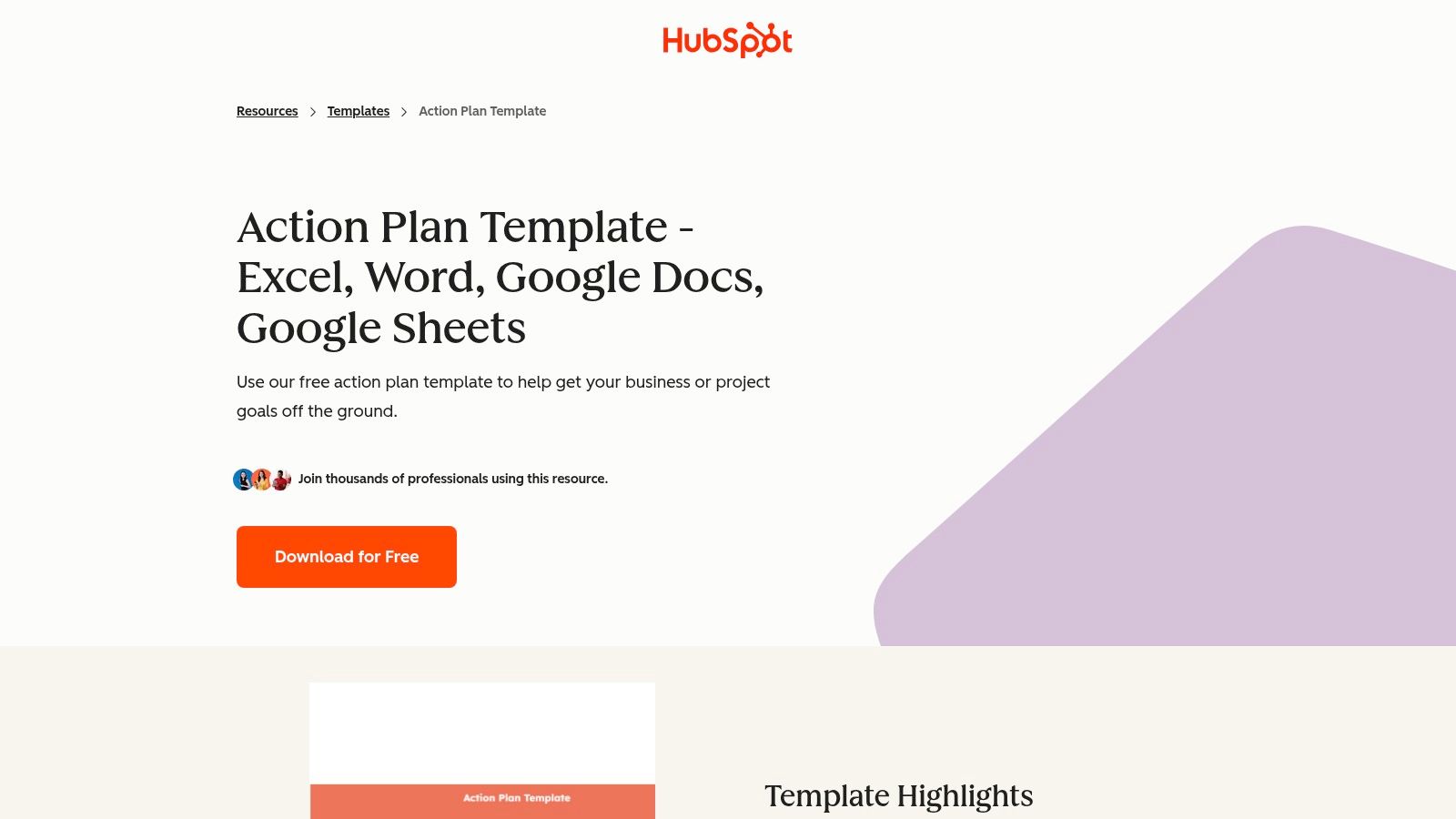
HubSpot's action plan template download page showing options for different file formats.

The package is designed for ease of use, making it ideal for teams that need a simple, structured document without the learning curve of a complex project management tool. The templates are clean, professionally formatted, and can be quickly customized with an agency's logo.

Key Features & User Experience

The user experience is simple: you visit the landing page and select your preferred format. While HubSpot sometimes requires an email address to access their free resources, the download process is quick. The templates themselves are intuitive, featuring standard columns for tasks, assignees, deadlines, and status updates.

  • Multi-Format Availability: Get instant access to Word, Excel, Google Docs, and Google Sheets versions in one bundle.
  • Built-in Guidance: The download includes a helpful how-to guide and FAQs, which is particularly useful for junior team members tasked with creating their first action plan.
  • Smart Counters: The spreadsheet versions (Excel/Sheets) include built-in counters that automatically summarize task status (e.g., Not Started, In Progress, Complete), providing a quick visual overview of project progress.

Best for: Agencies needing a versatile, universally compatible, and easy-to-use template for internal projects or straightforward client work where a dedicated software solution is overkill.

Website: HubSpot Action Plan Template

2. Smartsheet

Smartsheet provides a comprehensive library of action plan templates free for download, alongside the option to use them within its powerful work management platform. Its main advantage is bridging the gap between simple, static documents and a dynamic, collaborative system. Users can start with a free template in Excel or Google Sheets and later import it into Smartsheet to unlock real-time dashboards, automation, and advanced tracking.
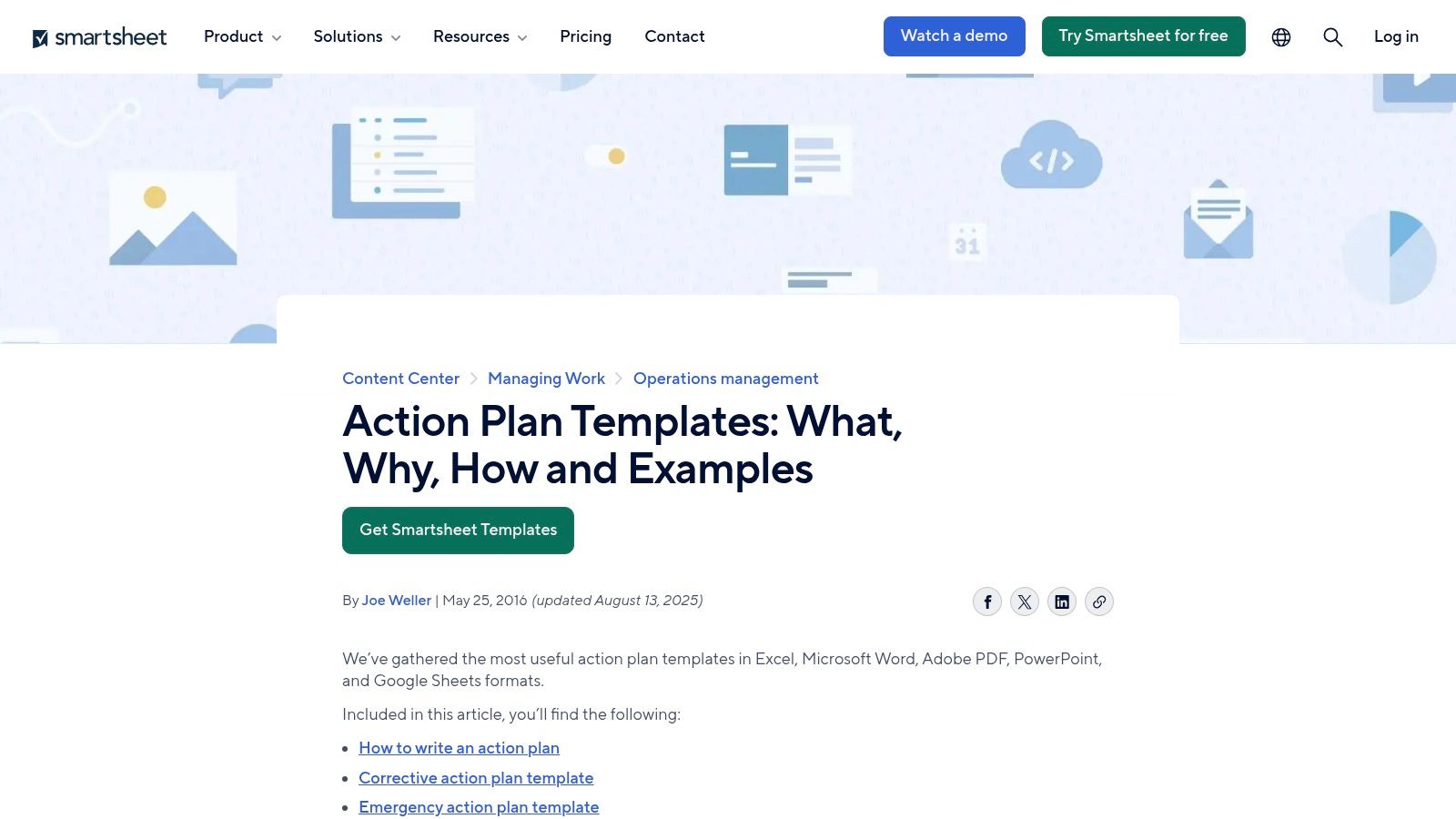
A preview of an action plan template within the Smartsheet platform.

This dual-pathway makes Smartsheet an excellent choice for agencies that anticipate their project management needs growing. You can begin with a basic, downloadable template for a small project and transition to a more robust, interactive system as the project's complexity increases, without having to start from scratch.

Key Features & User Experience

The user experience begins on a resource page where you can browse and download various templates directly. For those wanting more power, the templates can be opened within Smartsheet's platform, which operates like a spreadsheet on steroids. The true value emerges when these templates are connected to Smartsheet's broader feature set, although this requires an account (a free trial is available).

  • Diverse Template Library: Offers specialized templates for different needs, including corrective action plans, strategic plans, and business action plans.
  • Clear Upgrade Path: Start with a free Excel or Google Sheets download and seamlessly import it into the Smartsheet platform for enhanced features when you're ready.
  • Automation & Integration: When used within the platform, templates can trigger automated alerts, update dashboards in real-time, and integrate with other business tools.

Best for: Agencies looking for enterprise-grade templates with a clear pathway to a more powerful, collaborative, and automated project management solution as their needs evolve.

Website: Smartsheet Action Plan Templates

3. Canva

Canva moves beyond simple spreadsheets by offering a vast library of visually engaging action plan templates free within its design-centric ecosystem. Its core advantage is the ability to create polished, presentation-ready documents that align with an agency's branding. Users can choose from hundreds of pre-designed templates and customize them using an intuitive drag-and-drop editor, making it perfect for client-facing action plans.
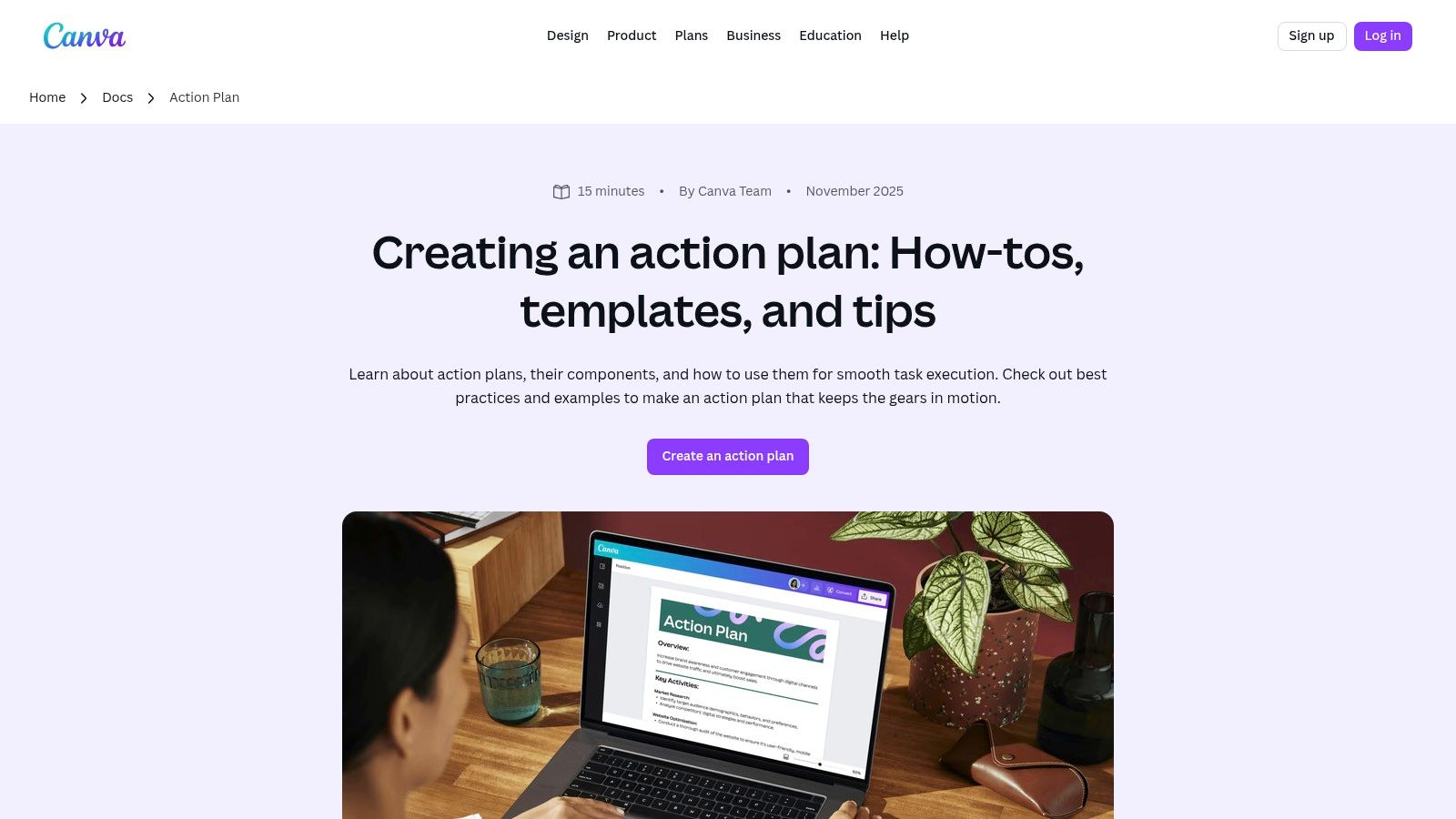
Canva's action plan template library showing a variety of visual designs and layouts.

These templates are ideal for agencies that want their strategic documents to be as visually compelling as their creative work. The platform facilitates real-time collaboration, allowing team members to edit and comment simultaneously, streamlining the feedback and approval process before sharing with stakeholders or clients.

Key Features & User Experience

The user experience is seamless and highly visual. You browse the template library, select a design, and begin customizing it directly in your browser. The templates are more than just tables; they often include sections for goals, key metrics, and summaries, presented in a digestible format. Sharing is simple, with options to export as a high-quality PDF or share a direct view-only link.

  • Extensive Design Library: Access a wide range of professionally designed templates, from minimalist corporate styles to more creative and colorful layouts.
  • Easy Branding and Customization: The drag-and-drop interface makes it incredibly easy to add logos, change color palettes, and adjust fonts to match brand guidelines.
  • Multiple Export Options: Easily download your finished action plan as a PDF or image file (PNG/JPG) or share it via a public link for easy viewing.

Best for: Agencies that need to create visually impressive, branded action plans for client presentations, proposals, or project kickoffs where aesthetics and clear communication are paramount.

Website: Canva Action Plan Templates

4. Miro

Miro shifts from traditional documents to a dynamic, visual workspace with its collaborative action plan templates free of charge. Its core strength is the infinite canvas, allowing teams to map out action items in a flexible, Kanban-style format. This visual approach is perfect for brainstorming sessions, workshops, and retrospectives where linear documents feel restrictive.
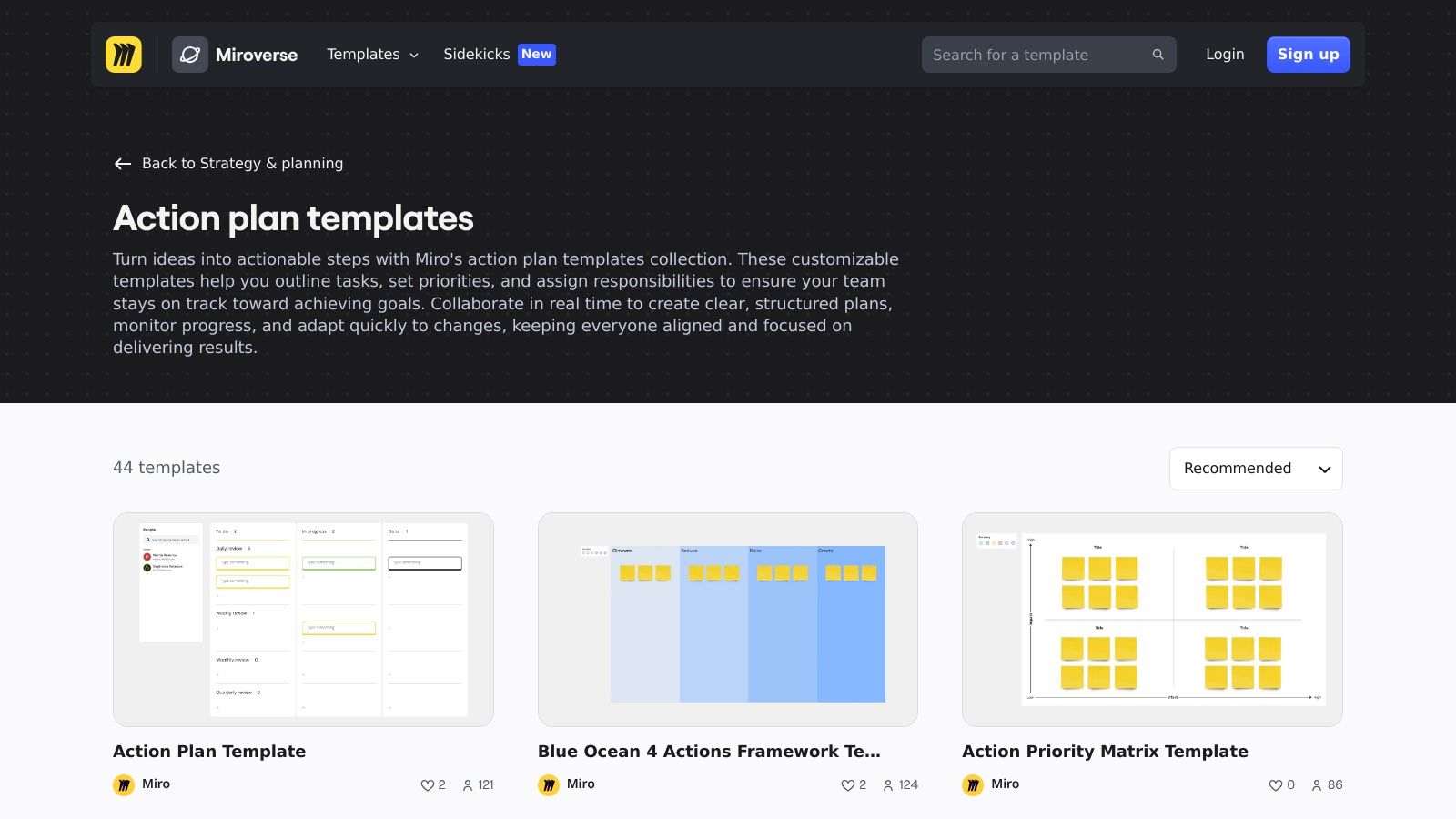
Miro's action plan template showing a visual, card-based layout on a collaborative whiteboard.

The template allows agencies to visually track tasks as they move through stages like "To Do," "In Progress," and "Done." Each task card can hold details, assignees, due dates, comments, and file attachments, making it a centralized hub for project communication. This is far more interactive than a static spreadsheet.

Key Features & User Experience

The user experience is intuitive and highly interactive. You select the action plan template and are immediately placed on a digital whiteboard where you can drag, drop, and connect ideas in real-time with your team. The free plan is robust, though it limits the number of editable boards, which can be a constraint for larger agencies managing multiple projects.

  • Collaborative Whiteboard: Teams can work on the action plan simultaneously, making it ideal for live planning workshops and remote collaboration.
  • Flexible Visualization: Go beyond simple lists with drag-and-drop cards, color-coding, and the ability to link ideas and tasks visually.
  • Rich Media Integration: Attach documents, add links, and leave comments directly on task cards, keeping all relevant context in one place.

Best for: Agencies that favor a visual and collaborative approach to planning, especially for creative brainstorming, project kickoffs, and agile retrospectives where flexibility is key.

Website: Miro Action Plan Template

5. Asana

Asana elevates the concept of an action plan from a static document to a dynamic, collaborative project. Instead of downloadable files, Asana provides action plan templates free to use directly within its powerful project management platform. This approach integrates the plan into a live workspace where teams can assign tasks, set deadlines, and track progress in real-time.
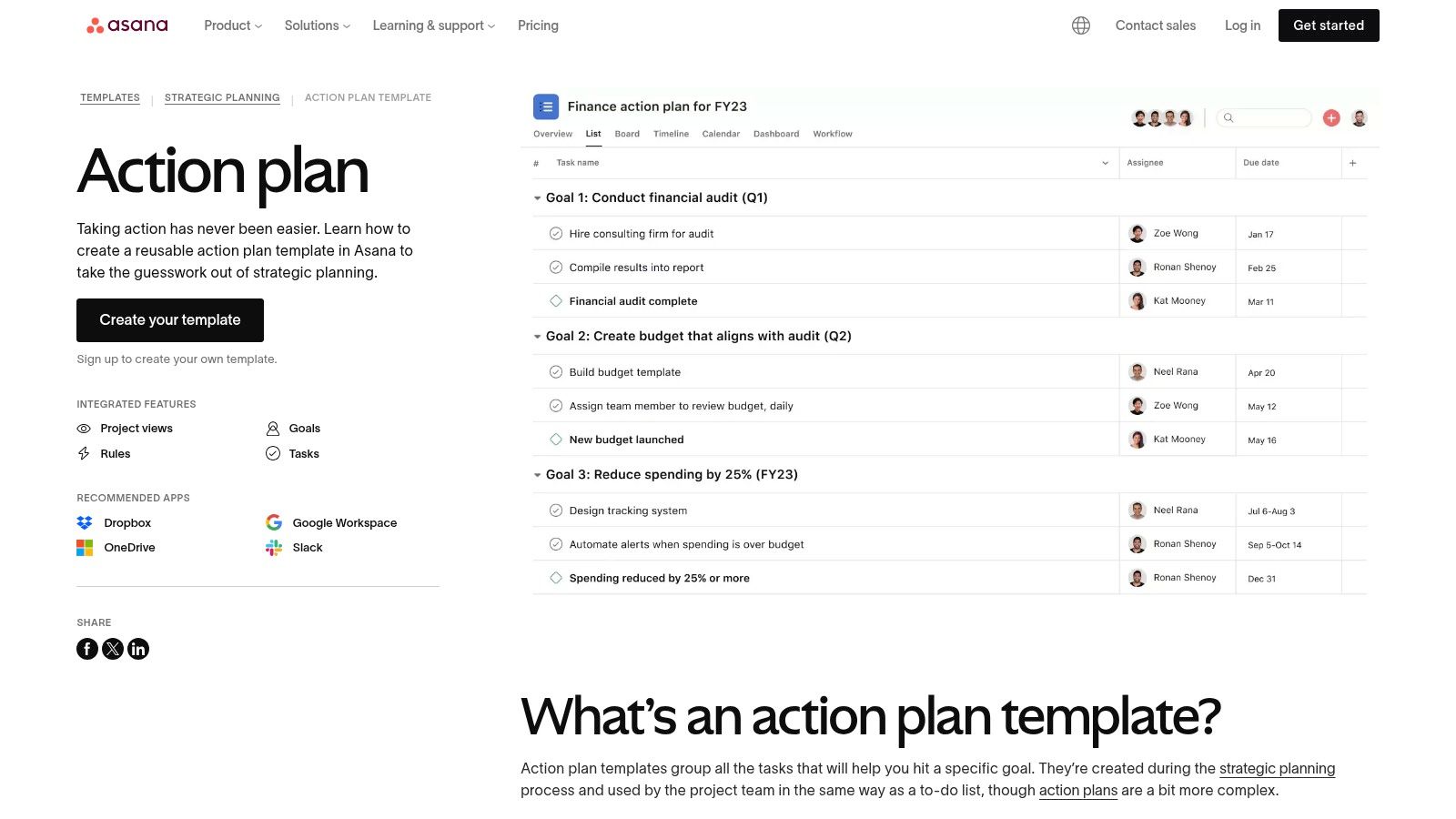
Asana's action plan template displayed within its project management interface.

The primary advantage is transforming a simple to-do list into an accountable system. Each action item can be assigned to a specific team member, attachments can be added directly from Google Drive or OneDrive, and conversations can happen within the task itself. This keeps all communication and resources centralized, reducing the need for endless email chains.

Key Features & User Experience

To use the template, you must have an Asana account, although a free tier is available. The setup is straightforward: you select the action plan template, and Asana populates a new project with pre-built sections and example tasks. From there, customization is intuitive. The platform's clean interface and multiple project views are a major strength.

  • Dynamic Task Management: Unlike a spreadsheet, tasks are interactive elements with owners, due dates, dependencies, and subtasks.
  • Multiple Project Views: Users can switch between List, Board (Kanban), and Timeline views to visualize progress in the way that best suits their workflow.
  • Seamless Integrations: Connect tasks to tools your agency already uses, like Slack for notifications or Google Drive for file sharing, creating a connected work hub.

Best for: Agencies already using or willing to adopt a project management tool for a more interactive and accountable approach to executing action plans, especially for complex, multi-stakeholder projects.

Website: Asana Action Plan Template

6. monday.com

For agencies ready to move beyond static documents, monday.com offers dynamic and highly visual action plan templates free within its work management platform. Its strength lies in transforming a traditional action plan into an interactive board where teams can track progress in real-time. The platform's templates are designed for collaborative work, making them a significant step up from shareable spreadsheets.
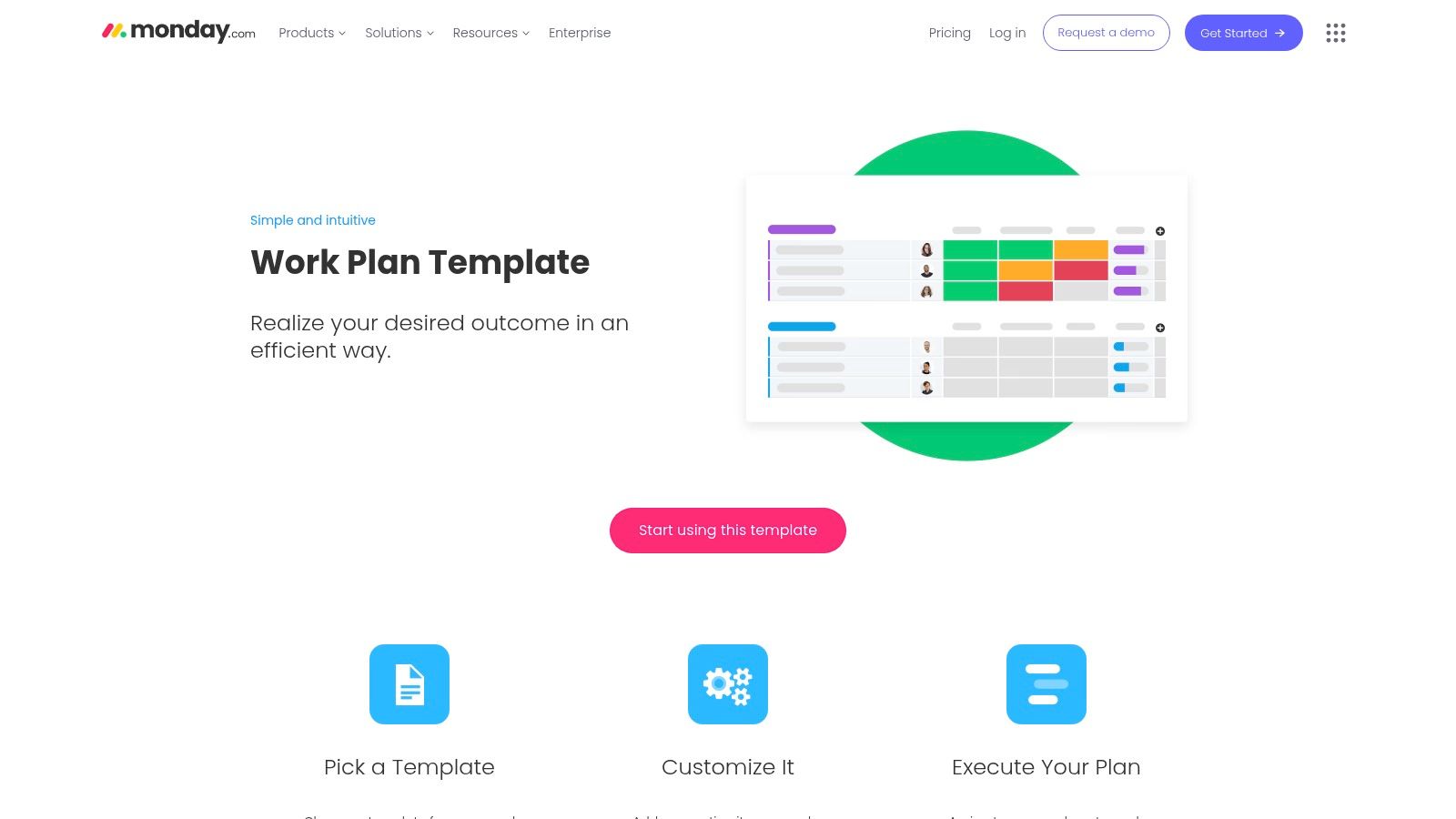
monday.com's work plan template showing a colorful, visual board layout.

The platform is built for scalability, allowing a simple action plan to evolve into a complex project with multiple dependencies and integrations. While its core features are robust, the free plan has limitations, particularly concerning team size and automation capabilities. It’s an ideal entry point for teams wanting to explore a more powerful project management solution without an initial financial commitment.

Key Features & User Experience

Getting started involves signing up for a free monday.com account and selecting the "Work Plan" or a similar template from their library. The user experience is intuitive and color-coded, making it easy to see task ownership, status, and priority at a glance. You can easily import existing data from Excel to populate your board quickly.

  • Customizable Boards: Easily adapt columns for statuses, owners, deadlines, and priorities with a simple drag-and-drop interface.
  • Excel Import/Export: Seamlessly transfer data from existing spreadsheets into a dynamic monday.com board or export board data for reporting.
  • Visual Progress Tracking: Utilize different views like Kanban, calendar, and timeline (on paid plans) to visualize project progress from multiple angles.

Best for: Growing agencies that need a collaborative, visual, and scalable system for managing action plans and are willing to operate within the limitations of a free plan or consider upgrading as their needs evolve.

Website: monday.com Work Plan Template

7. ClickUp

ClickUp provides a suite of dynamic and integrated action plan templates free that extend far beyond static documents. Its core strength is connecting your action plan directly to a powerful work management ecosystem, allowing you to track tasks across various views like Docs, Whiteboards, Timelines, and its dedicated Goals feature. This integration makes it a central hub for planning and execution.
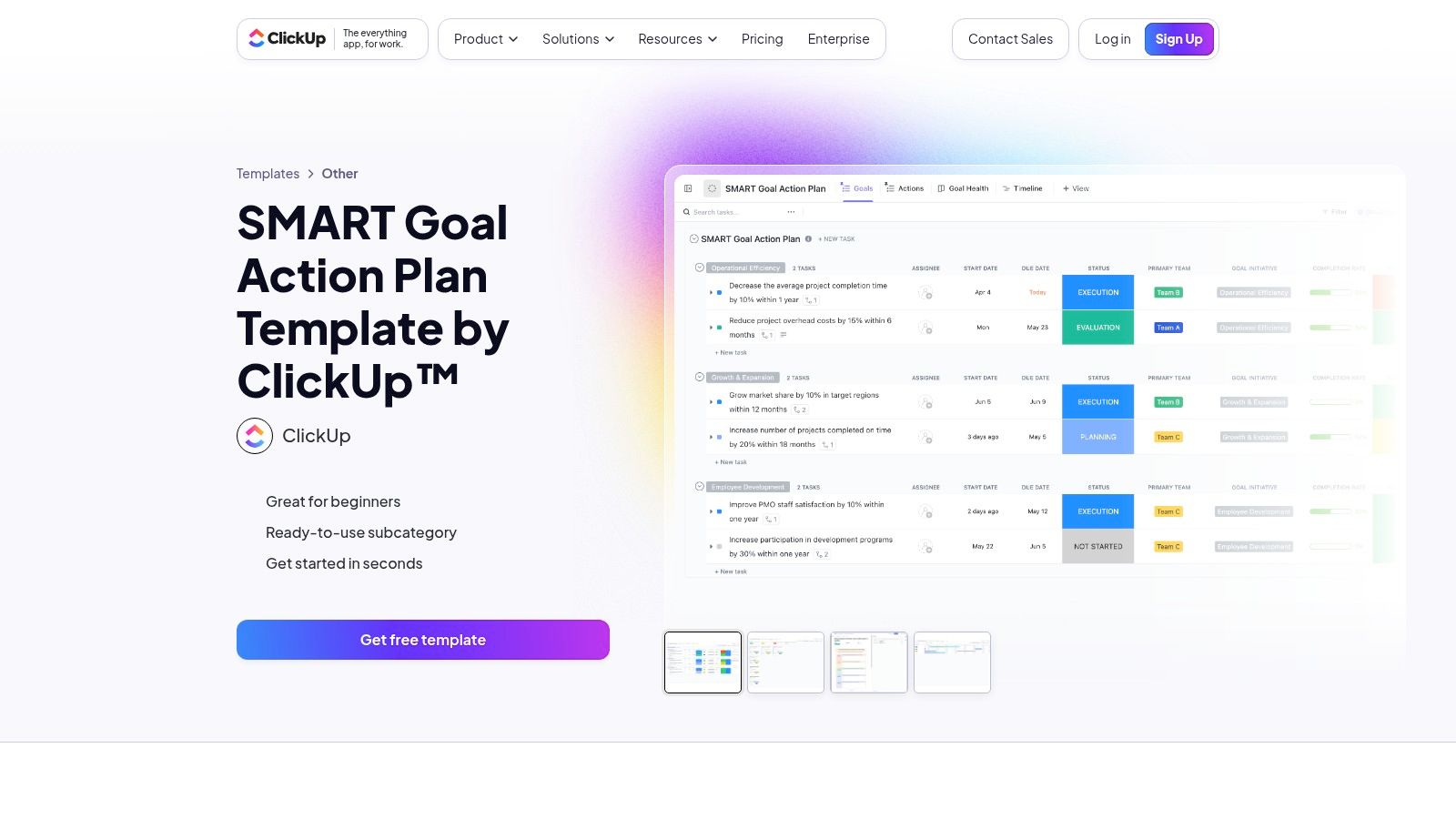
ClickUp's SMART Goal Action Plan template interface showing tasks and timelines.

The platform is built for deep customization, making it suitable for agencies with complex or highly specific planning requirements. Instead of just a downloadable file, you get a fully functional project space that can be adapted with custom fields, statuses, and automations, providing a much more robust framework than a simple spreadsheet.

Key Features & User Experience

The user experience involves adding a template directly into your ClickUp workspace with a single click. From there, you can immediately start assigning tasks, setting deadlines, and customizing the structure. The platform’s versatility allows you to visualize your action plan as a simple list, a Gantt chart, a Kanban board, or even a mind map.

  • Integrated Views: Your action plan isn't confined to one format. You can manage it as a document, visualize it on a Whiteboard for brainstorming, or track it on a Timeline to manage dependencies.
  • Rich Customization: Utilize custom fields, tags, and statuses to tailor the template precisely to your agency's workflow, whether for marketing campaigns, HR initiatives, or operational improvements.
  • Goal Tracking: The SMART Goal Action Plan template directly connects individual tasks to larger strategic objectives, making it easy to see how day-to-day activities contribute to the bigger picture.

Best for: Agencies that want a powerful, all-in-one platform where the action plan is a living, trackable project, not just a static document. It’s ideal for teams that need high levels of customization and multiple ways to visualize progress.

Website: ClickUp SMART Goal Action Plan Template

8. Notion Template Gallery

Notion's own template gallery offers a powerful, database-driven approach to action plans. Unlike static documents, Notion provides action plan templates free that are dynamic and interactive. Users can duplicate templates like the "Action Plan Hub" directly into their own workspace, transforming a simple plan into a living project management tool. This makes it an exceptional choice for agencies already embedded in the Notion ecosystem.
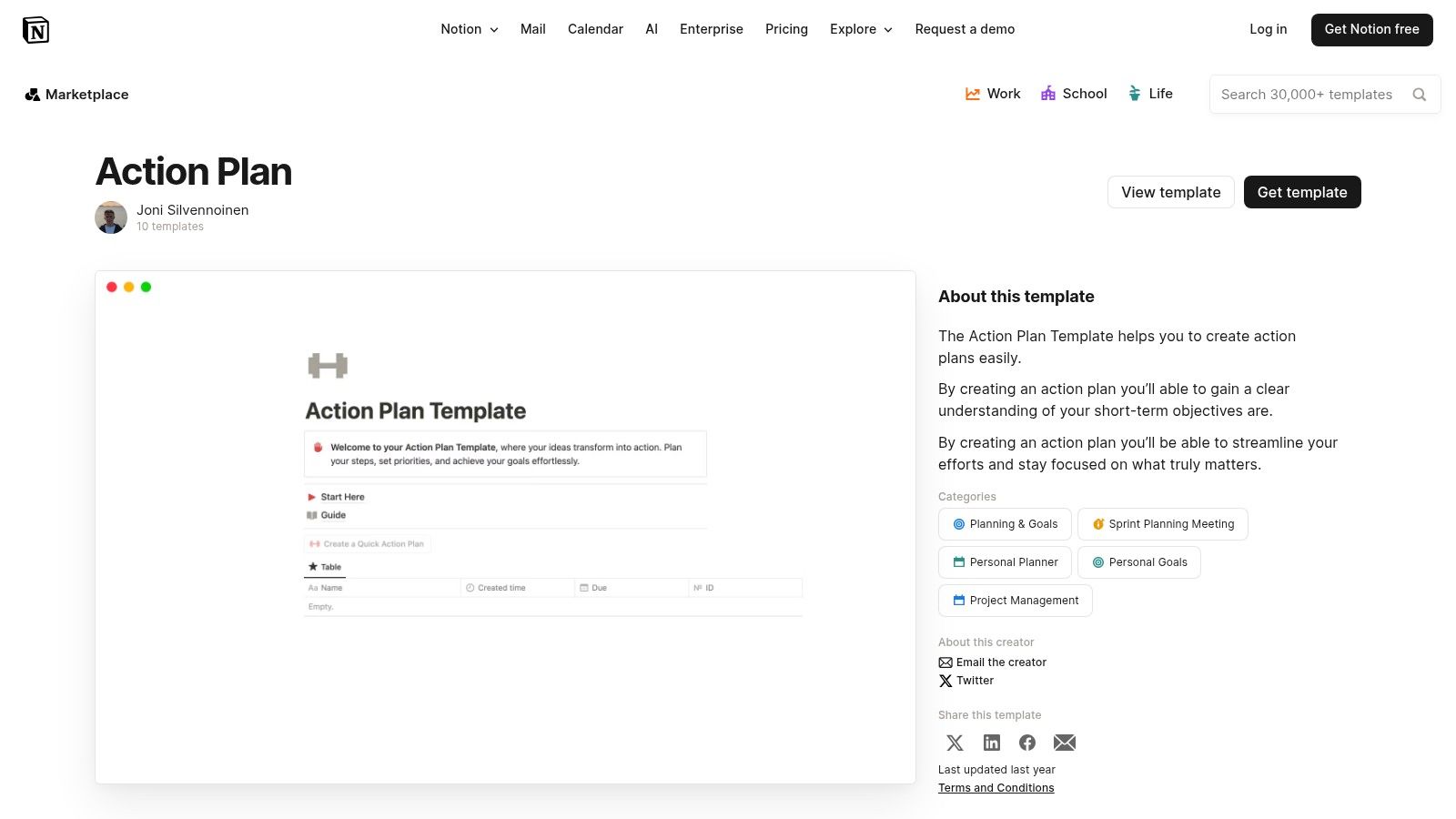
Notion's action plan template displayed within the Notion app interface.

The primary advantage is customization. A Notion action plan isn't just a list; it's a database where each task is its own editable page. This allows teams to add detailed notes, sub-tasks, files, and discussions directly to an action item, centralizing all related information.

Key Features & User Experience

The user experience is seamless for existing Notion users: find a template, click "Duplicate," and it's instantly part of your workspace. For newcomers, there's a learning curve associated with Notion’s database and page structure. The templates themselves are fully functional within Notion’s free plan, making this a cost-effective option for sophisticated planning.

  • Dynamic Database Structure: Action items are database entries with rich properties like owners, due dates, priority levels, and custom-defined statuses.
  • Extreme Customization: Modify every aspect of the template, from database properties and views (e.g., Kanban boards, calendars, timelines) to the layout of the page itself.
  • Integrated Workspace: Link action items directly to other relevant Notion pages, such as meeting notes, client briefs, or project documentation, creating a connected knowledge base.

Best for: Agencies and teams that already use Notion or are willing to invest time in learning a powerful, all-in-one workspace tool for creating highly integrated and customizable action plans.

Website: Notion Action Plan Template

9. ProjectManager

ProjectManager offers a collection of robust, free Excel-based templates designed for more detailed planning. Their primary offering is a comprehensive action plan templates free download that includes several variants, such as corrective, strategic, and business action plans. This makes the resource particularly useful for agencies that need a specific framework for different scenarios, from internal process improvements to long-term client strategy.
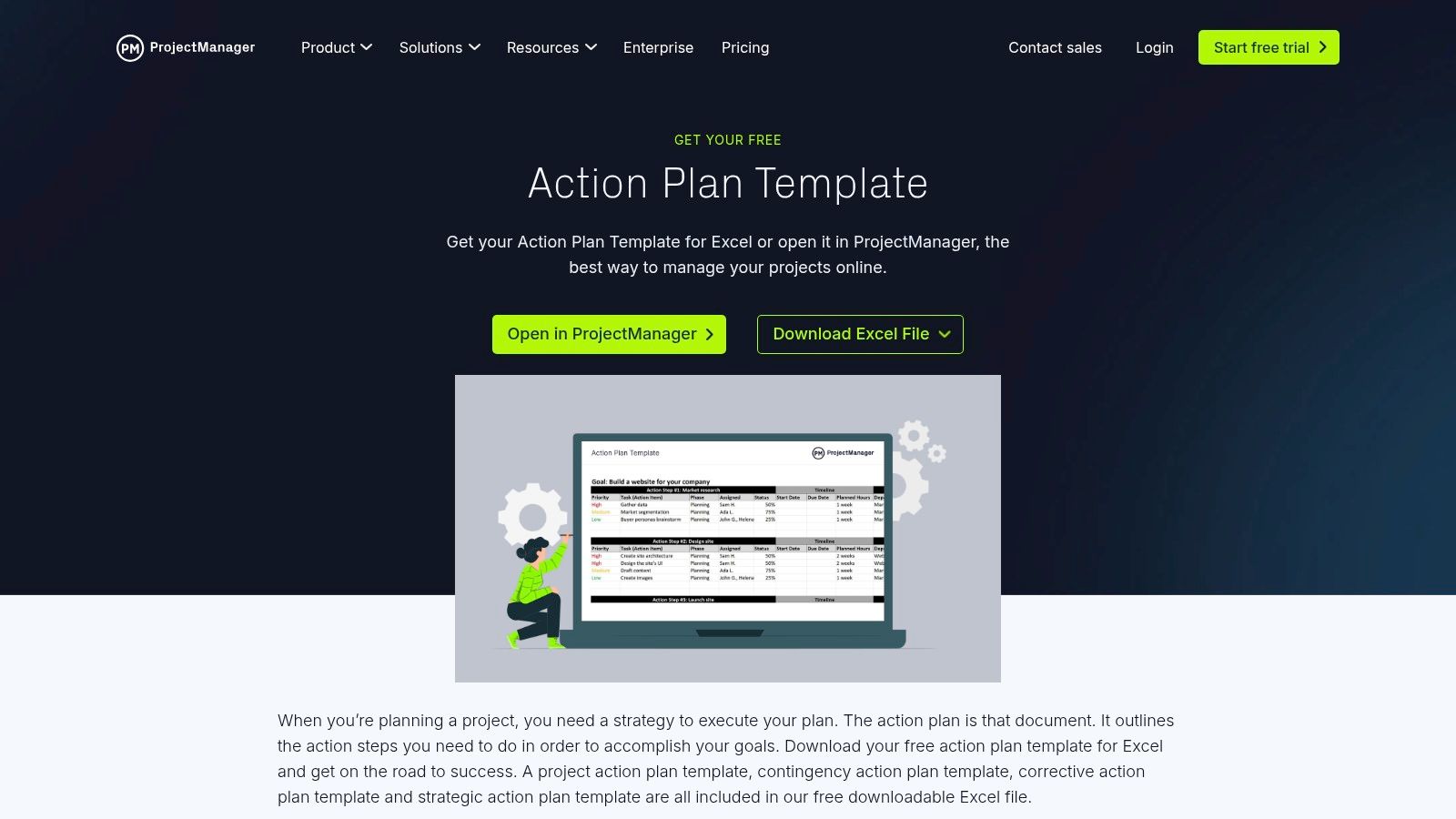
ProjectManager's template download page showing the free action plan template in Excel format.

The templates are well-structured, providing more detail than many basic alternatives. A key distinction is the ability to open and use these static files directly within the ProjectManager software, transforming them into live, collaborative documents with dashboards and Gantt charts. This provides a clear upgrade path for teams whose needs grow beyond a simple spreadsheet.

Key Features & User Experience

Accessing the templates is straightforward: users can download the Excel files directly from the website without needing to provide an email. The templates are thorough, with pre-defined columns for owners, start and due dates, priority levels, required resources, and detailed status updates. This level of detail is ideal for complex projects requiring careful resource allocation.

  • Multiple Template Variants: The download includes specialized templates for corrective, strategic, and contingency planning, providing tailored frameworks for specific agency needs.
  • Clear Documentation: Each template page includes a detailed walkthrough and video explaining how to use the document effectively, reducing the learning curve.
  • Software Integration Path: Users can import the Excel template directly into the ProjectManager platform to leverage advanced features like live dashboards, Kanban boards, and real-time collaboration after a free trial.

Best for: Agencies that appreciate the familiarity and detail of Excel but want a clear, integrated path to a more powerful project management tool as their projects scale in complexity.

Website: ProjectManager Action Plan Template

10. Template.net

Template.net offers a vast library of action plan templates free to download, positioning itself as a comprehensive resource hub for various business needs. Its main advantage is the sheer volume and variety of templates available, covering everything from simple project plans to detailed 30-60-90 day strategic outlines. The platform supports a wide array of formats, including Word, Google Docs, Excel, Sheets, PDF, and even Apple Pages.
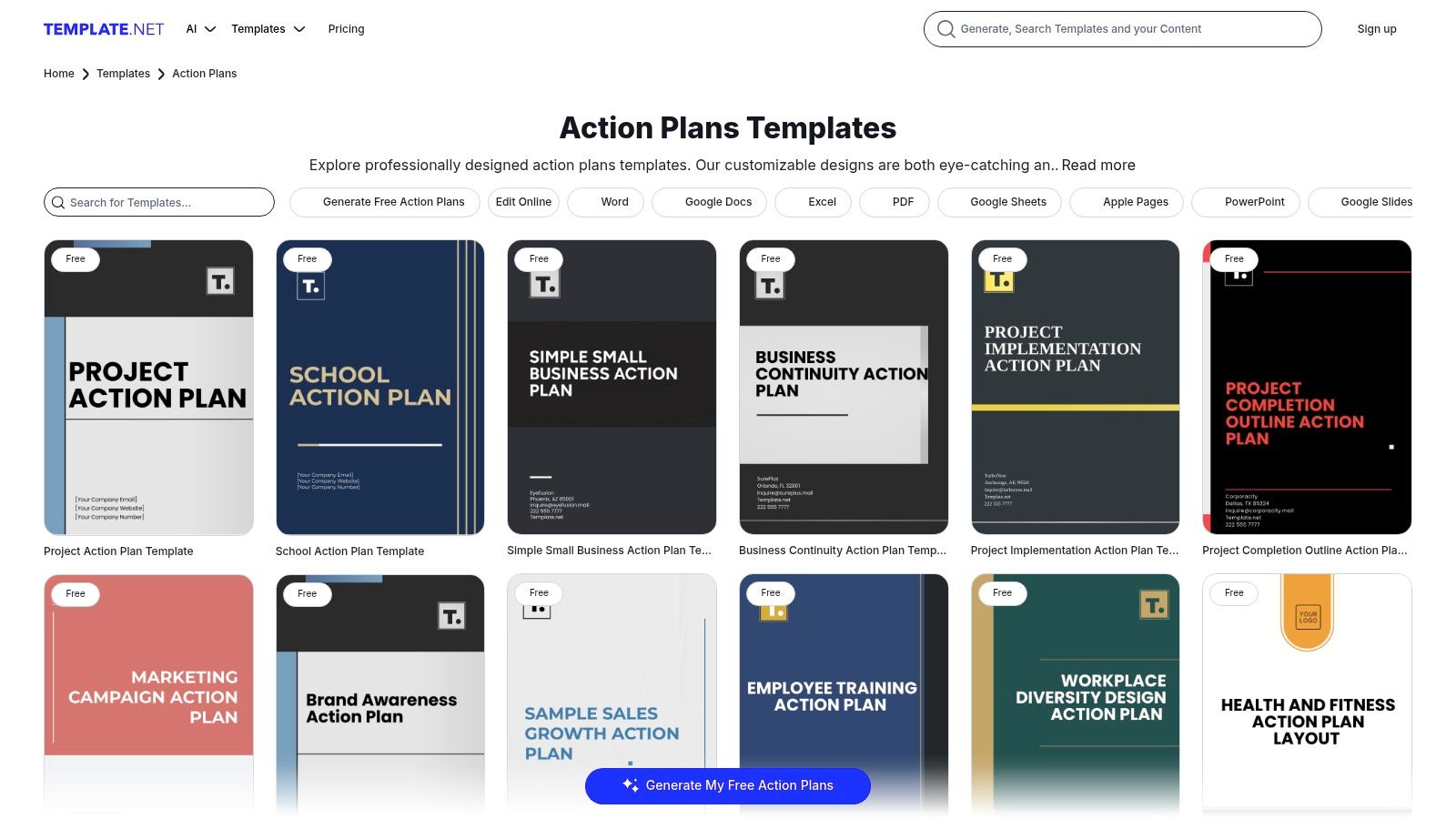
Template.net's action plan template library showing multiple designs.

This extensive catalog makes it a go-to for agencies looking for a specific type of action plan that may not be available on other sites. The platform also includes a basic online editor, allowing for quick text and color adjustments before downloading, which is a convenient feature for simple customizations.

Key Features & User Experience

The user experience on Template.net is similar to a stock photo site; you browse or search for a template and then download it. However, a key distinction is that many of the higher-quality or more complex templates are locked behind a premium subscription. The free offerings are still functional but can be more generic in design and structure. Users should be prepared to filter through options to find the best free downloads.

  • Massive Variety: Find templates for nearly any scenario, including corrective action, employee performance, marketing campaigns, and business development.
  • Multi-Format Support: Downloads are available in almost every popular document format, ensuring compatibility across different agency software stacks.
  • Online Editor: A built-in editor provides a quick way to make minor changes to a template directly in the browser before downloading the final file.

Best for: Agencies that need a highly specific or niche action plan template and are willing to browse through a large catalog that mixes free and premium options.

Website: Template.net Action Plans

11. Vertex42

Vertex42 is a long-standing resource for high-quality spreadsheet templates, offering a range of action plan templates free for download. While not exclusively focused on action plans, its collection includes powerful tools like the Action Items Tracker and various task list planners designed for both Excel and Google Sheets. The core strength of Vertex42 is its commitment to clean, functional, and formula-driven spreadsheets.
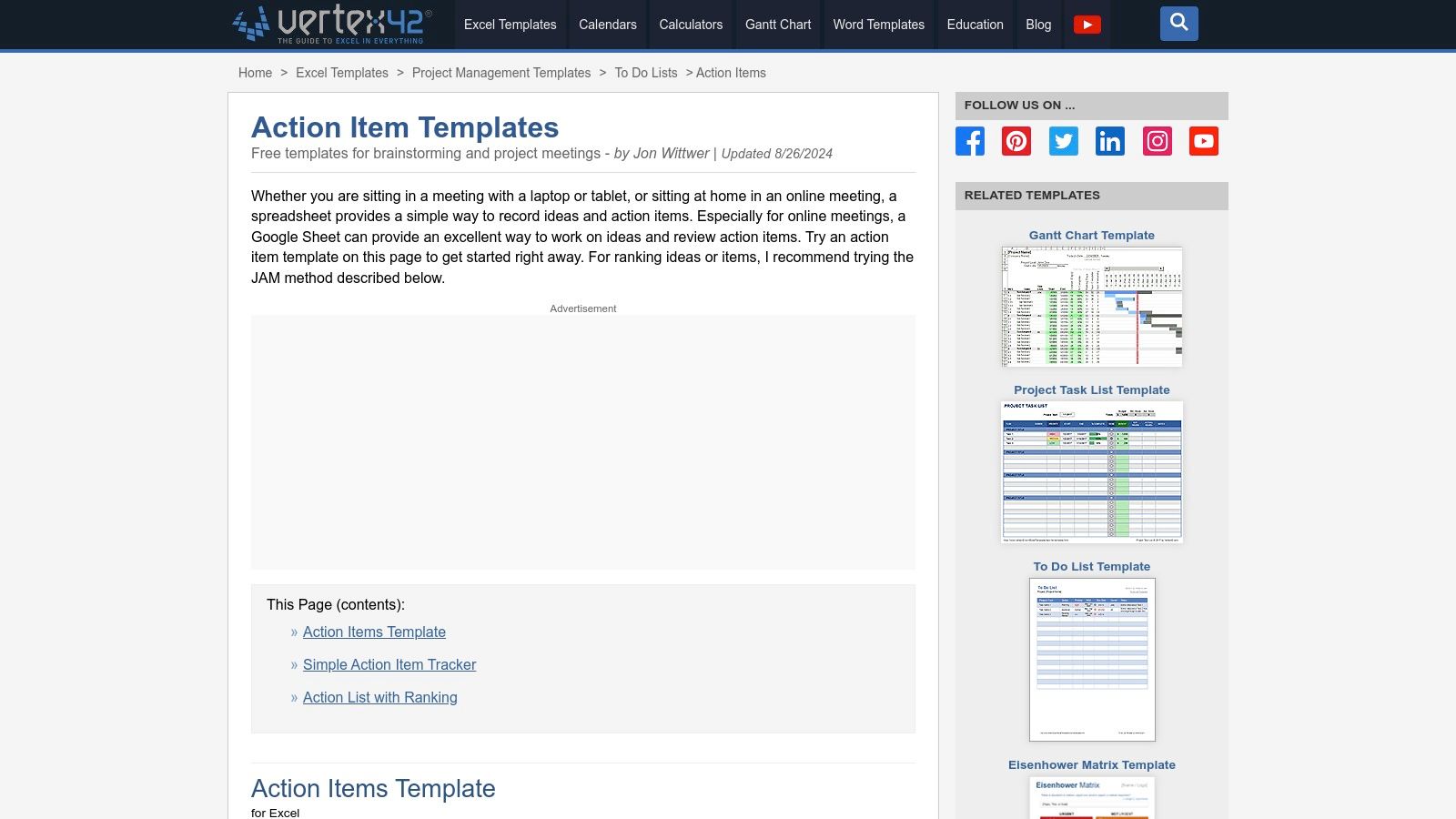
Vertex42's action item template shown in an Excel spreadsheet.

These templates are perfect for agencies that prefer lightweight, adaptable tools without the clutter of excessive design elements. The downloads are immediate and don't require an email signup, providing a frictionless user experience. Each template page also includes detailed notes, usage instructions, and tips for customization, which is a significant advantage.

Key Features & User Experience

The website is simple to navigate, allowing you to find, preview, and download your chosen format in seconds. The Action Items Tracker, for instance, comes pre-configured with columns for priority, due dates, status, and responsible parties, making it a ready-to-use solution for meeting follow-ups or small project tracking. The spreadsheet-centric approach makes these templates highly versatile.

  • Spreadsheet-First Functionality: All templates are optimized for Excel and Google Sheets, featuring built-in formulas, conditional formatting, and sorting capabilities.
  • No-Signup Downloads: Access and download templates instantly without having to provide personal information, which is a major convenience.
  • Detailed Documentation: Each template comes with a comprehensive on-page guide explaining how to use its features effectively.

Best for: Project managers and operations leads who are highly proficient in Excel or Google Sheets and want a no-nonsense, functional template for tracking tasks and action items with precision.

Website: Vertex42 Action Items Template

12. Etsy

While not strictly a source for action plan templates free of charge, Etsy serves as a vast marketplace for professionally designed, low-cost templates that are often more visually polished than standard corporate options. Its strength is the sheer variety offered by thousands of independent creators, providing unique layouts perfect for client-facing documents or internal projects where aesthetics matter. Most templates are available as instant digital downloads, typically in printable or fillable PDF and Excel formats.

This platform is ideal for agencies seeking a specific design or a one-off document without committing to a software subscription. The focus is on presentation, making these templates great for proposals, project kick-off summaries, or formal client reports where a touch of professional design can make a significant impact.

Key Features & User Experience

Navigating Etsy is straightforward: search for "action plan template" and filter by price, format, or style. The user experience is enhanced by a robust review system, allowing you to gauge the quality and usability of a template based on feedback from other buyers.

  • Affordable Professional Design: Access hundreds of unique, design-forward templates for just a few dollars, offering a high-end look on a budget.
  • Instant Digital Access: Once purchased, files are available for immediate download, allowing you to get started without any delay.
  • Seller Ratings and Reviews: Make informed decisions by leveraging community feedback to find the highest-quality and most user-friendly designs from reputable sellers.

Best for: Agencies that need visually appealing, printable, or fillable templates for one-off projects or client hand-offs and are willing to pay a small fee for a superior design.

Website: Etsy Action Plan Templates

Top 12 Free Action Plan Template Comparison

Core features ✨ UX / Quality ★ Price / Value 💰 Target 👥 Top USP 🏆
HubSpot — Multi-format downloads, built-in counters, how‑to guides ★★★★ 💰 Free download (static file) 👥 Solo users & small teams 🏆 Truly free + cross‑format
Smartsheet — Enterprise templates, exportable, dashboards & automation option ★★★★ 💰 Free templates; paid platform for collaboration 👥 Mid-large teams, enterprises 🏆 Upgrade path to live dashboards & automation
Canva — Design templates, drag‑drop editor, shareable exports ★★★★ 💰 Freemium (Pro assets gated) 👥 Marketers, designers, client‑facing teams 🏆 Polished, brandable outputs
Miro — Visual Kanban boards, attachments, comments for workshops ★★★★ 💰 Freemium (limits on free boards) 👥 Remote teams, facilitators, workshops 🏆 Flexible visual collaboration
Asana — Assignable task templates, list/board/timeline views, integrations ★★★★ 💰 Freemium (workspace required; advanced paid) 👥 Project teams, ops managers, agencies 🏆 Strong task ownership & tracking
monday.com — Custom boards, automations, large integrations ecosystem ★★★★ 💰 Paid tiers (limited free) 👥 Growing cross‑functional teams 🏆 Highly visual, scalable tracking
ClickUp — SMART goal templates across Docs/Boards/Goals, custom fields ★★★★ 💰 Freemium (robust free tier) 👥 Teams wanting deep customization 🏆 Broad feature set on free plan
Notion Template Gallery — Duplicateable pages/databases, rich properties ★★★ 💰 Free personal; team plans paid 👥 Notion users, knowledge teams 🏆 Extreme customizability
ProjectManager — Downloadable Excel templates; app for Gantt/dashboards ★★★ 💰 Free templates; paid app for live features 👥 PMs needing spreadsheet templates → app 🏆 Detailed Excel templates + app path
Template.net — Large catalog, multi‑format downloads, online editor ★★★ 💰 Mixed free + subscription for premium 👥 Users needing varied formats 🏆 Huge, format‑diverse template library
Vertex42 — Clean Excel/Sheets trackers, task lists, Gantt planners ★★★★ 💰 Mostly free, spreadsheet‑focused 👥 Spreadsheet users, finance/ops 🏆 High‑quality, practical spreadsheets
Etsy — Designer printable/fillable templates, instant download ★★★ 💰 Low‑cost one‑off purchases 👥 Individuals wanting polished printables 🏆 Affordable, design‑forward options

Beyond the Template: Turning Your Action Plan into an Agency OS

We've explored a comprehensive arsenal of free action plan templates, from the versatile spreadsheets of Smartsheet and Vertex42 to the visually-driven boards of Asana and Miro. Each resource offers a powerful starting point, a structured framework to bring clarity and direction to your agency’s most critical processes, whether you're launching a client campaign or streamlining your support escalation protocol. You now have access to a variety of formats, including Google Docs, Word, Notion, and PDFs, ensuring there is a solution for nearly every workflow preference.

The core takeaway is that a template is not merely a document to be filled out. It is a strategic tool for standardization. When you consistently use a kickoff plan template, you ensure no critical discovery questions are missed. When you deploy a client onboarding template, you create a repeatable, high-quality experience that builds trust from day one. These resources are your first step toward transforming reactive chaos into proactive, predictable execution.

However, the journey from a static document to a dynamic operational asset is where many agencies falter. The greatest weakness of a standalone template, even the best one, is its isolation from the rest of your operational data and workflows.

The Challenge of the Disconnected Template

Think about your daily reality. Your project tasks live in Asana or ClickUp, your client communications are in your CRM or email, your team’s capacity is tracked on a spreadsheet, and your billing is handled by another system entirely. When you use one of the action plan templates free resources we’ve discussed, it often becomes yet another disconnected island of information.

This fragmentation creates significant operational drag. You find your team:

  • Manually duplicating data: Copying and pasting tasks from a Google Doc plan into your project management tool.
  • Losing context: The "why" behind a task, detailed in the action plan, is separated from the "how" and "who" in your task manager.
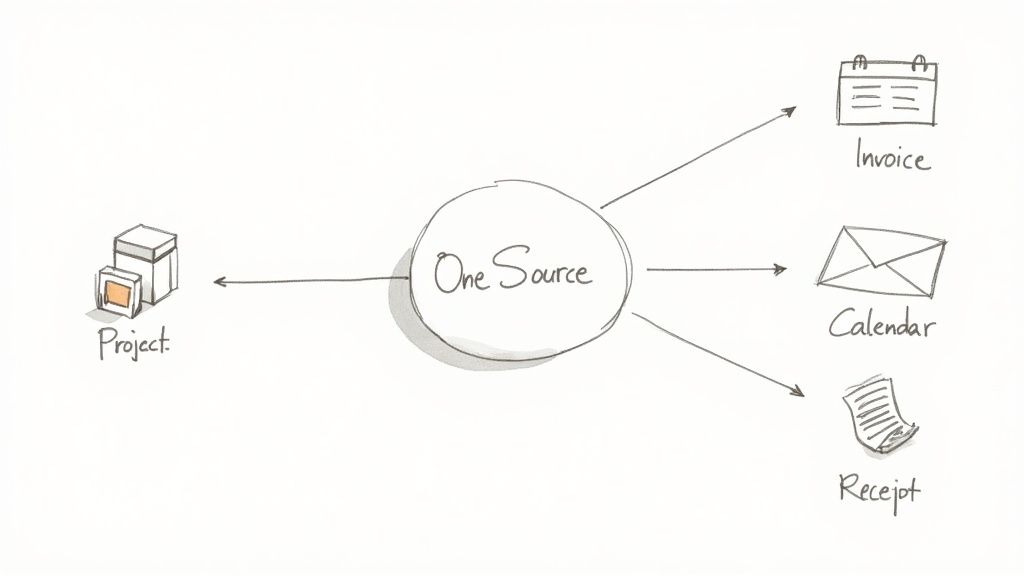
  • Lacking a single source of truth: Is the official deadline in the template, the project board, or the client’s email? This ambiguity leads to missed deadlines and miscommunication.
  • Struggling with reporting: How do you measure the success of your action plan when the results and the plan itself live in different universes?

The goal is to evolve beyond this "duct-tape" methodology. Your action plan shouldn't be a separate artifact you consult; it should be the living, breathing blueprint integrated directly into the tools where your team executes their work.

From Static Plan to Integrated System

The true power of an action plan is unlocked when it becomes the central nervous system for a project or process. Imagine an action plan where updating a task status automatically notifies the client, logs billable time, and updates a project timeline in real-time. This is the difference between simply planning the work and creating an integrated system that runs the work.

To achieve this, consider these crucial factors as you implement your chosen template:

  1. Centralization: Where will this plan live? Choose a platform that can serve as a hub, connecting to other tools if necessary. Notion and ClickUp are strong contenders for this due to their flexibility.
  2. Automation: Look for opportunities to automate notifications, task creation, and status updates. If your action plan is in Asana, use its built-in rules to move tasks through stages automatically.
  3. Integration: How does this plan connect to your CRM, billing software, and communication channels? A plan that can pull in client data or push out invoices is exponentially more valuable.
  4. Accessibility: Ensure the entire team knows where to find the plan and understands how to use it. A perfect template is useless if it's buried in a forgotten folder.

By thoughtfully integrating your chosen action plan templates free of charge, you elevate them from simple checklists to cornerstones of your agency’s operating system. You build a foundation for scalability, consistency, and ultimately, greater profitability and client satisfaction. Your plan becomes more than a guide; it becomes the engine driving your agency forward.


Tired of juggling disconnected spreadsheets and project boards? RGK unifies your action plans with client management, project execution, and billing in a single, intelligent platform designed for agencies. Stop duct-taping your tools together and start building a true agency OS. Explore how RGK can turn your static plans into dynamic, profitable workflows.


8 Powerful Example of Goal Statement Frameworks for 2025

A well-crafted goal statement is the most powerful tool for turning ambition into reality. Yet, most goals are vague wishes like 'increase sales,' 'get healthier,' or 'improve teamwork' that lack the structure needed to drive meaningful action. They are declarations of intent without a clear roadmap, leaving teams and individuals to guess at the specific steps required for success. This ambiguity is where progress stalls and potential is lost.

This guide moves beyond generic advice to provide a strategic breakdown of effective goal-setting frameworks used by top organizations and high-achievers. We will dissect not just what makes a good goal, but why it works and how you can replicate its structure for your own career, team, or personal life. For each example of goal statement we explore, you will find a detailed analysis, actionable insights, and adaptable templates.

The purpose here is to equip you with a practical toolkit for defining objectives with absolute clarity. You will learn to build goals that are not just aspirational but also measurable, directional, and motivating. Prepare to transform how you define and pursue your objectives, moving from abstract desires to concrete, achievable outcomes. We will explore a wide range of applications, from business performance and project management to personal development and team collaboration, ensuring you have the right model for any situation.

1. SMART Goals for Business Performance

The SMART framework is a cornerstone of effective goal-setting, transforming vague aspirations into actionable objectives. Popularized by George T. Doran in a 1981 article titled "There's a S.M.A.R.T. Way to Write Management's Goals and Objectives," this method ensures every goal statement is clear, trackable, and aligned with broader strategic aims. It's an indispensable tool for agency owners, project managers, and directors seeking to drive measurable results.

The acronym stands for:

  • Specific: Clearly define what you want to accomplish. Who is involved? What are the constraints?
  • Measurable: Define how you will track progress and measure success with concrete metrics.
  • Achievable: Ensure the goal is realistic given available resources, time, and team capabilities.
  • Relevant: The goal must align with larger business objectives or team priorities.
  • Time-bound: Set a clear deadline to create urgency and focus.

Strategic Breakdown of a SMART Goal Example

Let's look at a common business objective and transform it into a powerful example of a goal statement using the SMART framework.

  • Vague Goal: "Improve customer support."
  • SMART Goal: "Reduce the average first-response time for high-priority customer support tickets from 45 minutes to 25 minutes by the end of Q3. This will be achieved by implementing a new ticket routing system and providing two additional training sessions for the support team."

This revised statement works because it hits every SMART criterion. It specifies the metric (first-response time), sets a measurable target (45 to 25 minutes), is achievable with defined actions (new system, training), is relevant to customer satisfaction, and has a clear deadline (end of Q3).

Actionable Takeaways and Implementation Tips

To effectively integrate this into your operations, focus on clarity and alignment.

Key Insight: The power of a SMART goal isn't just its structure; it's the strategic conversation it forces. Defining each element requires teams to agree on priorities, baselines, and success metrics upfront.

Follow these tips for successful implementation:

  1. Document Baseline Metrics: Before setting a target, you must know your starting point. What is the current response time or conversion rate?
  2. Collaborate with Stakeholders: Involve the team responsible for achieving the goal in its creation. This builds ownership and ensures the "Achievable" element is grounded in reality.
  3. Connect to Larger Strategy: Explicitly state how achieving this specific goal contributes to a larger company objective, like increasing customer retention or improving brand reputation.
  4. Review and Adjust Quarterly: Business environments change. A quarterly review allows you to adjust goals based on new data, resource availability, or shifting market demands, ensuring continued relevance.

2. OKR (Objectives and Key Results) Framework

The OKR framework is a powerful methodology for creating organizational alignment and driving ambitious growth. Developed by Andy Grove at Intel and later popularized by John Doerr at Google, OKRs link a high-level, aspirational Objective with specific, measurable Key Results that track its achievement. This system is ideal for fast-moving companies that need to align large teams around a shared, inspirational vision.

A hand-drawn illustration showing a mountain with an 'OKR' flag on top, depicting progress towards goals.

The framework is defined by two core components:

  • Objective: The "what." This is a qualitative, ambitious, and memorable statement of what you want to achieve.
  • Key Results: The "how." These are 3-5 quantitative outcomes that measure progress toward the Objective. They must be measurable and verifiable.

Strategic Breakdown of an OKR Goal Example

Let's break down a common organizational goal into a clear example of a goal statement using the OKR framework.

  • Vague Goal: "Make our new product launch a success."
  • OKR Goal:
    • Objective: Successfully launch the 'Project Nova' platform and establish it as the market's leading solution for enterprise clients in Q4.
    • Key Result 1: Achieve 1,500 new enterprise sign-ups by the end of the quarter.
    • Key Result 2: Secure product reviews and features in 5 major industry publications.
    • Key Result 3: Maintain a user engagement score of 8/10 or higher from post-onboarding surveys.

This OKR works because the Objective is inspirational and sets a clear direction ("market's leading solution"). The Key Results are specific, measurable outcomes that directly prove the Objective was met without dictating the exact tasks.

Actionable Takeaways and Implementation Tips

To implement OKRs effectively, focus on ambition and transparent tracking rather than just task completion.

Key Insight: OKRs separate what you want to achieve (the Objective) from how you will measure it (the Key Results). This distinction encourages innovative thinking and prevents teams from getting lost in a checklist of tasks while losing sight of the ultimate goal.

Follow these tips for successful implementation:

  1. Embrace Stretch Goals: A key principle of OKRs is to aim high. A "committed" OKR must be met, but an "aspirational" OKR is a stretch goal where achieving 70% is considered a success. This encourages innovation without fear of failure.
  2. Limit Your Focus: Stick to 3-5 objectives per team or individual for each cycle. Overloading teams with too many OKRs dilutes focus and makes meaningful progress impossible.
  3. Cascade and Align, Don't Dictate: Company-level OKRs should inspire department and team OKRs. However, teams should define their own KRs to foster autonomy and ensure they are grounded in reality.
  4. Review Progress Regularly: Implement weekly check-ins and monthly reviews to track progress. This allows for real-time adjustments and keeps the goals top-of-mind, preventing them from becoming a "set it and forget it" exercise.

3. Educational Learning Objectives

Learning objectives are specific, action-oriented goal statements used in academic and training settings to define what a learner should know or be able to do after completing instruction. Popularized by educational psychologists like Benjamin Bloom and Ralph Tyler, these goals are the foundation of effective curriculum design, guiding both teaching methods and assessment strategies. They shift the focus from what is taught to what is learned, ensuring educational experiences are purposeful and measurable.

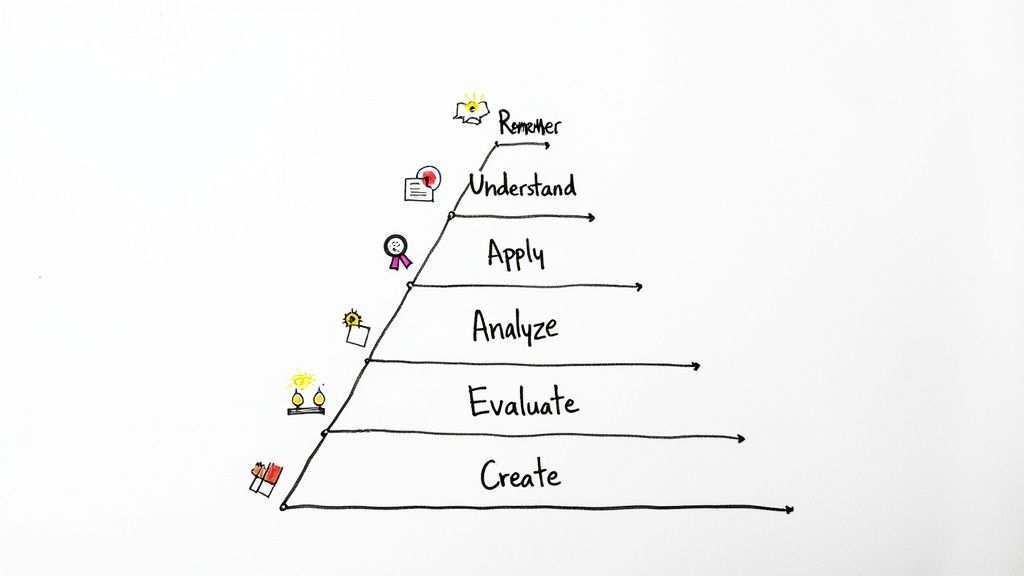
Hand-drawn pyramid diagram illustrating six levels of cognitive skills: Create to Remember.

Often structured using frameworks like Bloom's Taxonomy, these objectives are built with strong, observable action verbs. The framework categorizes cognitive skills into six levels, from basic recall to complex creation, providing a clear roadmap for developing learner competencies.

Strategic Breakdown of a Learning Objective Example

Let's break down a typical corporate training goal and refine it into a clear example of a goal statement structured as a learning objective.

  • Vague Goal: "Employees should understand the new project management software."
  • Learning Objective: "By the end of this training module, participants will be able to apply the 'Gantt Chart' feature in the new project management software to create a project timeline with at least three interdependent tasks and assign one team member to each task."

This revised statement is effective because it is specific, measurable, and action-based. It replaces the vague verb "understand" with the observable action "apply," clearly defines the task (create a timeline), and includes specific criteria for successful completion (three tasks, team member assignments).

Actionable Takeaways and Implementation Tips

To apply this model in your own training or educational programs, focus on precision and alignment.

Key Insight: Well-crafted learning objectives serve as a contract between the instructor and the learner. They clarify expectations, guide the learner's focus, and provide a transparent basis for assessment.

Follow these tips for successful implementation:

  1. Use Strong Action Verbs: Start every objective with a verb from Bloom's Taxonomy (e.g., analyze, evaluate, create) that corresponds to the desired level of cognitive skill. Avoid ambiguous terms like know or understand.
  2. Align Assessment Directly: Ensure every quiz question, project, or evaluation task directly measures a stated learning objective. If an objective isn't assessed, it's not being reinforced.
  3. Keep it Learner-Centric: Frame objectives from the learner's perspective. They should complete the sentence, "Upon completion of this session, you will be able to…"
  4. Make Objectives Visible: Share learning objectives with participants at the beginning of any course, module, or training session. This helps them understand the purpose and focus their attention effectively.

4. Personal Development and Life Goals

Personal goal statements are the blueprints for individual growth, translating abstract aspirations into tangible life improvements. Unlike business goals, these are deeply personal and intrinsically motivated, focusing on well-being, skill acquisition, and overall life satisfaction. Popularized by thought leaders like James Clear and Tony Robbins, this approach frames self-improvement as a series of deliberate, actionable steps rather than wishful thinking.

A colorful hand-drawn wheel of life diagram showing five life areas: relationships, health, personal growth, career, and bunklechip.

The core principle is to align your actions with your personal values across different life domains, such as health, career, and relationships. It’s about designing a life, not just reacting to it. This method is crucial for anyone feeling stuck or seeking to make meaningful changes, from freelancers planning their next skill to directors aiming for better work-life balance.

Strategic Breakdown of a Personal Goal Example

Let's apply a structured approach to a common personal development objective, turning it into a compelling example of a goal statement.

  • Vague Goal: "I want to learn a new skill."
  • Structured Goal: "I will become proficient in conversational Spanish by dedicating 30 minutes every weekday to language learning apps and completing one online module per week. I will test my progress by holding a 5-minute conversation with a native speaker through a language exchange platform by the end of six months."

This revised statement is effective because it creates a clear system for success. It specifies the desired outcome (conversational proficiency), defines measurable daily and weekly actions (30 mins/day, 1 module/week), makes it achievable by breaking it down, ensures relevance to personal growth, and sets a six-month deadline with a clear milestone.

Actionable Takeaways and Implementation Tips

To effectively set personal goals, the focus must be on building sustainable systems and habits.

Key Insight: The success of a personal goal is determined not by the ambition of the outcome but by the consistency of the process. Focus on designing small, repeatable actions that build momentum over time.

Follow these tips for successful implementation:

  1. Use Habit Stacking: Connect your new goal to an existing routine. For example, "After I finish my morning coffee, I will do my 30-minute Spanish lesson." This anchors the new behavior to an established one.
  2. Find an Accountability Partner: Share your goal with a trusted friend or mentor. Regular check-ins create external motivation and provide a support system when you feel your motivation wane.
  3. Schedule Monthly Reviews: Life happens. Dedicate time each month to review your progress, celebrate small wins, and adjust your plan as needed. This keeps the goal relevant and prevents discouragement.
  4. Break It Down into Milestones: A six-month goal can feel intimidating. Break it down into monthly targets, such as "Learn 50 new vocabulary words this month" or "Master present tense verb conjugations."

5. Nonprofit and Social Impact Goals

Social impact goal statements define how nonprofit organizations will create measurable change in their communities or for their chosen cause. These goals move beyond internal business metrics to focus on external, mission-driven outcomes. They must balance lofty aspirations with tangible accountability to donors, beneficiaries, and stakeholders, often incorporating frameworks like a Theory of Change or tracking a Social Return on Investment (SROI).

This approach is critical for organizations whose success is measured not in profit, but in positive societal change. It’s used by global bodies like the United Nations and the World Health Organization to guide large-scale initiatives. Key elements include:

  • Mission-Alignment: Goals must directly serve the organization's core purpose.
  • Stakeholder-Centricity: Objectives are defined by the needs of the community being served.
  • Impact Measurement: Success is quantified through a mix of qualitative and quantitative data.
  • Transparency: Progress and setbacks are reported openly to build trust and foster learning.

Strategic Breakdown of a Social Impact Goal Example

Let's examine a common nonprofit objective and refine it into a compelling example of a goal statement that drives and demonstrates impact.

  • Vague Goal: "Help homeless individuals in our city."
  • Impact-Oriented Goal: "By the end of the fiscal year, transition 75 individuals from chronic homelessness into stable housing by expanding our 'Housing First' program capacity by 30%. This will be measured by the number of individuals remaining housed for over six months, and success will be supported by securing two new community housing partnerships and increasing case manager staffing by one full-time employee."

This goal is effective because it links specific actions (program expansion, new partnerships) to a measurable human outcome (75 individuals housed). It defines what "stable" means (housed for over six months), identifies the resources needed, and sets a clear timeframe, making it both inspiring and accountable.

Actionable Takeaways and Implementation Tips

To apply this model effectively, focus on connecting activities directly to outcomes and involving the community you serve.

Key Insight: Unlike purely corporate goals, social impact goals must embed a feedback loop. The definition of success should be co-created with beneficiaries to ensure the intended impact is also the desired impact.

Follow these tips for successful implementation:

  1. Develop a Logic Model: Visually map how your inputs (funding, staff) and activities (workshops, outreach) lead to outputs (people served) and ultimately to desired outcomes (improved well-being, stable employment).
  2. Involve Community Members: Host focus groups or surveys with beneficiaries during the goal-setting process to ensure your objectives are relevant and respectful of their needs.
  3. Balance Quantitative and Qualitative Metrics: Track numbers (e.g., meals served) alongside stories and testimonials (qualitative data) to paint a complete picture of your impact.
  4. Embrace Adaptive Management: The path to social change is rarely linear. Build in regular review periods to assess what's working and pivot your strategy based on real-world results and community feedback.

6. Project Management and Delivery Goals

Effective project management hinges on clear, well-defined goals that guide every decision from kickoff to final delivery. These goals translate a project's vision into a tangible plan by integrating scope, schedule, budget, and quality standards. Popularized by frameworks from the Project Management Institute (PMI) and methodologies like PRINCE2 and Agile, these goals serve as the project charter's backbone, providing a universal standard for success.

Project goals must articulate exactly what will be delivered, by when, and to what quality. They are essential for:

  • Scope: Defining the specific features, functions, and tasks that are part of the project.
  • Cost: Outlining the budget and financial constraints.
  • Hedule: Setting clear deadlines and milestone dates.
  • Quality: Establishing the standards and criteria the final deliverable must meet.

Strategic Breakdown of a Project Goal Example

Let's break down a common project objective and refine it into a robust example of a goal statement that provides clarity for the entire project team and its stakeholders.

  • Vague Goal: "Upgrade the company's internal server infrastructure."
  • SMART Goal: "Complete the migration of all internal applications from the legacy server infrastructure to the new cloud-based environment by October 31st, with a total project budget of $75,000. The project's success will be measured by achieving 99.9% uptime in the first month post-migration and ensuring zero data loss, as verified by stakeholder sign-off on the final acceptance criteria."

This goal is effective because it quantifies every critical project constraint. It defines the scope (application migration), sets a hard deadline (October 31st), establishes a budget ($75,000), and specifies quality metrics (99.9% uptime, zero data loss).

Actionable Takeaways and Implementation Tips

To apply this to your projects, focus on documentation and proactive stakeholder communication.

Key Insight: A project goal isn't just a finish line; it's a comprehensive contract between the project team and its stakeholders. Documenting scope, constraints, and acceptance criteria upfront prevents scope creep and misalignment later.

Follow these tips for successful implementation:

  1. Define Success Criteria Explicitly: Work with stakeholders before the project starts to agree on what "done" looks like. Document these "acceptance criteria" in the project charter.
  2. Use a Work Breakdown Structure (WBS): Deconstruct the main project goal into smaller, manageable tasks and sub-goals. This helps in accurate estimation and progress tracking.
  3. Document Assumptions and Constraints: Clearly list all known assumptions (e.g., resource availability) and constraints (e.g., budget limits). This provides crucial context for decision-making.
  4. Monitor Progress Against Baselines: Establish baseline metrics for schedule and budget at the project's start. Conduct regular reviews (e.g., monthly or at key milestones) to track performance against this baseline and make necessary adjustments.

7. Healthcare and Clinical Practice Goals

Clinical goal statements are foundational to modern healthcare, defining treatment objectives, patient outcomes, and quality improvement targets. Popularized by organizations like the Institute for Healthcare Improvement (IHI) and the Joint Commission, these goals translate broad aims like "improve patient safety" into measurable, evidence-based actions. They are critical for hospital administrators, clinical directors, and care teams striving to enhance patient outcomes and operational efficiency.

The core principle is to align clinical activities with quantifiable health improvements. These goals often address:

  • Patient Outcomes: Reducing mortality rates or improving recovery times.
  • Process Efficiency: Streamlining patient admissions or reducing wait times.
  • Safety and Quality: Lowering infection rates or preventing medical errors.
  • Population Health: Increasing vaccination rates or managing chronic diseases across a community.

Strategic Breakdown of a Clinical Goal Example

Let's examine a common healthcare objective and refine it into a clear example of a goal statement for a clinical setting.

  • Vague Goal: "Improve diabetes management for our patients."
  • Clinical Goal: "Reduce the average HbA1c level for our empaneled adult patients with type 2 diabetes from 8.1% to 7.5% within 12 months. This will be achieved by implementing a patient education program on diet and exercise, increasing follow-up appointment frequency, and utilizing a new patient data dashboard for proactive outreach."

This statement is effective because it is patient-centered and clinically specific. It defines the target population (adults with type 2 diabetes), uses a standard clinical metric (HbA1c), sets a measurable target (8.1% to 7.5%), and outlines specific interventions (education, follow-ups, dashboard), all within a 12-month timeframe.

Actionable Takeaways and Implementation Tips

To effectively use clinical goals, focus on integrating evidence-based practices with rigorous data tracking.

Key Insight: The most impactful clinical goals are not set in a vacuum. They are developed collaboratively with frontline staff and are directly linked to established evidence-based practice guidelines, ensuring they are both ambitious and clinically sound.

Follow these tips for successful implementation:

  1. Use Evidence-Based Guidelines: Base your targets on recommendations from credible sources like the CDC or NICE. This ensures your goals align with the latest medical science.
  2. Engage Clinical Teams: Involve physicians, nurses, and support staff in the goal-setting process. Their hands-on experience is invaluable for determining what is achievable and how to best implement changes.
  3. Track Process and Outcome Metrics: Monitor both the outcome (e.g., HbA1c levels) and the process metrics (e.g., number of patients attending education sessions). This helps identify if the interventions are being implemented as planned.
  4. Conduct Quarterly Reviews: Hold regular meetings with care teams to review progress, discuss barriers, and adjust strategies. Healthcare is dynamic, and your goals must adapt to new information and patient needs.

8. Team and Departmental Collaboration Goals

Effective team goal statements define collective achievements that require coordinated effort across departments or functional areas. Inspired by frameworks from thought leaders like Patrick Lencioni and Google's Project Aristotle research, these goals translate high-level organizational strategy into actionable team-level commitments. They are essential for fostering collaboration, interdependence, and shared accountability in complex projects.

Key principles include:

  • Shared Outcome: The goal is owned by the collective, not a single individual or department.
  • Interdependence: Success requires active contribution and synchronized effort from all involved parties.
  • Role Clarity: While the outcome is shared, individual responsibilities within the group are clearly defined.
  • Alignment: The goal directly supports a larger strategic objective, ensuring cross-functional work has a clear purpose.
  • Communication: A structured communication plan is built into the goal to ensure continuous alignment.

Strategic Breakdown of a Collaboration Goal Example

Let's examine a common cross-functional initiative and structure it as a compelling example of a goal statement.

  • Vague Goal: "Launch the new mobile app."
  • SMART Collaboration Goal: "Successfully launch the 'ConnectSphere' mobile app by the end of Q4, achieving 10,000 user sign-ups and a 4.5-star average app store rating within the first 30 days. This requires a coordinated effort from Engineering (feature completion), Marketing (go-to-market campaign execution), and Sales (enterprise client onboarding)."

This revised goal is effective because it establishes a single, measurable definition of success (sign-ups, rating) that all three departments must work together to achieve. It clarifies who is involved and implies interdependent tasks, making it a powerful tool for aligning distinct teams toward a common objective.

Actionable Takeaways and Implementation Tips

To implement collaboration goals effectively, you must build systems that support cross-functional work.

Key Insight: The primary function of a collaboration goal is to make interdependence explicit. It forces teams to map out their reliance on one another, shifting the focus from siloed tasks to a shared project victory.

Follow these tips for successful implementation:

  1. Establish a "Single Source of Truth": Use a shared project management tool or dashboard (like Asana, Jira, or a shared Notion page) where all teams can view progress, dependencies, and key milestones in real-time.
  2. Define Decision Rights Clearly: Create a simple RACI (Responsible, Accountable, Consulted, Informed) chart for key launch decisions to prevent bottlenecks and confusion. Who makes the final call on the marketing budget or a go-live date?
  3. Schedule Regular Synchronization Meetings: Institute a brief, weekly cross-functional sync meeting focused exclusively on identifying and resolving blockers between teams. Keep the agenda tight and action-oriented.
  4. Celebrate Milestone Achievements Collectively: When the beta is released or the first 1,000 users sign up, celebrate it as a collective win. This reinforces the sense of shared ownership and boosts morale across all contributing departments.

8-Example Goal Statement Comparison

Approach 🔄 Implementation complexity ⚡ Resource requirements & time 📊 Expected outcomes 💡 Ideal use cases ⭐ Key advantages
SMART Goals for Business Performance Medium — structured but can be time‑consuming to craft Low–Medium — stakeholder time, baseline data; weeks–months to operationalize Clear, measurable targets and stronger accountability Performance management, strategic planning, individual targets Increases focus and measurability; aligns to strategy
OKR (Objectives and Key Results) Framework High — requires cultural change and training Medium–High — alignment tools, dashboards, org coaching; 3–6 months rollout Ambitious outcome-driven results and organization-wide alignment Rapid-growth companies, cross‑functional strategy execution, product teams Drives stretch performance, transparency, and alignment
Educational Learning Objectives Medium — needs instructional design and assessment mapping Low–Medium — faculty time, assessment design; semester‑level implementation Measurable learning behaviors and improved assessment validity Course design, training modules, competency programs Clarifies expectations; directly ties instruction to assessment
Personal Development and Life Goals Low–Medium — flexible, less formal process Low — individual time, habit tools; ongoing timelines Increased motivation and well‑being; variable measurability Personal growth, habit change, career transitions Values‑aligned, flexible, supports self‑reflection and motivation
Nonprofit and Social Impact Goals High — complex measurement and attribution challenges Medium–High — program funding, community engagement; long horizons Demonstrable social impact over time; mixed quantitative/qualitative results NGOs, community programs, donor reporting, policy initiatives Clarifies mission impact; strengthens donor/stakeholder trust
Project Management and Delivery Goals Medium–High — integrates scope, schedule, budget and quality Medium–High — project teams, tools, governance; project lifecycle timelines Deliverables met on scope/time/budget; improved risk control Construction, software releases, infrastructure and product launches Prevents scope creep; provides clear success criteria and stakeholder alignment
Healthcare and Clinical Practice Goals High — evidence, safety standards, regulatory requirements High — clinical staff, data systems, compliance; outcomes may lag Improved patient outcomes, safety metrics, regulatory compliance Hospitals, quality improvement initiatives, clinical programs Evidence‑based focus; improves patient safety and care quality
Team and Departmental Collaboration Goals Medium — requires coordination and clear roles Medium — meeting cadence, shared dashboards, cross‑team effort Better cross‑functional outcomes, reduced silos, shared accountability Product launches, retention initiatives, digital transformation Breaks down silos; increases cohesion and shared ownership

From Framework to Action: Your Next Steps in Goal Mastery

We've journeyed through a comprehensive landscape of goal-setting frameworks, deconstructing everything from business-focused SMART goals and ambitious OKRs to the nuanced objectives required in project management and personal development. You’ve seen a powerful example of goal statement for nearly every professional and personal scenario, but the true value lies not in the examples themselves, but in the principles they embody: clarity, specificity, and actionability.

The core lesson is this: a goal statement is not a static declaration. It's a dynamic tool, a compass that requires regular calibration. The most effective leaders, managers, and high-achievers don't just "set and forget" their goals. They integrate them into their daily workflows, review them in team meetings, and adjust them in response to new data and changing circumstances. The transition from a vague ambition like "increase revenue" to a sharp, tactical objective like "Increase MRR by 15% in Q3 by launching the 'Pro Tier' add-on and converting 25 existing 'Standard' clients through targeted email campaigns" is where strategy becomes reality.

Synthesizing Your Learnings into Action

To move from theory to execution, let's distill the most critical takeaways from the examples we've explored. Mastering these concepts is the key to crafting a goal statement that genuinely drives results.

  • Context is King: The best framework depends entirely on your context. OKRs are fantastic for aligning a fast-growing agency around ambitious outcomes, while detailed SMART goals are indispensable for ensuring a critical project stays on schedule and within budget. Don't force a framework where it doesn't fit.
  • Verbs Dictate Action: Pay close attention to the verb you use to start your goal. Words like "Launch," "Implement," "Reduce," "Increase," and "Achieve" are far more powerful than passive words like "Manage," "Oversee," or "Continue." An active verb creates an immediate sense of momentum.
  • Quantify Everything Possible: Numbers remove ambiguity. Whether it's a percentage increase, a specific dollar amount, a reduction in support tickets, or a client satisfaction score, quantifiable metrics are the bedrock of a strong goal. They are the only way to know for sure if you have succeeded.
  • The "Why" Is Your Fuel: As we saw in the personal development and social impact examples, connecting a goal to a deeper purpose or a larger vision creates resilience. When challenges arise, a powerful "why" provides the motivation to persevere. For your team, this means clearly communicating how their departmental goals contribute to the company's overall mission.

Your Immediate Next Steps

Knowledge without application is merely potential. To turn the insights from this article into tangible progress, here is your action plan. Don't try to do everything at once; pick one area and build from there.

  1. Choose One High-Priority Area: Select a single domain that needs immediate improvement. Is it a struggling project? Unclear team objectives? A personal ambition you've been procrastinating on?
  2. Draft Your First Statement: Using the templates and examples from this article, write your first goal statement for that chosen area. Don't aim for perfection on the first try. Just get a solid draft written down.
  3. Apply the SMART Litmus Test: Review your draft. Is it Specific? Measurable? Achievable? Relevant? Time-bound? Refine each component until you can confidently answer "yes" to all five.
  4. Schedule a Review Cadence: This is the step most people skip. Put a recurring event on your calendar to review this goal. For a project goal, it might be weekly. For a personal goal, it could be monthly. This act of scheduling accountability is often the difference between success and failure.

By consistently applying these principles, you transform goal setting from an annual administrative task into a powerful, ongoing strategic discipline. You create a culture of clarity, accountability, and achievement, where every team member understands not just what they are doing, but why it matters. This is how high-performing teams and individuals turn ambitious visions into measurable accomplishments.


Tired of goals living in spreadsheets, disconnected from the actual work? RGK centralizes your objectives, projects, and performance metrics into a single source of truth, ensuring every task is tied to a strategic outcome. See how you can bridge the gap between planning and execution by visiting RGK today.

The Compliance Definition in Business Simplified

So, what does “business compliance” actually mean?

At its simplest, business compliance is about your company following the rules—all of them. This means adhering to every applicable law, regulation, industry standard, and even your own internal ethical guidelines. Think of it as the official playbook for running your business responsibly and legally.

What Is Business Compliance Really

A sketch illustrating 'Compliance' with a legal scale icon above an open book and city buildings.

Let's look past the textbook definition. At its heart, business compliance is the framework that dictates how your company behaves. It’s a lot like traffic laws preventing chaos on the roads; compliance rules bring order to the marketplace, protecting consumers, employees, and your business from unnecessary risks.

This isn’t just a task for the legal department—it’s a core business function. It covers everything from workplace safety standards and customer data privacy laws to your own internal codes of conduct. Simply put, it's your commitment to playing by the rules.

To get a clearer picture, let's break down the main areas compliance touches.

Table: Core Pillars of Business Compliance

Pillar What It Means for Your Business
Legal Following federal, state, and local laws. This is non-negotiable.
Regulatory Adhering to rules set by governing bodies (e.g., OSHA, FTC).
Data & Privacy Protecting sensitive information according to laws like GDPR or CCPA.
Operational Following internal policies and procedures for consistent, safe operations.
Contractual Honoring the terms agreed upon with clients, vendors, and partners.

Each pillar represents a different set of rules, but they all work together to keep your business on solid ground.

The Evolving Demands of Compliance

Staying compliant isn't a one-and-done task. The goalposts are always moving as new regulations pop up. This complexity is a real hurdle; recent data reveals that 85% of compliance professionals find regulatory requirements are getting more complicated.

This isn't just an administrative headache, either. The same report showed that 82% of businesses admit these growing demands slow down their ability to launch important projects. The takeaway here is clear: you can’t afford to ignore compliance if you want to grow. You can dig deeper into these compliance statistics and their business impact.

Compliance is the structural integrity of your business. Without it, even the most innovative company risks collapse from legal challenges, financial penalties, or a loss of public trust. It’s the foundation upon which sustainable growth is built.

When you get it right, a strong compliance culture stops being a burden and becomes a real asset. It safeguards your reputation, builds customer loyalty, and creates a stable, ethical environment where your team can do their best work.

The Main Flavors of Business Compliance

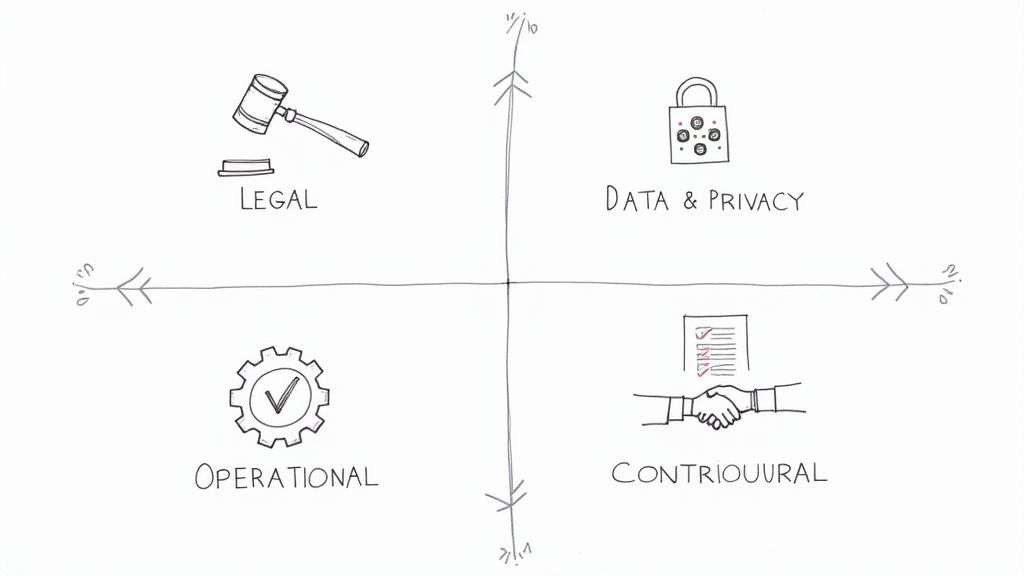
A hand-drawn diagram illustrating four key business compliance areas: legal, data, operational, and contractual.

To really get a handle on compliance, you can't just think of it as one giant, intimidating blob of rules. It’s much more manageable when you break it down into distinct categories. Each one covers a different part of your business, and understanding them is the first step toward managing your agency's risk effectively.

Think of them as different chapters in your company's rulebook. They all contribute to the same story—running a responsible, sustainable business—but each has its own unique plot and consequences.

Legal and Regulatory Compliance

This is the big one. It’s the baseline—the official laws and regulations handed down by governments. These are the non-negotiable rules of the game that everyone has to play by, from local city ordinances all the way up to federal laws. This framework is what ensures fair competition, keeps workers safe, and protects the environment.

Following these rules isn't a choice. For instance, the Occupational Safety and Health Administration (OSHA) sets mandatory standards for workplace safety, while the Environmental Protection Agency (EPA) has strict rules about pollution. Ignore them, and you're looking at serious legal and financial trouble.

A classic example for marketing agencies is the CAN-SPAM Act, which dictates how you can (and can't) use commercial email.

The CAN-SPAM Act lays out clear rules for commercial messages, gives people the right to opt-out, and carries some heavy penalties. Every single email that violates the act can be hit with a fine of up to $53,088. It doesn't take long for that to add up.

This really drives home how a basic marketing task is wrapped in legally-binding regulations with expensive consequences.

Data and Privacy Compliance

This area has absolutely exploded in importance over the last decade. Data and privacy compliance is all about how your agency collects, stores, uses, and protects personal information. With cyberattacks becoming more common and people growing more concerned about their privacy, governments have stepped in with some powerful laws to protect consumer data.

You’ve probably heard of the big ones:

  • General Data Protection Regulation (GDPR): This EU law has become the gold standard for data protection worldwide. If you handle data from anyone in the EU, GDPR applies to you.
  • California Consumer Privacy Act (CCPA): This law gives California residents much more control over the personal information that businesses gather about them.

For an agency, this is critical. You're handling client lists, customer analytics, and all sorts of sensitive data. A slip-up here doesn't just mean massive fines; it can completely shatter the trust you've built with your clients.

Operational and Contractual Compliance

Finally, we have the rules you set for yourself and the promises you make to others. It’s about walking the talk.

Operational compliance is about following your own internal playbook. These are the policies, procedures, and workflows you’ve created to ensure consistency and quality. We're talking about your standard operating procedures (SOPs), employee handbooks, and internal codes of conduct. They're the rails that keep your agency running smoothly.

Contractual compliance, on the other hand, is simply about keeping your promises. When you sign a contract with a client, vendor, or partner, you are legally obligated to deliver what you agreed to. That means hitting deadlines, staying within scope, and honoring confidentiality clauses. Dropping the ball here can lead to lawsuits, torched relationships, and a reputation for being an agency that can't be trusted.

How Compliance Becomes a Strategic Advantage

It’s easy to think of compliance as just another box to check—a tedious, defensive chore. But that’s a huge, costly mistake. The smartest agencies flip this thinking on its head. They see compliance not as a cost center, but as a powerful offensive tool that carves out a real competitive edge.

This isn’t just a minor shift in perspective; it’s a fundamental change in how you operate. When doing things the right way is baked into your company’s DNA, you stop just avoiding fines. You start building a more resilient, reputable, and profitable business from the ground up.

Building an Ironclad Brand Reputation

In a world where one misstep can go viral, your reputation is everything. A solid, transparent compliance program is one of the best ways to guard that reputation fiercely. When you consistently meet—and even exceed—regulatory standards, you send a powerful signal to clients and partners. The message is clear: we are professionals you can count on.

This proactive approach builds a kind of protective armor around your brand. When a new regulation throws your industry into chaos or a competitor gets caught cutting corners, you stand out as the stable, ethical choice. This reputation for integrity becomes a magnet for higher-value clients who would rather pay for peace of mind than risk working with someone less diligent.

A robust compliance framework isn't just about risk mitigation; it's a marketing asset. It tells a compelling story of accountability and trust that resonates deeply with today's discerning customers, making it a cornerstone of brand loyalty.

Ultimately, a commitment to doing things by the book pays off in the long run, cementing a positive public image that's hard to tarnish.

Fostering Deeper Customer and Client Trust

For agencies, trust isn't just a nice-to-have; it's the currency you trade in. You're handling sensitive client data, managing critical projects, and acting as a steward of their brand. Every single part of your compliance program, from your data privacy policies to your clear-cut contracts, is a deposit into that bank of trust.

When clients see you're serious about regulations like GDPR or the CCPA, they feel safe giving you their data. That confidence is gold. It leads to stronger relationships, better client retention, and a much smoother path to upselling or expanding your work with them. It eliminates a huge piece of friction in the sales process because you’re showing, not just telling, them that their business is safe in your hands.

Think about two agencies pitching for a big contract:

  • Agency A says they "take privacy seriously" but offers no details.
  • Agency B walks the client through their documented compliance program, showing exactly how they handle data and the security measures in place.

Agency B almost always wins. That concrete proof of diligence builds an immediate foundation of trust that Agency A simply can't compete with. It's often the single deciding factor that lands you the best clients and turns them into long-term partners.

The Real-World Consequences of Non-Compliance

Diagram showing how compliance and protection lead to business growth and financial gain.

Ignoring compliance is a bit like driving without insurance. For a while, you might save a little money and feel like you’re getting ahead. But when an accident happens—and it eventually does—the consequences are sudden, severe, and can wipe out everything you’ve worked so hard to build.

The fallout from a compliance failure isn't just a simple slap on the wrist. Think of it more as a cascade of damage that hits your business from every possible angle, starting with the most obvious pain point: staggering financial penalties.

These aren't minor fines we're talking about; they can be absolutely crippling. A single email that violates the CAN-SPAM Act, for example, can result in a penalty of up to $53,088. Now, imagine the potential cost of an entire marketing campaign that gets it wrong. It's the same story with data privacy laws like GDPR, where mishandling data can trigger fines that easily run into the millions.

The Financial Drain of Penalties

The most direct and painful impact of ignoring the compliance definition in business is the hit to your bottom line. Regulatory bodies don't mess around, and the penalties are designed to be a powerful deterrent. With the global spread of data protection laws, this threat is now universal.

The enforcement of data protection laws, like the European Union’s GDPR, resulted in €1.2 billion in fines in a single recent year. And with 144 countries now having similar laws that cover over 79% of the world’s population, no business is truly immune. If you're curious about these trends, you can explore more insights on global data protection enforcement trends on Zluri.com.

A compliance failure is never just one event. It’s the start of a domino effect: the fine is the first piece to fall, followed swiftly by legal fees, reputational damage, and lost customer trust. The total cost is always far greater than the initial penalty.

Beyond the initial fine, the financial bleeding continues. Legal battles are notoriously expensive and time-consuming, pulling precious resources away from what they should be focused on—growing your agency.

Operational Shutdowns and Lost Opportunities

The consequences cut deep into your day-to-day operations, too. A serious compliance breach can lead to a complete operational shutdown, either ordered by regulators or because your systems have been fundamentally compromised. Every minute you're offline is lost revenue.

Think about a tech startup that misuses customer data. They could lose their biggest client overnight, not just because of the breach itself, but because the trust is gone. That single event can set off a chain reaction, scaring away potential new clients and partners who now see the business as too high-risk. Future growth opportunities simply evaporate as your reputation sours.

Consider these all-too-common scenarios:

  • Losing Certifications: Violating industry standards could mean losing essential certifications (like ISO 27001), instantly making you ineligible for valuable government or enterprise contracts.
  • Business Interruption: A major safety violation could halt operations entirely while you're forced to overhaul processes, costing you weeks or even months of productivity.
  • Criminal Charges: In the most severe cases of negligence, like major environmental or financial fraud, executives can even face criminal charges and jail time.

When you look at it this way, the price of proactive compliance is a small investment. The cost of failure, on the other hand, is a debt that many businesses can never repay.

How to Build an Effective Compliance Program

Alright, so you understand what compliance is. Now comes the important part: actually building a framework that protects your agency. This isn't about creating a massive, dusty rulebook that no one ever reads. It’s about weaving a living, breathing system into the very fabric of your daily work.

Think of a good compliance program as a roadmap, not a roadblock. It gives your team clear directions, keeps your work consistent, and shows everyone—clients included—that you’re serious about doing things the right way. Getting this foundation in place takes a structured approach, and it all starts with taking an honest look at where you might be vulnerable.

Conduct a Thorough Risk Assessment

You can't defend against threats you haven't identified. The very first step is a risk assessment to pinpoint where your agency's weak spots are. This means mapping out every part of your operation to find potential compliance gaps before they become real problems.

So, what does that actually involve? It's about asking some tough but necessary questions:

  • Where and how are we handling sensitive data from clients or their customers?
  • What specific industry rules, like advertising standards or financial regulations, apply to the services we offer?
  • What are the non-negotiable terms in our most important client contracts?
  • Are our internal HR policies current with the latest labor laws?

Answering these questions gives you a clear picture of your agency's unique risk profile. This lets you focus your energy on the biggest threats first, rather than trying to boil the ocean.

Develop and Document Clear Policies

Once you know where the risks are, you need to create straightforward, written policies to manage them. These documents form the backbone of your program, turning complicated regulations into simple, actionable steps your team can actually use. Ditch the legal jargon and write in plain, simple English.

Your core policies should cover the big things, like your code of conduct, data handling procedures, and standards for client communication. Having this documentation creates a single source of truth, cutting down on confusion and making sure everyone is on the same page.

An undocumented process is just a suggestion. A documented policy is a commitment. Clear, written guidelines transform good intentions into reliable, repeatable actions that fortify your entire business operation against compliance failures.

Implement Ongoing Training and Education

A brilliant compliance plan is completely worthless if your team doesn't know it exists or, worse, doesn't understand it. That’s why ongoing training is non-negotiable. It’s how you build a real culture of compliance where every single person knows the role they play in protecting the agency.

And please, don't make this a one-and-done lecture during onboarding. Real, effective training is continuous. It should be engaging and use real-world examples that connect directly to your team's day-to-day work. For instance, walk your marketing team through exactly how to apply CAN-SPAM rules to their next email campaign. Constant reinforcement is what keeps compliance from becoming an afterthought.

The investment here is real. The Compliance Data Management market is on track to hit $16.6 billion, and there’s a good reason for it. Businesses are pouring money into this because it works. For example, using automated tools to track regulations has been shown to cut down policy-related delays by a whopping 50%. You can dig deeper into these numbers with these CCO statistics on Complianceandrisks.com. It just goes to show how much value there is in backing up your program with the right tech and training.

With your program in place, it’s time to put it into action. The following checklist breaks down the implementation process into manageable phases, helping you move from planning to a fully functional compliance framework.

Compliance Program Implementation Checklist

Phase Key Action Items Success Indicator
Phase 1: Foundation & Assessment 1. Secure leadership buy-in and assign a compliance lead.
2. Conduct a comprehensive risk assessment across all departments.
3. Identify all applicable laws, regulations, and contractual obligations.
Leadership is actively championing the program, and a detailed risk report is completed.
Phase 2: Policy Development 1. Draft clear, accessible policies (Code of Conduct, Data Privacy, etc.).
2. Create procedures for reporting potential violations.
3. Get legal review for all drafted policies.
A central, employee-accessible repository of all final policies is established.
Phase 3: Implementation & Training 1. Roll out an initial all-hands training session on the new program.
2. Develop role-specific training modules for high-risk teams.
3. Integrate compliance checks into existing workflows (e.g., project kickoffs).
At least 95% of employees have completed initial training with documented comprehension.
Phase 4: Monitoring & Response 1. Schedule regular internal audits (e.g., quarterly or bi-annually).
2. Establish a clear protocol for investigating and responding to incidents.
3. Implement a system for tracking regulatory changes.
A documented incident response has been tested, and a monitoring schedule is in place.

This checklist isn't just a to-do list; it's a roadmap to building a resilient program. The final, critical piece is establishing a system to monitor how well everyone is sticking to the plan and having a clear response strategy for when things inevitably go wrong. Regular audits and a clear-cut protocol for handling incidents are what will keep your program sharp and effective over the long haul.

Your Essential Business Compliance Questions Answered

Diving into business compliance can feel like trying to read a map in a foreign language, especially when you’re building a program from scratch. It's totally normal to have questions. This section cuts through the noise to give you straight, clear answers to the most common things we hear from business leaders.

Think of it as your field guide for turning uncertainty into confident action. We’ll get into the practical first steps for smaller businesses, how often you should dust off those policy documents, and the all-important difference between following the rules and just doing the right thing.

As a Small Business, Where Do I Start?

If you're running a small business, the very idea of a "compliance program" can sound intimidating and expensive. The secret is to forget about boiling the ocean. Start small and aim your efforts at your biggest areas of risk first.

You don’t need to tackle everything at once. Instead, focus on two foundational areas that affect almost every business, no matter the size:

  • Employee Safety: This is non-negotiable. Make sure you meet all the basic workplace safety standards required by law. It’s about protecting your people, which in turn protects your business from serious liability.
  • Data Privacy: This one trips up a lot of companies. Start by creating a simple "data map." Figure out exactly what customer information you collect, where it lives, and who can access it. This simple exercise is the bedrock of protecting sensitive data.

By zeroing in on these two high-impact areas, you lay a solid foundation that you can build on as your business grows. This approach makes business compliance a manageable part of your operations, not some scary, abstract concept.
This simple workflow is a great way to visualize the process.

Infographic showing a three-step process for building compliance: Assess, Develop, and Train.

It really is that straightforward. You assess your risks, develop clear policies to manage them, and then train your team so everyone is on the same page.

How Often Should We Review Our Policies?

Compliance isn't a crockpot meal you can set and forget. The world of business is always in motion—new laws get passed, regulations change, and industry standards evolve. If your policies stay static, they become obsolete.

A good rule of thumb is to give all your compliance policies a thorough review at least once a year. That said, some events should trigger an immediate look under the hood, like:

  • A major new law that impacts your industry is passed.
  • You launch a new product, service, or business division.
  • You make a big operational shift, like expanding into a new country.
  • You have a compliance failure or even a close call.

Think of your compliance policies like your car's maintenance schedule. The annual oil change is essential, but if the check engine light comes on, you pull over immediately. Regular reviews keep your business running smoothly and prevent a total breakdown.

What Is the Difference Between Compliance and Ethics?

This is a fantastic question, and getting the distinction right is crucial. While they're closely related and work hand-in-hand, compliance and ethics are not the same thing. Knowing the difference is what separates a good company from a great one.

Compliance is about following the rules. It’s the mandatory stuff—the laws, regulations, and standards you must adhere to. It answers the question, "What do we have to do?" Failure to comply comes with real-world penalties like fines or legal action.

Ethics is about doing what’s right. It’s driven by your company's internal moral compass and core values, especially in situations where there isn’t a specific law to guide you. It answers the question, "What should we do?"

For instance, a marketing campaign could be perfectly legal and tick every compliance box, but still be unethical if it preys on vulnerable customers. A truly resilient business needs both. Compliance sets the floor for acceptable behavior, while ethics raises the ceiling, guiding you to build trust and operate with integrity.


At RGK, we've built an operating system designed to give agencies the structure they need to scale responsibly. By bringing your project management, client data, and internal processes into one place, RGK helps you weave compliance checks directly into your day-to-day work, so your team can grow without the chaos. Find out how you can build a more resilient agency.

10 Agency-Focused Risk Management Plan Examples for 2025

Running an agency is a high-wire act. Between client demands, project scope creep, team capacity, and fluctuating cash flow, a single misstep can quickly cascade into a major crisis. While you focus on delivering exceptional work and winning new business, unidentified risks are quietly gathering momentum, threatening your timelines, budgets, and reputation.

This isn't about being pessimistic; it's about being strategically prepared. A robust risk management plan is the framework that separates agencies that scale smoothly from those that crumble under pressure. It provides a structured process to identify, analyze, and mitigate potential threats before they derail your projects or impact your bottom line. Without one, you're essentially navigating high-stakes situations blindfolded, relying on reactive fixes rather than proactive strategy.

In this comprehensive guide, we move beyond theory to provide actionable insights. We will break down 10 battle-tested risk management plan examples from various industries, dissecting precisely how they work. For each example, you will find:

  • An annotated risk register detailing specific threats.
  • A clear risk matrix for prioritizing issues.
  • Practical mitigation and contingency actions.
  • Quick adaptation notes for agencies using an integrated platform like RGK.

This listicle is designed to give you a replicable blueprint. You'll learn how a structured approach to risk turns uncertainty into a competitive advantage, allowing you to protect your projects, operations, and profits with confidence. Instead of just hoping for the best, you'll have a clear system for ensuring it.

1. The Foundational: Project Management Risk Plan (PMBOK Inspired)

Every agency project, from a website build to a marketing campaign, is a minefield of potential risks. Scope creep, missed deadlines, budget overruns, and client miscommunication are common threats. This foundational risk management plan example, adapted from the Project Management Body of Knowledge (PMBOK) framework, acts as a project-level command center for neutralizing these threats.

This approach is the gold standard because it systematizes risk management into a clear, repeatable process: identify, analyze, plan a response, monitor, and control. It moves your agency from reactive problem-solving to proactive threat mitigation, which is essential for protecting profitability and timelines.

Strategic Breakdown

This plan is built on a structured, multi-step process. First, you identify risks through brainstorming, stakeholder interviews, and historical project data. Next, you analyze each risk's probability and impact using a risk matrix to prioritize them. High-priority risks then get specific response strategies, such as avoidance, mitigation, or transference.

A key component is the Risk Register, a living document that logs every identified risk. It includes details like the risk owner, trigger conditions, and the planned mitigation and contingency actions. This creates accountability and ensures nothing slips through the cracks.

Key Insight: The PMBOK-inspired approach forces a shift from a "what-if" mindset to a "what-will-we-do-when" strategy. It converts abstract fears into a concrete, actionable plan, giving project managers a clear playbook for handling adversity.

Actionable Takeaways for Your Agency

To implement this model, start by integrating risk identification into your project kickoff meetings. Make it a mandatory agenda item.

  • Create a Standardized Risk Register: Develop a template that every project manager uses. Include fields for Risk ID, Description, Category (e.g., Technical, Resource, Client), Probability Score, Impact Score, and Mitigation Plan.
  • Assign Risk Owners: Every identified risk needs a designated owner responsible for monitoring its status and executing the response plan. This prevents diffusion of responsibility.
  • Schedule Regular Risk Reviews: Hold bi-weekly or monthly risk review meetings to update the register, discuss new threats, and assess the effectiveness of current mitigation efforts.

2. The High-Stakes Guardian: Healthcare Clinical Risk Management Plan

In healthcare, risks aren't just about budgets or timelines; they directly impact patient safety and lives. A clinical risk management plan, often mandated by bodies like The Joint Commission, is an organization-wide framework for identifying, assessing, and mitigating hazards related to patient care. This includes everything from medication errors and surgical complications to hospital-acquired infections and diagnostic mistakes.

This plan is critical because it creates a systematic defense against preventable harm and malpractice liability. It formalizes processes for incident reporting, root cause analysis, and implementing corrective actions. For any agency working in the highly regulated health tech space, understanding this framework is non-negotiable for ensuring compliance and client trust.

Strategic Breakdown

This plan centers on proactive patient safety rather than reactive incident response. It begins with a comprehensive risk assessment of all clinical processes, from patient admission to discharge. Risks are then prioritized based on severity and likelihood, often using a Failure Modes and Effects Analysis (FMEA) to pinpoint potential process failures before they occur.

A core element is the Incident Reporting System, a non-punitive mechanism for staff to report adverse events and near misses. This data feeds into a root cause analysis (RCA) to uncover system-level vulnerabilities, not individual blame. This "just culture" approach, championed by the Institute for Healthcare Improvement (IHI), encourages transparency and continuous learning.

Key Insight: The clinical risk management plan shifts the focus from "who made the error" to "why did our system allow this error to happen?" It treats patient safety events as opportunities to improve systems, protocols, and training, creating a resilient and safer care environment.

Actionable Takeaways for Your Agency

Even if you aren't a hospital, agencies in health tech or pharma marketing can adapt these principles to manage regulatory and reputational risks.

  • Implement a "Just Culture" for Errors: Create a process for reporting mistakes (e.g., a HIPAA compliance slip, incorrect data in a patient-facing app) without immediate blame. Focus on analyzing the process breakdown that led to the error.
  • Develop Standardized Incident Forms: Create a simple, confidential form for employees to report potential compliance or safety issues related to client work. Include fields for the event description, immediate impact, and suggested system improvements.
  • Engage Leadership in Risk Oversight: Establish a compliance or risk committee that includes senior leadership. This team should regularly review incident reports and oversee the implementation of corrective actions, demonstrating a top-down commitment to quality and safety.

3. Financial Services Enterprise Risk Management (ERM) Framework

For organizations in highly regulated sectors like banking and finance, risk isn't just a project-level concern; it's a core business function. This enterprise-level framework, guided by bodies like the Basel Committee and FINRA, provides a comprehensive structure for managing interconnected financial threats such as credit, market, operational, and liquidity risk.

This approach is crucial because it creates an integrated view of risk across the entire organization. It moves beyond siloed departments to build a unified defense mechanism, ensuring that a risk identified in one area (like market volatility) is analyzed for its potential impact on others (like credit defaults), a necessity for complying with regulations like Dodd-Frank.

Strategic Breakdown

This framework operates on a top-down, holistic principle. It begins with the board of directors setting the firm's "risk appetite," which defines the amount and type of risk the organization is willing to accept to meet its strategic objectives. This directive then cascades down through the organization, influencing everything from lending decisions to technology investments.

A central element is the use of sophisticated quantitative models and stress testing. For example, firms like JPMorgan Chase and Goldman Sachs use complex simulations to model how their portfolios would perform under severe economic downturns. These forward-looking analyses allow them to proactively adjust capital reserves and hedging strategies instead of reacting after a crisis hits.

Key Insight: The ERM framework transforms risk management from a compliance-focused cost center into a strategic enabler. By understanding its complete risk profile, a firm can make more informed capital allocation decisions and confidently pursue opportunities that align with its defined risk appetite.

Actionable Takeaways for Your Agency

While your agency doesn't face Basel III regulations, the ERM principle of integrated risk thinking is highly valuable. You can adapt its holistic view to manage interconnected business-level threats.

  • Define Your Agency's Risk Appetite: As a leadership team, formally document the types of risks you are willing to take. Are you comfortable with high-risk, high-reward clients? What level of financial leverage is acceptable for expansion?
  • Create a Cross-Functional Risk Committee: Establish a small group with leads from finance, operations, sales, and delivery. Have them meet quarterly to discuss how risks in one area (e.g., a slowdown in sales) could impact others (e.g., resource allocation and project profitability).
  • Conduct Business-Level Scenario Planning: Once a quarter, model potential "what-if" scenarios. For example: "What happens to our cash flow and projects if we lose our largest client?" or "How do we operate if a key technology platform we rely on has a major outage?" This exercise builds resilience.

4. Manufacturing Quality and Safety Risk Management (ISO 45001/ISO 14001)

In manufacturing, risks aren't just about project timelines; they involve worker safety, environmental compliance, and product quality. A single equipment failure can cause injuries, regulatory fines, and production shutdowns. This integrated risk management plan example, grounded in ISO 45001 (Occupational Health & Safety) and ISO 14001 (Environmental Management) standards, provides a holistic framework for managing these high-stakes threats.

This model is critical because it forces a shift from reactive incident response to proactive hazard prevention. By systematically identifying safety and environmental risks before they materialize, manufacturers can protect their workforce, ensure regulatory compliance, and maintain operational continuity. It transforms safety from a checklist into a core operational value, as seen in the stringent protocols at facilities run by Siemens and Toyota.

Strategic Breakdown

This plan operates on a continuous improvement cycle: Plan-Do-Check-Act. It begins with a thorough Hazard Identification and Risk Assessment (HIRA), where every process, piece of machinery, and chemical substance is evaluated for potential harm to people or the environment. Risks are then prioritized based on severity and likelihood, dictating the urgency of control measures.

A central element is the Integrated Management System (IMS), which documents all procedures, safety protocols, and environmental controls. This system logs everything from near-miss incidents and worker training records to chemical handling procedures and emergency response drills. This creates a single source of truth for all safety, quality, and environmental risk management activities, ensuring standardized and compliant operations.

Key Insight: The ISO-based approach links operational safety directly to business performance. It treats a safe and compliant workplace not as a cost center, but as a prerequisite for quality production, employee retention, and long-term profitability.

Actionable Takeaways for Your Agency

Even for agencies not in manufacturing, the principles of proactive hazard control are highly applicable, especially for workplace safety and data handling.

  • Implement a Near-Miss Reporting System: Encourage employees to report potential issues before they cause harm. For an agency, this could be a near-miss data breach or a client conflict that was narrowly avoided, providing valuable learning opportunities.
  • Conduct Regular "Toolbox Talks": Start weekly team meetings with a brief, 5-minute discussion on a specific operational risk, such as phishing awareness, password security, or recognizing client red flags.
  • Benchmark Against Industry Standards: Just as manufacturers track incident rates, your agency can track metrics like project overruns, client churn, or security incidents against industry benchmarks to identify areas for improvement.

5. Software Development and Cybersecurity Risk Management (NIST Cybersecurity Framework)

For any agency involved in software development, handling sensitive data, or managing IT infrastructure, cybersecurity threats are not just risks; they are existential threats. A data breach, service outage, or vulnerability exploit can cause irreparable financial and reputational damage. This risk management plan example, grounded in the National Institute of Standards and Technology (NIST) Cybersecurity Framework (CSF), provides a robust structure for defending digital assets.

A hand-drawn diagram featuring a shield, illustrating a risk management cycle with 'detect,' 'response,' and 'recover' stages.

The NIST CSF is a gold standard because it organizes cybersecurity activities into five core functions: Identify, Protect, Detect, Respond, and Recover. This approach provides a common language and a strategic, top-down view of an organization's security posture, moving it from a reactive, tool-based defense to a proactive, risk-informed strategy. It helps agencies answer the critical questions: "What are our most important assets?" and "How well are we protecting them?"

Strategic Breakdown

This plan revolves around a continuous cycle of security improvement. It begins with identifying critical systems, data assets, and potential threats, from external attackers to internal negligence. The protect function involves implementing safeguards like access control, data encryption, and employee training. Detect focuses on continuous monitoring to find anomalies and security events in real-time.

When an incident occurs, the respond and recover functions are activated. This involves executing a pre-defined Incident Response Plan to contain the impact, eradicate the threat, and restore normal operations. This framework is exemplified by models like Microsoft's Security Development Lifecycle (SDL) and Google's BeyondCorp zero-trust architecture, which integrate security into every stage of development and operations.

Key Insight: Adopting a NIST-aligned framework fundamentally changes the conversation from "Are we secure?" to "How are we managing our cybersecurity risk?" It turns security into a measurable business function rather than a purely technical cost center.

Actionable Takeaways for Your Agency

Integrating this model requires a security-first culture, not just a set of tools. Start by identifying your "crown jewel" assets-the data and systems most critical to your operations.

  • Implement "Security by Design": Embed security checks into your development lifecycle (DevSecOps). Use automated vulnerability scanners in your CI/CD pipelines to catch flaws before they reach production.
  • Develop an Incident Response Playbook: Create a clear, step-by-step guide for what to do during a security breach. Define roles, communication protocols, and technical procedures. Conduct regular tabletop exercises to test and refine it.
  • Prioritize Security Awareness Training: Your team is your first line of defense. Conduct mandatory, regular training on topics like phishing, password hygiene, and social engineering to reduce human error.

6. Supply Chain Risk Management (APICS, SCOR Model)

For agencies managing physical products, promotional materials, or complex event logistics, supply chain disruptions are a direct threat to client satisfaction and profitability. A sudden supplier failure, a customs delay, or a transportation bottleneck can derail an entire campaign. This risk management plan example, based on frameworks like the APICS body of knowledge and the Supply Chain Operations Reference (SCOR) model, provides a strategic blueprint for building resilience.

This approach is crucial because it treats the supply chain not as a simple linear process but as a complex ecosystem of interconnected nodes. It focuses on identifying single points of failure, assessing vendor reliability, and creating contingency plans that ensure operational continuity even when a critical link breaks. For an agency, this means the difference between a successful product launch and a warehouse full of unusable, late-arriving merchandise.

Illustrated diagram of a product's journey from factory through various trucks to successful SLA delivery.

Strategic Breakdown

This plan starts with a comprehensive mapping of your entire supply chain, from raw material suppliers to final delivery carriers. Each node is then assessed for potential risks like geopolitical instability, financial solvency, or quality control failures. The SCOR model provides a framework to Plan, Source, Make, Deliver, and Return, allowing you to pinpoint risks within each specific operational stage.

A cornerstone of this model is the development of a Supplier Risk Profile for each key vendor. This profile goes beyond price and lead times to include metrics on financial health, historical performance, and geopolitical exposure. This data-driven approach allows you to segment suppliers and develop proactive strategies, such as diversifying your supplier base for high-risk components or holding strategic inventory buffers.

Key Insight: This framework transforms supply chain management from a purely logistical function into a strategic risk mitigation powerhouse. It shifts the focus from cost-optimization alone to building a resilient and agile network that can absorb shocks without collapsing.

Actionable Takeaways for Your Agency

Begin by identifying the five most critical suppliers for your largest clients. These are the vendors whose failure would cause the most significant operational disruption.

  • Implement Supplier Scorecards: Create a simple scorecard to rate critical vendors on metrics like on-time delivery, quality acceptance rate, and communication responsiveness. Review these scores quarterly to identify declining performance before it becomes a crisis.
  • Identify and Vet Backup Suppliers: For each critical component or service, identify at least one pre-vetted alternative supplier. This doesn't mean you need active contracts, but you should have a relationship and pricing ready to go.
  • Run Disruption Scenarios: Conduct tabletop exercises for likely scenarios. For example, "What is our plan if our primary print vendor's facility floods one week before a major event?" This makes your response plans practical and battle-tested.

7. Real Estate and Construction Project Risk Management

For agencies managing large-scale physical builds, a generic project plan is insufficient. Construction and real estate development projects face a unique and high-stakes set of risks: material cost fluctuations, labor shortages, subcontractor defaults, regulatory hurdles, and unforeseen site conditions. This specialized risk management plan example is tailored to the tangible, often unpredictable nature of the built environment.

This approach is crucial because the financial and safety consequences of failure are severe. Unlike a digital campaign, you cannot simply revert to a previous version of a half-built structure. This framework, championed by industry leaders like Turner Construction and Skanska, provides a rigorous, phase-gated methodology for managing risks from initial site survey to final handover.

Strategic Breakdown

This plan emphasizes pre-construction analysis and continuous on-site monitoring. It begins with intensive due diligence, including geotechnical studies and environmental assessments, to identify foundational risks before a single shovel breaks ground. Throughout the project, it relies heavily on technology and stringent process controls to manage emerging threats.

A cornerstone of this model is a dynamic Contingency and Change Order Log. This isn't just a risk register; it's an active financial management tool that tracks the use of the contingency budget (typically 10-15% of the total project cost) against specific, documented risks. It’s paired with Building Information Modeling (BIM) to visualize potential clashes and sequencing issues, turning abstract risks into tangible 3D models that can be addressed proactively.

Key Insight: This framework treats the project site as a live risk environment. By integrating financial controls, strict documentation, and visualization technologies, it transforms risk management from a theoretical exercise into a daily operational discipline that directly protects the project's physical and financial integrity.

Actionable Takeaways for Your Agency

If your agency oversees experiential builds, office renovations, or other construction-related projects, adopt these construction-centric tactics.

  • Implement a Strict Change Order Protocol: No change is made without a formal, approved change order that details the cost, schedule impact, and reason. This prevents scope creep and protects the budget.
  • Use Visual Progress Verification: Mandate weekly site photos or use time-lapse photography. This creates an undeniable visual record of progress and quality, which is invaluable for resolving disputes with subcontractors or clients.
  • Establish a Multi-Layered Contingency Budget: Instead of one large fund, allocate specific contingency amounts for different risk categories (e.g., weather delays, material price increases, design changes) to improve tracking and control.

8. Pharmaceutical and Life Sciences Regulatory Risk Management (ICH Q9)

For agencies operating in or serving the pharmaceutical, biotech, or medical device sectors, the margin for error is nonexistent. Risks aren't just about budgets; they involve patient safety, regulatory sanctions, and clinical trial integrity. This specialized risk management plan example, based on the International Council for Harmonisation's (ICH) Q9 Quality Risk Management guideline, provides a framework to manage these high-stakes threats.

This approach is mission-critical because it directly links quality and patient safety to every stage of a product's lifecycle, from research and development to post-market surveillance. It shifts risk management from a compliance checkbox to an integral part of scientific and manufacturing processes, ensuring adherence to strict FDA and EMA standards. For agencies creating medical content or technology, understanding this framework is key to client success.

Strategic Breakdown

The ICH Q9 model is a systematic process for assessing, controlling, communicating, and reviewing risks to the quality of a drug product. It begins with identifying hazards, like cross-contamination in manufacturing or data integrity issues in a clinical trial. Each risk is then analyzed for its severity, probability of occurrence, and detectability to determine its overall priority.

A core document is the Risk Management File (RMF), which compiles all risk-related activities and documentation. This isn't just a log; it’s a comprehensive history that proves due diligence to auditors. It details risk assessments, control measures like implementing statistical process controls, and the rationale behind every quality-related decision, such as those made in Pfizer's pharmacovigilance programs.

Key Insight: The ICH Q9 framework transforms risk management from a purely defensive activity into a proactive tool for quality improvement. It forces a focus not just on what could go wrong, but on how to systematically build quality and safety into a process from the very beginning.

Actionable Takeaways for Your Agency

If your agency supports life sciences clients, adopting principles from this model demonstrates industry expertise and protects both you and your client.

  • Establish a Quality-Focused Mindset: When developing marketing materials or software for a pharma client, integrate a quality review step that specifically checks for regulatory compliance (e.g., fair balance in drug ads).
  • Document Everything Rigorously: Mimic the RMF by keeping detailed records of client feedback, version control on creative assets, and approvals related to medical or legal claims. This creates a defensible audit trail.
  • Conduct "Mock Audits" of Deliverables: Before a major launch, conduct an internal review simulating a regulatory inspection. Check all claims, data references, and required safety information to catch potential compliance risks early.

9. Event and Venue Management Risk Plan

For agencies planning conferences, product launches, or large-scale corporate events, the risks extend far beyond digital threats. Managing crowds, ensuring physical security, navigating venue liabilities, and preparing for weather disruptions are paramount. An Event and Venue Management Risk Plan is a specialized framework designed to address the unique, high-stakes challenges of live gatherings.

This plan is critical because live events are dynamic and unpredictable, with countless variables that can derail success or even endanger attendees. Inspired by protocols from organizations like the Event Safety Alliance, this approach provides a structured method for identifying physical, operational, and reputational risks. It ensures that from vendor setup to the final guest's departure, every potential hazard has been anticipated and planned for.

Strategic Breakdown

This plan begins with a thorough venue and operational walkthrough to identify potential hazards, from unsafe wiring to inadequate emergency exits. Risks are then categorized (e.g., security, crowd management, medical, weather) and analyzed for their likelihood and potential severity. The response strategy focuses heavily on prevention, on-site mitigation, and emergency response coordination.

A core element is the Incident Response Plan (IRP), a detailed playbook for handling specific scenarios like a medical emergency, security breach, or severe weather warning. This document outlines clear chains of command, communication protocols for staff and attendees, and pre-determined evacuation routes. It ensures that in a crisis, the event team can act swiftly and decisively rather than reacting chaotically.

Key Insight: This type of risk management plan example shifts the focus from purely project-based risks to encompass public safety and liability. It forces event planners to think like emergency responders, creating a resilient operational structure that protects attendees, staff, and the brand's reputation.

Actionable Takeaways for Your Agency

To apply this, make risk assessment a non-negotiable part of your event planning process, starting from venue selection.

  • Develop a Venue Risk Checklist: Create a standardized checklist for site inspections. Include items like accessibility compliance, fire suppression system status, emergency exit clarity, and capacity limits.
  • Hold Mandatory Pre-Event Briefings: Before the event begins, gather all staff, security personnel, and key vendors to review the Incident Response Plan. Walk through critical scenarios and clarify everyone's roles and responsibilities.
  • Establish a Central Communication Hub: Designate a single point of contact or use a dedicated communication channel (like a specific Slack channel or radio frequency) for all incident reporting during the event. This prevents misinformation and ensures a coordinated response.

10. Corporate Governance and Enterprise Risk Management (COSO Framework)

For agencies scaling beyond project-level risks, a more holistic approach is necessary. The COSO Enterprise Risk Management (ERM) framework provides a top-down, strategic view, enabling senior leadership to manage risks across the entire organization. This model connects risk management directly to strategy and performance, addressing threats in operations, finance, compliance, and strategic direction, as seen in the governance structures of companies like Microsoft and Nestlé.

This framework is the gold standard for mature organizations because it elevates risk management from a departmental function to a C-suite and board-level responsibility. It shifts the focus from avoiding individual project failures to protecting and creating enterprise value. For a growing agency, adopting COSO principles means building a resilient organization that can weather market shifts, regulatory changes, and major operational disruptions with confidence.

Strategic Breakdown

The COSO framework integrates risk management into the strategic planning and decision-making process. It begins with defining the agency's risk appetite and tolerance, which then guides all subsequent risk identification, assessment, and response activities. The framework is organized around five interrelated components: Governance & Culture, Strategy & Objective-Setting, Performance, Review & Revision, and Information, Communication, & Reporting.

A central element is the use of risk heat maps to visualize the entire enterprise risk portfolio. These maps plot risks based on their likelihood and impact, allowing leadership to instantly identify the most critical threats and allocate resources effectively. This strategic oversight ensures that risk management efforts are aligned with the agency's most important business objectives.

Key Insight: The COSO framework transforms risk management from a purely defensive exercise into a strategic advantage. By understanding the full spectrum of enterprise risks, agencies can make more informed strategic bets, seize opportunities others might fear, and build a more durable business model.

Actionable Takeaways for Your Agency

Integrating a COSO-inspired model requires commitment from the top. It’s a cultural shift that instills risk awareness throughout the agency.

  • Establish a Risk Management Committee: Create a cross-functional committee, potentially led by a designated Chief Risk Officer (or an operations lead in smaller agencies), responsible for overseeing the enterprise risk portfolio.
  • Integrate Risk into Strategic Planning: During annual or quarterly planning sessions, explicitly discuss strategic risks. Ask questions like, "What internal or external events could prevent us from hitting these goals?"
  • Link Risk Management to Performance: Consider incorporating risk management objectives into leadership performance reviews and even compensation plans. This creates powerful incentives for proactive risk governance.

Side-by-Side Comparison of 10 Risk Management Plans

Template Implementation Complexity 🔄 Resource Requirements ⚡ Expected Outcomes ⭐📊 Ideal Use Cases 💡 Key Advantages
Project Management Risk Register (PMBOK Standard) Moderate–High: formal process, scalable for large projects Moderate: PM tools, cross‑functional time upfront Clear accountability, quantified risks, improved decision-making Construction, IT, engineering projects Industry standard; integrates with PM software; owner assignment
Healthcare Clinical Risk Management High: regulatory layers and clinical workflows High: reporting systems, training, clinical expertise Improved patient safety, fewer malpractice incidents, compliance Hospitals, clinics, patient‑safety programs Meets Joint Commission/CMS standards; fosters safety culture
Financial Services ERM Framework Very High: multi‑dimensional, regulatory complexity Very High: analytics, stress‑testing platforms, specialists Enterprise risk visibility, capital protection, regulatory compliance Banks, insurers, investment firms Comprehensive, data‑driven, aligns with Basel/Dodd‑Frank
Manufacturing Quality & Safety (ISO 45001/14001) High: ISO integration, continuous improvement cycles High: safety equipment, audits, training and monitoring Fewer injuries, environmental compliance, efficiency gains Manufacturing, automotive, industrial production Certifiable standards; improves reputation and waste reduction
Software Development & Cybersecurity (NIST CSF) High: continuous updates, cross‑team practices High: security tools, DevSecOps, trained analysts Reduced breaches, faster incident response, regulatory readiness Tech companies, IT ops, SaaS, cloud providers Aligns with NIST/ISO; protects data; supports DevSecOps
Supply Chain Risk Management (APICS/SCOR) Moderate–High: network complexity, supplier variability Moderate: data systems, supplier management, inventory buffers Greater resilience, fewer disruptions, improved lead times Retail, manufacturing, logistics, CPG Supplier visibility, diversification strategies, business continuity
Real Estate & Construction Project Risk Management High: site‑specific risks, many stakeholders High: geotech/BIM, insurance, inspections, contingencies Reduced overruns/delays, compliance, safer worksites Developers, contractors, large construction projects BIM-enabled risk visualization; strong contingency planning
Pharmaceutical & Life Sciences (ICH Q9) Very High: strict regulatory and clinical processes Very High: R&D, clinical trials, quality systems, docs Patient safety assurance, regulatory approvals, fewer recalls Pharma, biotech, medical devices, clinical research Regulatory alignment (ICH/FDA/EMA); rigorous QRM and PV systems
Event & Venue Management Risk Plan Moderate: detailed planning, time‑bound execution Moderate: staff, security, insurance, contingency resources Safer events, reduced liability, better attendee experience Concerts, conferences, festivals, venues Operational readiness, crowd control, crisis communication
Corporate Governance & ERM (COSO Framework) High: enterprise‑wide, cultural and structural change High: executive time, governance tools, risk talent Strategic alignment with risk, board oversight, stakeholder confidence Large enterprises, public companies, boards Holistic risk view; aligns risk with strategy and reporting

From Reactive Firefighting to Proactive Strategy

The journey through these diverse risk management plan examples reveals a powerful, universal truth: structure creates freedom. Whether managing a complex software development project, a large-scale construction site, or the intricate web of a global supply chain, the underlying principles of proactive risk identification, assessment, and mitigation are the bedrock of sustainable success. These plans are not bureaucratic exercises in creating documents that collect dust; they are living blueprints for building resilience into the very DNA of your operations.

Moving beyond generic templates, we've dissected real-world frameworks from the PMBOK standard to the NIST Cybersecurity Framework. Each example underscores a fundamental shift in mindset. It's the transition from constantly reacting to unforeseen problems to strategically anticipating and neutralizing them before they can derail progress, erode profits, or damage your agency's reputation. This is the difference between firefighting and fire prevention.

The Core Takeaway: From Threat to Strategic Variable

The most crucial insight gleaned from analyzing these examples is the transformation of risk. Without a plan, risk is an unpredictable, often terrifying threat. With a structured approach, risk becomes a manageable variable within your strategic equation. You gain the ability to make informed decisions, consciously accepting certain risks, actively mitigating others, and preparing contingency plans for those you cannot avoid.

This proactive stance creates a stable foundation, which is particularly vital for agencies. When project timelines, client relationships, and team capacity are not constantly being disrupted by preventable crises, your team is free to focus on what they do best: delivering exceptional creative and strategic work.

Strategic Insight: A well-implemented risk management plan doesn't eliminate all risk. Instead, it provides the clarity and control needed to navigate uncertainty confidently, turning potential liabilities into opportunities for demonstrating competence and strengthening client trust.

Actionable Next Steps for Your Agency

Absorbing these concepts is the first step, but implementation is what drives real change. Here is a clear path forward to integrate these principles into your agency's workflow:

  1. Start Small and Focused: Don't attempt to implement a comprehensive Enterprise Risk Management (ERM) framework overnight. Begin with a single, high-impact area. The Project Management Risk Register (Example 1) is the perfect starting point for most agencies. It’s tangible, directly impacts profitability, and provides a quick win.
  2. Adapt, Don't Just Adopt: Use the provided examples as a guide, not a rigid script. Tailor the risk categories, impact scales, and response strategies to fit your agency's specific services, client types, and operational realities. A digital marketing agency's risks differ significantly from a construction management firm's.
  3. Centralize Your Risk Data: One of the biggest failure points is having risk registers scattered across different spreadsheets and project folders. A central repository is non-negotiable for identifying patterns and cross-project risks. An integrated platform makes this process seamless, connecting project risks to financial forecasts and resource allocation.
  4. Make It a Continuous Process: Risk management is not a one-time setup. Schedule regular risk review meetings as part of your project management cadence (e.g., weekly or bi-weekly). This ensures the plan remains a relevant, dynamic tool rather than a static artifact.

Mastering the art and science of risk management, as demonstrated through these detailed risk management plan examples, is no longer a luxury reserved for large corporations. For modern agencies, it is a critical competitive advantage. It empowers you to promise with confidence, deliver with predictability, and build a more stable, scalable, and ultimately more profitable business. The peace of mind that comes from knowing you are prepared for what lies ahead is the ultimate return on this investment.


Ready to move your risk management from scattered spreadsheets to a centralized, intelligent platform? RGK provides the integrated tools to manage project, financial, and operational risks in one place, giving you the visibility and control demonstrated in these examples. See how our platform can help you build a more resilient agency by visiting RGK today.

Project Management Benefits: Boost Efficiency & Profit

When project management clicks, it brings a sense of clarity, control, and predictability that most agencies can only dream of. It’s the secret ingredient that turns chaotic, fire-drill-filled days into smooth, efficient operations. The result? A direct boost to your bottom line, team morale, and client happiness.

Why Project Management Is Your Agency's Superpower

Hand-drawn illustration of a laptop processing documents, launching them to an organized digital display.

Does the daily grind at your agency feel like a constant struggle against scope creep, looming deadlines, and razor-thin profit margins? You’re not alone. Many agencies produce incredible creative work, but the behind-the-scenes process is often a tangled mess of stress and inefficiency. This operational friction isn't just frustrating—it's what holds you back from scaling.

This is where a solid project management framework comes in. Forget rigid rules and bureaucratic checklists; think of it as your agency's strategic operating system. It’s the conductor making sure every section of the orchestra—from sales and account management to creative and development—is perfectly in sync. When you get it right, it creates a predictable rhythm for your work, giving your team the structure they need to let their creativity shine.

From Chaos to Clarity

Relying on individual heroics and last-minute scrambles to get projects over the line is a recipe for burnout. It just isn't sustainable. A structured project management process gives everyone a single source of truth, so the whole team knows what needs to be done, who’s doing it, and when it’s due.

This newfound clarity delivers immediate wins for your agency:

  • No More Guesswork: With clear roles, responsibilities, and timelines, tasks stop falling through the cracks. Everyone knows their part.
  • Happier, More Focused Teams: When your team can stop putting out fires all day, they can actually focus on doing their best work. This makes a huge difference in job satisfaction.
  • Stronger Client Relationships: Clients can see you have a plan. A transparent, organized process builds their confidence and trust from day one.

The real magic of project management is simple: it flips the script from reactive problem-solving to proactive planning. You stop adapting to chaos and start building a system that anticipates challenges and keeps projects moving forward.

In this guide, we'll dive into the specific benefits of project management that truly matter for agencies. We’ll show you how to trade operational disorder for a well-oiled machine built for growth, profitability, and amazing client results.

Driving Profitability and Financial Predictability

Profitability isn't some happy accident—it's the direct result of discipline and control. For agencies, where margins can be razor-thin and projects incredibly complex, solid project management is the engine that drives financial health. It’s what turns your day-to-day operations from a cost center into a predictable source of profit.

It all starts with locking down the project scope. A well-defined scope is like a GPS for your team; it sets clear boundaries and prevents those costly detours we all know as scope creep. If you’re just guessing how much time and effort a project will really take, you're setting yourself up for unprofitable work from day one.

Once a project kicks off, tracking every minute and every dollar is non-negotiable. This isn't about micromanaging your team. It's about gathering the hard data you need to protect your margins. When you can see the budget in real-time, you can spot potential overages early and course-correct before a project bleeds into the red.

From Reactive to Proactive Budgeting

Too many agencies only find out a project was a financial disaster after the final invoice is sent. A strong project management framework flips that script completely. You move from reactive damage control to proactive financial oversight. When you’re tracking progress against the budget as it happens, you suddenly have the power of predictability.

This financial clarity is one of the most powerful benefits of good project management, as it directly combats a massive source of waste. Globally, poor project performance leads to an estimated 11.4% of all investment being lost. That statistic alone shows just how critical execution is for protecting your bottom line. You can dig into the full findings on project performance stats to see the bigger picture.

A Quick Agency Turnaround Story

Think about a small digital agency that was consistently watching its profits on website redesigns evaporate. The team was great, but projects were always running over budget because of unbilled hours and a flood of "just one more thing" client requests. The problem wasn't their skill; it was their complete lack of a system.

By putting a simple project management tool in place, they made three game-changing moves:

  • Standardized Scoping: Every new project kicked off with a detailed Statement of Work (SOW) that the client had to sign off on before any work began.
  • Weekly Budget Reviews: The project manager started reviewing budget vs. actuals every single Friday, flagging any project that was getting dangerously close to its limit.
  • Formal Change Requests: Any work that fell outside the original SOW now required a formal change order, complete with its own separate budget.

The results were almost immediate. In just one quarter, the agency boosted project profitability by 20%. They weren't working any harder—they were just working smarter, with a crystal-clear view of their finances on every single project.

Effective project management provides the financial guardrails that allow your agency to grow sustainably. It ensures that the great work you deliver also builds a strong, predictable business.

1. Achieve Peak Operational and Team Efficiency

Agency efficiency isn't just about moving faster. It's about building smarter, repeatable systems that get rid of the daily friction that slows everyone down. At its core, this is what great project management does: it takes a chaotic jumble of tasks and turns it into a smooth, predictable process. Think of it like an orchestra conductor, making sure every person, from the creative team to the developers, knows exactly when to come in.

When you map out project phases and define clear dependencies, you eliminate the guesswork. Team members stop wasting precious time wondering what to do next or waiting on a key piece of information. The workflow itself becomes their guide, letting them focus on doing their best work instead of just managing logistics. This clarity is the secret to getting more done without burning your team out.

As you can see, project management is the central nervous system connecting the scope, tracking, and profitability of any given project.

A project management diagram showing scope, tracking, and profitability as key interconnected aspects.

This shows just how critical a disciplined approach is for keeping the financial health of a project on track from start to finish.

Optimize Your Most Valuable Asset: Your Team

Good project management gives you a clear, high-level view of your team's workload, which is absolutely essential for smart resource allocation. It finally lets you answer those nagging questions: Is the design team completely swamped this month? Does our lead developer have enough to do? Without this visibility, you’re just guessing, likely overworking some people while others have untapped potential.

A structured system gives you the hard data you need to make intelligent staffing decisions. For example, tracking resource utilization shows you exactly how much of a team member's time is spent on billable work versus internal meetings or admin tasks. That insight alone can help you rebalance workloads and make sure your top talent is focused on work that actually drives revenue.

Of course, the right tools make this all possible. It’s no surprise that 77% of high-performing projects rely on project management software. Adopting a solid platform can save employees an average of 498 hours per year—a massive productivity boost that flows directly to your bottom line. You can find more statistics on the demand for project management to see just how closely tooling is tied to success.

Eliminate Critical Workflow Bottlenecks

Bottlenecks are the silent killers of agency productivity. They can be anything—a consistently slow client approval, a single person who has to review every piece of creative, or an inefficient handoff between design and development. A proper project management setup makes these chokepoints obvious so you can finally do something about them.

Here’s how you can start hunting down and fixing them:

  • Visualize the Work: Tools like Kanban boards are perfect for this. You can instantly see where tasks are getting stuck and piling up.
  • Map Out Dependencies: Make it crystal clear which tasks can't start until another is finished. This helps you get ahead of potential delays before they happen.
  • Automate the Mundane: Use your project management tool to handle repetitive tasks like sending status update reminders or assigning routine work. This frees up your team for thinking, not just clicking.

By systematically knocking down these barriers, you create a much smoother and more predictable flow. This isn't just an operational victory; it’s a huge boost for team morale and helps you deliver more consistently for your clients.

To truly understand if your efforts are paying off, you need to measure them. Abstract feelings of "being more efficient" won't cut it. The table below outlines concrete metrics you can track to see the real-world impact of improved project management across different parts of your agency.

Key Metrics for Measuring Project Management Benefits

Benefit Area Primary Metric How to Measure It Agency Goal
Operational Efficiency Average Project Turnaround Time Track the time from project kickoff to final delivery. Decrease over time by 10-15%
Profitability Project Margin (Total Revenue – Total Project Costs) / Total Revenue Consistently hit or exceed target margins (e.g., >30%)
Predictability On-Time Delivery Rate Percentage of projects or milestones completed by the original deadline. Achieve a >90% on-time delivery rate
Client Satisfaction Client Satisfaction (CSAT) Score Post-project surveys asking clients to rate their experience. Maintain an average score of 4.5/5 or higher
Risk Reduction Scope Creep Percentage (Hours on Unplanned Work / Total Project Hours) x 100 Keep scope creep below 5% of total project hours
Resource Utilization Billable Utilization Rate (Billable Hours Logged / Total Available Hours) x 100 Aim for a target rate, e.g., 75-85% for billable staff

Tracking these numbers gives you a clear scorecard for your project management practices. It shifts the conversation from gut feelings to data-driven decisions, allowing you to pinpoint exactly what’s working and where you need to improve.

Elevating Client Satisfaction and Retention

Let’s be honest: happy clients are the lifeblood of any agency. They’re the ones who stick around, expand their retainers, and tell their friends about you. But that kind of loyalty doesn't just happen. It's built on a foundation of trust, and trust comes from clear communication and consistently met expectations—two things a solid project management process delivers in spades.

When clients feel like they're in the loop and confident in your process, their satisfaction skyrockets. A great project management system becomes the single source of truth for everyone involved, cutting through the chaos of endless email chains and conflicting Slack messages. It gives clients a clear window into what's happening, turning their potential anxiety into a feeling of true partnership.

From Miscommunication to Total Transparency

I’ve seen this play out time and time again. Picture an agency on the verge of losing a key account. The client was constantly on edge, frustrated by what they saw as delays and a total lack of visibility. Anxious emails were flying in daily. Meanwhile, the agency team felt completely misunderstood, working their tails off behind the scenes but failing to show that progress. The relationship was hanging by a thread.

Instead of throwing in the towel, the project manager made a smart move: they set up a client-facing portal in their project management platform. This one change completely flipped the script.

  • Shared Timelines: The client could suddenly see the entire project roadmap, key milestones, and how one task affected another. No more guessing.
  • Centralized Communication: All feedback and approvals were pulled out of messy email threads and organized in one central, structured hub.
  • Real-Time Progress Updates: Automated status updates showed exactly what the team was working on at any given moment, replacing nagging uncertainty with calm clarity.

By simply opening up their process, the agency transformed the entire dynamic. The client's confidence wasn't just restored by the quality of the work, but by the transparent and predictable way it was getting done. They ended up renewing their contract for double its original value.

This story really drives home a critical point. When businesses are asked about the biggest benefits of project management, a whopping 52% point to improved communication. Right behind that is better customer satisfaction at 38%. It’s no coincidence that 66% of users lean on project management software specifically to communicate better. You can dig into more stats about how project management tools boost communication on Workamajig.com.

At the end of the day, delivering a brilliant final product is only half the job. It's the smooth, transparent, and communicative journey that turns a one-off project into a long-term, profitable relationship. That's where great project management directly impacts client retention and, ultimately, your agency's bottom line.

How to Mitigate Risks and Prevent Scope Creep

Illustration of a 'Statement of Work' document with input arrows, a stapler, and a staple.

We’ve all been there. It starts with a simple "Can you just add…" and before you know it, the project has completely snowballed. That’s scope creep, the silent killer of agency profitability and team morale. Suddenly, deadlines are blown, and your budget is stretched dangerously thin.

Your best defense is proactive project management. It helps you turn risk from a scary, unknown threat into just another variable you can plan for. It’s not about shutting clients down. It’s about building a framework that protects your team, your bottom line, and the project's ultimate success.

By spotting potential roadblocks early—whether it’s a key designer’s vacation or a tricky third-party integration—you can build contingency plans. You get to solve problems before they become full-blown crises.

The Statement of Work: Your Unbreakable Foundation

The most powerful weapon in your arsenal against scope creep is a rock-solid Statement of Work (SOW). Don't think of it as a restrictive contract; see it as a mutual agreement on the rules of the game. It becomes the single source of truth that clearly defines what you will deliver, what's officially out of scope, and the timeline for getting it all done.

A well-written SOW is your project's constitution. It provides the clarity needed to prevent the tiny misunderstandings that later grow into massive scope problems. Make it detailed, specific, and get it signed by the client before any real work kicks off.

When you treat the SOW as the definitive project guide, you shift the conversation from subjective wants to objective deliverables. This single document empowers you to control the project's direction with confidence.

A Structured Process for Handling Change

Let's be realistic: clients will always ask for extra work. These requests are often great new opportunities, so you don't want to discourage them. The real danger isn’t the request itself, but how you handle it. Without a formal process, you’re basically giving away free work that kills your margins and distracts your team.

This is where a structured change request process comes in. It’s one of the quickest and most impactful project management benefits you can implement. You’re simply establishing a clear, professional workflow for evaluating new ideas as they come up.

Here’s how it usually works:

  1. Acknowledge and Document: When a client asks for something outside the SOW, thank them for the idea and immediately log it using a formal change request form.
  2. Assess the Impact: Your team quickly evaluates how the request will affect the timeline, budget, and which resources are needed.
  3. Provide a Clear Choice: You then go back to the client with a concise proposal. It should clearly outline the additional cost and any changes to the deadline.

This simple, repeatable process turns a potentially awkward conversation into a straightforward business decision. It protects your budget and schedule while showing the client that you’re a professional partner who respects their goals.

Your Roadmap to Implementing Project Management

Knowing why you need project management is one thing. Actually weaving it into the fabric of your agency is another challenge entirely. It can feel like you're trying to change a tire on a moving car, but breaking the process down makes it far less daunting.

The secret? Don’t try to boil the ocean. Pick one critical process—maybe it’s how you onboard a new client or the steps you take to launch a new ad campaign—and nail that first. Getting a quick win proves the value and builds the momentum you need to get everyone else on board.

Define and Map Your Core Workflows

Before you can fix a process, you have to see it for what it is. Get your team in a room (virtual or otherwise) and map out how work actually gets from A to B right now. Document every step, every handoff, every approval loop.

This exercise is often a real eye-opener. You'll instantly spot the redundancies and bottlenecks that have been slowing everyone down without anyone realizing it. The goal here isn't perfection; it’s clarity. You're just drawing a map of where you are today so you can chart a better course for tomorrow.

Select the Right Tools for Your Team

Once you have that map, you can start looking for the right gear. It's so tempting to get distracted by flashy features or whatever tool is getting all the buzz. Resist that urge. Your focus should be on finding a platform that solves the specific problems you just uncovered.

One of the biggest mistakes agencies make is stitching together a patchwork of different apps—one for tasks, another for time tracking, and a third for client comms. This just trades one set of problems for another, creating new data silos.

The real breakthrough comes when you find an integrated platform. Having client communication, project tasks, time tracking, and invoicing all in one place eliminates so much friction. A system like RGK becomes your agency's central nervous system, giving everyone a single source of truth.

This isn’t just about convenience; it’s a massive efficiency gain in its own right. It cuts down on administrative drag and gives you a clear, honest picture of project health at a glance.

Train Your Team and Set Best Practices

A powerful tool is only as good as the people using it. The next step is all about training your team and establishing your "rules of the road." This means getting everyone on the same page about the small things that make a big difference, like how to name tasks, when to update a status, and where client feedback lives.

Write these best practices down and make them easy for everyone to find. This isn't about creating red tape; it's about building a shared language so collaboration feels effortless. Consistency is what really unlocks the long-term gains.

Finally, remember this isn't a "set it and forget it" project. Keep an eye on the metrics we talked about earlier, like your on-time delivery rate and project profitability. Use that data to fine-tune your workflows and make sure your project management system grows and adapts right alongside your agency.

Frequently Asked Questions

Even when the benefits of solid project management are clear, it's natural for agency leaders to have a few nagging questions before jumping in. Let's tackle some of the most common ones I hear, so you can move forward with confidence.

How Much Time Does This Really Take to Set Up?

I get it. The last thing you want is another "time-saving" initiative that just adds more administrative work to everyone's plate. And yes, there's an initial investment of time to get your workflows set up and your team trained.

But that initial effort pays off, and fast. Studies have shown that teams using proper PM software save each employee an average of 498 hours per year. You're essentially trading chaotic, reactive fire-fighting for structured, proactive planning. The net time savings are huge.

Will My Creative Team Rebel?

This is a big one. Creatives often see project management as a rigid set of rules designed to suffocate their process. The trick is to implement a framework that provides structure, not a straitjacket.

When done right, good project management actually protects your creative team. It takes the administrative chaos—the constant "where is this file?" or "who's approving this?"—off their shoulders. By handling the scheduling and logistics, the system frees them up to do what they do best: create.

A well-implemented system should feel like a support structure that clears obstacles, not a cage that restricts creativity. It gives your team a predictable, reliable environment where they can thrive.

Do I Need to Buy an Expensive Tool Right Away?

Absolutely not. While sophisticated platforms offer some incredible features, you don't need a top-of-the-line system to get started. The tool is secondary; the process is what matters.

Focus on defining your processes first. You can begin with simple, even free, tools to map out your project stages and track who's doing what. It's all about building consistent habits around scoping, managing tasks, and communicating clearly.

Once those habits are locked in, you can then look for a more powerful, integrated tool that will grow with you and pour fuel on the fire of the benefits you're already seeing.


Ready to stop juggling a dozen different apps and build a truly efficient agency? RGK brings project management, client communication, and AI-powered insights together into a single operating system. See how you can streamline your entire operation at https://rgk.app.

Creating a Bulletproof Scope Management Plan

Ever had a project spiral out of control? It starts with a small, "Can we just add…" request. Then another. Soon, the finish line keeps moving further away, the budget is shot, and the team is completely burnt out. This is scope creep, and it’s a project killer.

The best defense against this chaos is a scope management plan. Think of it as the project's official rulebook—the single source of truth that defines what you're building, how you'll get it done, and how you’ll handle changes along the way. It’s the blueprint that ensures everyone agrees on what "done" actually looks like before you even start.

Why Your Project Needs a Scope Management Plan

Illustration of individuals analyzing a complex scope management plan diagram within an open rulebook.

Without a scope management plan, a project is basically a ship without a rudder. It might feel like it's moving forward, but it's at the mercy of every new idea or stakeholder whim. The plan is your navigation system, keeping everyone pointed in the same direction and focused on the real destination.

This isn’t just another document to create and file away. A good scope management plan is a living, breathing guide that brings clarity to your team and protects your project from its biggest threats.

To understand its role better, let's look at what a scope management plan really does for your project.

Core Functions of a Scope Management Plan

Function What It Does Why It Matters
Boundary Setting Clearly defines what is in scope and what is out of scope. Eliminates ambiguity and prevents "assumed" tasks from being added later.
Change Control Establishes a formal process for handling change requests. Turns chaotic requests into structured, strategic decisions.
Expectation Alignment Creates a shared understanding of deliverables among all stakeholders. Reduces friction, rework, and the risk of delivering the wrong thing.
Accountability Assigns roles and responsibilities for managing and approving scope. Ensures decisions are made by the right people at the right time.

Ultimately, these functions work together to give you control over the project's direction and outcome.

Preventing the Dreaded Scope Creep

Let's be honest, the biggest reason to have a plan is to fight scope creep. This is when small, unapproved additions slowly bloat the project, draining your budget and timeline. A solid plan gives you a formal process for evaluating every new request.

Instead of derailing progress, a change request gets properly assessed. You can analyze its impact on the schedule, resources, and budget. This turns a frantic "yes or no" into a thoughtful business decision, keeping the project focused on its core objectives.

Aligning Stakeholder Expectations

Misaligned expectations are silent project killers. A scope management plan forces you to have those critical conversations upfront, ensuring everyone—from the client to your internal team—shares the same vision.

A scope management plan is your project's constitution. It lays down the laws of what's in, what's out, and how changes are handled, creating a system of governance that prevents project anarchy.

This alignment process is crucial because it:

  • Defines Boundaries Clearly: It explicitly states what the project will deliver and, just as importantly, what it will not deliver.
  • Establishes Acceptance Criteria: It sets clear, measurable standards that a deliverable must meet to be considered finished and approved.
  • Creates Accountability: It clarifies who has the authority to request, review, and approve changes to the scope.

The Surprising Reality of Scope Planning

Given how critical this is, you'd think every project would start with a solid scope plan. But the data tells a different story.

A shocking 52% of organizations don't even create a scoping document during project planning. Think about that—it’s a coin toss whether a project has its most basic guardrails in place. The research also shows that while 55% of project managers create a scope document, nearly half of their organizations fail to baseline their schedules, making it impossible to track if they're on or off track.

You can explore more eye-opening project management statistics to see how common these issues are. This gap in foundational planning is a massive contributor to blown budgets and missed deadlines. In this context, simply having a solid scope management plan becomes a real competitive advantage.

The 5 Essential Components of Your Plan

A hand-drawn flowchart illustrating a project scope management process, including WBS and change control.

A solid scope management plan isn't just a document; it's a project's constitution. It’s built on five distinct, interconnected parts that work in harmony to keep everything from going off the rails.

Think of them as the five pillars holding up your project. If one of them is shaky, the whole structure becomes unstable and is just one surprise away from collapsing. Let’s dig into what these non-negotiable elements are and how they function in the real world.

1. The Project Scope Statement

First up is the project scope statement. This is your project's story, not just a to-do list. It’s a clear, descriptive document that lays out the project's goals, what you’ll be delivering, and—most importantly—where the lines are drawn. This is where you declare what’s in and what’s out.

This statement becomes the single source of truth for everyone involved. It needs to be written in plain English, free of jargon, so that the client, the designer, and the developer are all on the same page. The whole point is to forge a shared understanding.

A strong scope statement always covers:

  • Project Justification: The "why" that’s driving this whole effort.
  • Key Objectives: The specific, measurable goals the project will hit.
  • Deliverables: The actual, tangible things you will produce.
  • Exclusions: A crystal-clear list of what is not included. Honestly, this is often the most critical part for avoiding arguments down the road.

2. The Work Breakdown Structure (WBS)

Once you know what you’re building, the Work Breakdown Structure (WBS) tells you how you'll get it done. It’s a simple but powerful tool that breaks down the massive, intimidating scope of a project into smaller, bite-sized pieces.

Think of it like planning a big event. The main deliverable, "Successful Conference," is way too broad to act on. A WBS would deconstruct it into manageable chunks:

  • Venue Management: Researching, negotiating, booking, and setup.
  • Speaker Coordination: Finding speakers, scheduling them, and handling logistics.
  • Marketing & Promotion: Building a website, running email campaigns, and posting on social media.
  • Attendee Registration: Setting up the platform, processing payments, and providing support.

Each of those can be broken down even further until you have a detailed map of every single task. This process makes planning, scheduling, and assigning resources a whole lot more accurate.

3. Clear Acceptance Criteria

How will you know when a deliverable is actually "done"? Acceptance criteria are the answer. These are the specific, black-and-white conditions that a deliverable must meet to be officially signed off on by the client. It’s all about removing subjectivity.

Acceptance criteria turn the fuzzy idea of "done" into a simple, testable checklist. It's the proof that what you've built meets the standards everyone agreed upon.

For example, a new website homepage might have acceptance criteria like this:

  • The page must load in under 2 seconds on a standard internet connection.
  • All contact forms must send data to the CRM without any errors.
  • The design must render perfectly on the latest versions of Chrome, Firefox, and Safari on both desktop and mobile.

Without these specifics, a stakeholder could push back on work because of a gut feeling or a minor personal preference, throwing your whole timeline into chaos.

4. A Formal Change Control Process

Look, change happens. It's a fact of project life. But chaos is a choice. A formal change control process is your system for handling any requests to alter the project's scope. It makes sure every change is properly evaluated, costed, and approved before anyone starts working on it.

This process is your best defense against scope creep. It transforms those casual "hey, can you just…" requests into structured business decisions. When a stakeholder asks for "one small tweak," this system forces everyone to pause and assess its true impact on the budget, timeline, and resources.

A good change control process typically follows these steps:

  1. Submission: The person with the idea fills out a formal change request form.
  2. Analysis: The project manager investigates the request's impact.
  3. Review: A designated person or committee (like a change control board) reviews the analysis.
  4. Decision: The change is either approved, rejected, or put on hold.
  5. Implementation: If approved, the project plan is officially updated to reflect the new reality.

5. Defined Roles and Responsibilities

Finally, every scope management plan must spell out who is responsible for what. This simple step heads off a world of confusion and finger-pointing. Who has the final say on the WBS? Who is allowed to submit a change request? Who signs off on the final deliverables?

Defining these roles from the get-go prevents power struggles and bottlenecks. This is where a RACI (Responsible, Accountable, Consulted, Informed) chart can be a lifesaver. You map out key tasks and decisions, then assign a role to each stakeholder so there's no question about who does what.

Don't underestimate this step. A staggering 37% of projects fail due to a lack of clear objectives and leadership—a problem that defined responsibilities solve directly. You can learn more about how poor scope definition sinks projects by reviewing key project management statistics.

How to Build Your Scope Management Plan

Building a solid scope management plan isn't a job you do in isolation. It’s a team sport, one where the project manager acts as the coach, bringing everyone together to lay a strong foundation for the entire project. Think of it as creating a detailed blueprint before the first shovel hits the ground.

This step-by-step process is all about making sure nothing is left to chance. It’s how you turn fuzzy ideas into a concrete, actionable roadmap that your team and stakeholders can actually follow. Get this right, and this document becomes the project's unwavering North Star.

Start by Gathering Requirements

First things first: you need to understand what success actually looks like to your stakeholders. This is more than just firing off a quick email; it means getting in the trenches with them to dig out their real needs, expectations, and priorities. If you skip this, you’re just flying blind.

To pull this off, you need to get people talking. The goal is to walk away with a complete list of everything the project has to deliver to be called a success.

Here are a few tried-and-true ways to get it done:

  • Stakeholder Interviews: Sit down one-on-one. These conversations are invaluable for digging deep into individual needs and concerns.
  • Workshops and Brainstorming Sessions: Get your key players in a room together. It’s amazing what ideas pop up when people can bounce ideas off each other.
  • Surveys and Questionnaires: When you need specific data from a wider group, well-designed surveys can gather it efficiently.
  • Document Analysis: Don't forget to review what you already have. Existing business plans, contracts, or process docs can give you crucial context and constraints.

Translate Needs into a Formal Scope Statement

Once you have a handle on all the requirements, it's time to distill that information into a formal project scope statement. This is where you translate all those "wants" and "needs" into an official statement of work, drawing a clear line in the sand around the project's boundaries.

Your scope statement needs to be specific, measurable, and crystal clear. It has to spell out the project's objectives and key deliverables. But just as critically, it needs to detail any exclusions. Stating what’s out of scope is just as important as defining what’s in, because it heads off so many arguments down the road.

A well-crafted scope statement is your contract with the stakeholders. It sets expectations and gives you a stable baseline to measure every future decision against.

This document is what you’ll come back to again and again. Anytime someone asks, "Hey, should we add this feature?" the scope statement should have the answer.

Develop a Clear Work Breakdown Structure

Okay, so you've nailed down the "what" and the "why." Now it's time to figure out the "how." This is where the Work Breakdown Structure (WBS) comes in. The WBS takes the major deliverables from your scope statement and smashes them into smaller, more manageable pieces. This hierarchical breakdown makes the work feel less overwhelming and much easier to plan.

Imagine you're building a house. The top level of your WBS is "New House Construction." The next level down might include "Foundation," "Framing," "Electrical," and "Plumbing." You can then break each of those down even further into specific tasks. Suddenly, you have a clear, logical map of all the work.

This structure is absolutely essential for a few key reasons:

  • Accurate Estimating: It’s way easier to estimate the time and cost for small, well-defined tasks than for one giant project.
  • Resource Allocation: You can see exactly what skills you'll need for each part of the project.
  • Progress Tracking: It gives you a clear way to measure what’s done and keep an eye on the project's health.

Establish a Change Control Board and Validate

Change happens. It’s a fact of project life. But that doesn’t mean it has to be chaotic. The final piece of the puzzle is setting up the rules of engagement for handling those changes. This means creating a formal change control process and, in many cases, a Change Control Board (CCB).

The CCB is simply a designated group of stakeholders who are responsible for reviewing, evaluating, and either approving or rejecting proposed changes. This takes the emotion out of it. The board ensures decisions are made based on the change’s real impact on the budget, timeline, and resources—not just on who shouted the loudest.

Finally, you have to validate the scope with all your key stakeholders. Get their formal sign-off on the scope statement, the WBS, and the change control process. This simple act secures buy-in and confirms that everyone is starting from the same page, with a shared understanding of the goals and the rules of the game.

Common Scope Management Pitfalls to Avoid

Even the best scope management plan will get tested by reality. The real secret isn't creating a perfect plan, but anticipating the common tripwires so you can build defenses right into it. This turns potential project-killers into risks you can actually manage.

Most projects don't fail because of one big explosion. They die by a thousand tiny cuts—a series of small, unmanaged issues that pile up. The connection between fuzzy scope and project failure is crystal clear. Studies on major infrastructure projects show that solid scope planning, budgeting, and control directly and significantly impact whether a project succeeds or fails. You can dig deeper into the impact of scope management on project implementation if you're interested in the data.

Let's walk through the three most common traps and, more importantly, how to sidestep them.

The Danger of Gold Plating

You’ve probably seen this before. Gold plating is when a team member adds extra features or bells and whistles to a project that nobody actually asked for. It almost always starts with good intentions—a designer wants to wow the client, or a developer thinks a "cool" new feature would be a great addition.

But these unrequested extras are a huge problem. They burn through time, money, and resources without any formal sign-off or clear connection to the project's goals. What looks like a harmless little upgrade can add unexpected bugs, push back deadlines, and create a bad habit of going off-script.

For example: A team is tasked with building a simple internal dashboard for tracking weekly metrics. A developer, on their own initiative, spends an extra week adding fancy, animated data visualization tools that weren't in the plan. The project ends up late, and the client is frustrated because the "cool" feature wasn't a priority and didn't solve their core problem.

The fix? Be a stickler for your change control process. Make it known that every single task must trace back directly to the agreed-upon scope and WBS. No exceptions.

The Problem with Ambiguous Requirements

Vague requirements are where scope creep is born. Phrases like "make it user-friendly" or "build a robust backend" are basically meaningless because they can be interpreted in a dozen different ways. Without concrete, measurable definitions, you’re gambling with the project's success.

This kind of ambiguity creates a huge gap between what the client thinks they're getting and what your team is building. It's a recipe for endless revision cycles as the team tries to hit a moving target that was never properly defined.

Here's how you nail down requirements from day one:

  • Write Clear User Stories: Frame every requirement from the user's point of view. For instance, "As a site administrator, I need to export a CSV of all new users so I can add them to our mailing list." It's specific and testable.
  • Define Acceptance Criteria: For every major deliverable, create a simple checklist. What conditions must be met for this task to be officially "done"?
  • Use Prototypes and Mockups: A picture is worth a thousand meetings. Visuals get everyone on the same page about the end product long before a single line of code is written.

The Challenge of Stakeholder Disagreement

When your key stakeholders aren't on the same page, your project gets pulled in ten different directions. The head of marketing might be pushing for a quick launch, while the head of engineering is demanding a flawless, bug-free product. These competing priorities can paralyze a team.

This kind of conflict usually boils over in the middle of the project, leading to frantic, last-minute changes and arguments over which direction to take. If you don't get it under control, it will crush team morale and send your timeline into a tailspin. A solid scope management plan is your best tool for getting everyone aligned early.

To get ahead of stakeholder conflicts:

  • Create a RACI Chart: This simple matrix clearly defines who is Responsible, Accountable, Consulted, and Informed for every key decision. It eliminates confusion about who has the final say.
  • Get Formal Sign-Off: Before any work kicks off, make sure every key stakeholder has formally signed off on the project scope statement and WBS. That document then becomes the single source of truth everyone has agreed to.

Integrating Scope Control Into Your Workflow

A brilliant scope management plan is only as good as its execution. If it just sits in a shared drive gathering digital dust, it’s not really a plan—it’s an artifact. The goal is to weave scope management into the very fabric of your daily work, making it an active, living process that guides your team's day-to-day decisions.

This means embedding scope control directly into the tools and workflows your team already uses. When your project management platform becomes the gatekeeper for scope, everything changes. Instead of relying on manual checks and hazy memories, the system itself enforces the rules. This is how you bridge the gap between a theoretical plan and the practical reality of getting work done, ensuring no change slips through the cracks.

Centralize and Automate for Real-Time Visibility

The first step is to bring all your project information into one central hub. When tasks, change requests, stakeholder comments, and progress updates all live in the same place, you create a single source of truth. This real-time visibility is absolutely essential for comparing what you planned to do against what’s actually happening.

Modern project management systems, especially an integrated OS like RGK, are built for this kind of control. They help you:

  • Automate Change Request Workflows: Imagine a stakeholder submitting a request through a simple form. That action can automatically trigger an approval process, log the request, notify the right people, and pause any action until its impact is fully assessed.
  • Link Tasks Directly to Deliverables: Every single task in your project plan should clearly map back to a specific item in your Work Breakdown Structure (WBS). This simple discipline makes it incredibly easy to spot "orphan" tasks that might represent out-of-scope work.
  • Generate Real-Time Reports: Dashboards can give you an instant health check on the project, highlighting potential scope deviations long before they escalate into serious problems.

It's about stopping those small, seemingly harmless additions that can derail a project. This is often called "gold plating," and it's a classic scope creep culprit.

Flowchart illustrating Gold Plating leads to Ambiguity and ultimately Disagreement, with red icons.

As you can see, adding unrequested features creates ambiguity. That ambiguity almost always leads to stakeholder disagreement down the line.

A Sample Change Request Workflow in Action

Let's make this more concrete. Here’s how a simple, automated change control process might look inside your project management tool. This kind of workflow turns a potentially chaotic request into a structured, predictable series of steps.

The point of an integrated workflow isn’t to prevent change entirely, but to ensure every change is a conscious, strategic decision. It forces a conversation about trade-offs, protecting the project’s core objectives from impulsive additions.

Here’s a typical process that enforces proper scope control.

Sample Change Request Workflow

Step Action Key Responsibility
1. Submission A stakeholder submits a formal change request via a digital form, detailing the what and why. Requesting Stakeholder
2. Initial Review The project manager assesses the request's impact on scope, budget, timeline, and resources. Project Manager
3. CCB Evaluation The Change Control Board (or project sponsor) reviews the PM's analysis and decides to approve, reject, or defer the request. Change Control Board
4. Implementation If approved, the project manager officially updates the scope statement, WBS, and project schedule to reflect the change. Project Manager
5. Communication The decision and its impact are communicated to all relevant team members and stakeholders. Project Manager

By building this exact process directly into your operational tools, you create guardrails. These guardrails make it easy for your team to do the right thing and incredibly difficult to accidentally introduce scope creep. This integration is where a scope management plan transforms from a static document into your project’s most powerful operational control.

Real-World Examples and Templates

It’s one thing to talk about a scope management plan in theory, but seeing how one actually works in the wild is what makes it all click. The amount of detail you need will always change with the size of the project—a massive software build is going to have a much thicker plan than a quick marketing campaign—but the core building blocks are always the same.

Let's look at how these core elements flex to fit two very different kinds of projects. Think of these as condensed blueprints that show how to put the principles we've discussed into practice.

Example 1: Mobile App Development

For a new mobile app, the scope is all about features, functionality, and the tech behind it all. Here, the plan needs to be incredibly detailed to keep feature creep at bay and avoid any technical stumbles.

  • Scope Statement: We’re building a minimum viable product (MVP) for a food delivery app on both iOS and Android. It needs to handle user registration, browsing restaurants, placing orders, and processing payments. Exclusions: To be crystal clear, this launch will not include a separate app for drivers or any kind of customer loyalty program.
  • WBS Snapshot: You’d likely organize the Work Breakdown Structure around features and development sprints. The big buckets would be things like User Authentication, Restaurant Listing Module, and Checkout Process. From there, you'd break it down into tiny, tangible tasks like "Build login screen UI," "Develop password reset API," and "Integrate Stripe payment gateway."
  • Change Control: If someone wants a feature that isn't in the original MVP scope, it requires a formal change request. The project manager and lead developer review every request, but the product owner has the final say. No exceptions.

Example 2: Marketing Campaign Launch

Now, let's switch gears to a marketing campaign. Here, the scope is all about creative assets, distribution channels, and hitting deadlines. The plan’s main job is to keep the creative vision locked down and make sure every ad, email, and social post is on-brand and on time.

  • Scope Statement: Our goal is to run a three-month digital marketing campaign for a new product launch. The deliverables are social media creative, email marketing copy, and a set of paid search ads. Exclusions: This campaign won't involve any in-person events or print advertising.
  • WBS Snapshot: The WBS for this would probably be organized by channel. You'd see top-level items like Social Media, Email Marketing, and Paid Ads. These would then drill down into specific tasks like "Design Instagram story graphics," "Write three-part email nurture sequence," and "Develop ad copy for Google Ads."
  • Change Control: Want a new creative asset or want to add a new marketing channel? That request has to go straight to the marketing director for approval before any work begins.

A Simple Template to Get You Started

Ready to create your own? You don’t have to stare at a blank document. Use this simple outline as a launchpad for your next scope management plan. Just fill in the blanks for each section, and you’ll have a solid foundation to keep your project on track.

Simple Scope Management Plan Template

  1. Introduction & Project Goals: A quick summary of the project and the business problem it’s meant to solve.
  2. Project Scope Statement:
    • Objectives: What are the specific, measurable goals we're aiming for?
    • Deliverables: What are the tangible things we'll produce?
    • Exclusions: What are we explicitly not doing? (This is crucial!)
  3. Work Breakdown Structure (WBS): Attach or link out to the detailed WBS that breaks down all the deliverables into manageable chunks of work.
  4. Roles and Responsibilities: Who’s the project sponsor? Who sits on the Change Control Board? List the key people and what they're responsible for when it comes to scope.
  5. Change Control Process: How does someone request a change? Who reviews it? Who gives the final green light?
  6. Scope Acceptance Process: How will the stakeholders formally review and sign off on the deliverables?

Frequently Asked Questions

Even with the best plan in hand, questions always come up once the rubber meets the road. Let's tackle a few of the most common ones that project managers run into when putting scope management into practice.

What’s the Difference Between Project Scope and Product Scope?

It's easy to get these two mixed up, but the distinction is crucial.

Think of product scope as the "what"—it’s all the features and functions that make up the final thing you’re delivering. If you're building a mobile app, the product scope includes things like the user login, the dashboard, and the notification system.

Project scope, on the other hand, is the "how." It's all the work that needs to happen to create and deliver the product. This includes everything from initial research and design to coding, testing, and deployment. A solid scope management plan needs to account for both to succeed.

How Often Should I Review the Scope Management Plan?

Your scope management plan isn't a "set it and forget it" document. It’s a living guide for your project.

You should definitely revisit it at major project milestones—say, after you wrap up the design phase or right before a big launch. It’s also smart to pull it out anytime a significant change request is approved, just to make sure everything still aligns.

For teams running agile projects, this review happens more organically and frequently, often during sprint planning and review meetings.

The plan is a living document. Regular reviews keep it relevant and effective, preventing it from becoming an outdated artifact that no longer reflects the project's reality.

Who Is Responsible for Approving the Scope Management Plan?

The project manager typically owns the creation and day-to-day management of the plan. However, the final sign-off comes from the project sponsor and key stakeholders.

Getting their official approval is more than just a formality. It signifies that everyone agrees on the project’s boundaries, what will be delivered, and how changes will be handled. This sign-off gives the project manager the authority they need to protect the scope and hold everyone accountable.


Running an agency is chaotic enough without your tools working against you. RGK is the integrated operating system designed to unify your projects, team, and finances, giving you a single source of truth. Stop fighting disconnected software and see how a purpose-built platform can help you run, grow, and keep your business. Explore RGK today.

10 Analytical Report Examples You Need to See in 2025

In the modern agency, data isn't just a byproduct; it's the engine of growth. Yet, many teams drown in spreadsheets and dashboards, struggling to separate noise from the signal. The critical difference between stagnant performance and sustainable success often lies in the ability to craft analytical reports that don't just present numbers, but tell a compelling, actionable story.

This guide moves beyond theory, breaking down 10 essential analytical report examples that top-performing agencies and businesses use to make smarter, faster decisions. We're not just showing you finished products; we're dissecting their strategic DNA. For each example, you will get an annotated breakdown of its structure, a close look at the key metrics that truly matter, and sample visuals that clarify complex information.

More importantly, this listicle is built for action. You'll find ready-to-use templates and checklists showing exactly how you can adapt these reports for your own clients or internal projects. Forget generic success stories. We'll explore the specific tactics and replicable strategies behind each report, from financial performance and marketing ROI to product adoption and project post-mortems. It's time to transform your data from a confusing flood of information into your most powerful strategic asset. This collection of analytical report examples is your blueprint for turning insights into decisive, growth-driving action.

1. Financial Performance Analysis Report

A Financial Performance Analysis Report is a cornerstone of business intelligence, offering a rigorous examination of a company's financial health. It translates raw financial data from income statements, balance sheets, and cash flow statements into actionable insights about profitability, liquidity, solvency, and operational efficiency. This type of report moves beyond simple profit and loss, providing stakeholders with a clear, evidence-based view of financial viability and long-term trends.

This report is essential for strategic planning, investor relations, and internal decision-making. By analyzing key financial ratios and historical data, it helps leaders identify strengths, weaknesses, and opportunities for growth, making it one of the most fundamental analytical report examples for any organization.

Hand-drawn step chart illustrating an analytical report with increasing values and key labels.

Strategic Breakdown

Financial analysis reports are famously used in Warren Buffett's annual letters to Berkshire Hathaway shareholders, where complex financial data is distilled into a clear narrative. Similarly, major financial news platforms like Bloomberg and Reuters build their entire business on providing this kind of in-depth analysis for publicly traded companies like Apple and Tesla. The core strategy is to use data to tell a story about the company's performance and future potential.

Key Insight: A strong financial report doesn't just present numbers; it interprets them. The analysis should explain why metrics have changed and what those changes signify for the company's future. For instance, rising revenue is good, but if it comes with disproportionately higher costs, the report must highlight the eroding profit margins.

Actionable Takeaways for Your Agency

Agencies can use this format for internal health checks or for client business reviews.
  • Benchmark Performance: Compare key metrics like Gross Profit Margin and Net Profit Margin against industry averages to see how your agency stacks up against competitors.
  • Identify Trends: Track metrics over the past 3-5 years. A consistent decline in your Current Ratio (current assets / current liabilities) could signal a future cash flow problem.
  • Focus on Cash Flow: Profit doesn't always equal cash. Analyze the Statement of Cash Flows to understand where cash is truly coming from and where it’s being spent, ensuring operational sustainability.
  • Investigate Variances: If your accounts receivable collection period suddenly jumps from 30 to 60 days, this report forces you to investigate the cause-perhaps a new client has unfavorable payment terms.

2. Market Research and Consumer Behavior Analysis Report

A Market Research and Consumer Behavior Analysis Report is an in-depth examination of a target market’s characteristics, preferences, buying habits, and emerging trends. It synthesizes quantitative data like surveys and sales figures with qualitative insights from focus groups or interviews. This comprehensive view informs critical business functions, from product development and marketing messaging to strategic positioning.

This report is vital for any company looking to enter a new market, launch a product, or refine its marketing strategy. By decoding the "why" behind consumer actions, it helps businesses create more effective campaigns and build stronger customer relationships, making it one of the most powerful analytical report examples for achieving market fit.

A circular diagram with a central pie chart, surrounded by eight stylized human figures and descriptive text.

Strategic Breakdown

This type of analysis is the backbone of firms like Nielsen and McKinsey & Company, which provide global brands with intelligence on everything from Gen Z's social media habits to luxury brand perception in emerging economies. The core strategy is to move past simple demographics and uncover the psychographics, motivations, and pain points that drive consumer decisions. It's about understanding the entire customer journey, not just the final purchase.

Key Insight: The most impactful reports blend "what" people do (quantitative data) with "why" they do it (qualitative data). For example, data might show that 70% of millennials abandon online shopping carts, but qualitative interviews could reveal the cause is unexpected shipping costs or a complicated checkout process.

Actionable Takeaways for Your Agency

Agencies can leverage this report to craft hyper-targeted campaigns for clients or to identify new service opportunities.

  • Create Detailed Personas: Use survey and interview data to build rich buyer personas that go beyond age and location to include motivations, challenges, and media consumption habits.
  • Map the Customer Journey: Identify every touchpoint a consumer has with a brand, from initial awareness to post-purchase. Pinpoint where friction occurs and where there are opportunities for delight.
  • Segment Your Audience: Don't treat your market as a monolith. Segment audiences by behavior, such as "frequent buyers," "deal-seekers," or "brand loyalists," to tailor your messaging.
  • Validate Product-Market Fit: Before launching a new service or campaign, use this analysis to confirm there is a genuine need and willingness to pay within your target market.

3. Sales Performance and Pipeline Analysis Report

A Sales Performance and Pipeline Analysis Report is an operational tool that provides a detailed view of a company's revenue generation engine. It examines key sales metrics, tracks team performance, and assesses the health of the deal pipeline. By translating raw CRM data into clear insights, it helps sales leaders understand what’s working, what isn’t, and where to focus their efforts for maximum impact.

This report is crucial for accurate revenue forecasting, sales process optimization, and team management. It moves beyond simple "deals closed" metrics to analyze the entire sales funnel, identifying bottlenecks and opportunities for improvement. This makes it one of the most vital analytical report examples for any business focused on predictable growth.

Strategic Breakdown

Companies like Salesforce and HubSpot have built their platforms around the power of this analysis, enabling businesses to meticulously track every stage of their sales process. For example, a SaaS company can use this report to monitor Monthly Recurring Revenue (MRR) growth, while an enterprise software firm can track deal size and sales cycle length. The core strategy is to connect leading indicators (like new pipeline created) with lagging indicators (like closed-won revenue) to build a predictable sales model.

Key Insight: The most effective sales reports don't just track wins; they dissect the entire process. The analysis should pinpoint exactly where deals are stalling. For instance, if a high number of opportunities move from "Discovery" to "Proposal" but few progress to "Negotiation," it signals a potential issue with pricing, value proposition, or the proposal itself.

Actionable Takeaways for Your Agency

Agencies can leverage this report to manage their new business pipeline and improve client acquisition strategies.

  • Balance Leading and Lagging Indicators: Track both closed deals (lagging) and the number of discovery calls booked or proposals sent (leading). This provides a more complete picture of future revenue health.
  • Segment for Deeper Insights: Analyze your pipeline by service line, lead source, or client industry. You might discover that leads from referrals close twice as fast as those from paid ads.
  • Analyze Pipeline Velocity: Calculate how long it takes for a deal to move through each stage. Identifying bottlenecks, like a slow contract review process, allows you to make targeted improvements.
  • Conduct Win/Loss Analysis: Systematically review deals that were lost. Was it price, features, or timing? Use this report to find patterns and refine your sales pitch or service offerings accordingly.

4. Website Traffic and User Engagement Analytics Report

A Website Traffic and User Engagement Analytics Report is a vital tool for understanding how an audience interacts with a digital property. It measures key performance indicators like traffic sources, user behavior, bounce rates, and conversion metrics to provide a clear picture of what’s working and what isn't. This analysis translates clicks, scrolls, and session data into strategic insights for optimizing the user journey and improving content effectiveness.

This report is fundamental for any business with a digital presence, from e-commerce sites to SaaS platforms. By dissecting the user funnel and identifying points of friction, it helps marketing, product, and web development teams make data-driven decisions. As one of the most dynamic analytical report examples, it forms the backbone of digital strategy and conversion rate optimization efforts.

Sketch illustrating digital analytics: traffic sources (organic, paid, referral) flowing into a dashboard with metrics and a clock.

Strategic Breakdown

Tools like Google Analytics and Mixpanel have made this type of report an industry standard. For example, an e-commerce brand might use this analysis to discover that mobile users from paid social campaigns have an unusually high cart abandonment rate, pinpointing a flaw in their mobile checkout process. Similarly, a SaaS company can analyze the user journey from a free trial sign-up to a paid subscription, identifying the specific features that drive conversion. The strategy is to connect user actions to business outcomes.

Key Insight: A great engagement report goes beyond vanity metrics like pageviews. It segments data to uncover hidden patterns. For instance, high overall traffic might mask the fact that a key demographic is dropping off, or that traffic from a high-cost channel isn't converting at all.

Actionable Takeaways for Your Agency

Agencies can use this report to demonstrate ROI for digital marketing clients or to refine their own web presence.

  • Segment Traffic Sources: Analyze which channels (Organic, Paid, Social, Referral) drive the most engaged traffic. If a blog post gets thousands of social media views but has a 95% bounce rate, the content isn't aligned with the audience's intent.
  • Map the User Journey: Use goal funnels to visualize where users drop off. A high exit rate on a pricing page could indicate confusing pricing tiers or a lack of clear calls-to-action.
  • Monitor Core Web Vitals: Track metrics like Largest Contentful Paint (LCP) and Cumulative Layout Shift (CLS). A poor score can directly impact user experience and SEO rankings, providing a clear, technical action item.
  • Use UTM Parameters Religiously: Ensure every campaign has unique UTM codes. This allows you to attribute conversions precisely and determine which specific email, ad, or social post is delivering the best results.

5. Employee Performance and HR Analytics Report

An Employee Performance and HR Analytics Report transforms human resources from an administrative function into a strategic powerhouse. It systematically evaluates employee productivity, engagement, retention, and performance metrics to provide a data-driven view of the workforce. This report moves beyond gut feelings and anecdotal evidence, offering clear insights into what drives a healthy, high-performing organizational culture.

This analysis is critical for talent management, succession planning, and operational efficiency. By correlating metrics like employee engagement scores with productivity and attrition rates, leaders can proactively address issues, identify future leaders, and optimize their human capital, making it one of the most vital analytical report examples for sustainable growth.

Strategic Breakdown

Modern HR platforms like Workday, Culture Amp, and LinkedIn Talent Solutions have popularized this data-first approach to people management. Tech companies often use it to analyze developer productivity by tracking metrics like code commits and review cycle times. The core strategy is to connect people data directly to business outcomes, demonstrating how investments in employee well-being and development translate into tangible ROI.

Key Insight: A powerful HR analytics report balances quantitative data with qualitative context. High turnover is a problem, but the report must answer why it's happening. By segmenting attrition data by manager, department, or tenure, you can pinpoint specific issues, like a need for better management training or improved onboarding processes.

Actionable Takeaways for Your Agency

Agencies can leverage this report to build a more resilient and effective team.

  • Predict Attrition Risks: Track leading indicators like employee satisfaction scores (eNPS) and one-on-one frequency. A sudden drop in engagement within a specific team can be an early warning sign of potential departures.
  • Identify High Performers: Look beyond simple revenue numbers. Analyze who consistently receives positive peer feedback, completes training, and contributes to internal initiatives. This identifies future leaders who embody company values.
  • Optimize Resource Allocation: Segment productivity metrics by role and project. If one team consistently logs excessive overtime to meet deadlines, it may signal a need for more staff, better processes, or additional training.
  • Enhance Onboarding: Analyze the performance and retention rates of new hires over their first 90 days. A high failure rate in a particular department could indicate that the onboarding process for that team is broken and needs immediate attention.

6. Supply Chain and Inventory Management Analysis Report

A Supply Chain and Inventory Management Analysis Report is an operational deep dive into the flow of goods, from procurement to final delivery. It examines inventory levels, supply chain efficiency, vendor performance, and demand forecasting to optimize turnover, reduce carrying costs, and prevent stockouts. This report translates complex logistics data into a clear picture of operational health and resilience.

This analysis is critical for any business handling physical products, as it directly impacts profitability and customer satisfaction. By scrutinizing metrics like inventory turnover ratio, order fulfillment cycle time, and supplier reliability, leaders can make informed decisions to streamline operations and mitigate risks, making it one of the most vital analytical report examples for retail, manufacturing, and e-commerce.

Strategic Breakdown

Global retailers like Walmart and Amazon have built empires on the back of sophisticated supply chain analysis. They use these reports to forecast seasonal demand with incredible accuracy, ensuring products like holiday toys or summer apparel are stocked just in time. The core strategy is to use data not just to see what happened, but to predict what will happen and proactively adjust inventory and logistics to meet future demand.

Key Insight: The most effective supply chain reports integrate data from multiple sources. They don't just look at warehouse inventory; they connect it to sales forecasts, supplier lead times, and even external factors like shipping lane disruptions. This holistic view turns the supply chain from a cost center into a strategic advantage.

Actionable Takeaways for Your Agency

While less common for digital agencies, this report format is invaluable for e-commerce clients or internal swag management.

  • Analyze Inventory Turnover: Calculate the inventory turnover ratio (Cost of Goods Sold / Average Inventory). A low ratio for a client's product might indicate overstocking or poor sales, signaling a need for a new marketing campaign.
  • Evaluate Supplier Performance: Track key supplier metrics like on-time delivery rate and order accuracy. If a key supplier consistently underperforms, it's a data-backed reason to renegotiate terms or find an alternative.
  • Optimize Order Fulfillment: Map the time from when a customer places an order to when they receive it. Identifying bottlenecks in this process, such as slow warehouse picking, can drastically improve customer satisfaction.
  • Forecast Future Demand: Use historical sales data to forecast future inventory needs. This prevents costly stockouts on popular items and avoids tying up cash in slow-moving products.

7. Marketing Campaign ROI and Attribution Analysis Report

A Marketing Campaign ROI and Attribution Analysis Report is a critical tool for modern marketers, designed to measure a campaign's financial return and decipher the customer journey. It moves beyond vanity metrics like clicks and impressions to connect marketing activities directly to revenue, assigning value to each touchpoint that influences a conversion. This report dissects which channels, campaigns, and creative assets are most effective at driving business results.

This analysis is indispensable for optimizing marketing spend and proving the department's value. By understanding how different channels work together, marketers can allocate budgets more intelligently and refine strategies for maximum impact. This makes it one of the most powerful analytical report examples for data-driven teams.

Strategic Breakdown

Marketing automation platforms like Marketo and Hubspot, along with Google Analytics 4, have popularized this type of report by building sophisticated attribution modeling features. The core strategy is to move from a last-click attribution model, which gives 100% of the credit to the final touchpoint, to a multi-touch model that provides a more holistic view of the customer journey. For example, a B2B software company might discover that while paid search closes deals, blog posts and webinars are crucial for initial awareness.

Key Insight: The goal of attribution is not to find a single "perfect" model but to understand the relative influence of different channels. The analysis should compare various models (e.g., linear, time-decay, data-driven) to reveal which touchpoints are consistently undervalued and deserve more investment.

Actionable Takeaways for Your Agency

Agencies can leverage this report to demonstrate tangible value and guide client strategy.

  • Calculate Channel-Specific ROI: Move beyond overall campaign ROI. Calculate the Return on Ad Spend (ROAS) for each channel (e.g., Google Ads, Facebook, LinkedIn) to identify top performers and underachievers.
  • Map the Customer Journey: Use attribution data to visualize the most common conversion paths. You might find a high-value path is "Social Media Ad > Blog Post > Email Nurture > Demo Request."
  • Analyze Cost Per Acquisition (CPA): Track CPA by campaign and channel. If a new campaign has a CPA that is 50% higher than your average, this report forces you to investigate whether the lead quality justifies the higher cost.
  • Measure Lifetime Value (CLV): Connect attribution to long-term value. A channel might have a high initial CPA but attract customers with a much higher CLV, making it a more profitable investment over time.

8. Product Usage and Feature Adoption Analytics Report

A Product Usage and Feature Adoption Analytics Report is a critical tool for product-led organizations, providing a deep dive into how users interact with a product. It analyzes feature utilization, user adoption rates, and overall engagement trends to guide product development. This report translates raw user behavior data into clear insights about which features are valuable, which are ignored, and where users get stuck.

This analysis is foundational for refining the user experience, prioritizing the product roadmap, and validating product-market fit. By quantifying user engagement, it helps product managers make data-driven decisions instead of relying on assumptions, making it one of the most powerful analytical report examples for software and digital product companies.

Strategic Breakdown

Product analytics platforms like Amplitude and Mixpanel have built their entire businesses around enabling this type of report. SaaS giants like Slack and Miro constantly analyze feature adoption to understand which functionalities drive team collaboration and lead to account expansion. The core strategy is to identify the "aha moments" and "sticky features" that correlate with long-term user retention and turn casual users into power users.

Key Insight: A valuable feature adoption report goes beyond tracking clicks. It segments users to understand who is adopting features and why. For instance, a new feature might see low overall adoption but be a game-changer for a specific high-value customer segment, indicating a powerful niche use case.

Actionable Takeaways for Your Agency

Agencies developing web apps, mobile apps, or SaaS products for clients can use this format to demonstrate value and guide development.

  • Segment by User Cohort: Analyze feature adoption for new users versus established users. This can reveal if your onboarding process effectively introduces key features.
  • Track Time-to-Value: Measure how long it takes for a new user to adopt a "sticky" feature. If the time is too long, it signals a need to simplify the user journey or improve in-app guidance.
  • Identify 'Dead' Features: Pinpoint features with consistently low usage. This report provides the evidence needed to decide whether to improve, reposition, or sunset a feature, freeing up development resources.
  • Combine Quantitative with Qualitative: Use the data to identify users who have either abandoned or heavily adopted a new feature. Follow up with them for qualitative interviews to understand the context behind their behavior.

9. Quality Assurance and Defect Analysis Report

A Quality Assurance (QA) and Defect Analysis Report is an operational tool that provides a systematic review of a product's quality, stability, and testing effectiveness. It translates raw data on bugs, test cases, and resolution times into critical insights about product health and development process efficiency. This report goes beyond a simple bug count, helping teams identify recurring issues, bottlenecks, and areas for process improvement.

This analysis is vital for software development, manufacturing, and any industry where product quality is paramount. By tracking defect trends, testing coverage, and resolution speeds, it enables teams to make data-driven decisions on resource allocation and process refinement, solidifying its place among essential analytical report examples for technical and operational teams.

Strategic Breakdown

Modern QA reporting is powered by platforms like Jira and TestRail, which allow teams to track defect density and escape rates in real-time. For instance, a software company might use this report to analyze why a particular feature consistently generates more critical bugs post-release. The strategy is to move from a reactive "find and fix" model to a proactive "predict and prevent" approach by identifying systemic weaknesses in the development lifecycle.

Key Insight: A powerful QA report focuses on trends and root causes, not just numbers. It should answer why defects are happening. For example, a spike in bugs after a specific sprint might indicate a knowledge gap, insufficient testing for a new technology, or unrealistic deadlines impacting code quality.

Actionable Takeaways for Your Agency

Agencies can use this report format to improve the quality of client deliverables and optimize internal development processes.

  • Prioritize High-Impact Defects: Track "defect severity" and "defect priority" instead of just the total number of bugs. A single critical bug can be more damaging than 20 minor UI issues.
  • Analyze Defect Leakage: Monitor how many bugs are found by clients after a release versus those caught internally. A high leakage rate signals that your testing process needs to be more robust.
  • Conduct Root Cause Analysis: For recurring or critical defects, document the root cause. Was it a vague requirement, a coding error, or an environmental issue? This data helps prevent future occurrences.
  • Implement "Shift-Left" Testing: Use the report to advocate for integrating QA earlier in the development process. Introducing testing during the design and requirements phases is far more cost-effective than fixing bugs post-launch.

10. Customer Satisfaction and Net Promoter Score (NPS) Analysis Report

A Customer Satisfaction and Net Promoter Score (NPS) Analysis Report provides a quantitative and qualitative measure of customer loyalty and experience. It synthesizes feedback from surveys, reviews, and direct interactions to gauge how customers perceive a brand, product, or service. The report primarily focuses on metrics like NPS, Customer Satisfaction (CSAT), and Customer Effort Score (CES) to identify promoters, passives, and detractors.

This analysis is critical for understanding customer health, predicting churn, and identifying specific areas for service and product improvement. By turning sentiment into data, it helps organizations prioritize changes that will have the greatest impact on customer retention and advocacy, making it one of the most vital analytical report examples for a customer-centric business.

Strategic Breakdown

Pioneered by Bain & Company, the NPS framework is famously used by companies like Apple and Amazon to maintain an obsessive focus on customer experience. A retail bank, for example, might use this report to discover that while customers are satisfied with in-branch services (high CSAT), they find the mobile banking app difficult to use (low CES), resulting in a poor overall NPS. The strategy is to connect direct customer feedback to specific operational touchpoints, revealing the root causes of satisfaction or dissatisfaction.

Key Insight: The real value of an NPS report isn't the score itself, but the "why" behind it. The analysis must deeply examine the open-ended feedback from detractors and promoters to uncover recurring themes. A score tells you what is happening; the qualitative comments tell you why it’s happening.

Actionable Takeaways for Your Agency

Agencies can leverage this report format to measure client satisfaction and identify opportunities for service improvement.

  • Segment Your Audience: Don't just look at one overall NPS score. Segment results by client size, industry, or service package to identify if specific cohorts are less satisfied than others.
  • Correlate to Business Outcomes: Map your NPS and CSAT scores against client retention rates and project profitability. This helps prove the ROI of improving the client experience.
  • Close the Loop with Detractors: Create a formal process for following up with any client who gives a low score. Use this as an opportunity to resolve their issue and show that you value their feedback.
  • Analyze Qualitative Feedback: Use text analysis on open-ended comments to identify themes. Are clients consistently praising your project management but criticizing the reporting process? This is a clear signal for where to focus improvements.

Comparison of 10 Analytical Reports

Report Type Implementation Complexity 🔄 Resource Requirements ⚡ Expected Outcomes 📊 Ideal Use Cases 💡 Key Advantages ⭐
Financial Performance Analysis Report High — multi-statement reconciliation, accounting expertise required Medium–High — financial systems, analysts, historical data Clear view of profitability, liquidity, solvency; trend forecasting Investor reporting, strategic planning, compliance Informs investment/resource allocation; highlights financial strengths/weaknesses
Market Research and Consumer Behavior Analysis Report High — mixed methods and qualitative interpretation High — surveys, panels, moderators, analysts Market sizing, segmentation, consumer preferences and trends New product launch, positioning, pricing strategy Reduces product risk; enables precise targeting
Sales Performance and Pipeline Analysis Report Medium — CRM integration and pipeline modelling Medium — CRM, sales analytics, clean data Pipeline health, revenue forecasts, performance diagnostics Sales ops, quota setting, coaching and incentive design Improves forecasting; identifies bottlenecks and top performers
Website Traffic and User Engagement Analytics Report Medium — tagging, attribution, privacy considerations Medium — analytics platforms, tag management, engineers Traffic sources, conversion funnels, content and UX insights Digital marketing optimization, CRO, content strategy Real-time visibility; optimizes campaigns and user experience
Employee Performance and HR Analytics Report High — privacy, bias mitigation, multi-source integration Medium–High — HRIS, survey platforms, analytics expertise Talent identification, attrition prediction, engagement measures Workforce planning, succession, retention programs Enables data-driven HR decisions; reduces turnover risk
Supply Chain and Inventory Management Analysis Report High — complex forecasting and network modelling High — ERP/SCM systems, real-time tracking, data integration Optimized inventory, lower carrying costs, fewer stockouts Demand planning, sourcing strategy, fulfillment optimization Improves cash flow; enhances supply chain resilience
Marketing Campaign ROI and Attribution Analysis Report High — multi-touch attribution and cross-channel modelling High — tracking stack, attribution tools, data science Clearer ROI, channel performance, optimized spend allocation Campaign budgeting, channel optimization, incrementality testing Demonstrates ROI; improves marketing spend efficiency
Product Usage and Feature Adoption Analytics Report Medium — event instrumentation and cohort analysis Medium — product analytics tools, instrumentation effort Feature adoption rates, onboarding effectiveness, retention drivers Roadmap prioritization, onboarding optimization, feature discovery Identifies value-driving features; validates roadmap decisions
Quality Assurance and Defect Analysis Report Medium–High — root-cause analysis and coverage measurement Medium — testing tools, QA teams, automation frameworks Reduced defect rates, improved MTTR, higher release quality Release readiness, manufacturing QA, sprint quality monitoring Prevents customer-impacting defects; improves reliability
Customer Satisfaction and Net Promoter Score (NPS) Analysis Report Medium — survey design, bias correction, closed-loop processes Medium — survey/CX platforms, feedback channels Loyalty measurement, churn risk flags, thematic feedback insights Customer retention programs, service improvement, benchmarking Measures loyalty; surfaces actionable customer feedback

Building Your Agency's Single Source of Truth

Throughout this guide, we've dissected ten distinct analytical report examples, from financial performance deep dives to customer satisfaction benchmarks. Each example, whether tracking marketing campaign ROI or analyzing product feature adoption, underscores a fundamental principle: data is the language of modern business, and fluency is non-negotiable for growth. We moved beyond surface-level descriptions to reveal the strategic framework behind each report, providing actionable takeaways and replicable methods for your agency.

The goal was not just to show you what a good report looks like, but to equip you with the strategic insight to build your own. These examples demonstrate that the most powerful reports do more than just present numbers; they narrate a story, diagnose problems, and illuminate a clear path forward. They transform raw data points into a cohesive, strategic compass that guides decision-making across every department.

From Silos to Synthesis: The Core Takeaway

The most critical takeaway from analyzing these diverse reports is the immense value of integrated data. A standalone Sales Performance Report is useful, but its power multiplies when connected to insights from a Marketing Campaign ROI Analysis. Similarly, a Customer Satisfaction Report becomes profoundly more actionable when cross-referenced with data from a Product Usage and Defect Analysis.

The challenge for most agencies isn't a lack of data; it's the fragmentation of that data across disconnected platforms. When your project management tool, CRM, financial software, and support desk don't communicate, creating a holistic analytical report becomes a grueling, manual task plagued by potential errors and outdated information. This operational friction is a silent killer of efficiency and strategic agility.

Key Learnings from Our Analytical Report Examples:

To crystallize the lessons from the examples we've explored, consider these core principles as you refine your agency's reporting strategy:

  • Context is Everything: Numbers without context are meaningless. As seen in the Website Traffic and User Engagement report, knowing why a spike occurred (e.g., a specific marketing campaign) is more important than just knowing it happened. Always connect the "what" with the "why."
  • Focus on Leading Indicators: While lagging indicators like quarterly revenue are essential, leading indicators like sales pipeline velocity or NPS trends provide a forward-looking view. Prioritize metrics that predict future outcomes, not just those that report on the past.
  • Visuals Drive Comprehension: A well-designed chart or graph communicates complex information far more effectively than a dense table of numbers. Use data visualization to highlight key trends and make insights instantly digestible for stakeholders at all levels.
  • Actionability is the Goal: Every report must conclude with clear, actionable recommendations. The true measure of a report's value is the quality of the decisions it inspires. Without a "what next" section, a report is merely a historical document.

Your Next Step: Unifying Your Data Foundation

Mastering the creation of these analytical report examples is a crucial step toward building a data-driven culture within your agency. It empowers your team to move from reactive problem-solving to proactive strategy, grounded in empirical evidence. By adopting the structures, metrics, and strategic thinking outlined here, you can transform your reporting from a dreaded administrative chore into a powerful engine for sustainable growth. The final, and most impactful, step is to build the operational foundation that makes this level of analysis seamless and scalable.


The analytical report examples in this article reveal a universal truth: high-performing organizations run on integrated, contextual data. RGK was built to eliminate the operational friction caused by siloed tools by unifying your agency's core functions into a single operating system. Stop wrestling with disconnected data and start building your single source of truth to transform reporting from a painful chore into a strategic advantage.

What Is an Expense Report A Practical Guide for Agencies

At its most basic, an expense report is simply a formal document that tracks money an employee spends on behalf of the company. It’s the official record of everything from a client lunch and cross-country flights to a new software subscription. For agencies, this isn't just paperwork; it's a critical tool for tracking spending, staying on budget, and making sure team members are paid back correctly.

Understanding the Modern Expense Report

Think of an expense report as a detailed travel log for your agency's money. It’s less about just listing numbers and more about answering three core questions for every dollar spent outside of payroll: Where did it go, why was it spent, and which business goal did it support?

Sketch of an open world map with travel icons including a palm tree, starfish, and paper airplane, with handwritten notes.

This document acts as the bridge connecting an employee’s out-of-pocket spending with the company’s official financial records. It’s what turns a shoebox full of crumpled receipts into a clear, auditable story that your finance team can use for bookkeeping, client invoicing, and budget planning.

From Paper Stacks to Smart Platforms

While the idea of tracking expenses is ancient, the execution has changed completely. We’ve moved far beyond the days of stapling faded receipts to paper forms and waiting weeks for a reimbursement check. Today’s best expense reporting happens digitally, often through smart software that handles most of the tedious work automatically.

This shift is a game-changer for fast-moving agencies that can't afford to get bogged down by administrative tasks. A solid expense reporting process feeds vital data into several key areas of the business.

Expense reports do more than just facilitate reimbursements; they are fundamental to an agency's financial health and operational discipline. The table below breaks down their main jobs.

Core Functions of an Expense Report

Function Description Impact on Your Agency
Financial Reimbursement Repaying employees for approved business costs they covered with their own money. Ensures team members are compensated quickly and fairly, boosting morale.
Budgetary Control Providing a real-time view of how project or department funds are being spent. Helps managers prevent overspending and make informed financial decisions.
Accurate Client Billing Tracking pass-through costs that need to be invoiced directly to specific clients. Guarantees that all billable expenses are captured, protecting agency profitability.
Compliance and Auditing Creating a clear, documented audit trail with proof of purchase for every expense. Simplifies tax preparation and ensures adherence to internal spending policies.

Ultimately, a well-structured expense report provides a clear line of sight into where money is going, which is essential for both day-to-day operations and long-term strategic planning.

An expense report is more than just a request for money; it’s a vital instrument for financial transparency and operational control. It ensures that every expenditure is justified, documented, and aligned with the agency's goals.

The sheer scale of this is massive. The Global Business Travel Association (GBTA) projected that business travel spending alone would climb to $1.57 trillion in 2025. You can read the full research about these global spending trends from the GBTA to see just how big this is. This incredible flow of money highlights why the humble expense report is such an indispensable tool—it brings order and accountability to a complex and costly part of doing business.

Why Expense Reports Are Critical for Agency Success

For an agency, an expense report isn't just internal paperwork—it's a core tool that has a direct line to your profitability, client relationships, and overall project success. While every business needs to keep an eye on spending, agencies are in a unique spot where costs are often directly tied to specific client work. If you don't manage this process with surgical precision, you can watch your profit margins disappear.

Think about it this way: every single dollar spent on a project, whether it's for a freelance designer or a client lunch, has to be tracked. Without a solid expense reporting system, those costs can easily fall through the cracks. This leads to under-billed projects and gives you a completely warped view of your agency's financial health. It’s the difference between guessing if you're profitable and knowing it, down to the last penny.

Protecting Profitability with Accurate Client Billing

One of the most important jobs of an expense report in an agency is to capture all the pass-through costs. These are simply the expenses you pay for on behalf of a client with the full intention of billing them back.

Imagine you're running a multi-day video production shoot. Your team is going to rack up expenses for all sorts of things:

  • Equipment rentals for cameras, lights, and sound gear.
  • Location scouting fees and the permits needed to film.
  • Travel and accommodation for the crew if the shoot is on the road.
  • Catering to keep everyone on set fed and energized.

Each of these is a direct project cost. If just one of these items gets missed on an expense report, the agency eats that cost, which cuts directly into the project's profit. Meticulous reporting makes sure every single billable dollar is caught and invoiced, protecting your bottom line.

An expense report transforms abstract project spending into a concrete, billable ledger. It's the mechanism that ensures clients pay for the resources they use, not your agency.

Building Client Trust Through Transparency

Beyond just protecting profits, transparent expense reporting is a fantastic way to build iron-clad trust with your clients. When you can hand them a clear, itemized breakdown of pass-through costs, you're showing them you're fiscally responsible and positioning your agency as a true partner. It kills any ambiguity and proves you're managing their investment with care.

This level of detail is becoming more important as business costs keep going up. For example, the average price for business airfare in the U.S. and Canada jumped from $668 in 2023 to $701 in 2024, and hotel rates are on the rise, too. By carefully documenting these real-world costs in an expense report, you can justify them to clients with confidence. You can find more business travel cost trends at Engine.com.

Ultimately, getting a handle on what an expense report is and why it matters gives your agency a serious competitive edge. It delivers the financial clarity you need to keep tight control over project budgets, make smarter forecasts, and build the kind of long-term client relationships that fuel sustainable growth.

Anatomy of a Perfect Expense Report

Think of an expense report as telling a story. It's the financial narrative of a business trip, a client project, or a specific purchasing period. To get paid back quickly and keep the finance team happy, that story needs to be clear, logical, and backed up with evidence.

A messy, incomplete report just creates headaches for everyone. It forces your manager to play detective, asking questions and chasing down details, which slows the whole process down. The goal is to build a report so airtight that anyone can look at it and immediately get the who, what, when, where, and why for every dollar spent.

Core Identifying Information

Before you even list a single coffee or taxi ride, every report needs a solid foundation. This is the basic contextual information that frames the entire document, and it's absolutely crucial for proper filing and tracking.

This top-level section should always include:

  • Employee Details: Your full name and employee ID.
  • Reporting Period: The specific date range the report covers (e.g., “October 1-5, 2024”). This tells the approver the timeframe they’re reviewing.
  • Submission Date: The day you officially send it off for approval.
  • Purpose of Expenses: A quick, clear summary, like “Client Onsite Workshop in Chicago” or “Q4 Software Subscription Renewals.”

Getting these details right is the first step. It immediately tells your manager what they're looking at and why it matters.

Deconstructing the Line Items

Now for the main event—the individual expenses. Each transaction you list is a "line item," and this is where most reports either succeed or fail. For an expense to be considered legitimate, it needs a complete set of details.

Here’s a look at the essential fields that should be in every expense report. Getting these right is the key to a smooth approval process and ensures your finance team has everything they need for their records.

Field Name Purpose Example
Transaction Date Pinpoints the exact day the purchase was made. October 3, 2024
Vendor/Merchant Identifies who you paid. Delta Airlines, Marriott Hotels, Adobe Inc.
Expense Category Classifies the spending for budgeting and accounting. Airfare, Accommodation, Software, Client Meals
Description Explains the specific business reason for the expense. Lunch with Jane Doe (ABC Corp) re: Project Phoenix
Total Amount Shows the full cost, including all taxes and tips. $78.50
Proof of Purchase Provides verifiable evidence of the transaction. A clear photo or PDF of the receipt/invoice.

Treat each line item as a mini-report in itself. When every single entry has these details, you’re not just submitting a list of numbers; you’re providing a clear, auditable record that justifies every expense.

A detailed description is your best defense in an audit. It transforms a simple transaction into a justifiable business expense, leaving no room for ambiguity or questions about its legitimacy. Every line item should tell a complete story.

Streamlining Your Submission and Approval Workflow

Getting an expense report filled out correctly is just half the battle. The real test of your agency's efficiency is what happens next: the submission and approval workflow. This is the journey a report takes from an employee’s hands to their bank account, and without a solid process, it can quickly turn into a frustrating maze of delays and corrections.

Let's be honest, an email-based system is usually the biggest culprit. Reports get buried in crowded inboxes, simple questions spiral into confusing email chains, and managers have zero visibility into what’s waiting for their sign-off. This manual approach isn't just slow—it's ripe for human error and creates real friction when people are waiting on their money.

Think of it like an assembly line. Each stage has to be done right for the final product to pass inspection.

Diagram illustrating the anatomy of an expense report, showing steps: Details, Items, and Proof.

When you capture the details, itemize the costs, and attach the proof correctly, you’ve built a report that can sail smoothly through the approval process.

The Three Key Roles in the Workflow

A successful workflow hinges on everyone knowing their part. When the responsibilities are crystal clear, the whole process moves forward instead of grinding to a halt.

  • The Employee (The Submitter): Their job is simple: submit a complete and accurate report on time. That means attaching every receipt, writing clear descriptions for each purchase, and making sure everything falls within company policy.
  • The Manager (The Approver): Think of the manager as the first line of defense. They review the report to make sure it aligns with the budget, follows policy, and has a legitimate business reason. It's their job to catch anything that looks off before it goes any further.
  • The Finance Department (The Processor): Finance is the final checkpoint. They give everything a final audit for accuracy, ensure the documentation is airtight for bookkeeping and tax season, and then process the payment to reimburse the employee.

A streamlined workflow isn't just about moving faster; it's about building clarity and trust. When employees, managers, and finance are all on the same page, the entire process becomes quicker, more accurate, and a whole lot less stressful.

To make this all work, you need clear timelines. Set firm deadlines for submissions (like within five business days of a trip) and define a service-level agreement (SLA) for approvals and payments (for instance, reimbursement within 10 business days of submission).

This is where modern, automated systems really change the game. They can send automatic reminders for deadlines, route reports to the right person without anyone lifting a finger, and give everyone real-time visibility into where a report is. This shift does more than just speed up reimbursements; it gives everyone back hours of their day.

Integrating Expense Reports with Agency Management Tools

It’s time to stop thinking of expense reports as isolated documents. When you pull them into a central agency platform, they transform from simple reimbursement requests into powerful data points for measuring project health and overall business performance.

A diagram illustrates 'One Source' centralizing connections to 'Project', 'Invoice', 'Calendar', and 'Receipt'.

This approach connects the dots between what you spend and what you earn. By linking every expense directly to a specific project, task, and client, you get an immediate, real-time view of profitability. There’s no more guesswork or late-night spreadsheet wrangling to figure out if a project is actually on budget.

Creating a Single Source of Truth

The single biggest win from integration is creating a single source of truth. When your time tracking, project management, and expense data all live in the same ecosystem, you put an end to conflicting information and data silos. Everything is in one place, giving you a complete picture of your agency's financial operations.

Think about a project manager trying to check a project's budget. Without an integrated system, they’re stuck:

  • Checking one system for the team's billable hours.
  • Digging through a separate spreadsheet or shared folder for travel and material costs.
  • Manually piecing it all together to get a rough idea of where things stand.

With an integrated platform, all of that information is right there on a single dashboard. This empowers your leaders to make sharp, data-driven decisions on everything from project pricing and resource allocation to bigger-picture business strategy.

When expenses are integrated, they become part of a larger financial narrative. This single source of truth allows agency leaders to see not just what was spent, but how that spending directly impacts client profitability and operational efficiency.

Automating Key Financial Workflows

Integration also unlocks some serious automation that can save countless hours of administrative work. Once an expense is approved within your management tool, that data can flow seamlessly into other critical systems. For instance, a billable client expense can automatically be tacked onto the next invoice without anyone having to lift a finger.

This automation carries over to accounting, too. Data can be synced directly with your bookkeeping software, ensuring your financial records are always accurate and up-to-date. This cuts down on the risk of human error and frees up your finance team to focus on more strategic work.

The technology here is making a real difference. As of 2024, the use of mobile-based reporting has jumped by 42%, and almost half of all companies are now using AI-powered tools to spot errors. You can find more insights in these expense management statistics on ExpenseOut.com.

Common Mistakes and Compliance Best Practices

Even with a slick expense reporting system, simple, avoidable errors can bring everything to a grinding halt. These slip-ups don't just delay reimbursements; they can cause major compliance headaches and put your agency in a tough spot during an audit. Getting ahead of these common pitfalls is the key to building a truly bulletproof process.

What trips people up most often? You guessed it—the simple stuff. Missing receipts are the number one offender, instantly creating a gap in your paper trail. Another big one is late submissions, which can completely derail your monthly financial forecasts and make it impossible to track project budgets accurately.

Top Errors to Avoid

To keep things running smoothly, you need to be on the lookout for a few repeat offenders. With clear policies and a little bit of training, you can stop these issues before they start.

  • Miscategorized Expenses: Tossing a "Client Meal" into the "Software" bucket does more than just look messy; it completely skews your budget data. Getting the categories right is non-negotiable for accurate financial analysis.
  • Claiming Non-Reimbursable Items: Submitting expenses that are clearly outside of company policy—like alcohol at a business dinner or a spontaneous first-class upgrade—just creates friction for everyone involved.
  • Vague Descriptions: An expense entry that just says "Travel" is worthless. On the other hand, "Taxi from LAX to Client ABC Meeting" gives approvers and auditors all the context they need.

A crystal-clear expense policy isn't about restricting your team; it's about empowering them. It removes ambiguity, sets clear expectations, and ensures fairness and consistency across the board.

Building a Strong Expense Policy

Your best defense against these mistakes is a comprehensive, easy-to-find expense policy. This document should be the go-to source for any and all questions about spending.

A rock-solid policy needs to clearly lay out:

  1. Spending Limits: Be specific. Set clear caps for common categories like daily meals (per diems), hotels, and client entertainment so there’s no guesswork.
  2. Approval Rules: Define how your team should get pre-approval for large purchases or any non-standard expenses. This prevents unwelcome surprises later.
  3. Required Documentation: Make it explicit: every single line item requires a legible receipt or invoice. No exceptions.

By getting out in front of these common mistakes and documenting your rules in a clear policy, your agency can cut down on so much administrative friction. This means faster reimbursements, a clean audit trail, and a team that can focus on what they do best—not on fixing their expense reports.

Frequently Asked Questions About Expense Reports

Even with a solid process in place, you’re bound to run into some specific questions. Let's tackle some of the most common things that come up when dealing with expense reports in an agency, so you can clear up any confusion and keep things running smoothly.

How Long Do We Need to Keep Expense Reports and Receipts?

This is a big one. Generally, tax authorities like the IRS require businesses to hang onto financial records for anywhere from three to seven years. The best move is to establish a firm record retention policy so everyone is on the same page.

This used to mean boxes and boxes of paper, but thankfully, that's no longer the case. A good digital expense management tool takes care of this for you, storing everything securely in the cloud. When audit time comes, you can pull up what you need in seconds instead of digging through a dusty file cabinet.

What's the Difference Between Per Diem and Actual Expenses?

It’s easy to get these two mixed up. Reimbursing actual expenses is exactly what it sounds like: an employee submits a report detailing the specific cost of everything—the $15 lunch, the $30 cab ride—and gets paid back for that exact amount, receipts and all.

Per diem, on the other hand, is a fixed daily allowance for things like meals and incidental costs during travel. This makes life simpler because you don't need to track every single small purchase. The employee gets a set amount per day, though major costs like flights and hotels are still handled as actual, separate expenses.

Are Digital or Scanned Receipts Okay to Use?

Absolutely. In fact, they’re not just okay—they’re usually preferred. High-quality digital copies and scans are the new standard for most companies and even tax authorities.

As long as the image is clear and includes all the key details (who was paid, when, and how much), it’s considered valid proof. Pushing for digital receipts is a smart move; it prevents paper from getting lost and makes the whole approval and auditing process much faster. Just be sure to double-check your local regulations, but for the most part, digital is the way to go.


An integrated system is the key to managing everything from individual expense reports to overall project profitability. RGK gives you a single, unified platform, eliminating the need to patch together different tools and creating one source of truth for your entire agency. Learn how to stop duct-taping your software together at https://rgk.app.

Employee Training Plan Template for Agency Growth

Think of an employee training plan template as a blueprint for building your team's skills. But for a growing agency, grabbing a generic, one-size-fits-all version off the internet can backfire spectacularly. The best templates are the ones you make your own—customized for specific roles, team dynamics, and your biggest business goals. That's how you turn training from a chore into a real growth engine.

Why Generic Training Plans Cripple Agency Growth

Let’s be real. Most downloadable training templates are completely disconnected from the fast-paced, high-pressure world of agency life. They promise a clear path forward but often deliver a rigid, impersonal experience that just doesn't land. And that disconnect is where your growth potential goes to die, buried under a pile of irrelevant modules and a wasted budget.

The heart of the problem is that a generic plan ignores everything that makes your agency unique. It can't possibly know the specialized skills your paid media specialist needs versus what your new account director requires to succeed. It's not built to adapt to shifting client demands or the unique culture you've worked so hard to build.

The Hidden Costs of Ineffective Training

When a training plan isn't built for your team, the consequences go way beyond wasted time. The hidden costs start to pile up, creating friction right where you need momentum.

Sound familiar?

  • Slow Onboarding: A new hire spends weeks slogging through generic content, pushing back the date they can actually start delivering value on client work.
  • Skill Stagnation: Your senior people are stuck in basic training they mastered years ago, causing them to disengage while their advanced skills get rusty.
  • Missed Opportunities: The team lacks the specific expertise needed to pitch a lucrative new service because your training plan never even saw the gap.

These aren't just minor headaches; they are direct threats to your agency's bottom line and your ability to stay ahead of the competition. The data backs this up. While 84.4% of employees at larger companies get some kind of formal training, a jaw-dropping 43% of them find it ineffective. This points to a huge gap between just doing training and doing the right training. You can dig deeper into these employee training statistics and see the impact for yourself.

A generic employee training plan template is like giving every athlete the exact same workout routine, regardless of their sport. The marathon runner and the powerlifter both get instructions for a light jog—and neither gets closer to winning.

Generic vs. Agency-Specific Training Plans

It's easy to see why a tailored approach is non-negotiable for agencies. A quick look at the differences makes it crystal clear.

Feature Generic Template Agency-Specific Template
Content Focus Broad, industry-wide topics Skills tied directly to client work & agency goals
Role Specificity One-size-fits-all modules Unique learning paths for different roles
Flexibility Rigid and hard to adapt Easily updated for new tools or client needs
Onboarding Slows down a new hire's impact Accelerates time-to-value for new team members
Engagement Often low due to irrelevant content High, as it solves real-world, daily challenges
Business Impact Difficult to measure ROI Directly linked to performance and profitability

The takeaway is simple: a plan designed for your reality will always outperform a generic document.

Moving Beyond the Fill-in-the-Blanks Mindset

To build a team that truly excels, you need a framework, not just a document to fill out. The most successful agencies I've seen treat their employee training plan template as a starting point—a flexible foundation to be shaped and refined over time.

This means shifting your mindset from "checking the box" to strategic development. Stop asking, "Did everyone complete the training?" Instead, start asking, "Did this training directly improve our client outcomes and agency performance?" That's the real difference between a plan that just sits on a server and one that actively fuels your growth.

Building Your Agency Training Framework

A solid employee training plan template isn't just a document you fill out and forget. It's the blueprint for a strategic framework designed specifically for how your agency operates. This is about moving beyond generic modules and building a flexible, strategic backbone for every training initiative you launch. The starting point isn't the content—it's getting a real, honest understanding of what your team actually needs to do great work.

That process begins with a practical skills gap analysis. This doesn’t have to be some complex corporate audit. It’s an honest look at your team's current skills versus what’s needed to deliver exceptional client results and keep the agency profitable. Ask yourself some pointed questions: Where are our projects hitting bottlenecks? What’s the one piece of feedback we keep hearing from clients? What new services could we be offering if we just had the right expertise in-house?

For instance, you might realize your junior SEO specialists are killer at on-page basics but freeze up when faced with a technical audit for a complex e-commerce site. That’s a specific, solvable gap. Or maybe your account directors are brilliant strategists but can’t confidently walk a CFO through the budget's impact. Pinpointing these real-world issues is how you build a plan that starts paying off immediately.

From Vague Goals to Clear Objectives

Once you know what’s missing, you can turn those gaps into clear, measurable learning objectives. A goal like "improve client communication" is fluffy and impossible to track. It's just wishful thinking.

A much stronger objective sounds like this: "Within six months, our account managers will be able to build and present a quarterly business review that results in a 15% increase in client satisfaction scores."

Now that you can work with. This specific goal tells you exactly what the training needs to accomplish. You can now build a program around presentation skills, data storytelling, and strategic planning—all tied directly to a business outcome. This is how you shift training from a line-item expense into a direct investment in your agency's bottom line.

The most effective training frameworks are built on a simple premise: every module, workshop, or resource must solve a specific problem or unlock a clear opportunity for the agency or its clients.

This shift toward structured development is happening everywhere. Back in 2020, only 38% of organizations formally rewarded employees for acquiring new skills. By 2025, that number had jumped to 45%. The proof is in the numbers: companies with comprehensive training programs see 218% higher income per employee than those without. You can read more about the impact of structured training programs on company performance to see just how powerful this can be.

This is exactly why a generic, unstructured approach so often fails.

A flow diagram illustrating how generic plans lead to wasted budget and ultimately, missed growth.

As you can see, a vague plan leads straight to a wasted budget and, ultimately, stalls your agency’s growth.

Designing Strategic Learning Paths

With clear objectives defined, you can start mapping out learning paths for different roles and career stages. This is where your framework really comes to life, because it adapts to individuals instead of forcing everyone into a one-size-fits-all box. A learning path isn't just a checklist of courses; it's a curated journey.

Let's look at two very different scenarios:

  • A 90-Day Onboarding Plan for a New Hire: The goal here is getting someone up to speed and contributing quickly. The path should be front-loaded with essentials.

    • Weeks 1-2: Dive into company culture, core values, and introductions to key people. Get them fluent in your internal tools, like your project management software and communication platforms.
    • Weeks 3-6: A deep dive into the agency's specific processes and the "way we do things." Have them shadow senior team members on real client calls and projects.
    • Weeks 7-12: Time to start taking ownership of smaller tasks, always with a mentor close by. They should complete their first solo project and get detailed, structured feedback.
  • A Leadership Track for a Senior Team Member: This isn't about technical skills; it's about cultivating strategic thinking and leadership.

    • Months 1-3: Mentorship training. Teach them how to coach and develop junior talent effectively.
    • Months 4-6: Financial acumen workshops. They need to understand P&L management before they can own a departmental budget.
    • Months 7-12: Get them involved in strategic planning sessions with agency leadership. Maybe even bring in an external executive coach.

These examples show how a single framework can produce completely different—but equally valuable—training experiences. The core employee training plan template provides the structure; the learning path fills it with purpose and direction for each person's unique journey. By building this flexible backbone first, you ensure every dollar and hour spent on training is strategic, measurable, and drives growth for both your people and your agency.

Customizing Training for Key Agency Roles

An employee training plan template is a great starting point, but its real power is unlocked when you tailor it. A one-size-fits-all approach just doesn't fly in a dynamic agency where every person plays a distinct part in client success. Customizing your framework for the diverse roles that make your agency hum is how you turn a simple document into a powerhouse development tool.

The aim is to make every training module feel immediately relevant to each person's daily grind. When a team member sees a direct link between a training session and their ability to do their job better, engagement goes through the roof. This isn't about generic skill-building; it’s about targeted, role-specific mastery.

Four stylized figures illustrate professional roles: Paid Media, Content Strategist, Account Director, and Freelancer.

Blueprint for a Paid Media Specialist

A Paid Media Specialist lives and breathes data, platforms, and budget optimization. Their training plan needs to be sharp, technical, and focused on things they can apply to client campaigns right away. General marketing training just won't cut it.

Their customized plan should absolutely prioritize:

  • Platform Certifications: This is non-negotiable. The plan must block out dedicated time for getting and maintaining certifications like Google Ads, Meta Blueprint, and anything else in your clients' tech stacks.
  • Advanced Budget Optimization: It's time to move beyond the basics. Include modules on sophisticated bidding strategies, budget pacing models, and attribution to squeeze every last drop of value from a client's budget.
  • Analytics and Reporting Tools: Training shouldn’t stop at the ad platforms. True mastery of Google Analytics 4, Looker Studio, or other BI tools is what separates the pros from the amateurs when it comes to proving ROI.

For instance, a junior specialist’s 90-day plan might focus on getting certified in Search and Display ads. A senior specialist’s annual plan, on the other hand, could target advanced scripting or data feed management to automate complex campaigns.

Blueprint for a Content Strategist

While also a marketer, a Content Strategist’s needs are a world away from a media buyer's. Their success hinges on creativity, deep audience empathy, and long-term strategic vision. Their training plan has to reflect this unique blend of art and science.

Here are a few key modules to build into a Content Strategist's plan:

  • Advanced SEO Writing: This is so much more than just keyword placement. Training should cover semantic SEO, building topic clusters, and crafting content that truly satisfies search intent.
  • Audience Research Tools: You need to build deep proficiency in tools like SparkToro, Semrush, or Ahrefs for digging up audience pain points and finding content gaps nobody else has filled.
  • Narrative and Storytelling: Think about including workshops or courses on brand storytelling, narrative structure, and persuasive writing. This is how you elevate content from merely informative to genuinely compelling.

By tailoring the plan this way, you’re not just helping your content team get better rankings. You’re equipping them to produce work that truly connects with an audience and builds unshakable brand authority for your clients.

Adapting for Account Directors and Client Services

Account Directors are the vital link between your agency's creative and technical talent and the client's business goals. Their training has to pivot away from technical execution and focus squarely on strategic communication, relationship management, and commercial savvy.

Try incorporating these areas into their development plans:

  • Strategic Client Communication: Provide training on how to lead tough conversations, manage expectations, and present performance data in a way that constantly reinforces your agency's value.
  • Financial Acumen: Include modules on understanding agency profitability, scoping projects accurately, and spotting opportunities to upsell or cross-sell within existing accounts.
  • Leadership and Mentorship: Since they often lead project teams, training on effective delegation, delivering constructive feedback, and motivating their team is crucial for the whole agency’s health.

Customizing a plan for a senior role like an Account Director shows you're investing in them as a business leader, not just a task manager. This is a powerful driver of retention for your most experienced talent.

Integrating Freelancers and Contractors

Freelancers and contractors are a huge part of the modern agency, but they often get left out of any formal training. Bringing them into the fold correctly requires a specialized, streamlined version of your employee training plan template. Here, the focus is all about rapid alignment and project-specific skills.

Your freelance onboarding should be a condensed, high-impact version of your internal one:

  1. Core Process Onboarding: A mandatory, quick-fire module covering your agency's project management workflow, communication rules (like how to use specific Slack channels), and billing procedures.
  2. Client-Specific Briefing: A deep dive into the specific client they’ll be working with, including brand guidelines, key stakeholders, and the project's ultimate objectives.
  3. Tool Access and Training: Quick tutorials on any specific software they need to use, making sure they can hit the ground running without technical friction slowing them down.

This approach ensures consistency and quality across the board. It makes freelancers feel like a genuine extension of your team instead of disconnected outsiders, which protects your processes and ultimately delivers a better, more cohesive result for the client.

Sample Training Modules by Agency Role

To bring it all together, here’s a look at how you might structure training priorities across different roles. Think of this as a starting point to spark ideas for your own custom plans.

Agency Role Core Skills Focus Essential Tools Training Key Performance Indicator (KPI)
Paid Media Specialist Data analysis, bid strategies, campaign optimization Google Ads, Meta Business Suite, Google Analytics Return on Ad Spend (ROAS), Cost Per Acquisition (CPA)
Content Strategist SEO, audience research, brand storytelling Semrush, Ahrefs, Google Trends, CMS platforms Organic traffic growth, keyword rankings, time on page
Account Director Client communication, negotiation, project scoping CRM (e.g., HubSpot), project management software Client retention rate, account profitability, upsell revenue
Freelance Designer Brand guideline adherence, creative execution Figma, Adobe Creative Suite, project management tools On-time delivery, adherence to brief, client feedback score

Remember, the most effective training plans are living documents. They should evolve as roles change, new tools emerge, and your agency continues to grow.

Weaving Training into Your Agency's DNA

A great employee training plan is worthless if it just sits in a folder. The real magic happens when you bring it to life—weaving continuous learning into the very fabric of your agency without derailing client work. This is where your strategy has to get real. The goal is to build a sustainable rhythm where professional development feels as natural as your weekly stand-up.

Let's be honest, the biggest roadblock for any agency is time. Client deadlines are a constant, and pulling someone off a project for a full-day workshop often feels like a non-starter. This is exactly why rigid, old-school training schedules are doomed to fail in our world. What you need is a flexible blend of methods that can adapt to the natural chaos of agency life.

A hand-drawn process diagram outlines a professional development and client project workflow.

Finding the Right Mix of Training Methods

There’s no silver bullet for delivering training. The smartest agencies I know use a mix-and-match approach, picking the right format for the skill, the person, and the moment. Think of it as having a full toolkit, not just a hammer.

  • Self-Paced Learning (LMS): This should be your foundation. Using a Learning Management System (LMS) for on-demand courses gives your team the freedom to learn whenever they can carve out an hour. It’s ideal for technical skills, software walkthroughs, or foundational knowledge that doesn’t need a group discussion.

  • Collaborative Workshops: Save these for the big, interactive topics. Think brainstorming a new service line, role-playing tough client conversations, or workshopping a complex strategic framework together. Keep them tight, focused, and don't overdo them—that way, they feel like a high-value event, not a calendar burden.

  • Mentorship and Pairing: This is easily one of the most powerful and cost-effective ways to train. Pair a junior person with a senior pro on a live project. The mentor guides, the mentee learns by doing, and the training is 100% relevant to the real work. It's learning on the job, but with a safety net.

How to Schedule Training Without Breaking Your Workflow

Once you know how you'll deliver training, you need a schedule that actually works for busy people. Forget demanding eight hours of training a month. Instead, bake learning into your existing routines in smaller, more manageable bites.

A popular tactic is to introduce "Growth Fridays." Block off every Friday afternoon for non-client work. This time is sacred—it can be used for self-paced courses, team workshops, or passion projects. It’s a powerful signal from leadership that you’re serious about development and gives everyone permission to step away from their inbox.

Another killer strategy is microlearning. Instead of hour-long sessions, break down big topics into bite-sized chunks. A 15-minute video, a short article, a quick quiz—delivered daily or weekly. This is perfect for reinforcing ideas or introducing new tools without causing a major stop-and-start in the day.

The goal isn't to stop work for training; it's to make training part of the work. By integrating learning into the natural rhythm of the week, you remove the friction and make skill development a consistent habit, not a disruptive event.

Getting this right is a challenge for everyone. The World Economic Forum found that while 50% of the global workforce got some training in 2025, the execution was all over the map. For example, while 71% of companies offer leadership training, a mere 26% provide practical job rotations. This just proves that having a template is only step one; you need a real system to make sure it happens. You can dive deeper into the nuances of modern employee training statistics to see how others are tackling this.

Use the Tools You Already Have to Keep the Momentum Going

You don't need a fancy, expensive new platform to keep training on track. The project management tools you live in every day are more than capable. By slotting training tasks right into your existing systems, you make them visible, accountable, and just another part of the daily grind.

Here are a few simple ways to do it:

  • In Asana or Trello: Create a "Professional Development" project for each person. Add tasks for completing course modules, attending workshops, or getting a new certification. Give them due dates, just like any client deliverable.
  • In Slack or Teams: Start a dedicated channel like #learning-lounge. Use it to post interesting articles, announce new training options, and encourage people to share their takeaways. This builds a culture where learning is a social, shared activity.

By leaning on familiar tools, you remove any friction and make tracking progress a seamless part of how your agency operates. This is the final piece of the puzzle—turning that employee training plan template from a static document into a living system that consistently builds your team's skills and drives your agency forward.

Measuring Training Success and Proving ROI

Let's be honest. A training plan that doesn't produce results is just a line item on the budget. If you can't prove your training is actually making a difference, you're just throwing money at a "feel-good" initiative. To get real buy-in from leadership—and to justify the spend—you have to draw a straight line from your training efforts to real business outcomes.

That means we have to look past the easy numbers, the vanity metrics. Sure, it's great that 100% of the team finished a course. But what does that really tell you? Did anyone learn anything? Did they change how they work? Did it help the agency grow? Those are the questions that matter.

Connecting Training to Agency KPIs

The most effective way I’ve seen to measure success is to tie your training goals directly to your agency's Key Performance Indicators (KPIs). This isn't something you figure out after the fact. Before you even roll out a new training module, you need to know exactly which KPI you’re trying to move.

Think of it this way:

  • Client Communication Training: The goal isn’t just about writing better emails. It's about building stronger relationships so clients stick around. The KPI you need to be watching is your client retention rate. Did it climb in the quarter after the training wrapped up?
  • Advanced Software Training: Getting the team certified on a new analytics tool is a good first step, but the real point is to work smarter. You should be measuring things like average project delivery time or the number of billable hours per project. If your team is getting work done faster and more efficiently, the training was a success.
  • Sales Prospecting Workshop: You're not just practicing pitches; you're trying to win more business. The metrics to track here are your team’s lead-to-close ratio and the average deal size. Any positive movement is a direct contribution to the bottom line.

When you frame it like this, training stops being an expense and starts becoming a strategic tool for solving real business problems.

Gathering Meaningful Feedback

Hard data from your KPIs tells you what happened, but it doesn't always tell you why. That's where qualitative feedback comes in. Post-training surveys are a must, but only if you ask the right questions. Forget generic stuff like, "Did you enjoy the training?" It’s useless.

Your surveys need to dig deeper to see if the knowledge actually stuck. A good approach is to mix up your question types.

Question Type Example Question What It Measures
Likert Scale "On a scale of 1-10, how confident are you in applying these skills to your client work?" An employee’s confidence and how well they absorbed the skills.
Open-Ended "What is one specific thing you will do differently in your job as a result of this training?" Actual behavioral change and practical application.
Multiple Choice "Which part of the training was most relevant to your daily tasks?" The relevance of your content and which parts hit the mark.

I've always found that the gold is in the open-ended questions. They give you the real story behind the numbers, showing you exactly where people are struggling or what clicked. This is the feedback that helps you make the next training session even better.

Building a Simple ROI Dashboard

You don't need a fancy, expensive BI tool to show your training ROI. Honestly, a simple dashboard in Google Sheets or your agency's project management tool works perfectly. The whole point is to create a dead-simple, at-a-glance view that connects the training to the results.

For each training program, make sure your dashboard tracks a few key things:

  1. The Training Initiative: e.g., "Q3 Advanced SEO Workshop"
  2. The Target KPI: e.g., "Increase Organic Traffic for Retainer Clients"
  3. Pre-Training Benchmark: e.g., "Avg. 3% MoM traffic growth in Q2"
  4. Post-Training Result: e.g., "Avg. 5.5% MoM traffic growth in Q4"
  5. Calculated ROI: Connect the dots to profit, client retention, or efficiency.

When you present the data this way, the value becomes impossible to ignore. Imagine showing your boss a clear chart that proves a $2,000 training investment led directly to a 10% drop in project revisions. The conversation about next year's budget completely changes. It’s no longer a request; it's a strategic investment.

Got Questions About Your Training Plan? We’ve Got Answers.

Even with the best template in hand, you're going to hit some real-world snags. Agency life is unpredictable, and a document can feel rigid when you’re moving at a million miles an hour. Let’s tackle some of the most common questions that pop up when you start putting a training plan into action.

How Do We Keep Our Training Plan From Getting Stale?

In our world, what was best practice last quarter is old news today. A "set it and forget it" training plan is basically useless. The only way to keep it relevant is to build in a process for regular updates from day one.

I always recommend putting a quarterly review on the calendar. This isn't a massive, soul-crushing overhaul. Think of it as a quick check-in: What’s still working? What's outdated? What new skill gap just appeared on our radar?

A great way to manage this is to assign "topic owners." Your lead SEO specialist owns the SEO module, your creative director keeps an eye on design software, and so on. They’re already living in that world, so they can easily flag when something major shifts. This breaks the work up and uses the expertise you already have in-house.

Treat your training plan like software, not a book. You should be constantly iterating and releasing new 'versions' to keep your team ahead of the curve.

Also, consider adding a dedicated "emerging trends" module. This is your flexible space. It could be a monthly lunch-and-learn or just a curated list of must-read articles in a shared Slack channel. This makes it easy to react to changes without tearing the whole plan apart.

How Do I Get Senior Staff to Actually Participate?

This is a big one. Trying to get your busiest, most experienced people to sit through training can feel impossible. They’re swamped with high-stakes client work and often think they’re past the point of needing it. The trick isn't to force them, but to change what "training" means for them.

Don’t frame it as a remedial task. For senior staff, training should be a strategic investment in their own growth and influence. Focus on things that make them more effective, not just compliant.

  • Mentorship Programs: Train them on how to be better mentors. This turns their individual expertise into a powerful asset that lifts the entire team.
  • Leadership Development: Offer sessions on high-level skills they actually want, like running a profitable department, mastering public speaking, or building a new service line.
  • Building Their Brand: Help them develop a conference talk or a webinar. This boosts their professional profile and, by extension, the agency’s reputation.

When you involve them in designing the training for their own teams, they get a real sense of ownership. Show them what’s in it for them—more influence, a stronger team, less time spent fixing junior-level mistakes—and their perspective shifts from "another meeting" to a genuine opportunity.

Can This Work for a Fully Remote Agency?

Yes, without a doubt. In fact, a remote team needs a structured training plan more than an in-office one. You can't rely on people absorbing knowledge through osmosis by sitting next to a senior colleague. You have to be much more intentional.

The key is to think digital-first from the start. You'll want a good Learning Management System (LMS) for self-paced courses and a way to run genuinely interactive workshops on Zoom (not just boring lectures). Create a dedicated Slack or Teams channel that acts as a virtual classroom, a place where people can ask questions and share what they've learned.

And don’t forget to add modules specifically about how to work remotely. Things like asynchronous communication, mastering your collaboration tools, and setting healthy boundaries are critical skills for any distributed team. Our employee training plan template gives you the scaffolding, but adopting a remote-first mindset is what will make it truly successful.


Ready to build a system that aligns your team and scales your agency? At RGK, we've built an operating system that unifies your projects, people, and processes, complete with an integrated AI to make your team smarter and more efficient. See how it works at https://rgk.app.

project communication plan sample: 7 templates for agencies

In agency operations, projects succeed or fail based on one thing: communication. Scope creep, missed deadlines, and client frustration are rarely technical problems; they are communication breakdowns. A robust communication plan is your operational blueprint for clarity. It defines who gets what information, when, and how, turning reactive fire-fighting into proactive, predictable delivery. Without one, you're eroding profitability with every avoidable email, status meeting, and client misunderstanding. A solid project communication plan sample is the fastest way to build this essential document.

This guide provides an in-depth analysis of 7 powerful project communication plan templates sourced from platforms like Smartsheet, ClickUp, and Miro. We'll move beyond simple links and downloads, offering a tactical look at how to adapt these samples for different agency projects, from web development to ongoing retainers.

You will find:

  • Annotated examples with screenshots and direct links.
  • Strategic breakdowns for different project types (e.g., software, marketing, support).
  • Actionable takeaways for customizing each template for your specific workflow.

We've done the research to help you find the best starting point for creating a bulletproof system that protects your team's time, manages client expectations, and secures your margins.

1. Smartsheet: The Corporate Standard for Download-and-Go Reliability

Smartsheet has established itself as a go-to resource for corporate-grade project management tools, and its template hub is a prime example of its practical, no-nonsense approach. For agency professionals who need a reliable and comprehensive project communication plan sample without committing to new software, Smartsheet offers an exceptional starting point. Their template is available for immediate download in multiple formats, making it incredibly versatile for any team's existing workflow.

Smartsheet: The Corporate Standard for Download-and-Go Reliability

The primary advantage is accessibility. There is no signup required, no paywall, and no forced trial. You can instantly download the template as an Excel, Word, Google Sheet, or PDF file, which removes any friction between identifying a need and getting a solution.

Strategic Breakdown & Key Features

Smartsheet’s template stands out because it combines a pre-filled example with clear instructions, allowing users to understand the "why" behind each section.

  • Format Versatility: The availability of XLSX, DOCX, and Google Sheets formats means you can immediately integrate the template into the tools your team already uses. This avoids the learning curve associated with a new platform.
  • Comprehensive Communication Matrix: The template includes a detailed, example-filled communication matrix. It clearly outlines the communication type (e.g., "Project Kickoff Meeting"), description, delivery method, frequency, audience, and owner. This structure is a perfect blueprint for agencies to customize.
  • Integrated Best Practices: The webpage hosting the template also provides valuable context and best practices for creating a communication plan. This educational component adds significant value, especially for junior project managers or teams formalizing their processes.

Key Takeaway: Smartsheet excels at providing a robust, standalone document that serves as both a template and an educational tool. Its strength lies in its immediate utility and corporate-vetted structure, making it a safe and effective choice for any agency.

Practical Application Tips

To get the most out of this resource, don't just fill in the blanks. Use the provided structure as a foundation to build upon.

Pro Tip Actionable Step
Adapt, Don't Just Adopt Use the provided examples as inspiration, but replace them with communication events specific to your agency's client work.
Centralize for Collaboration Immediately upload the downloaded file (especially the Google Sheets version) to a shared drive to enable team collaboration.
Incorporate into Onboarding Use the clean, well-structured template as a training tool for new project managers joining your agency.

Link to Resource: Smartsheet Project Communications Plan

2. ClickUp: The Integrated Hub for Live Communication Planning

ClickUp offers a dynamic and integrated approach to communication planning, shifting the concept from a static document to a living part of your project management ecosystem. Instead of a downloadable file, ClickUp provides a project communication plan sample as a template that lives directly within its platform. This is ideal for agencies already using or willing to adopt a comprehensive project management tool, as it connects the plan directly to tasks, deadlines, and team members.

ClickUp: The Integrated Hub for Live Communication Planning

The primary advantage is its active nature. To use the template, you must sign up for ClickUp, but once inside, the plan becomes a powerful, interactive tool. You can assign owners, set recurring communication tasks, and track execution all in one place, which is a significant step up from a simple spreadsheet.

Strategic Breakdown & Key Features

ClickUp’s template is designed for action, not just reference. It leverages the platform's native features to make the communication plan a core component of project governance.

  • Actionable Template: The plan is built as a ClickUp List, where each communication type (e.g., "Weekly Client Sync") is a task. This allows you to assign owners, set due dates, and add comments directly to each item.
  • Custom Fields for Clarity: The template utilizes custom fields to track key details like Audience, Channel, Frequency, and Owner. This structured data can be used to sort, filter, and create different views (like a Calendar or Gantt chart) of your communication schedule.
  • Built-in Automation: Agencies can leverage ClickUp’s automation features to streamline communication. For example, you can set an automation to create a recurring task for the "Weekly Status Report" or notify a team member when their communication deliverable is due.

Key Takeaway: ClickUp excels by transforming the communication plan from a passive document into an active, automated workflow. It is the best choice for agencies that want their plan to be fully integrated with their day-to-day project execution tools.

Practical Application Tips

To maximize ClickUp's template, think of it as a command center for your project's information flow, not just a list of meetings.

Pro Tip Actionable Step
Link to Key Docs Use the task descriptions to link directly to meeting agenda templates, status report dashboards, or other relevant assets in your shared drive.
Create a Calendar View Save a filtered Calendar view of your communication plan to give all stakeholders a clear, visual timeline of upcoming touchpoints.
Use Form Submissions Create a ClickUp Form for ad-hoc communication requests from stakeholders and have submissions automatically populate your plan for review.

Link to Resource: ClickUp Communication Plan Template

3. Miro: The Visual Workshop for Collaborative Planning

Miro shifts the concept of a communication plan from a static document to a dynamic, collaborative canvas. Its template library is a treasure trove for visually oriented teams, and its project communication plan sample is perfect for agencies that thrive on real-time workshops and iterative planning. Unlike downloadable files, Miro’s strength is in shared creation and live brainstorming.

The primary advantage is its facilitation-first approach. While a Miro account is required to use the template (a free plan is available), it unlocks a suite of collaborative tools. Teams can simultaneously add sticky notes, draw connections, and comment, making the planning process a shared, interactive experience rather than a top-down directive.

Strategic Breakdown & Key Features

Miro’s template is less a form to fill and more a framework to build upon, making it ideal for the discovery phase of a project where communication needs are still being defined.

  • Real-Time Visual Collaboration: The core feature is the infinite whiteboard where multiple users can work together in real time. This is invaluable for remote or hybrid agencies looking to replicate the energy of an in-person strategy session.
  • Structured Yet Flexible Framework: The template provides pre-built sections for key audiences, channels, frequency, and key messages. However, its digital nature means you can easily expand, shrink, or link these sections to other boards like a stakeholder map or a communication roadmap.
  • Companion Templates: Miro doesn't just offer one template; it provides an ecosystem. You can easily pull in a separate Communication Matrix or Stakeholder Analysis template onto the same board, creating a comprehensive, interconnected planning hub.

Key Takeaway: Miro is the best choice for teams that plan collaboratively. It transforms the communication plan from a static artifact into a living document, making it exceptionally well-suited for agile projects where communication needs evolve.

Practical Application Tips

To leverage Miro effectively, embrace its visual and collaborative nature. Think of it as a digital workshop space, not just a document editor.

Pro Tip Actionable Step
Run a Live Workshop Schedule a dedicated session with your project team and key stakeholders to build the plan together on the Miro board in real time.
Create a "Planning Hub" Don't limit yourself to one template. Combine the Communication Plan, Stakeholder Map, and a project timeline on a single board for a holistic view.
Use as a Presentation Tool Once complete, use Miro's presentation mode to walk clients and stakeholders through the plan, highlighting connections and flows visually.

Link to Resource: Miro Communications Plan Template

4. Asana: The Integrated Hub for Actionable Communication

Asana is a powerhouse for task management, and its strength lies in connecting communication directly to the work being done. For agencies already using Asana to manage projects, its project communication plan sample is less a downloadable file and more a living, integrated part of your workflow. This approach ensures that communication isn't a separate document that gets forgotten but a dynamic plan tied to project execution.

Asana

The primary advantage is its seamless integration. By using the template, your communication plan becomes a project within Asana itself, allowing you to assign owners to specific communication tasks, set recurring deadlines for status updates, and track progress alongside project milestones. This is ideal for agencies seeking to build accountability directly into their communication processes.

Strategic Breakdown & Key Features

Asana's template transforms a static plan into a dynamic, task-driven framework. It’s built for action, not just for reference.

  • Actionable Framework: The template is set up as a project list, where each communication type (e.g., "Weekly Client Update") is a task. You can assign owners, set due dates (including recurring ones), and use custom fields to track channel, audience, and frequency.
  • Integrated Status Reporting: Asana's built-in "Status" feature allows project managers to create and share high-level project health updates directly within the platform. This links your communication plan to real-time project progress, providing stakeholders with a single source of truth.
  • Contextual Communication: The template encourages linking the communication plan to relevant tasks, projects, and goals within Asana. This provides immediate context for anyone reviewing the plan, connecting the "what" of communication to the "why" of the project.

Key Takeaway: Asana is the best choice for teams who want their communication plan to be an active, breathing part of their project management ecosystem. Its value is maximized when your team is already committed to the Asana platform.

Practical Application Tips

To leverage Asana's full potential, integrate the communication plan deeply into your daily operations.

Pro Tip Actionable Step
Use Custom Fields Create custom fields for "Audience" and "Channel" to categorize and filter your communication tasks for easy review.
Automate Reminders Use Asana's Rules (available on paid plans) to create automations that remind owners of upcoming communication deadlines.
Link to Project Portfolios Add your communication plan project to a Portfolio alongside your main client project to get a high-level view of both work and communication streams.

Link to Resource: Asana Communication Plan Template

5. ProjectManagement.com (PMI): The Professional Standard for PMBOK Alignment

For agencies that adhere to or are influenced by the Project Management Institute (PMI) standards, ProjectManagement.com is the definitive source. As PMI's official community and resource hub, it offers templates that are directly aligned with the PMBOK® Guide, providing a level of professional credibility and structural rigor that is hard to find elsewhere. Their project communication plan sample is designed for formal project environments where process standardization is key.

ProjectManagement.com (PMI): The Professional Standard for PMBOK Alignment

The primary advantage of using a PMI-backed template is its industry-recognized structure. However, it's important to note that while some resources are free, many of the most valuable templates require a PMI membership for full access. This makes it an ideal resource for professionals already invested in the PMI ecosystem.

Strategic Breakdown & Key Features

The templates on ProjectManagement.com are more than just documents; they are artifacts of a disciplined project management methodology. They are built to satisfy formal requirements and ensure comprehensive planning.

  • PMBOK® Alignment: Every template is designed to align with the principles outlined in the Project Management Body of Knowledge. This ensures all critical components, from stakeholder analysis to communication constraints, are covered systematically.
  • Variety of Artifacts: The site offers multiple template variants, such as a "Communications Management Plan" and a "Communication Plan Log." This allows teams to select the specific document that best fits their project's complexity and formal needs.
  • Extensive Resource Library: Beyond the communication plan, the platform provides access to a vast library of interconnected project deliverables. This allows an agency to build out a complete, consistent set of project documentation, from risk registers to project charters.

Key Takeaway: ProjectManagement.com provides the gold standard for formal, process-driven project communication planning. Its strength lies in its authoritative, standards-aligned templates that promote rigor and consistency, making it perfect for PMP-certified managers and agencies serving enterprise-level clients.

Practical Application Tips

To leverage these professional-grade resources effectively, focus on integrating them into your agency’s established processes rather than using them in isolation.

Pro Tip Actionable Step
Align with PMP Practices If your team includes PMP-certified managers, use these templates to standardize communication planning across all projects, leveraging their training.
Use as a Training Standard Introduce the PMI template as the "gold standard" during training to teach junior PMs the components of a comprehensive communication strategy.
Justify the Investment If considering a PMI membership, frame it as an investment in professional development and access to a complete suite of best-practice templates.

Link to Resource: ProjectManagement.com Communications Plan

6. Template.net: Polished Documents for Client-Facing Presentations

Template.net offers a vast library of professionally designed templates, making it a valuable resource for agencies that need to produce polished, client-ready documents quickly. Unlike platform-integrated tools, its strength lies in providing a project communication plan sample that looks like a finished deliverable from the moment you download it. This is ideal for formal presentations or when including the plan in a larger project proposal binder.

Template.net: Polished Documents for Client-Facing Presentations

The platform caters to users who prefer working in traditional document editors like Word, Google Docs, or Apple Pages. While many templates are behind a paywall, the variety and design quality can justify the cost for agencies that frequently need to create impressive documentation without spending hours on formatting.

Strategic Breakdown & Key Features

Template.net differentiates itself with its sheer volume and aesthetic focus, offering numerous industry-specific variations that go beyond a generic project management framework.

  • Format and Design Focus: Templates are available in DOCX, Google Docs, Pages, and PDF, prioritizing print-readiness and visual appeal. They often include cover pages, tables of contents, and pre-formatted branding elements.
  • Niche-Specific Variations: The site provides specialized templates for different contexts, such as construction projects, IT rollouts, or marketing campaigns. This allows agencies to find a starting point that is already closely aligned with their specific project needs.
  • Ready-to-Edit Content: The templates come with well-written, placeholder copy that guides the user on what to include in each section. This accelerates the drafting process and helps ensure all critical components are covered.

Key Takeaway: Template.net is the go-to resource when the presentation of the communication plan is as important as its content. It's best for creating high-quality, standalone documents for formal client reviews or internal sign-offs.

Practical Application Tips

To maximize the value of Template.net, treat its offerings as a professional design foundation rather than just a content fill-in.

Pro Tip Actionable Step
Invest in a Subscription If your agency regularly creates formal project documentation, a subscription offers better value than purchasing templates individually.
Customize the Branding Use the polished layout as a base. Immediately apply your agency’s logo, color scheme, and typography to make the document your own.
Create a Master Template Download a preferred format and customize it fully. Save this as your agency’s official communication plan template for future projects.

Link to Resource: Template.net Project Communication Plan

7. Etsy: The Creative Marketplace for Budget-Friendly Templates

Etsy, known primarily for handmade goods, is also a bustling marketplace for digital templates created by independent designers and project management professionals. For agencies seeking a project communication plan sample with a bit more visual flair or a specific layout at a low cost, Etsy provides an unexpected and valuable resource. It's an ideal source for finding a unique template that can be easily branded for client-facing documents.

Etsy: The Creative Marketplace for Budget-Friendly Templates

The key advantage is the sheer variety and affordability. Unlike corporate platforms, Etsy sellers offer a wide range of designs, from minimalist spreadsheets to colorful, presentation-ready documents. Since these are instant digital downloads, you can purchase and start using a new template within minutes for just a few dollars.

Strategic Breakdown & Key Features

Etsy’s value comes from its community-driven marketplace, where you can find niche templates that suit a specific agency aesthetic or project type.

  • Design & Layout Variety: Sellers offer countless styles. This allows agencies to find a template that matches their branding or a client's specific visual identity, adding a layer of professionalism that a standard spreadsheet might lack.
  • Affordable & Accessible: Most templates are priced under $10, making it a highly cost-effective way to build a library of communication tools. The instant download feature in formats like Excel, Google Sheets, and Word ensures immediate usability.
  • Social Proof Through Reviews: The platform's review system is its greatest asset. You can read feedback from other project managers and see user-submitted photos to gauge the quality, usability, and comprehensiveness of a template before buying.

Key Takeaway: Etsy is the go-to for aesthetically pleasing and highly affordable project communication templates. While quality varies, leveraging seller reviews allows you to find a high-quality, visually engaging document that corporate sites don't offer.

Practical Application Tips

To find the best templates on a marketplace like Etsy, you need to be a savvy shopper. Focus on sellers with strong reviews and clear product descriptions.

Pro Tip Actionable Step
Filter by Top-Rated Sellers Prioritize templates from sellers with a high number of positive reviews and "Bestseller" badges to ensure quality and support.
Check for Bundles Many sellers offer project management bundles that include a communication plan alongside other useful tools for one low price.
Customize for Your Brand Once you download the file, immediately update the colors, fonts, and add your agency’s logo to make it a reusable internal asset.

Link to Resource: Etsy Communications Template Marketplace

Project Communication Plan: Top 7 Comparison

Tool Complexity 🔄 Resources & Access ⚡ Expected outcomes 📊 Ideal use cases 💡 Key advantages ⭐
Smartsheet Low — download & edit static files No signup; multiple formats (XLSX, DOCX, Google Sheets, PDF) Ready-made, example-filled communication plans Quick deliverables; offline editing; consultants Fast access; corporate-grade templates
ClickUp Medium — add template to workspace; configure automations Requires ClickUp account; advanced features often paid Managed, trackable communication plan inside PM workflows Teams using ClickUp seeking integrated planning Strong PM features, automations, multiple variants
Miro Low–Medium — duplicate board; facilitate visually Free account to duplicate; collaboration features per plan Visual, workshop-ready plans and stakeholder maps Remote workshops, stakeholder mapping, iteration Real-time visual collaboration; companion templates
Asana Medium — copy into project; set custom fields/recurrences Free for basic use; integrations and advanced automations may be paid Aligned communications tied to tasks and timelines Teams already using Asana for project work Tight task-communication alignment and visibility
ProjectManagement.com (PMI) Medium — download standards-oriented templates Many templates require PMI membership or purchase PMBOK-aligned communications artifacts and logs Project managers needing standards and formal deliverables Reputable, standards-aligned content; extensive library
Template.net Low — download and customize documents Large catalog; many paid templates; multiple file formats Polished, client-ready documents across industries Consultants and client deliverables requiring polished layouts Wide industry variety; print-ready, editable layouts
Etsy Low — purchase & download per seller Low-cost options; quality varies by seller; instant downloads Budget-friendly, design-varied templates Small businesses or individuals seeking inexpensive designs Affordable prices; variety of visual styles and previews

From Template to System: Making Your Communication Plan an Asset, Not an Artifact

We've explored a diverse range of project communication plan samples, from the structured spreadsheets of Smartsheet and PMI to the flexible canvases of Miro and the integrated task management of Asana and ClickUp. Each template provides a solid foundation, offering a stakeholder matrix, communication schedule, and escalation paths tailored for different agency projects, whether it's a complex software build or an ongoing marketing retainer.

The central lesson is clear: a template is not the end goal. Its true power is unlocked when it transforms from a static document into a dynamic, living system integrated directly into your agency’s daily operations. A plan sitting in a shared drive is an artifact; a plan driving automated reminders, informing client dashboards, and guiding team check-ins is an asset.

Key Takeaways for Activating Your Communication Plan

To ensure your plan becomes an active driver of project success, focus on these core principles:

  • Adapt, Don't Just Adopt: The most effective project communication plan sample is the one you customize. Use the provided examples as a starting point, but rigorously tailor the channels, frequency, and messaging to fit your specific client's personality, your team's workflow, and the project's unique risks.
  • Centralize Your Communication Hub: Disjointed communication is a project killer. Whether you choose Asana, ClickUp, or another platform, designate a single source of truth. All status updates, stakeholder messages, and meeting notes should live or be linked there to eliminate confusion and wasted time.
  • Automate for Consistency: Manual updates are prone to human error and forgetfulness. Leverage your chosen tool's automation features to schedule recurring reports, send reminders for check-ins, and notify stakeholders of key milestone completions. This builds trust through predictable, reliable communication.
  • Make It Visible: Your plan should be easily accessible to everyone involved. Pin it to a project channel in Slack, embed it in your project management dashboard, and review it during the project kickoff. Visibility ensures alignment and reinforces accountability.

Choosing the Right Tool to Bring Your Plan to Life

The tools we reviewed each serve different primary functions. Your choice should align with your agency's existing tech stack and specific needs.

  • For Data-Driven Rigor: If your projects demand detailed tracking and reporting, a tool like Smartsheet offers powerful, spreadsheet-like functionality.
  • For Visual Collaboration: When brainstorming and mapping complex stakeholder relationships, Miro provides an unparalleled collaborative canvas.
  • For Integrated Task Management: If you want communication embedded directly with the work, Asana and ClickUp are excellent choices for turning plans into actionable tasks.

The ultimate goal is to move beyond simply documenting a plan. You need to build an operational system where communication is seamless, intentional, and integrated. This requires a platform that connects your project tasks, client history, and team conversations, transforming your communication plan from a theoretical guide into an intelligent workflow. A truly integrated system can flag a missed update or sense a shift in client sentiment, enabling you to act proactively, not reactively. By focusing on this systemic approach, you build more than a successful project; you build a scalable, chaos-free agency.


Ready to turn your communication plan from a static document into an automated engine for client trust and project success? RGK unifies your projects, tasks, and client communication in one intelligent platform, ensuring your plans are always connected to the work being done. Discover how to build a truly integrated system at RGK.

Article created using Outrank