The 12 Best Project Timeline Template Free Resources for Agencies in 2025

Juggling multiple client projects can feel like a high-wire act without a net. Your agency's success depends on delivering great work on time and on budget, yet the very tools meant to help often create more chaos. Disconnected spreadsheets, static documents, and overly complex project management software can quickly lead to miscommunication, missed deadlines, and the dreaded scope creep that erodes profitability. A clear, accessible project timeline is the foundational tool that brings order to this chaos, providing a single source of truth for your team and clients.
Finding the right starting point is crucial. This is why we've curated a definitive list of the best project timeline template free resources available today. We’ve moved beyond generic lists to provide a practical guide tailored specifically for agency workflows. Whether you need a simple visual roadmap for a client presentation or a detailed Gantt chart for a complex development sprint, the right template is here. This guide is designed to help you quickly identify the best tool for your immediate needs without the friction of endless searching.
Each entry includes a direct download link, a brief analysis of its strengths and weaknesses, and practical tips for implementation. We'll explore options from robust platforms like Smartsheet and Asana to flexible tools like Excel, Google Sheets, and even visual-first solutions like Canva and Miro. Our goal is to equip you with a high-quality, free project timeline template that you can implement immediately to improve project clarity, align your team, and set client expectations effectively from day one. Let’s find the perfect template to streamline your agency's project delivery.
1. Microsoft Excel templates (official)
For agencies already operating within the Microsoft ecosystem, the official template gallery is the most direct source for a project timeline template free of charge. Sourced directly from Microsoft, these templates guarantee compatibility and seamless integration with both the desktop and web versions of Excel. The collection offers a variety of pre-built options, from simple task-based timelines to more detailed Gantt chart-style trackers, making it a reliable first stop for teams familiar with spreadsheet-based project management.

The primary advantage is the minimal learning curve. If your team knows Excel, they can immediately use these templates to map out project phases, assign tasks, and set deadlines. Customization is straightforward, allowing you to adjust colors, add agency branding, and modify columns to fit specific project needs. Sharing via OneDrive facilitates easy collaboration with clients and internal stakeholders, providing a simple visual for status updates.
Our Assessment
| Category | Rating | Summary |
|---|---|---|
| Ease of Use | ⭐⭐⭐⭐ | High familiarity for Excel users means you can start immediately. No new software to learn. |
| Customization | ⭐⭐⭐ | Strong visual and structural customization, but lacks automated project management features. |
| Collaboration | ⭐⭐⭐ | Good for sharing and co-editing via OneDrive, but lacks real-time commenting or notification features. |
| Overall | ⭐⭐⭐ | An excellent, no-cost starting point for basic timeline management, especially for internal projects or straightforward client work. |
However, these templates are fundamentally spreadsheets. They lack the automated functionality of dedicated project management software, such as dynamic task dependencies or resource allocation tracking. Setting up complex critical paths must be done manually, which can become cumbersome for large-scale agency projects.
- Best for: Quick, visual project plans and status reporting.
- Not for: Complex projects requiring automated dependency management.
Link: Microsoft Excel Project Tracker & Timelines
2. Microsoft PowerPoint (official how-to)
For agency presentations and high-level client updates, a spreadsheet isn't always the best visual tool. Microsoft’s official guide on creating timelines in PowerPoint shows how to build a project timeline template free from complex data, using the built-in SmartArt graphics. This approach is perfect for transforming key dates and milestones into a clean, presentation-ready visual without needing third-party add-ins or downloads. It focuses on clarity and communication over granular task management.
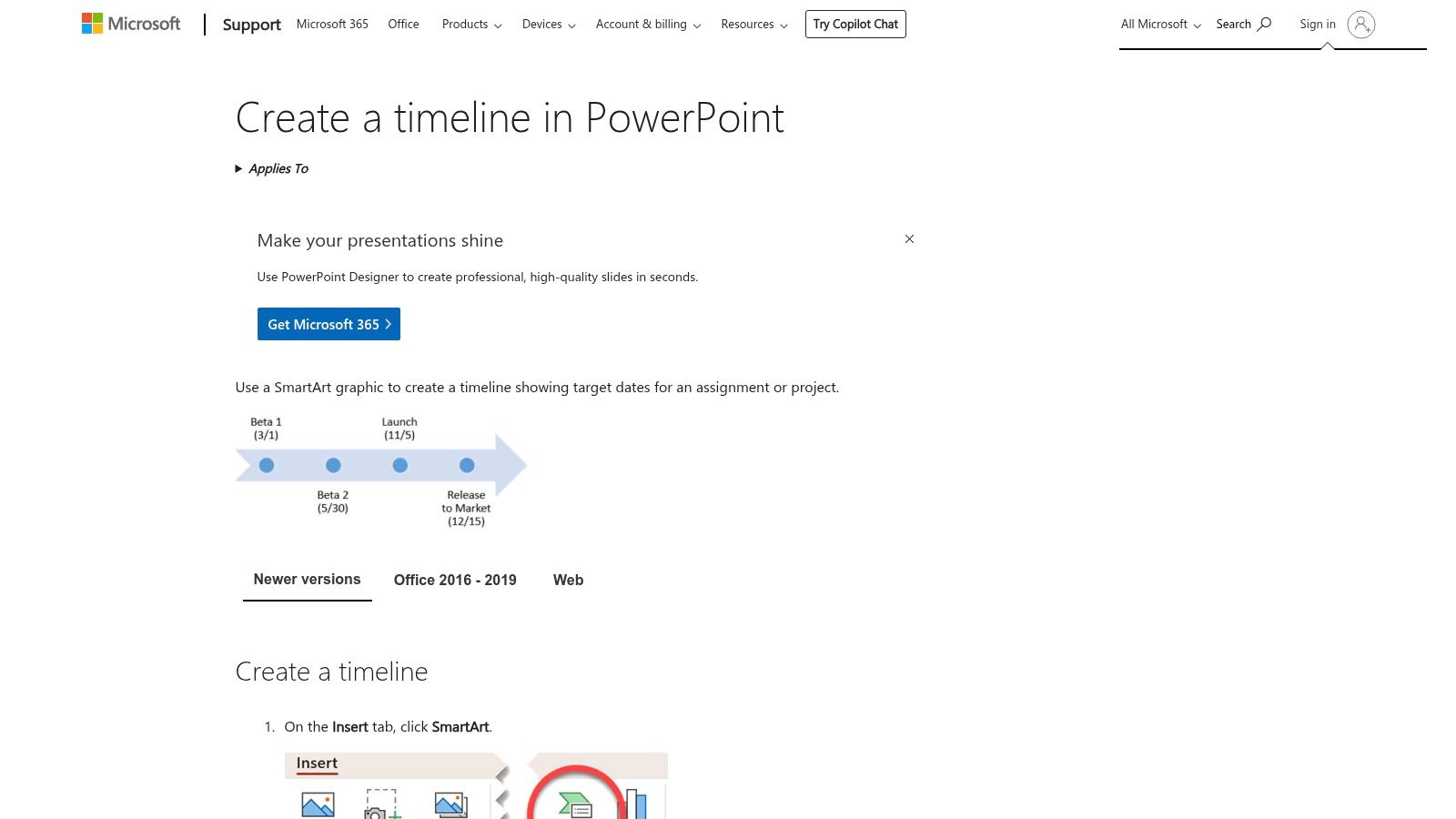
The main advantage is its native integration within the most common presentation software in the business world. Teams can quickly generate visuals like a Basic Timeline or Circle Accent layout, apply brand colors with a single click, and embed them directly into stakeholder reports or pitch decks. This method bypasses the need to import images or struggle with formatting, ensuring the timeline looks professional and is easy to edit right up to the meeting time.
Our Assessment
| Category | Rating | Summary |
|---|---|---|
| Ease of Use | ⭐⭐⭐⭐ | Very simple for anyone familiar with PowerPoint. The SmartArt interface is intuitive. |
| Customization | ⭐⭐⭐ | Good for visual styling (colors, fonts, effects) but structurally limited to pre-set layouts. |
| Collaboration | ⭐⭐⭐ | Easy to share within a presentation file, but lacks interactive or real-time project tracking. |
| Overall | ⭐⭐⭐ | An excellent solution for creating high-level, static timelines for presentations and client reporting. |
PowerPoint timelines are purely for visual representation. They are not linked to project data and must be updated manually, making them unsuitable for detailed project tracking. Any change in the project schedule requires manually editing the SmartArt graphic, which is inefficient for dynamic, fast-moving projects.
- Best for: Client-facing presentations, project kickoff meetings, and high-level reporting.
- Not for: Detailed, day-to-day project management or tracking dependencies.
Link: Create a timeline in PowerPoint
3. Smartsheet
Smartsheet offers one of the most extensive and well-organized libraries for anyone seeking a project timeline template free of charge, regardless of their preferred software. The platform provides a rich collection of downloadable templates compatible with Excel, Google Sheets, and PowerPoint, catering to a wide array of industries and specific use cases. This makes it an ideal resource for agencies needing specialized timelines, such as those for construction projects, marketing campaigns, or product launches, without committing to Smartsheet’s own software.
The key benefit is the sheer variety and the freedom to download templates directly without mandatory account creation. Each template page also includes helpful guidance and tips on how to effectively use project timelines, adding an educational layer. This approach allows teams to quickly find and implement a suitable template in the tool they already use, making it a highly practical and accessible option for immediate project planning needs.
Our Assessment
| Category | Rating | Summary |
|---|---|---|
| Ease of Use | ⭐⭐⭐⭐⭐ | Extremely easy to find and download templates in multiple formats without any sign-up process. |
| Customization | ⭐⭐⭐⭐ | High, as templates are provided for Excel and Google Sheets, allowing for full native customization. |
| Collaboration | ⭐⭐⭐ | Dependent on the software used (e.g., Google Sheets for real-time), not a feature of the templates themselves. |
| Overall | ⭐⭐⭐⭐ | A top-tier resource for a diverse range of high-quality, free templates in familiar formats. |
While the templates are free, the website is designed to guide users toward Smartsheet's paid project management platform. The marketing content is present but doesn't obstruct access to the free downloads. For agencies looking for a quick, no-strings-attached template for a specific purpose, this is an excellent and reliable source.
- Best for: Agencies needing industry-specific templates in various formats (Excel, Sheets, PowerPoint).
- Not for: Teams looking for a fully integrated, all-in-one project management solution.
Link: Smartsheet Project Timeline Templates
4. Vertex42
For those seeking a more refined spreadsheet experience, Vertex42 is a long-standing and trusted source for high-quality Excel templates. Their project timeline template free collection stands out for its clean design and practical application. The templates, available in styles like stacked bar and scatter-based charts, are intentionally formula-light. This makes them exceptionally easy to customize for agency projects without needing advanced spreadsheet knowledge, offering a significant step up from basic built-in options.
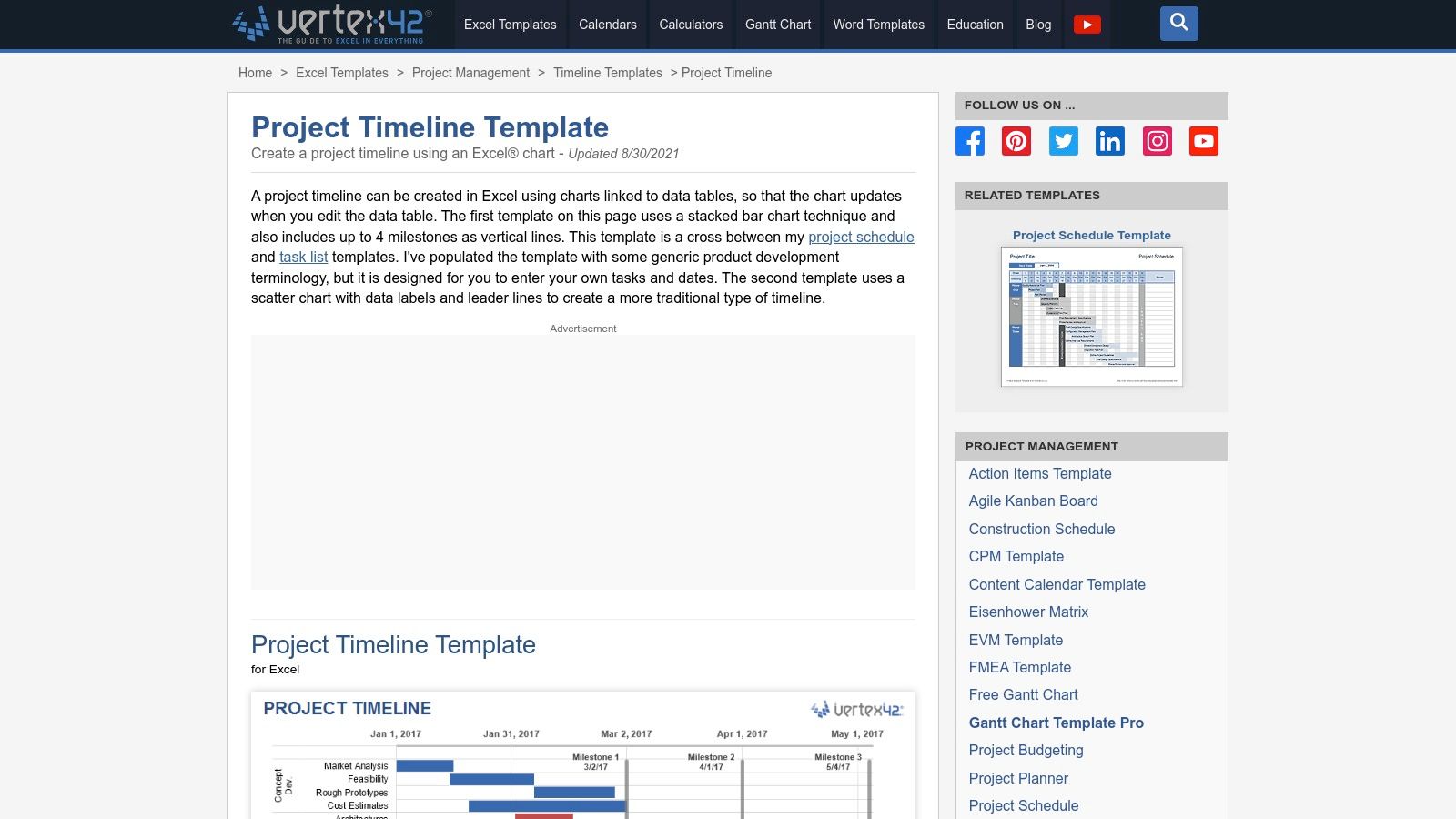
The key benefit of Vertex42 templates is their professional polish and excellent documentation. Each download comes with clear instructions and tips, helping users get the most out of the file immediately. They are perfect for creating visually appealing timelines with clear milestone markers for client presentations or internal reviews. While many are designed for Excel, the site often provides links to Google Sheets compatible versions, offering some flexibility.
Our Assessment
| Category | Rating | Summary |
|---|---|---|
| Ease of Use | ⭐⭐⭐⭐ | Very straightforward for anyone with basic Excel skills. Excellent documentation helps bridge any gaps. |
| Customization | ⭐⭐⭐ | Easy to modify colors, fonts, and data, but lacks dynamic, automated features of dedicated PM tools. |
| Collaboration | ⭐⭐⭐ | Relies on the host application (Excel/Sheets) for sharing. Good for co-editing but no built-in communication. |
| Overall | ⭐⭐⭐ | A top-tier choice for agencies wanting a professional-looking, easy-to-edit spreadsheet timeline without the complexity. |
The main limitation is the private-use license, which restricts commercial redistribution, though internal agency and client reporting use is typically fine. Like other spreadsheet solutions, these templates lack automated scheduling or dependency tracking; all updates must be made manually. They function best for projects where a clear, static visual representation of the timeline is the primary goal.
- Best for: Creating clean, well-documented timelines for presentations and status reports.
- Not for: Live project management or projects with complex, shifting dependencies.
Link: Vertex42 Project Timeline Template
5. ProjectManager
For agencies looking for a bridge between static spreadsheets and a dynamic project management platform, ProjectManager offers a smart solution. They provide a project timeline template free for download in Excel, designed as a direct on-ramp to their more powerful online software. This approach allows teams to start planning immediately with a familiar tool and then seamlessly import that data into a live environment when the project's complexity grows. The template includes key fields like task duration, milestones, and percent complete.

The standout feature is the clear upgrade path. While the Excel file works perfectly as a standalone document, importing it into ProjectManager's software unlocks real-time Gantt charts, Kanban boards, and collaborative dashboards. This makes it an ideal choice for agencies that anticipate needing more sophisticated tracking and reporting capabilities down the line but want to begin with a simple, no-cost template. It effectively de-risks the transition to a dedicated project management tool.
Our Assessment
| Category | Rating | Summary |
|---|---|---|
| Ease of Use | ⭐⭐⭐⭐ | The initial Excel template is very easy to use. The software has a modern interface but requires a small learning curve. |
| Customization | ⭐⭐⭐ | The Excel template is fully customizable, but the software's customization is tied to its feature set and pricing tier. |
| Collaboration | ⭐⭐⭐ | Limited to Excel's capabilities initially. Full collaboration (comments, assignments) requires upgrading to the paid software. |
| Overall | ⭐⭐⭐⭐ | An excellent hybrid model that serves both basic and advanced needs, offering a clear path for scaling project management efforts. |
The primary limitation is that the most valuable features, like live dashboards and multi-view project tracking, are locked behind a paid subscription. The free offering is essentially a well-designed lead-in to their core product. However, for agencies testing the waters of more formal project management, this "start free, then upgrade" model is incredibly practical.
- Best for: Agencies that want to start with a simple template but plan to scale to a full project management tool.
- Not for: Teams needing advanced, free collaboration features from the outset.
Link: ProjectManager Project Timeline Template
6. TeamGantt
TeamGantt provides a unique hybrid approach for agencies looking for a project timeline template free of charge. It bridges the gap between static spreadsheets and dynamic project management software by offering both a free Excel scheduling template and a free tier for its intuitive online Gantt chart maker. This makes it an ideal starting point for teams wanting to begin with a familiar spreadsheet format but quickly graduate to a more collaborative, web-based tool.
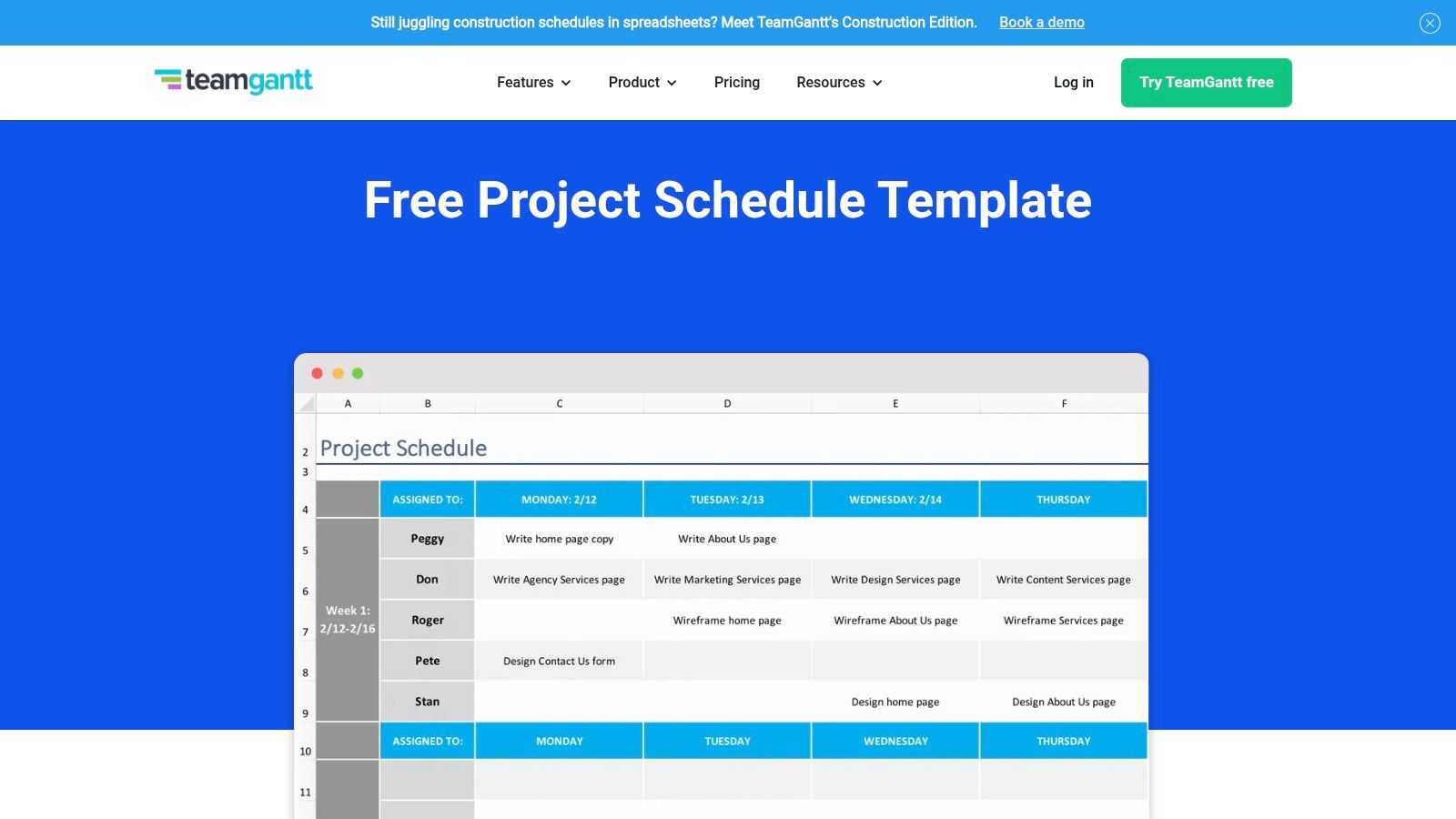
The main advantage is the clear upgrade path. Agencies can download the Excel template instantly, without an email requirement, to draft initial plans. When the project requires real-time collaboration or task dependencies, they can sign up for the free online tool and import their data. The web app's drag-and-drop interface simplifies timeline adjustments, making it far more user-friendly than manually updating a spreadsheet.
Our Assessment
| Category | Rating | Summary |
|---|---|---|
| Ease of Use | ⭐⭐⭐⭐⭐ | Extremely beginner-friendly with a simple interface and a seamless transition from Excel to a web app. |
| Customization | ⭐⭐⭐ | Good customization in the Excel file; the web app offers solid visual and structural options on the free plan. |
| Collaboration | ⭐⭐⭐⭐ | The free web app tier allows for basic project sharing and real-time updates, a big step up from spreadsheets. |
| Overall | ⭐⭐⭐⭐ | An outstanding choice for agencies that need a simple starting point with a clear path to more robust, collaborative features. |
The primary limitation is that advanced features like portfolio views, workload management, and time tracking are reserved for paid subscriptions. The free online plan is generous for a single project but can feel restrictive for managing an entire agency's client portfolio.
- Best for: Agencies transitioning from spreadsheets to a dedicated PM tool.
- Not for: Teams needing advanced resource management or portfolio views on a free plan.
Link: TeamGantt Free Scheduling Template
7. Asana
For teams seeking more than a static spreadsheet, Asana offers a powerful project timeline template free within its robust work management platform. This isn't just a file to download; it's an interactive, dynamic tool built into Asana's ecosystem. The template leverages the platform’s Timeline View, a Gantt-style interface that allows teams to map out project schedules, set dependencies, and visualize the entire project lifecycle from start to finish.
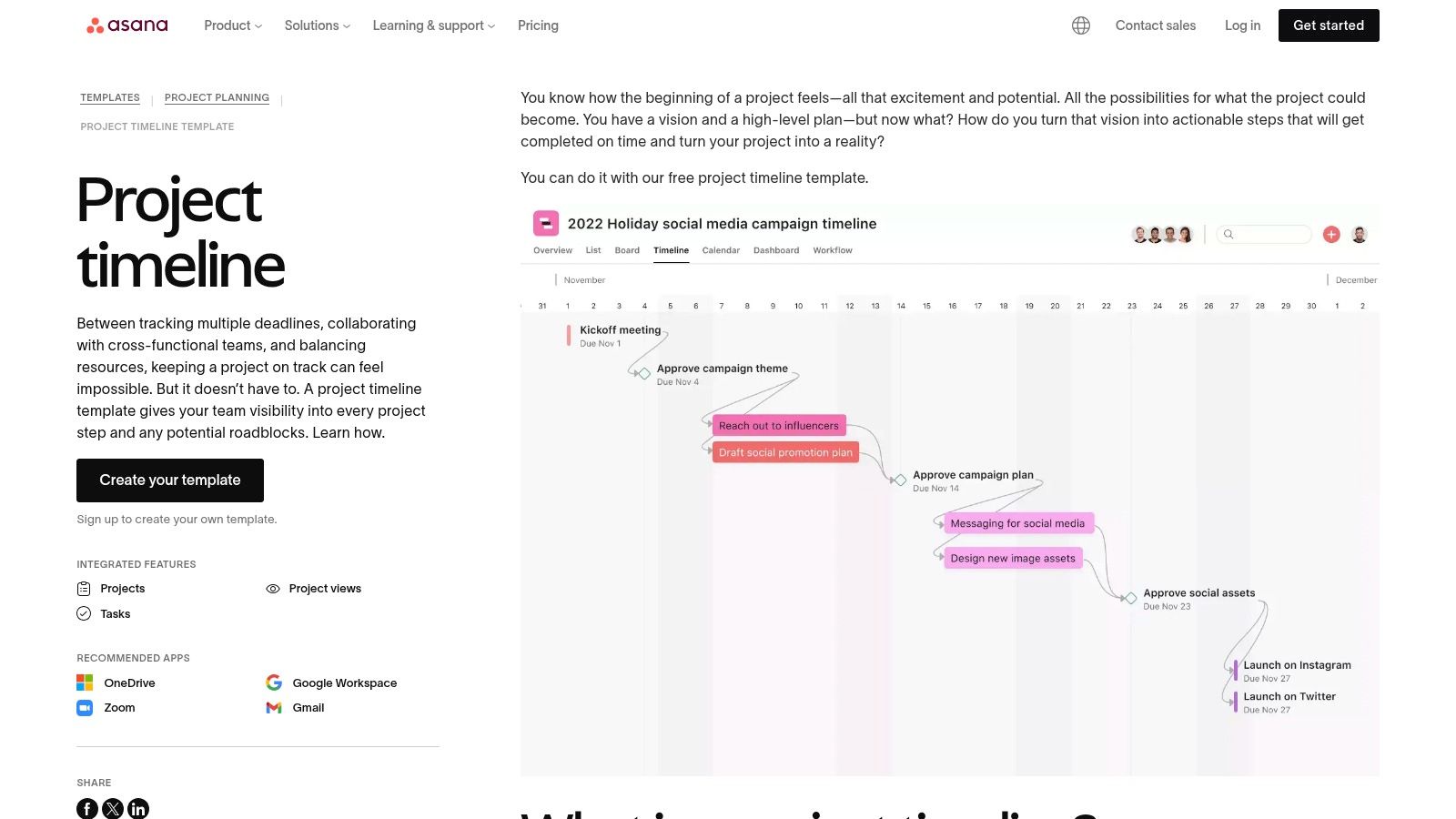
The key benefit is integrating your timeline directly with task management. Each item on the timeline is a live task that can be assigned, commented on, and updated. This connection ensures the timeline is always a real-time reflection of project progress, not a document that needs manual updates. Drag-and-drop functionality makes it simple to adjust deadlines, and task dependencies automatically shift subsequent tasks when a predecessor's dates change.
Our Assessment
| Category | Rating | Summary |
|---|---|---|
| Ease of Use | ⭐⭐⭐⭐ | The drag-and-drop interface is intuitive, though there's a slight learning curve for the full platform. |
| Customization | ⭐⭐⭐⭐ | Highly customizable within the Asana framework; add custom fields, sections, and task details. |
| Collaboration | ⭐⭐⭐⭐⭐ | Excellent real-time collaboration with comments, file attachments, and @-mentions on each task. |
| Overall | ⭐⭐⭐⭐ | A top-tier choice for agencies needing a dynamic, integrated timeline connected to daily work management. |
While Asana’s free tier is generous for small teams, larger agencies may find its limitations, such as the lack of advanced portfolio views or custom fields, a reason to upgrade to a paid plan. The functionality is also tied to the Asana platform, so it’s not a standalone file you can easily share with clients who don't use the tool.
- Best for: Agencies managing active projects within a dedicated work management tool.
- Not for: Those needing a simple, shareable file for external stakeholders unfamiliar with Asana.
Link: Asana Project Timeline Template
8. Canva
When a project timeline needs to be more of a visual presentation than a functional spreadsheet, Canva is the go-to tool. It offers a vast library of design-forward templates perfect for creating polished, client-facing graphics. Instead of focusing on task dependencies and resource management, Canva excels at producing visually appealing timelines for presentations, proposals, and project kickoff meetings, where clarity and aesthetics are paramount. Agencies can find a project timeline template free and customize it in minutes.
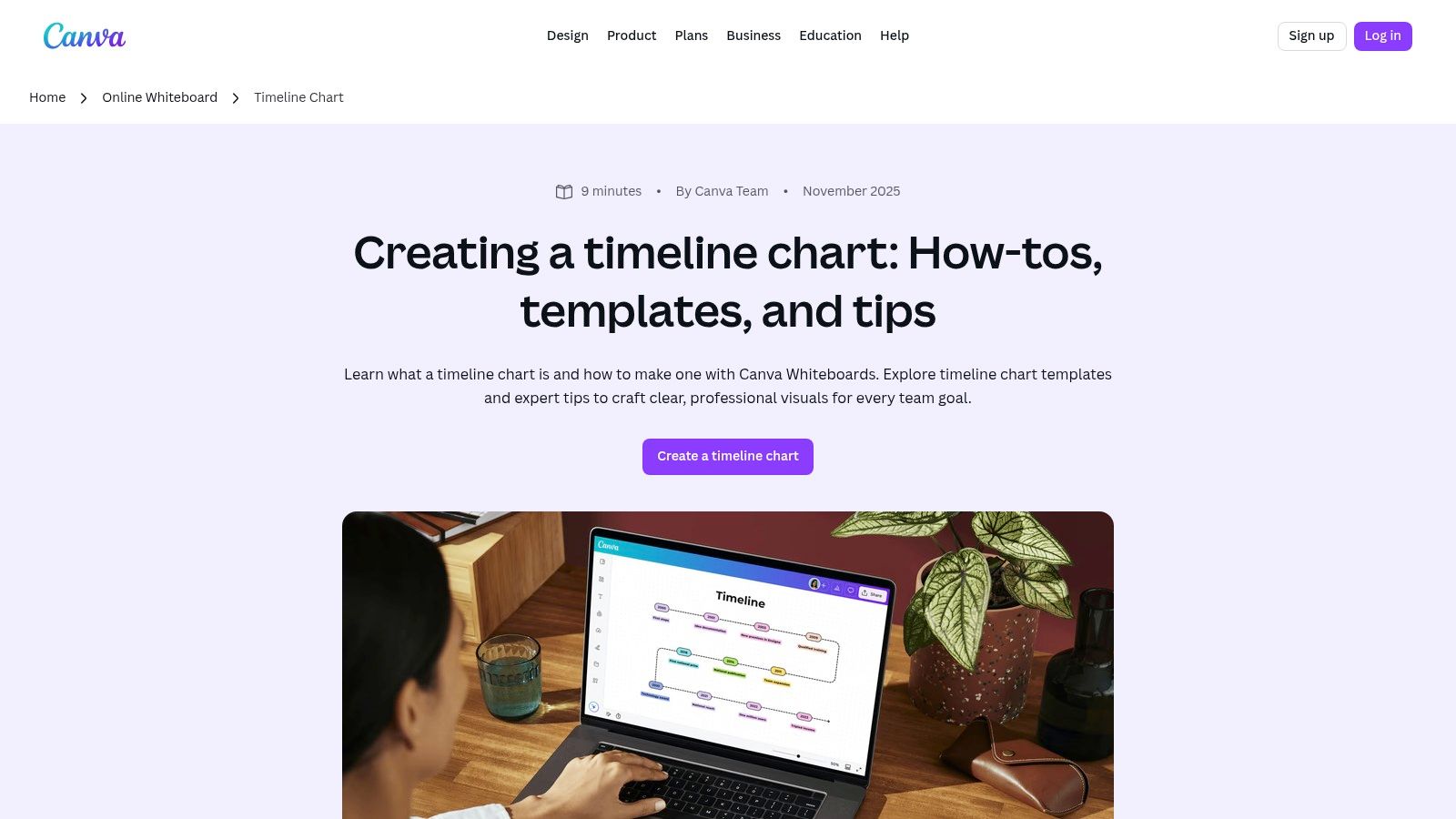
The platform’s strength lies in its drag-and-drop interface and extensive asset library. You can quickly add your agency’s branding, change colors, and insert icons to match the project's theme. The real-time collaboration features are great for team brainstorming sessions, and the ability to export to high-quality PNG, PDF, or even PPT formats makes it incredibly versatile for client communication. This makes it an ideal supplementary tool to a more robust project management system.
Our Assessment
| Category | Rating | Summary |
|---|---|---|
| Ease of Use | ⭐⭐⭐⭐⭐ | Extremely intuitive drag-and-drop interface requires no design experience. |
| Customization | ⭐⭐⭐⭐ | Excellent visual customization with vast libraries of fonts, icons, and graphics. |
| Collaboration | ⭐⭐⭐ | Good for real-time design collaboration and commenting, but not for project task management. |
| Overall | ⭐⭐⭐⭐ | The best choice for creating beautiful, presentation-ready timelines that impress clients. |
While Canva’s free plan is very generous, some of the more premium templates, icons, and advanced collaboration features are locked behind the Canva Pro subscription. It is not a project management tool; it lacks any functional timeline capabilities like automated date adjustments, task assignments, or progress tracking. It’s purely for visual representation.
- Best for: High-level project roadmaps for client presentations and proposals.
- Not for: Detailed, functional project management or day-to-day task tracking.
Link: Canva Timeline Chart Maker
9. ClickUp
ClickUp moves beyond static templates into a dynamic, all-in-one project management platform. While it offers a vast library of templates, its core strength is the native Timeline view, which functions as a powerful, interactive Gantt chart. For agencies needing more than a simple visual, ClickUp provides a project timeline template free within a system built for complex workflows, dependencies, and real-time collaboration. The platform is designed to scale with your project's complexity.
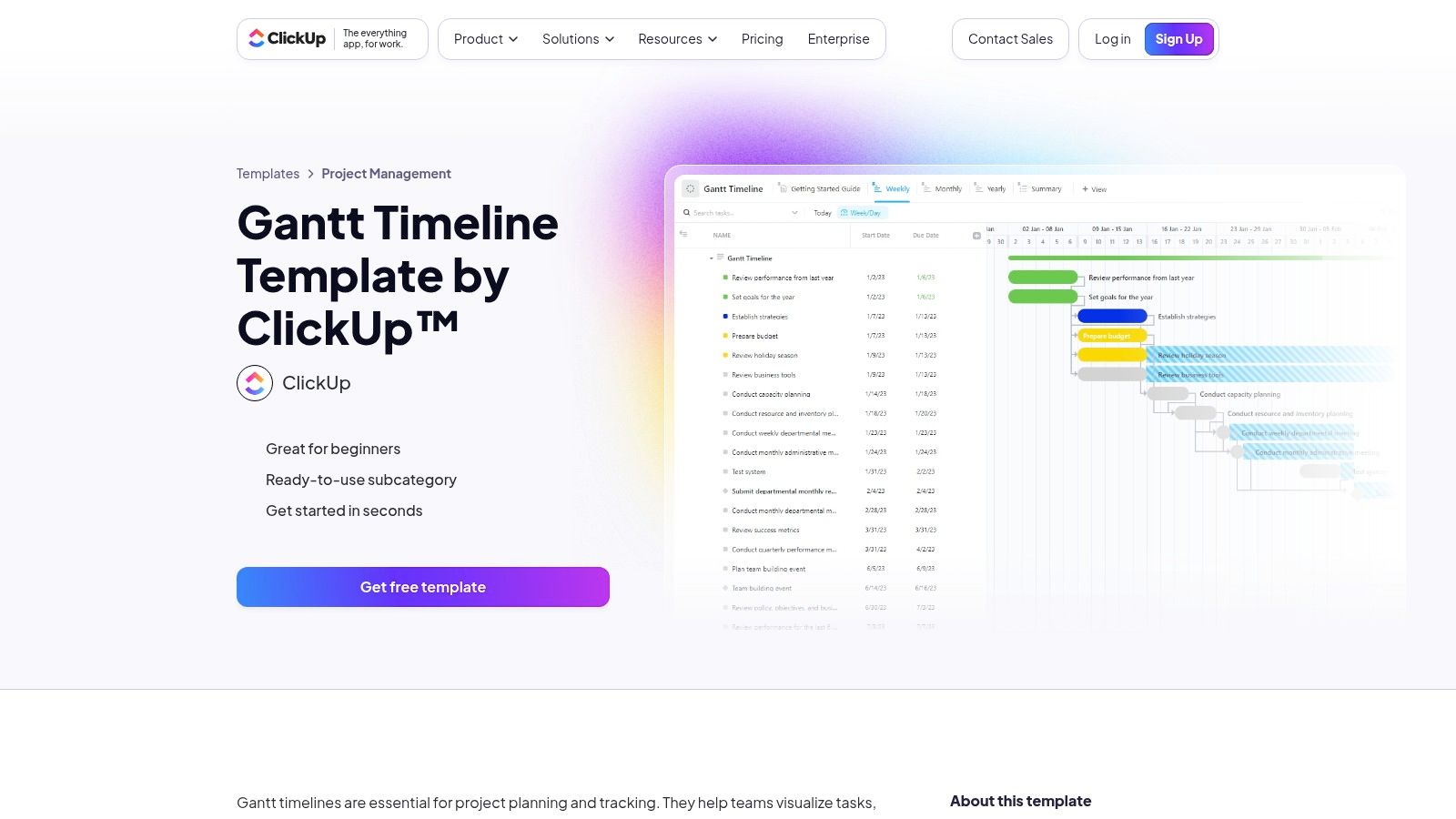
The primary advantage is its robust feature set, available even on the generous free forever plan. Users can set dependencies with clear visual connectors, create milestones, and adjust time scales from daily to yearly views. Custom fields and statuses allow agencies to tailor the timeline precisely to their specific project stages, from "Client Review" to "Awaiting Feedback." This makes it a comprehensive solution that can replace multiple single-purpose tools.
Our Assessment
| Category | Rating | Summary |
|---|---|---|
| Ease of Use | ⭐⭐⭐ | Powerful, but the extensive features can present a steeper learning curve for new users. |
| Customization | ⭐⭐⭐⭐⭐ | Extremely high. Custom fields, statuses, and views allow for deep workflow personalization. |
| Collaboration | ⭐⭐⭐⭐ | Strong real-time collaboration with comments, assignments, and notifications built directly into tasks. |
| Overall | ⭐⭐⭐⭐ | A top-tier choice for agencies ready to graduate from spreadsheets to a full project management system. |
However, the sheer depth of features can be overwhelming for those seeking a simple, one-off timeline for a small project. Configuring a template to perfectly match your agency's workflow may require an initial time investment. It's a powerful tool, but its complexity might be overkill for very basic needs.
- Best for: Agencies managing multiple complex projects with overlapping dependencies.
- Not for: Individuals or teams needing a quick, simple visual for a single project.
Link: ClickUp Gantt & Timeline Templates
10. Miro
For agencies that prioritize visual collaboration and brainstorming, Miro offers a dynamic alternative to traditional spreadsheet templates. Its infinite canvas is an ideal environment for building a project timeline template free from the constraints of rows and columns. Miro provides several pre-made timeline templates, allowing teams to map out project phases, product roadmaps, and key milestones in a highly interactive and visual format that excels in workshop settings.
The platform’s strength lies in its real-time, multi-user collaboration. Team members and clients can simultaneously add sticky notes, connect ideas with arrows, and comment directly on the board, making it perfect for kickoff meetings and cross-functional planning sessions. The drag-and-drop interface and customizable elements allow for the creation of truly bespoke visual roadmaps that can evolve with the project.
Our Assessment
| Category | Rating | Summary |
|---|---|---|
| Ease of Use | ⭐⭐⭐⭐ | Highly intuitive drag-and-drop interface makes it easy to build visual timelines quickly. |
| Customization | ⭐⭐⭐⭐ | Near-infinite visual customization on the canvas, though structured timeline features are less robust. |
| Collaboration | ⭐⭐⭐⭐⭐ | Best-in-class real-time collaboration with commenting, cursors, and live editing. |
| Overall | ⭐⭐⭐⭐ | A top-tier choice for visual-first teams who need a collaborative space for planning and roadmapping. |
While the free plan is generous, more advanced features, such as the interactive Timeline widget (beta) and private boards, are part of paid tiers. The platform is less suited for granular task management and detailed data tracking compared to a dedicated project management tool, functioning more as a high-level planning and visualization space.
- Best for: Collaborative workshops, high-level project roadmapping, and visual planning sessions.
- Not for: Detailed, data-heavy project management with granular task dependencies.
Link: Miro Timeline Template
11. Notion
For teams seeking an all-in-one workspace, Notion provides a project timeline template free through its extensive template gallery and community contributions. Unlike traditional spreadsheets, Notion integrates project timelines directly with documentation, notes, and task management using its powerful database "Timeline" view. This creates a single source of truth where project schedules live alongside the context, briefs, and deliverables, making it a dynamic hub for agency operations.
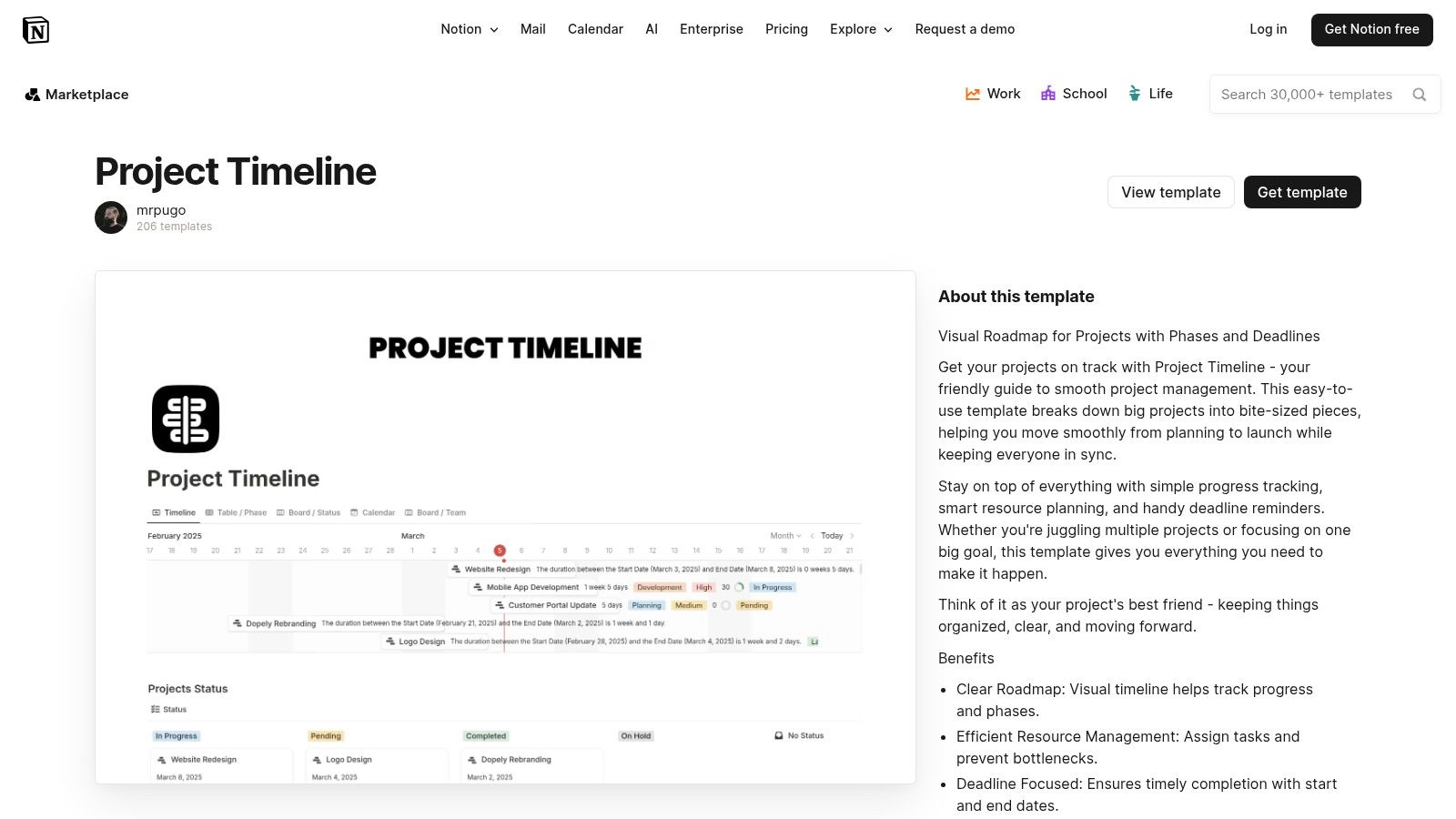
The key benefit is its flexibility. A Notion timeline is not just a static chart; it's an interactive database where each item can be a rich document containing subtasks, owners, files, and comments. This makes it ideal for content calendars, product roadmaps, and client project plans that require more than just dates. Teams already using Notion will find adding a timeline a seamless extension of their existing workflow, connecting strategy directly to execution.
Our Assessment
| Category | Rating | Summary |
|---|---|---|
| Ease of Use | ⭐⭐⭐ | Intuitive for existing Notion users, but has a learning curve for newcomers. Setup is required. |
| Customization | ⭐⭐⭐⭐⭐ | Extremely high. Can be tailored to nearly any workflow by adding properties, views, and relations. |
| Collaboration | ⭐⭐⭐⭐ | Excellent real-time collaboration with comments, mentions, and shared workspaces. |
| Overall | ⭐⭐⭐⭐ | A top-tier free option for teams wanting to integrate timelines with broader project documentation and knowledge management. |
While incredibly powerful, Notion's strength can also be its weakness. The sheer number of features can be overwhelming, and setting up the perfect template requires some initial effort. While the free tier is generous, more advanced project management features like granular permissions or deeper analytics are part of paid plans.
- Best for: Agencies that want a single, integrated workspace for timelines, tasks, and documentation.
- Not for: Teams needing a simple, standalone Gantt chart without the knowledge base features.
Link: Notion Project Timeline Templates
12. Lucidchart
For agencies that need to create visually impressive and easily shareable timelines, Lucidchart offers a powerful, cloud-based diagramming tool. While not just for timelines, its library includes a diverse range of templates that can be adapted for project planning, from simple event sequences to complex, multi-stream roadmaps. It provides a polished alternative to spreadsheet-based timelines, making it ideal for client presentations and high-level strategic planning.
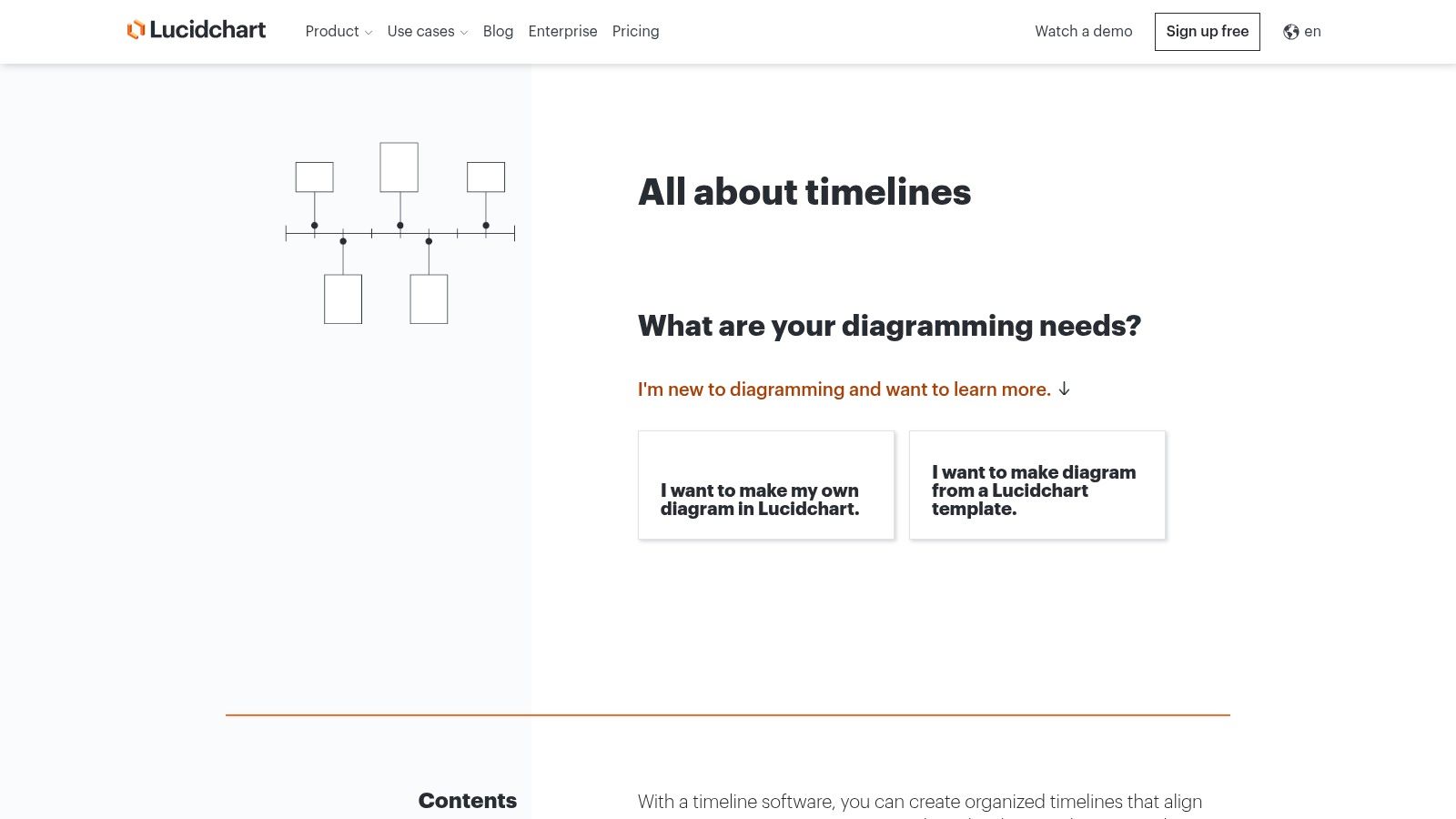
The platform's strength lies in its intuitive drag-and-drop interface and robust collaboration features. Team members can comment directly on the timeline, tag colleagues, and co-edit in real-time. Lucidchart’s extensive integrations with tools like Slack, Google Workspace, and Microsoft Teams allow agencies to embed timelines directly into their existing communication workflows, ensuring everyone has access to the latest version. This makes it a great choice for a project timeline template free from the constraints of traditional document formats.
Our Assessment
| Category | Rating | Summary |
|---|---|---|
| Ease of Use | ⭐⭐⭐⭐ | The drag-and-drop interface is highly intuitive, requiring minimal training to create professional visuals. |
| Customization | ⭐⭐⭐⭐ | Excellent control over visual elements, shapes, colors, and layout for brand-aligned presentations. |
| Collaboration | ⭐⭐⭐⭐ | Top-tier real-time co-editing, commenting, and integration with communication platforms. |
| Overall | ⭐⭐⭐⭐ | A superb tool for creating presentation-ready timelines with strong collaborative features, though limited on the free plan. |
The main limitation is the free tier, which restricts users to three editable documents and provides access to a smaller subset of templates. For agencies managing numerous projects simultaneously, this can be a significant constraint. However, for occasional high-stakes presentations or creating a master project overview, the free version is an exceptional resource.
- Best for: Creating high-quality, presentation-ready timelines for client meetings and strategic planning.
- Not for: Agencies needing to manage a large portfolio of active project timelines on the free plan.
Link: Lucidchart Timeline Maker
12 Free Project Timeline Templates Compared
| Tool | Core features | UX & Quality ★ | Value / Pricing 💰 | Target audience 👥 | Unique selling points ✨🏆 |
|---|---|---|---|---|---|
| Microsoft Excel templates (official) | Prebuilt timeline/milestone sheets, web + desktop, OneDrive sharing | ★★★ | 💰 Free (full features may need M365) | 👥 Spreadsheet-first PMs, agencies needing quick reports | ✨ Familiar Excel format, fast status reporting; 🏆 Microsoft-first |
| Microsoft PowerPoint (official how-to) | SmartArt timeline layouts, step-by-step editing, web + desktop | ★★★★ | 💰 Free with Office/M365 | 👥 Presenters, client-facing teams | ✨ Fast, native presentable timelines; 🏆 Ubiquitous presentation tool |
| Smartsheet | Large template library (Excel/Sheets/PPT/Smartsheet), guidance | ★★★★ | 💰 Templates free; product paid | 👥 Users wanting industry-specific template variety | ✨ Broad selection + multi-format downloads |
| Vertex42 | Formula-light Excel timelines, stacked-bar/scatter, Gantt links | ★★★★ | 💰 Free (private-use license) | 👥 Excel users seeking clean, editable templates | ✨ Well-documented, trusted templates |
| ProjectManager | Excel timeline + import into app (Gantt/Kanban/Calendar) | ★★★ | 💰 Template free; app paid tiers | 👥 Teams planning to scale from sheet → live tool | ✨ Smooth on-ramp to dashboards and reports |
| TeamGantt | Free Excel template + drag-and-drop online Gantt, dependencies | ★★★★ | 💰 Freemium (paid for advanced) | 👥 Beginners & small teams needing collaboration | ✨ Easy spreadsheet → web app transition |
| Asana | Built-in Timeline (Gantt), dependencies, integrations | ★★★★ | 💰 Freemium (advanced features paid) | 👥 Task-focused teams & agencies | 🏆 Mature PM platform with strong Timeline view |
| Canva | Design-first timeline templates, drag-and-drop, PNG/PDF/PPT export | ★★★★★ | 💰 Freemium (Pro for teams) | 👥 Designers, client-facing teams | ✨ Polished, brandable client visuals fast |
| ClickUp | Gantt/Timeline views, dependencies, custom fields, many views | ★★★★ | 💰 Generous free plan; paid tiers | 👥 Teams wanting all-in-one customizable PM | 🏆 Robust feature set + template library |
| Miro | Visual timeline templates, interactive timeline widget, realtime collab | ★★★★ | 💰 Freemium; paid for advanced boards | 👥 Workshop facilitators, cross-functional teams | ✨ Infinite canvas + real-time collaboration |
| Notion | Timeline database view, docs + tasks combined, community templates | ★★★ | 💰 Freemium; paid tiers | 👥 Teams wanting unified docs + timelines | ✨ Single workspace for docs/tasks + community templates |
| Lucidchart | Editable vertical/horizontal timelines, collaboration, integrations | ★★★★ | 💰 Freemium; paid for heavy use | 👥 PMs & designers needing diagram-quality visuals | 🏆 Professional, presentation-ready timeline visuals |
Beyond Templates: The Leap to a Truly Integrated Agency OS
We've explored a comprehensive array of free project timeline templates, from the familiar grids of Excel and Google Sheets to the dynamic canvases of Miro and Lucidchart. Each tool offers a powerful starting point, a way to impose structure on complex projects and provide much-needed visibility to clients and internal teams alike. For agencies just beginning to formalize their processes or for one-off projects with simple requirements, a high-quality project timeline template free from this list can be an invaluable asset.
These templates succeed in creating a visual roadmap, transforming abstract goals into a concrete sequence of tasks, milestones, and deadlines. They are excellent for initial planning, client presentations, and establishing a baseline for project execution. However, as your agency grows and your projects increase in complexity, you will inevitably reach an operational ceiling. This is the point where the very nature of a template becomes its greatest limitation.
The Disconnected Data Dilemma
The fundamental challenge with any template, no matter how well-designed, is that it exists in isolation. Your project timeline in a PowerPoint slide is a static snapshot, disconnected from the actual task management happening in Asana, the client conversations in your inbox, the scope documents in Google Drive, and the time tracking that dictates your billing.
This fragmentation creates significant operational drag. Project managers spend hours manually updating timelines to reflect real-world progress, creating a constant risk of version control issues. There is no single, reliable source of truth. Answering a simple question like, "Are we on track and on budget?" requires cross-referencing multiple, disconnected systems. This is the operational chaos that even the most sophisticated project timeline template free simply cannot solve. It's a document, not a dynamic system.
Evolving from Templates to an Agency Operating System
The next logical step in an agency's evolution is to move beyond managing projects with disparate documents and transition to running the entire business on a unified platform. This is where a true Agency Operating System (OS) becomes essential. It's not about finding a better template; it’s about fundamentally changing how work, communication, and finances are interconnected.
An Agency OS like RGK is designed specifically to solve this fragmentation. It integrates project timelines directly with task management, resource allocation, client communication, and financial tracking. The timeline is no longer a separate artifact to be updated; it becomes a living, breathing component of the project itself, automatically reflecting progress as tasks are completed.
Furthermore, integrating an AI assistant like Greta elevates this capability to another level. Greta can proactively analyze project data against the established timeline, flagging potential budget overruns, identifying at-risk tasks, and providing predictive insights that are impossible to glean from a static spreadsheet. It transforms the timeline from a passive planning tool into an active, intelligent risk-management system. The leap is from manually plotting a course to having an intelligent navigator that helps you steer the ship.
This transition represents a move from simply documenting the work to optimizing the entire workflow. It’s about creating an environment where your timeline, your team's capacity, and your agency's profitability are all part of the same, interconnected conversation. While the free templates in this guide are excellent first steps, a truly scalable and efficient agency requires a unified system built for the unique pressures of client service work.
Ready to move beyond the limitations of static templates? RGK provides a unified Agency Operating System where your timelines, tasks, and financials are always in sync. See how an integrated platform can eliminate manual updates and provide real-time project intelligence by exploring RGK today.