Top 12 Project Management Tools for Creative Agencies in 2025

Creative agencies run on a unique blend of chaotic brilliance and hard deadlines. While a simple Kanban board might work for tracking personal tasks, scaling an agency requires a system that understands client approvals, asset versioning, resource allocation, and profitability, all at once.

Duct-taping together generic project management tools with separate apps for time tracking, billing, and client communication creates operational drag. This approach eats into margins and leaves your team drowning in administrative work instead of doing what they do best: creating. When a tool can't handle visual feedback or accurately track non-billable creative time, it's failing your business model. The right platform should enhance creativity, not stifle it with clumsy workflows.

This guide moves beyond surface-level feature lists to provide a deep, honest assessment of the leading project management tools for creative agencies. We'll explore platforms built for visual collaboration, systems designed to unify your entire operation, and tools that can give you a true picture of project profitability.

We will analyze 12 of the most effective solutions, including specialized agency platforms like Productive.io and Workamajig alongside adaptable powerhouses such as Monday.com and ClickUp. For each tool, you'll find a detailed breakdown covering:

  • Key creative-centric features like proofing and resource management.
  • Honest pros and cons based on real-world use cases.
  • Specific "best for" scenarios to match a tool to your agency's size and workflow.
  • Transparent pricing information and integration capabilities.

Each review includes screenshots and direct links, giving you everything needed to start your evaluation. If you're ready to replace operational chaos with a streamlined system that actually supports creative work, this is your starting point.

1. RGK

Best for: Agencies seeking a unified operating system to eliminate tool fragmentation.

RGK (Run – Grow – Keep) presents a compelling alternative to the conventional approach of stitching together multiple disconnected apps. Developed by agency veterans, it’s not just another project management tool; it’s a comprehensive agency operating system that consolidates CRM, project management, billing, and support ticketing into a single, synchronized platform. This unified structure eliminates the data silos and fragile integrations that often create bottlenecks and administrative overhead for creative teams.
RGK's platform showcasing a dashboard view of operational costs and project data, illustrating its integrated financial and project management capabilities.

The platform’s standout feature is Greta, a deeply integrated AI layer. Greta analyzes your agency's historical data, including client communication, project timelines, and standard operating procedures (SOPs). It then uses this context to provide intelligent automation and decision support, empowering junior staff and contractors to operate with the insight and confidence typically reserved for senior team members. This directly addresses a core challenge for scaling agencies: reducing dependence on key personnel for every critical decision.

Key Strengths & Use Cases

  • Holistic Agency Management: RGK replaces the need for separate tools for sales (CRM), delivery (PM), and support (ticketing). For instance, a new client inquiry logged in the CRM can seamlessly convert into a project with predefined tasks, budgets, and timelines, all visible within one system.
  • AI-Powered Efficiency: Greta can act as an intelligent first responder for client tickets, referencing past project data and SOPs to provide accurate, immediate answers. This frees up your project managers to focus on strategic work rather than repetitive inquiries.
  • Agency-Centric Pricing: The commercial model is designed for how agencies function, accommodating a core team with flexible, on-demand access for specialists and contractors. This avoids the punitive per-seat licensing that penalizes agencies with fluid team structures.
  • Proven in Practice: The creators of RGK use the platform to run their own successful agency, a powerful testament to its real-world viability and effectiveness.

Considerations

The primary consideration is that RGK does not publish its pricing publicly. Prospective users must contact the company for a consultation to discuss plans and migration support. Additionally, its opinionated, all-in-one nature means adoption may require a more significant change management process compared to adopting a single-point solution. However, for agencies committed to building a scalable, efficient operational foundation, RGK stands out as a powerful, purpose-built contender among project management tools for creative agencies.

Website: https://rgk.app

2. Monday.com

Monday.com positions itself as a "Work OS," a flexible platform that creative agencies can mold to their specific workflows. Its primary strength lies in its highly visual and intuitive interface, which makes it one of the most approachable project management tools for creative agencies with non-technical team members. The platform excels at transforming complex project timelines and resource allocations into colorful, easy-to-understand boards.
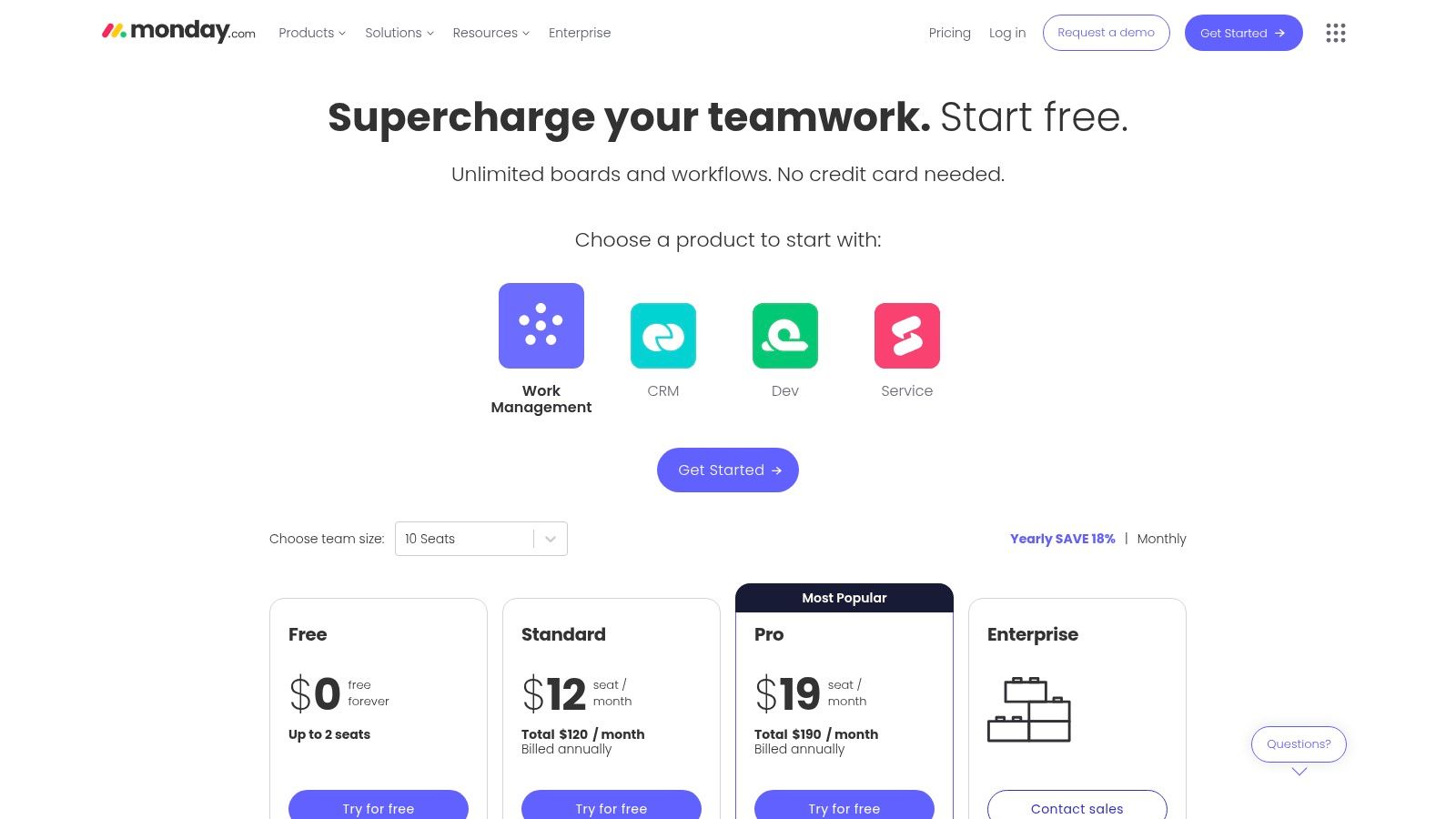
Monday.com pricing plans

This visual approach is especially useful for managing multi-faceted campaigns where art directors, copywriters, and client service teams need a shared source of truth. Features like Gantt charts, timeline views, and workload management provide a clear overview of who is doing what and when. The platform's built-in automation capabilities can handle repetitive tasks like status updates or task assignments, freeing up creative teams to focus on billable work. Guest access also streamlines client feedback loops, allowing external stakeholders to comment directly on tasks or review assets within the platform.

Key Considerations

  • Best For: Agencies needing a highly visual, flexible tool that is easy for the entire team to adopt, regardless of technical skill. It scales well from small studios to large, multi-departmental agencies.
  • Pros: Its user-friendly interface significantly lowers the barrier to entry. The extensive template library and strong integration ecosystem (connecting with tools like Adobe Creative Cloud, Slack, and Figma) are major assets.
  • Cons: The pricing structure can be a hurdle, as it's based on seat minimums and key creative-focused features (like time tracking and advanced dashboards) are reserved for higher-tier plans. Setting up complex automations may require a dedicated administrator.

Pricing: A limited free plan is available. Paid plans start at the Basic tier ($9 per seat/month), but most creative agencies will need the Standard ($12 per seat/month) or Pro ($19 per seat/month) plans to access automations, integrations, and guest access.

Website: https://monday.com/pricing

3. ClickUp

ClickUp aims to be the "one app to replace them all," offering a comprehensive suite of tools that consolidate tasks, documents, chat, goals, and more into a single platform. For creative agencies, its biggest draw is the ability to customize almost every aspect of the workspace, from custom fields for creative briefs to unique project views for different teams. This high degree of configurability makes it one of the most powerful project management tools for creative agencies looking to build a truly bespoke workflow.
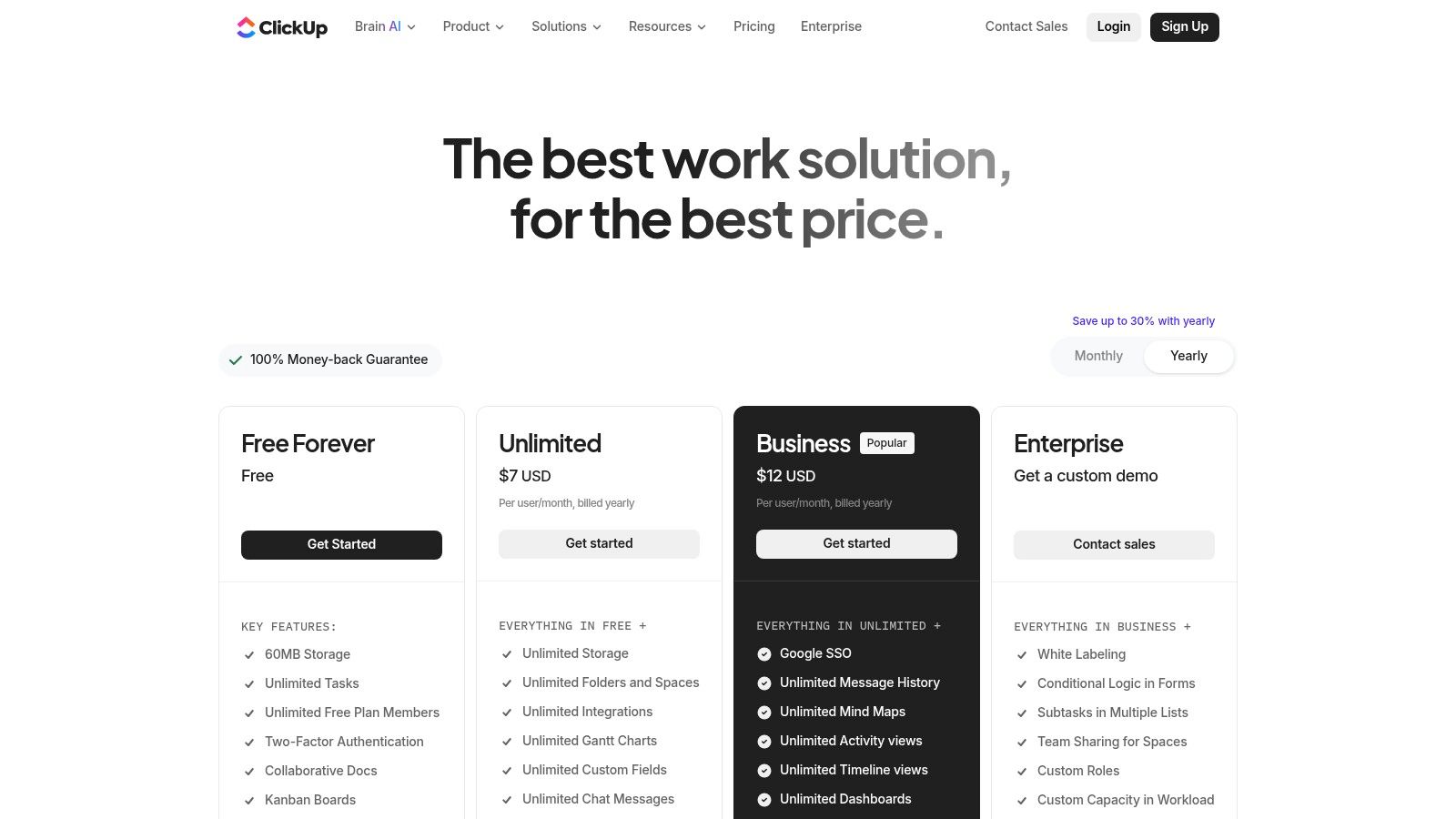
ClickUp pricing plans

The platform supports multiple views like Boards, Lists, Gantt charts, and Calendars, allowing designers, developers, and account managers to visualize work in the way that makes the most sense to them. Features like native time tracking, proofing and annotation on image/PDF assets, and integrated Docs for wikis or client notes are particularly valuable. This helps agencies reduce their reliance on a patchwork of separate applications, streamlining communication and creating a single source of truth for all project-related activities and assets. Its built-in AI assistant can also speed up tasks like writing creative briefs or summarizing client feedback.

Key Considerations

  • Best For: Agencies that want to consolidate multiple tools (like docs, tasks, and wikis) into one highly customizable platform and are willing to invest time in the initial setup.
  • Pros: It provides exceptional value on its lower-priced tiers, offering features that competitors gate behind more expensive plans. The ability to manage documents and tasks in the same place is a significant workflow advantage, and 24/7 support is a major plus.
  • Cons: The sheer number of features and customization options can be overwhelming for new users. The platform has a steeper learning curve compared to more straightforward tools, and mastering its workspace hierarchy takes practice.

Pricing: A generous "Free Forever" plan is available. Paid plans start with the Unlimited tier ($7 per user/month), but most agencies will benefit from the Business plan ($12 per user/month) for advanced features like workload management and custom exporting.

Website: https://clickup.com/pricing

4. Wrike

Wrike is a robust work management platform designed for complex operations, making it a powerful choice for established creative agencies that require end-to-end control over their workflows. It excels in managing the entire project lifecycle, from initial client requests to final asset approvals. The platform’s strength lies in its highly customizable and scalable environment, allowing agencies to build sophisticated systems for traffic management, resource planning, and creative operations.
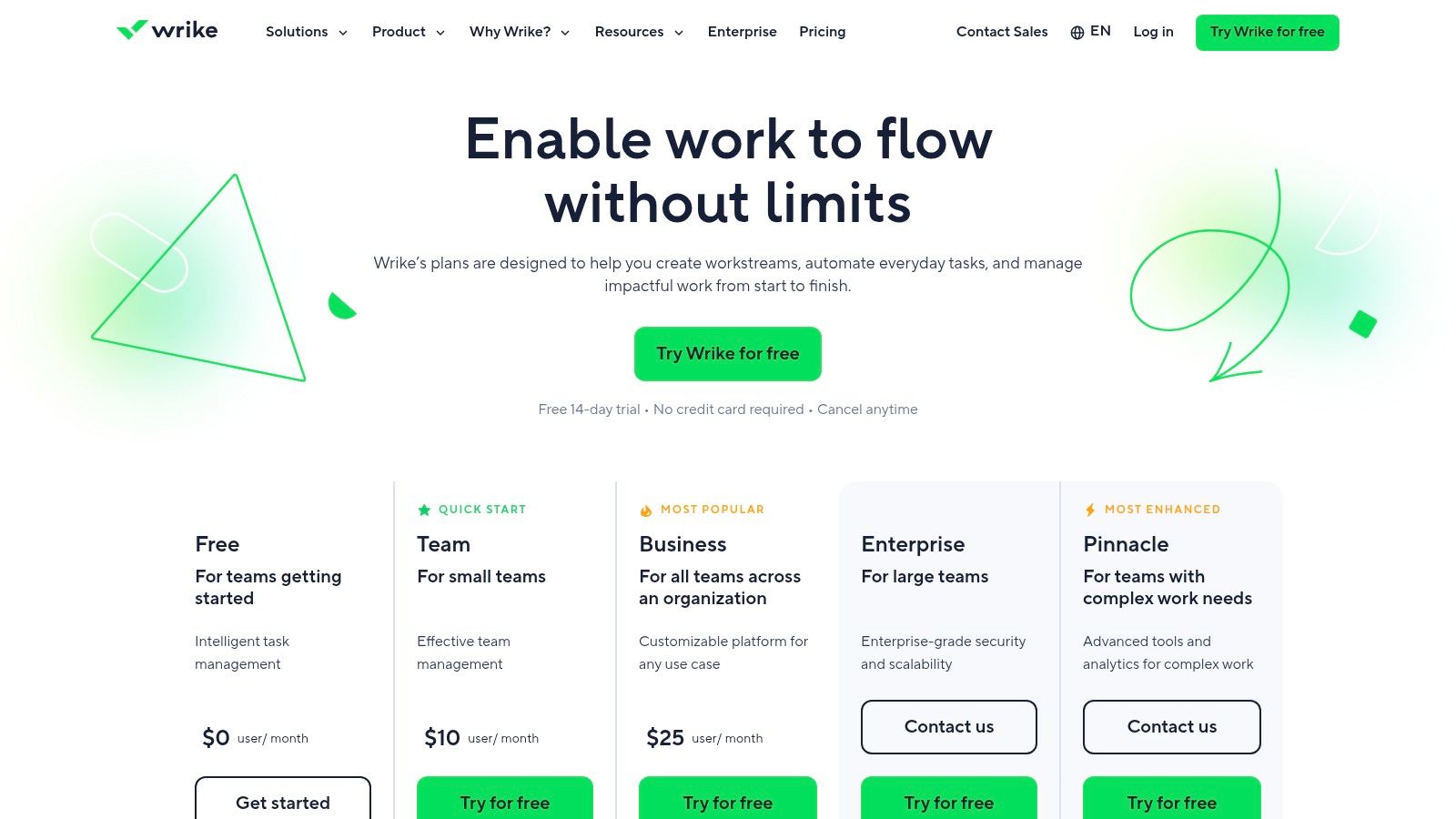
Wrike pricing plans

Its custom request forms are a standout feature, streamlining the intake process and ensuring creative briefs contain all necessary information from the start. Wrike's proofing and approval tools are particularly well-suited for creative work, allowing for detailed feedback on digital assets and seamless guest collaboration for client sign-offs. For agency leadership, resource management views provide clear insight into team capacity and workload, helping to prevent burnout and improve project forecasting. This makes it one of the more comprehensive project management tools for creative agencies handling high-volume, complex projects.

Key Considerations

  • Best For: Larger agencies or in-house creative teams that need a mature, enterprise-grade solution for managing complex workflows, detailed resource planning, and high-volume asset approvals.
  • Pros: Its mature feature set supports intricate creative operations from intake to delivery. The platform offers excellent workflows for managing external collaborators and scales effectively across multiple departments.
  • Cons: The platform's extensive capabilities come with a steeper learning curve and a higher price point for its most valuable features. Initial configuration requires a significant time investment to tailor it to specific agency processes.

Pricing: A limited free plan is available. The Team plan starts at $9.80 per user/month, but agencies will likely need the Business plan ($24.80 per user/month) or higher to access key features like creative proofing, request forms, and resource management.

Website: https://www.wrike.com/price/

5. Teamwork.com

Teamwork.com is a robust platform specifically engineered for client-facing work, making it a natural fit for service-based businesses like creative agencies. Its core strength lies in its integrated approach to project management, profitability, and client collaboration. The platform combines task management with essential agency functions like time tracking, budgeting, and invoicing, providing a unified view of project health and financial performance.
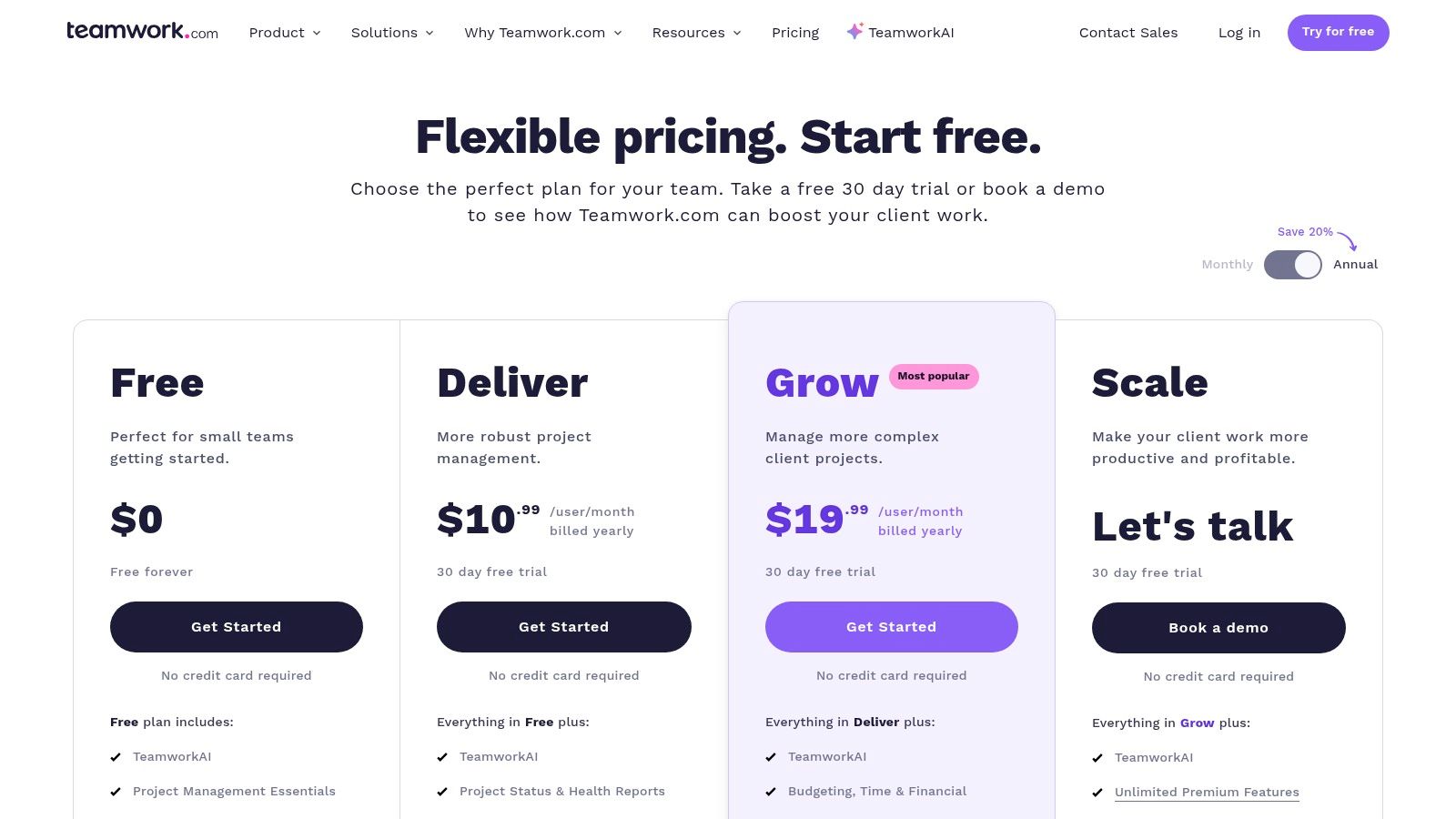
Teamwork.com pricing plans

This agency-centric design is evident in features like unlimited free client users, which simplifies feedback and approval cycles without inflating costs. Integrated proofing tools allow creative teams to share assets and receive contextual feedback directly on the files, streamlining the review process. By connecting tasks to billable hours and project budgets, Teamwork.com helps agencies maintain profitability and resource projects effectively, making it one of the more business-focused project management tools for creative agencies.

Key Considerations

  • Best For: Agencies that need a single platform to manage projects, track time, monitor budgets, and handle client collaboration. It's ideal for teams focused on profitability and operational efficiency.
  • Pros: Its all-in-one nature reduces the need for separate tools for time tracking or invoicing. The unlimited client access and built-in proofing are significant advantages for service delivery.
  • Cons: The interface, while powerful, can feel more utilitarian and less visually intuitive compared to some design-first competitors. Some advanced reporting and financial management features are locked behind the more expensive plans.

Pricing: A limited free plan is offered. Paid plans start at Starter ($5.99 per user/month), but most agencies will need the Deliver ($9.99 per user/month) or Grow ($17.99 per user/month) tiers to access team collaboration, invoicing, and budgeting features.

Website: https://www.teamwork.com/pricing/

6. Adobe Workfront

Adobe Workfront is an enterprise-grade work management platform designed for the complex needs of large-scale creative and marketing operations. It moves beyond standard task management to offer a robust system for strategic planning, resource management, and compliance. Its main differentiator is its deep integration within the Adobe ecosystem, making it a natural fit for agencies heavily reliant on Creative Cloud applications for their production workflows.
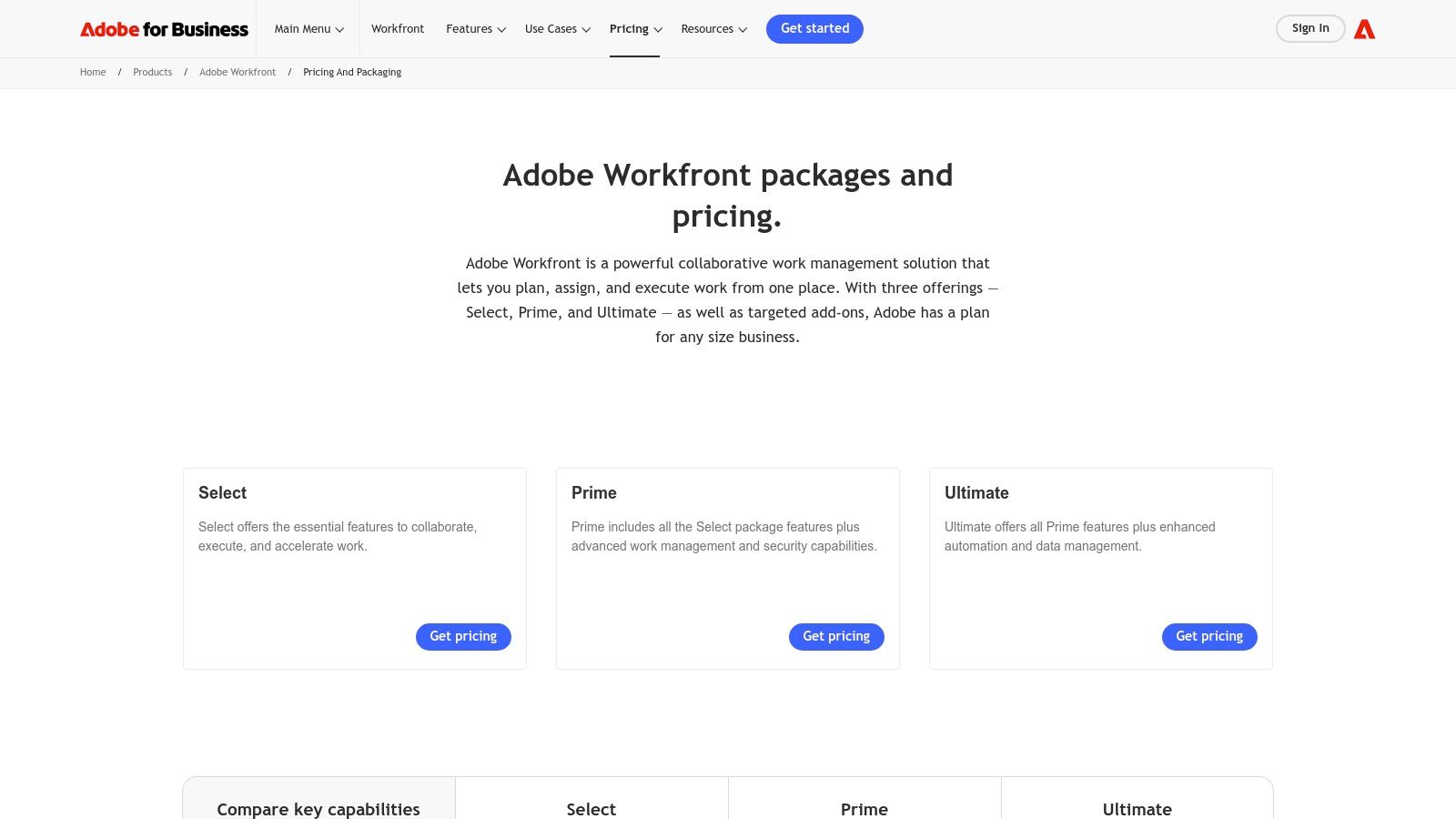
Adobe Workfront

The platform offers advanced features like demand management for project intake, sophisticated proofing tools, and configurable approval workflows essential for regulated industries or large client accounts. Workfront provides a centralized environment for the entire project lifecycle, from initial request to final asset delivery. With add-ons like Workfront Fusion, agencies can build powerful low-code integrations and automations, connecting their project data to hundreds of other enterprise systems. This makes it one of the most powerful project management tools for creative agencies operating at significant scale.

Key Considerations

  • Best For: Large, enterprise-level agencies or in-house marketing departments that require deep governance, advanced resource planning, and seamless integration with the Adobe Creative Cloud suite.
  • Pros: Unmatched integration with Adobe products streamlines creative workflows. Its robust governance and compliance features are proven to work at scale for major marketing organizations. Extensive automation and customization options are available.
  • Cons: The platform's complexity and feature depth can be overwhelming for smaller studios or teams. Pricing is not publicly available and requires a sales consultation, suggesting a significant investment.

Pricing: Pricing is not public and is available upon request. Plans (Select, Prime, and Ultimate) are tailored to enterprise needs and require engagement with the Adobe sales team for a custom quote.

Website: https://business.adobe.com/products/workfront/pricing.html

7. Productive.io

Productive.io is an end-to-end agency management platform designed to unify project management with core business operations. Where many tools focus solely on task execution, Productive.io integrates project planning, resource allocation, time tracking, budgeting, and invoicing into a single system. This holistic approach provides agency owners and operations directors with a real-time view of project profitability, not just progress. It’s built to replace the disjointed spreadsheet and multi-app systems that often plague growing agencies.
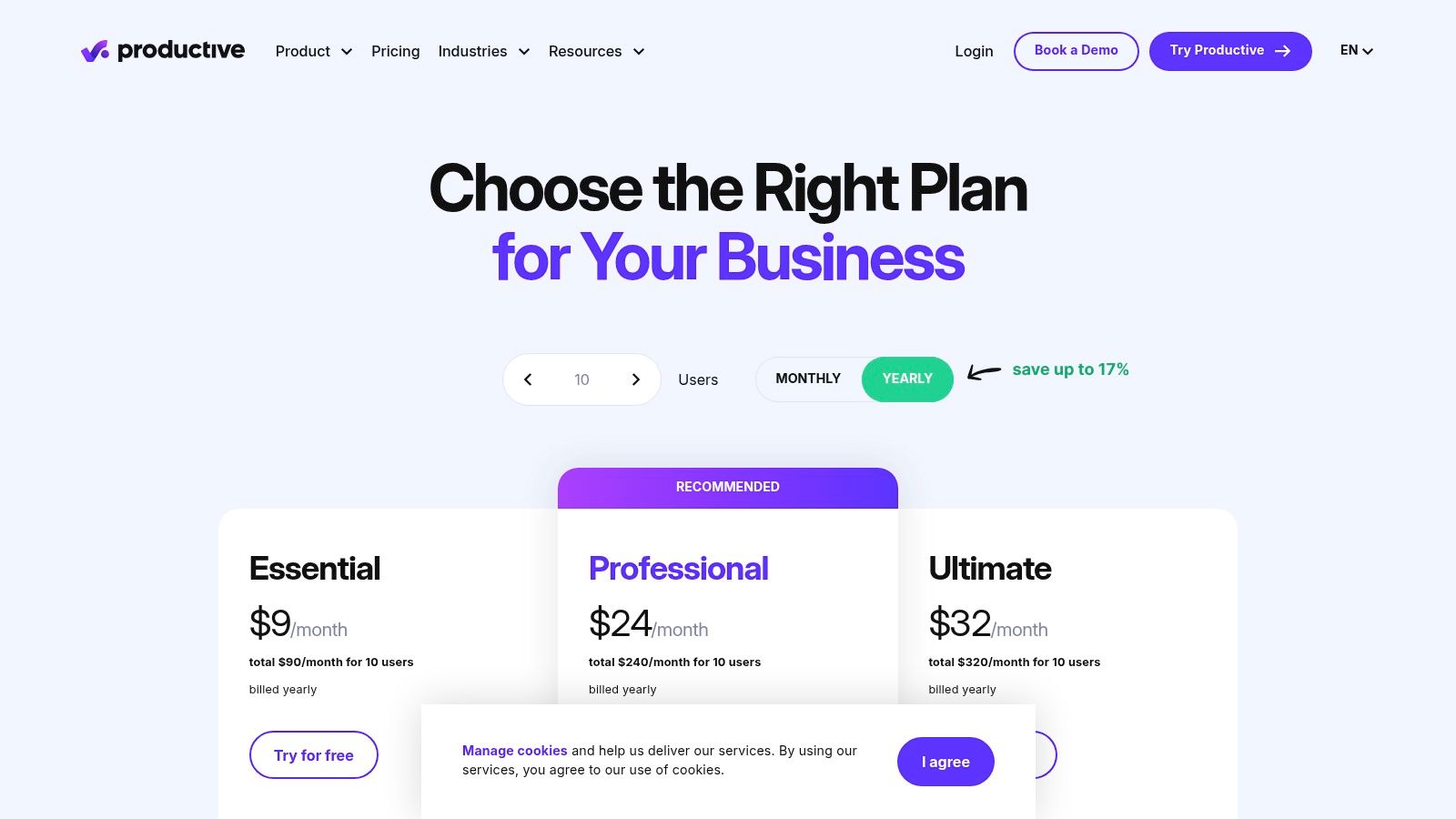
Productive.io pricing plans

The platform connects every billable hour and expense directly to a project's budget, offering powerful financial forecasting and reporting. For creative agencies struggling to understand their true margins, this is a significant advantage. Features like detailed resource planning and revenue forecasting help managers make data-driven decisions about staffing and new business pipelines. Its robust reporting capabilities, including customizable pivot tables, allow leaders to analyze performance from multiple angles, making it one of the more business-centric project management tools for creative agencies.

Key Considerations

  • Best For: Growing agencies that need to consolidate their tech stack and gain a clear, data-backed view of profitability, resource utilization, and financial health.
  • Pros: Its all-in-one nature eliminates the need for separate tools for time tracking, invoicing, and resource management. The platform is designed specifically for agency workflows and is SOC 2 Type II compliant.
  • Cons: The initial setup can be intensive, as it requires inputting financial data like rate cards and operational workflows to be effective. Smaller teams or freelancers might find the feature set more extensive than needed.

Pricing: The Standard plan starts at $20 per user/month and includes core project management, budgeting, and invoicing. The Premium plan ($32 per user/month) adds resource planning and advanced profitability insights.

Website: https://productive.io/pricing/

8. Scoro

Scoro is a comprehensive work management solution designed for professional service businesses, making it an excellent fit for creative agencies focused on profitability and operational efficiency. It moves beyond simple task management to provide an end-to-end platform that connects projects with sales, billing, and financial reporting. This integrated approach allows agency leaders to get a real-time view of their entire business, from the initial quote to the final invoice, ensuring projects stay on budget and resources are utilized effectively.
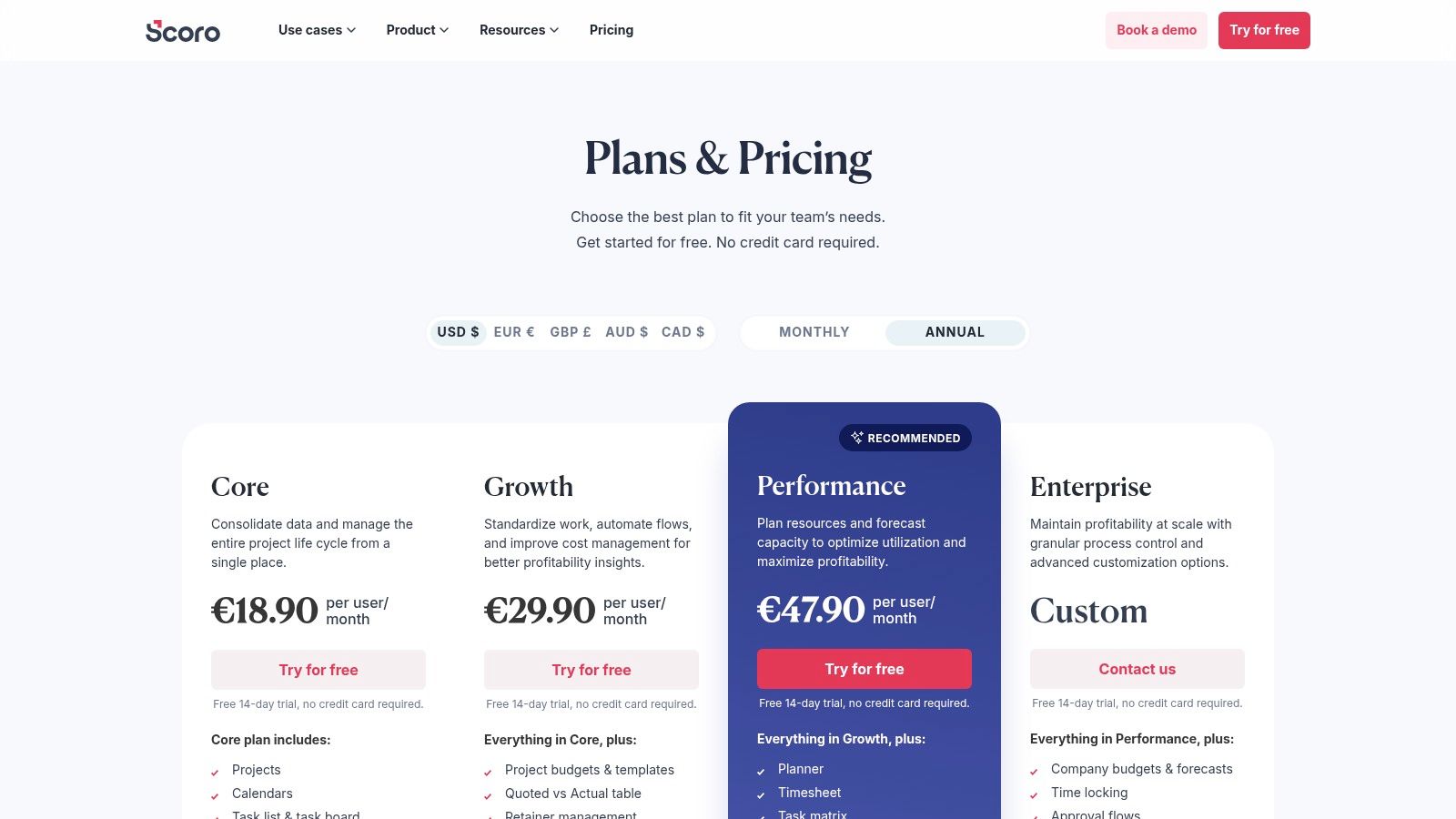
Scoro pricing plans

The platform is particularly strong in financial management and resource planning. Features like detailed budget tracking, retainer management, and automated invoicing help agencies maintain healthy cash flow. Scoro's Planner tool provides a clear overview of team capacity and utilization, allowing managers to forecast workloads and make data-driven staffing decisions. This business-centric focus makes it one of the most powerful project management tools for creative agencies that want to scale profitably and gain control over their financial health.

Key Considerations

  • Best For: Agencies that require a single source of truth for projects, finances, and resource management. It's ideal for those looking to improve profitability and operational oversight.
  • Pros: Its all-in-one nature eliminates the need for multiple disparate tools. The platform offers powerful financial visibility, from quoting and budgeting to revenue forecasting, along with granular reporting capabilities.
  • Cons: The interface is more business-oriented and less visually creative compared to other tools on this list, which might present a steeper learning curve for design teams. Key financial features are often reserved for higher-priced tiers.

Pricing: Scoro requires a minimum of 5 users. The Essential plan starts at $26 per user/month, but most agencies will need the Standard ($37 per user/month) or Pro ($63 per user/month) plans to access features like a purchase order system, retainer management, and advanced reporting.

Website: https://www.scoro.com/pricing/

9. Workamajig

Workamajig is an end-to-end agency management system, positioning itself as a single source of truth for all agency operations. Unlike many project management tools for creative agencies that focus solely on task and resource management, Workamajig integrates project management, CRM, financials, and accounting into one comprehensive platform. This all-in-one approach is designed to eliminate data silos and provide a holistic view of agency health, from project profitability to revenue forecasting.
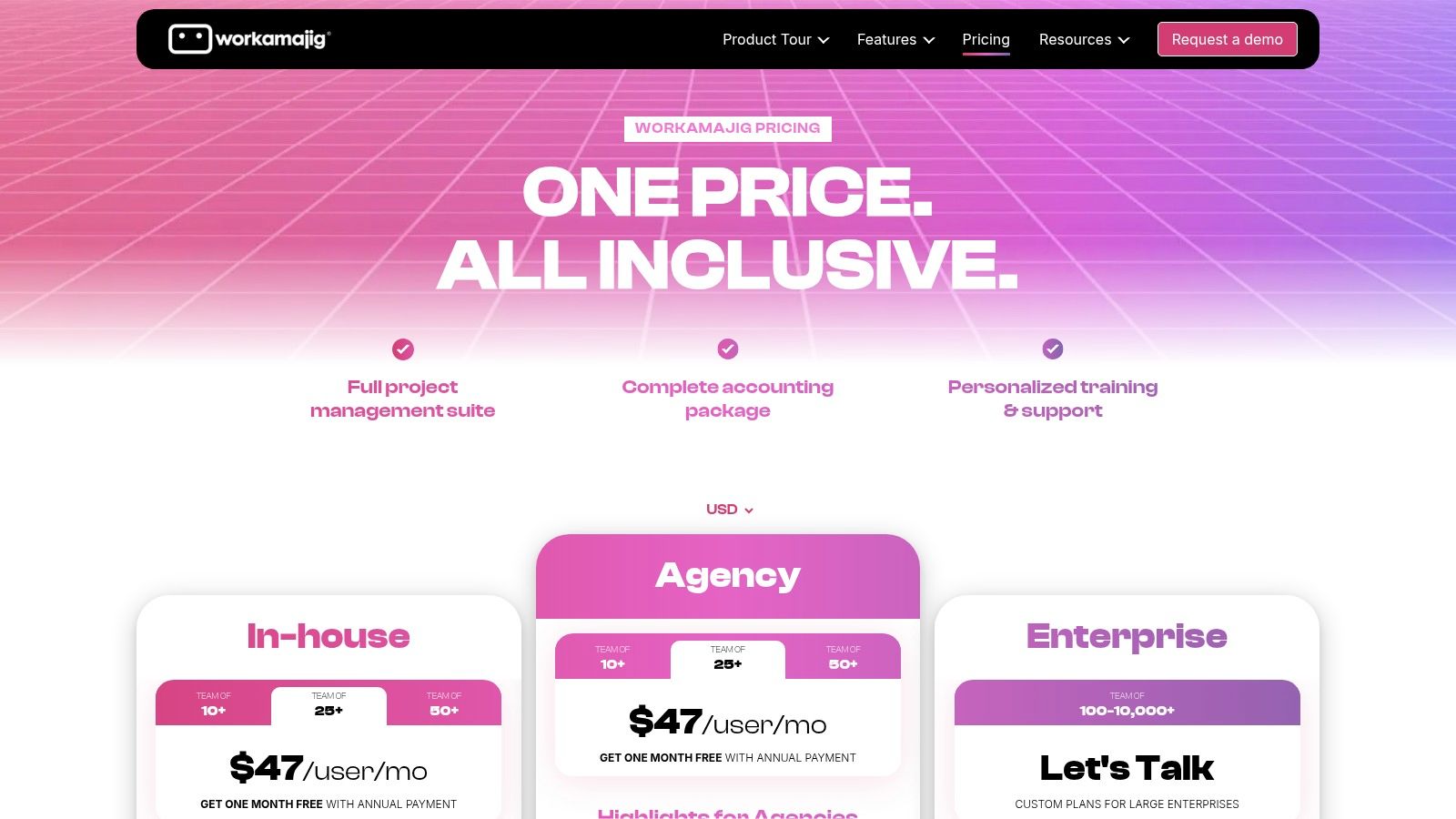
Workamajig

This comprehensive feature set makes it a powerful choice for established agencies looking to streamline their entire business. The platform handles project intake, scheduling, traffic management, digital proofing with unlimited client logins, and full accounting functionalities like invoicing and expense tracking. Because it connects every facet of the business, managers can get real-time insights into resource utilization against project budgets, making it easier to ensure profitability. The inclusion of a dedicated account manager for implementation and training helps agencies navigate the system's depth.

Key Considerations

  • Best For: Mid-sized to large agencies that need a single, integrated system to manage projects, financials, and client relationships, and are willing to invest in a platform that requires process alignment.
  • Pros: Its truly all-in-one nature provides unparalleled business insights by connecting projects to finances. The inclusion of implementation support and a dedicated manager is a significant benefit for a successful rollout. It scales well for large enterprise deployments.
  • Cons: The interface is more functional and utilitarian compared to modern, visually-driven tools. Its comprehensive scope requires significant team training and a commitment to aligning agency processes with the platform's workflow.

Pricing: Workamajig's pricing starts at $50 per user/month with a 5-user minimum for the agency side and a $37 per user/month with a 10-user minimum for in-house creative teams. Implementation fees apply.

Website: https://www.workamajig.com/pricing

10. FunctionFox

FunctionFox is a purpose-built, lightweight project management tool that prioritizes simplicity and robust time tracking for creative agencies. It avoids the feature bloat of larger platforms, focusing instead on core functionalities like timesheets, estimates, and project budgeting. This streamlined approach makes it exceptionally easy to deploy and use, particularly for small studios or in-house teams where extensive training isn't feasible.
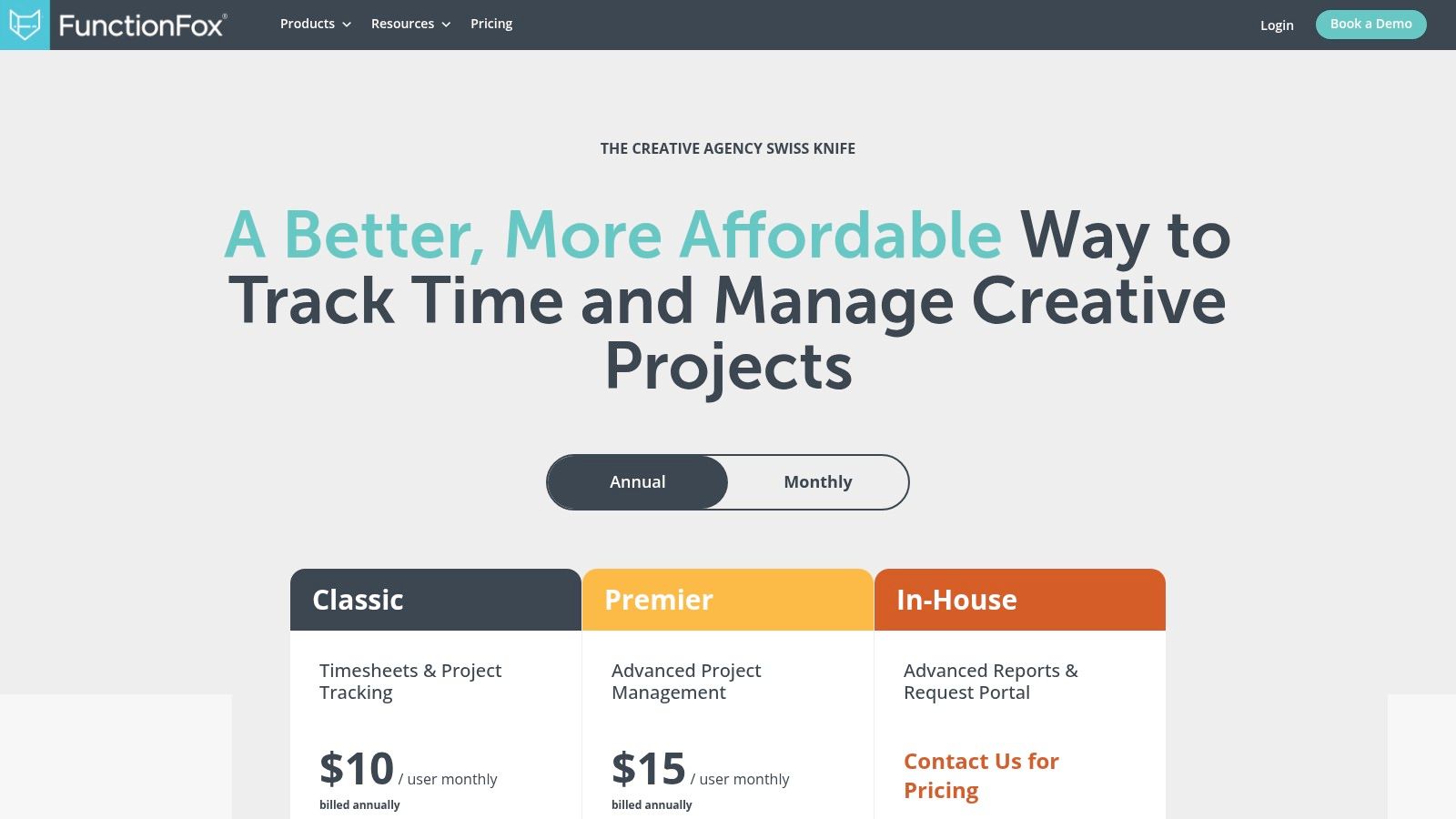
FunctionFox pricing plans

The platform's strength lies in its financial and time-based project controls. Creatives can easily track their hours using a built-in stopwatch, and managers get clear visibility into budgets, retainers, and estimates. The reporting features are surprisingly powerful for its price point, offering detailed insights into project profitability and team utilization. Higher-tier plans add features like Gantt charts for simple scheduling and traffic reports to manage workload, making it a comprehensive yet accessible option for agencies transitioning from spreadsheets to a dedicated system.

Key Considerations

  • Best For: Small agencies, creative studios, and in-house teams that need a straightforward, budget-friendly tool for time tracking, estimating, and basic project management without overwhelming complexity.
  • Pros: Very affordable entry point for small teams and a reputation for excellent customer support. Its low learning curve means quick adoption and minimal training overhead.
  • Cons: It is not a full-service professional services automation (PSA) tool and lacks advanced financial features or deep creative collaboration tools. A three-user minimum applies, and key scheduling or request management features are reserved for more expensive plans.

Pricing: The Classic plan starts at $5 per user/month, focusing on timesheets and project tracking. The Premier plan ($10 per user/month) adds Gantt charts and availability reports, while the In-House plan ($20 per user/month) includes a creative request portal.

Website: https://functionfox.com/pricing/

11. Asana

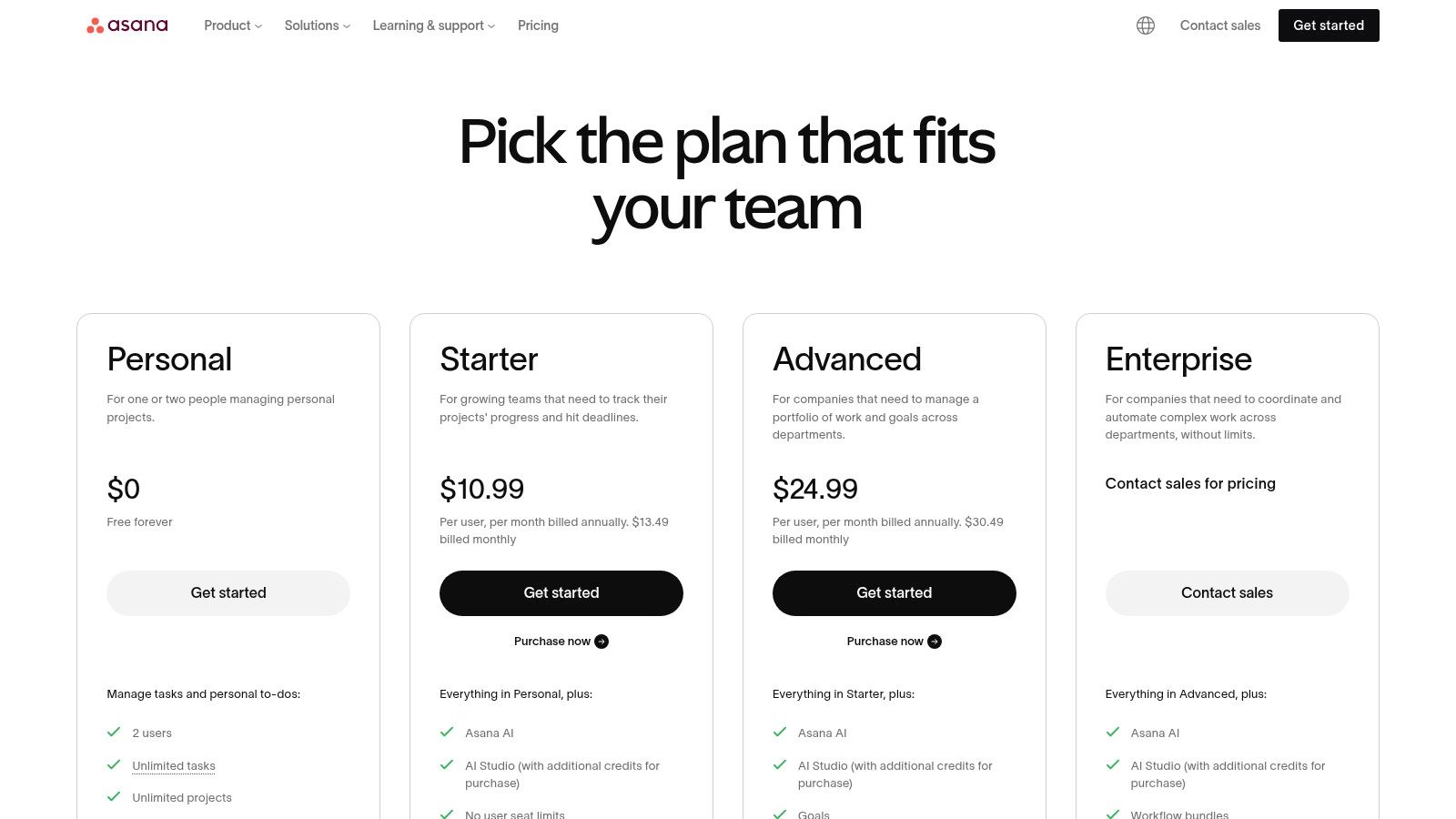
Asana is a widely adopted project management platform favored by creative agencies for its clean interface and powerful organizational capabilities. It excels at structuring complex campaigns and content operations from intake to delivery. The platform offers a variety of views, including traditional lists, Kanban-style boards, calendars, and timelines, allowing different team members, from creatives to account managers, to visualize work in a way that suits their role.
Asana

Its core strength for agencies lies in features like Portfolios, which provide a high-level overview of all active projects, and Workload, for managing team capacity and preventing burnout. Asana's robust automation engine can streamline creative request intake via forms, manage approval workflows, and handle recurring tasks, significantly reducing administrative overhead. With expanding AI features and over 100 integrations, it connects seamlessly into an agency's existing tech stack, making it a reliable central hub for collaboration and one of the most versatile project management tools for creative agencies.

Key Considerations

  • Best For: Agencies of all sizes looking for a structured yet intuitive tool to manage multiple client projects, creative pipelines, and team resources simultaneously.
  • Pros: Its user-friendly design makes it easy for mixed creative and business teams to adopt. The extensive template library and strong collaboration features, including guest access for clients, are significant advantages.
  • Cons: Key features like Portfolios, advanced reporting, and workload management are locked behind higher-tier plans. The seat-based pricing can become costly for smaller teams or agencies with many freelance collaborators.

Pricing: A permanent free plan is available for small teams. Paid plans start with the Starter tier at $10.99 per user/month, but most agencies will require the Advanced plan ($24.99 per user/month) to access Portfolios, Workload, and advanced automations.

Website: https://asana.com/pricing

12. Kantata (formerly Mavenlink)

Kantata, formerly known as Mavenlink, is a professional services automation (PSA) platform designed for the complex operational needs of larger, project-based businesses. For creative agencies, it moves beyond simple task management to provide a comprehensive system for connecting projects to financials. Its core strength is its powerful resource planning and project accounting engine, which offers deep insights into utilization rates, project margins, and revenue forecasting.
Kantata (formerly Mavenlink)

This focus on business intelligence makes it an excellent choice among project management tools for creative agencies that prioritize profitability and operational efficiency. Instead of just tracking tasks, Kantata helps agency leadership understand the financial health of every project in real-time. Features like time and expense capture, advanced reporting, and robust integration capabilities (with over 1,200 connectors) allow agencies to build a single source of truth for all operational data, from initial scope to final invoice.

Key Considerations

  • Best For: Mid-to-large-sized agencies that need a mature, enterprise-level tool to manage resource allocation, project financials, and overall business health across a large portfolio of clients.
  • Pros: Its deep focus on profitability and resource utilization is unparalleled for service-based businesses. The platform is robust, with mature customer success resources available for complex implementations.
  • Cons: The platform can feel heavy and overly complex for smaller teams that just need basic task management. Its enterprise focus means it lacks a simple, off-the-shelf pricing model.

Pricing: Kantata uses a quote-based pricing model and does not list public prices. Agencies must contact their sales team for a custom quote tailored to team size and feature requirements.

Website: https://www.kantata.com/pricing

Top 12 Project Management Tools for Creative Agencies — Comparison

Product Core features UX & Rating Value / Pricing Target audience Unique Selling Points
🏆 RGK CRM + PM + billing + ticketing synced; Greta AI ★★★★★ Context-aware automation, reduces bottlenecks 💰 Agency-centric (core team + flexible access); contact for quote 👥 Agencies seeking unified ops & scale ✨ Deeply integrated AI (Greta), API, proven-in-practice
Monday.com Visual boards, automations, 250+ integrations ★★★★ Easy onboarding for creatives 💰 Seat-based tiers; cost scales with seats 👥 Creative teams → large agencies ✨ Templates + strong ecosystem
ClickUp Tasks, docs, time tracking, multiple views ★★★★ Highly configurable; steeper learning 💰 Free tier; strong value at lower paid tiers 👥 Small–mid agencies consolidating tools ✨ Unlimited tasks; all-in-one hub
Wrike Request intake, proofing, resource & capacity planning ★★★★ Mature ops features for creative workflows 💰 Higher pricing for business-tier features 👥 Mid–large agencies & in-house ops ✨ Robust approvals, capacity planning
Teamwork.com Time tracking, billing, client roles, proofing ★★★★ Agency-first UX for client work 💰 Tiered plans with client-focused access 👥 Client-facing agencies & service teams ✨ Unlimited client users; billing features
Adobe Workfront Advanced intake, governance, Adobe ecosystem ★★★★☆ Enterprise-grade; complex to configure 💰 Quote-based enterprise pricing 👥 Large marketing orgs & agencies ✨ Deep Adobe integrations + governance
Productive.io Project budgeting, resourcing, invoicing, forecasting ★★★★ Designed for agency profitability 💰 Best value at 10+ users; team pricing 👥 Mid agencies focused on margins ✨ PSA built for agencies; SOC 2 & API
Scoro Quotes, retainers, forecasting, capacity planning ★★★★ Strong financial & reporting focus 💰 Finance features often on higher tiers 👥 Agencies with recurring/retainer work ✨ End-to-end quote→invoice financials
Workamajig PM, resourcing, proofing, CRM, accounting ★★★ All-in-one but utilitarian UI 💰 All-in-one pricing + implementation 👥 Large creative agencies needing full suite ✨ Built-in accounting + dedicated onboarding
FunctionFox Timesheets, estimates, retainers, Gantt ★★★ Lightweight, easy to deploy 💰 Affordable for small studios (min 3 users) 👥 Small creative studios & freelancers ✨ Best-in-class time-tracking, low training
Asana Timelines, portfolios, workload, forms ★★★★ Intuitive for mixed creative/business teams 💰 Seat-based; higher tiers for resource features 👥 Cross-functional teams & agencies ✨ Strong templates, guest access, scale
Kantata Resource mgmt, project accounting, time/expense ★★★★ Enterprise PSA for services firms 💰 Quote-based; suited to mid→large teams 👥 Project-based services & creative agencies ✨ Deep profitability tools + 1,200+ connectors

Unifying Your Stack for Scalable Creativity

Navigating the landscape of project management tools for creative agencies can feel overwhelming. We've journeyed through a dozen powerful contenders, from the visual prowess of Monday.com and the all-in-one customizability of ClickUp to the enterprise-grade control of Adobe Workfront and the agency-specific focus of Workamajig. Each platform offers a unique philosophy on how creative work should be managed, tracked, and delivered.

The central theme that emerges is not about finding a single "best" tool, but about identifying the right operational system for your agency's specific stage, culture, and workflow. A five-person design studio has fundamentally different needs than a 100-person full-service agency, and your choice of software should reflect that reality. The goal is to move beyond scattered spreadsheets, endless email chains, and a patchwork of disconnected apps that create friction and obscure your true profitability.

Key Takeaways and Your Next Steps

The decision you make will become the central nervous system of your agency. It’s where briefs are born, feedback is exchanged, timelines are managed, and profitability is measured. To ensure you make the right choice, focus on these core principles:

  • Solve for Your Biggest Bottleneck First: Are you struggling with resource allocation? Is client feedback a chaotic mess of emails and Slack messages? Prioritize tools that excel in solving your most pressing operational headache. Wrike's custom workflows might be perfect for complex approval chains, while Kantata excels at resource forecasting.
  • Prioritize Team Adoption: The most feature-rich platform is useless if your team finds it clunky and refuses to use it. Involve your creative, account, and project management teams in the demo process. A tool like Asana or Teamwork.com often wins on user experience, which can be a deciding factor for long-term success.
  • Think Beyond Task Management: Modern project management tools for creative agencies must do more than just track tasks. They need to connect project delivery to financial health. Platforms like Productive.io and Scoro provide a holistic view by integrating project management with time tracking, billing, and financial reporting, giving you a real-time pulse on your agency's performance.

From Disparate Tools to a Unified Operating System

The most significant shift in this software category is the move towards a single, unified platform. The "duct-tape" approach of stitching together a dozen different apps for proposals, project tracking, time logging, and invoicing is becoming unsustainable for agencies looking to scale. This fragmented system creates data silos, increases administrative overhead, and makes it nearly impossible to get an accurate, real-time view of project profitability or resource utilization.

This is where a true agency operating system (OS) becomes a game-changer. By centralizing everything from CRM and sales pipelines to project delivery and financial analytics, you eliminate redundant data entry and empower your team with a single source of truth. This consolidation is not just about efficiency; it's a strategic move that provides the clarity needed to make smarter business decisions, price projects more accurately, and ultimately build a more profitable and scalable creative business. The right tool will not just organize your work; it will transform your operations.


Ready to eliminate the tool-sprawl and unify your agency's operations? RGK is more than just another project management tool; it's a complete Agency OS designed to manage your entire client work lifecycle, from proposal to payment. See how you can streamline your workflows, gain real-time financial insights, and empower your creative team by exploring RGK today.
The 12 Best Project Timeline Template Free Resources for Agencies in 2025

Juggling multiple client projects can feel like a high-wire act without a net. Your agency's success depends on delivering great work on time and on budget, yet the very tools meant to help often create more chaos. Disconnected spreadsheets, static documents, and overly complex project management software can quickly lead to miscommunication, missed deadlines, and the dreaded scope creep that erodes profitability. A clear, accessible project timeline is the foundational tool that brings order to this chaos, providing a single source of truth for your team and clients.

Finding the right starting point is crucial. This is why we've curated a definitive list of the best project timeline template free resources available today. We’ve moved beyond generic lists to provide a practical guide tailored specifically for agency workflows. Whether you need a simple visual roadmap for a client presentation or a detailed Gantt chart for a complex development sprint, the right template is here. This guide is designed to help you quickly identify the best tool for your immediate needs without the friction of endless searching.

Each entry includes a direct download link, a brief analysis of its strengths and weaknesses, and practical tips for implementation. We'll explore options from robust platforms like Smartsheet and Asana to flexible tools like Excel, Google Sheets, and even visual-first solutions like Canva and Miro. Our goal is to equip you with a high-quality, free project timeline template that you can implement immediately to improve project clarity, align your team, and set client expectations effectively from day one. Let’s find the perfect template to streamline your agency's project delivery.

1. Microsoft Excel templates (official)

For agencies already operating within the Microsoft ecosystem, the official template gallery is the most direct source for a project timeline template free of charge. Sourced directly from Microsoft, these templates guarantee compatibility and seamless integration with both the desktop and web versions of Excel. The collection offers a variety of pre-built options, from simple task-based timelines to more detailed Gantt chart-style trackers, making it a reliable first stop for teams familiar with spreadsheet-based project management.

Microsoft Excel templates (official)

The primary advantage is the minimal learning curve. If your team knows Excel, they can immediately use these templates to map out project phases, assign tasks, and set deadlines. Customization is straightforward, allowing you to adjust colors, add agency branding, and modify columns to fit specific project needs. Sharing via OneDrive facilitates easy collaboration with clients and internal stakeholders, providing a simple visual for status updates.

Our Assessment

Category Rating Summary
Ease of Use ⭐⭐⭐⭐ High familiarity for Excel users means you can start immediately. No new software to learn.
Customization ⭐⭐⭐ Strong visual and structural customization, but lacks automated project management features.
Collaboration ⭐⭐⭐ Good for sharing and co-editing via OneDrive, but lacks real-time commenting or notification features.
Overall ⭐⭐⭐ An excellent, no-cost starting point for basic timeline management, especially for internal projects or straightforward client work.

However, these templates are fundamentally spreadsheets. They lack the automated functionality of dedicated project management software, such as dynamic task dependencies or resource allocation tracking. Setting up complex critical paths must be done manually, which can become cumbersome for large-scale agency projects.

  • Best for: Quick, visual project plans and status reporting.
  • Not for: Complex projects requiring automated dependency management.

Link: Microsoft Excel Project Tracker & Timelines

2. Microsoft PowerPoint (official how-to)

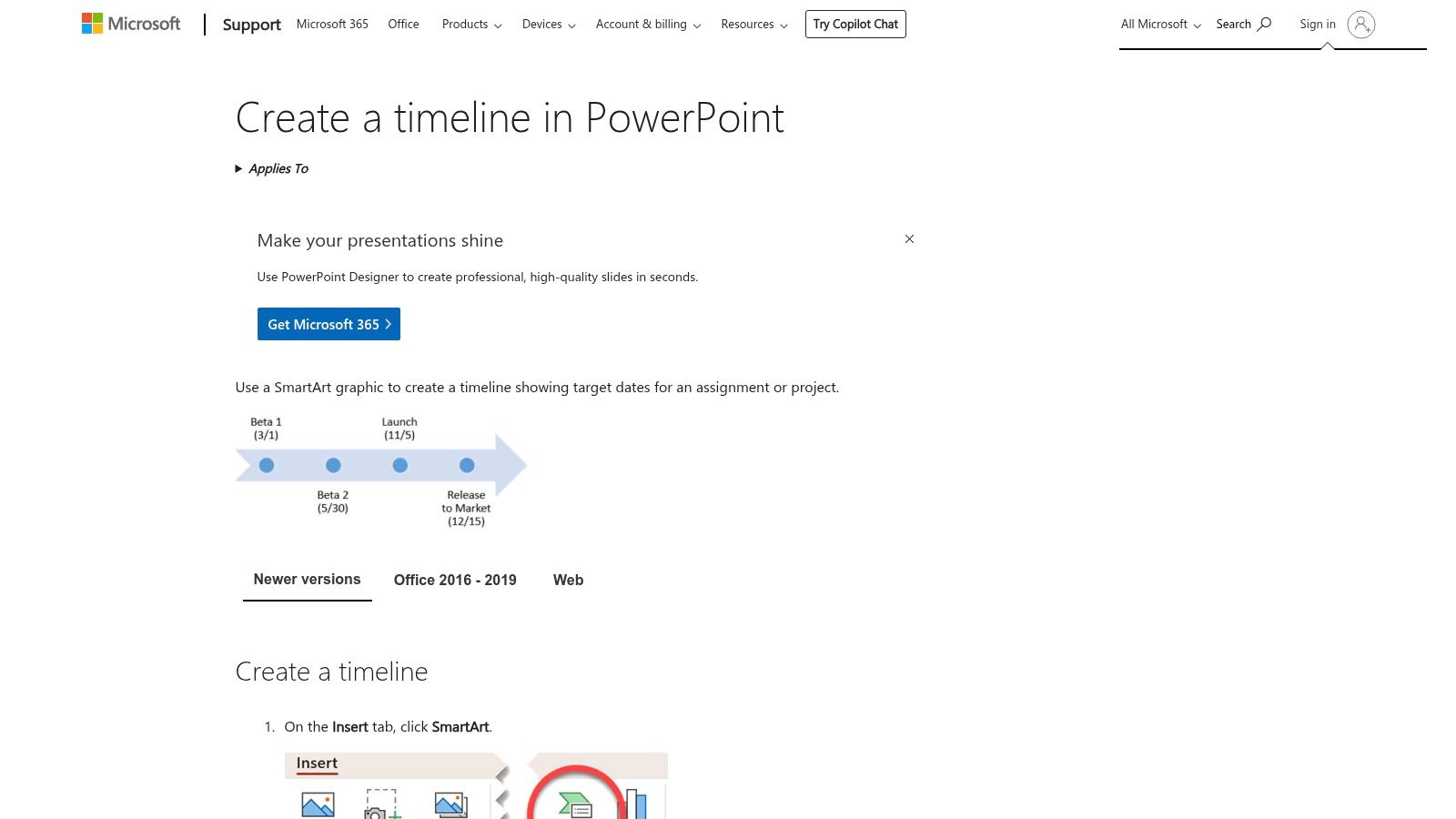
For agency presentations and high-level client updates, a spreadsheet isn't always the best visual tool. Microsoft’s official guide on creating timelines in PowerPoint shows how to build a project timeline template free from complex data, using the built-in SmartArt graphics. This approach is perfect for transforming key dates and milestones into a clean, presentation-ready visual without needing third-party add-ins or downloads. It focuses on clarity and communication over granular task management.

Microsoft PowerPoint (official how-to)

The main advantage is its native integration within the most common presentation software in the business world. Teams can quickly generate visuals like a Basic Timeline or Circle Accent layout, apply brand colors with a single click, and embed them directly into stakeholder reports or pitch decks. This method bypasses the need to import images or struggle with formatting, ensuring the timeline looks professional and is easy to edit right up to the meeting time.

Our Assessment

Category Rating Summary
Ease of Use ⭐⭐⭐⭐ Very simple for anyone familiar with PowerPoint. The SmartArt interface is intuitive.
Customization ⭐⭐⭐ Good for visual styling (colors, fonts, effects) but structurally limited to pre-set layouts.
Collaboration ⭐⭐⭐ Easy to share within a presentation file, but lacks interactive or real-time project tracking.
Overall ⭐⭐⭐ An excellent solution for creating high-level, static timelines for presentations and client reporting.

PowerPoint timelines are purely for visual representation. They are not linked to project data and must be updated manually, making them unsuitable for detailed project tracking. Any change in the project schedule requires manually editing the SmartArt graphic, which is inefficient for dynamic, fast-moving projects.

  • Best for: Client-facing presentations, project kickoff meetings, and high-level reporting.
  • Not for: Detailed, day-to-day project management or tracking dependencies.

Link: Create a timeline in PowerPoint

3. Smartsheet

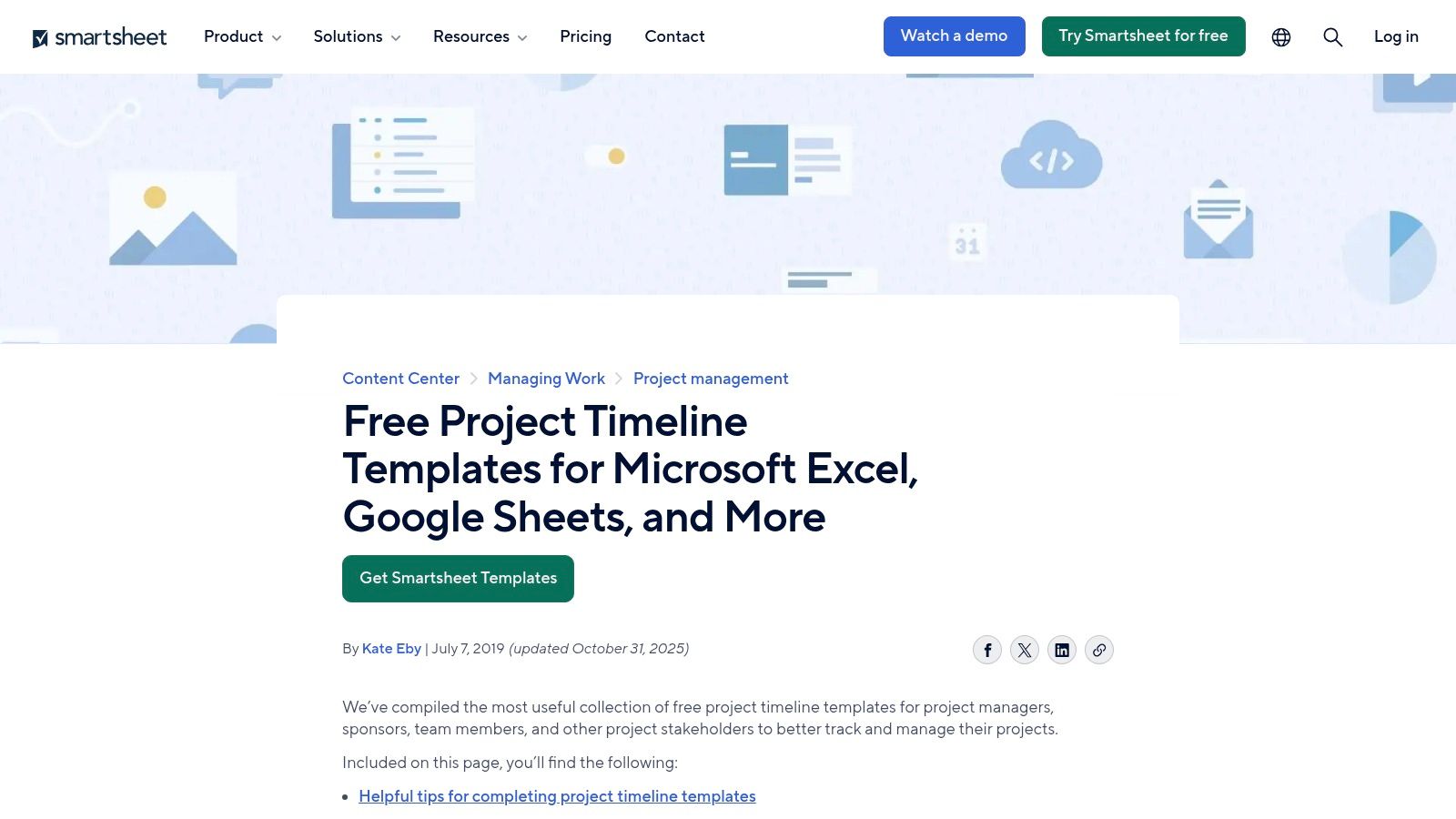
Smartsheet offers one of the most extensive and well-organized libraries for anyone seeking a project timeline template free of charge, regardless of their preferred software. The platform provides a rich collection of downloadable templates compatible with Excel, Google Sheets, and PowerPoint, catering to a wide array of industries and specific use cases. This makes it an ideal resource for agencies needing specialized timelines, such as those for construction projects, marketing campaigns, or product launches, without committing to Smartsheet’s own software.

Smartsheet

The key benefit is the sheer variety and the freedom to download templates directly without mandatory account creation. Each template page also includes helpful guidance and tips on how to effectively use project timelines, adding an educational layer. This approach allows teams to quickly find and implement a suitable template in the tool they already use, making it a highly practical and accessible option for immediate project planning needs.

Our Assessment

Category Rating Summary
Ease of Use ⭐⭐⭐⭐⭐ Extremely easy to find and download templates in multiple formats without any sign-up process.
Customization ⭐⭐⭐⭐ High, as templates are provided for Excel and Google Sheets, allowing for full native customization.
Collaboration ⭐⭐⭐ Dependent on the software used (e.g., Google Sheets for real-time), not a feature of the templates themselves.
Overall ⭐⭐⭐⭐ A top-tier resource for a diverse range of high-quality, free templates in familiar formats.

While the templates are free, the website is designed to guide users toward Smartsheet's paid project management platform. The marketing content is present but doesn't obstruct access to the free downloads. For agencies looking for a quick, no-strings-attached template for a specific purpose, this is an excellent and reliable source.

  • Best for: Agencies needing industry-specific templates in various formats (Excel, Sheets, PowerPoint).
  • Not for: Teams looking for a fully integrated, all-in-one project management solution.

Link: Smartsheet Project Timeline Templates

4. Vertex42

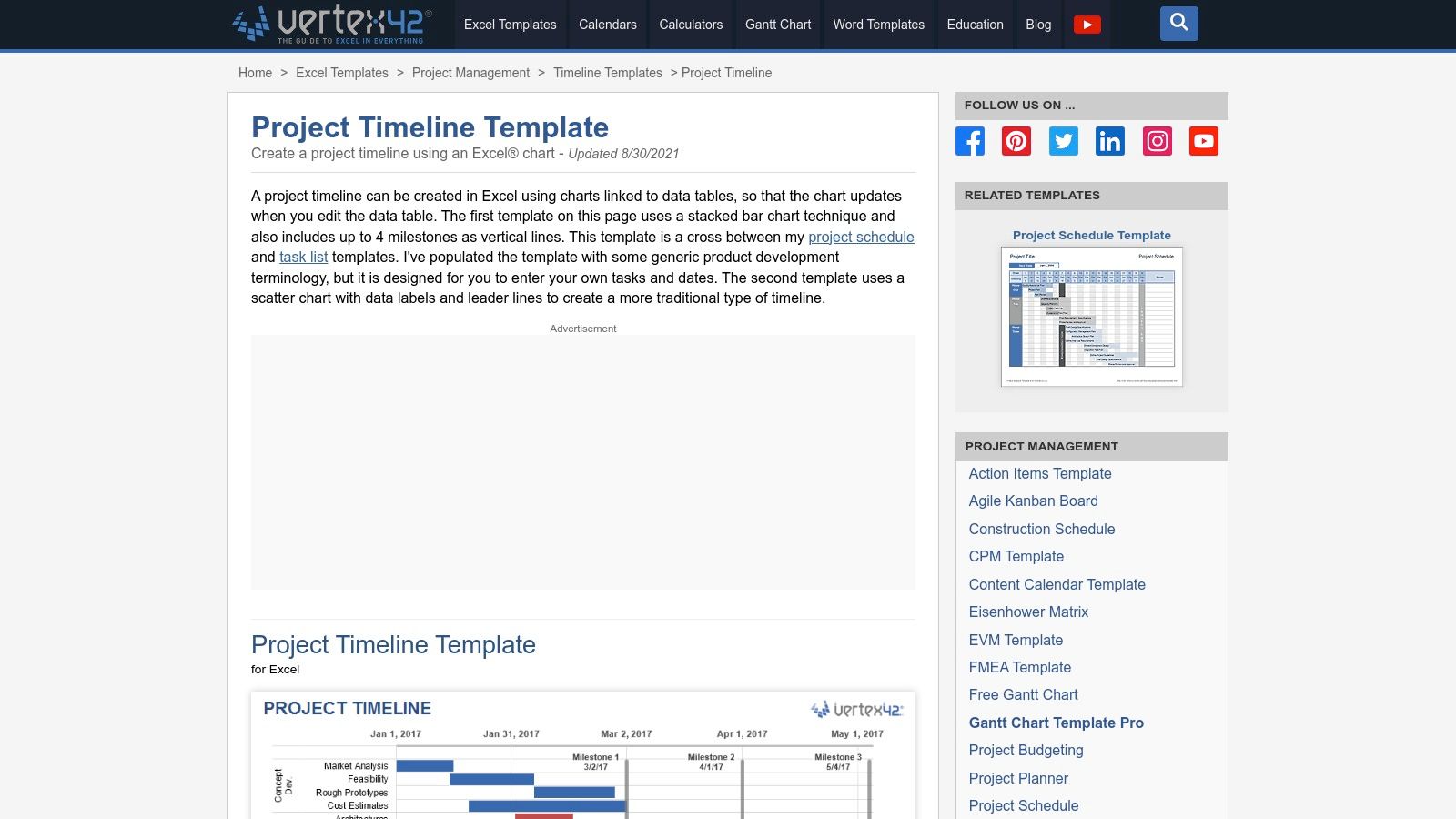
For those seeking a more refined spreadsheet experience, Vertex42 is a long-standing and trusted source for high-quality Excel templates. Their project timeline template free collection stands out for its clean design and practical application. The templates, available in styles like stacked bar and scatter-based charts, are intentionally formula-light. This makes them exceptionally easy to customize for agency projects without needing advanced spreadsheet knowledge, offering a significant step up from basic built-in options.

Vertex42

The key benefit of Vertex42 templates is their professional polish and excellent documentation. Each download comes with clear instructions and tips, helping users get the most out of the file immediately. They are perfect for creating visually appealing timelines with clear milestone markers for client presentations or internal reviews. While many are designed for Excel, the site often provides links to Google Sheets compatible versions, offering some flexibility.

Our Assessment

Category Rating Summary
Ease of Use ⭐⭐⭐⭐ Very straightforward for anyone with basic Excel skills. Excellent documentation helps bridge any gaps.
Customization ⭐⭐⭐ Easy to modify colors, fonts, and data, but lacks dynamic, automated features of dedicated PM tools.
Collaboration ⭐⭐⭐ Relies on the host application (Excel/Sheets) for sharing. Good for co-editing but no built-in communication.
Overall ⭐⭐⭐ A top-tier choice for agencies wanting a professional-looking, easy-to-edit spreadsheet timeline without the complexity.

The main limitation is the private-use license, which restricts commercial redistribution, though internal agency and client reporting use is typically fine. Like other spreadsheet solutions, these templates lack automated scheduling or dependency tracking; all updates must be made manually. They function best for projects where a clear, static visual representation of the timeline is the primary goal.

  • Best for: Creating clean, well-documented timelines for presentations and status reports.
  • Not for: Live project management or projects with complex, shifting dependencies.

Link: Vertex42 Project Timeline Template

5. ProjectManager

For agencies looking for a bridge between static spreadsheets and a dynamic project management platform, ProjectManager offers a smart solution. They provide a project timeline template free for download in Excel, designed as a direct on-ramp to their more powerful online software. This approach allows teams to start planning immediately with a familiar tool and then seamlessly import that data into a live environment when the project's complexity grows. The template includes key fields like task duration, milestones, and percent complete.

ProjectManager

The standout feature is the clear upgrade path. While the Excel file works perfectly as a standalone document, importing it into ProjectManager's software unlocks real-time Gantt charts, Kanban boards, and collaborative dashboards. This makes it an ideal choice for agencies that anticipate needing more sophisticated tracking and reporting capabilities down the line but want to begin with a simple, no-cost template. It effectively de-risks the transition to a dedicated project management tool.

Our Assessment

Category Rating Summary
Ease of Use ⭐⭐⭐⭐ The initial Excel template is very easy to use. The software has a modern interface but requires a small learning curve.
Customization ⭐⭐⭐ The Excel template is fully customizable, but the software's customization is tied to its feature set and pricing tier.
Collaboration ⭐⭐⭐ Limited to Excel's capabilities initially. Full collaboration (comments, assignments) requires upgrading to the paid software.
Overall ⭐⭐⭐⭐ An excellent hybrid model that serves both basic and advanced needs, offering a clear path for scaling project management efforts.

The primary limitation is that the most valuable features, like live dashboards and multi-view project tracking, are locked behind a paid subscription. The free offering is essentially a well-designed lead-in to their core product. However, for agencies testing the waters of more formal project management, this "start free, then upgrade" model is incredibly practical.

  • Best for: Agencies that want to start with a simple template but plan to scale to a full project management tool.
  • Not for: Teams needing advanced, free collaboration features from the outset.

Link: ProjectManager Project Timeline Template

6. TeamGantt

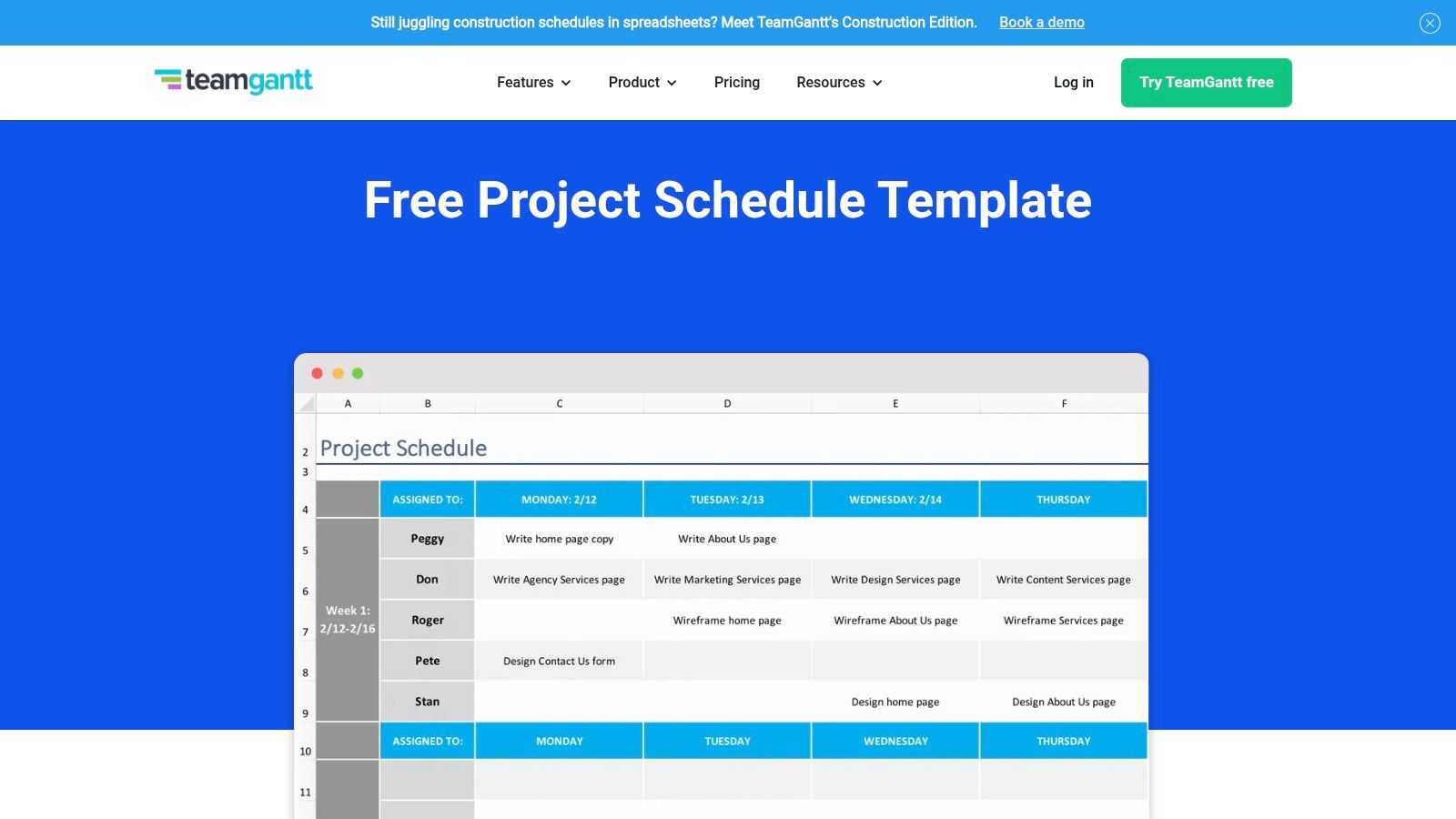
TeamGantt provides a unique hybrid approach for agencies looking for a project timeline template free of charge. It bridges the gap between static spreadsheets and dynamic project management software by offering both a free Excel scheduling template and a free tier for its intuitive online Gantt chart maker. This makes it an ideal starting point for teams wanting to begin with a familiar spreadsheet format but quickly graduate to a more collaborative, web-based tool.

TeamGantt

The main advantage is the clear upgrade path. Agencies can download the Excel template instantly, without an email requirement, to draft initial plans. When the project requires real-time collaboration or task dependencies, they can sign up for the free online tool and import their data. The web app's drag-and-drop interface simplifies timeline adjustments, making it far more user-friendly than manually updating a spreadsheet.

Our Assessment

Category Rating Summary
Ease of Use ⭐⭐⭐⭐⭐ Extremely beginner-friendly with a simple interface and a seamless transition from Excel to a web app.
Customization ⭐⭐⭐ Good customization in the Excel file; the web app offers solid visual and structural options on the free plan.
Collaboration ⭐⭐⭐⭐ The free web app tier allows for basic project sharing and real-time updates, a big step up from spreadsheets.
Overall ⭐⭐⭐⭐ An outstanding choice for agencies that need a simple starting point with a clear path to more robust, collaborative features.

The primary limitation is that advanced features like portfolio views, workload management, and time tracking are reserved for paid subscriptions. The free online plan is generous for a single project but can feel restrictive for managing an entire agency's client portfolio.

  • Best for: Agencies transitioning from spreadsheets to a dedicated PM tool.
  • Not for: Teams needing advanced resource management or portfolio views on a free plan.

Link: TeamGantt Free Scheduling Template

7. Asana

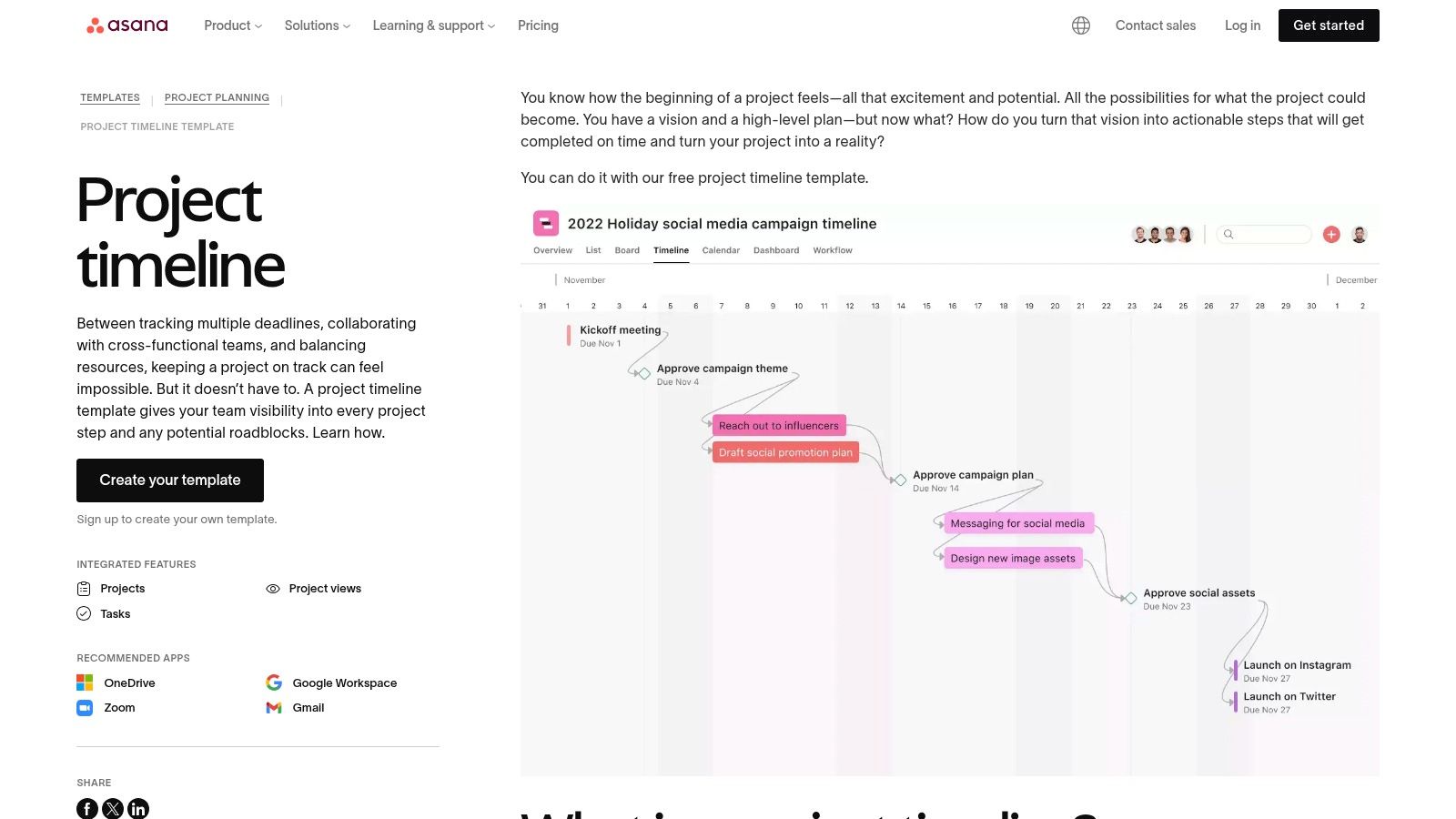
For teams seeking more than a static spreadsheet, Asana offers a powerful project timeline template free within its robust work management platform. This isn't just a file to download; it's an interactive, dynamic tool built into Asana's ecosystem. The template leverages the platform’s Timeline View, a Gantt-style interface that allows teams to map out project schedules, set dependencies, and visualize the entire project lifecycle from start to finish.

Asana

The key benefit is integrating your timeline directly with task management. Each item on the timeline is a live task that can be assigned, commented on, and updated. This connection ensures the timeline is always a real-time reflection of project progress, not a document that needs manual updates. Drag-and-drop functionality makes it simple to adjust deadlines, and task dependencies automatically shift subsequent tasks when a predecessor's dates change.

Our Assessment

Category Rating Summary
Ease of Use ⭐⭐⭐⭐ The drag-and-drop interface is intuitive, though there's a slight learning curve for the full platform.
Customization ⭐⭐⭐⭐ Highly customizable within the Asana framework; add custom fields, sections, and task details.
Collaboration ⭐⭐⭐⭐⭐ Excellent real-time collaboration with comments, file attachments, and @-mentions on each task.
Overall ⭐⭐⭐⭐ A top-tier choice for agencies needing a dynamic, integrated timeline connected to daily work management.

While Asana’s free tier is generous for small teams, larger agencies may find its limitations, such as the lack of advanced portfolio views or custom fields, a reason to upgrade to a paid plan. The functionality is also tied to the Asana platform, so it’s not a standalone file you can easily share with clients who don't use the tool.

  • Best for: Agencies managing active projects within a dedicated work management tool.
  • Not for: Those needing a simple, shareable file for external stakeholders unfamiliar with Asana.

Link: Asana Project Timeline Template

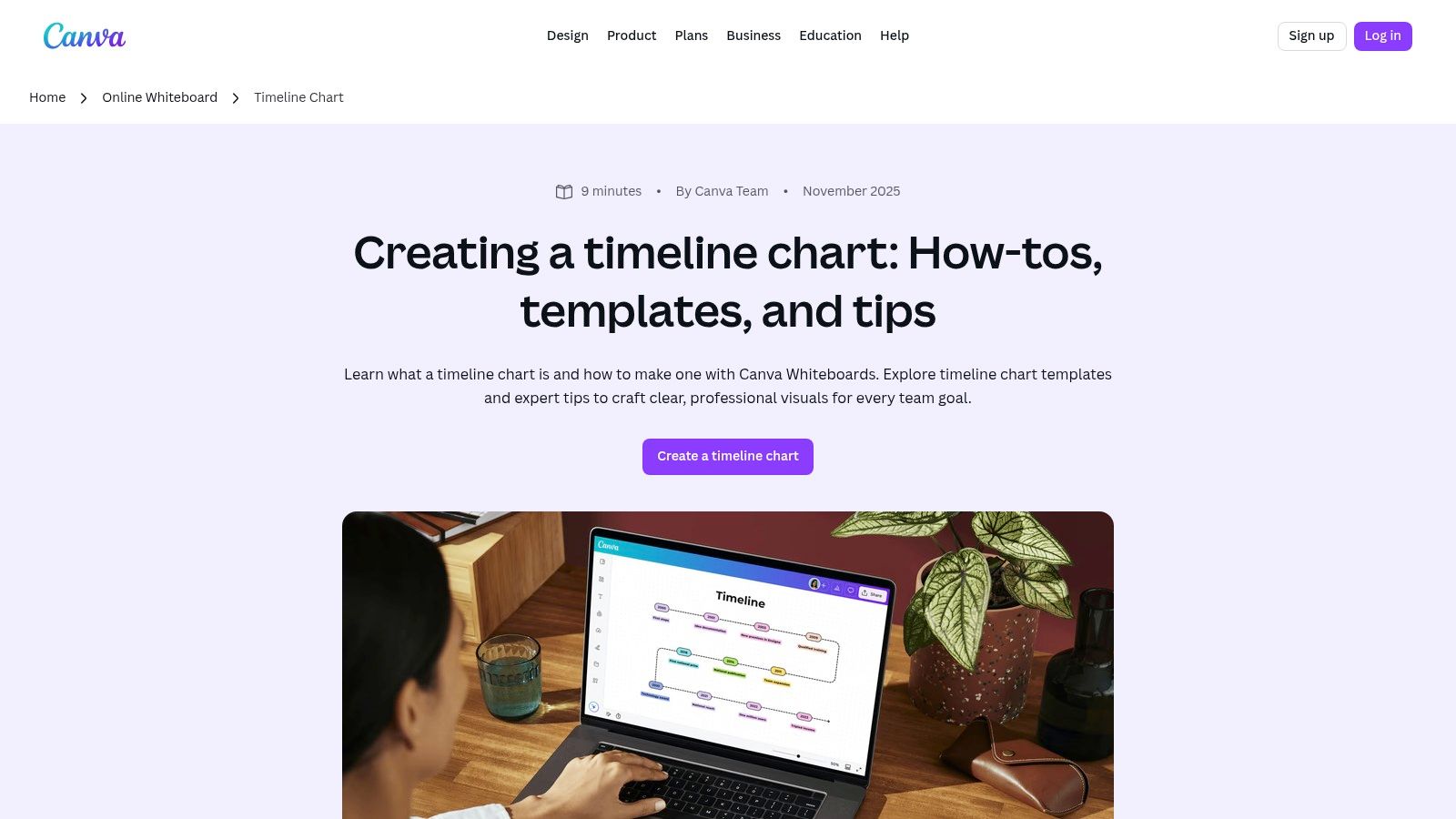
8. Canva

When a project timeline needs to be more of a visual presentation than a functional spreadsheet, Canva is the go-to tool. It offers a vast library of design-forward templates perfect for creating polished, client-facing graphics. Instead of focusing on task dependencies and resource management, Canva excels at producing visually appealing timelines for presentations, proposals, and project kickoff meetings, where clarity and aesthetics are paramount. Agencies can find a project timeline template free and customize it in minutes.

Canva

The platform’s strength lies in its drag-and-drop interface and extensive asset library. You can quickly add your agency’s branding, change colors, and insert icons to match the project's theme. The real-time collaboration features are great for team brainstorming sessions, and the ability to export to high-quality PNG, PDF, or even PPT formats makes it incredibly versatile for client communication. This makes it an ideal supplementary tool to a more robust project management system.

Our Assessment

Category Rating Summary
Ease of Use ⭐⭐⭐⭐⭐ Extremely intuitive drag-and-drop interface requires no design experience.
Customization ⭐⭐⭐⭐ Excellent visual customization with vast libraries of fonts, icons, and graphics.
Collaboration ⭐⭐⭐ Good for real-time design collaboration and commenting, but not for project task management.
Overall ⭐⭐⭐⭐ The best choice for creating beautiful, presentation-ready timelines that impress clients.

While Canva’s free plan is very generous, some of the more premium templates, icons, and advanced collaboration features are locked behind the Canva Pro subscription. It is not a project management tool; it lacks any functional timeline capabilities like automated date adjustments, task assignments, or progress tracking. It’s purely for visual representation.

  • Best for: High-level project roadmaps for client presentations and proposals.
  • Not for: Detailed, functional project management or day-to-day task tracking.

Link: Canva Timeline Chart Maker

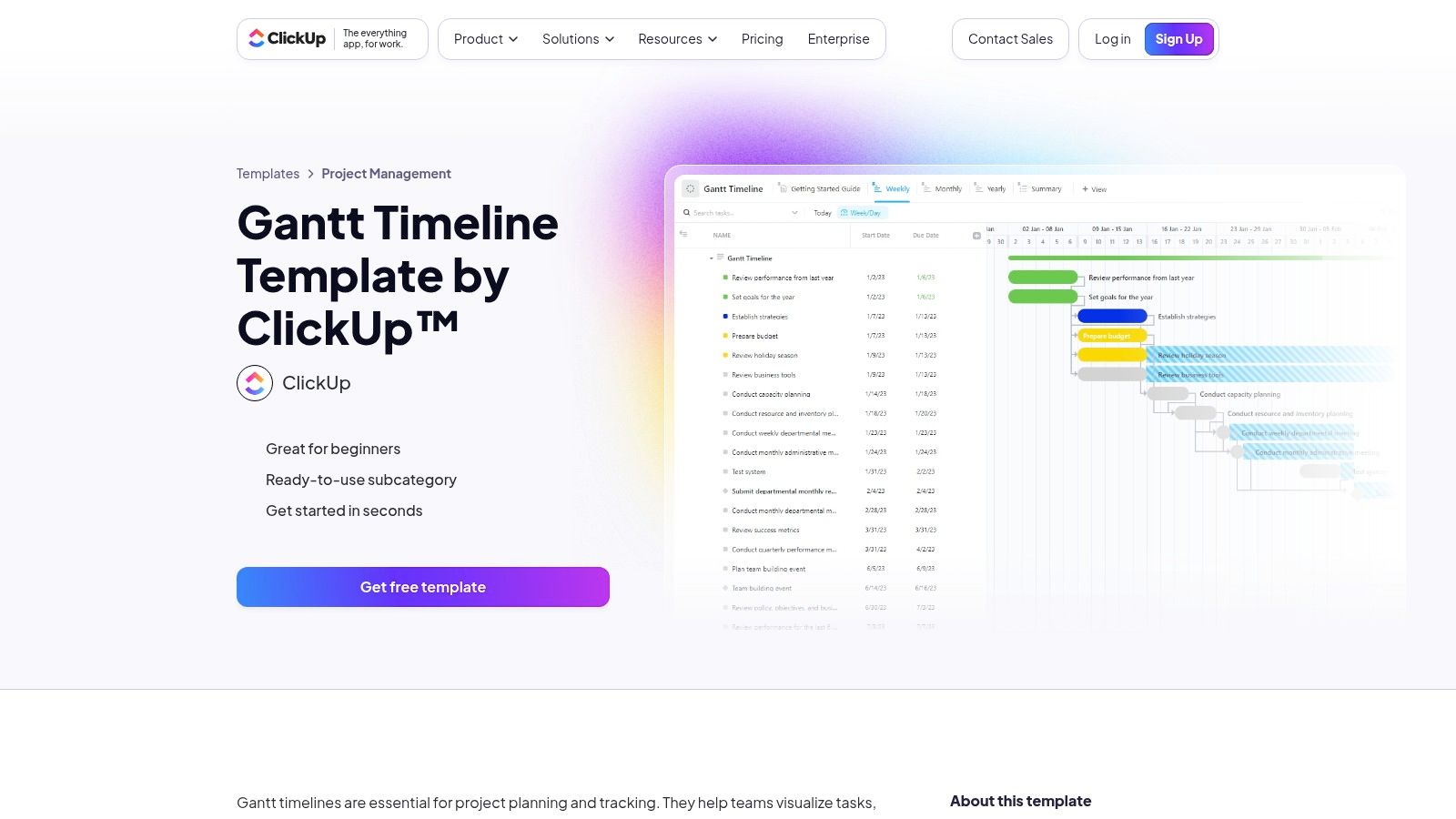
9. ClickUp

ClickUp moves beyond static templates into a dynamic, all-in-one project management platform. While it offers a vast library of templates, its core strength is the native Timeline view, which functions as a powerful, interactive Gantt chart. For agencies needing more than a simple visual, ClickUp provides a project timeline template free within a system built for complex workflows, dependencies, and real-time collaboration. The platform is designed to scale with your project's complexity.

ClickUp

The primary advantage is its robust feature set, available even on the generous free forever plan. Users can set dependencies with clear visual connectors, create milestones, and adjust time scales from daily to yearly views. Custom fields and statuses allow agencies to tailor the timeline precisely to their specific project stages, from "Client Review" to "Awaiting Feedback." This makes it a comprehensive solution that can replace multiple single-purpose tools.

Our Assessment

Category Rating Summary
Ease of Use ⭐⭐⭐ Powerful, but the extensive features can present a steeper learning curve for new users.
Customization ⭐⭐⭐⭐⭐ Extremely high. Custom fields, statuses, and views allow for deep workflow personalization.
Collaboration ⭐⭐⭐⭐ Strong real-time collaboration with comments, assignments, and notifications built directly into tasks.
Overall ⭐⭐⭐⭐ A top-tier choice for agencies ready to graduate from spreadsheets to a full project management system.

However, the sheer depth of features can be overwhelming for those seeking a simple, one-off timeline for a small project. Configuring a template to perfectly match your agency's workflow may require an initial time investment. It's a powerful tool, but its complexity might be overkill for very basic needs.

  • Best for: Agencies managing multiple complex projects with overlapping dependencies.
  • Not for: Individuals or teams needing a quick, simple visual for a single project.

Link: ClickUp Gantt & Timeline Templates

10. Miro

For agencies that prioritize visual collaboration and brainstorming, Miro offers a dynamic alternative to traditional spreadsheet templates. Its infinite canvas is an ideal environment for building a project timeline template free from the constraints of rows and columns. Miro provides several pre-made timeline templates, allowing teams to map out project phases, product roadmaps, and key milestones in a highly interactive and visual format that excels in workshop settings.

The platform’s strength lies in its real-time, multi-user collaboration. Team members and clients can simultaneously add sticky notes, connect ideas with arrows, and comment directly on the board, making it perfect for kickoff meetings and cross-functional planning sessions. The drag-and-drop interface and customizable elements allow for the creation of truly bespoke visual roadmaps that can evolve with the project.

Our Assessment

Category Rating Summary
Ease of Use ⭐⭐⭐⭐ Highly intuitive drag-and-drop interface makes it easy to build visual timelines quickly.
Customization ⭐⭐⭐⭐ Near-infinite visual customization on the canvas, though structured timeline features are less robust.
Collaboration ⭐⭐⭐⭐⭐ Best-in-class real-time collaboration with commenting, cursors, and live editing.
Overall ⭐⭐⭐⭐ A top-tier choice for visual-first teams who need a collaborative space for planning and roadmapping.

While the free plan is generous, more advanced features, such as the interactive Timeline widget (beta) and private boards, are part of paid tiers. The platform is less suited for granular task management and detailed data tracking compared to a dedicated project management tool, functioning more as a high-level planning and visualization space.

  • Best for: Collaborative workshops, high-level project roadmapping, and visual planning sessions.
  • Not for: Detailed, data-heavy project management with granular task dependencies.

Link: Miro Timeline Template

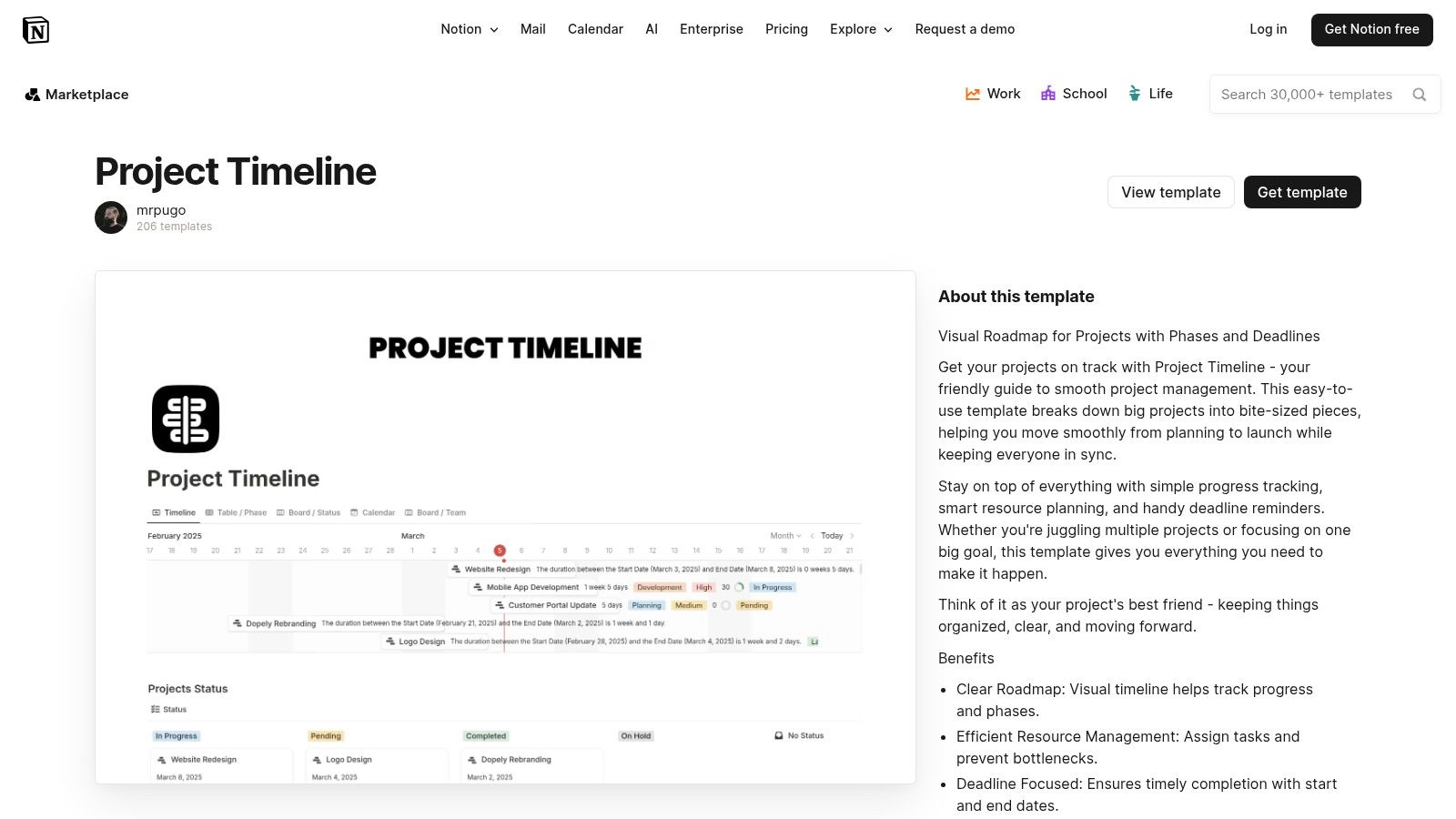
11. Notion

For teams seeking an all-in-one workspace, Notion provides a project timeline template free through its extensive template gallery and community contributions. Unlike traditional spreadsheets, Notion integrates project timelines directly with documentation, notes, and task management using its powerful database "Timeline" view. This creates a single source of truth where project schedules live alongside the context, briefs, and deliverables, making it a dynamic hub for agency operations.

Notion

The key benefit is its flexibility. A Notion timeline is not just a static chart; it's an interactive database where each item can be a rich document containing subtasks, owners, files, and comments. This makes it ideal for content calendars, product roadmaps, and client project plans that require more than just dates. Teams already using Notion will find adding a timeline a seamless extension of their existing workflow, connecting strategy directly to execution.

Our Assessment

Category Rating Summary
Ease of Use ⭐⭐⭐ Intuitive for existing Notion users, but has a learning curve for newcomers. Setup is required.
Customization ⭐⭐⭐⭐⭐ Extremely high. Can be tailored to nearly any workflow by adding properties, views, and relations.
Collaboration ⭐⭐⭐⭐ Excellent real-time collaboration with comments, mentions, and shared workspaces.
Overall ⭐⭐⭐⭐ A top-tier free option for teams wanting to integrate timelines with broader project documentation and knowledge management.

While incredibly powerful, Notion's strength can also be its weakness. The sheer number of features can be overwhelming, and setting up the perfect template requires some initial effort. While the free tier is generous, more advanced project management features like granular permissions or deeper analytics are part of paid plans.

  • Best for: Agencies that want a single, integrated workspace for timelines, tasks, and documentation.
  • Not for: Teams needing a simple, standalone Gantt chart without the knowledge base features.

Link: Notion Project Timeline Templates

12. Lucidchart

For agencies that need to create visually impressive and easily shareable timelines, Lucidchart offers a powerful, cloud-based diagramming tool. While not just for timelines, its library includes a diverse range of templates that can be adapted for project planning, from simple event sequences to complex, multi-stream roadmaps. It provides a polished alternative to spreadsheet-based timelines, making it ideal for client presentations and high-level strategic planning.

Lucidchart

The platform's strength lies in its intuitive drag-and-drop interface and robust collaboration features. Team members can comment directly on the timeline, tag colleagues, and co-edit in real-time. Lucidchart’s extensive integrations with tools like Slack, Google Workspace, and Microsoft Teams allow agencies to embed timelines directly into their existing communication workflows, ensuring everyone has access to the latest version. This makes it a great choice for a project timeline template free from the constraints of traditional document formats.

Our Assessment

Category Rating Summary
Ease of Use ⭐⭐⭐⭐ The drag-and-drop interface is highly intuitive, requiring minimal training to create professional visuals.
Customization ⭐⭐⭐⭐ Excellent control over visual elements, shapes, colors, and layout for brand-aligned presentations.
Collaboration ⭐⭐⭐⭐ Top-tier real-time co-editing, commenting, and integration with communication platforms.
Overall ⭐⭐⭐⭐ A superb tool for creating presentation-ready timelines with strong collaborative features, though limited on the free plan.

The main limitation is the free tier, which restricts users to three editable documents and provides access to a smaller subset of templates. For agencies managing numerous projects simultaneously, this can be a significant constraint. However, for occasional high-stakes presentations or creating a master project overview, the free version is an exceptional resource.

  • Best for: Creating high-quality, presentation-ready timelines for client meetings and strategic planning.
  • Not for: Agencies needing to manage a large portfolio of active project timelines on the free plan.

Link: Lucidchart Timeline Maker

12 Free Project Timeline Templates Compared

Tool Core features UX & Quality ★ Value / Pricing 💰 Target audience 👥 Unique selling points ✨🏆
Microsoft Excel templates (official) Prebuilt timeline/milestone sheets, web + desktop, OneDrive sharing ★★★ 💰 Free (full features may need M365) 👥 Spreadsheet-first PMs, agencies needing quick reports ✨ Familiar Excel format, fast status reporting; 🏆 Microsoft-first
Microsoft PowerPoint (official how-to) SmartArt timeline layouts, step-by-step editing, web + desktop ★★★★ 💰 Free with Office/M365 👥 Presenters, client-facing teams ✨ Fast, native presentable timelines; 🏆 Ubiquitous presentation tool
Smartsheet Large template library (Excel/Sheets/PPT/Smartsheet), guidance ★★★★ 💰 Templates free; product paid 👥 Users wanting industry-specific template variety ✨ Broad selection + multi-format downloads
Vertex42 Formula-light Excel timelines, stacked-bar/scatter, Gantt links ★★★★ 💰 Free (private-use license) 👥 Excel users seeking clean, editable templates ✨ Well-documented, trusted templates
ProjectManager Excel timeline + import into app (Gantt/Kanban/Calendar) ★★★ 💰 Template free; app paid tiers 👥 Teams planning to scale from sheet → live tool ✨ Smooth on-ramp to dashboards and reports
TeamGantt Free Excel template + drag-and-drop online Gantt, dependencies ★★★★ 💰 Freemium (paid for advanced) 👥 Beginners & small teams needing collaboration ✨ Easy spreadsheet → web app transition
Asana Built-in Timeline (Gantt), dependencies, integrations ★★★★ 💰 Freemium (advanced features paid) 👥 Task-focused teams & agencies 🏆 Mature PM platform with strong Timeline view
Canva Design-first timeline templates, drag-and-drop, PNG/PDF/PPT export ★★★★★ 💰 Freemium (Pro for teams) 👥 Designers, client-facing teams ✨ Polished, brandable client visuals fast
ClickUp Gantt/Timeline views, dependencies, custom fields, many views ★★★★ 💰 Generous free plan; paid tiers 👥 Teams wanting all-in-one customizable PM 🏆 Robust feature set + template library
Miro Visual timeline templates, interactive timeline widget, realtime collab ★★★★ 💰 Freemium; paid for advanced boards 👥 Workshop facilitators, cross-functional teams ✨ Infinite canvas + real-time collaboration
Notion Timeline database view, docs + tasks combined, community templates ★★★ 💰 Freemium; paid tiers 👥 Teams wanting unified docs + timelines ✨ Single workspace for docs/tasks + community templates
Lucidchart Editable vertical/horizontal timelines, collaboration, integrations ★★★★ 💰 Freemium; paid for heavy use 👥 PMs & designers needing diagram-quality visuals 🏆 Professional, presentation-ready timeline visuals

Beyond Templates: The Leap to a Truly Integrated Agency OS

We've explored a comprehensive array of free project timeline templates, from the familiar grids of Excel and Google Sheets to the dynamic canvases of Miro and Lucidchart. Each tool offers a powerful starting point, a way to impose structure on complex projects and provide much-needed visibility to clients and internal teams alike. For agencies just beginning to formalize their processes or for one-off projects with simple requirements, a high-quality project timeline template free from this list can be an invaluable asset.

These templates succeed in creating a visual roadmap, transforming abstract goals into a concrete sequence of tasks, milestones, and deadlines. They are excellent for initial planning, client presentations, and establishing a baseline for project execution. However, as your agency grows and your projects increase in complexity, you will inevitably reach an operational ceiling. This is the point where the very nature of a template becomes its greatest limitation.

The Disconnected Data Dilemma

The fundamental challenge with any template, no matter how well-designed, is that it exists in isolation. Your project timeline in a PowerPoint slide is a static snapshot, disconnected from the actual task management happening in Asana, the client conversations in your inbox, the scope documents in Google Drive, and the time tracking that dictates your billing.

This fragmentation creates significant operational drag. Project managers spend hours manually updating timelines to reflect real-world progress, creating a constant risk of version control issues. There is no single, reliable source of truth. Answering a simple question like, "Are we on track and on budget?" requires cross-referencing multiple, disconnected systems. This is the operational chaos that even the most sophisticated project timeline template free simply cannot solve. It's a document, not a dynamic system.

Evolving from Templates to an Agency Operating System

The next logical step in an agency's evolution is to move beyond managing projects with disparate documents and transition to running the entire business on a unified platform. This is where a true Agency Operating System (OS) becomes essential. It's not about finding a better template; it’s about fundamentally changing how work, communication, and finances are interconnected.

An Agency OS like RGK is designed specifically to solve this fragmentation. It integrates project timelines directly with task management, resource allocation, client communication, and financial tracking. The timeline is no longer a separate artifact to be updated; it becomes a living, breathing component of the project itself, automatically reflecting progress as tasks are completed.

Furthermore, integrating an AI assistant like Greta elevates this capability to another level. Greta can proactively analyze project data against the established timeline, flagging potential budget overruns, identifying at-risk tasks, and providing predictive insights that are impossible to glean from a static spreadsheet. It transforms the timeline from a passive planning tool into an active, intelligent risk-management system. The leap is from manually plotting a course to having an intelligent navigator that helps you steer the ship.

This transition represents a move from simply documenting the work to optimizing the entire workflow. It’s about creating an environment where your timeline, your team's capacity, and your agency's profitability are all part of the same, interconnected conversation. While the free templates in this guide are excellent first steps, a truly scalable and efficient agency requires a unified system built for the unique pressures of client service work.


Ready to move beyond the limitations of static templates? RGK provides a unified Agency Operating System where your timelines, tasks, and financials are always in sync. See how an integrated platform can eliminate manual updates and provide real-time project intelligence by exploring RGK today.
Agile Project Plan: Build an agile project plan to streamline delivery

An agile project plan isn't about having all the answers upfront. It's a living, breathing framework that lets your team deliver real value in small, manageable chunks. Think of it less like a rigid, step-by-step instruction manual and more like a GPS that recalibrates as the landscape changes. This focus on sprints, client feedback, and constant improvement makes it a perfect fit for the fast-paced, often unpredictable world of agency life.

Why Traditional Plans Fail Agencies

For anyone who's worked in an agency, the traditional "waterfall" project plan can feel like a trap. You spend weeks crafting a beautiful, detailed roadmap, getting every task and milestone approved, only to have the client change their mind on day one of development. In theory, it’s organized. In reality, it’s a recipe for disaster.

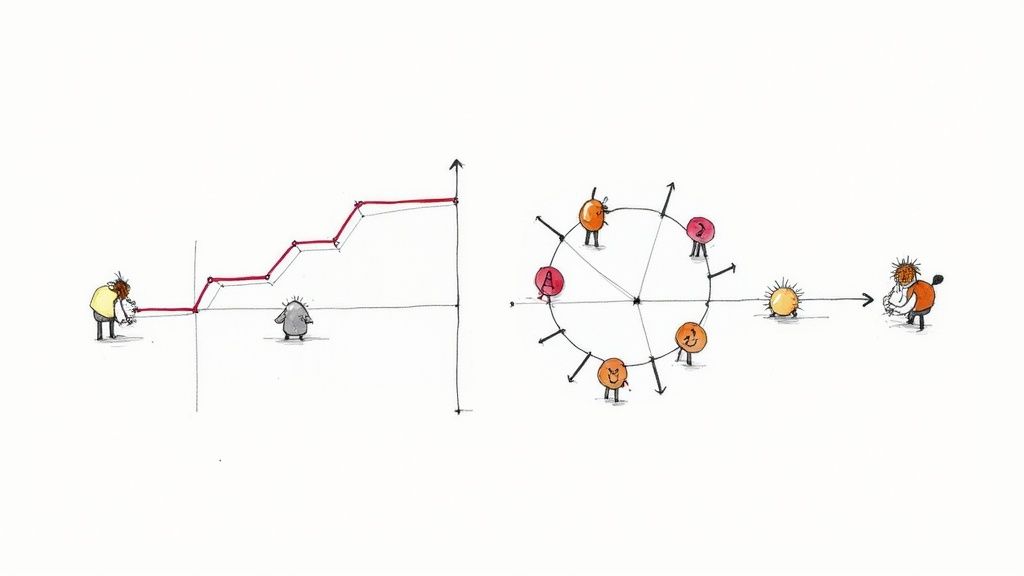
Hand-drawn illustration depicting project planning: a stair-step graph, and a circular task allocation diagram.

These linear plans just don't have the wiggle room for the surprises that are part of the job. A single piece of unexpected client feedback, a sudden shift in market trends, or a competitor's surprise move can shatter a waterfall plan. The whole project has to be re-scoped, leading to blown deadlines, busted budgets, and some very tough client conversations.

A Familiar Scenario for Any Agency

Picture this: your digital marketing agency is launching a huge holiday campaign for a major retail client. The team spends a solid month building a comprehensive plan—ad creative, social media schedules, landing pages, the works. Everything is signed off. Then, two weeks before launch, the client’s biggest competitor drops a nearly identical campaign.

The client panics and wants a complete messaging pivot. Yesterday.

With a traditional plan, this one change request triggers a nightmare domino effect. Designers have to scrap approved creative. Copywriters have to rewrite everything. Media buyers have to rethink the entire ad placement strategy. The project manager is now stuck in a Gantt chart vortex, the team is burning out, and that launch date is a distant memory.

This is the fundamental flaw of old-school planning in an agency environment: it treats change as a problem to be controlled, not an opportunity to get better. It’s built for a predictable world that simply doesn’t exist.

An agile project plan, on the other hand, handles this situation completely differently. The work would have been broken down into two-week sprints. The team’s initial focus would have been on delivering the most critical campaign assets first—maybe the core ad concepts and a simple landing page.

When the client called for a pivot, the change would only impact the work planned for future sprints, not the work that was already done. The team can adapt on the fly without blowing up the entire project. The benefits here are immediate:

  • You can actually adapt. The plan is built to absorb feedback and market shifts, not break under pressure.
  • Clients see progress, fast. By delivering working pieces of the project every couple of weeks, you build trust and keep the client involved.
  • Risk goes way down. Short cycles mean you can test ideas, see what works, and make adjustments early on, long before you’ve wasted a ton of time and money on a strategy that’s no longer relevant.

This iterative approach gives agencies a structure to manage the chaos. It turns client feedback from a project-killing roadblock into a helpful course correction, letting you navigate uncertainty with confidence.

Building Your Agile Project Roadmap

Forget detailed task lists for a moment. A solid Agile project plan starts with a shared vision—a high-level roadmap you create with your client. Think of it less as a rigid, unchangeable document and more as a strategic guide. It’s there to outline the major goals and features, giving everyone a clear direction without getting lost in the weeds right away.

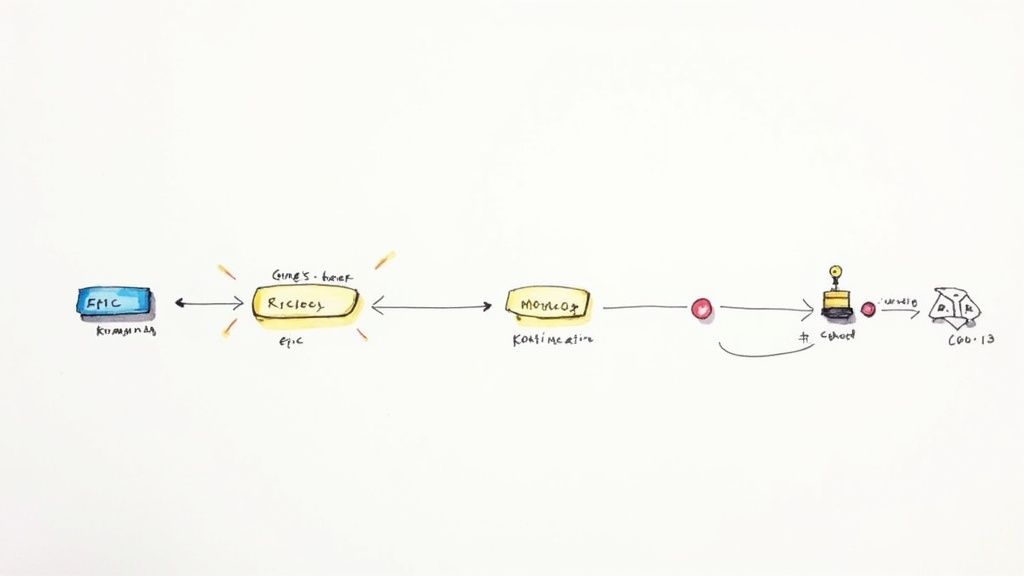
A hand-drawn process flow diagram illustrating different stages like 'EPIC', 'Riciclog', 'Moreoog', and a final 'Coo.13' output.

The project kickoff meeting is the ideal time to hammer this out together. Your main goal is to define the project's "why" and identify the big chunks of work, which we call epics. For a new e-commerce site, an epic might be "User Account Management" or "Product Checkout Process." These are big-picture items, not granular tasks, and getting them defined upfront aligns everyone on what success actually looks like.

This adaptive approach isn't just a niche trend; it's rapidly becoming the norm. The share of software development teams using Agile shot up from 37% to 86% between 2020 and 2021 alone. It's not just for software, either—engineering and R&D teams are jumping on board. You can find more data on this industry-wide shift over at businessmap.io.

Prioritizing What Truly Matters

Once you have your epics, it's time to prioritize. Let's be honest: not all features carry the same weight, and trying to build everything at once is a surefire way to miss deadlines and blow budgets. This is where a simple but incredibly effective technique like the MoSCoW method saves the day by helping you and the client sort features into four distinct buckets.

This framework is fantastic for sparking those tough but essential conversations about what's critical for launch versus what can wait.

  • Must-Have: These are the non-negotiables. Without them, the project fails. Think of the "Buy Now" button on a product page.
  • Should-Have: Important features that add real value but aren't deal-breakers for the initial release. A "customer product reviews" section is a great example.
  • Could-Have: These are the "nice-to-have" features that can easily be pushed to a later phase if time gets tight. A "save for later" wishlist often falls into this category.
  • Won't-Have: Features you both agree are out of scope for this release. Defining these is crucial for managing client expectations from the very beginning.

By categorizing deliverables this way, you create a natural order for your initial product backlog. It provides a clear focus for the first few sprints, ensuring the team delivers maximum value right from the start.

This structured approach transforms a client's wish list into an actionable plan grounded in reality. It focuses your team's energy where it counts, builds early momentum and client trust, and sets a sustainable rhythm for the entire project. It's the foundation that makes every sprint that follows far more effective.

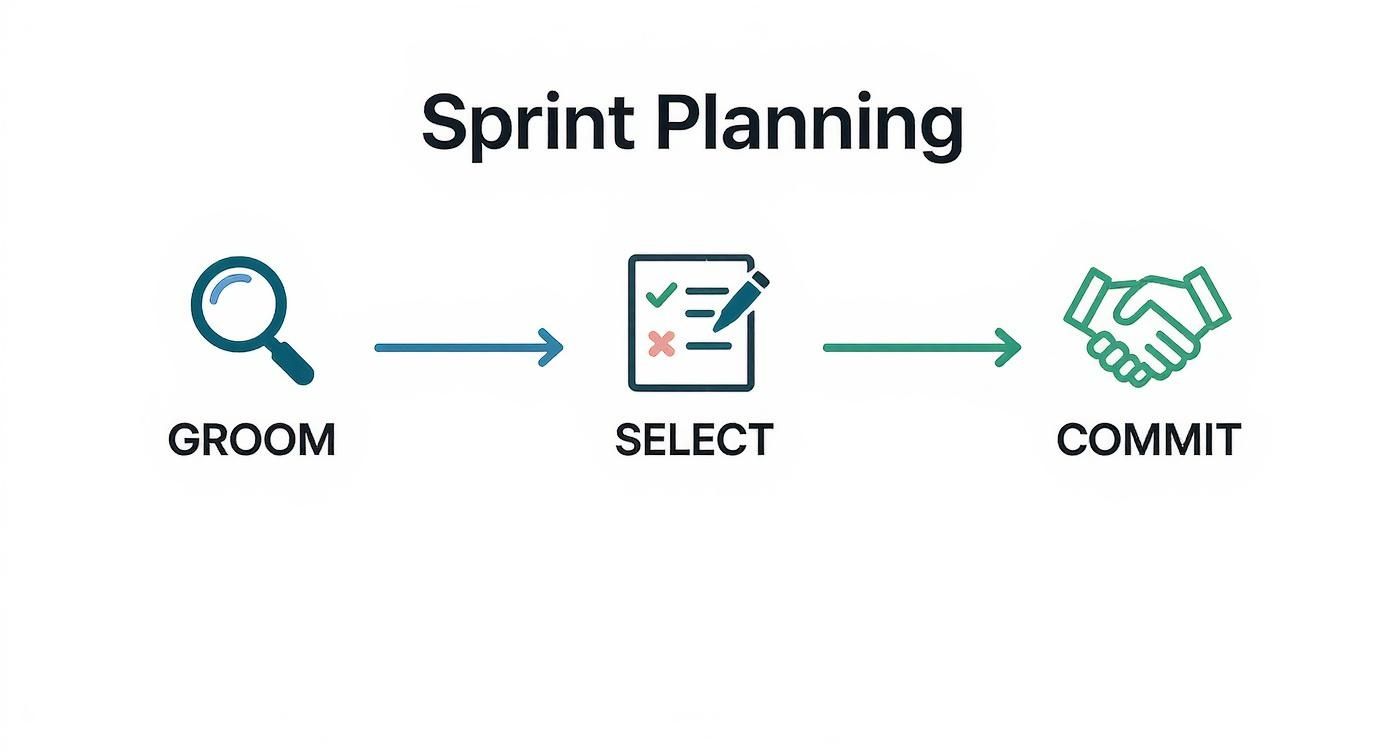
Alright, you've got your high-level roadmap and a prioritized product backlog. Now it's time to get down to the brass tacks. This is where the magic happens: the sprint planning meeting. This is the session where your team huddles up and decides exactly what they can realistically ship in the next one or two weeks. Big ideas become a concrete to-do list here.

The first order of business is to refine that backlog. We call this backlog grooming, and it’s not a one-and-done deal. It’s a constant process of taking those big, chunky epics and slicing them into smaller, bite-sized tasks called user stories. A solid user story is crystal clear, testable, and—most importantly—small enough for one person to knock out within a single sprint.

From Vague Request to Sprint-Ready Task

Let’s walk through a real-world scenario. A client might say, "I want an easier way for customers to get in touch." That’s a perfectly fine starting point, but you can’t just hand that over to a developer. It's way too vague.

Through backlog grooming, you'd break it down into something actionable:

  • Epic: Improve Customer Contact Options
  • User Story: As a website visitor, I want a contact form so I can ask a question without having to call.
  • Acceptance Criteria:
    • The form needs fields for Name, Email, and Message.
    • A "Success!" message has to show up after the user hits submit.
    • The form submission must route to the client's main support email.

See the difference? That level of detail kills any ambiguity. The team knows precisely what "done" looks like for this task, which makes estimating effort and actually delivering it so much easier.

With a handful of well-defined user stories ready to go, the team can start estimating the effort for each one using story points. Instead of getting bogged down in hours, story points are a relative size—a mix of complexity, risk, and raw effort. A simple copy update might be a 1-point story. Building out that new contact form we just defined? That could easily be a 5-pointer.

Here’s a great example of what this looks like in a tool like Trello. The backlog is organized and ready for the team to pull tasks into the upcoming sprint.

This kind of visual board instantly separates the "maybe later" from the "right now," giving everyone on the team immediate clarity.

Committing to the Sprint Goal

Once the stories are estimated, the team has to figure out its capacity for the sprint. If you have past data, great. If it’s your first sprint, you’ll have to make an educated guess. Let's say the team decides they can handle about 20 story points. They'll start pulling the highest-priority stories from the top of the backlog until they hit that 20-point mark.

This curated list of tasks is now the sprint backlog. From there, the team crafts a single, unifying sprint goal. It’s a simple statement that defines the purpose of the sprint, like, "Launch V1 of the new customer contact page."

This isn't a top-down directive; it's a collective commitment. The team takes ownership because they chose the work themselves. This focused, collaborative planning session is what turns your big-picture agile plan into a set of achievable tasks, creating a productive rhythm that can carry the project all the way to the finish line.

Integrating Agile into Your Agency's Favorite Tools

https://www.youtube.com/embed/GWxMTvRGIpc

An agile project plan that nobody sees is a plan that doesn't exist. If your team has to dig through a shared drive to find a static spreadsheet, you've already lost. The best plans are living, breathing things that are woven directly into the tools your team already uses every day.

This is where platforms like Asana, Trello, or Jira come in. They’re built for this kind of work, letting you transform your sprint backlog into a visual Kanban board that everyone can understand at a glance. The key here isn't to build some monstrously complex system, but to create a simple, intuitive flow that actually matches how your team works.

Setting Up Your First Agile Board

Let's start with a classic setup that just works. For most agency projects, you can get a ton of mileage out of a few basic columns representing your workflow stages.

Here's a simple and effective structure I've seen succeed time and again:

  • To Do: This is your starting line. It's filled with all the user stories from the current sprint backlog that are ready for someone to grab.
  • In Progress: As soon as a team member picks up a task, they drag the card here. It’s an immediate, public signal of what’s being actively worked on.
  • In Review: Once the initial work is done, the card moves here for a second set of eyes—whether that’s a peer, a QA specialist, or a project lead. This is your quality gate.
  • Done: The finish line. Once a card is approved, it lands here. This column is more than just an archive; it's a visual record of your team's accomplishments.

With this simple board, anyone from a junior designer to the client-facing account manager can see the exact status of the project in about ten seconds. No more "just checking in" emails or unnecessary status meetings. The board tells the whole story.

The work that ends up on this board doesn't just appear out of nowhere. It's the result of a deliberate sprint planning process.

A diagram outlining the Sprint Planning process, showing Groom, Select, and Commit stages.

This cycle of grooming, selecting, and committing ensures that every task in your "To Do" column is well-understood and ready to go.

Connecting Your Tools for Real-Time Updates

Want to take it to the next level? Start connecting your tools. Hook your project board up to a communication hub like Slack. You can easily set up an automation that posts a message to a project channel every time a card moves from "In Review" to "Done."

This simple integration keeps everyone in the loop automatically. The client services team knows when a feature is ready for feedback, and the rest of the project team sees progress in real-time without having to ask.

This isn't about adding more tech for the sake of it. It's about removing friction. The right integrations make your agile process feel smooth and keep communication flowing naturally, without any extra effort from your team.

The industry is clearly moving in this direction. The Agile Project Management Software market, valued at USD 5,915.2 million in 2025, is projected to soar to USD 14,711 million by 2032. That's a massive jump, and it underscores just how critical these platforms have become. You can find more data about the Agile software market on coherentmarketinsights.com.

By embedding your agile plan directly into your agency’s daily workflow, you’re not just making a document. You’re creating a single source of truth that champions transparency, sparks better collaboration, and keeps everyone moving in the same direction.

Common Agile Mistakes Agencies Make (And How to Dodge Them)

Switching your agency to an Agile framework is a fantastic move, but it's no silver bullet. The transition is a learning process, and it's shockingly easy to slip back into old habits, just with new names. Knowing what pitfalls to look out for can save you a world of headaches and keep your projects from going off the rails.

Treating Sprints Like Mini-Waterfalls

One of the most common blunders I see is teams treating sprints like rigid, two-week waterfall projects. They lock in the scope on day one, disappear into a black hole of development, and then resurface at the end with a "ta-da!" moment. This completely misses the point.

Agile is all about daily collaboration and having the flexibility to pivot during the sprint. You should be in constant communication, making small course corrections as you go. The "big reveal" should never be a surprise to anyone.

Letting Retrospectives Become Complaint Sessions

Another classic mistake? Your retrospectives turn into unstructured gripe sessions. A retro needs to be a productive, forward-looking meeting, not just a place to vent. Without a clear structure and a focus on solutions, these meetings often end with a lot of aired grievances but zero actionable improvements for the next sprint.

Ignoring the Product Backlog

A poorly managed product backlog is a silent killer for any project. This is what happens when the backlog becomes a chaotic dumping ground for every random idea, client request, and fleeting thought. Without regular grooming and prioritization, it quickly becomes an overwhelming and totally useless list.

A healthy Agile project plan depends on a backlog that's constantly being refined. In practice, this means you’re always:

  • Prioritizing relentlessly: The most valuable work has to stay at the top. Period.
  • Slicing up large items: Big epics need to be broken down into smaller, bite-sized user stories that can actually be finished in a single sprint.
  • Deleting irrelevant tasks: If an idea is no longer relevant to the project's goals, get it out of there. It's just noise.

When the backlog is a mess, your sprint planning meetings will be just as chaotic. The team will waste precious time just trying to figure out what the tasks even mean instead of planning how to execute them.

A backlog isn't meant to capture every idea forever. Its job is to create a clear, ordered list of the next most important things to build. If it’s not actively managed, it’s not a plan—it's a wish list.

Mishandling Urgent Client Requests

Ah, the classic agency curveball: the urgent, out-of-the-blue client request that threatens to blow up the entire sprint. Teams usually react in one of two ways—they either flat-out reject it to "protect the sprint," or they drop everything to get it done. Neither is a good look.

Saying "no" can harm the client relationship. But blindly saying "yes" teaches the client that your sprint commitments don't mean anything.

The Agile way is to have a structured conversation. First, get with the client and your Product Owner to figure out if it's a real emergency. If it is, the team can negotiate a swap. This means pulling an existing, lower-priority task of similar size out of the current sprint and back into the backlog to make room for the new urgent item.

This approach keeps your Agile project plan intact, respects the team's capacity, and shows the client you're a responsive partner.

How to Report Agile Progress to Clients

When you're running an Agile project, showing progress to clients is a totally different game than just handing over a Gantt chart. Forget talking about vague percentages of completion; clients need to see real, tangible value. The good news is your agile project plan already has everything you need to prove that value is being delivered sprint after sprint, turning what could be stressful check-ins into genuinely collaborative sessions.

Hand-drawn graph shows a businessman at the start of an upward trending red line with milestones.

The trick is to reframe the entire conversation. Instead of asking, "Are we on schedule?" the focus should be on, "What did we get done, and what did we learn from it?" This is where simple but incredibly powerful metrics come in. They give you a clear, data-backed story of the project's momentum without dragging everyone down into technical weeds.

Using Velocity and Burndown Charts

Two of the most effective tools I've used for client communication are velocity and burndown charts. They give a surprisingly transparent look at your team’s output and how you’re tracking toward a specific goal.

  • Velocity Chart: This chart simply tracks the amount of work (usually in story points) your team knocks out in each sprint. Over time, it gives you a reliable average, which makes future planning much more accurate. For clients, it answers the question, "How much work can we count on the team getting done?"
  • Burndown Chart: This is a visual that shows the work remaining in a sprint or a larger release. It’s a simple downward-sloping line that plots remaining story points against time. It provides an immediate, at-a-glance answer to, "Are we on pace to finish everything we planned for this sprint?"

These charts aren't just for your internal stand-ups; they are fantastic storytelling tools for clients. They visualize progress in a way that’s easy for anyone to grasp and builds a ton of confidence that the project is moving forward as it should.

This shift in project management has had a massive impact. Back in 2011, only about 10% of U.S. federal IT projects were managed with Agile methods. By 2017, that number had skyrocketed to 80%. It’s not just a government trend, either; companies using Agile often see project success rates climb over 75%, leaving traditional methods in the dust. You can dig into more of the data and find other insights about Agile's strategic influence on runn.io.

The Client-Facing Sprint Review

The sprint review is your time to shine. It's so much more than a demo; it’s a working session focused on showing off completed work, getting real, actionable feedback, and agreeing on what’s next. When you nail the review, you can completely change the dynamic of your client relationship.

A great sprint review focuses on the "what" and "why," not just the "how." The goal is to demonstrate the value created and use client feedback to steer the next sprint, reinforcing that you're partners in building the right solution.

Here’s a simple flow that I've found works wonders for a client-facing review presentation:

  1. Restate the Sprint Goal: Kick things off by reminding everyone what you agreed to accomplish.
  2. Showcase Completed Work: Demo the features that are 100% done. Let the client click around and actually interact with the new functionality.
  3. Discuss What Was Learned: Be transparent. Talk about any unexpected roadblocks or cool discoveries that popped up. This honesty builds incredible trust.
  4. Review Key Metrics: Briefly show the velocity and burndown charts to ground the conversation in hard data.
  5. Preview the Next Sprint: Give a quick look at the high-priority items from the backlog you’re planning to pull into the next sprint, making sure everyone is on the same page.

This approach proves your agile project plan is more than just a document—it's a living guide. It shifts the dynamic from a simple vendor-client transaction to a true partnership, where both sides are invested in iterating toward the best possible outcome.


At RGK, we built an operating system designed for the realities of agency work. It unifies project management, billing, and client communication, giving you a single source of truth to run, grow, and keep your business—without the operational chaos. Stop wrestling with disconnected tools and see how a truly integrated platform can transform your agency's efficiency.

Discover how RGK can streamline your operations at https://rgk.app.

Project Management Benefits: Boost Efficiency & Profit

When project management clicks, it brings a sense of clarity, control, and predictability that most agencies can only dream of. It’s the secret ingredient that turns chaotic, fire-drill-filled days into smooth, efficient operations. The result? A direct boost to your bottom line, team morale, and client happiness.

Why Project Management Is Your Agency's Superpower

Hand-drawn illustration of a laptop processing documents, launching them to an organized digital display.

Does the daily grind at your agency feel like a constant struggle against scope creep, looming deadlines, and razor-thin profit margins? You’re not alone. Many agencies produce incredible creative work, but the behind-the-scenes process is often a tangled mess of stress and inefficiency. This operational friction isn't just frustrating—it's what holds you back from scaling.

This is where a solid project management framework comes in. Forget rigid rules and bureaucratic checklists; think of it as your agency's strategic operating system. It’s the conductor making sure every section of the orchestra—from sales and account management to creative and development—is perfectly in sync. When you get it right, it creates a predictable rhythm for your work, giving your team the structure they need to let their creativity shine.

From Chaos to Clarity

Relying on individual heroics and last-minute scrambles to get projects over the line is a recipe for burnout. It just isn't sustainable. A structured project management process gives everyone a single source of truth, so the whole team knows what needs to be done, who’s doing it, and when it’s due.

This newfound clarity delivers immediate wins for your agency:

  • No More Guesswork: With clear roles, responsibilities, and timelines, tasks stop falling through the cracks. Everyone knows their part.
  • Happier, More Focused Teams: When your team can stop putting out fires all day, they can actually focus on doing their best work. This makes a huge difference in job satisfaction.
  • Stronger Client Relationships: Clients can see you have a plan. A transparent, organized process builds their confidence and trust from day one.

The real magic of project management is simple: it flips the script from reactive problem-solving to proactive planning. You stop adapting to chaos and start building a system that anticipates challenges and keeps projects moving forward.

In this guide, we'll dive into the specific benefits of project management that truly matter for agencies. We’ll show you how to trade operational disorder for a well-oiled machine built for growth, profitability, and amazing client results.

Driving Profitability and Financial Predictability

Profitability isn't some happy accident—it's the direct result of discipline and control. For agencies, where margins can be razor-thin and projects incredibly complex, solid project management is the engine that drives financial health. It’s what turns your day-to-day operations from a cost center into a predictable source of profit.

It all starts with locking down the project scope. A well-defined scope is like a GPS for your team; it sets clear boundaries and prevents those costly detours we all know as scope creep. If you’re just guessing how much time and effort a project will really take, you're setting yourself up for unprofitable work from day one.

Once a project kicks off, tracking every minute and every dollar is non-negotiable. This isn't about micromanaging your team. It's about gathering the hard data you need to protect your margins. When you can see the budget in real-time, you can spot potential overages early and course-correct before a project bleeds into the red.

From Reactive to Proactive Budgeting

Too many agencies only find out a project was a financial disaster after the final invoice is sent. A strong project management framework flips that script completely. You move from reactive damage control to proactive financial oversight. When you’re tracking progress against the budget as it happens, you suddenly have the power of predictability.

This financial clarity is one of the most powerful benefits of good project management, as it directly combats a massive source of waste. Globally, poor project performance leads to an estimated 11.4% of all investment being lost. That statistic alone shows just how critical execution is for protecting your bottom line. You can dig into the full findings on project performance stats to see the bigger picture.

A Quick Agency Turnaround Story

Think about a small digital agency that was consistently watching its profits on website redesigns evaporate. The team was great, but projects were always running over budget because of unbilled hours and a flood of "just one more thing" client requests. The problem wasn't their skill; it was their complete lack of a system.

By putting a simple project management tool in place, they made three game-changing moves:

  • Standardized Scoping: Every new project kicked off with a detailed Statement of Work (SOW) that the client had to sign off on before any work began.
  • Weekly Budget Reviews: The project manager started reviewing budget vs. actuals every single Friday, flagging any project that was getting dangerously close to its limit.
  • Formal Change Requests: Any work that fell outside the original SOW now required a formal change order, complete with its own separate budget.

The results were almost immediate. In just one quarter, the agency boosted project profitability by 20%. They weren't working any harder—they were just working smarter, with a crystal-clear view of their finances on every single project.

Effective project management provides the financial guardrails that allow your agency to grow sustainably. It ensures that the great work you deliver also builds a strong, predictable business.

1. Achieve Peak Operational and Team Efficiency

Agency efficiency isn't just about moving faster. It's about building smarter, repeatable systems that get rid of the daily friction that slows everyone down. At its core, this is what great project management does: it takes a chaotic jumble of tasks and turns it into a smooth, predictable process. Think of it like an orchestra conductor, making sure every person, from the creative team to the developers, knows exactly when to come in.

When you map out project phases and define clear dependencies, you eliminate the guesswork. Team members stop wasting precious time wondering what to do next or waiting on a key piece of information. The workflow itself becomes their guide, letting them focus on doing their best work instead of just managing logistics. This clarity is the secret to getting more done without burning your team out.

As you can see, project management is the central nervous system connecting the scope, tracking, and profitability of any given project.

A project management diagram showing scope, tracking, and profitability as key interconnected aspects.

This shows just how critical a disciplined approach is for keeping the financial health of a project on track from start to finish.

Optimize Your Most Valuable Asset: Your Team

Good project management gives you a clear, high-level view of your team's workload, which is absolutely essential for smart resource allocation. It finally lets you answer those nagging questions: Is the design team completely swamped this month? Does our lead developer have enough to do? Without this visibility, you’re just guessing, likely overworking some people while others have untapped potential.

A structured system gives you the hard data you need to make intelligent staffing decisions. For example, tracking resource utilization shows you exactly how much of a team member's time is spent on billable work versus internal meetings or admin tasks. That insight alone can help you rebalance workloads and make sure your top talent is focused on work that actually drives revenue.

Of course, the right tools make this all possible. It’s no surprise that 77% of high-performing projects rely on project management software. Adopting a solid platform can save employees an average of 498 hours per year—a massive productivity boost that flows directly to your bottom line. You can find more statistics on the demand for project management to see just how closely tooling is tied to success.

Eliminate Critical Workflow Bottlenecks

Bottlenecks are the silent killers of agency productivity. They can be anything—a consistently slow client approval, a single person who has to review every piece of creative, or an inefficient handoff between design and development. A proper project management setup makes these chokepoints obvious so you can finally do something about them.

Here’s how you can start hunting down and fixing them:

  • Visualize the Work: Tools like Kanban boards are perfect for this. You can instantly see where tasks are getting stuck and piling up.
  • Map Out Dependencies: Make it crystal clear which tasks can't start until another is finished. This helps you get ahead of potential delays before they happen.
  • Automate the Mundane: Use your project management tool to handle repetitive tasks like sending status update reminders or assigning routine work. This frees up your team for thinking, not just clicking.

By systematically knocking down these barriers, you create a much smoother and more predictable flow. This isn't just an operational victory; it’s a huge boost for team morale and helps you deliver more consistently for your clients.

To truly understand if your efforts are paying off, you need to measure them. Abstract feelings of "being more efficient" won't cut it. The table below outlines concrete metrics you can track to see the real-world impact of improved project management across different parts of your agency.

Key Metrics for Measuring Project Management Benefits

Benefit Area Primary Metric How to Measure It Agency Goal
Operational Efficiency Average Project Turnaround Time Track the time from project kickoff to final delivery. Decrease over time by 10-15%
Profitability Project Margin (Total Revenue – Total Project Costs) / Total Revenue Consistently hit or exceed target margins (e.g., >30%)
Predictability On-Time Delivery Rate Percentage of projects or milestones completed by the original deadline. Achieve a >90% on-time delivery rate
Client Satisfaction Client Satisfaction (CSAT) Score Post-project surveys asking clients to rate their experience. Maintain an average score of 4.5/5 or higher
Risk Reduction Scope Creep Percentage (Hours on Unplanned Work / Total Project Hours) x 100 Keep scope creep below 5% of total project hours
Resource Utilization Billable Utilization Rate (Billable Hours Logged / Total Available Hours) x 100 Aim for a target rate, e.g., 75-85% for billable staff

Tracking these numbers gives you a clear scorecard for your project management practices. It shifts the conversation from gut feelings to data-driven decisions, allowing you to pinpoint exactly what’s working and where you need to improve.

Elevating Client Satisfaction and Retention

Let’s be honest: happy clients are the lifeblood of any agency. They’re the ones who stick around, expand their retainers, and tell their friends about you. But that kind of loyalty doesn't just happen. It's built on a foundation of trust, and trust comes from clear communication and consistently met expectations—two things a solid project management process delivers in spades.

When clients feel like they're in the loop and confident in your process, their satisfaction skyrockets. A great project management system becomes the single source of truth for everyone involved, cutting through the chaos of endless email chains and conflicting Slack messages. It gives clients a clear window into what's happening, turning their potential anxiety into a feeling of true partnership.

From Miscommunication to Total Transparency

I’ve seen this play out time and time again. Picture an agency on the verge of losing a key account. The client was constantly on edge, frustrated by what they saw as delays and a total lack of visibility. Anxious emails were flying in daily. Meanwhile, the agency team felt completely misunderstood, working their tails off behind the scenes but failing to show that progress. The relationship was hanging by a thread.

Instead of throwing in the towel, the project manager made a smart move: they set up a client-facing portal in their project management platform. This one change completely flipped the script.

  • Shared Timelines: The client could suddenly see the entire project roadmap, key milestones, and how one task affected another. No more guessing.
  • Centralized Communication: All feedback and approvals were pulled out of messy email threads and organized in one central, structured hub.
  • Real-Time Progress Updates: Automated status updates showed exactly what the team was working on at any given moment, replacing nagging uncertainty with calm clarity.

By simply opening up their process, the agency transformed the entire dynamic. The client's confidence wasn't just restored by the quality of the work, but by the transparent and predictable way it was getting done. They ended up renewing their contract for double its original value.

This story really drives home a critical point. When businesses are asked about the biggest benefits of project management, a whopping 52% point to improved communication. Right behind that is better customer satisfaction at 38%. It’s no coincidence that 66% of users lean on project management software specifically to communicate better. You can dig into more stats about how project management tools boost communication on Workamajig.com.

At the end of the day, delivering a brilliant final product is only half the job. It's the smooth, transparent, and communicative journey that turns a one-off project into a long-term, profitable relationship. That's where great project management directly impacts client retention and, ultimately, your agency's bottom line.

How to Mitigate Risks and Prevent Scope Creep

Illustration of a 'Statement of Work' document with input arrows, a stapler, and a staple.

We’ve all been there. It starts with a simple "Can you just add…" and before you know it, the project has completely snowballed. That’s scope creep, the silent killer of agency profitability and team morale. Suddenly, deadlines are blown, and your budget is stretched dangerously thin.

Your best defense is proactive project management. It helps you turn risk from a scary, unknown threat into just another variable you can plan for. It’s not about shutting clients down. It’s about building a framework that protects your team, your bottom line, and the project's ultimate success.

By spotting potential roadblocks early—whether it’s a key designer’s vacation or a tricky third-party integration—you can build contingency plans. You get to solve problems before they become full-blown crises.

The Statement of Work: Your Unbreakable Foundation

The most powerful weapon in your arsenal against scope creep is a rock-solid Statement of Work (SOW). Don't think of it as a restrictive contract; see it as a mutual agreement on the rules of the game. It becomes the single source of truth that clearly defines what you will deliver, what's officially out of scope, and the timeline for getting it all done.

A well-written SOW is your project's constitution. It provides the clarity needed to prevent the tiny misunderstandings that later grow into massive scope problems. Make it detailed, specific, and get it signed by the client before any real work kicks off.

When you treat the SOW as the definitive project guide, you shift the conversation from subjective wants to objective deliverables. This single document empowers you to control the project's direction with confidence.

A Structured Process for Handling Change

Let's be realistic: clients will always ask for extra work. These requests are often great new opportunities, so you don't want to discourage them. The real danger isn’t the request itself, but how you handle it. Without a formal process, you’re basically giving away free work that kills your margins and distracts your team.

This is where a structured change request process comes in. It’s one of the quickest and most impactful project management benefits you can implement. You’re simply establishing a clear, professional workflow for evaluating new ideas as they come up.

Here’s how it usually works:

  1. Acknowledge and Document: When a client asks for something outside the SOW, thank them for the idea and immediately log it using a formal change request form.
  2. Assess the Impact: Your team quickly evaluates how the request will affect the timeline, budget, and which resources are needed.
  3. Provide a Clear Choice: You then go back to the client with a concise proposal. It should clearly outline the additional cost and any changes to the deadline.

This simple, repeatable process turns a potentially awkward conversation into a straightforward business decision. It protects your budget and schedule while showing the client that you’re a professional partner who respects their goals.

Your Roadmap to Implementing Project Management

Knowing why you need project management is one thing. Actually weaving it into the fabric of your agency is another challenge entirely. It can feel like you're trying to change a tire on a moving car, but breaking the process down makes it far less daunting.

The secret? Don’t try to boil the ocean. Pick one critical process—maybe it’s how you onboard a new client or the steps you take to launch a new ad campaign—and nail that first. Getting a quick win proves the value and builds the momentum you need to get everyone else on board.

Define and Map Your Core Workflows

Before you can fix a process, you have to see it for what it is. Get your team in a room (virtual or otherwise) and map out how work actually gets from A to B right now. Document every step, every handoff, every approval loop.

This exercise is often a real eye-opener. You'll instantly spot the redundancies and bottlenecks that have been slowing everyone down without anyone realizing it. The goal here isn't perfection; it’s clarity. You're just drawing a map of where you are today so you can chart a better course for tomorrow.

Select the Right Tools for Your Team

Once you have that map, you can start looking for the right gear. It's so tempting to get distracted by flashy features or whatever tool is getting all the buzz. Resist that urge. Your focus should be on finding a platform that solves the specific problems you just uncovered.

One of the biggest mistakes agencies make is stitching together a patchwork of different apps—one for tasks, another for time tracking, and a third for client comms. This just trades one set of problems for another, creating new data silos.

The real breakthrough comes when you find an integrated platform. Having client communication, project tasks, time tracking, and invoicing all in one place eliminates so much friction. A system like RGK becomes your agency's central nervous system, giving everyone a single source of truth.

This isn’t just about convenience; it’s a massive efficiency gain in its own right. It cuts down on administrative drag and gives you a clear, honest picture of project health at a glance.

Train Your Team and Set Best Practices

A powerful tool is only as good as the people using it. The next step is all about training your team and establishing your "rules of the road." This means getting everyone on the same page about the small things that make a big difference, like how to name tasks, when to update a status, and where client feedback lives.

Write these best practices down and make them easy for everyone to find. This isn't about creating red tape; it's about building a shared language so collaboration feels effortless. Consistency is what really unlocks the long-term gains.

Finally, remember this isn't a "set it and forget it" project. Keep an eye on the metrics we talked about earlier, like your on-time delivery rate and project profitability. Use that data to fine-tune your workflows and make sure your project management system grows and adapts right alongside your agency.

Frequently Asked Questions

Even when the benefits of solid project management are clear, it's natural for agency leaders to have a few nagging questions before jumping in. Let's tackle some of the most common ones I hear, so you can move forward with confidence.

How Much Time Does This Really Take to Set Up?

I get it. The last thing you want is another "time-saving" initiative that just adds more administrative work to everyone's plate. And yes, there's an initial investment of time to get your workflows set up and your team trained.

But that initial effort pays off, and fast. Studies have shown that teams using proper PM software save each employee an average of 498 hours per year. You're essentially trading chaotic, reactive fire-fighting for structured, proactive planning. The net time savings are huge.

Will My Creative Team Rebel?

This is a big one. Creatives often see project management as a rigid set of rules designed to suffocate their process. The trick is to implement a framework that provides structure, not a straitjacket.

When done right, good project management actually protects your creative team. It takes the administrative chaos—the constant "where is this file?" or "who's approving this?"—off their shoulders. By handling the scheduling and logistics, the system frees them up to do what they do best: create.

A well-implemented system should feel like a support structure that clears obstacles, not a cage that restricts creativity. It gives your team a predictable, reliable environment where they can thrive.

Do I Need to Buy an Expensive Tool Right Away?

Absolutely not. While sophisticated platforms offer some incredible features, you don't need a top-of-the-line system to get started. The tool is secondary; the process is what matters.

Focus on defining your processes first. You can begin with simple, even free, tools to map out your project stages and track who's doing what. It's all about building consistent habits around scoping, managing tasks, and communicating clearly.

Once those habits are locked in, you can then look for a more powerful, integrated tool that will grow with you and pour fuel on the fire of the benefits you're already seeing.


Ready to stop juggling a dozen different apps and build a truly efficient agency? RGK brings project management, client communication, and AI-powered insights together into a single operating system. See how you can streamline your entire operation at https://rgk.app.