The Ultimate Guide to Agency Management Software

Think of agency management software as the central nervous system for your entire operation. It's the one place where everything connects, designed to bring sanity and clarity to the often-chaotic world of agency life. It’s not just another app to add to your tech stack; it's a unified system that pulls project management, client relationships, team scheduling, and financials under one roof.

What Is Agency Management Software
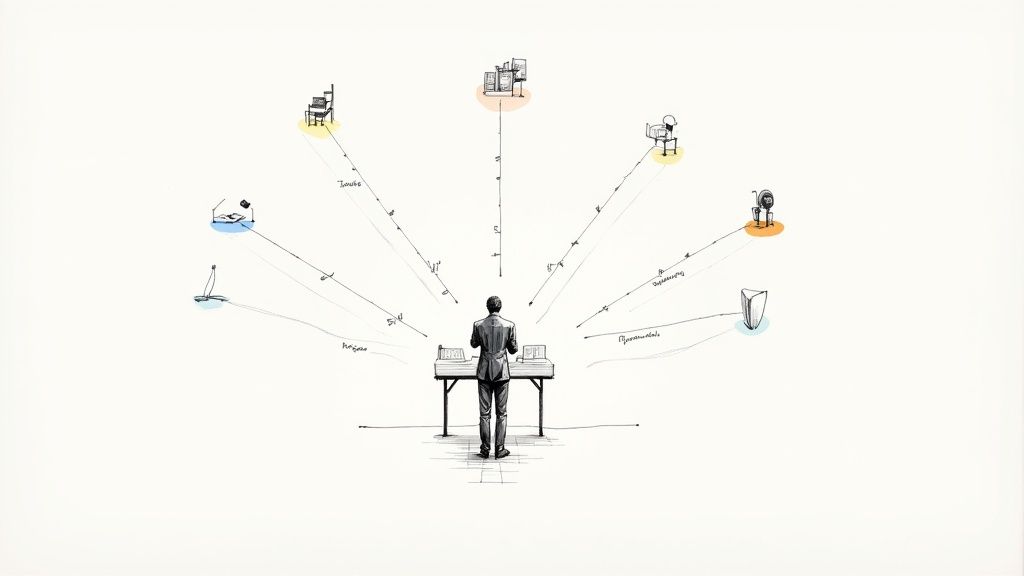
An illustration of a manager overseeing diverse tasks and timelines radiating from a central desk.

Picture trying to conduct a symphony orchestra where every musician is playing from a different sheet of music. The result would be a mess, right? That’s what happens when agencies try to run on a mix of disconnected spreadsheets, scattered email threads, and a handful of single-purpose project tools. Details get lost, deadlines slip, and figuring out if you're actually profitable feels more like guesswork than a business calculation.

This is the exact operational friction that agency management software is built to eliminate. It steps in as the conductor, making sure every part of your agency—from that first client pitch to the final invoice—is playing in perfect harmony.

Moving Beyond Disconnected Tools

So many agencies start out by duct-taping various apps together. You might have one tool for your to-do lists, another for tracking hours, and a separate CRM to keep client info straight. While that might work when you're small, it quickly leads to information silos and a whole lot of administrative drag as you grow.

A true agency management system replaces that patchwork with a single source of truth. Instead of your team wasting time copy-pasting information from one system to another, everything just flows. This solves a few huge, all-too-common headaches:

  • No Real Visibility: You get a clear, real-time picture of project progress, who’s overworked (and who’s not), and the financial health of the business.
  • Wasted Admin Time: By automating things like pulling reports, generating invoices, and sending reminders, it frees up your team to do what they do best: creative, billable work.
  • Inaccurate Project Costing: When time tracking is directly linked to projects and billing, you can finally see which clients and which types of projects are actually making you money.

There's a reason the market for these platforms is booming. Valued at USD 4.30 billion in 2024, the global Agency Management Software market is expected to hit USD 6.53 billion by 2030. This isn't just hype; it reflects a serious need for tools that can cut operational costs—often by up to 30% through automation, according to a business research report—while client demands just keep getting higher.

Think of it this way: Your agency's talent is its engine, but agency management software is the chassis, transmission, and steering wheel. It provides the structure that allows your team's creative power to move in the right direction, efficiently and at scale.

At the end of the day, this software is the operational backbone you need to grow sustainably. It transforms scattered efforts into a focused, profitable, and scalable business.

Understanding The Core Features

Agency management software isn't just one giant tool. Think of it more like a central nervous system for your business, made up of interconnected modules that talk to each other. Each part handles a specific function, but when they work together, they get rid of the data silos and administrative headaches that kill momentum.

It’s a bit like a modern car. You have an engine, a transmission, and an electrical system. Each has its own job, but it's how they all integrate and communicate that gives you a smooth, efficient, and reliable ride.

Let's pop the hood and look at the essential components that make these systems work, going beyond a simple feature list to get at the why behind each module.
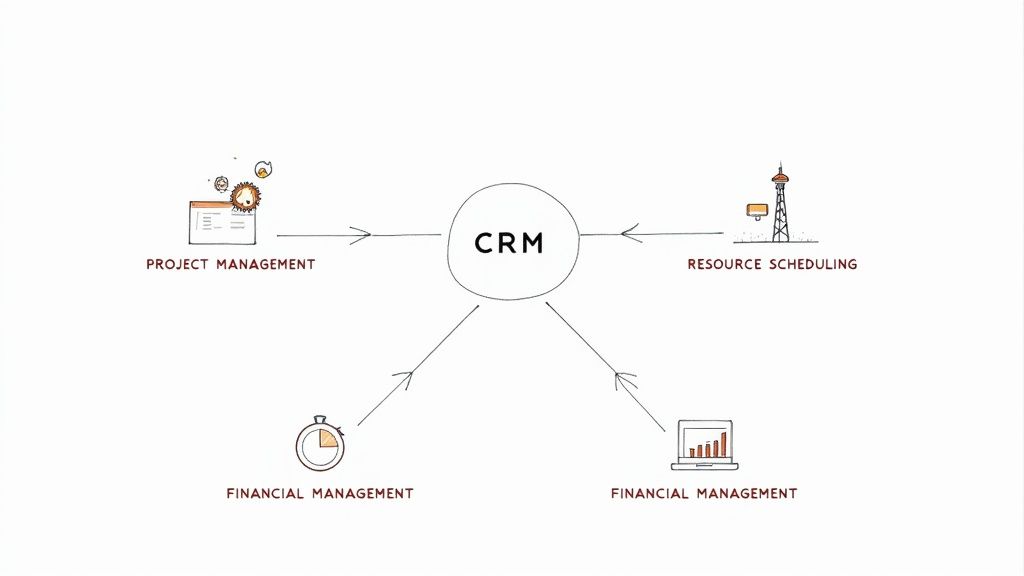
Diagram showing CRM as a central hub integrating with project management, resource scheduling, and financial management.

To better understand how these pieces fit together, here’s a quick overview of what each module does, the problem it solves, and the direct benefit it brings to your agency.

Core Modules of Agency Management Software at a Glance

Core Module Primary Function Problem It Solves Key Benefit
Project Management Task creation, assignment, and progress tracking Disorganized workflows, missed deadlines, and chaotic communication. A single source of truth for all project-related activities, ensuring clarity and on-time delivery.
Client Relationship Management (CRM) Storing all client interactions, history, and contact data. Lost context, inconsistent client communication, and missed opportunities. A unified client view that enables proactive service and stronger, long-term relationships.
Resource Scheduling Visualizing and allocating team member workloads and availability. Team burnout from over-allocation and lost revenue from under-utilization. Optimized team capacity, leading to improved project profitability and employee satisfaction.
Financial Management Invoicing, expense tracking, time tracking, and profitability analysis. Inaccurate project estimates, profit leaks, and delayed financial insights. Real-time visibility into project and client profitability, enabling smarter business decisions.

Now, let's dig a little deeper into the role each of these core components plays in the day-to-day life of a busy agency.

The Engine Room: Project Management

At its core, an agency's product is organized execution. The project management module is the engine that drives this entire process, turning great ideas into real deliverables on a predictable timeline. This is where tasks get created, handed off, and tracked from the first kickoff meeting to the final sign-off.

This module gives everyone a single, shared view of all active projects, showing you exactly where everything stands at a glance. It instantly answers the questions that bog down your team: What’s due this week? Who’s handling the next step? Are we going to hit our deadline?

Without it, teams are stuck juggling scattered to-do lists and endless status update meetings. In fact, some studies show employees can waste over 5 hours a week just hunting for information or chasing down colleagues for updates. This module puts an end to that by bringing all that activity into one place.

The Communications Hub: Client Relationship Management

Your client relationships are your agency's most valuable asset. The Client Relationship Management (CRM) module acts as the central hub for every conversation, decision, and piece of data related to each client. It's essentially your agency's collective memory.

This is where you store everything from the first email and contract details to meeting notes and ongoing correspondence. Imagine your account manager hopping on a call, able to instantly pull up every past interaction. They're not just better prepared; they can deliver a much higher level of service.

A good CRM built directly into your agency management software ensures that nothing falls through the cracks. If a key team member is out sick, someone else can step in with the full context of the relationship at their fingertips. This prevents frustrating communication gaps and makes clients feel genuinely understood.

The Air Traffic Controller: Resource Scheduling

One of the biggest juggling acts for any agency is managing team capacity. The resource scheduling module is your air traffic controller, giving you a crystal-clear view of who is working on what, when they're free, and whether their workload is balanced.

Its main job is to prevent the two extremes: over-allocation, which leads straight to burnout, and under-allocation, which quietly eats away at your profitability. By visualizing team schedules, managers can assign tasks based on actual availability, not just a gut feeling. This is absolutely critical for planning future projects and giving new clients realistic timelines.

Let's say a hot new project lands in your lap. With resource scheduling, you can immediately see that your lead designer is slammed for the next two weeks. This lets you make a proactive choice—either adjust the project timeline or line up a freelancer—instead of reacting to a fire you didn't see coming.

Getting this right is huge. Agencies that master resource management can often improve their billable utilization rates by 10-15%, which is a direct boost to the bottom line.

The Profitability Dashboard: Financial Management

Finally, the financial management module is what connects all the day-to-day work to your agency's financial health. It’s the profitability dashboard that tells you if all that creative effort is actually paying off. This is where you manage invoicing, track expenses, and, most importantly, run your job costing.

By pulling time tracking data from the project management module and tying it to employee rates, the system gives you real-time profitability reports for every single project and client. You no longer have to wait for the quarterly P&L to find out that a fixed-fee project went completely off the rails.

This direct line of sight into your financials helps you make much smarter business decisions. You can pinpoint which types of projects are your cash cows, which clients are draining resources, and where you need to tweak your pricing or process to plug profit leaks. It transforms financial oversight from a reactive chore into a powerful strategic advantage.

What Are the Real Business Benefits of an Integrated System?

Let's move past the feature lists for a moment. The real magic of agency management software isn't just about having cool tools; it's about the tangible results it brings to your business day in and day out. An integrated system doesn't just tidy things up—it makes your agency healthier, more profitable, and ready to scale. It’s the difference between constantly plugging leaks in a manual-process boat and sailing smoothly in a vessel built for growth.

The most immediate change you'll notice is a massive leap in operational efficiency. When project details, time tracking, and client messages all live under one roof, the administrative drag that bogs down your team simply vanishes. Think of all the hours you'll get back—no more hunting for that one email, fixing spreadsheet errors, or trying to stitch together reports from three different apps.

Immediately Boost Your Project Profitability

This is where you’ll feel the impact first: your bottom line. So many agencies fly blind when pricing fixed-fee projects, essentially guessing how much effort a job will actually take. With time tracking and project costing built right in, you finally get a crystal-clear view into the profitability of every single project.

This kind of visibility lets you stop profit leaks before they sink you. For example, you might discover you’re consistently underwater on website redesigns but killing it on your content retainers. Armed with that hard data, you can finally make informed decisions—adjust your pricing, tighten up your process for those less profitable services, or double down on selling what you know makes money.

Real-World Impact: We worked with an agency that felt they were spinning their wheels—busier than ever, but with profits staying flat. After getting their data into one system, they uncovered that unchecked scope creep was eating away 15% of their margin on fixed-fee work. With real-time insights, they were able to course-correct and hit a consistent 20% profit margin in just six months.

Elevate Client Satisfaction and Keep Them Coming Back

A unified system completely changes the game for your client relationships. When anyone on your team can pull up a complete history of every client interaction—from the first call to the latest feedback—they can deliver service that’s faster, smarter, and more personal. Things stop falling through the cracks, and your clients feel genuinely looked after.

This naturally leads to more transparency and trust. You can pull a status report, share a progress update, or send a clear invoice without a frantic scramble to gather information. That level of professionalism and organization builds serious client confidence, which is the bedrock of retention and referrals.

  • One Source of Truth: Any team member can jump in on a client conversation with full context.
  • Transparent Reporting: Build trust by easily sharing accurate progress and budget updates.
  • Proactive Service: Get a complete view of the client relationship to spot potential issues or opportunities early.

Reclaim Your Team’s Time Through Smart Automation

Repetitive admin work is the silent killer of agency productivity and morale. A good agency management software automates these soul-crushing tasks, freeing up your talented people to focus on the creative, strategic work they were hired to do.

This isn’t just about one or two tasks; automation can be woven throughout your entire workflow:

  1. Automated Invoicing: Set up recurring invoices for retainers or have them generated automatically from tracked time and expenses. No more end-of-month scramble.
  2. Task Reminders: Let the system nudge people about deadlines, so your project managers don't have to.
  3. Report Generation: Schedule profitability, utilization, and project health reports to land in your inbox right when you need them.

The combined effect of all this is huge. There's a reason this software market is booming—it’s become the operational backbone for any agency that wants to compete. North America currently accounts for over 40% of the global market share as agencies race to optimize their workflows and cut down on waste. With cloud-based platforms expected to hit 60% market penetration by 2025, agencies using these systems are reporting efficiency gains as high as 50%. You can dig deeper into these trends in this comprehensive market analysis. The takeaway is clear: integrated software is no longer a "nice-to-have." It's a fundamental part of running a modern, scalable agency.

How to Choose the Right Software for Your Agency

Picking the right agency management software is one of the most critical decisions you'll make. This isn't just about buying another tool; it's about choosing an operational partner. Get it right, and it can feel like you just added a seasoned COO to your team overnight. Get it wrong, and you'll saddle your team with friction, clunky workflows, and constant frustration.

Making a smart choice means you have to look past the slick sales demos and really pressure-test whether a platform fits your agency's unique DNA. It comes down to a structured approach: getting brutally honest about your needs, running real-world trials, and asking the tough questions that reveal a platform's true colors. The goal is to find a system that helps you grow not just today, but for the next five years.

Start With a Deep Internal Needs Analysis

Before you even glance at a software website, you need to look in the mirror. The single biggest mistake agencies make is chasing shiny new features instead of solving the problems they actually have.

Get your team leads in a room—project management, accounts, finance, the works. Map out your biggest headaches. What are the top three things that grind your team to a halt every week? Where does communication always seem to break down? What simple financial question (like "Are we profitable on this project?") can you not answer right now?

This exercise should give you a crystal-clear list of "must-haves" versus "nice-to-haves."

  • Must-Have: A seamless, two-way sync with QuickBooks to stop manual invoice entry.
  • Must-Have: A resource planning view that helps us see who's overbooked before they burn out.
  • Nice-to-Have: A client-facing portal for sharing files and updates.

This internal audit is your North Star. It keeps you focused on what truly matters and stops you from getting distracted by bells and whistles that won't actually improve your business.

Key Decision Criteria to Focus On

With your needs clearly defined, you can start sizing up the options. I always tell agencies to evaluate platforms against three core pillars: scalability, integrations, and user experience. Think of these as the absolute non-negotiables that will determine if the software adds value or just adds noise.

1. Scalability: Can It Grow With You?

The software that works for a five-person shop will completely fall apart for a 25-person agency. You need a platform that can handle more projects, more clients, and a bigger team without lagging, bugging out, or becoming a convoluted mess. Ask vendors directly how their system performs under pressure and what their roadmap looks for supporting larger teams.

2. Integrations: Does It Play Well With Others?

Your agency management software is the hub, but it's not the only spoke in the wheel. It absolutely has to connect with the other tools you depend on every day, whether that's Slack, Google Drive, or your accounting platform. Bad integrations mean someone on your team is stuck doing manual data entry, which completely defeats the purpose of a central system.

3. User Experience (UX): Will Your Team Actually Use It?

This is, without a doubt, the most important and most frequently ignored factor. It doesn’t matter how powerful a platform is if your team dreads logging in. A clean, intuitive interface is everything. If it takes a 30-minute training video to teach someone how to log their time, you're going to have an adoption nightmare. In fact, a recent study showed that nearly 70% of employees feel more productive when their software is easy to use.

The Litmus Test: During a demo or trial, can a brand-new team member figure out how to update a task or log their time in under five minutes, without a tutorial? If the answer is no, you have a serious UX problem on your hands.

Run Effective Trials and Demos

Never, ever commit to a platform based on a sales pitch alone. You have to get your hands dirty. Sign up for a free trial and assign a small, cross-functional "test crew" to run a real (or at least realistic) project through it. This is where the marketing promises meet reality.

To keep things objective, create a simple checklist to grade each contender. This helps you compare apples to apples and make a decision based on facts, not just a gut feeling.

Here's a practical checklist you can adapt to guide your team's evaluation process. It ensures you're asking the same critical questions for every platform you test.

Software Evaluation Checklist

Evaluation Criteria Question to Ask Importance (High/Medium/Low)
Project Setup How quickly can we spin up a new project with tasks, timelines, and a budget? High
Time Tracking Is it truly simple for team members to log time against specific tasks? High
Reporting Can I pull a real-time report on project profitability or team utilization? High
Integrations Does it connect seamlessly with our essential tools like QuickBooks and Slack? High
Mobile Access Is the mobile app actually functional for on-the-go updates, or is it an afterthought? Medium
Support If we have an urgent issue, what’s the real-world response time from support? Medium

By the end of this process, you’ll have a clear winner based on how each platform performed against the needs that matter most to your agency.

Following this structured evaluation takes the guesswork out of the equation. You're no longer just "buying software"; you're making a calculated, strategic investment in your agency's future efficiency and profitability.

A Roadmap for Successful Implementation

Switching your agency management software can feel like performing open-heart surgery on your business. Let's be honest—it’s a huge operational shift that touches every single person on your team. But with a clear roadmap, you can make the transition surprisingly smooth, keep downtime to a minimum, and get your team to actually love the new system instead of resent it.

Success here isn't just about the tech; it's about the people. This is fundamentally a change management project. Getting your team on board from the very beginning is the single biggest predictor of whether this investment will pay off. If you rush it, you're practically guaranteeing resistance and low adoption down the line.

Phase 1: Pre-Implementation Planning

Before you even think about moving a single byte of data, you need to lay the groundwork. This is all about preparation and getting everyone on the same page. Think of it as drawing up the architectural blueprints before the construction crew shows up. A little diligence here prevents massive headaches later.

First things first: clean your house. Run a thorough data audit. Get rid of those duplicate client contacts, archive ancient projects that are cluttering things up, and standardize how you format everything. Migrating messy data into a shiny new system is like moving piles of junk into a brand-new home—you’re just creating new problems in a nicer-looking place.

Next, map out your current workflows. How does a project really move from a sales call to a happy client right now? Documenting this stuff often reveals all sorts of hidden bottlenecks and gives you a clear picture of how to set up the new software for a much smarter future. This is also the perfect time to pull together your implementation team—a small group of champions from different departments who will help steer the ship.

This simple visualization shows the core steps in the software selection process that precedes implementation.
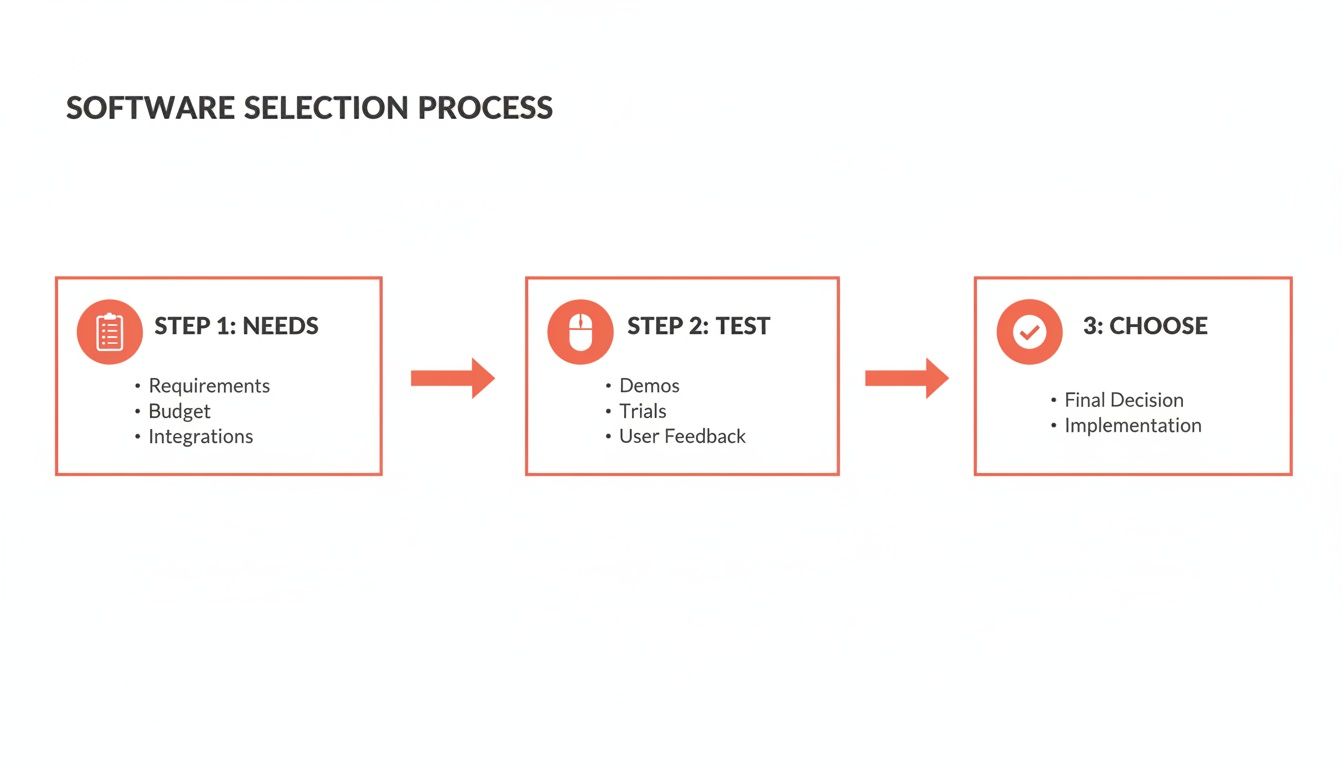
Visual guide to the software selection process covering needs, testing, and final choice.

This process ensures that by the time you reach implementation, your choice is already aligned with your agency's core operational needs.

Phase 2: The Implementation and Go-Live

Okay, plan in hand, it's time for the technical part. This is where you'll set up the software, migrate your squeaky-clean data, and configure the platform to match those new-and-improved workflows you designed. Whatever you do, don't try to boil the ocean and do everything at once.

Pro Tip: Start with a pilot project. Pick one or two smaller, low-risk projects and run them from start to finish only in the new system. This lets a small team learn the ropes in a real-world setting, iron out any kinks, and become your internal experts who can help train everyone else.

This approach builds momentum. As your pilot team starts talking about how much easier things are, you'll build genuine excitement across the agency. Once the pilot is a success and you've made your tweaks, you can schedule the full "go-live" for the rest of the company. Make sure to celebrate this milestone—it’s a big deal!

Phase 3: Post-Launch Support and Training

The work isn't over when you flip the switch. In fact, this is where the real work begins: making the new system a core part of your team's daily habits. This is why effective, ongoing training is non-negotiable.

Don't just herd everyone into a single two-hour webinar and call it a day. People learn differently, so you need a mix of resources:

  • Live Training Sessions: Walk through the key workflows for specific roles. Show your project managers, designers, and account managers exactly how the system makes their jobs easier.
  • On-Demand Resources: Build a library of short video tutorials and one-page cheat sheets. Nobody wants to dig through a 50-page manual to find one answer.
  • Office Hours: Set aside time each week where anyone can drop in with questions and get one-on-one help.

Finally, set up a feedback loop. The goal is continuous improvement, not just sticking to a plan you made three months ago. Encourage your team to suggest tweaks and better ways of doing things. As your agency evolves, your agency management software should evolve right along with it.

Calculating Your True Return on Investment

Let’s be honest: buying new software feels like an expense. But thinking of an agency management software as just another line item is a mistake. It’s a strategic investment, and like any good investment, it should deliver a clear return. To get buy-in, you need to build a business case that goes beyond the monthly subscription fee and calculates the real, tangible Return on Investment (ROI).

This isn't about fuzzy math or vague promises. It’s about pinning down the actual gains in efficiency, billable hours, and project margins. The core question is simple: how much value does this platform create versus how much does it cost? When you can answer that, you’ve proven the software is a growth engine, not just a cost center.

Quantifying Gains and Calculating ROI

So, where do you start? The most significant financial impacts usually come from three places: reclaimed time, better project profitability, and lower administrative overhead. Once you put a number on those gains, the rest is simple arithmetic.

The classic formula looks like this:

ROI Formula: (Financial Gain from Investment – Cost of Investment) / Cost of Investment

The tricky part is figuring out the "Financial Gain." Let's walk through a real-world example to make it concrete.

Imagine you have 10 project managers, and their billable rate is $100 an hour. You run a trial of a new platform and find it saves each PM just two hours a week—time they previously spent chasing down task updates and manually building reports. It doesn't sound like much, but watch how it adds up.

  • Weekly Reclaimed Hours: 10 PMs x 2 hours/week = 20 hours
  • Monthly Reclaimed Hours: 20 hours/week x 4 weeks = 80 hours
  • Monthly Value Gained: 80 hours x $100/hour = $8,000

Now, let's say the software costs $1,500 per month. Your monthly ROI is:

($8,000 – $1,500) / $1,500 = 4.33 or a 433% return.

Suddenly, that $1,500 looks like a bargain. And this is a conservative estimate. We haven't even touched on catching scope creep before it gets out of hand, cutting down non-billable admin time for the entire team, or using utilization data to make smarter staffing decisions.

Beyond Time Savings: The Hidden Multipliers

Reclaimed billable hours are the easiest metric to calculate, but they’re just the beginning. The right platform has a multiplier effect, creating value that compounds across your entire operation. It’s the hidden ROI that often makes the biggest difference.

Think about these other financial wins:

  • Improved Project Margins: When you have real-time data on job costs, you can see profit leaks as they happen, not a month later. Catching just one over-serviced project before it goes deep into the red can save you thousands.
  • Reduced Overhead: How many hours does your finance lead spend chasing timesheets or manually piecing together invoices? Automating that grunt work frees them up for strategic financial planning.
  • Increased Client Retention: Smoother projects and clearer communication create happy clients. Happy clients stick around, and that directly impacts their lifetime value.

When you build your business case, start with the hard numbers from the time-savings calculation. Then, layer in these powerful secondary benefits. It completely changes the conversation from, "Can we afford this?" to, "How can we afford not to do this?"

Frequently Asked Questions

It's a big decision, choosing a new operational backbone for your agency. So, naturally, you're going to have some questions. We've gathered some of the most common ones we hear from agency leaders and answered them directly, without the fluff.

How Long Does Implementation Typically Take?

There’s no magic number here—it really depends on the size of your agency and how much data you’re bringing over. For a smaller, more agile team, you could be fully operational in just a few weeks. But for a larger agency with a decade of project history to migrate, you're probably looking at a two-to-three-month journey.

A few key things will shape your timeline:

  • Data Migration: How much client, project, and financial data do you have? And more importantly, how clean is it?
  • Customization: Do you need to set up highly specific workflows, or will the out-of-the-box setup work for you?
  • Team Training: How much time can you realistically dedicate to getting everyone comfortable and confident with the new system?

Pro tip: Try a phased rollout. Kicking things off with a single pilot project can make the whole process feel much smoother and helps build momentum.

Will This Software Integrate With My Accounting Tools?

It absolutely should. A good agency management platform is meant to be your central source of truth, not another data island you have to paddle to. Solid integrations aren't a nice-to-have; they're a must for running a tight ship.

Most of the top platforms are built to play nicely with the tools agencies already use every day, like QuickBooks and Xero. They often connect with communication apps like Slack and cloud storage like Google Drive too. But always, always double-check that your mission-critical integrations are supported before you sign anything.

What's The Biggest Mistake Agencies Make When Adopting New Software?

Without a doubt, the most common pitfall is fumbling the change management. You can buy the most powerful, feature-rich software on the market, but if your team doesn't actually use it in their day-to-day work, it’s a failure.

The real measure of success for any new software isn't its feature list—it's the adoption rate. If your team doesn't embrace it, the investment is wasted.

The key to avoiding this is putting your people first. Bring your team into the selection process early and ask for their input. When it's time to learn the system, provide thorough training that’s specific to their roles, showing them exactly how it makes their jobs easier.

Finally, find a few internal champions—people who are genuinely excited about the new platform. They can offer peer support and keep the energy high. This turns what could be a disruptive change into a genuine team upgrade.


Ready to stop duct-taping your operations together and install a true OS for your agency? RGK is the unified platform built to help you run, grow, and keep your business without the chaos.
Discover how RGK can transform your agency today.

How to Manage Multiple Projects Without Burning Out

The secret to successfully managing a dozen projects at once isn't a magical piece of software or a new methodology. It starts with something much simpler: categorizing everything you're working on, visualizing the entire portfolio in one place, and shifting your mindset from frantic task-juggling to strategic oversight. This is the foundation. It lets you spot conflicts and see what really matters before you ever get bogged down in the details.

Laying the Groundwork for Multi-Project Success

Let's be honest, the real pain of managing multiple projects isn't just the sheer volume of work. It’s the chaos that comes from a lack of a unified system. When every project lives in its own silo—a separate spreadsheet here, a different Slack channel there—you spend your days fighting fires and reacting to whoever yells the loudest.

This constant reactive state is a recipe for burnout. It forces you into endless context switching and decision fatigue, which are absolute productivity killers for any manager. The goal is to climb out of the weeds and get to a place where you have a calm, portfolio-level view of everything that's happening.

This isn't just a nice-to-have. It’s a necessity. Think about it: 59% of project managers are juggling between two and five projects at any given time. When you’re spread that thin, the risk of scope creep and resource conflicts goes through the roof. It’s no wonder that global project performance hovers at just 73.8%, as you can see from other project management statistics. That means over a quarter of projects are missing the mark, often because no one had a clear, coordinated view from the top.

Your First Step: A Quick Triage

Before you even think about complex frameworks or new tools, do a quick triage of your current workload. The goal here is to get a high-level snapshot of everything on your plate. Forget about listing every single task—just focus on understanding the strategic purpose and current status of each major initiative.

The most powerful tool for gaining control is clarity. You can't manage what you can't see, and a simple triage framework forces you to define and categorize your work, turning chaos into a coherent inventory.

For instance, an agency might be handling a major website redesign, a new social media campaign, and an internal software update all at once. Each of those has completely different goals, stakeholders, and timelines. By categorizing them, you stop seeing a tangled mess of to-dos and start seeing distinct, manageable value streams.

This simple act of organizing provides immediate psychological relief and sets the stage for smarter prioritization down the line. To help you get started, here's a basic framework you can use to sort through your active projects right now.

Initial Project Triage Framework

This table is a quick way to get a handle on your portfolio. Just run each of your current projects through these columns to build an instant high-level dashboard.

Project Category Key Objective Primary Metric Next Action
Client A – Website Launch Go live by end of Q3 100% of core features deployed Finalize QA testing schedule
Client B – Ad Campaign Increase lead gen by 20% Cost Per Lead (CPL) < $50 Review ad creative with client
Internal – CRM Update Improve sales team efficiency Reduce data entry time by 15% Onboard final group of users

Once you've filled this out, you'll have a much clearer picture of your workload. This isn't the end of the process, but it's the critical first step toward establishing real control over your projects.

Building Your Centralized Project Command Center

Scattered information is the number one enemy when you’re trying to juggle multiple projects. If a project brief lives in one person’s inbox, the budget is on some rogue spreadsheet, and crucial client feedback is buried in a Slack thread, you aren't managing projects—you're just reacting to chaos.

The only way out is to build a centralized command center. This becomes the single source of truth for your entire portfolio. It doesn't have to be some overly complex, expensive platform. It could be a well-structured system in a tool you already use, like Asana or Monday.com, or even a really well-designed spreadsheet.

The key is creating one unified space where all project information is standardized, accessible, and consistently updated. Think of it as the air traffic control tower for your agency; it gives you a clear view of every project, helps you spot potential collisions, and ensures everything lands smoothly.

Standardize Your Project Intake

Your command center has to start with a consistent entry point for all new work. When project requests fly in from every direction—email, text, a casual hallway conversation—it's a recipe for disaster. This unstructured approach almost always leads to incomplete information, wildly inaccurate scoping, and projects kicking off without any clear objectives.

A standardized intake form is your first line of defense. This isn't just paperwork; it's a strategic tool that forces everyone to capture the essential details needed to properly scope and prioritize a new project before it ever hits your team’s workload.

Here’s what any solid intake process needs to collect:

  • The Core Objective: What business goal is this project actually supposed to achieve?
  • Key Stakeholders: Who needs to be involved, and what are their specific roles (e.g., final decision-maker, reviewer, subject matter expert)?
  • Success Metrics: How will we know we’ve won? Define the specific KPIs from day one.
  • Budget and Resources: What's the approved budget? Are there any known resource constraints we need to plan for?
  • Timeline: Are there any hard deadlines or critical milestones we absolutely cannot miss?

This simple step ensures every project enters your system with the same foundational information, making it infinitely easier to compare, prioritize, and assign resources effectively.

Establish a Clear Information Hierarchy

Once projects are in your system, the information needs a logical structure. A messy command center is just as useless as having no center at all. The goal is to give every stakeholder the right level of visibility without creating a tidal wave of information overload.

For instance, an agency owner needs a high-level portfolio view showing overall project health and profitability. A project manager, on the other hand, needs to see task dependencies and resource allocation across their specific projects. Meanwhile, a designer just needs a clear, focused view of their assigned tasks for the day and the week ahead.

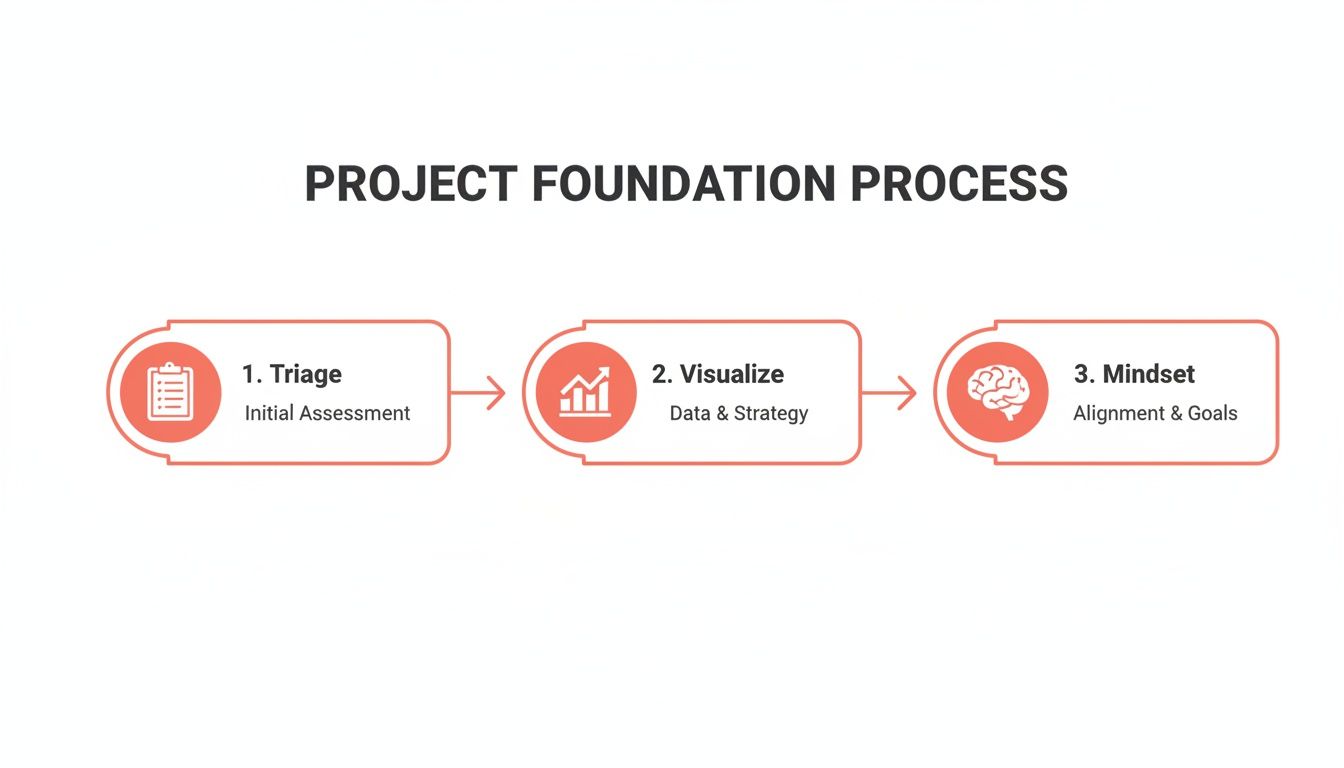
This diagram breaks down a simple but powerful process for building this project foundation through triage, visualization, and adopting the right mindset.

A project foundation process diagram outlining steps: Triage, Visualize, and Mindset.

This flow really drives home the importance of categorizing your work before you try to visualize it all—a fundamental step for a successful command center.

A great command center doesn't just store information; it presents it in a way that fuels quick, smart decisions. It should answer key questions at a glance: "Are we on track?" "Who is overloaded?" and "Where are the real bottlenecks?"

This kind of hierarchy is best implemented with a dedicated project management tool. It's surprising, but while the PM software market is expected to hit $15.06 billion by 2030, a staggering 23% of organizations don’t use any.

This is a massive missed opportunity. High-performing organizations completely flip this statistic: 77% of them use PM software, which has been shown to boost internal communication by 80% and drastically improve project outcomes. You can dig deeper into these numbers by reviewing these project management statistical insights.

Ultimately, building this command center is the most critical step you can take. It’s what transforms your workflow from a series of disconnected tasks into a cohesive, predictable, and scalable operation.

Choosing a Ruthless Prioritization Framework

So you’ve got your command center set up and can finally see everything in one place. That's a huge win. But what happens next is the real test. When three different clients have "urgent" requests and a critical internal project is slipping, where do you point your team?

This is precisely where a ruthless prioritization framework stops being a nice-to-have and becomes your most valuable operational tool. It’s what shifts your agency from a reactive, "whoever shouts loudest wins" mode to one driven by objective, data-backed decisions. The whole point is to create a shared understanding of what "priority" actually means, supported by a system everyone gets and respects.

Without one, your project managers are just making gut calls, often swayed by a squeaky-wheel stakeholder or their own biases. That’s not just stressful; it’s a recipe for burnout and inefficiency. A solid framework takes the guesswork out of the equation, guaranteeing your team is always focused on the work that delivers real, strategic value.

The Eisenhower Matrix for High-Level Triage

A fantastic first stop for sorting out your project pipeline is the classic Eisenhower Matrix. It’s deceptively simple but incredibly powerful, forcing you to think about work along two lines: urgency and importance. This helps you instantly cut through the chaos.

It breaks down everything into four easy-to-understand quadrants:

  • Urgent & Important (Do First): These are the fires you have to put out now. Think of a major client website launch that’s happening next week or a critical bug that’s crashing an app for every single user. There’s no debating these; they get top billing.
  • Important & Not Urgent (Schedule): This is where your best, most strategic work gets done. We're talking long-term planning, process improvements, R&D, and building key client relationships. If you don't intentionally block out time for these, they'll never happen.
  • Urgent & Not Important (Delegate): These are the noisy interruptions that feel pressing but don’t move the needle on your main goals. A last-minute request for a minor report or sitting in on a low-value meeting often lands here. The goal is to delegate, automate, or politely decline.
  • Not Urgent & Not Important (Eliminate): Pure time-wasters. These are the tasks and activities that offer zero value. Be ruthless and cut them out completely.

Using this matrix gives you a clear, logical reason why one "urgent" project gets your team's full attention while another is scheduled for two weeks from now. It ends the arguments before they start.

MoSCoW for Nailing Down Project Scope

Okay, so a project has made the cut. Now you need to manage priorities inside that project. This is where the MoSCoW method is brilliant for defining scope and keeping stakeholder expectations grounded in reality.

MoSCoW is just an acronym for categorizing features or deliverables:

  1. Must-Have: Non-negotiable. If these aren't delivered, the project is a failure. Period.
  2. Should-Have: These are important and add a lot of value, but the project won't fall apart without them.
  3. Could-Have: Desirable, "nice-to-have" features that you'll tackle only if you have the time and resources to spare.
  4. Won't-Have (This Time): This is the secret weapon against scope creep. It's a list of everything you've all agreed is out of scope for this particular phase or release.

Getting stakeholders to agree on the "Won't-Have" list is one of the most powerful things you can do. It protects your team's focus and ensures the "Must-Haves" actually get done, which is absolutely critical for keeping multiple projects moving forward.

Value vs. Effort for Smart Task-Level Decisions

Drilling down even further, your team is now looking at a backlog of tasks within a single project. What should they work on today? The Value vs. Effort matrix is perfect for making these daily and weekly calls. It’s all about spotting the quick wins that deliver the biggest bang for your buck.

You just score each task on two simple criteria, maybe on a 1-5 scale:

  • Value: How much impact will this have on the client or the project's main goal?
  • Effort: How much time and energy will this really take?

This quickly sorts tasks into four buckets: high-value, low-effort (quick wins); high-value, high-effort (major projects); low-value, low-effort (fill-ins); and low-value, high-effort (time sinks).

Focusing on the quick wins first is a game-changer. It builds momentum, shows progress to clients, and keeps team morale high. This simple scoring gives you an objective, defensible plan for what your team is doing and why.

Master the Juggling Act: Resource Allocation and Capacity Planning

You can have the most sophisticated project command center and a bulletproof prioritization system, but if your team is constantly drowning, none of it matters. The most common reason great systems fail is simple: human burnout.

This is where you shift from just assigning tasks to strategically allocating your team's time. It's about getting brutally honest about your team's true capacity—the real number of hours they have for deep work after you account for the meetings, admin, and general chaos of agency life. Getting this right is your best defense against overload.

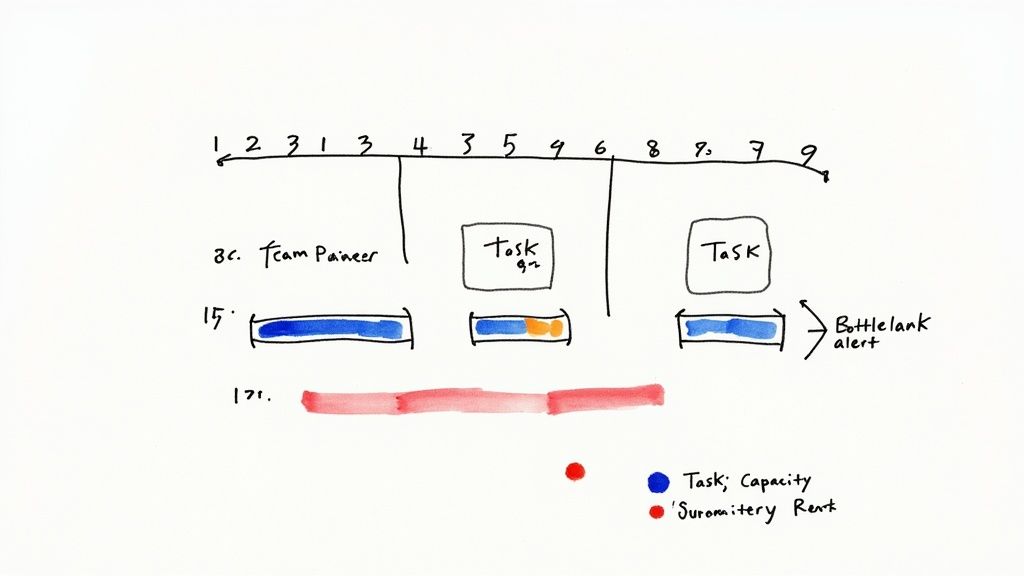
A handwritten diagram illustrating project task management with capacity, resources, and bottleneck alerts.

Honestly, this kind of planning is no longer optional. The industry is facing a massive talent crunch, with a projected need for 87.7 million project management roles by 2027—a huge leap from the current pool of 40 million.

This puts immense pressure on existing teams. We're already seeing managers handle 2-5 projects at once, but the sustainable limit is closer to 3-4 before things start to break. You can dig into more of the numbers in these recent project management statistics.

Find Your Team’s Real Capacity

First things first: you have to stop guessing. The biggest mistake managers make is assuming a 40-hour work week means 40 hours of available project time. It's a recipe for disaster.

To get a real number, you have to subtract all the non-project work that eats up the week:

  • Internal Meetings: All-hands, department check-ins, one-on-ones.
  • Admin Time: Filling out timesheets, doing expense reports, and clearing the inbox.
  • Professional Development: Training, workshops, or just time for skill-building.
  • Client Comms: The calls, emails, and meetings that aren't tied to a specific deliverable.

A team member booked at 100% capacity is a brittle resource. They have zero flexibility for unexpected client feedback, helping a colleague, or thinking creatively. I always aim for a 70-80% allocation on billable work to build in a necessary buffer. That’s how you create a resilient, sustainable workflow.

This simple math gives you a baseline for every single person on your team. It's the only number that matters when you start scheduling work.

Build a Visual Resource Plan

Once you know everyone’s true capacity, you need to see who is working on what, and when. A visual resource management plan, usually built right into your PM tool, is perfect for this. Think of it as a shared calendar for your team’s workload across every single project.

Let's say your design team is juggling three website builds and a couple of branding projects. A visual plan would instantly flag that your lead UX designer is scheduled for 150% of her capacity in week one because two major wireframing phases landed at the same time. Without that high-level view, you wouldn't know there's a problem until deadlines start slipping and the panic sets in.

This visual approach lets you practice resource leveling—the subtle art of shifting timelines and tasks around to smooth out the crazy peaks and quiet valleys in someone's schedule. You might push a lower-priority task to the next week or hand it off to another designer who has the bandwidth.

Resource Capacity Planning Template

Here’s a snapshot of how this looks in practice. This simple table gives you a bird's-eye view of your team's workload, making it easy to spot trouble before it starts.

Team Member Total Weekly Hours Admin/Meeting Hours Available Project Hours Allocated Hours Remaining Capacity (%)
Alex (Lead UX) 40 8 32 30 6%
Brianna (UI) 40 8 32 35 -9%
Carlos (Junior) 40 10 30 15 50%

A quick glance tells you Brianna is overbooked. The clear next step? Move some of her less complex UI tasks over to Carlos, who has plenty of room. This one small adjustment saves Brianna from becoming a bottleneck and keeps multiple projects moving forward smoothly.

Mastering this balancing act is how you scale your agency’s output without scaling your team’s stress.

Setting a Clear Communication Rhythm

Consistent, predictable communication is the glue that holds a multi-project environment together. Without it, you’re stuck with a constant barrage of “just checking in” pings, endless status meetings that go nowhere, and nervous stakeholders who are always in the dark. The goal isn't more communication; it's smarter, more rhythmic communication.

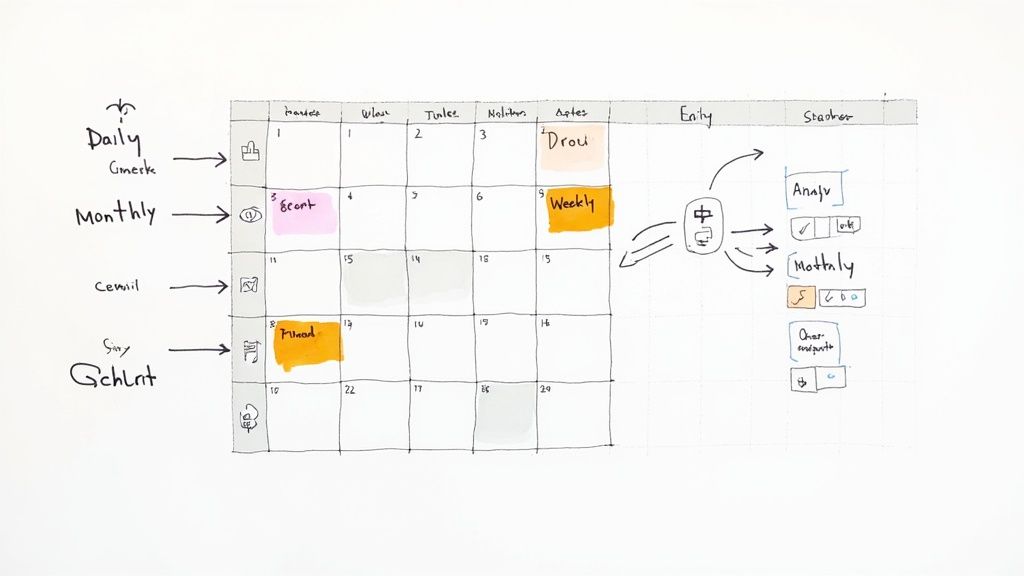
A detailed handwritten project management calendar with daily, monthly tasks, and a workflow diagram.

This means building a system of updates and check-ins that proactively answers questions before anyone even thinks to ask. When your team and clients know exactly when and how they'll hear from you, it builds a massive amount of trust. It also frees everyone from the mental load of wondering what’s going on, letting them get back to actual, deep work.

Design a Smart Meeting Cadence

First things first: you need a meeting schedule that delivers clarity without burning everyone out. Not every update needs a face-to-face meeting. The key is matching the format to the function so that every single interaction has a clear purpose.

Here’s a battle-tested rhythm that works well for agencies juggling multiple projects:

  • Daily Stand-Ups (15 minutes max): These are quick, rapid-fire syncs for the core project team. The focus is purely tactical: what did you do yesterday, what's on the list for today, and are you blocked by anything? This is an alignment check, not a problem-solving session.
  • Weekly Tactical Reviews (30-45 minutes): This one’s for the project manager and key team leads. It's where you'll review progress against the week's goals, shuffle task priorities if needed, and tackle any blockers that came up in the daily stand-ups.
  • Monthly Portfolio Reviews (60 minutes): Think of this as the 30,000-foot view with leadership and key stakeholders. The conversation is strategic—reviewing the health of the entire project portfolio, discussing budgets and resources, and making sure everything still ladders up to the big-picture business goals.

The secret to great meetings isn't the perfect agenda; it's a ruthless commitment to purpose. If a meeting's goal can be met with a quick email or a dashboard update, cancel it. Give your team their time back.

This tiered approach ensures the right people are having the right conversations at the right time. The team doing the work gets daily clarity, managers get weekly control, and leadership gets monthly oversight—all without dragging people into meetings that aren't relevant to them.

Lean into Asynchronous Updates

If you truly want to master managing multiple projects, you have to break the addiction to meetings. Asynchronous communication—updates that don’t require an instant response—is your most powerful weapon for keeping everyone in the loop without constant interruptions. This is where you proactively share information and build a culture of documentation.

For instance, that weekly client status call that could easily be an email? Turn it into a standardized weekly summary. This asynchronous update is often more effective than a meeting because it provides a clear, documented record of progress that people can refer back to.

A simple, effective template could include:

  • Overall Project Health: A quick status indicator (Green, Yellow, Red).
  • Key Accomplishments This Week: Bullet points highlighting what the team just knocked out.
  • Upcoming Priorities: A clear list of what’s on deck for next week.
  • Action Items & Blockers: Anything you need from the client or decisions that need to be made.

A structured, predictable update like this keeps stakeholders informed on their own time. It respects their schedule and dramatically cuts down on the random, ad-hoc messages that kill productivity, helping your team keep the momentum going across all their projects.

Managing Risks Across Your Entire Project Portfolio

Look, managing risk on a single project is tough. But when you're juggling an entire portfolio? The complexity goes through the roof. A tiny delay on one project can easily cascade, creating a domino effect that throws timelines and budgets into chaos for everyone else.

Real portfolio risk management isn't just about what might go wrong on Project A or Project B, like a client being slow with feedback. It’s about taking a 10,000-foot view to spot the threats that could hit several projects at once. These are the systemic risks, the ones that can genuinely cripple an agency if you're not paying attention.

Thinking Beyond Single Project Risks

Most teams are pretty good at spotting the obvious, in-your-face risks for the project they're working on right now. But portfolio-level threats? They often get missed because they don't have a single "owner." They’re the subtle, background hum of potential problems that can quickly escalate into a full-blown crisis.

Think about common portfolio-level risks we see all the time:

  • Key Person Dependency: What’s the plan if your only senior developer—the one holding three critical projects together—walks out the door tomorrow?
  • Technology Failures: Your main project management software subscription is about to lapse, and nobody's on top of the renewal. Oops.
  • Systemic Burnout: Your best design team has been sprinting at 110% for six weeks straight. Now, their work is starting to slip, not just on one project, but on all of them.

These are the exact kinds of threats that demand a centralized, top-down perspective to catch and handle properly.

Creating a Portfolio-Wide Risk Register

First things first: get these potential problems out of hallway conversations and into a documented, shared space. A portfolio-wide risk register becomes your single source of truth for every potential threat looming over your projects. This isn't just a list of anxieties; it's a structured tool for tracking, analyzing, and actually planning what to do next.

For every risk you identify, your register needs to capture a few key things:

  1. A clear description of the risk itself.
  2. Which specific projects would be impacted.
  3. An assigned owner who is responsible for keeping an eye on it.

Doing this is what shifts your team's mindset from constantly fighting fires to being genuinely prepared.

Risk management isn’t about trying to eliminate every single risk. That’s impossible. It's about increasing your odds of success. When you anticipate what could go wrong at a portfolio level, you give yourself the power to make smart adjustments before a small hiccup snowballs into a complete disaster.

Prioritizing Threats with a Probability and Impact Matrix

Okay, so you've listed out all the things that could go wrong. Now what? You can't tackle everything at once, and not all risks are created equal. This is where a probability and impact matrix becomes your best friend for ruthless prioritization. It forces you to focus your limited time and energy on the threats that truly matter.

The matrix is brilliantly simple. For each risk in your register, you just score it on two scales:

  • Probability: How likely is this thing to actually happen? (e.g., Low, Medium, High)
  • Impact: If it does happen, how bad will the damage be? (e.g., Low, Medium, High)

This simple scoring exercise lets you sort risks into clear priority buckets. A high-probability, high-impact risk—like that lead developer quitting mid-launch—demands an immediate, rock-solid contingency plan. A low-probability, low-impact risk? You probably just need to keep an eye on it for now.

By making this risk assessment a standard part of your monthly portfolio reviews, you start building resilience into your agency's DNA. It ensures that potential problems are flagged, talked about, and dealt with long before they get a chance to threaten the health of your entire project portfolio. That’s a cornerstone of learning how to manage multiple projects without burning out your team or your business.

Common Questions We Hear

Even with the best system in place, you're bound to run into a few tricky situations when juggling multiple projects. It happens to everyone. Let's tackle some of the most common questions that come up in a busy agency setting.

What's the Best Software for Managing Multiple Projects?

Honestly, there’s no single "best" tool out there. The right choice really comes down to your team’s size, how complex your projects are, and what your budget looks like.

For smaller, nimble teams, a tool like Trello or Asana can be perfect because they're so flexible. If you're a larger agency, you'll probably get more out of a heavy-hitter like Monday.com or ClickUp, since they have more advanced features for reporting and managing who's working on what.

Whatever you choose, make sure it gives you:

  • A bird's-eye view of everything in flight at once.
  • Crystal-clear task ownership so nothing falls through the cracks.
  • Simple, visual ways to see who’s available and who’s swamped.

The best project management tool is the one your team actually uses. Always run a pilot with a real project before you commit. See how it feels in your day-to-day workflow, not just how it looks in a demo.

How Do You Handle Conflicting Stakeholder Priorities?

Ah, the classic agency dilemma. You’ve got two stakeholders, and both think their project is the most important thing in the universe. This is where you have to take the emotion out of the conversation.

Lean on an objective prioritization framework, like the Value vs. Effort model we talked about earlier. When a conflict pops up, don't just mediate—facilitate. Guide the stakeholders through the scoring process for their requests.

By presenting the data, you shift the conversation from "My project is more important" to "Which of these tasks delivers the most value to the business right now?" It's a game-changer.

How Much Buffer Time Should You Really Add to Schedules?

This is more art than science, but a good rule of thumb is to add a 15-25% buffer to your time estimates. This is especially true for those big, hairy projects with a lot of moving parts or unknowns. Think of it less as "padding" and more as a strategic reserve for when—not if—the unexpected happens.

On a portfolio level, never book your team members at 100% capacity. It’s a recipe for burnout. Aim for a max allocation of 70-80%. That leaves them with the breathing room they need to handle urgent requests, help a teammate, or just think, without throwing the entire schedule into chaos.


Tired of juggling disconnected tools to manage your agency? RGK is the unified operating system built to eliminate operational chaos. With integrated project management, billing, and an AI-powered assistant, it provides the single source of truth you need to scale profitably. See how RGK can transform your agency's operations.

Your Guide to a Flawless Project Implementation Plan

Starting a new project can feel like staring up at a mountain. You know the summit is up there, but the path is full of unknowns. The hard truth? A surprisingly small number of projects ever actually make it to the top. Most get derailed by the same predictable issues, time and time again.

A solid project implementation plan is the map and compass that guides your team through that uncertainty, helping you sidestep those common pitfalls right from the get-go.

Why Projects Fail and How Your Plan Prevents It

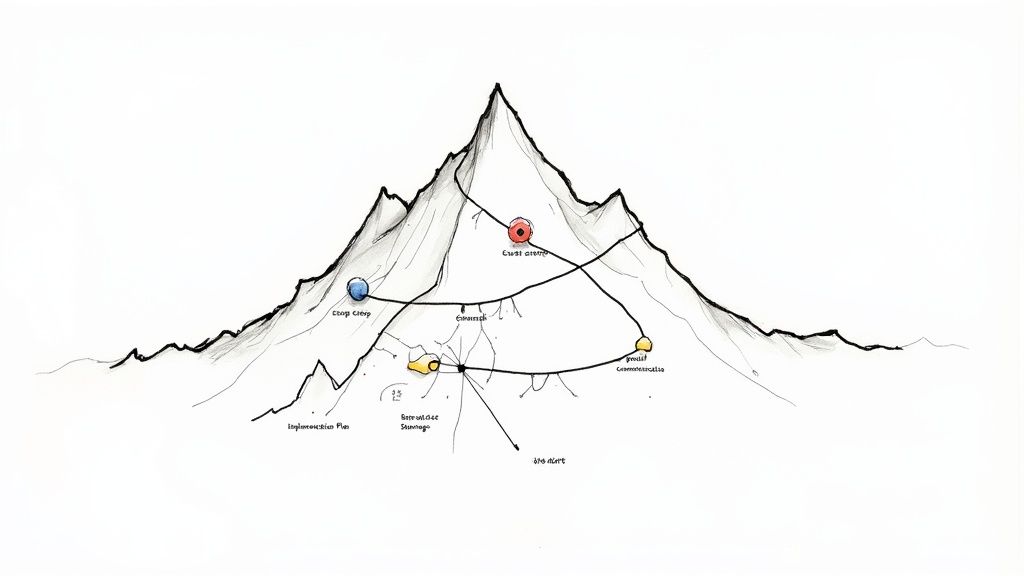
A hand-drawn mountain illustration depicting a project implementation plan with various labeled stages and paths.

So many agencies dive into new projects headfirst, running on pure enthusiasm. It’s a gamble, and the stats show just how badly that can go. Without a clear, structured plan, teams are wide open to the classic mistakes that cause projects to completely break down.

This isn't about being negative; it's about being prepared. Truly understanding why projects fail is the first step toward making sure yours doesn't.

The Sobering Reality of Project Success Rates

The numbers don't lie. Research from respected sources like Harvard Business Review and the Project Management Institute (PMI) consistently shows that only about 35% of projects are successfully completed on a global scale. Think about that. The majority either miss their deadlines, blow their budgets, or fail to deliver on the original promise.

But here’s the good news: the data also points to a powerful solution. Projects that use formal management practices are 2.5 times more likely to succeed. You can explore more project management statistics on Ravetree.com to see the full picture.

A well-crafted project implementation plan is the very foundation of that formal practice. It’s what turns abstract goals into a concrete, step-by-step guide your team can actually follow.

Common Failure Points a Strong Plan Solves

Projects rarely fail because of one single, catastrophic event. Instead, they die a death of a thousand cuts—a series of small, unmanaged issues that pile up over time. A strong implementation plan is your best defense, acting as a preventative measure against these all-too-common threats.

Here's a look at the most frequent culprits and how a good plan stops them in their tracks.

Common Failure Point How Your Implementation Plan Solves It
Scope Creep Clearly defines and locks in project boundaries from day one, preventing endless "can we just add…" requests.
Poor Communication Establishes a communication protocol—who gets what updates, when, and how—so everyone stays on the same page.
Unclear Roles & Responsibilities Explicitly assigns tasks and ownership, eliminating confusion and ensuring accountability.
Inaccurate Timelines Breaks the project into manageable tasks with realistic deadlines, creating an achievable schedule.
Resource Shortages Allocates people, budget, and tools in advance so you know you have what you need, when you need it.
Unidentified Risks Forces you to proactively identify potential problems and create contingency plans before they become emergencies.

By building a plan that accounts for these common failure points, you're not just creating a document; you're building a system for success.

By addressing these issues before they arise, your project implementation plan shifts your team from a reactive, firefighting mode to a proactive, strategic one. It's not just a document—it's your agency's best defense against chaos.

Defining Your Project Scope and Deliverables

Before your team even thinks about writing a line of code or mocking up a design, the fate of your project is already being sealed. This is the moment that matters most: defining what you will and will not do. Get this wrong, and you're practically inviting scope creep, blown budgets, and a very unhappy client.

Think of a well-defined scope as the guardrails for your project. It's the documented handshake between your agency and the client, clearly mapping out the project's boundaries, its goals, and every piece of work needed to get there. This isn’t just a friendly suggestion; it’s the single source of truth that shields your team from those dreaded "can you just add…" requests that torpedo timelines and kill profitability.

Mastering the Art of Scope Definition

Defining the scope is all about translating a client's big-picture vision into a detailed, actionable blueprint. This takes more than just listening; it requires asking the right questions to dig into what the client really needs, which is often different from what they initially think they want. Vague goals like "we need a new website" are the natural enemy of a successful project.

Your job is to break that down. What does "new" actually mean? Does it need an e-commerce platform? A blog? How many pages are we talking about? Who's responsible for writing the copy? Nailing down these answers upfront saves you from making incredibly expensive assumptions down the road. It’s no surprise that a failure to manage scope is consistently cited as a top reason projects fail, with a direct and painful impact on budgets and deadlines.

To get this right, you have to separate what’s essential from what’s extra. I've found one of the best ways to do this is to categorize every feature and request into three simple buckets:

  • Must-Haves: These are the absolute non-negotiables. The project is a failure without them. For a website launch, this would be things like a homepage, a working contact form, and full mobile responsiveness.
  • Should-Haves: These are important and add a ton of value, but the project can still launch without them. They're prime candidates for a "Phase 2" if time or budget gets tight. Think of an integrated blog or advanced SEO features.
  • Nice-to-Haves: These are the bells and whistles. We're talking slick animations or a niche feature that only a small slice of users might appreciate.

Going through this exercise with your client forces a strategic conversation right from the get-go. It gets everyone on the same page and manages expectations from day one, giving you a clear framework for making tough calls if priorities have to shift later on.

A project without a tightly defined scope is like a ship without a rudder. You might be moving, but you're definitely not in control of where you're going. Documenting everything gives you that control.

From Vague Goals to Tangible Deliverables

Once you’ve locked in the scope, the next move is to translate it into project deliverables. A deliverable is simply a tangible, measurable thing you will hand over. It’s the physical proof that work got done. Being almost painfully specific here is your best friend—ambiguity is the breeding ground for misunderstandings.

Don't just say "social media assets." A proper deliverables list gets into the weeds: "Five unique Instagram post graphics (1080x1080px) in JPG format" and "Three animated Instagram Story videos (1080x1920px), 15 seconds each, in MP4 format." See the difference? There's absolutely no room for misinterpretation.

Let’s walk through a classic agency scenario to see how this plays out in a real project implementation plan.


Agency Example: A New Client Onboarding Campaign

Imagine your digital marketing agency just landed a new software client. The task is to create an onboarding email sequence to welcome new users. Here’s how you’d break down the scope and deliverables.

Project Goal: Build an automated 7-day email sequence that educates new users and pushes them to activate a key feature in the software.

Scope Inclusions Scope Exclusions
Strategy and concept development A/B testing different subject lines
Copywriting for four distinct emails Designing custom graphics for each email
Basic, reusable email template design (HTML/CSS) Integration with a brand new email service provider
Setting up the automation in Mailchimp List segmentation beyond the "new user" category

Deliverables List:

  1. Project Brief Document: A final brief covering campaign goals, target audience, and key messaging, signed off by the client.
  2. Email Copy Document: A Google Doc with the final, approved copy for all four emails.
  3. Email Template: One responsive HTML email template, tested and confirmed to be compatible with Mailchimp.
  4. Live Automation: A fully configured and activated 7-day email sequence inside the client's own Mailchimp account.
  5. Final Report: A short summary doc with screenshots to prove the setup is live, plus a quick guide on how the client can monitor its performance.

By detailing precisely what’s in, what’s out, and what the client will actually get, the agency protects its time and budget. More importantly, it ensures the client knows exactly what’s coming. That kind of clarity is the foundation of every great project and every lasting client relationship.

Mapping Your Project Timeline and Resources

So, you've nailed down the scope and have a neat list of deliverables. It's tempting to dive right in and start creating, but hold on. A list of deliverables without a timeline is just a wish list. And a timeline without the right people and tools assigned is pure fantasy.

This is the part of your implementation plan where the rubber really meets the road. It’s where we connect the what to the how and the when. We’re about to create a realistic, interconnected map that turns big-picture goals into day-to-day actions. By breaking things down now, you'll avoid the classic agency pitfall: over-optimism leading to a last-minute scramble.

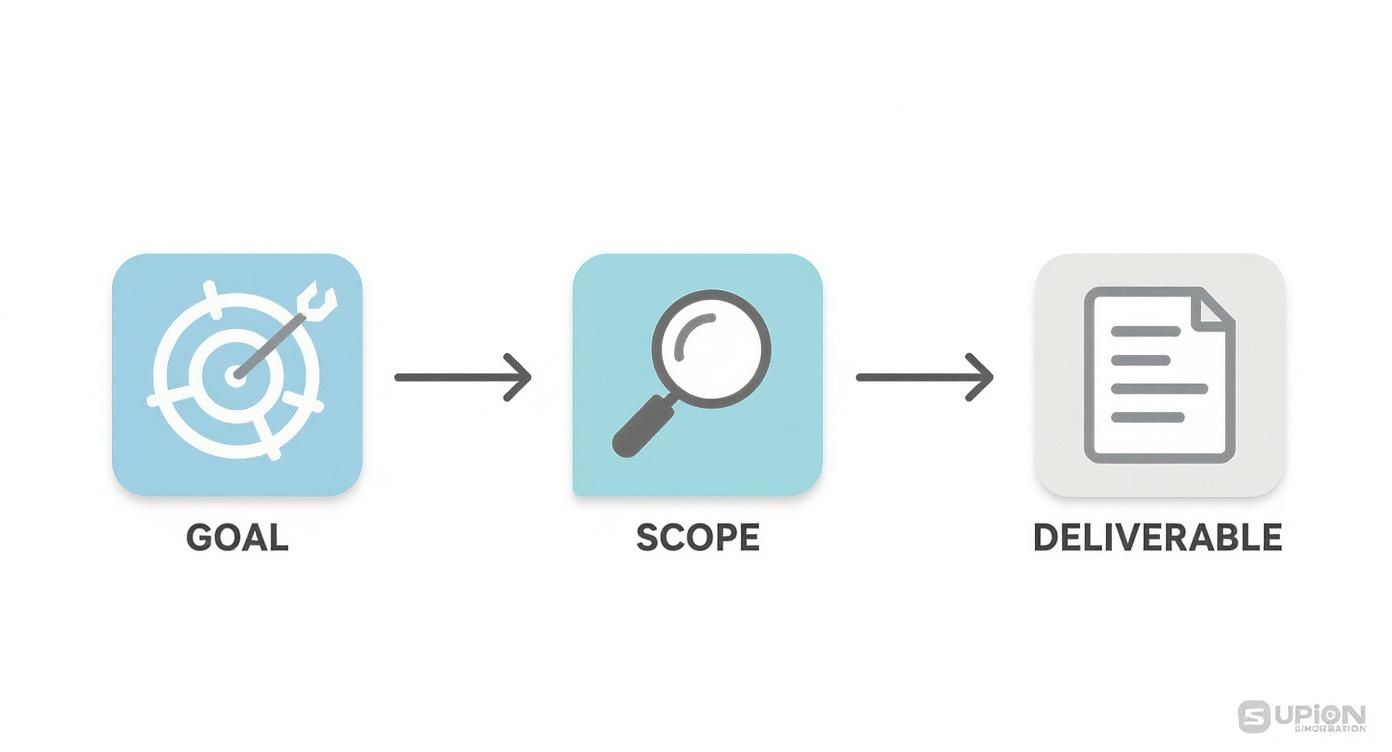
A three-step project implementation process: defining the goal, determining the scope, and creating a deliverable.

This simple flow gets to the heart of project planning. You start with the big goal, define the boundaries with your scope, and then identify the tangible things you'll create. Following this logic ensures every single task on your timeline directly serves an agreed-upon output, which means no more wasted effort on "busy work."

Breaking Down Work into Actionable Tasks

First up: deconstruction. Take each deliverable and break it down into the smallest possible actions. Think of it this way: a deliverable like an "Email Template" isn't a single task. It’s a mini-project.

It actually looks more like this:

  • Wireframe the email template design.
  • Write placeholder copy and headlines.
  • Develop the template with HTML/CSS.
  • Run tests across major email clients (Gmail, Outlook, etc.).
  • Get final client sign-off on the design and functionality.

Once you have this granular list, you can start putting real time estimates against each item. Be honest here. A task that takes a developer four hours of pure, focused work might need a full day blocked out on the calendar to account for meetings, questions, and other daily interruptions.

A rookie mistake is building a timeline based on a perfect, uninterrupted world. Always plan for reality. I’ve learned to pad estimates slightly and, most importantly, identify dependencies—those tasks that can't kick off until another is complete. This builds a resilient timeline that won't shatter at the first minor delay.

This detailed view is also the key to allocating resources properly. Now you know you need a designer for a few hours at the start, a developer for a day in the middle, and a project manager to oversee testing and manage client feedback throughout.

Aligning Resources with Your Timeline

With a task list and a draft schedule in hand, you can start building your resource map. This is all about assigning the right people, technology, and budget to each phase. It's not just about who's free; it’s about matching the right skills to the job. A junior designer can probably handle the wireframe, but you’ll want a senior developer for any complex coding.

Don't forget about the non-human resources, either.

  • Software and Tools: Will you need a subscription to a specific stock photo service? A license for a particular testing tool?
  • Budgetary Needs: Make sure to account for any contractor fees, software costs, or even ad spend if it's baked into the project.

This kind of careful planning is exactly why skilled project managers are so in-demand. The global need for this expertise is exploding, with roughly 40 million project management professionals already out there. The Project Management Institute even predicts a major talent gap, with demand expected to surge by 2035. You can discover more insights about project management trends on monday.com if you want to dive deeper into the data. It really highlights how valuable a well-resourced plan is.

Choosing the Right Visualization Tool

How you actually see all of this information—the tasks, the deadlines, the people—makes a huge difference in how manageable it feels. For agencies, the two most common tools are Gantt charts and Kanban boards. Each has its own strengths, and the right choice really depends on your project's rhythm and your team's workflow.

A Gantt chart is your best friend for showing task dependencies and the project's overall duration from start to finish. It’s perfect for projects with a hard deadline and a clear, step-by-step process. A Kanban board, on the other hand, is all about flexibility and visualizing your workflow, making it great for managing continuous delivery and adapting on the fly.

To help you decide, here’s a quick comparison of what each brings to the table.

Choosing Your Timeline Tool Gantt Charts vs Kanban Boards

Feature Gantt Chart Kanban Board
Primary Focus Scheduling and Dependencies Workflow and Process
Best For Projects with fixed deadlines and a clear, sequential path (e.g., a website launch). Continuous improvement projects or tasks with variable priorities (e.g., ongoing content creation).
Visual Style Horizontal bar chart showing tasks against a calendar. Vertical columns representing stages (e.g., To Do, In Progress, Done).
Flexibility Less flexible; changes can be complex due to cascading dependencies. Highly flexible; tasks (cards) can be easily moved and re-prioritized.
Complexity Can become cluttered and overwhelming on very large, complex projects. Simple and intuitive, providing a clear snapshot of current work in progress.

Ultimately, the best tool is the one your team will actually use and keep updated. For a big, multi-phase website build, a Gantt chart provides the structure you need to keep everything on track. But for a nimble, fast-moving marketing campaign, a Kanban board might offer the agility you need to react to real-time feedback.

Assembling Your Team and Defining Roles

A brilliant plan is just a document until you have the right people to make it happen. Now we get to the heart of it—the human element. It's not enough to just list names on a roster; you need to map out exactly who's doing what. This single step can be the difference between a smooth-running project and a chaotic mess of missed deadlines and duplicated work.

I’ve seen too many projects derail because of one simple, toxic phrase: "I thought you were doing that." That's the red flag signaling that roles were never clearly defined from the start. To avoid that pitfall, you have to get granular and assign specific responsibilities for every single part of the project.

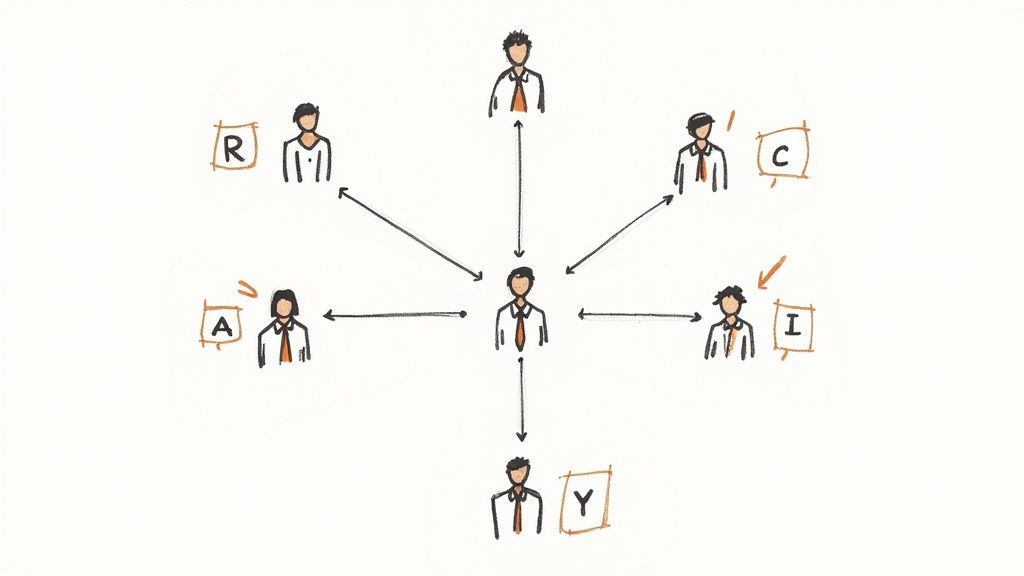
A hand-drawn organizational diagram with a central person connected to team members representing R, A, C, I roles.

This structure is what turns a group of talented individuals into a high-functioning team. Everyone knows who owns each task, and stakeholders know exactly who to go to for decisions. It transforms potential chaos into organized, collaborative energy.

Building Your RACI Chart

One of the most powerful tools I've used to bring this clarity is the RACI chart. It’s a simple matrix, but it’s a game-changer for agencies because it visualizes who does what. RACI is an acronym that stands for:

  • Responsible: This is the doer. The person with their hands on the keyboard, actually creating the deliverable—think the designer building the wireframes or the copywriter drafting the ad copy.
  • Accountable: This is the owner. The single person whose neck is on the line for the task's success. Critically, there should only ever be one "A" per task to avoid confusion.
  • Consulted: These are the experts you bring into the loop for their feedback. It could be the SEO strategist weighing in on a site map or the legal team reviewing compliance language.
  • Informed: These are the people who just need a heads-up on progress. They aren't directly involved, but the outcome affects them. Think clients, department heads, or the executive sponsor.

The act of building this chart forces crucial conversations early on. It uncovers assumptions and clarifies ownership before any work even begins, empowering everyone by showing them exactly where they fit.

A Web Development Project in Action

Let’s make this real. Imagine your agency is building a new e-commerce site. Your core team is a Project Manager (PM), a Lead Developer, a UI/UX Designer, a Content Strategist, and, of course, the Client.

For a task like "Design Homepage Mockup," the RACI chart might look like this:

Task Project Manager Lead Developer UI/UX Designer Content Strategist Client
Design Homepage Mockup A C R C I

Here's the breakdown:

  • The UI/UX Designer is Responsible (R) for the hands-on design work.
  • The Project Manager is Accountable (A) for making sure it gets done on time and meets the brief.
  • The Lead Developer and Content Strategist are Consulted (C) for feasibility and to ensure the design supports the content strategy.
  • The Client is kept Informed (I) of progress and will review the final mockup.

This simple chart prevents so many future headaches. The designer knows who to talk to, the PM knows the final sign-off is on them, and the developer doesn't get blindsided by a design that’s impossible to build.

Setting Up Communication Channels

Defining roles is step one; making sure those people can actually talk to each other effectively is step two. Your plan needs to spell out the how and when of communication. This isn't about scheduling more meetings—it's about making every interaction count.

Set up specific channels for different needs:

  • Daily Huddles: A quick 15-minute stand-up or a dedicated Slack channel works perfectly for quick blockers and progress updates.
  • Weekly Status Reports: A more formal email digest for stakeholders (your "Informed" group) summarizing wins, progress, and next steps.
  • Technical Problem-Solving: A separate channel or scheduled session for developers and designers to hash out technical issues without derailing the main project conversation.

By baking these communication protocols directly into your plan, you build a system that keeps information flowing. It ensures the right people get the right information at the right time, preventing those frustrating delays where a key decision is just sitting, unread, in someone's inbox.

Anticipating Roadblocks with a Risk and Communication Plan

Let's be honest—no project plan, no matter how detailed, survives contact with reality completely unscathed. Things happen. The real difference between a project that succeeds and one that goes off the rails is how you handle those inevitable bumps in the road.

This is where you shift from being just a planner to a prepared realist. By thinking through what could go wrong and setting up clear lines of communication from the start, you build resilience right into the project's DNA. It’s not about having a crystal ball; it’s about creating a framework that can absorb shocks without collapsing.

Conducting a Practical Risk Assessment

Your first move is to get the team in a room (or on a call) and brainstorm all the ways this project could get derailed. Seriously, no idea is too paranoid at this stage. To keep things organized, try thinking in categories.

What kind of gremlins usually pop up for agency projects?

  • People Problems: What's the plan if your lead designer quits to join a silent retreat mid-project? Or if the main client contact goes on an unexpected month-long vacation?
  • Tech Headaches: What happens if that critical third-party software goes down for a day? What if the "simple" API integration turns out to be a nightmare?
  • Client Curveballs: What if the stakeholder who needs to sign off on everything suddenly goes silent? Or worse, they come back with scope-creeping feedback two weeks before launch?
  • Outside Forces: What if a platform you depend on changes its terms of service overnight, breaking a key feature?

Once you have a healthy list of potential disasters, it's time to prioritize. A simple likelihood vs. impact matrix works wonders here. How likely is this to happen, and how bad will it be if it does? Focus your attention on the stuff that's both likely and damaging.

For each major risk, you need a game plan. These usually fall into two buckets:

  1. Mitigation: These are the proactive moves you make before the problem hits. Worried about your lead developer being a single point of failure? Schedule regular knowledge-sharing sessions to get another team member up to speed.
  2. Contingency: This is your "break glass in case of emergency" plan. What will you do if the risk becomes reality? For example, having a trusted freelance developer on standby who can jump in if needed.

Your risk register isn't a "set it and forget it" document. It's a living, breathing part of your plan. Revisit it in team meetings to see if new threats have appeared or if old ones are no longer relevant.

Building a Bulletproof Communication Plan

Spotting a risk is one thing; making sure the right people know about it at the right time is another. A solid communication plan is the nervous system of your project, ensuring information gets where it needs to go without getting lost in a sea of emails and Slack messages.

This plan simply defines who gets what update, how often, and in what format.

This becomes absolutely critical on bigger, more complex projects. For example, public sector IT projects are notoriously difficult to coordinate. Research shows that around 81% of these projects run over schedule, a stark contrast to the 52% in the private sector. You can learn more about project management statistics on PM360Consulting.ie. Why the gap? Often, it comes down to messy communication and stakeholder management. A clear plan helps close that gap.

So, what does a good communication cadence look like?

  • Internal Team: A quick daily stand-up (15 minutes max) on Slack or a video call works perfectly. Cover what you did yesterday, what you're doing today, and any roadblocks.
  • Primary Client Contact: A weekly progress email sent every Friday. Keep it scannable: here’s what we accomplished, here’s what’s next, and here’s what we need from you.
  • Executive Leadership: They don’t need the nitty-gritty. A bi-weekly or monthly high-level summary focusing on major milestones and KPIs is all they need to see.

By laying this all out in the implementation plan, you set expectations from day one. No one is left wondering what’s going on, and when a problem does pop up, everyone already knows the protocol for flagging it. It’s this structure that builds trust and keeps the whole team aligned, even when things get rocky.

Your Top Questions About Project Implementation Plans, Answered

Even with the best template in hand, you're bound to run into some questions once you start building and using a project implementation plan. The theory is great, but the day-to-day reality of agency projects always throws a few curveballs.

Let's dig into some of the most common questions that pop up. This isn't about high-level concepts; it’s about getting you practical answers to smooth out the process and keep your projects from getting stuck.

What’s the Real Difference Between a Project Plan and an Implementation Plan?

This is a big one. People often use these terms interchangeably, but they serve very different functions. Mistaking one for the other can lead to a lot of confusion.

Think of it this way: a project plan is the entire map of a cross-country road trip. It shows the starting point, the final destination, major cities you'll pass through, and the overall budget for gas and lodging. It’s the big-picture document covering everything from initiation to final sign-off.

The project implementation plan is your detailed, turn-by-turn GPS navigation for that trip. It’s zoomed in, telling you exactly which roads to take, when to turn, where to stop, and who's driving each leg of the journey. It focuses exclusively on the execution phase—the "doing" part of the project.

For your agency, the project plan might set a goal to "Boost client lead generation by 20%." The implementation plan breaks that down into the nitty-gritty: the content calendar, the ad creatives needed for the Q3 campaign, the specific landing page wireframes, and which copywriter is assigned to each task.

Your project plan is the "what" and the "why." Your project implementation plan is the "who does what by when." You need both, but the implementation plan is what your team will actually use every single day.

How Often Should I Update My Implementation Plan?

If you create your implementation plan and then just file it away, you've already failed. This has to be a living, breathing document that mirrors the reality of your project, not the fantasy you planned for weeks ago.

The right update schedule really depends on your project's pace and the methodology you're using.

  • For Agile projects: The plan is constantly evolving. You'll be reviewing and tweaking it at the end of every sprint cycle, which is usually every one or two weeks. Your daily stand-ups act as mini-reviews, while sprint retrospectives are for making bigger course corrections.
  • For Waterfall projects: The updates are a bit more formal. You'll likely schedule reviews at major milestones or on a monthly basis. But don't let that fool you—if a major roadblock appears, you update the plan immediately. Don't wait for the next scheduled meeting.

The golden rule is this: update the plan whenever something significant changes. A shift in scope, a key team member going on leave, a task that's taking way longer than anyone thought—these all warrant an immediate update. Weekly project check-ins are the perfect time to review progress and make these adjustments, ensuring your plan stays a useful tool, not a historical relic.

What Are the Most Critical KPIs to Track?

The KPIs (Key Performance Indicators) you track must connect directly to your project's goals. While every project is unique, there are a handful of metrics that are almost universally critical for keeping things on track. Your implementation plan should spell these out from the very beginning.

Here are the non-negotiables:

  • Schedule Variance (SV): Are we ahead or behind? This metric cuts through the noise and tells you exactly where you stand against your timeline. It compares the work you've actually done with the work you planned to have done by now.

  • Cost Variance (CV): Just like SV, but for your budget. This KPI measures the difference between what you planned to spend and what you've actually spent to get the work done.

  • Task Completion Rate: A straightforward but powerful way to gauge your team's momentum. Tracking how many tasks are getting knocked out per week or sprint helps you spot bottlenecks and forecast your ability to hit future deadlines.

  • Stakeholder Satisfaction: For an agency, this is everything. You can measure it with quick, informal check-ins or through more structured client surveys at key milestones. A happy client is one of the best indicators of a healthy project.

  • Quality Metrics: This will look different for every project. It could be the bug count in a software build, the number of revision rounds on a design, or the click-through rate of a marketing campaign. These KPIs ensure the final product doesn't just get delivered, but that it actually works and meets the quality standard you promised.


At RGK, we built an operating system designed to eliminate the operational chaos that holds agencies back. By unifying project management, CRM, billing, and support into a single source of truth—powered by an AI that understands your entire business—we help you run, grow, and keep your clients without the duct tape. See how a truly integrated platform can transform your agency's workflow. Learn more about RGK today.

work plan examples: 10 Templates to Boost Efficiency

A well-structured work plan is the blueprint for success, transforming abstract goals into a concrete series of tasks and timelines. Without one, teams drift, deadlines are missed, and resources are wasted. A great plan provides clarity, aligns stakeholders, and creates a clear path from A to B, ensuring everyone understands their role and responsibilities. It’s the essential communication tool that keeps complex projects on track and agency operations running smoothly.

This guide moves beyond theory to provide a curated collection of actionable work plan examples and templates tailored for agency professionals. We will dissect each one, revealing the strategic thinking behind its structure and offering tactical insights you can apply immediately. Whether you're an agency owner, project manager, or freelancer, you will find practical models to adapt for your specific needs.

Here’s exactly what you will get from this comprehensive list:

  • Diverse Examples: From high-level project management plans and agile sprint schedules to granular weekly task lists and employee onboarding outlines.
  • Strategic Breakdowns: For each example, we analyze why it works, what key components to include, and when to use a specific format for maximum impact.
  • Actionable Templates: We provide downloadable templates and clear, step-by-step guidance on how to customize them for your own projects and teams.

Instead of just showing you finished documents, we will break down the mechanics of effective planning. You’ll learn how to build work plans that not only organize tasks but also drive accountability, improve team performance, and deliver measurable results. Let’s dive into the examples.

1. Project Management Work Plan Template

A Project Management Work Plan is the master blueprint for any initiative with a defined start and end. It’s a formal document that details the entire project lifecycle, from initial scope and objectives to specific deliverables, timelines, resource allocation, and budget constraints. This plan serves as the single source of truth, aligning stakeholders and guiding the project team from kickoff to completion.

Its comprehensive nature makes it one of the most essential work plan examples for ensuring a project stays on track, on time, and within budget. This foundational document provides the structure needed to manage complexity and mitigate risks effectively.

Project management chart showing stick figures climbing stairs through columns labeled task, team, budget, milestones

Strategic Breakdown

The power of a project management work plan lies in its detailed, forward-looking approach. Unlike a simple to-do list, it forces a strategic examination of every project component before work begins. This process uncovers potential dependencies, resource gaps, and risks early on.

For instance, a software development project might use an Agile work plan that breaks the project into sprints, while a construction firm would rely on a Gantt chart-based plan to manage sequential dependencies. Both are rooted in the same principle: deconstructing a large goal into a manageable, documented process.

Key Insight: The primary function of this plan is not just to list tasks, but to create a shared understanding of success. It translates a high-level vision into an actionable roadmap that every team member can follow.

Actionable Takeaways for Agencies

To implement this effectively in your agency, focus on these key areas:

  • Define Success Metrics: Move beyond "launch the website." Instead, use specific KPIs like "increase lead conversion by 15% within 60 days of launch."
  • Establish a Communication Plan: Detail how and when stakeholders will receive updates. This might include weekly progress reports, bi-weekly steering committee meetings, and real-time dashboard access.
  • Build in Contingency: For critical path tasks, add a time and budget buffer. A common practice is to add a 10-15% contingency to account for unforeseen delays or challenges.
  • Regular Review Cadence: Schedule specific checkpoints (e.g., weekly or at the end of each project phase) to review progress against the plan and make necessary adjustments. This ensures the plan remains a living, relevant document.

2. SMART Goals Work Plan

A SMART Goals Work Plan is a strategic framework that structures objectives to be Specific, Measurable, Achievable, Relevant, and Time-bound. Rather than a project-based document, this plan focuses on performance and outcomes, translating broad ambitions into clear, trackable targets for individuals or teams. It serves as a compass for directed effort, ensuring that daily activities contribute directly to larger strategic goals.

This framework is one of the most powerful work plan examples for driving accountability and measuring success with precision. By forcing clarity and creating a finish line, it transforms vague aspirations like "improve sales" into concrete, actionable objectives that leave no room for ambiguity.

Strategic Breakdown

The core strength of a SMART Goals Work Plan is its emphasis on clarity and verifiability. It shifts the focus from busywork to impactful results by defining exactly what success looks like and when it should be achieved. This structured approach eliminates guesswork and aligns individual efforts with organizational priorities.

For instance, a marketing agency could use this plan to move from a general goal of "increase brand awareness" to a SMART goal like: "Increase organic website traffic by 20% in Q3 by publishing four new SEO-optimized blog posts per month." This immediately clarifies the required actions, the metric for success, and the deadline.

Key Insight: The primary function of this plan is to create a direct link between effort and outcome. It provides a non-negotiable definition of success that is understood and agreed upon by everyone involved.

Actionable Takeaways for Agencies

To implement this effectively in your agency, focus on these key areas:

  • Make Goals Collaborative: Involve team members in the goal-setting process. When employees help define the objectives, their buy-in and motivation increase significantly.
  • Establish Visible Tracking: Use shared dashboards or a central document to track progress toward each goal. Visual progress tracking maintains momentum and reinforces accountability.
  • Balance Ambition with Reality: The 'Achievable' component is critical. Set goals that stretch the team but are not so unrealistic that they cause burnout or demotivation. Analyze past performance to set a realistic baseline.
  • Connect Individual to Company Goals: Ensure every individual or team SMART goal clearly supports a larger company objective. This provides a sense of purpose and shows team members how their work contributes to the bigger picture.

3. Agile Sprint Work Plan

An Agile Sprint Work Plan is a dynamic, iterative document central to Scrum and other Agile methodologies. Instead of mapping out an entire project from start to finish, it focuses on organizing work into short, time-boxed cycles called sprints, which typically last one to four weeks. Each sprint has a specific goal, and the plan contains a selection of high-priority tasks (user stories) from a larger backlog that the team commits to completing within that cycle.

This cyclical approach makes it an incredibly effective work plan example for projects where requirements are expected to evolve, such as software development or fast-paced marketing campaigns. It prioritizes flexibility, continuous feedback, and delivering value incrementally.

Strategic Breakdown

The strength of an Agile Sprint Work Plan is its emphasis on adaptability and focused execution. By breaking down a large, complex project into manageable sprints, teams can maintain momentum and adjust their priorities based on real-time feedback and changing business needs. This structure fosters a culture of continuous improvement through sprint retrospectives, where the team reflects on what went well and what could be improved for the next cycle.

For instance, a product development team at a startup can use a two-week sprint plan to build and test a new feature, gather user feedback, and then use those insights to define the scope of the next sprint. This prevents wasting months building a product that doesn't meet market demands.

Key Insight: This plan transforms project management from a predictive, linear process into a responsive, empirical one. Its primary goal is to maximize the team's ability to learn, adapt, and deliver value quickly.

Actionable Takeaways for Agencies

To integrate this effectively into your agency’s workflow, concentrate on these practices:

  • Define Clear User Stories: Every task in the sprint backlog should be a well-defined user story with clear acceptance criteria. This removes ambiguity and ensures everyone understands what "done" means.
  • Maintain Consistent Sprint Lengths: Consistency is key to establishing a rhythm and accurately measuring team velocity. Choose a sprint length (e.g., two weeks) and stick with it.
  • Prioritize Ruthlessly: The product owner must rigorously prioritize the backlog before each sprint planning meeting. This ensures the team is always working on the most valuable items first.
  • Leverage Velocity Metrics: Track how many story points your team completes per sprint. This historical data (velocity) becomes an invaluable tool for more accurate future sprint planning and forecasting.

4. Waterfall Project Work Plan

A Waterfall Project Work Plan is a linear, sequential model where each project phase must be fully completed before the next one can begin. This traditional methodology emphasizes comprehensive planning, detailed documentation, and fixed requirements from the outset. Once a phase is complete, moving backward to make changes is difficult and costly, creating a one-way flow similar to a waterfall.

This structured approach is ideal for projects with clearly defined, unchangeable requirements and a stable scope. For agencies managing large-scale, predictable initiatives like government contracts or hardware manufacturing, it provides one of the most reliable work plan examples for ensuring meticulous execution and compliance.

Architectural diagram showing stacked layers of project phases in colorful isometric perspective illustration

Strategic Breakdown

The core strength of the Waterfall model is its rigorous, upfront investment in discovery and planning. By forcing stakeholders to define and agree upon every requirement before development starts, it minimizes the risk of scope creep and unexpected changes during execution. This makes it a powerful tool for projects where predictability is more important than flexibility.

For example, a construction project cannot easily move a building's foundation once it's laid; the requirements must be finalized first. Similarly, a large enterprise software implementation for a heavily regulated industry needs a documented, auditable process where each stage from design to testing is formally signed off.

Key Insight: The Waterfall work plan prioritizes control and predictability over speed and iteration. Its primary goal is to deliver a well-defined product correctly the first time, not to adapt to evolving user feedback mid-project.

Actionable Takeaways for Agencies

To successfully implement a Waterfall work plan, your agency should focus on these critical practices:

  • Invest Heavily in Upfront Requirements: Dedicate significant time to the initial requirements gathering and analysis phase. Conduct thorough stakeholder interviews and create a detailed Business Requirements Document (BRD) that leaves no room for ambiguity.
  • Establish Formal "Gate" Reviews: Implement mandatory sign-off checkpoints at the end of each phase (e.g., requirements, design, development). No work on the next phase should begin until the previous phase's deliverables have been formally approved by all key stakeholders.
  • Document Everything Meticulously: Maintain comprehensive documentation for every phase, from design specifications to test cases and user manuals. This creates a clear audit trail and is essential for compliance and long-term maintenance.
  • Create a Detailed Master Schedule: Use a Gantt chart to map out the entire project timeline, showing the rigid dependencies between tasks. This visual representation makes it clear how a delay in one phase will directly impact all subsequent phases.

5. Weekly/Daily Work Plan Template

A Weekly or Daily Work Plan breaks down high-level project goals into manageable, short-term tasks. It’s a tactical tool used by individuals and teams to organize their immediate activities, prioritize efforts, and maintain focus on what needs to be accomplished in a given day or week. This plan translates strategic objectives into concrete, daily actions.

This granular approach makes it one of the most practical work plan examples for boosting personal and team productivity. It ensures that day-to-day work directly contributes to larger project milestones and agency goals, preventing drift and ensuring accountability.

Weekly planner template with columns for tracking what, hours, time, date and top three priorities

Strategic Breakdown

The strength of a daily or weekly plan is its focus on execution and momentum. While a project plan sets the overall direction, this short-term plan addresses the "how" of getting work done amidst competing priorities and daily distractions. It forces a realistic assessment of what can be achieved in a limited timeframe.

For example, a sales representative might use a daily plan to time-block prospecting calls and follow-ups, while a content creator uses a weekly plan to schedule writing, editing, and publishing tasks. Both templates serve the same core function: creating intentionality and structure for short-term work cycles.

Key Insight: This plan's primary purpose is to combat reactive work. By pre-committing to priorities, team members can proactively manage their time instead of just responding to the most urgent (but not always most important) demands.

Actionable Takeaways for Agencies

To effectively implement this in your agency, focus on these key areas:

  • Identify Daily "Big 3": Instruct team members to identify their top three most important tasks each day. This simple prioritization method ensures that critical work is always moving forward.
  • Implement Time Blocking: Encourage the practice of assigning specific time slots to tasks. This helps protect focused work time and reduces the negative impact of context switching.
  • Establish a Weekly Review: Dedicate time on Friday afternoon or Monday morning for a "weekly reset." Team members should review the past week's accomplishments and plan the upcoming week’s priorities.
  • Integrate with Project Tools: Ensure daily tasks are linked back to larger project goals in your management software (e.g., Asana, Jira). This provides a clear line of sight from daily effort to overall project success.

6. Strategic Departmental Work Plan

A Strategic Departmental Work Plan translates an organization's high-level strategic goals into an actionable roadmap for a specific department. It’s a comprehensive annual or multi-year document used by department heads to guide team efforts, allocate resources, and manage performance in direct support of the company's vision. This plan ensures that daily tasks are not just busywork but are explicitly linked to broader business objectives.

Its top-down, alignment-focused approach makes it one of the most critical work plan examples for ensuring that every part of the organization is pulling in the same direction. This document bridges the gap between executive strategy and operational execution, giving teams a clear sense of purpose and direction.

Strategic Breakdown

The core strength of a departmental work plan is its ability to create direct line-of-sight from individual contributor tasks to top-tier company goals. It forces department leaders to think critically about how their team's activities contribute value. This process moves a department from a reactive cost center to a proactive, strategic partner within the business.

For example, an HR department’s plan might detail initiatives for talent acquisition and retention directly linked to the company's five-year growth targets. Similarly, a marketing team's plan would outline go-to-market strategies for new products, aligning campaign milestones with the organization's revenue goals.

Key Insight: This plan's primary value is not just in organizing work, but in demonstrating and measuring a department's strategic contribution. It shifts the conversation from "what are we doing?" to "what impact are we having?"

Actionable Takeaways for Agencies

To build a powerful departmental plan, focus on these critical areas:

  • Align with Executive Strategy: Before drafting, hold a specific alignment meeting with executive leadership to confirm your department's key priorities and their corresponding business KPIs.
  • Balance Strategic and Operational Goals: Dedicate clear sections of your plan to both "run the business" operational tasks and "grow the business" strategic initiatives. A good ratio is often 70% operational and 30% strategic.
  • Set Quarterly Review Checkpoints: Establish formal quarterly reviews to assess progress against the plan's objectives. Use these meetings to re-prioritize initiatives based on business performance and market changes.
  • Communicate Clearly and Regularly: Host a departmental kickoff to present the final plan and follow up with monthly updates. This ensures every team member understands their role in achieving the shared objectives.

7. Event Planning Work Plan Template

An Event Planning Work Plan is a highly specialized roadmap for executing successful events, from large-scale conferences and product launches to webinars and corporate retreats. It’s a comprehensive document that coordinates countless moving parts, including venue selection, vendor management, marketing promotion, attendee registration, on-site logistics, and post-event analysis. This plan ensures every detail is accounted for, preventing last-minute chaos.

Its meticulous, timeline-driven approach makes it one of the most critical work plan examples for anyone tasked with creating a memorable and seamless experience. It provides the structure needed to manage complex logistics, stakeholder expectations, and tight deadlines effectively.

Strategic Breakdown

The strength of an event planning work plan is its ability to transform a high-concept idea into a flawlessly executed reality. It forces planners to think chronologically and cross-functionally, breaking down the entire event lifecycle into distinct phases: pre-event, on-site, and post-event. This systematic approach ensures that critical dependencies, like booking a venue before launching ticket sales, are properly sequenced.

For instance, a tech conference plan would heavily detail speaker acquisition and content tracks months in advance, while a nonprofit fundraising gala plan would focus intensely on sponsorship packages, donor communication, and auction logistics. Both plans are built on the same core principle: creating a single source of truth for a time-sensitive, multi-faceted project.

Key Insight: This plan's primary purpose is to orchestrate a complex series of simultaneous and sequential tasks. It's less about a single project goal and more about managing a symphony of logistics to deliver a specific experience at a fixed point in time.

Actionable Takeaways for Agencies

To leverage this for your agency's events, focus on these key areas:

  • Create a Master Timeline: Start with the event date and work backward, setting deadlines for major milestones like securing a venue (6-9 months out), launching marketing campaigns (3-4 months out), and finalizing vendors (2 months out).
  • Develop a Detailed Budget: Itemize every potential expense, from catering and AV equipment to marketing collateral and staff travel. Track actual spending against this budget religiously using a shared spreadsheet or software.
  • Establish a "Run of Show" Document: This is a minute-by-minute schedule for the event day itself. It details who does what, where, and when, from keynote speaker introductions to catering breaks, ensuring the live event runs smoothly.
  • Build a Contingency Plan: What happens if a key speaker cancels or the Wi-Fi goes down? Document potential risks and create clear backup plans for each. This proactive step is crucial for managing day-of emergencies with confidence.

8. Research and Development (R&D) Work Plan

A Research and Development (R&D) Work Plan is a highly specialized document designed to navigate the inherent uncertainty of innovation. Unlike a standard project plan with predictable outcomes, an R&D plan structures the process of exploration, experimentation, and discovery. It balances the need for creative freedom with the strategic goals of the organization, outlining hypotheses, testing methodologies, and potential pivots.

This plan is critical for initiatives where the final outcome is unknown, such as developing new technology or conducting scientific research. It provides a framework for managing risk and resources while pursuing breakthroughs, making it a unique and vital type of work plan examples for forward-thinking agencies.

Strategic Breakdown

The core strength of an R&D work plan is its acceptance of ambiguity. It’s built on a foundation of hypothesis testing rather than a linear sequence of tasks. This approach allows teams to systematically explore an idea, validate or invalidate assumptions, and make informed decisions about whether to continue, pivot, or terminate a project.

For example, a tech firm exploring a new AI algorithm would structure its plan around a series of experiments, each with clear success criteria. Funding and resources might be allocated in stages, contingent on the successful completion of key milestones. This "gated funding" approach minimizes financial risk while maximizing the potential for groundbreaking innovation.

Key Insight: This plan's primary purpose is not to guarantee a specific result but to manage the process of discovery. It turns an open-ended question into a structured, evidence-based journey toward a potential solution.

Actionable Takeaways for Agencies

To successfully implement an R&D work plan for innovative agency projects, concentrate on these areas:

  • Define Clear Hypotheses: Start with a testable statement, such as "Using generative AI to create initial ad copy drafts will reduce creative development time by 30% without impacting client satisfaction."
  • Establish Staged Funding Gates: Break the project into phases (e.g., initial research, proof-of-concept, pilot). Allocate budget and resources for each phase only after the previous one meets its defined success metrics.
  • Embrace Rigorous Documentation: Meticulously document every experiment, including the methodology, data, results, and learnings. This creates an invaluable knowledge base, even for failed experiments.
  • Manage Stakeholder Expectations: Be transparent about the experimental nature of the work. Communicate that the goal is learning and that "failure" (invalidating a hypothesis) is a valuable and expected outcome.

9. Performance Improvement Plan (PIP) Work Plan

A Performance Improvement Plan (PIP) is a structured, formal document designed to address and correct an employee's underperformance. It outlines specific areas needing improvement, sets clear, measurable goals, and provides a timeline for achieving them. This plan is a critical tool for giving struggling employees a clear path to success while documenting the support provided by the organization.

While often viewed negatively, a well-executed PIP is one of the most important work plan examples for talent management. It formalizes the process of performance recovery, ensuring fairness, clarity, and a documented effort to help an employee meet job expectations. It’s a tool for rehabilitation, not just a precursor to termination.

Strategic Breakdown

The effectiveness of a PIP lies in its objectivity and structured support. Unlike informal feedback, it removes ambiguity by defining precise, measurable outcomes and the steps required to get there. It shifts the conversation from subjective opinions to data-driven performance metrics, creating a fair and transparent process for both the employee and the manager.

For example, a project manager consistently missing deadlines might receive a PIP focused on improving project scheduling and communication. The plan would include specific goals like "95% of project milestones must be met on time over the next 60 days" and provide support through project management software training or mentorship from a senior PM.

Key Insight: A PIP’s primary goal is to provide a structured, supportive, and time-bound opportunity for an employee to succeed. It transforms a difficult situation into a clear, actionable roadmap for improvement.

Actionable Takeaways for Agencies

To implement a PIP effectively and respectfully in your agency, focus on these key areas:

  • Be Specific and Measurable: Avoid vague goals like "improve communication." Instead, use concrete metrics such as "reduce customer support response time to under 4 hours for 90% of tickets."
  • Provide Tangible Support: The plan must include resources for success. This could be access to training courses, weekly coaching sessions with a manager, or software tools that aid in organization.
  • Establish a Regular Check-in Cadence: Schedule mandatory weekly or bi-weekly meetings to review progress against the PIP goals. This keeps the employee engaged and allows for course correction.
  • Document Everything: Meticulously document all conversations, progress reviews, and actions taken by both the employee and management. Always consult with HR before initiating a PIP to ensure legal and procedural compliance.

10. Grant Writing and Compliance Work Plan

A Grant Writing and Compliance Work Plan is a highly specialized document used to navigate the lifecycle of securing and managing grant funding. It outlines every step, from identifying potential funders and developing proposals to tracking expenditures, reporting outcomes, and ensuring adherence to strict compliance regulations post-award. This plan is indispensable for nonprofits, research institutions, and any organization relying on grant-based funding.

This document’s meticulous nature makes it one of the most critical work plan examples for organizations where financial accountability and programmatic integrity are paramount. It transforms the often-chaotic grant process into a structured, repeatable, and defensible operation, safeguarding both funding and reputation.

Strategic Breakdown

The core value of this work plan is its dual focus on both acquisition and stewardship. It doesn't stop once the check is cashed; instead, it provides a long-term roadmap for managing the grant effectively. This includes scheduling grant report deadlines, outlining data collection methods for impact measurement, and assigning responsibilities for financial tracking and compliance audits.

For example, a nonprofit securing a federal grant for a community health program would use this plan to schedule public outreach milestones, track participant data for quarterly reports, and document every expense to prepare for the final audit. The plan ensures that the organization’s actions continuously align with the promises made in the grant proposal.

Key Insight: This plan's primary goal is to ensure fidelity to the grant agreement. It acts as an internal control mechanism, preventing non-compliance and demonstrating responsible use of funds to grantors, which is crucial for securing future funding.

Actionable Takeaways for Agencies

To adapt this framework for grant-seeking or managing client grants, focus on these critical actions:

  • Develop a Grants Calendar: Create a master calendar that tracks all key dates for current and potential grants, including application deadlines, reporting periods, and grant close-out procedures.
  • Assign Clear Compliance Roles: Designate a specific person or team responsible for monitoring expenses, collecting performance data, and preparing reports. Do not leave these crucial tasks undefined.
  • Template Your Reporting: Create standardized templates for common reporting requirements (e.g., financial statements, narrative progress reports). This saves significant time and reduces the risk of errors.
  • Conduct Pre-Submission Reviews: Implement a mandatory peer or leadership review process for every grant proposal and report. This ensures alignment with organizational goals and catches potential mistakes before submission.

10 Work Plan Templates Compared

Work Plan Implementation complexity 🔄 Resources & efficiency ⚡ Expected outcomes ⭐ Ideal use cases 📊 Key advantages & tips 💡
Project Management Work Plan Template 🔄 High — detailed scopes, dependencies, ongoing updates ⚡ Moderate–High — PM tools, budget tracking, dedicated PM time ⭐⭐⭐⭐ — Clear direction, accountability, measurable progress 📊 Construction, large software projects, marketing rollouts 💡 Strong governance; break into phases and review regularly
SMART Goals Work Plan 🔄 Low–Medium — structured goal definition ⚡ Low — stakeholder time and simple tracking tools ⭐⭐⭐ — Measurable targets and improved accountability 📊 Sales quotas, HR targets, marketing KPIs 💡 Involve team for buy‑in; review and adjust quarterly
Agile Sprint Work Plan 🔄 Medium — iterative cycles and ceremonies ⚡ Moderate — cross‑functional teams, sprint tooling ⭐⭐⭐⭐ — Rapid iterations, continuous feedback and improvement 📊 Software development, product teams, sprinted campaigns 💡 Keep sprint length consistent; prioritize backlog ruthlessly
Waterfall Project Work Plan 🔄 High — linear phases with heavy upfront planning ⚡ High — extensive documentation, formal approvals ⭐⭐⭐ — Predictable delivery when requirements are stable 📊 Construction, government contracts, hardware projects 💡 Invest in requirements gathering and formal checkpoints
Weekly/Daily Work Plan Template 🔄 Low — short‑term task lists and priorities ⚡ Low — individual tools (planners, apps) ⭐⭐ — Better daily focus and time management 📊 Individual contributors, admin, sales calling plans 💡 Identify top 3 priorities daily; time‑block similar tasks
Strategic Departmental Work Plan 🔄 High — multi‑year alignment and coordination ⚡ High — leadership time, budgets, reporting systems ⭐⭐⭐⭐ — Strategic alignment and optimized resource allocation 📊 Department roadmaps (IT, HR, Finance, Marketing) 💡 Align with executive strategy; set quarterly review checkpoints
Event Planning Work Plan Template 🔄 Medium–High — many vendors, logistics, contingency plans ⚡ High — vendor management, staffing, detailed timelines ⭐⭐⭐ — Organized execution and improved attendee experience 📊 Conferences, product launches, fundraisers, retreats 💡 Build a master timeline early and create backup plans
R&D Work Plan 🔄 High — experimental design and staged decision gates ⚡ High — specialized equipment, skilled staff, phased funding ⭐⭐ — Outcomes uncertain but high potential innovation 📊 Pharma trials, innovation labs, autonomous vehicle R&D 💡 Define clear hypotheses and go/no‑go gates; stage funding
Performance Improvement Plan (PIP) Work Plan 🔄 Medium — structured steps, regular reviews, documentation ⚡ Moderate — manager time, coaching/training resources ⭐⭐ — Improved performance or documented basis for decisions 📊 Underperforming employees (sales, CS, PMs) 💡 Use measurable metrics, provide support, and document all steps
Grant Writing and Compliance Work Plan 🔄 High — strict deadlines, reporting, compliance obligations ⚡ High — proposal teams, finance tracking, grants software ⭐⭐⭐ — Higher funding success and reduced audit risk 📊 Nonprofits, academic research, government grant programs 💡 Maintain a grants calendar; track expenses and reporting continuously

Final Thoughts

We've journeyed through a comprehensive collection of work plan examples, from the high-level strategic roadmap of a departmental plan to the granular, task-oriented structure of a daily work log. The core lesson is clear: a work plan is not a static document but a dynamic tool for communication, alignment, and execution. It transforms abstract goals into a tangible series of steps, providing the clarity needed to navigate complexity and drive projects forward with purpose.

Each template we analyzed, whether for a complex Agile sprint, a structured waterfall project, or a sensitive performance improvement plan, shares a common DNA. They all hinge on defining objectives, assigning accountability, and establishing a timeline. The real power, however, lies in adapting these foundational elements to fit your specific context.

From Examples to Execution: Your Core Takeaways

The difference between a work plan that gathers dust and one that actively guides your team lies in its practicality and relevance. As you move from reviewing these work plan examples to creating your own, keep these strategic principles at the forefront:

  • Clarity Over Complexity: The best work plan is one that everyone can understand at a glance. Prioritize clear language, simple formatting, and a logical flow. If a team member needs a lengthy explanation to understand their role in the plan, it’s a sign to simplify.
  • Adaptability is Key: No plan survives contact with reality unscathed. Build your work plans with flexibility in mind. Incorporate regular check-ins, buffer time for unexpected delays, and establish a clear process for adapting the plan when priorities shift or new information emerges.
  • The "Who" and "When" Are Non-Negotiable: A task without a clear owner and a firm deadline is merely a suggestion. The most critical function of any work plan is to establish unambiguous accountability. Ensure every action item is assigned to a specific individual or team and has a realistic due date.
  • Measurement Defines Success: How will you know if you've succeeded? Your work plan must be tied to measurable outcomes. Whether you use SMART goals, KPIs, or other metrics, defining success from the outset is crucial for tracking progress and demonstrating value.

Your Actionable Next Steps

Mastering the art of the work plan is a tangible skill that directly impacts efficiency, profitability, and team morale. It's the bridge between a brilliant idea and a successful outcome. By implementing what you've learned from these diverse work plan examples, you are equipping yourself and your agency with a repeatable process for success.

Start small. Select one upcoming project or a single team's weekly workflow. Apply the principles from the most relevant template we've discussed. Use it to facilitate a planning session, gather feedback from your team, and commit to using it as a central source of truth. Observe the impact it has on alignment, communication, and your ability to proactively address challenges. This hands-on application is where theoretical knowledge transforms into a powerful operational habit.

Ultimately, a well-crafted work plan is more than a project management tool; it’s a commitment to intentional action. It’s a declaration that you are moving beyond reactive firefighting and embracing a proactive, strategic approach to achieving your most important goals.


If you're ready to move beyond static templates and manage your agency’s work with a dynamic, all-in-one platform, it’s time to explore RGK. Our system is designed to help agencies streamline everything from project planning and task management to time tracking and invoicing, turning the principles of effective work plans into seamless, automated workflows. Try RGK today to see how your team can achieve new levels of productivity and clarity.

Article created using Outrank