Agile Project Plan: Build an agile project plan to streamline delivery

An agile project plan isn't about having all the answers upfront. It's a living, breathing framework that lets your team deliver real value in small, manageable chunks. Think of it less like a rigid, step-by-step instruction manual and more like a GPS that recalibrates as the landscape changes. This focus on sprints, client feedback, and constant improvement makes it a perfect fit for the fast-paced, often unpredictable world of agency life.
Why Traditional Plans Fail Agencies
For anyone who's worked in an agency, the traditional "waterfall" project plan can feel like a trap. You spend weeks crafting a beautiful, detailed roadmap, getting every task and milestone approved, only to have the client change their mind on day one of development. In theory, it’s organized. In reality, it’s a recipe for disaster.
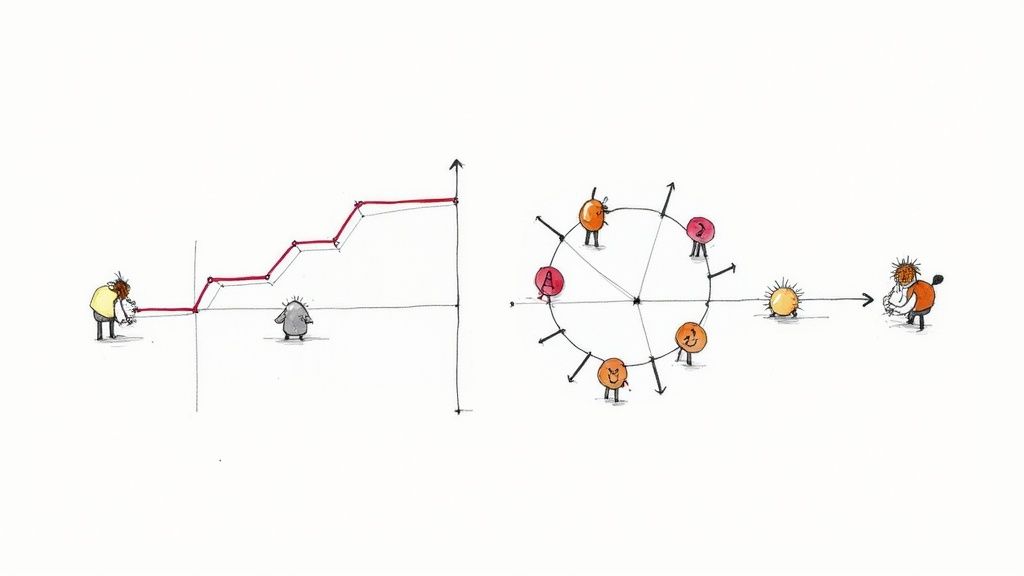
These linear plans just don't have the wiggle room for the surprises that are part of the job. A single piece of unexpected client feedback, a sudden shift in market trends, or a competitor's surprise move can shatter a waterfall plan. The whole project has to be re-scoped, leading to blown deadlines, busted budgets, and some very tough client conversations.
A Familiar Scenario for Any Agency
Picture this: your digital marketing agency is launching a huge holiday campaign for a major retail client. The team spends a solid month building a comprehensive plan—ad creative, social media schedules, landing pages, the works. Everything is signed off. Then, two weeks before launch, the client’s biggest competitor drops a nearly identical campaign.
The client panics and wants a complete messaging pivot. Yesterday.
With a traditional plan, this one change request triggers a nightmare domino effect. Designers have to scrap approved creative. Copywriters have to rewrite everything. Media buyers have to rethink the entire ad placement strategy. The project manager is now stuck in a Gantt chart vortex, the team is burning out, and that launch date is a distant memory.
This is the fundamental flaw of old-school planning in an agency environment: it treats change as a problem to be controlled, not an opportunity to get better. It’s built for a predictable world that simply doesn’t exist.
An agile project plan, on the other hand, handles this situation completely differently. The work would have been broken down into two-week sprints. The team’s initial focus would have been on delivering the most critical campaign assets first—maybe the core ad concepts and a simple landing page.
When the client called for a pivot, the change would only impact the work planned for future sprints, not the work that was already done. The team can adapt on the fly without blowing up the entire project. The benefits here are immediate:
- You can actually adapt. The plan is built to absorb feedback and market shifts, not break under pressure.
- Clients see progress, fast. By delivering working pieces of the project every couple of weeks, you build trust and keep the client involved.
- Risk goes way down. Short cycles mean you can test ideas, see what works, and make adjustments early on, long before you’ve wasted a ton of time and money on a strategy that’s no longer relevant.
This iterative approach gives agencies a structure to manage the chaos. It turns client feedback from a project-killing roadblock into a helpful course correction, letting you navigate uncertainty with confidence.
Building Your Agile Project Roadmap
Forget detailed task lists for a moment. A solid Agile project plan starts with a shared vision—a high-level roadmap you create with your client. Think of it less as a rigid, unchangeable document and more as a strategic guide. It’s there to outline the major goals and features, giving everyone a clear direction without getting lost in the weeds right away.
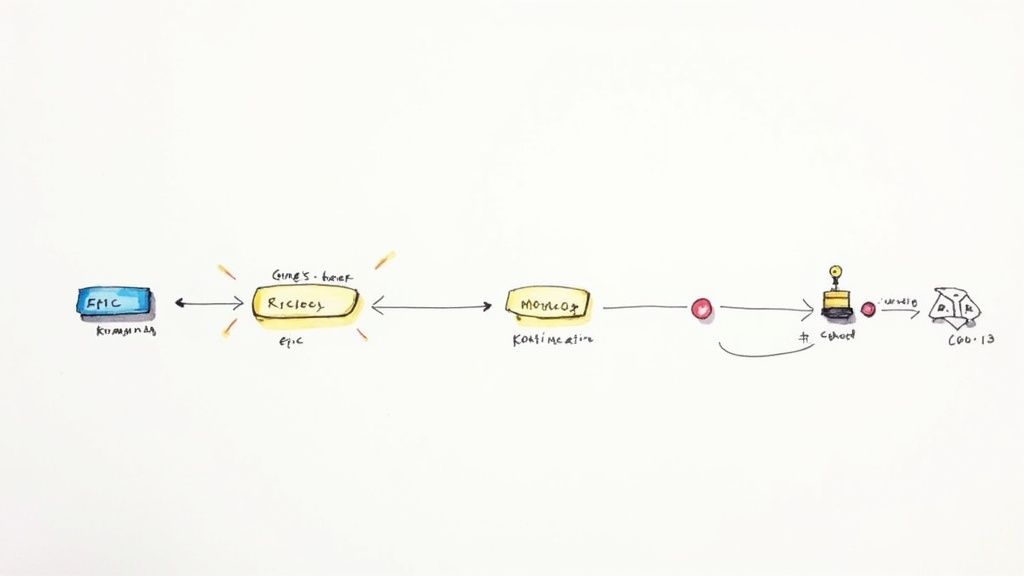
The project kickoff meeting is the ideal time to hammer this out together. Your main goal is to define the project's "why" and identify the big chunks of work, which we call epics. For a new e-commerce site, an epic might be "User Account Management" or "Product Checkout Process." These are big-picture items, not granular tasks, and getting them defined upfront aligns everyone on what success actually looks like.
This adaptive approach isn't just a niche trend; it's rapidly becoming the norm. The share of software development teams using Agile shot up from 37% to 86% between 2020 and 2021 alone. It's not just for software, either—engineering and R&D teams are jumping on board. You can find more data on this industry-wide shift over at businessmap.io.
Prioritizing What Truly Matters
Once you have your epics, it's time to prioritize. Let's be honest: not all features carry the same weight, and trying to build everything at once is a surefire way to miss deadlines and blow budgets. This is where a simple but incredibly effective technique like the MoSCoW method saves the day by helping you and the client sort features into four distinct buckets.
This framework is fantastic for sparking those tough but essential conversations about what's critical for launch versus what can wait.
- Must-Have: These are the non-negotiables. Without them, the project fails. Think of the "Buy Now" button on a product page.
- Should-Have: Important features that add real value but aren't deal-breakers for the initial release. A "customer product reviews" section is a great example.
- Could-Have: These are the "nice-to-have" features that can easily be pushed to a later phase if time gets tight. A "save for later" wishlist often falls into this category.
- Won't-Have: Features you both agree are out of scope for this release. Defining these is crucial for managing client expectations from the very beginning.
By categorizing deliverables this way, you create a natural order for your initial product backlog. It provides a clear focus for the first few sprints, ensuring the team delivers maximum value right from the start.
This structured approach transforms a client's wish list into an actionable plan grounded in reality. It focuses your team's energy where it counts, builds early momentum and client trust, and sets a sustainable rhythm for the entire project. It's the foundation that makes every sprint that follows far more effective.
Alright, you've got your high-level roadmap and a prioritized product backlog. Now it's time to get down to the brass tacks. This is where the magic happens: the sprint planning meeting. This is the session where your team huddles up and decides exactly what they can realistically ship in the next one or two weeks. Big ideas become a concrete to-do list here.
The first order of business is to refine that backlog. We call this backlog grooming, and it’s not a one-and-done deal. It’s a constant process of taking those big, chunky epics and slicing them into smaller, bite-sized tasks called user stories. A solid user story is crystal clear, testable, and—most importantly—small enough for one person to knock out within a single sprint.
From Vague Request to Sprint-Ready Task
Let’s walk through a real-world scenario. A client might say, "I want an easier way for customers to get in touch." That’s a perfectly fine starting point, but you can’t just hand that over to a developer. It's way too vague.
Through backlog grooming, you'd break it down into something actionable:
- Epic: Improve Customer Contact Options
- User Story: As a website visitor, I want a contact form so I can ask a question without having to call.
- Acceptance Criteria:
- The form needs fields for Name, Email, and Message.
- A "Success!" message has to show up after the user hits submit.
- The form submission must route to the client's main support email.
See the difference? That level of detail kills any ambiguity. The team knows precisely what "done" looks like for this task, which makes estimating effort and actually delivering it so much easier.
With a handful of well-defined user stories ready to go, the team can start estimating the effort for each one using story points. Instead of getting bogged down in hours, story points are a relative size—a mix of complexity, risk, and raw effort. A simple copy update might be a 1-point story. Building out that new contact form we just defined? That could easily be a 5-pointer.
Here’s a great example of what this looks like in a tool like Trello. The backlog is organized and ready for the team to pull tasks into the upcoming sprint.
This kind of visual board instantly separates the "maybe later" from the "right now," giving everyone on the team immediate clarity.
Committing to the Sprint Goal
Once the stories are estimated, the team has to figure out its capacity for the sprint. If you have past data, great. If it’s your first sprint, you’ll have to make an educated guess. Let's say the team decides they can handle about 20 story points. They'll start pulling the highest-priority stories from the top of the backlog until they hit that 20-point mark.
This curated list of tasks is now the sprint backlog. From there, the team crafts a single, unifying sprint goal. It’s a simple statement that defines the purpose of the sprint, like, "Launch V1 of the new customer contact page."
This isn't a top-down directive; it's a collective commitment. The team takes ownership because they chose the work themselves. This focused, collaborative planning session is what turns your big-picture agile plan into a set of achievable tasks, creating a productive rhythm that can carry the project all the way to the finish line.
Integrating Agile into Your Agency's Favorite Tools
https://www.youtube.com/embed/GWxMTvRGIpc
An agile project plan that nobody sees is a plan that doesn't exist. If your team has to dig through a shared drive to find a static spreadsheet, you've already lost. The best plans are living, breathing things that are woven directly into the tools your team already uses every day.
This is where platforms like Asana, Trello, or Jira come in. They’re built for this kind of work, letting you transform your sprint backlog into a visual Kanban board that everyone can understand at a glance. The key here isn't to build some monstrously complex system, but to create a simple, intuitive flow that actually matches how your team works.
Setting Up Your First Agile Board
Let's start with a classic setup that just works. For most agency projects, you can get a ton of mileage out of a few basic columns representing your workflow stages.
Here's a simple and effective structure I've seen succeed time and again:
- To Do: This is your starting line. It's filled with all the user stories from the current sprint backlog that are ready for someone to grab.
- In Progress: As soon as a team member picks up a task, they drag the card here. It’s an immediate, public signal of what’s being actively worked on.
- In Review: Once the initial work is done, the card moves here for a second set of eyes—whether that’s a peer, a QA specialist, or a project lead. This is your quality gate.
- Done: The finish line. Once a card is approved, it lands here. This column is more than just an archive; it's a visual record of your team's accomplishments.
With this simple board, anyone from a junior designer to the client-facing account manager can see the exact status of the project in about ten seconds. No more "just checking in" emails or unnecessary status meetings. The board tells the whole story.
The work that ends up on this board doesn't just appear out of nowhere. It's the result of a deliberate sprint planning process.
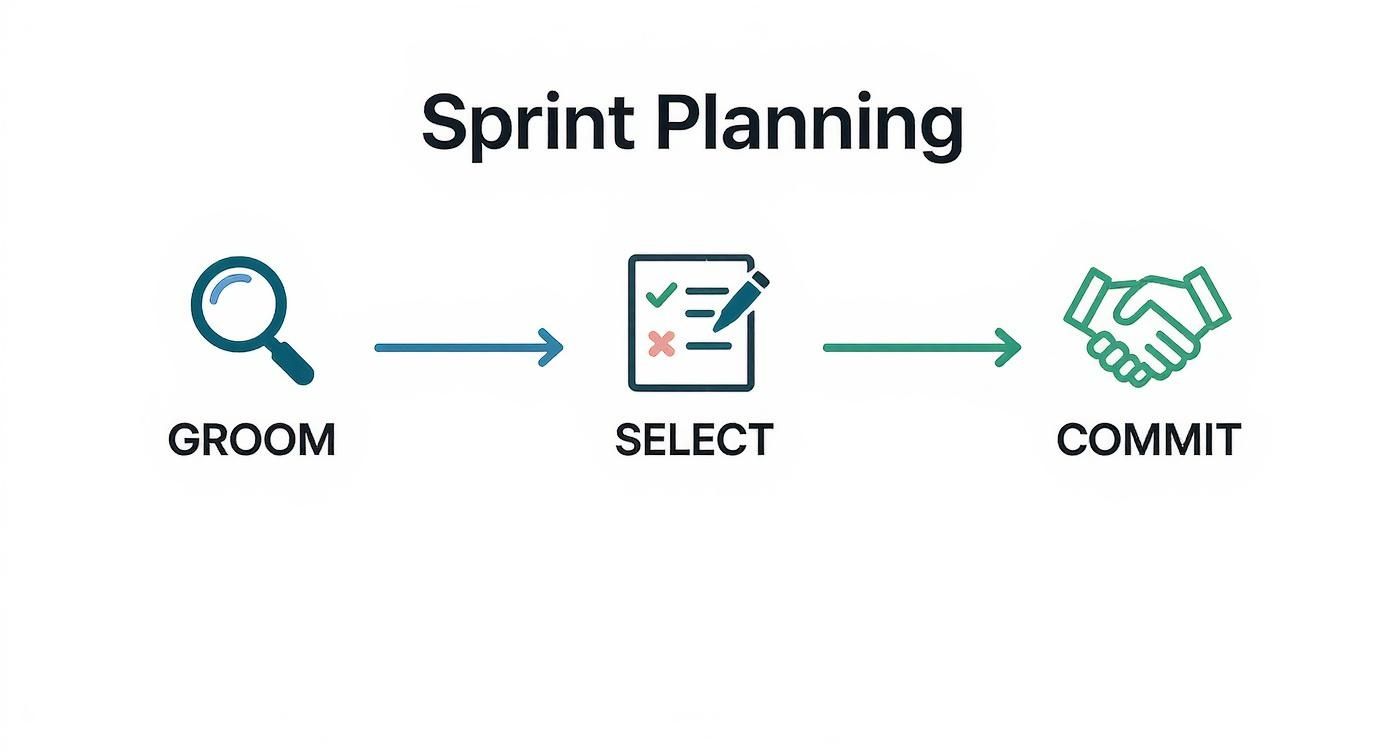
This cycle of grooming, selecting, and committing ensures that every task in your "To Do" column is well-understood and ready to go.
Connecting Your Tools for Real-Time Updates
Want to take it to the next level? Start connecting your tools. Hook your project board up to a communication hub like Slack. You can easily set up an automation that posts a message to a project channel every time a card moves from "In Review" to "Done."
This simple integration keeps everyone in the loop automatically. The client services team knows when a feature is ready for feedback, and the rest of the project team sees progress in real-time without having to ask.
This isn't about adding more tech for the sake of it. It's about removing friction. The right integrations make your agile process feel smooth and keep communication flowing naturally, without any extra effort from your team.
The industry is clearly moving in this direction. The Agile Project Management Software market, valued at USD 5,915.2 million in 2025, is projected to soar to USD 14,711 million by 2032. That's a massive jump, and it underscores just how critical these platforms have become. You can find more data about the Agile software market on coherentmarketinsights.com.
By embedding your agile plan directly into your agency’s daily workflow, you’re not just making a document. You’re creating a single source of truth that champions transparency, sparks better collaboration, and keeps everyone moving in the same direction.
Common Agile Mistakes Agencies Make (And How to Dodge Them)
Switching your agency to an Agile framework is a fantastic move, but it's no silver bullet. The transition is a learning process, and it's shockingly easy to slip back into old habits, just with new names. Knowing what pitfalls to look out for can save you a world of headaches and keep your projects from going off the rails.
Treating Sprints Like Mini-Waterfalls
One of the most common blunders I see is teams treating sprints like rigid, two-week waterfall projects. They lock in the scope on day one, disappear into a black hole of development, and then resurface at the end with a "ta-da!" moment. This completely misses the point.
Agile is all about daily collaboration and having the flexibility to pivot during the sprint. You should be in constant communication, making small course corrections as you go. The "big reveal" should never be a surprise to anyone.
Letting Retrospectives Become Complaint Sessions
Another classic mistake? Your retrospectives turn into unstructured gripe sessions. A retro needs to be a productive, forward-looking meeting, not just a place to vent. Without a clear structure and a focus on solutions, these meetings often end with a lot of aired grievances but zero actionable improvements for the next sprint.
Ignoring the Product Backlog
A poorly managed product backlog is a silent killer for any project. This is what happens when the backlog becomes a chaotic dumping ground for every random idea, client request, and fleeting thought. Without regular grooming and prioritization, it quickly becomes an overwhelming and totally useless list.
A healthy Agile project plan depends on a backlog that's constantly being refined. In practice, this means you’re always:
- Prioritizing relentlessly: The most valuable work has to stay at the top. Period.
- Slicing up large items: Big epics need to be broken down into smaller, bite-sized user stories that can actually be finished in a single sprint.
- Deleting irrelevant tasks: If an idea is no longer relevant to the project's goals, get it out of there. It's just noise.
When the backlog is a mess, your sprint planning meetings will be just as chaotic. The team will waste precious time just trying to figure out what the tasks even mean instead of planning how to execute them.
A backlog isn't meant to capture every idea forever. Its job is to create a clear, ordered list of the next most important things to build. If it’s not actively managed, it’s not a plan—it's a wish list.
Mishandling Urgent Client Requests
Ah, the classic agency curveball: the urgent, out-of-the-blue client request that threatens to blow up the entire sprint. Teams usually react in one of two ways—they either flat-out reject it to "protect the sprint," or they drop everything to get it done. Neither is a good look.
Saying "no" can harm the client relationship. But blindly saying "yes" teaches the client that your sprint commitments don't mean anything.
The Agile way is to have a structured conversation. First, get with the client and your Product Owner to figure out if it's a real emergency. If it is, the team can negotiate a swap. This means pulling an existing, lower-priority task of similar size out of the current sprint and back into the backlog to make room for the new urgent item.
This approach keeps your Agile project plan intact, respects the team's capacity, and shows the client you're a responsive partner.
How to Report Agile Progress to Clients
When you're running an Agile project, showing progress to clients is a totally different game than just handing over a Gantt chart. Forget talking about vague percentages of completion; clients need to see real, tangible value. The good news is your agile project plan already has everything you need to prove that value is being delivered sprint after sprint, turning what could be stressful check-ins into genuinely collaborative sessions.
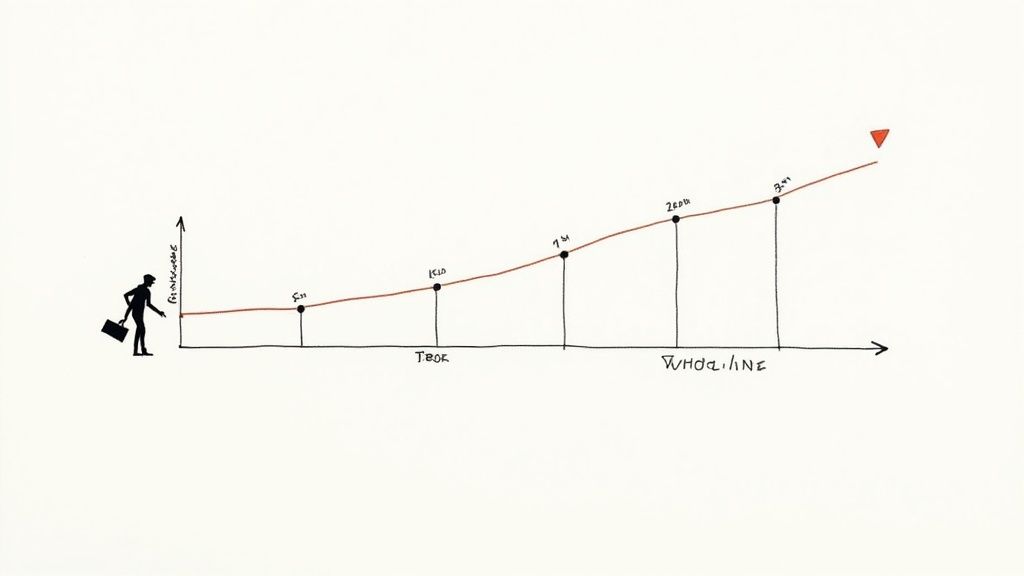
The trick is to reframe the entire conversation. Instead of asking, "Are we on schedule?" the focus should be on, "What did we get done, and what did we learn from it?" This is where simple but incredibly powerful metrics come in. They give you a clear, data-backed story of the project's momentum without dragging everyone down into technical weeds.
Using Velocity and Burndown Charts
Two of the most effective tools I've used for client communication are velocity and burndown charts. They give a surprisingly transparent look at your team’s output and how you’re tracking toward a specific goal.
- Velocity Chart: This chart simply tracks the amount of work (usually in story points) your team knocks out in each sprint. Over time, it gives you a reliable average, which makes future planning much more accurate. For clients, it answers the question, "How much work can we count on the team getting done?"
- Burndown Chart: This is a visual that shows the work remaining in a sprint or a larger release. It’s a simple downward-sloping line that plots remaining story points against time. It provides an immediate, at-a-glance answer to, "Are we on pace to finish everything we planned for this sprint?"
These charts aren't just for your internal stand-ups; they are fantastic storytelling tools for clients. They visualize progress in a way that’s easy for anyone to grasp and builds a ton of confidence that the project is moving forward as it should.
This shift in project management has had a massive impact. Back in 2011, only about 10% of U.S. federal IT projects were managed with Agile methods. By 2017, that number had skyrocketed to 80%. It’s not just a government trend, either; companies using Agile often see project success rates climb over 75%, leaving traditional methods in the dust. You can dig into more of the data and find other insights about Agile's strategic influence on runn.io.
The Client-Facing Sprint Review
The sprint review is your time to shine. It's so much more than a demo; it’s a working session focused on showing off completed work, getting real, actionable feedback, and agreeing on what’s next. When you nail the review, you can completely change the dynamic of your client relationship.
A great sprint review focuses on the "what" and "why," not just the "how." The goal is to demonstrate the value created and use client feedback to steer the next sprint, reinforcing that you're partners in building the right solution.
Here’s a simple flow that I've found works wonders for a client-facing review presentation:
- Restate the Sprint Goal: Kick things off by reminding everyone what you agreed to accomplish.
- Showcase Completed Work: Demo the features that are 100% done. Let the client click around and actually interact with the new functionality.
- Discuss What Was Learned: Be transparent. Talk about any unexpected roadblocks or cool discoveries that popped up. This honesty builds incredible trust.
- Review Key Metrics: Briefly show the velocity and burndown charts to ground the conversation in hard data.
- Preview the Next Sprint: Give a quick look at the high-priority items from the backlog you’re planning to pull into the next sprint, making sure everyone is on the same page.
This approach proves your agile project plan is more than just a document—it's a living guide. It shifts the dynamic from a simple vendor-client transaction to a true partnership, where both sides are invested in iterating toward the best possible outcome.
At RGK, we built an operating system designed for the realities of agency work. It unifies project management, billing, and client communication, giving you a single source of truth to run, grow, and keep your business—without the operational chaos. Stop wrestling with disconnected tools and see how a truly integrated platform can transform your agency's efficiency.
Discover how RGK can streamline your operations at https://rgk.app.