How to Improve Team Productivity for Modern Agencies

If you want to boost your team's productivity, you first need to figure out what's slowing them down. It’s tempting to jump straight to solutions when you see symptoms like missed deadlines or projects creeping over budget. But that’s like putting a band-aid on a broken bone. The real fix starts with a thorough audit to uncover the friction points in your daily workflows.

Uncovering Your Team's Real Productivity Blockers
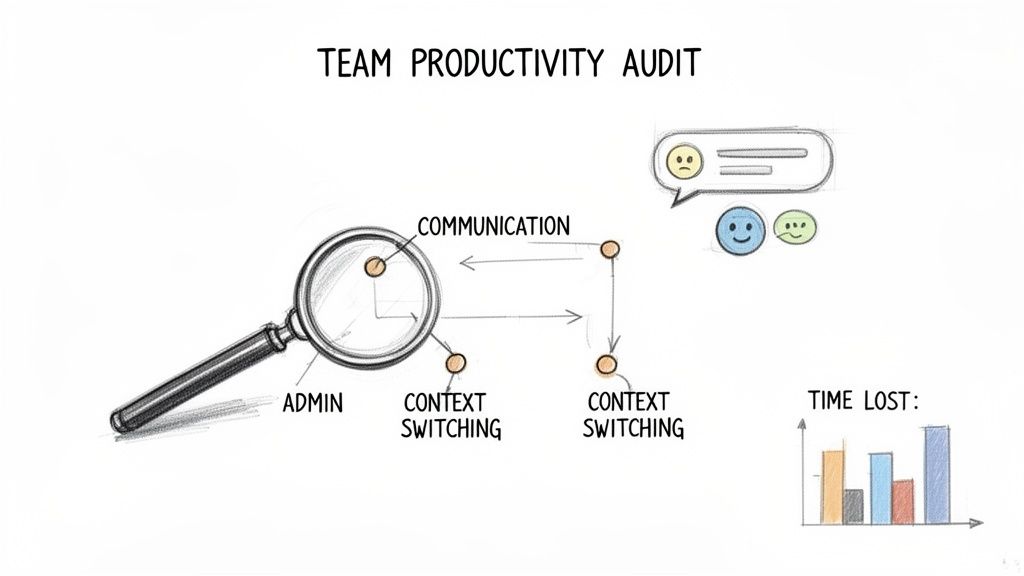
An illustration showing a team productivity audit, highlighting communication, admin, and context switching leading to time lost.

Before you can fix what's broken, you have to find it. Many agency leaders see the end results of inefficiency but struggle to pinpoint the exact cause. The key is to get past the surface-level problems and dig into the hidden friction that grinds your team’s gears.

The goal here isn't to assign blame. It's to get a clear, data-backed picture of reality so you can focus your efforts where they'll actually make a difference.

A solid productivity audit is a two-pronged attack: it combines human insights with hard data. This approach is critical because it tells you both what is happening and why it's happening, straight from the people doing the work.

Combining Qualitative and Quantitative Insights

First, gather the qualitative feedback—the stories behind the data. This is where you uncover the nuances that numbers alone will never show you.

One-on-one conversations are invaluable. Sit down with your team members and ask open-ended questions to understand their daily frustrations. Try prompts like, "What's one task that consistently takes way more time than it should?" or "If you could kill one meeting on your calendar, which one would it be and why?"

Anonymous surveys are another fantastic tool, especially for more sensitive topics like management styles or friction between departments. They create a safe space for brutally honest feedback. Use a simple form to ask about:

  • Communication Gaps: Where does information get lost in translation?
  • Tooling Frustrations: Which software is clunky, slow, or just plain redundant?
  • Administrative Overhead: How much time are you really spending on non-billable stuff like time tracking and reports?

While this feedback is pure gold, you need to back it up with quantitative data from your project management and time-tracking tools. Dig into the numbers and look for patterns. Are certain project phases always a bottleneck? Does one type of task consistently blow past its estimated hours? This hard data validates the stories you're hearing and helps you prioritize the biggest fires.

"Your team's productivity isn't a mystery to be solved; it's a system to be understood. The answers are already there, hidden in your daily routines and workflows. Your job is to make them visible."

Identifying the Common Culprits

As you sift through all this information, you’ll probably start to see a few familiar villains emerge. In most agencies I've worked with, the biggest productivity drains can be traced back to a handful of recurring problems.

The High Cost of Context Switching

Context switching is the absolute enemy of deep, focused work. Every time a designer has to jump from a creative brief to a Slack notification, then to an "urgent" email, and back again, they lose their flow. Each of those little switches comes with a cognitive cost, making it harder and harder to get back into the zone. Your audit might reveal that the constant barrage of pings and notifications is the main source of this disruption.

Disjointed Communication Channels

Think about it: a project conversation starts in Slack, moves to email, gets referenced in a Jira comment, and is finally decided in a Zoom call. Sound familiar? When communication is scattered across a half-dozen platforms, your team wastes precious time just trying to find the latest update. This fragmentation also creates a massive risk of critical details slipping through the cracks, which almost always leads to painful rework.

The Burden of Administrative Tasks

Repetitive, low-value admin work is a silent productivity killer. Things like manual data entry, compiling reports from different sources, or chasing down approvals can eat up a shocking amount of a skilled professional's day. These tasks don't just pull them away from high-impact, billable work; they’re also a major contributor to burnout and disengagement.

And don't underestimate the role of leadership here. Effective frontline managers are an incredibly powerful lever for productivity. A Gallup State of the Global Workplace report found that managers account for roughly 70% of the variance in team engagement. With global employee engagement sitting at just 21%, that shortfall is costing the global economy an estimated $438 billion every year.

Building a Tech Stack That Actually Helps People Work
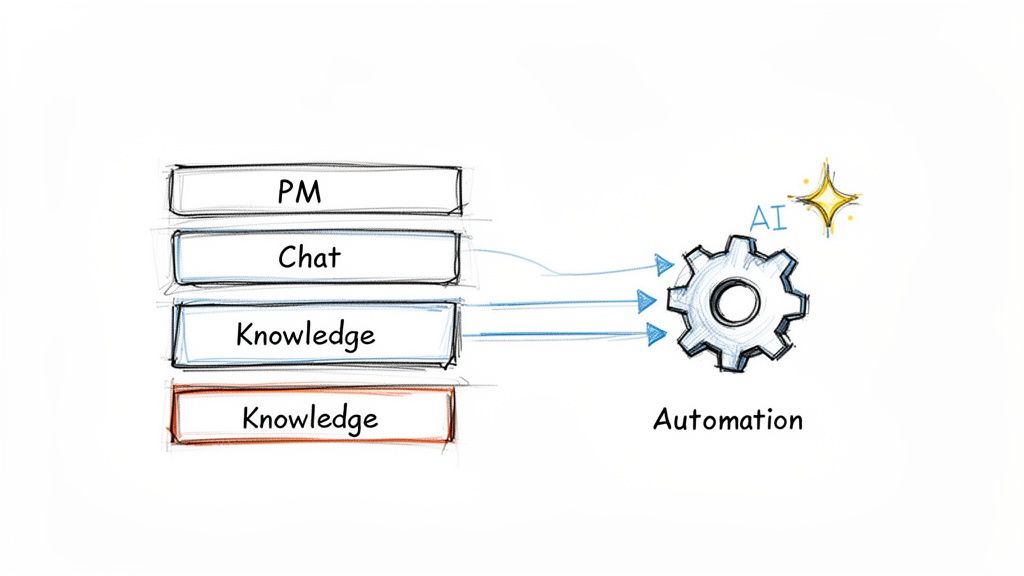
A diagram illustrating data from PM, Chat, and Knowledge sources feeding into an AI-enhanced automation process.

Let’s be honest: technology should be a partner in productivity, not a source of daily frustration. For too many agencies, the "tech stack" is really just a jumble of disconnected apps. This forces your team to constantly switch tabs, hunt for information, and waste creative energy on digital busywork.

The goal isn't just to buy more software. It’s to consolidate that messy toolkit into a cohesive system where work flows smoothly. This means picking tools that solve your agency's actual problems, not just chasing the latest trend.

The Three Pillars of an Agency Tech Stack

Most of an agency’s work boils down to three core functions. When the tools supporting them don't talk to each other, you get information silos, duplicate effort, and a team that's pulling its hair out. A huge step toward better productivity is making sure these pillars are solid and connected.

  1. Project Management: This is your command center. Think of tools like Asana or monday.com as the single source of truth for who is doing what, by when. No more confusion.

  2. Communication: Real-time chat on platforms like Slack is non-negotiable for quick questions and keeping the team in sync. But without clear ground rules, it can quickly turn into a 24/7 distraction machine.

  3. Knowledge Management: This is the agency's brain. A central hub like Notion or Confluence is where your SOPs, client briefs, and hard-won best practices should live—not buried in someone’s inbox or a random Slack thread.

When these systems are isolated, your team is forced to reinvent the wheel on every project. When your PM tool doesn't sync with your chat app, critical context gets lost. True productivity happens when these three pillars are seamlessly integrated.

Picking the Right Tools for Your Team

Choosing the right software can feel overwhelming, but it's about matching the tool to your team's specific needs and workflows. A small, nimble team has very different requirements than a 100-person agency juggling enterprise clients. Here’s a quick breakdown to help you navigate the options.

Productivity Tool Comparison for Agencies

Tool Category Example Tool Best For Key Productivity Feature
Project Management Asana Creative & Marketing Agencies Visual timelines and workflow automation that simplifies complex campaign tracking.
Project Management monday.com Agencies Needing Customization Highly flexible boards that can be adapted for any workflow, from sales to delivery.
Communication Slack Teams Needing Fast-Paced Collab Channels that organize conversations by project or client, plus countless integrations.
Knowledge Mgmt Notion All-in-One Documentation Combining docs, wikis, and project boards in one highly flexible workspace.
Knowledge Mgmt Confluence Teams Deep in Atlassian Suite Tight integration with Jira for linking technical specs to development tasks.
Automation Zapier Connecting Any App Creating "Zaps" that automate tasks between thousands of different web apps.

Ultimately, the "best" tool is the one your team will actually use. Start by mapping your most common workflows and see where the biggest friction points are. That's where a new tool can make the most impact.

Integrating AI and Automation Responsibly

The biggest productivity leap available right now comes from layering smart automation and AI onto this foundation. This isn't about replacing your talented people. It's about augmenting their skills by offloading the mind-numbing, repetitive tasks that eat up their day.

For example, you can use AI to knock out the first draft of a blog post, summarize a dense research report into key takeaways, or automatically transcribe a client call and pull out action items. These small efficiencies compound, freeing your team for the high-value strategic and creative work clients pay you for.

The connection between AI adoption and productivity is becoming crystal clear. Highly productive employees are 242% more likely to use AI than their peers. On top of that, organizations that automate routine tasks save an average of 3 to 3.6 hours per employee every week. You can dig into more of these employee productivity statistics and trends.

Putting Your Tech Stack into Action

Picking the right tools is just the first step. The real magic happens when you connect them and build smart processes around them.

Consider what happens when a new client request lands in your inbox.

  • The Manual Way: A project manager reads the email, opens Asana, creates a new project, manually copies and pastes all the details, then pings the team on Slack to give them a heads-up. It’s slow and leaves way too much room for human error.

  • The Automated Way: An automation rule sees the email, instantly creates a new project in Asana from a pre-built template, assigns the initial tasks to the right people, and posts a summary with a direct link to the project in the designated Slack channel.

The second scenario is faster, more reliable, and gets the project moving immediately. It eliminates a half-dozen manual steps and ensures nothing falls through the cracks. This is what a well-built tech stack should do: actively help your team work smarter, not just give them another password to remember.

Designing Workflows That Create Clarity and Consistency
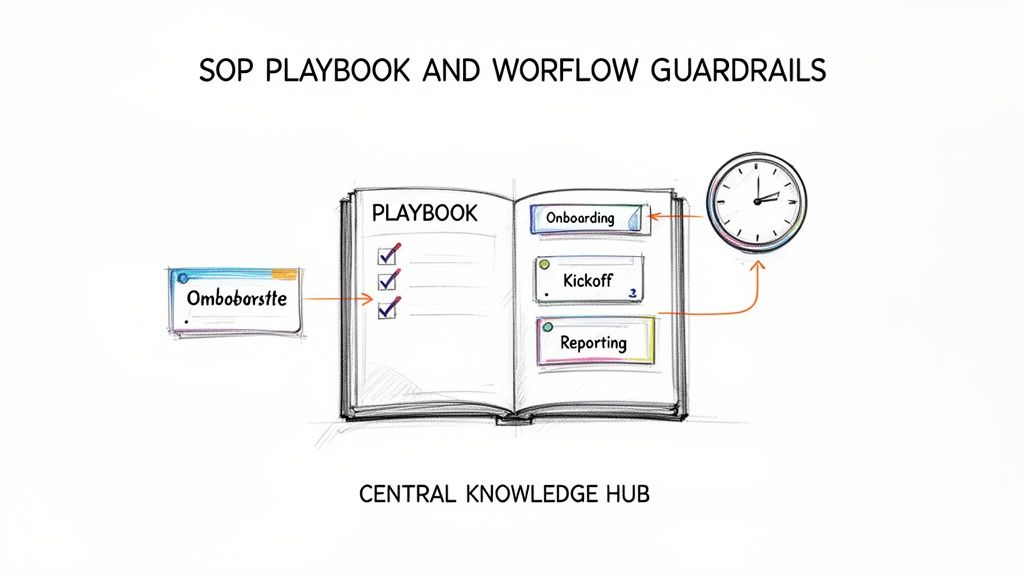
An illustrated playbook shows workflow guardrails for onboarding, kickoff, and reporting from a central knowledge hub.

Having the perfect, integrated tech stack is a great start, but it's only half the battle. Without clear processes showing your team how to use those tools, you’ve just handed them a faster car with no map. This is where we translate high-level strategy into day-to-day action, designing lightweight, repeatable workflows for the moments that matter most.

The goal here isn't bureaucracy; it's clarity. When everyone knows the "how" and "why" behind their work, they can stop reinventing the wheel and pour that mental energy into delivering exceptional results for your clients.

From Dusty Binders to Actionable Playbooks

Let's be honest, nobody reads a hundred-page operations manual sitting in a forgotten folder. Modern SOPs (Standard Operating Procedures) need to be dynamic, easy to find, and built for how people actually work. Think of them less as a rulebook and more as a simple playbook for key agency moments.

So, where do you start? Pinpoint the high-stakes, repeatable activities where inconsistency hurts you the most. For most agencies, these are the usual suspects:

  • Client Onboarding: How do you consistently roll out the red carpet, gather all the right assets, and set the stage for a great partnership from day one?
  • Project Kickoffs: What are the absolute non-negotiables to make sure the entire team is aligned on goals, scope, and timelines before a single hour gets billed?
  • Campaign Reporting: What's the standard for pulling data, analyzing performance, and telling a compelling story to clients that showcases your value?

For each of these, build a simple checklist or a step-by-step guide. A truly great SOP doesn't just list tasks; it includes links to the right templates, shows examples of "what good looks like," and briefly explains why each step is important. Make sure these live in a central, searchable knowledge base like Notion or your project management hub, so they're always just a few clicks away.

Creating Guardrails for Better Collaboration

Beyond the big project milestones, you also need to establish some simple "guardrails" for daily collaboration. These aren't meant to be rigid rules, but shared agreements that cut through the noise and protect everyone’s focus. Without them, you end up with a culture of constant interruptions and shoulder-tapping.

Two of the biggest productivity black holes in any agency are communication and meetings. It’s time to set some clear guidelines.

Communication Etiquette

Define the right channel for the right message. This one small change can stop crucial information from getting lost in a sea of notifications and help your team improve productivity instantly.

A simple framework might look like this:

  • Email: Use this for formal client comms, final deliverable sign-offs, and anything that needs a clear paper trail.
  • Slack/Teams: Keep this for quick, informal questions, real-time brainstorming, and general team chatter. Establish a firm rule: truly urgent requests never live only in a DM.
  • Project Management Tool (Asana/Monday.com): This is home base. All task-specific questions, updates, and files should be attached directly to the relevant task. It creates a single source of truth that anyone can refer back to.

Poor communication has a very real cost. Research shows that 64% of workers lose at least three hours of productivity each week due to inefficient collaboration. Simple guardrails give that time back to your team.

Building Quality into the Process

Finally, your workflows should have quality assurance baked right in, not tacked on as a frantic afterthought. One of the most effective ways to do this without adding a ton of admin overhead is with simple QA checklists.

For example, before a new website goes live, the developer runs through a pre-launch checklist. It’s not complicated. It just ensures nothing gets missed.

  1. Mobile Responsiveness Check: Does the site look and work great on all major screen sizes?
  2. Form Submission Test: Are all lead capture and contact forms actually sending data where they’re supposed to?
  3. Broken Link Scan: Run a quick crawl to make sure there are no 404s.

This approach transforms quality control from a stressful, last-minute fire drill into a calm, predictable part of the process. You catch mistakes early, drastically reduce rework, and ensure every deliverable consistently meets your agency's high standards.

Measuring Productivity Without Micromanaging

You can't fix what you can't see. But the moment you start tracking performance, you risk making your team feel like they're under a microscope. Let's be clear: the goal isn't to watch every click and keystroke. It’s about getting a simple, honest look at your agency’s health and your clients' success.

This is all about shifting the conversation from "Are you busy?" to "Are we effective?" That one change makes all the difference. Busywork just leads to burnout, but effective work is what grows your agency and keeps clients happy. The right Key Performance Indicators (KPIs) act as your guide, pointing everyone toward what really moves the needle.

Focus on Outcomes, Not Activity

The first rule is to stop tracking vanity metrics. Honestly, who cares how many hours someone logged or how many emails they sent? Those numbers tell you almost nothing about the quality of their work or the progress of a project.

Instead, every single KPI you track should tie directly back to project health and client happiness. These are the metrics that actually impact your revenue and your reputation.

For most agencies, a few core metrics will give you 80% of the insight you need with only 20% of the tracking effort. Start with these essentials:

  • Project Completion Rate (On-Time & On-Budget): This is your agency’s heartbeat. A high completion rate means your scoping, planning, and execution are working together beautifully. If it starts to dip, you have an early warning that something is broken—maybe unrealistic timelines, scope creep, or a resource bottleneck.

  • Resource Utilization: This metric shows you how much of your team's available time is spent on billable client work. You're looking for a sweet spot, usually around 75-85%. If it's too low, you’ve got inefficiency and money left on the table. If it's consistently too high, you’re on the fast track to burning out your best people.

  • Client Satisfaction (NPS): The Net Promoter Score is a brutally simple way to measure how clients feel about your work. It just asks, "How likely are you to recommend us?" This one number is a powerful reflection of your work quality and the strength of your client relationships.

Building Your Productivity Dashboard

Once you know what you're tracking, you have to make it visible. A complicated spreadsheet that only you can decipher is completely useless. What you need is a clean, shared dashboard that gives everyone a real-time snapshot of performance without overwhelming them.

Your project management tool is the perfect place to build this. Most platforms—like Asana, monday.com, or our own RGK—can pull this data automatically from the work your team is already doing. This completely removes the soul-crushing task of manual reporting, which is a massive productivity drain in itself.

Your dashboard shouldn't be a report card; it should be a scoreboard. A report card is static and judgmental. A scoreboard is dynamic, shared, and shows the team exactly where they stand in the game so they can adjust their strategy to win.

To give you a clearer picture, here’s a quick breakdown of the essential KPIs you should be looking at.

Essential Productivity KPIs for Agency Teams

This table breaks down the key metrics to track, what they measure, and the tools you can use to monitor them effectively.

KPI What It Measures Why It's Important Example Tool
Utilization Rate The percentage of an employee's time spent on billable tasks. Ensures you're profitable without overworking your team. RGK, Harvest, Toggl
Project Margin The profitability of individual projects (Revenue – Costs). Identifies your most (and least) profitable types of work. QuickBooks, Float
On-Time Completion Rate The percentage of projects or tasks completed by their deadline. A direct indicator of your team's efficiency and planning accuracy. Asana, monday.com
Client Satisfaction (NPS) A client's likelihood to recommend your agency on a 1-10 scale. The ultimate measure of client happiness and future referrals. SurveyMonkey, Delighted

Tracking these metrics gives you a solid foundation. You'll have a clear view of your team's capacity, project profitability, and client sentiment without having to chase anyone for updates.

Use Data to Coach, Not to Command

This is the part where so many leaders stumble. The data on your dashboard is not a weapon to be wielded during a performance review. It’s a conversation starter.

When you see a project budget trending into the red, your first instinct might be to ask, "Why are you over budget?" Don't.

Instead, try this: "Hey, I noticed the budget on Project X is getting tight. What roadblocks are you hitting? How can I help clear them for you?"

That subtle change in phrasing transforms the entire interaction. You go from accusation to collaboration. You're no longer a micromanager scrutinizing their every move; you're a coach, using insights to help your team succeed. This approach builds a culture of trust and shared accountability, which is the true engine of lasting productivity.

Making Change Stick with Smart Rollouts and Feedback

Getting a new tool or process in place is one thing. Making sure people actually use it—and that it works—is a whole different ball game. I've seen too many agency leaders make the classic mistake of a "big bang" rollout, forcing a new system on everyone overnight. That approach is a recipe for chaos, pushback, and a quick retreat to the old, comfortable way of doing things.

Boosting your team's productivity isn't a one-and-done project. It’s about building a culture where getting better is part of the job. Change has to be a collaborative effort, not a command from on high. The secret is to introduce changes carefully, listen constantly, and adjust your plan based on what your team is experiencing on the ground.

Start Small with a Pilot Team

Before you even think about a company-wide overhaul, pick a small, motivated pilot team to be your guinea pigs. This group becomes your real-world lab for testing a new tool or workflow. Let them try the new project management setup or a revised client onboarding process on a single, low-stakes project.

This phased approach is powerful for a few key reasons:

  • It minimizes disruption. The rest of the agency keeps humming along, totally unaffected by the experiment.
  • It creates a safe space to fail. Glitches, confusing steps, and unexpected hurdles can be found and fixed on a small scale without blowing up a major client deliverable.
  • It builds internal champions. When the pilot team has a great experience, they become your best evangelists for the new system. Their genuine enthusiasm creates a pull-effect that makes everyone else want to adopt it.

The pilot team's experience is pure gold. Their feedback will be brutally honest and incredibly specific, letting you iron out all the kinks before anyone else has to deal with them. This makes the eventual full rollout a thousand times smoother.

Build Simple, Consistent Feedback Loops

Once a new system is out in the wild, you need to know what your team really thinks—the good, the bad, and the outright broken. Feedback can't be an afterthought; it has to be baked right into the workflow. Waiting for the annual review is far too late to fix a process that's causing daily friction.

Don't overcomplicate it. A few simple, consistent channels will do the trick:

  • Dedicated Slack Channel: Spin up a #process-feedback channel where anyone can drop a question, suggest a tweak, or flag something that’s not working. It creates a public, searchable log of ideas and solutions.
  • Regular Retrospectives: At the end of a project or a sprint, hold a quick retrospective meeting. Just ask three simple questions: What went well? What didn’t go well? What will we do differently next time? This turns feedback directly into action.
  • Quick "Pulse" Surveys: Use a simple tool to send out a one or two-question survey every few weeks. Ask something like, "On a scale of 1-10, how well is the new project kickoff process working for you?"

The goal of a feedback loop isn't just to collect complaints. It's to create a collaborative system where the people doing the work have a direct hand in improving how that work gets done. This shifts productivity from being a mandate into a shared mission.

This flow shows how the core pillars of measuring effectiveness—project completion, resource management, and client happiness—all tie together.
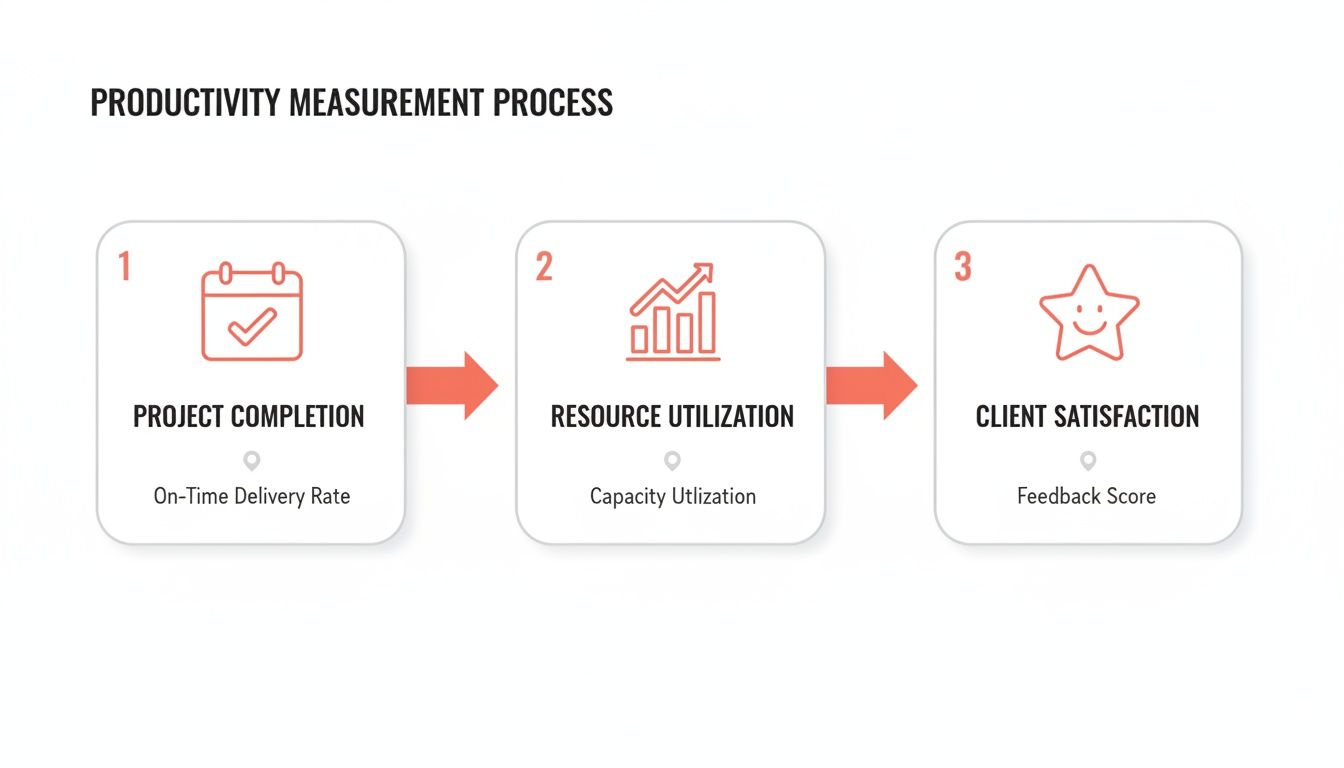
A three-step productivity measurement process flow, outlining project completion, resource utilization, and client satisfaction.

Think of this visual as a reminder that successful outcomes are a mix of efficient delivery, smart resourcing, and happy clients. All three should inform your feedback and iteration cycles.

Adopt an Iterative Mindset

The last—and most important—piece of the puzzle is to treat productivity as an ongoing experiment. No process is ever "finished." Your agency will grow, your clients' needs will shift, and your tools will get updates. Your workflows have to be flexible enough to keep up.

Embrace a simple, iterative cycle: Launch, Measure, Learn, Adapt.

Launch the new process with your pilot team. Measure its impact with the KPIs we talked about earlier. Learn from your team's feedback and the hard data. Then, adapt the process based on those insights before you roll it out to the next group. This methodical approach is how you build long-term productivity and create a resilient agency that’s truly built to scale.

Got Questions? We've Got Answers.

Even the best-laid plans hit a snag. Rolling out changes to improve productivity always comes with real-world challenges that no playbook can fully predict. Over the years, I've seen agency leaders run into the same handful of obstacles again and again.

Let's tackle some of the most common questions head-on. This isn't about theory—it's about navigating the messy, human side of leading a team through change.

How Do I Get My Team to Actually Use a New Tool or Process?

Let's be honest: forcing a new system on your team without their input is a recipe for disaster. Real adoption, the kind that sticks, comes from making people part of the solution, not just forcing a decision on them.

Start by explaining the why. Don't just announce, "We're switching to a new project management tool." That means nothing. Instead, connect it directly to their daily frustrations.

Try something like this: "I know everyone is sick of digging through Slack DMs and email chains for client feedback. This new tool is designed to put every project conversation in one place, so you can stop hunting for information and get back to doing great work." See the difference?

Better yet, get them involved in the decision. Pick two or three solid options and let a few key people from different teams test them out. When the final recommendation comes from their peers, it feels like a shared choice, not a top-down mandate.

People don't resist change; they resist being changed. Bring your team into the process from the very beginning, and they'll become advocates for the new way of working, not roadblocks.

Finally, make the transition as smooth as possible. Give them clear documentation, run a hands-on training session (with snacks!), and maybe even let the old system run in parallel for a week or two. This takes the pressure off and shows you respect their current workflow.

What if My Team Hates the New Process and Pushes Back?

Pushback is almost never about the process itself. It's usually a symptom of something bigger. Before you just tell everyone to "get on board," take a moment and get curious. Is the new SOP genuinely more confusing than the old way? Does it feel like you've introduced a solution for a problem that didn't exist?

The best thing you can do is listen. Pull the team (or a few vocal members) into an informal chat and ask some open-ended questions:

  • "What's the single most annoying part of this new workflow for you?"
  • "If you had a magic wand, what's one thing you would change about how we're doing this?"

You'll often uncover a totally valid point you missed. Maybe that new report template requires them to pull data that takes an hour to find. Acknowledging their feedback and making a small adjustment shows you value their expertise on the ground. This simple act can turn resistance into collaboration.

When Is a Productivity Dip a Sign of a Deeper Problem?

Productivity is never a flat line; it has natural peaks and valleys. A slow week might just be the result of a grueling project launch or a post-holiday slump. But a sustained drop over several weeks? That's a warning sign you can't afford to ignore.

Start with the data. Are deadlines slipping for everyone, or is it just one team or client? Is your resource utilization chart constantly pinned at 100%? The numbers will help you narrow down the source of the problem.

A prolonged slump usually points to one of three culprits:

  1. Burnout: Is everyone consistently logging overtime? High utilization looks great on paper, but it's a disaster if it leads to exhaustion and apathy. This is a huge red flag to re-evaluate workloads and project scopes immediately.
  2. Fuzzy Priorities: When everything is marked "urgent," nothing is. Productivity plummets when your team feels overwhelmed and has no clear direction on where to focus their energy. It's time to revisit your agency's goals and clarify what really matters right now.
  3. Broken Workflows: A process that was perfect for a five-person team will completely fall apart for a team of fifteen. The slump might be your team's way of telling you that your foundational systems can no longer support your agency's size.

Don't sweep these signs under the rug. A temporary dip in output is easy to fix. A burnt-out, disengaged team is a much, much bigger problem. Use this dip as a signal to find the root cause before it becomes a full-blown crisis.


At RGK, we've built the operating system designed to solve these exact challenges, integrating project management, AI-driven insights, and core agency operations into a single source of truth. Stop fighting with disconnected tools and see how a unified platform can transform your team's productivity. Learn more and see how RGK can help your agency scale smarter.

How to Improve Operational Efficiency: how to improve operational efficiency

Before you can plug the leaks, you have to find them. Improving your agency's efficiency starts with a brutally honest look at where you're losing time, money, and momentum. This isn't about some abstract business theory; it's about getting crystal clear on what to fix so you can make changes that actually move the needle.

Diagnosing Your Operational Bottlenecks

Trying to boost efficiency without first finding your specific problems is like trying to fix a car that won't start by just washing it. It might look better, but you haven't touched the engine. Too many agency leaders jump straight to buying shiny new software or overhauling processes, only to realize they've solved a problem they didn't really have.

So, the first and most important step is to assess where you are right now. This means getting past gut feelings and digging into the real friction points in your daily workflows, from the second a lead hits your inbox to the moment you send that final invoice.

Map Your Current Reality

You can’t improve a process you don't fully understand. Start by mapping out your core workflows as they actually happen, not how they’re supposed to happen. Get in a room with a whiteboard or a simple tool like Miro and sketch out the journey.

For a standard client project, that might look something like this:

  • Intake: A new lead fills out a form on your website.
  • Assignment: The project gets handed off to a project manager.
  • Kickoff: You schedule and hold a discovery call.
  • Execution: Your team gets to work on the deliverables.
  • Review: Drafts go to the client for their feedback.
  • Revisions: You make changes based on that feedback.
  • Final Delivery: The finished project is officially handed over.

Just getting this down on paper forces you to see every handoff, every decision, and every potential spot where things get stuck. It’s a simple exercise that gets the whole team on the same page.

Gather Ground-Level Intelligence

Your team knows where the bodies are buried. They live with the frustrating workarounds and the mind-numbing repetitive tasks every single day. If you want to know what's really broken, you have to talk to them.

The goal isn't to find fault; it's to find friction. When team members feel heard and know their insights are valued, they become active partners in building a more efficient system rather than passive participants.

Pull people aside for informal one-on-one chats or get small groups together. Ask open-ended questions like, "What's the most annoying part of your day?" or "If you had a magic wand, what's the one task you'd make disappear forever?" You’ll be amazed at the patterns that pop up.

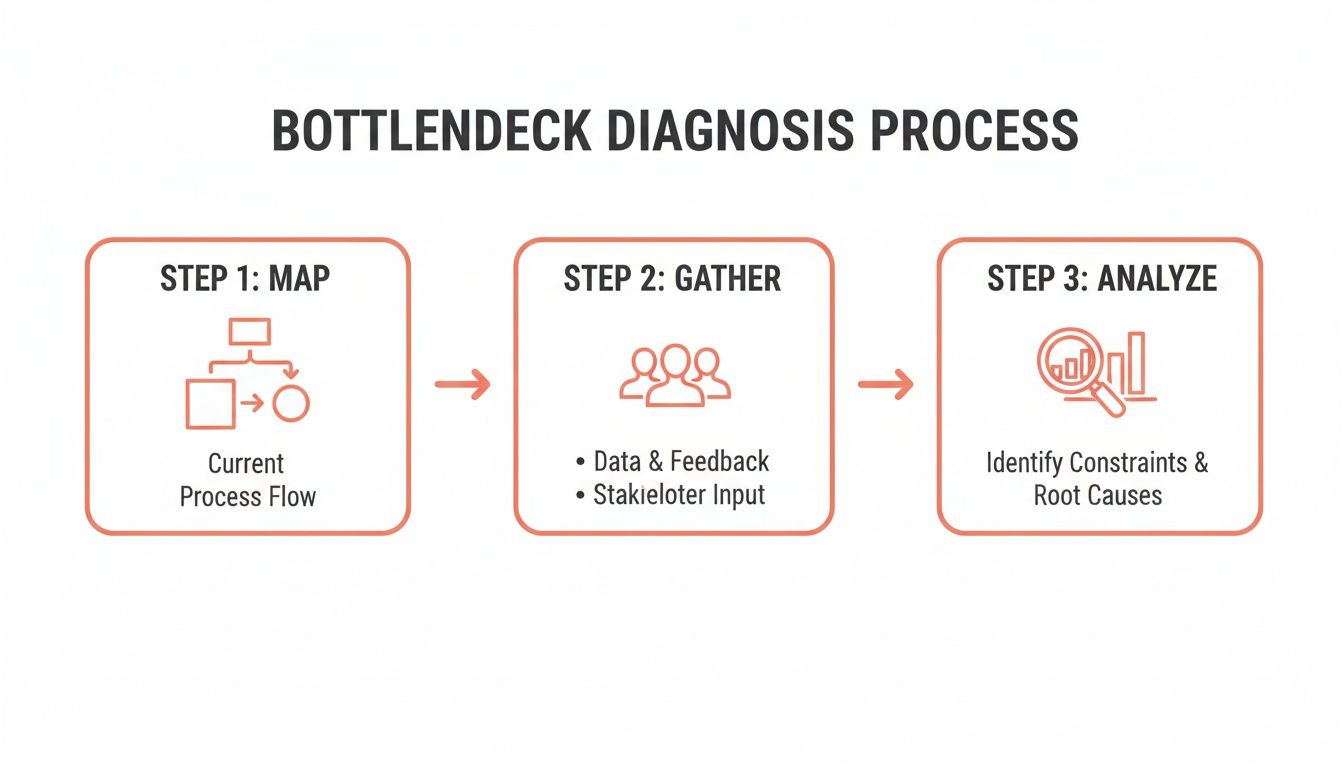
A three-step bottleneck diagnosis process illustrating mapping, gathering data, and analyzing constraints to improve efficiency.

This process shows how a systematic approach—moving from a high-level map to human insights and finally to data-backed analysis—is the most effective way to figure out where to focus your energy.

Analyze Simple Data for Hidden Clues

Finally, back up what you've heard with some simple numbers. You don't need a fancy business intelligence dashboard for this. Just look at basic metrics that tell a story.

For example, you might look at your project management data and realize that 74% of your projects go through more than two rounds of client revisions. That's not just a hunch anymore; it’s a clear sign that something is off in your initial briefing or review process.

Or maybe you find that the average time from project completion to sending the final invoice is 12 days. That’s almost two weeks of cash just sitting there, pointing directly to a snag in your finance workflow.

These little data points are gold. They turn vague feelings into concrete, actionable problems. This whole diagnostic phase sets the foundation for everything else, making sure that when you do start making changes, you're fixing the things that will make the biggest difference.

Defining Success with Clear KPIs and Metrics

Once you’ve pinpointed the bottlenecks slowing your agency down, the next question is obvious: What does better actually look like? You can't improve what you don't measure. This is where Key Performance Indicators (KPIs) become your agency’s scoreboard, turning vague ambitions into tangible goals.

Without solid metrics, you're just guessing. You might feel like your team is busier than ever, but activity doesn't always equal progress. The real win is moving beyond vanity metrics (like the number of emails sent) and zeroing in on the data that truly reflects the health and profitability of your operations.

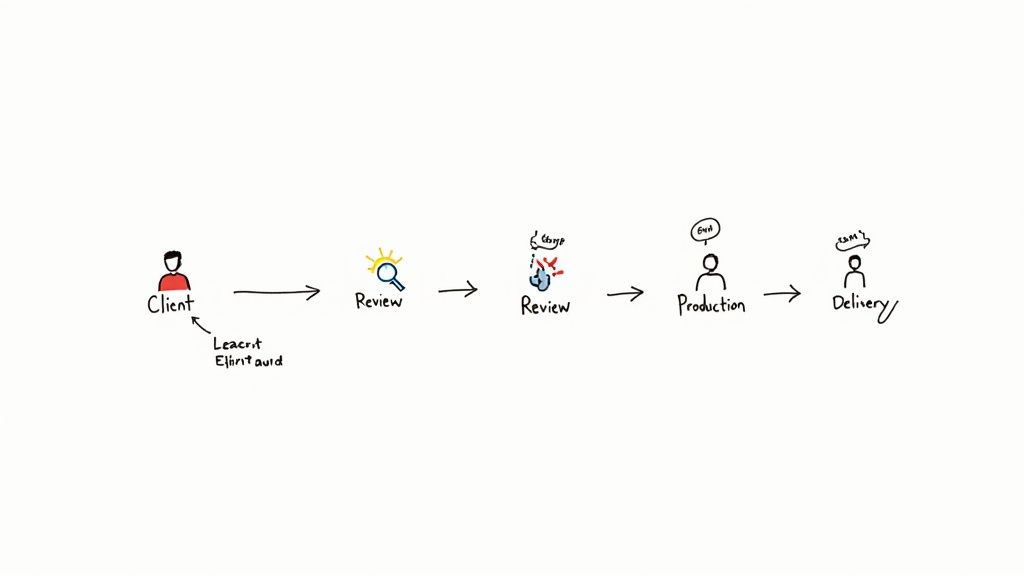
Workflow diagram depicting client input, review, production, delivery, with a note on learning and iteration.

From Vague Goals to Specific Metrics

It's common for agency leaders to set goals that sound great but are impossible to track. Think "boost client happiness" or "make the team more productive." How do you put a number on that? The trick is to translate these broad objectives into specific, measurable figures.

For instance, "boost client happiness" is a fantastic goal, but it becomes actionable when you start tracking your Net Promoter Score (NPS) after each project wraps. Or, even simpler, track the number of revision cycles a project goes through. Fewer revisions almost always mean you nailed the brief, leading to happier clients.

In the same way, "make the team more productive" gets real when you measure your team utilization rate or the average project turnaround time. These numbers give you a crystal-clear picture of your team’s capacity and speed, showing you exactly where the improvement opportunities are.

KPIs That Truly Matter for Agencies

While your agency has its own unique rhythm, a few core KPIs offer a ton of insight for just about everyone in the service business. These are the metrics that cut through the noise.

Here’s a breakdown of some essential KPIs that we see the most successful agencies tracking.

KPI What It Measures Operational Goal
Project Profitability Revenue minus all direct costs, including billable hours. Ensure every project contributes positively to the bottom line.
Team Utilization Rate The percentage of an employee's time spent on billable work. Maximize billable output without causing team burnout.
Average Billable Rate The effective hourly rate you're actually earning on a project. Identify if scope creep or inefficiencies are eroding your profits.
Process Cycle Time The total time from project start to finish. Shorten delivery timelines to increase capacity and cash flow.
Revision Cycles The number of times a deliverable is sent back for changes. Improve initial communication and the quality of first drafts.

This isn't an exhaustive list, but it’s a powerful starting point for understanding where your time, money, and energy are really going.

A classic mistake is trying to track everything at once. Pick three to five KPIs that directly address the bottlenecks you’ve already identified. A cluttered dashboard quickly becomes an ignored one.

Building Your Efficiency Dashboard

You don’t need a fancy, expensive business intelligence tool right out of the gate. Honestly, a well-organized spreadsheet or a simple dashboard in your existing project management software like Asana or ClickUp is more than enough to get started. The important part is making the data visible and reviewing it regularly.

Make it a habit. Block off time in your weekly or monthly leadership huddles to go over the numbers. Ask the tough questions:

  1. What is this metric telling us?
  2. Why did it move up or down this week?
  3. What's one thing we can do next week based on this trend?

This simple routine turns your KPIs from a list of numbers into a powerful tool for driving real change. It builds a culture where decisions are backed by data, and every process tweak is measured by its impact on the metrics that matter most.

Time to Build Your Agency's Playbook

Once you’ve pinpointed your bottlenecks and have your KPIs dialed in, the next move is all about creating consistency. Running an agency without standard processes is like trying to run a professional kitchen where every chef makes the same dish their own way. The results are all over the place, quality is a guessing game, and training new cooks is a nightmare.

Real operational efficiency isn’t about luck; it’s built on a bedrock of clear, repeatable systems that take the guesswork out of daily work.

This is where your Standard Operating Procedures (SOPs) come into play. Forget the idea of rigid, bureaucratic manuals. Think of SOPs as your agency’s playbook—the best, most efficient way to get recurring tasks done right, every single time. It's how you empower everyone on the team to perform with the same confidence and quality.

From "Ask Steve" to a Documented Playbook

Let's be honest. In most agencies, the "process" for critical tasks lives inside the heads of a few key people. This “tribal knowledge” is a massive risk. What happens when that person goes on vacation, calls in sick, or worse, leaves the company? The whole system grinds to a halt, projects stall, and chaos takes over.

The goal here is to pull that invaluable knowledge out of people's heads and turn it into a simple, accessible guide that anyone can follow. Start by thinking about your core, repeatable workflows. Good candidates for your first few SOPs are usually things like:

  • Client Onboarding: What are the exact steps from a signed contract to a successful project kickoff? Who’s responsible for gathering assets, setting up the project in Asana or ClickUp, and scheduling that first call?
  • Project Kickoff Meetings: What's the standard agenda? What information do you absolutely need to collect from the client every single time to ensure the project starts smoothly?
  • Content Creation & Review: How does a blog post or social media campaign move from a brief to a final, client-approved piece? Who needs to sign off at each stage? Map it out.
  • Final Project Handoff: What does "done" actually look like? Detail exactly what files, reports, and access credentials the client gets at the end of an engagement.

Documenting these workflows instantly clarifies roles, sets clear expectations, and cuts down on the endless back-and-forth that kills productivity.

Creating Living Documents, Not Dusty Binders

The biggest mistake I see agencies make is treating SOPs as a one-and-done project. They create a beautiful document, save it to a shared drive, and it’s never seen again. An SOP is only valuable if it’s a living, breathing part of your daily operations.

To avoid creating a process graveyard, stick to these principles:

  1. Keep It Simple and Visual: Nobody wants to read a 20-page wall of text. Use checklists, annotated screenshots, and quick video recordings (a Loom walkthrough is perfect for this). Break it down into a simple, scannable list.
  2. Make Them Easy to Find: Don't bury your SOPs in a maze of folders. Put them where your team already works—a dedicated Slack channel, a Notion database, or right inside your project management tool.
  3. Assign an Owner: Every single SOP needs a designated owner who is responsible for keeping it current. When a tool gets an update or a process changes, their job is to update the documentation right away.

Your playbook does more than just reduce errors; it empowers your team. It frees up your senior talent from constantly answering the same basic questions, letting them focus on high-impact strategic work instead of being the process police.

But building a playbook is just one piece of the puzzle. Workforce and productivity metrics are just as critical. Recent survey data from 2024–2025 shows a bit of a disconnect; while 58% of tech leaders expected their budgets to increase in 2025, only 17% ranked improving processes as a top priority. This shows that many organizations are trying to balance new digital investments with cost pressures, when really, process improvements should be driving efficiency across the board. You can discover more insights about these technology leadership trends for a deeper dive.

By building this solid foundation of SOPs, you’re not just cleaning up your current workflows. You’re building the very structure you need to scale your agency effectively and profitably.

Get Your Systems Talking and Automate the Grunt Work

Once you’ve standardized your core processes, the next big win for your agency's efficiency is getting your tools to do the heavy lifting. This is where you claw back hours, slash human error, and rescue your team from the soul-crushing monotony of manual, repetitive tasks. Think of it as building a digital assembly line that handles the boring stuff, freeing up your people for strategy and creative work.

The modern agency runs on a whole stack of specialized software—a CRM for sales, a project management tool for delivery, maybe Slack or Teams for communication. When these systems don’t talk to each other, your team is forced to act as the human glue, constantly copying and pasting information between platforms. This isn't just slow; it’s a breeding ground for mistakes and a major source of frustration for your team.

Bridge the Gaps in Your Tech Stack

The goal here is to create a seamless flow of information. An action in one system should automatically trigger the next logical step in another.

Let's take client onboarding. When a deal is marked "won" in your CRM, a whole cascade of events should fire off without anyone lifting a finger:

  • A new project pops up in Asana or ClickUp using your standard onboarding template.
  • A private Slack channel is instantly created for the project team and the client.
  • A welcome email sequence kicks off, sending the kickoff meeting scheduler and initial questionnaire.

That’s the real power of system integration. You’re not just saving a few minutes here and there; you're building a reliable, error-proof engine that runs your operations in the background.

Tools like Zapier and Make have become the central nervous system for thousands of agencies for this very reason. They let you connect different apps without having to write a single line of code.

Here’s a classic example: a simple automation that connects a website form to your project management tool, instantly turning a new lead into a task for your team.

This visual setup shows how you can link a "trigger" (a new form submission) to an "action" (creating a task), completely removing the need for manual data entry.

Find the Best Candidates for Automation

You don't need to automate everything. The sweet spot is high-frequency, low-complexity work. Look for the recurring tasks that don’t require a ton of critical thinking but chew up a surprising amount of your team’s day.

Start by spotting the common "if-this-then-that" scenarios happening in your agency:

  • If a project task is marked "Ready for Review," then ping the project manager in Slack.
  • If a client support ticket sits unanswered for over 2 hours, then automatically escalate it to the support lead.
  • If a project hits 75% of its budgeted hours, then send an alert to the account manager.

Automation isn't about replacing people. It's about augmenting them. When you let technology handle the tedious admin load, you free up your team to focus on the high-value work clients are actually paying for.

This focus isn't just an agency trend; it's a near-universal business priority. In a 2025 operations survey of 610 executives, a massive 93% of respondents said increasing operational efficiency was a top goal. What's more, 96% of tech and telecom leaders reported that digital tools gave them much better cost visibility. The same study also found that 62% of executives see AI as "very effective" at creating value through higher productivity. You can dive deeper into these findings in the PwC 2025 Digital Trends in Operations Survey.

By connecting your systems and putting these routine workflows on autopilot, you shift from being reactive—constantly chasing down information and fixing mistakes—to being proactive. Your processes just run themselves. That shift is absolutely fundamental if you want to scale your agency without just throwing more people at every problem.

Bring in AI and Assistants to Power Up Your Workflow

Once you’ve standardized your processes and connected your core systems, you have a solid operational engine. Now, it's time to add the high-octane fuel. This is where you bring in Artificial Intelligence (AI) and specialized assistants to create a workflow that’s not just efficient, but genuinely smart.

Let's be clear: this isn't about replacing your talented people. It's about giving them superpowers. Think of AI as the ultimate junior team member—one that can draft, research, and analyze at an incredible pace, freeing up your team for the strategic, high-value work that actually grows the business.

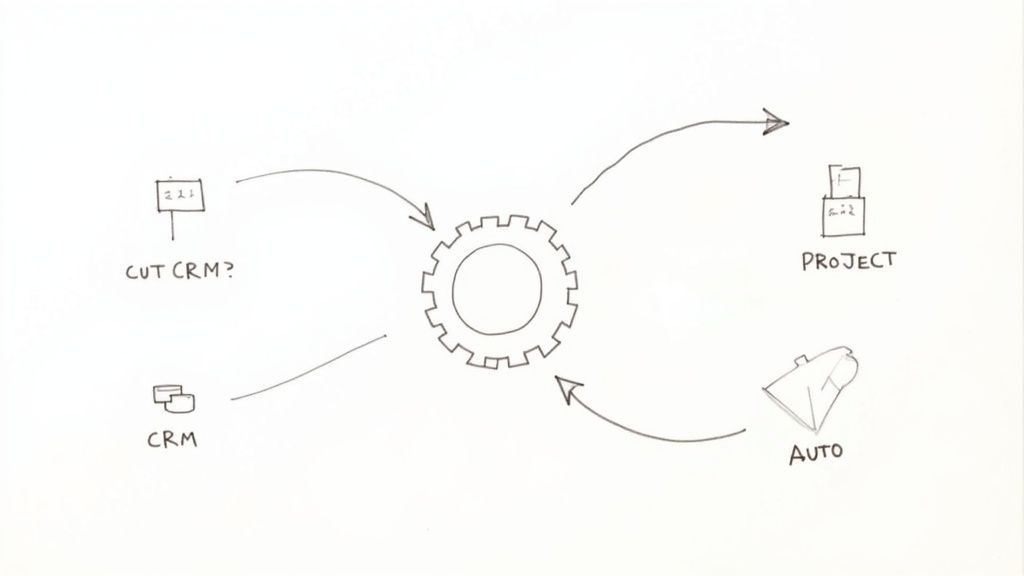
A hand-drawn diagram illustrating a central gear connected to 'CUT CRM?', 'PROJECT', 'AUTO', and 'CRM' in a circular flow.

From First Drafts to Quick Insights

AI has moved beyond sci-fi and into the everyday toolkit of savvy agencies. We're seeing teams get immediate wins by using AI to bust through common bottlenecks in creative and strategic work.

For instance, that dreaded blank page is becoming a thing of the past. Instead, your team can use AI to:

  • Generate initial content briefs: Plug in client goals and audience info to get a structured brief complete with key themes, headline ideas, and SEO keywords.
  • Draft marketing copy: Get first drafts for social media updates, ad copy, or email campaigns that your team can then polish and perfect.
  • Summarize research: Feed AI a lengthy report or a client interview transcript and get back a clean, bulleted summary in moments.

This approach massively shortens the "time to first draft," which means your team can jump straight to editing, strategizing, and adding that uniquely human creative spark.

Delegate the Administrative Drag

Besides content, the single biggest drain on any skilled team is administrative overhead. These are all the necessary evils that eat away at productive, billable hours. This is the perfect place to deploy a virtual assistant (VA) or other specialized support.

A good VA can take over the countless tasks that pull your senior people away from actual client work.

Here are some of the most common things we see agencies offload:

  1. Scheduling & Calendar Juggling: Coordinating meetings across different time zones is a classic time-sink.
  2. Data Entry & CRM Hygiene: Making sure client records are current and new leads are logged correctly.
  3. Basic Research: Pulling together lists of outreach targets or finding preliminary industry stats for a new project.
  4. Report Prep: Grabbing data from different platforms and dropping it into your standard weekly or monthly report template.

By handing off this work, you're not just saving time; you're protecting the focus and energy of your most critical thinkers. This is a direct line to improving operational efficiency.

Don't think of delegation as just offloading work. You're creating capacity. Every hour a senior strategist spends scheduling meetings is an hour they're not building a client's growth plan.

The financial upside here is real. Companies that have jumped on AI and automation are seeing serious gains. Industry data shows these technologies can drive logistics cost reductions of about 15%, cut inventory by roughly 35%, and boost service-level efficiency by nearly 65%. These figures aren't abstract; they show how smarter, AI-driven planning directly impacts the bottom line. You can read the full analysis of these supply chain statistics to dig deeper.

Building a Leaner, Smarter Agency

Bringing AI and assistants into the fold isn't a one-and-done project. It’s about developing a new instinct across your organization. The goal is to get everyone asking, "Could an AI or an assistant do this faster?"

My advice? Start small. Pinpoint one or two repetitive, high-friction tasks inside a single team. Pilot a new tool or hire a part-time VA to focus only on that workflow. Track the time saved and, just as importantly, ask the team how it feels.

Once you prove the value in one spot, you can start expanding the model across the rest of the agency. This deliberate, phased approach ensures you build a smarter, more resilient operation—one where technology truly empowers your people to do their absolute best work. The result is an agency that produces more, better work without just throwing more people at the problem.

Frequently Asked Questions

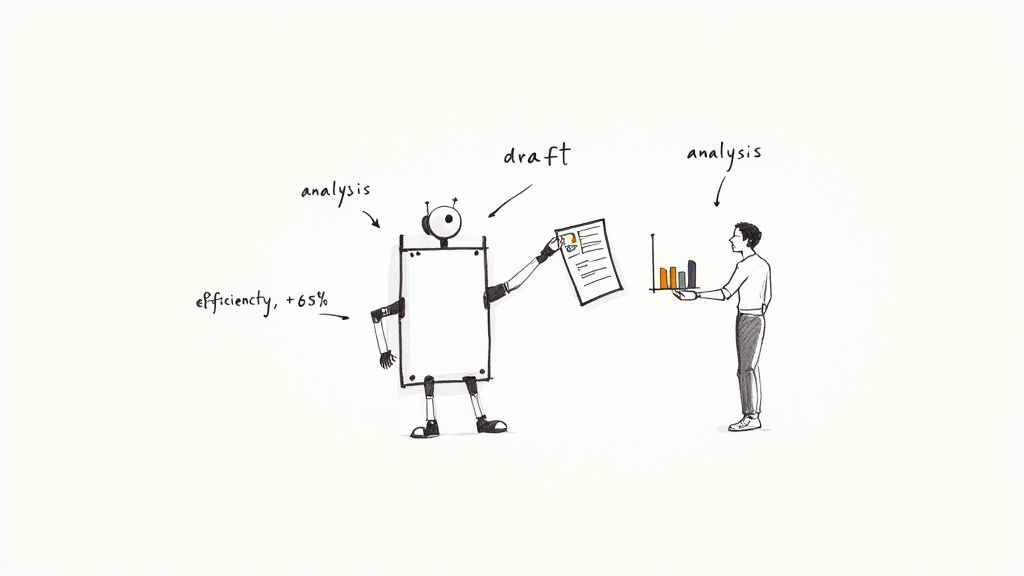
Cartoon drawing of a robot passing a draft document to a man analyzing data, symbolizing improved efficiency.

As you start pulling on these threads, you’re bound to have questions. This isn't about ticking boxes on a checklist; it's a living, breathing part of running your agency. I've gathered some of the most common questions and concerns that come up when leaders like you start putting these ideas into practice.

Let’s get into some of the real-world hurdles you're likely to face.

Where Should I Start Improving Operational Efficiency on a Tight Budget?

You don't need a huge budget to make a real difference. In fact, some of the highest-impact moves cost nothing more than your time and focus.

The best place to begin is almost always process mapping. Grab your team, pick one core process that feels like a mess—client onboarding is a classic culprit—and just map out every single step on a whiteboard. I guarantee you'll spot redundancies, communication breakdowns, or weird workarounds that can be fixed on the spot, no new software required.

Focus on these low-cost, high-return moves first:

  • Create simple checklists: Make sure every project kickoff or creative handoff follows the same essential steps.
  • Define communication channels: Establish a simple rule like, "Client feedback lives in the project tool, urgent questions go to Slack." This alone can save hours of confusion.
  • Run a "gripe session": Seriously. Book an hour for the team to vent about their biggest daily frustrations. The solutions are often hiding in those complaints.

Nailing these fundamentals gets the human side of your operations sorted out. That creates a solid foundation for any tech you might decide to invest in later on.

How Do I Get My Team on Board with New Processes and Tools?

Here's a hard truth: without your team's buy-in, even the most brilliant new process is doomed. The secret is to make them partners in the change, not just recipients of it. Resistance isn't about stubbornness; it's about feeling like change is being done to them.

So, don't just drop a new SOP or tool on their desk. Bring them into the conversation from day one. Ask them what's broken. Ask them what would make their jobs easier. Frame the changes as the solution to their problems, not just another way for management to track things.

A pro tip: always start with a small pilot program. Find a few people on the team who are excited about the change and let them test the new process on a single project. Their success stories will do more to convince the skeptics than any memo you could ever write.

What Are the Most Common Mistakes Businesses Make When Trying to Improve Efficiency?

So many agencies try to get more efficient and end up spinning their wheels. It's almost always because they fall into one of a few classic, and completely avoidable, traps.

The biggest mistake, by far, is buying tech before understanding the process. A leader sees a shiny new tool, thinks it's a silver bullet, and buys it. But without a clear workflow to plug it into, the software just adds another layer of complexity. Always map out the process first, then find a tool that fits it—never the other way around.

Another common pitfall is the "set it and forget it" mentality. Improving your operations isn't a one-and-done project. It's a constant cycle of doing, measuring, and tweaking. Your SOPs should be living documents that evolve as your agency grows.

Finally, and this is a big one, don't neglect the human element. If a new process makes your team's life harder or they don't understand the "why" behind it, they'll just go back to the old way of doing things the second you turn your back. Communication and training aren't optional—they're how you make change actually stick.


Tired of duct-taping your agency's operations together with a dozen different tools that don't talk to each other? RGK is the unified operating system built for agencies, by an agency. Stop fighting your software and start scaling your business with a single source of truth for projects, clients, and billing. Discover how RGK can streamline your agency's workflow today.

Document Workflow Software for Modern Agencies

Let's be honest, how much time does your agency waste chasing documents? Contracts stuck in someone's inbox, proposals waiting on that one final approval, invoices lost in the shuffle. It’s a huge, hidden drain on productivity.

This is where document workflow software comes in. It’s more than just a fancy digital filing cabinet; it’s the engine that powers your agency's most critical processes.

What Is Document Workflow Software

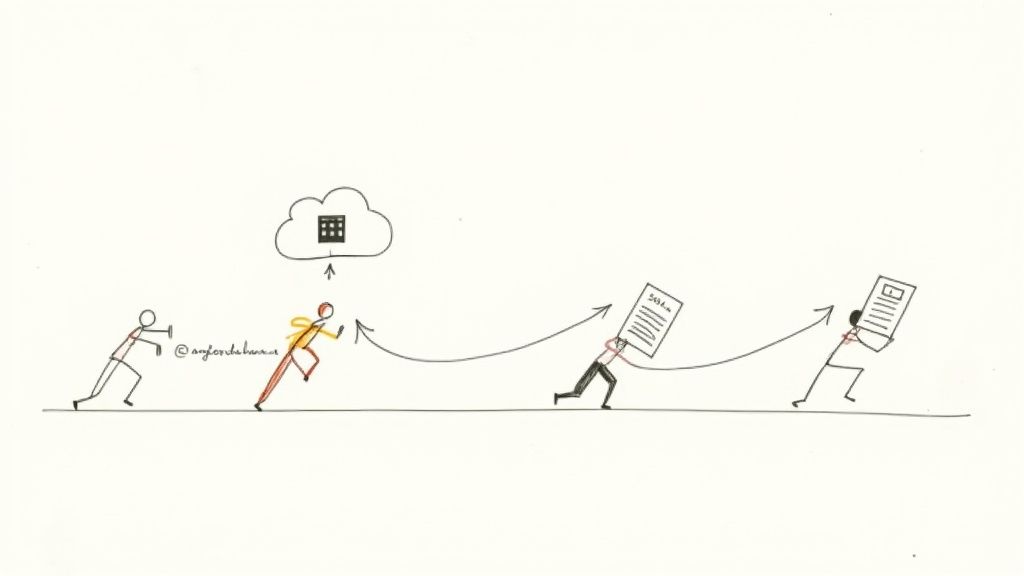
Think of your agency's projects like a complex relay race. The batons are your contracts, creative briefs, and client invoices, passed between sales, creative, finance, and account management. Without a system, these handoffs are messy. Batons get dropped, people run in the wrong direction, and everything slows down.

Document workflow software is the automated track that keeps the race moving smoothly. It defines the exact path every document must follow, ensuring it gets from A to B to C without any manual intervention.

Stick figures passing documents through cloud-based workflow automation system from left to right

This isn't just about storing files in the cloud. It’s about building your documents directly into your agency’s operational heartbeat. The software manages every stage, ensuring the right person sees the right information at exactly the right time.

The Document Lifecycle Explained

At its core, this software brings order to chaos. It takes the entire journey of a document—from a blank page to a signed contract filed away for years—and turns it into a predictable, automated process.

This journey, or lifecycle, typically involves a few key stages:

  • Creation & Collaboration: It starts here. Instead of firing up a blank Word doc, your team uses pre-approved templates. Multiple people can then jump in to edit and comment in one central place—no more "final_v2_final_FINAL.docx."
  • Review & Approval: Once the draft is ready, the system automatically sends it down the approval chain. No more manually forwarding emails. The software knows exactly who needs to sign off and in what order.
  • Execution & Distribution: Need a signature? It’s handled with built-in e-signature capabilities. Once signed, the final version is automatically sent to the client, the project manager, and anyone else who needs it.
  • Storage & Retrieval: The executed document is securely archived in a searchable, organized repository. Crucially, it includes a complete audit trail, showing every single action taken on that document from day one.

The real magic of document workflow software is turning messy, unstructured processes into a reliable, repeatable system. It transforms ad-hoc tasks into a well-oiled machine that just works.

Let’s put it into practice. A new client signs your proposal. Instantly, the software kicks off a chain reaction: the signed contract is automatically filed, an invoice is generated and sent to accounting, a new project is created in your project management tool, and a notification goes to the kickoff team.

The administrative burden vanishes, freeing up your team to focus on what they do best: delivering amazing work for clients. It creates a single source of truth that cuts out the friction and makes your entire agency run better.

Core Features That Drive Agency Efficiency

To really get why document workflow software is such a game-changer, you have to look under the hood. These aren't just fancy add-ons; they are the specific tools that get rid of the daily friction that slows agencies down. Think of them as the engine components that automate the grunt work, slash human error, and get projects out the door faster.

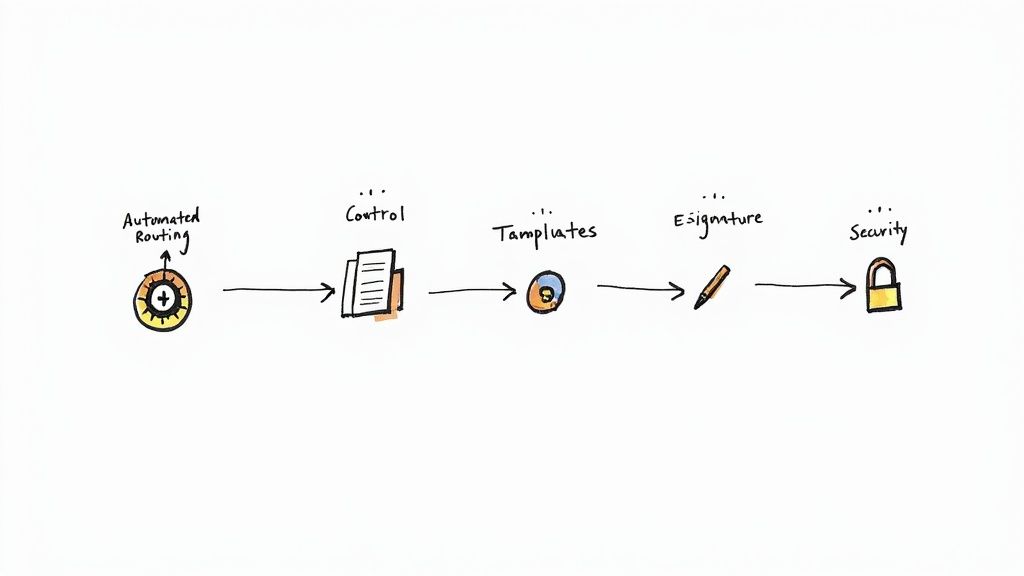
Document workflow process diagram showing automated routing through control, templates, e-signature, and security stages

It helps to imagine these features as a specialized crew for your documents. Each has a specific job, but they all work together to keep things moving smoothly. This is exactly why the global market for this software is expected to hit USD 19.81 billion, with cloud systems dominating 68% of that market. The demand for a smarter way to work is obvious. You can discover more insights about the document management market and what's driving this growth.

Automated Routing and Approval Chains

At its core, document workflow software is like a smart GPS for your paperwork. Automated routing is the feature that sends a document to the right people, in the right order, without anyone having to lift a finger.

Let’s say a new Statement of Work (SOW) is ready. Instead of an account manager just emailing it into the void and hoping for the best, the system takes over completely.

  1. First, it zips the SOW over to the Head of Creative for a scope review.
  2. Once they give the thumbs-up, it automatically forwards to the legal team for a compliance check.
  3. Finally, it lands in the CEO's queue for the last sign-off.

This simple, automated chain means no steps get skipped, and it kills the classic bottleneck of a critical document gathering dust in someone's inbox. The system even sends out reminders and notifications, keeping everything moving and totally transparent.

Version Control That Ends the Chaos

Be honest: how many times has your team worked from an old creative brief or, even worse, sent a client a proposal with outdated pricing? Version control puts a permanent stop to that mess.

Forget about files named "ClientProposal_v2_final_FINAL.docx". With proper version control, everyone works from a single, central document. Every single change is tracked, logged, and timestamped, creating a crystal-clear audit trail of who did what, and when.

A robust version control system is the single source of truth for your documents. It guarantees that your team and your clients are always looking at the most current information, preventing costly mistakes and rework.

This means when a designer needs the latest approved mockups, they know exactly where to go. If a legal question pops up about a contract clause, you can see precisely who changed it and when. It’s an absolute must-have for maintaining accuracy and accountability.

Customizable Templates for Consistency

Agencies crank out a ton of similar documents—proposals, contracts, project briefs, invoices, you name it. Without a system, the quality and branding can be all over the place, depending on who creates it.

Customizable templates solve this by creating a solid, consistent foundation for all your important paperwork. You can build out pre-approved templates that lock in key elements like:

  • Your agency's official branding and logo
  • Standard legal language and clauses
  • Correct pricing structures and service descriptions
  • Pre-defined fields for client details and project specs

Now, when someone needs to draft a new proposal, they start with the official template. This doesn't just save a massive amount of time; it guarantees that every single document that goes out the door is professional, accurate, and perfectly on-brand.

The difference between wrestling with documents the old way versus the new, automated way is night and day. Let's break it down.

Manual vs Automated Document Workflow Comparison

Process Step Manual Workflow (The Old Way) Automated Workflow (The New Way)
Document Creation Team members create documents from scratch or copy-paste from old files. Risk of errors and inconsistent branding. Start with pre-approved, branded templates. Fields auto-populate with client data, ensuring accuracy from the start.
Review & Approval Manually email documents to stakeholders. Chase people for feedback and hope no one misses the email. Version chaos is common. Documents are automatically routed to the right people in the right sequence. The system sends reminders and tracks progress.
Version Control Files saved with confusing names like "Final_v3_USE_THIS_ONE". High risk of working from an outdated version. A single, centralized document with a complete, timestamped history of every change. Everyone is always on the same page.
Signature Collection Print, sign, scan, and email. The process is slow, clunky, and depends on clients having the right equipment. Integrated e-signatures allow clients to sign from any device in minutes. Documents are legally binding and secure.
Storage & Retrieval Files are scattered across local drives, email inboxes, and various cloud storage folders. Finding anything is a treasure hunt. All documents are stored in a secure, centralized, and searchable repository. Find what you need in seconds.

As you can see, automation doesn't just speed things up—it introduces a level of control, consistency, and security that's impossible to achieve manually.

E-Signature Integrations and Robust Security

The final hurdles in any document's journey are getting the signatures and keeping sensitive info safe. Modern workflow software handles both seamlessly.

E-signature integrations let clients review and sign contracts or SOWs from their phone, tablet, or computer in just a few minutes. This absolutely demolishes sales cycles and lets you kick off projects days or even weeks faster. No more printing, scanning, or waiting for a courier to show up.

At the same time, robust security protocols are completely non-negotiable. These platforms use encryption, strict access controls, and detailed audit trails to protect your agency's and your clients' confidential data. You get to decide exactly who can view, edit, or share a document, making sure information always stays in the right hands.

How AI Is Revolutionizing Document Workflows

If you've been using document workflow software for a while, you know it's a solid tool. But with artificial intelligence, it’s becoming something else entirely. We're moving past tools that just follow instructions and into an era of partners that actually anticipate what you need next. This isn't some far-off future concept; it's happening right now, and the top-performing agencies are already using it to get ahead.

Think about it this way: standard automation is all about rules. "If this contract is signed, then send it to the client and file it here." It’s rigid. AI plays a different game. It gets the context, spots patterns, and makes smart calls on its own. Your whole system shifts from being reactive to proactive.

The Power of Intelligent Document Processing

One of the biggest game-changers AI brings to the table is Intelligent Document Processing (IDP). The best way to think of IDP is as a brilliant assistant who can read and understand any document you hand them, no matter how messy or unstructured it is.

Picture a dense, 50-page client agreement or a pile of invoices from a dozen different vendors. Pulling out key dates, payment terms, or specific clauses by hand is painfully slow and practically begs for human error. IDP does it all for you.

AI-powered IDP can:

  • Recognize and classify documents on the fly, instantly knowing an invoice from a purchase order.
  • Extract key data points—like names, dollar amounts, and contract renewal dates—from plain text.
  • Validate that information by checking it against records in your other systems, like your CRM or accounting software.

This is about so much more than just saving a few hours on data entry. It’s about finally unlocking all the valuable information trapped inside your documents and putting it to work right away.

AI-driven document workflow software doesn't just move files around faster; it reads, comprehends, and acts on the content within those files, creating a significant competitive edge.

There's a reason this space is exploding. A massive amount of investment is pouring into document automation and IDP. The global IDP market is on track to hit $6.78 billion, and over 80% of companies are planning to spend more in this area. When you hear that it can slash document processing times by up to 80%, the impact becomes crystal clear. You can read the full analysis on document processing trends to see where the market is headed.

From Reactive Workflows to Predictive Insights

AI’s role doesn't stop at just reading documents. It's completely changing how agencies manage their day-to-day operations. A modern document workflow software platform with an AI layer can analyze the entire flow of work across your agency and spot potential roadblocks before they cause problems.

It’s like having an operations expert watching over your shoulder 24/7. This AI can dig into historical data from thousands of past projects to give you genuinely useful, predictive insights.

For instance, the system might flag that a certain type of creative brief consistently leads to project delays or budget blowouts. Or it might notice that one specific person in the approval chain is always a bottleneck on Tuesdays and suggest re-routing tasks to someone else during peak times. You start refining your processes based on hard data, not just hunches.

AI in Action for Your Agency

For an agency, the practical applications are immediate and powerful. An integrated system, like an agency OS that has a built-in AI like RGK, is what connects all these dots into a single, cohesive picture.

It can automatically:

  • Analyze incoming client feedback from emails to tag projects with a sentiment score.
  • Scan creative assets and apply relevant metadata tags based on what's in the image or video, making your library instantly searchable.
  • Suggest resource allocations by matching the project requirements from a new SOW with team members' skills and current workloads.

Ultimately, AI elevates your document workflow from a simple admin tool into a central nervous system for your agency's intelligence. It cuts down on errors, gets projects out the door faster, and frees up your team to focus on the strategic, creative work that actually grows the business.

Choosing The Right Software For Your Agency

Picking the right document workflow software isn't just about ticking boxes on a feature list. It's a strategic move that can either supercharge your agency's growth or saddle you with a clunky system your team actively avoids. The goal here is to find a genuine partner for your business, not just another piece of tech.

This all starts with understanding the two main ways these systems are delivered: the old-school on-premise model and the modern cloud-based approach.

On-Premise vs Cloud-Based SaaS

On-premise solutions are the traditional route where you buy the software license and run it on your own servers. This gives you total control, which sounds great in theory. But it also means your agency is on the hook for everything—maintenance, security, updates, backups, and scaling. It’s a heavy lift, requiring a big upfront investment and a dedicated IT crew to keep the lights on.

For pretty much any modern agency, a cloud-based (SaaS) platform is the smarter play. You pay a subscription fee, and the software is delivered over the web. The provider handles all the messy backend stuff like infrastructure, security, and updates. This means lower initial costs, predictable monthly expenses, and the freedom to add or remove users as your team and client list fluctuate.

For agile, growing agencies, SaaS is almost always the way to go. It lifts the IT burden off your shoulders, gives your team access from anywhere, and guarantees you’re always using the latest and greatest version of the software without any manual work.

This move to the cloud is why we're seeing such a huge boom in adoption, especially among smaller, more nimble agencies. While big corporations still make up 60.22% of the market, it's the small and medium-sized agencies that are driving the real growth, with this segment projected to expand by a whopping 17.80% in the near future. This explosive trend is happening because affordable cloud platforms are leveling the playing field. You can discover more insights about workflow adoption trends to see how this is reshaping the industry.

Key Evaluation Criteria For Agency Workflow Software

Once you've decided a cloud-based tool is the right fit, it's time to dig into the details and evaluate your options. Don't get distracted by a flashy demo or a long list of features you'll never use. What really matters is how the software will function inside your agency's unique ecosystem.

Here’s a practical checklist to guide your decision-making process. These are the non-negotiable factors that will determine whether a platform helps or hinders your team.

Evaluation Criterion What To Look For Why It Matters For Agencies
Integration Capabilities Native integrations with your CRM (e.g., HubSpot), project management tools (e.g., Asana), and accounting software. A robust API is a must for custom connections. Your workflow tool can't be an island. It needs to talk to the other software that runs your agency to avoid manual data entry and keep information consistent.
User Experience (UX) An intuitive, clean interface that requires minimal training. The system should feel logical and easy to navigate for both creative and account teams. If the software is a pain to use, your team won't use it. Period. A great UX drives adoption and ensures the tool actually gets used as intended.
Scalability The ability to handle more users, a higher volume of documents, and increasingly complex workflows without slowing down. The platform you choose today needs to grow with you. You don't want to be forced into a painful migration process in two years because you've outgrown your software.
Vendor Support & Roadmap Responsive customer support that understands agency-specific challenges. A clear product roadmap that shows a commitment to innovation, including AI features. You're not just buying a product; you're entering a partnership. Good support saves you from headaches, and a forward-thinking roadmap ensures your investment won't become outdated.

Choosing the right software is about taking a holistic view of your agency's operations.

A platform like RGK, for example, is designed as an integrated agency OS. It sidesteps many integration headaches by building document workflows directly into the same environment as project management, CRM, and billing. This unified approach is powerful because the system already has the context for every client, project, and task, eliminating the friction between separate tools.

By focusing on these essential criteria, you can select a document workflow software that doesn't just put out today's fires but builds a rock-solid foundation for your agency's future.

A Roadmap to Successful Implementation

Bringing new document workflow software into your agency isn’t like installing a simple app; it’s more like a transplant for your operations. A clumsy approach can cause rejection and disrupt everything. But with a smart, deliberate roadmap, you can ensure a smooth transition that gets your team excited and delivers real value from day one.

The process doesn't start with picking software. It starts with a hard, honest look at how you work right now. Before you can automate a single thing, you have to truly understand your current reality. This initial discovery phase is all about mapping your existing document workflows in detail.

Phase 1: Understanding Your Current State

Pick a common document—a client proposal, for instance—and trace its journey from creation to final archive. Who touches it? Where does it get stuck? What manual steps are slowing it down? This exercise is almost guaranteed to uncover hidden bottlenecks you never knew you had.

You might discover your approval process involves five people when only two are really needed, or that your team collectively wastes hours every week hunting for files scattered across different drives. These insights are gold. They clearly define the problems your new software must solve and give you a baseline to measure its success against.

The biggest mistake you can make is automating a broken process. You have to simplify and fix your existing workflows first. Otherwise, you’re just making a bad process run faster.

Once you have a clear map of your workflows, it’s time to get your data ready for the move.

Phase 2: Preparing for Data Migration

Think of this step as decluttering before you move into a new house. Dumping years of disorganized files into a shiny new system is a recipe for chaos. A clean start is absolutely essential if you want your team to actually use the new tool.

This process breaks down into a few key actions:

  • Data Cleansing: This is your chance to archive old, irrelevant files and nuke all the duplicates. A leaner, cleaner dataset is far easier to migrate and makes the new system much faster to search.
  • Standardizing Naming Conventions: Get everyone on the same page with a clear, logical system for naming files and folders. Enforcing this from the get-go prevents your new repository from turning into another digital junk drawer.
  • Organizing for the Future: Structure your new file system based on how your team should work, not how they’ve been forced to work around limitations in the past. Think about who needs access to what and build an intuitive, secure hierarchy.

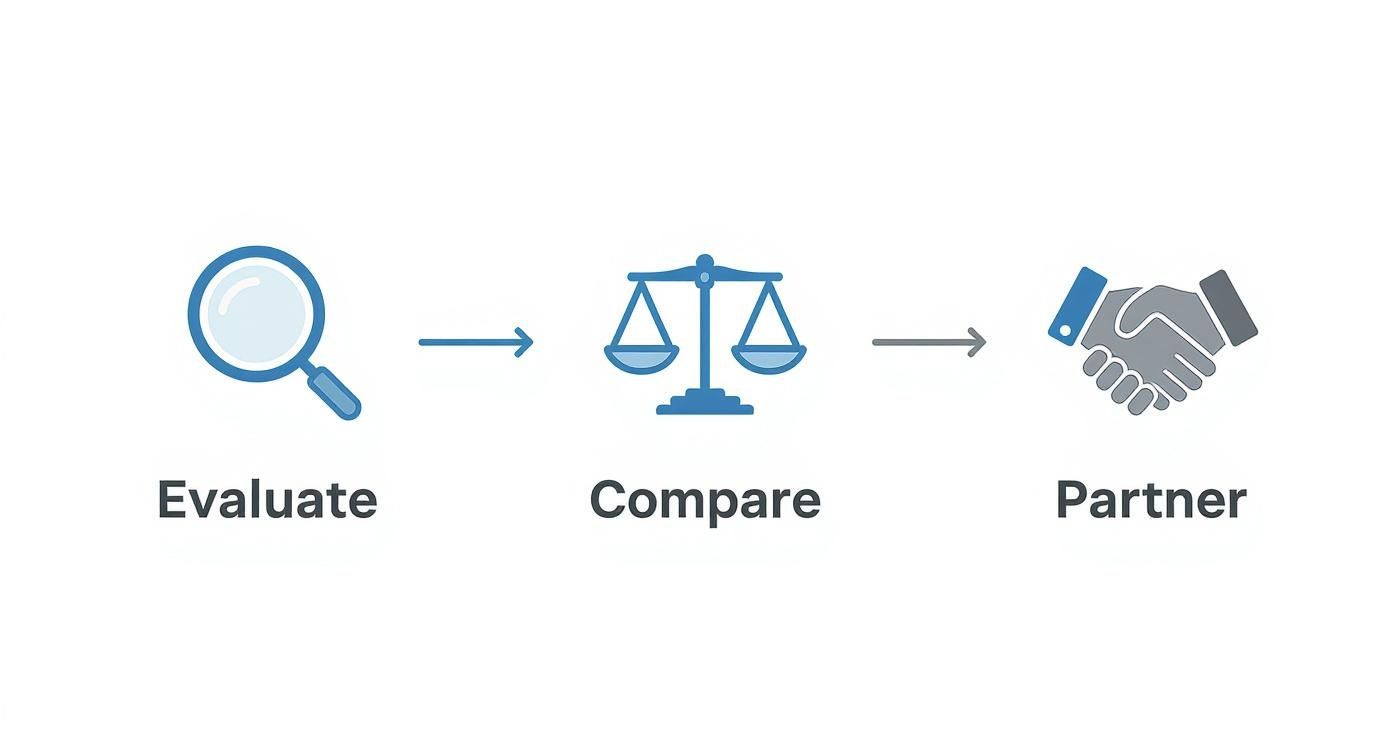
This diagram shows the high-level thinking that goes into choosing the right software partner.

Three-step business process workflow showing evaluate, compare, and partner phases with icons

The flow from evaluation to partnership underscores a key point: a successful implementation starts long before you ever install the software.

Phase 3: Executing a Phased Rollout

Trying to go live with new software for the entire agency all at once is a high-risk gamble. A much safer and more effective strategy is a phased rollout, starting with a small, dedicated pilot team.

This pilot group—maybe a single department or project team—becomes your testing ground. They'll use the new document workflow software in real-world situations, giving you priceless feedback on everything from the user interface to the automated workflows you’ve set up. This allows you to iron out all the kinks on a small scale before the company-wide launch.

Once the pilot is a success, you can roll out the software to the rest of the agency, one department at a time. This staggered approach makes the change far more manageable and much less overwhelming for everyone.

Finally, you have to nail the most important part: the people.

Phase 4: Driving Adoption Through Training

Even the most incredible software will collect digital dust if your team doesn't understand how or why to use it. Solid training and change management are non-negotiable. Don’t just show them which buttons to click; explain how the new system makes their specific jobs easier.

Center your training around real-world agency scenarios. For example, show them how the new software cuts the time it takes to get a contract signed from three days down to thirty minutes. When your team sees the direct, personal benefit to their daily work, you’ll get enthusiastic buy-in instead of reluctant compliance. That's how you ensure a successful implementation from day one.

Measuring Success and Proving ROI

So, you've invested in new document workflow software. Great. But how do you prove to the higher-ups—and yourself—that it was money well spent? The real win isn’t just a vague feeling of being more organized; it's about seeing tangible, measurable improvements in how your agency runs.

You have to move past fuzzy benefits and get down to hard data. This is what builds a rock-solid case for the return on your investment (ROI). It's the difference between saying, "I think things are moving faster," and confidently stating, "We now close contracts 35% faster than we did last quarter."

Key KPIs to Track

To build that compelling business case, you need to focus on a few high-impact areas where this kind of software really shines. The best part is that these metrics are usually pretty simple to track—just compare the "before" data with the "after."

Here are the four KPIs I always recommend starting with:

  • Reduced Document Cycle Time: This is the big one. How long does it take to get a document from creation to final signature? Track the average time for proposals, SOWs, and contracts. You'll likely see a dramatic drop.
  • Fewer Manual Errors: We’ve all been there—typos, version control nightmares, and the costly rework that follows. Start counting the number of revision cycles your key documents go through. This number should plummet once the software is in place, quantifying the reduction in human error.
  • Improved Compliance and Audit Trails: Let's be honest, audit trails are your best friend when compliance questions pop up. While it’s tough to put a dollar figure on this, you can absolutely track the time your team saves during an audit now that every document's history is instantly available.
  • Increased Team Productivity: This is where the ROI really comes to life. How many hours are no longer wasted on chasing down approvals, digging through shared drives for the right file, or manually piecing together a new contract from old templates?

Proving ROI isn't about tracking every single click and minute. It's about telling a clear story, backed by a few powerful numbers, that shows how this investment is making the agency more profitable and efficient.

A Simple Method for Calculating ROI

You don't need a degree in finance to figure out the financial impact. The easiest way to do it is by focusing on time saved, because in an agency, time is money. More specifically, it’s billable hours.

Let's walk through a quick, back-of-the-napkin calculation for time saved on admin work:

  1. Estimate Time Saved: Ask your team how many hours a week they're getting back now that they aren't bogged down in document-related admin. Let's say the consensus is 4 hours per employee.
  2. Determine Blended Hourly Rate: Figure out a rough average hourly cost for your team. If an employee's average salary is $70,000, their loaded hourly rate is somewhere around $35/hour.
  3. Calculate Weekly Savings: Now, just multiply. For a team of 10 people, the math looks like this: 4 hours x $35/hour x 10 employees = $1,400 per week.

That simple math shows a productivity gain of over $72,000 a year. A number like that doesn't just justify the software's cost—it makes it a no-brainer. By focusing on these clear, quantifiable wins, you can show anyone and everyone the incredible value your new document workflow software is delivering to the agency.

Got Questions? We’ve Got Answers.

Jumping into the world of document workflow software can feel like a big step, and you’ve probably got a few questions. Let's tackle the most common ones we hear from agencies just like yours.

What's This Going to Cost Me?

The price tag on this kind of software can really run the gamut. For most small to mid-sized agencies, you’ll find cloud-based options starting in the neighborhood of $20 to $50 per user, per month. That usually gets you the essentials: automated routing, version control, and e-signatures.

Of course, if you're looking at enterprise-level systems with heavy customization or a built-in AI layer, the investment will be higher. The real trick is to stop looking at it as just a cost and start seeing the ROI. Think about the billable hours you’ll save, the costly errors you’ll avoid, and how much faster you’ll get projects off the ground.

Will This Play Nice With Our Other Tools?

It absolutely should. In fact, if it doesn't, you should walk away. Good document workflow software is designed to connect with the tools you already use every single day.

Top-tier platforms will have ready-made integrations for:

Before you commit, double-check that the software supports your agency's specific tech stack or offers a flexible API for any custom work you might need. The goal is to make your workflow tool a central command center, not just another siloed app. This is where an all-in-one agency OS really shines, since integration is built into its DNA.

An effective workflow platform must enhance your existing tools, not force you to work around them. Seamless integration is what prevents manual data entry and ensures a single source of truth across your agency.

How Painful Is It to Ditch Our Manual System?

Honestly, it’s probably not as bad as you’re imagining, as long as you have a game plan. With a little bit of prep, you can make the switch surprisingly smooth and keep day-to-day disruptions to a minimum.

The key is to do your homework. Start by mapping your current processes to pinpoint exactly where the bottlenecks are. Then, do some digital spring cleaning on your existing documents before you move them. Finally, give your team solid, hands-on training that’s relevant to their roles. Pro tip: start with a small pilot team to iron out the wrinkles before you roll it out to the entire agency.


Ready to see how a truly integrated system transforms your agency's operations? With RGK, document workflows are built directly into your project management, CRM, and billing, powered by an AI that understands your entire business. Explore RGK today and stop wrestling with disconnected tools.

Article created using Outrank