10 Agency-Tested Client Communication Best Practices for 2025

Running an agency often feels like finding 10,000 ways that won't work, especially with client communication. Disconnected tools-CRM, project management, email, Slack-create information silos and operational chaos. This forces your team into constant fire-fighting mode instead of strategic work.
This isn't just inefficient; it's a direct drain on profitability and a cap on your ability to scale. The solution isn't another Zapier integration or a more complex spreadsheet. It's about building an intentional, unified communication operating system. Poor communication leads to missed deadlines, scope creep, and ultimately, client churn. The cost of acquiring a new client is far greater than retaining an existing one, making effective communication a critical factor for financial health.
This guide moves beyond generic advice to provide ten specific, actionable client communication best practices that high-performing agencies use to eliminate chaos. We will detail how to establish a single source of truth, implement structured intake processes, and create transparent escalation paths. You'll learn how to build unbreakable client trust and create a scalable foundation for growth, not by adding more tools, but by fundamentally improving your operational framework. Forget vague tips; we're focusing on concrete systems you can implement immediately. These strategies are designed to free your team from administrative overhead, allowing them to focus on delivering exceptional value and strengthening client relationships.
1. Unified Communication Hub & Single Source of Truth
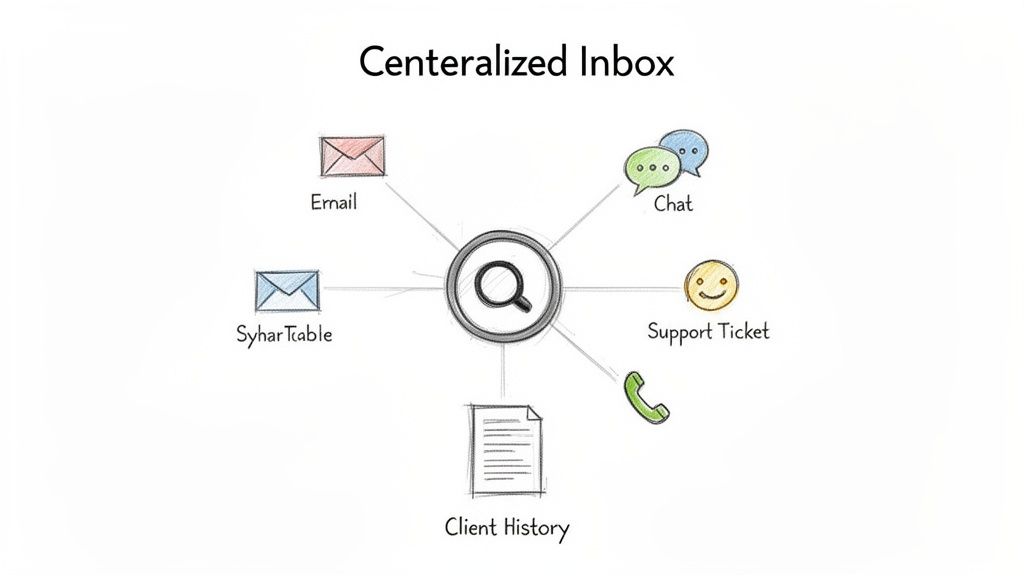
Scattered client conversations across email, project management tools, and chat apps create information silos that lead to missed details and inconsistent service. A unified communication hub centralizes all client interactions, creating a single source of truth where every team member has full context, regardless of the channel used. This consolidation is a cornerstone of effective client communication best practices, ensuring nothing falls through the cracks.
By integrating channels like email, support tickets, and direct messages into one platform, your team gets a complete, chronological view of every client relationship. This eliminates the need to hunt for previous conversations or key documents, empowering anyone on your team to step in and provide informed, consistent support at a moment's notice.
Why It Works & How to Implement It
A unified hub transforms reactive communication into a proactive, strategic function. When HubSpot integrated its CRM with email, chat, and ticketing, it allowed sales, service, and marketing teams to access the same client history, creating a seamless customer journey. This approach prevents clients from having to repeat themselves and ensures every interaction builds upon the last.
To implement this effectively:
- Conduct a Channel Audit: Start by mapping out every channel your team currently uses to communicate with clients (e.g., shared inboxes, Slack Connect, Asana comments).
- Establish Clear Protocols: Define which types of communication belong in which channel, even within a unified system. For example, use a ticketing system for technical support and a project management tool for task-specific feedback.
- Automate Message Routing: Set up rules to automatically assign incoming messages to the correct team or individual based on keywords, client type, or urgency.
- Integrate Your Data: Ensure your communication platform syncs with your CRM and project management tools. This provides crucial context, like project status or contract details, directly within the communication thread.
2. AI-Powered Context-Aware First Response
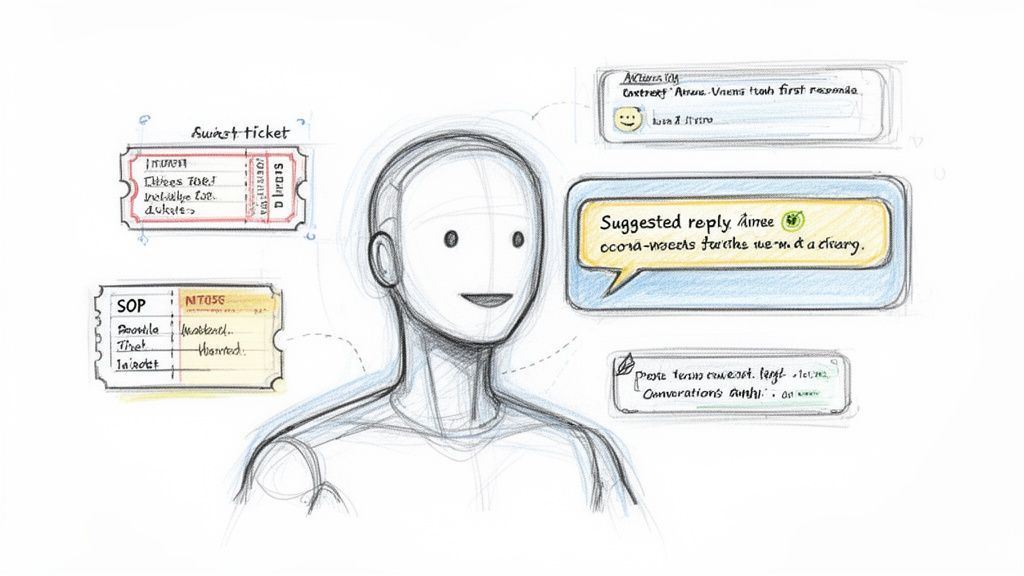
Manually handling every client inquiry drains valuable team resources, especially when many questions are repetitive. AI-powered first responses leverage systems that understand your complete client history, project context, past tickets, and internal knowledge bases to draft intelligent, personalized replies. This approach multiplies your team's capacity, automating routine communication while ensuring every response is accurate and context-aware. It’s a critical component of modern client communication best practices that allows your team to focus on high-value strategic work.
By training an AI on your agency's unique data, from SOPs to past successful client interactions, you create an assistant that can instantly surface relevant information or draft a perfect reply. Instead of spending 15 minutes finding a past solution, your team receives a context-rich suggestion in seconds, ready to be reviewed and sent. This accelerates response times and maintains a high standard of communication without overwhelming your staff.
Why It Works & How to Implement It
An AI-powered first-response system acts as a force multiplier for your human experts. For example, GitHub's support AI references vast amounts of documentation and issue history to provide developers with precise answers, freeing up human agents for complex, novel problems. This strategy ensures clients get faster answers for common issues, while your team reserves their expertise for situations that truly require it.
To implement this effectively:
- Start with AI as a Co-pilot: Begin by having the AI generate response suggestions for human review. This builds trust and allows your team to train the system with real-time feedback, preventing errors from reaching the client.
- Centralize Your Knowledge: Ensure the AI has access to all relevant information, including SOPs, project briefs, past support tickets, and client communication history. The more context it has, the more accurate its suggestions will be.
- Train on Your Best Examples: Don't feed the AI your average client interactions. Curate and train it on your highest-quality, most successful communication threads to establish a gold standard for its responses.
- Establish a Human Override: Always maintain a clear and simple process for a team member to intervene or take over a conversation. This is crucial for handling sensitive edge cases or when a client clearly needs a human touch.
3. Proactive Communication & Status Transparency
Waiting for clients to ask for updates puts your agency in a constant reactive cycle. Proactive communication flips this dynamic by establishing a cadence of regular, unsolicited updates about project progress, potential risks, and key milestones. This approach is a pillar of effective client communication best practices, as it builds trust, reduces client anxiety, and dramatically decreases the volume of inbound "just checking in" emails.
By preemptively sharing information, you control the narrative and demonstrate that you are on top of every detail. This transparency addresses concerns before they escalate into problems, positioning your agency as a strategic partner invested in the client's success, not just a service provider completing tasks.
Why It Works & How to Implement It
Proactive updates transform client relationships from transactional to collaborative. When Basecamp pioneered its automatic check-ins, it gave clients a daily digest of project activity without requiring a single manual email. This set a new standard for transparency, making clients feel included and informed, which in turn reduces unnecessary meetings and status requests.
To implement this effectively:
- Establish a Cadence Upfront: During kickoff, clearly define the frequency and format of status updates (e.g., a weekly summary email, a bi-weekly automated report). This manages expectations from day one.
- Automate Data Collection: Integrate your project management tool (like Asana or ClickUp) with your reporting system to automatically pull task completions, upcoming deadlines, and roadblocks. This saves hours of manual compilation.
- Balance Wins with Challenges: True transparency means sharing both good news and potential hurdles. Acknowledging a challenge and presenting a solution builds far more trust than pretending everything is always perfect.
- Use Scalable Templates: Create a standardized template for your status reports that includes sections for key metrics, work completed, next steps, and potential risks. This ensures consistency while still allowing for client-specific personalization.
4. Structured Intake & Discovery Process
Effective client communication begins before the first deliverable is even planned. A structured intake and discovery process establishes a strong foundation by systematically capturing all essential client information upfront. This documented onboarding ensures no critical details are missed, every team member starts with the same baseline understanding, and communication expectations are clearly established from day one. This process is a fundamental client communication best practice that prevents future misalignment.
By formalizing discovery through guided conversations, detailed questionnaires, and stakeholder interviews, you create a comprehensive project charter. This document moves beyond surface-level requests to uncover the core business objectives, success metrics, and potential risks. It empowers your team to act as strategic partners rather than just order-takers, ensuring the solutions you build are directly tied to the client's "why."
Why It Works & How to Implement It
A structured intake process de-risks the entire client relationship by forcing clarity and alignment at the outset. Consulting firms like McKinsey and Deloitte have built their reputations on rigorous, front-loaded discovery phases that define project scope, stakeholders, and success criteria with surgical precision. This prevents scope creep and ensures the final output directly addresses the initial business problem.
To implement this effectively:
- Develop Role-Based Questionnaires: Create different intake forms or question sets for different service types (e.g., marketing vs. development). Ask specific questions to uncover technical constraints, brand guidelines, and target audience personas.
- Identify All Key Stakeholders: Explicitly map out who the decision-makers, project leads, and subject matter experts are. Document their roles, responsibilities, and communication preferences (e.g., preferred channel, response time expectations).
- Automate Data Flow: Use intake forms (like Typeform or Jotform) that integrate with your CRM and project management tools. This automatically creates a client record and populates project briefs, saving time and eliminating manual data entry errors.
- Document the "Why": Go beyond capturing what the client wants. Use guided questions to understand the business drivers behind the request. Ask, "What business outcome will this project achieve?" to anchor every decision to a tangible goal.
5. Stakeholder & Preference Management (Roles, Channels, Escalation)
Generic, one-size-fits-all communication is a recipe for frustration and missed signals. Effective stakeholder management involves mapping out who’s who on the client’s team, understanding their specific roles, and tailoring your communication to their individual preferences. This practice ensures that technical details reach the engineering lead, strategic updates go to the executive sponsor, and that every message is delivered in the format and frequency each person prefers.
By documenting roles, decision-making authority, and contact preferences from the outset, you prevent critical information from getting lost or reaching the wrong person. This level of personalized outreach is a hallmark of strategic client communication best practices, demonstrating respect for your client's time and internal processes. It transforms your agency from a simple vendor into an integrated, considerate partner.
Why It Works & How to Implement It
Tailoring communication by role and preference prevents message fatigue and ensures engagement. For example, enterprise sales teams have long known to present a different value proposition to a CFO (cost savings, ROI) than to a CTO (technical integration, security). Similarly, management consulting firms like McKinsey & Company create high-level executive summaries for leadership and detailed appendices for operational teams. This targeted approach guarantees relevance and drives quicker decisions.
To implement this effectively:
- Map Stakeholders Early: During the kickoff or discovery phase, explicitly ask: “Who is the final decision-maker for X?” and “Who needs to be kept in the loop on Y?” Document these roles and approval workflows in your CRM or project management tool.
- Ask About Preferences Directly: Include questions in your intake form like, “What is your preferred channel for urgent updates (email, Slack, text)?” and “How often would you like to receive status reports?”
- Create Communication Tiers: Develop different report templates for different audiences. For instance, a one-page "Executive Summary" with KPIs for leadership and a detailed "Performance Deep Dive" with granular data for the project team.
- Respect Boundaries and Update Regularly: Strictly adhere to requests like "email only" or specific "do not disturb" hours. Revisit these preferences quarterly or whenever a key contact changes to ensure your information remains current.
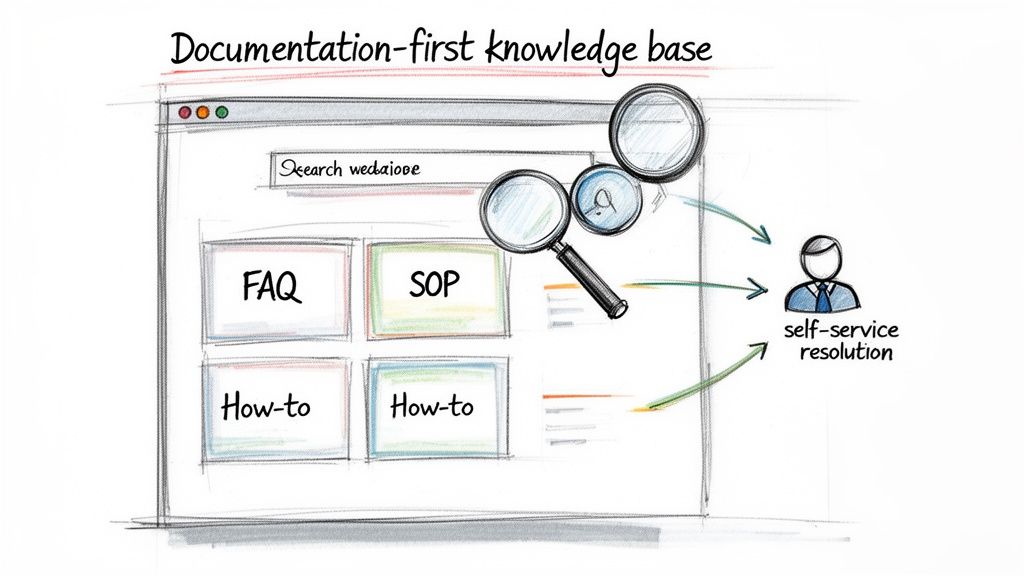
6. Documentation-First Communication & Knowledge Base
A documentation-first approach shifts your team from being a reactive Q&A service to a proactive educational resource. It involves creating a comprehensive, accessible knowledge base of all processes, SOPs, and frequently asked questions, then directing clients to these resources as the initial step for problem-solving. This strategy empowers clients with self-service tools and frees up your team’s time for more complex, high-value conversations.
By prioritizing documentation, you build a scalable asset that reduces repetitive inquiries and ensures consistency in the information provided. This is a crucial element of modern client communication best practices, as it allows your team to focus on strategic guidance rather than answering the same questions repeatedly.
Why It Works & How to Implement It
A robust knowledge base acts as an extension of your team, available 24/7. Tech companies like Stripe and Shopify mastered this by building extensive developer docs and help centers that became the primary support channel. This approach not only scales support but also educates clients, making them more effective partners and reducing friction in the long run.
To implement this effectively:
- Start with High-Frequency Questions: Analyze your support tickets and emails to identify the top 10-15 most common questions. Build your initial documentation around these to see the quickest impact.
- Create a Feedback Loop: Establish a process where support inquiries directly inform documentation updates. If a client asks a question not covered in your knowledge base, the answer should be added immediately.
- Optimize for Discoverability: A great knowledge base is useless if clients can't find what they need. Implement a powerful search function and organize content logically, for instance by user role or project phase.
- Use Rich Media: Go beyond text. Incorporate screenshots, annotated diagrams, and short video walkthroughs to make complex information easy to digest and follow.
7. Response Time Standards & SLA Management
Client ambiguity around response times is a primary source of frustration and perceived poor service. Establishing clear, written Service Level Agreements (SLAs) defines expected response times for different channels and issue severities, giving your team explicit prioritization rules and your clients predictable support. This practice transforms vague expectations into a transparent, contractual commitment, forming a critical pillar of professional client communication best practices.
By formalizing these standards, you replace client anxiety with confidence. An SLA clarifies precisely when a client can expect a first response and, in some cases, a resolution, preventing the all-too-common "is anyone looking at this?" follow-up. It provides a framework for managing resources and ensures that the most critical issues receive the fastest attention, protecting both client satisfaction and project momentum.
Why It Works & How to Implement It
Formal SLAs are standard practice for enterprise software and service providers like AWS and Zendesk because they build trust through accountability. For an agency, defining a 4-hour response time for "urgent" requests and a 24-hour response time for "low-priority" inquiries sets clear boundaries and demonstrates a structured approach to client service. This prevents misunderstandings and gives your team a defensible standard to operate against.
To implement this effectively:
- Define Severity Levels Collaboratively: Work with key clients to define what constitutes "urgent," "high," "normal," and "low" priority issues. This ensures your definitions align with their business impact.
- Integrate SLAs into Contracts: Formalize these response times by including the SLA policy directly in your Master Service Agreement (MSA) or Statement of Work (SOW).
- Differentiate by Channel and Tier: Set different SLAs for different communication channels (e.g., email vs. emergency phone line) and consider offering tiered SLAs for premium versus standard support packages.
- Track and Report Transparently: Use your helpdesk or project management software to track SLA adherence automatically. Share performance reports with clients quarterly to demonstrate reliability and build trust.
8. Asynchronous Communication & Documentation Over Meetings
Relying on synchronous meetings for every client update creates calendar chaos, disrupts deep work, and caters poorly to distributed teams. An asynchronous-first approach defaults to written communication that can be consumed on the client's schedule, reserving real-time meetings for high-stakes decisions, brainstorming, and complex problem-solving. This method respects everyone's time and creates a permanent, searchable record of all decisions and context.
By prioritizing documentation and async video, you empower clients to engage thoughtfully instead of reactively. This shift is a key component of modern client communication best practices, allowing for more detailed feedback and reducing the pressure for instant responses. It builds a foundation of clarity and accountability, ensuring all project history is transparent and accessible.
Why It Works & How to Implement It
An asynchronous-first culture fosters deeper, more considered communication and serves as a powerful knowledge base. GitLab, a pioneer in all-remote work, operates on a documentation-first principle, where proposals and decisions are made in shared documents before any meeting is considered. This ensures discussions are well-informed and efficient, preventing meetings from becoming simple status reports.
To implement this effectively:
- Establish an "Async-First" Rule: Train your team to ask, "Could this meeting be an email, a shared doc, or a quick video?" Make synchronous calls the exception, not the default.
- Leverage Templated Documents: Create standardized templates in tools like Notion or Google Docs for project briefs, decision logs, and client feedback requests to ensure consistency and clarity.
- Use Async Video for Complex Topics: Instead of scheduling a call to walk a client through a design, record a brief screencast using a tool like Loom. This allows the client to review, re-watch, and comment at their convenience.
- Summarize All Synchronous Calls: If a meeting is necessary, always follow up with a concise written summary of key discussion points, decisions made, and action items. This ensures the outcomes are documented and accessible to everyone.
9. Feedback Loops & Regular Communication Audits
Even the most well-designed communication plan can drift off course without regular maintenance. Implementing systematic feedback loops and conducting periodic audits prevents your communication strategies from becoming outdated. This practice ensures your approach evolves based on actual client needs and team performance, rather than on assumptions, making it a critical component of effective client communication best practices.
By actively soliciting client input and analyzing internal communication patterns, you can identify hidden bottlenecks, resolve friction points, and double down on what’s working. This transforms communication from a static process into a dynamic system of continuous improvement, demonstrating to clients that their experience is a top priority.
Why It Works & How to Implement It
A commitment to feedback is a hallmark of high-performing organizations. Slack, for example, built its entire product on user feedback loops, constantly iterating on its features to better serve team communication needs. Similarly, agencies that treat client communication as a product to be improved will see significant gains in satisfaction and retention. This proactive approach stops minor issues from escalating into major relationship problems.
To implement this effectively:
- Systematize Client Feedback: Don’t wait for clients to complain. Include specific communication questions in post-project debriefs and annual satisfaction surveys. Ask targeted questions like, "On a scale of 1-10, how clear was our project reporting?" or "Which communication channel did you find most effective?"
- Conduct Internal Audits: On a quarterly basis, review your communication data. Analyze metrics like average response time, first-contact resolution rates, and the frequency of communication across different channels. Look for patterns, such as missed handoffs between teams or channels that have become information silos.
- Hold Team Retrospectives: Dedicate time in monthly or quarterly team meetings to discuss communication challenges and successes. Create a blame-free environment where team members can flag breakdowns and brainstorm solutions together.
- Close the Loop: The most critical step is sharing your findings and planned improvements back with the client. When a client sees you’ve adjusted your process based on their feedback, it builds immense trust and reinforces the value of the partnership.
10. Transparent Escalation Procedures & Clear Escalation Triggers
When an urgent issue arises, ambiguity is the enemy of resolution. A transparent escalation procedure provides a clear, documented path for problems, ensuring they move swiftly from initial report to the right expert. This framework prevents issues from getting stuck with junior team members or lost in a communication void, giving clients confidence that their critical concerns will receive the appropriate level of attention without delay.
By establishing predefined triggers and severity levels, you remove guesswork and subjectivity from the support process. This structured approach, a cornerstone of enterprise-level client communication best practices, guarantees that high-priority problems are flagged and addressed with the urgency they require. It transforms a potentially chaotic situation into a predictable, managed response, reinforcing client trust.
Why It Works & How to Implement It
Leading support organizations like AWS and those following ITIL frameworks use tiered severity levels to dictate response times and resource allocation. For instance, a "Critical" issue (e.g., a website outage) might trigger an immediate all-hands response, while a "Low" priority issue (e.g., a minor typo) follows a standard queue. This prevents resource drain on minor problems and ensures major ones get solved fast.
To implement this effectively:
- Define Severity Levels: Create a clear matrix for issue classification (e.g., Critical, High, Medium, Low) with specific business impact examples for each.
- Establish Clear Triggers: Set up both time-based triggers (e.g., escalate if a High-priority ticket is un-actioned for 2 hours) and content-based triggers (e.g., any mention of "security breach" or "data loss" is automatically escalated).
- Build an Escalation Matrix: Document exactly who owns each severity level and who the secondary contact is. This should be a clear chart accessible to the entire team.
- Make Procedures Visible: Share a simplified version of your escalation policy with clients in your service-level agreement (SLA) or kickoff documents. This manages expectations and shows you have a plan.
- Train and Drill: Don't just document the plan; actively train your team on it. Junior staff must feel empowered to escalate issues quickly rather than attempting to solve problems beyond their expertise. Run periodic drills to test the process.
Client Communication Best Practices — 10-Point Comparison
| Item | Implementation Complexity 🔄 | Resource Requirements ⚡ | Expected Outcomes 📊 | Ideal Use Cases 💡 | Key Advantages ⭐ |
|---|---|---|---|---|---|
| Unified Communication Hub & Single Source of Truth | High — integrations & migration 🔄 | High — platform + integration effort ⚡ | Single client view, fewer duplicates, faster resolution 📊 | Agencies with many channels and fragmented tools 💡 | Consistent context, audit trails, faster onboarding ⭐ |
| AI-Powered Context-Aware First Response | High — data cleansing & model tuning 🔄 | High — AI infrastructure + training data ⚡ | Faster first responses, scaled capacity, consistency 📊 | High-volume support; distributed or junior teams 💡 | Scales team throughput; reduces senior bottlenecks ⭐ |
| Proactive Communication & Status Transparency | Medium — cadence and automation setup 🔄 | Medium — templates, dashboarding, small automation ⚡ | Lower inbound queries, increased trust and retention 📊 | Projects with visible milestones or recurring updates 💡 | Reduces firefighting; improves client confidence ⭐ |
| Structured Intake & Discovery Process | Medium — template and process design 🔄 | Low–Medium — time for interviews/forms ⚡ | Clear scope, fewer misunderstandings, better planning 📊 | New projects and complex engagements requiring alignment 💡 | Prevents scope creep; creates reusable client context ⭐ |
| Stakeholder & Preference Management (Roles, Channels, Escalation) | Medium — mapping and ongoing maintenance 🔄 | Medium — data capture + routing rules ⚡ | Higher engagement, faster approvals, fewer unwanted contacts 📊 | Multi-stakeholder enterprise clients and large accounts 💡 | Personalizes outreach; improves decision velocity ⭐ |
| Documentation-First Communication & Knowledge Base | Medium — authoring and publishing system 🔄 | Medium — content creation and maintenance ⚡ | Reduced repetitive queries; self-service adoption increases 📊 | Products/tools with repeatable questions; large client bases 💡 | Scales support; authoritative source for AI and staff ⭐ |
| Response Time Standards & SLA Management | Medium — policy + monitoring tooling 🔄 | Medium — monitoring, alerts, reporting ⚡ | Clear expectations, objective prioritization, capacity insights 📊 | Service-based contracts and tiered support models 💡 | Professionalism and predictable prioritization ⭐ |
| Asynchronous Communication & Documentation Over Meetings | Low–Medium — cultural change & templates 🔄 | Low — collaboration tools and training ⚡ | Fewer meetings, searchable decisions, deeper focus time 📊 | Distributed teams across time zones; deep work environments 💡 | Reduces meeting overhead; preserves institutional memory ⭐ |
| Feedback Loops & Regular Communication Audits | Medium — survey/process + analysis cadence 🔄 | Low–Medium — survey tools and review time ⚡ | Identifies gaps, continuous improvement, client-aligned comms 📊 | Ongoing client relationships needing refinement 💡 | Data-driven improvements; uncovers latent issues ⭐ |
| Transparent Escalation Procedures & Clear Escalation Triggers | Medium — define rules and train staff 🔄 | Low–Medium — documentation and tooling ⚡ | Faster resolution of critical issues; fewer stuck tickets 📊 | Time-sensitive support, high-risk projects, enterprise clients 💡 | Removes ambiguity; ensures timely senior involvement ⭐ |
Building Your Agency's Communication Operating System
The journey through these ten client communication best practices reveals a powerful truth: exceptional client service is not a matter of chance, it's a matter of design. We've explored everything from establishing a unified communication hub to implementing AI-powered responses and creating transparent escalation paths. These aren't just isolated tactics to be cherry-picked; they are the essential, interconnected components of a comprehensive communication operating system.
Think of it this way: a chaotic, reactive approach to client interactions is like trying to build a house without a blueprint. You might get a wall up here and a window installed there, but the structure is weak, inefficient, and prone to collapse under pressure. The principles we've covered are your architectural plans, allowing you to build a system that is strong, scalable, and predictable. When you combine a single source of truth with proactive status updates, structured intake processes, and well-documented SLAs, you move from constantly fighting fires to preventing them entirely.
From Disjointed Tactics to a Cohesive Strategy
The true power of this framework emerges when you see how the pieces support one another.
- A Unified Communication Hub (#1) is the foundation, but it becomes exponentially more powerful when populated with information from a Structured Intake Process (#4) and governed by clear Response Time Standards (#7).
- Proactive Communication (#3) is made effortless when you have a robust Documentation-First Culture (#6) to pull from, ensuring consistency and accuracy.
- Transparent Escalation Procedures (#10) are only effective when they are clearly defined within your Stakeholder & Preference Management (#5) system, so everyone knows who to contact and when.
This interconnectedness transforms your agency's operations. You stop relying on the heroic efforts of individual team members and start depending on the reliability of a well-oiled system. This systematic approach empowers everyone, from a junior account coordinator to a senior partner, to deliver a consistently high level of service. It democratizes client management, removing bottlenecks and reducing the risk of knowledge being siloed with one or two key people.
The Ultimate Benefit: Scalable Trust
Ultimately, mastering these client communication best practices is about building scalable trust. Trust is the currency of any successful agency-client relationship. It's built through consistency, reliability, and transparency. When a client knows exactly where to find information, understands your processes, and feels confident that their requests are being handled efficiently, their trust in your agency deepens.
This isn't just about making clients happy in the short term. It's about creating the operational backbone that allows your agency to grow without chaos. As you onboard more clients and expand your team, a robust communication operating system ensures that your quality of service doesn't degrade. In fact, it should only improve as the system becomes more refined. You stop patching holes and fixing broken workflows; instead, you begin operating a business that can run, grow, and thrive without being held together by duct tape and last-minute heroics. The result is higher client retention, increased referrals, and a more profitable, less stressful agency for everyone involved.
Tired of juggling spreadsheets, email threads, and Slack channels to manage client communication? RGK is the purpose-built platform designed to unify all ten of these best practices into a single, intuitive operating system for your agency. See how RGK can help you build a scalable, stress-free client service machine.