How to Manage Multiple Projects Without Burning Out

The secret to successfully managing a dozen projects at once isn't a magical piece of software or a new methodology. It starts with something much simpler: categorizing everything you're working on, visualizing the entire portfolio in one place, and shifting your mindset from frantic task-juggling to strategic oversight. This is the foundation. It lets you spot conflicts and see what really matters before you ever get bogged down in the details.
Laying the Groundwork for Multi-Project Success
Let's be honest, the real pain of managing multiple projects isn't just the sheer volume of work. It’s the chaos that comes from a lack of a unified system. When every project lives in its own silo—a separate spreadsheet here, a different Slack channel there—you spend your days fighting fires and reacting to whoever yells the loudest.
This constant reactive state is a recipe for burnout. It forces you into endless context switching and decision fatigue, which are absolute productivity killers for any manager. The goal is to climb out of the weeds and get to a place where you have a calm, portfolio-level view of everything that's happening.
This isn't just a nice-to-have. It’s a necessity. Think about it: 59% of project managers are juggling between two and five projects at any given time. When you’re spread that thin, the risk of scope creep and resource conflicts goes through the roof. It’s no wonder that global project performance hovers at just 73.8%, as you can see from other project management statistics. That means over a quarter of projects are missing the mark, often because no one had a clear, coordinated view from the top.
Your First Step: A Quick Triage
Before you even think about complex frameworks or new tools, do a quick triage of your current workload. The goal here is to get a high-level snapshot of everything on your plate. Forget about listing every single task—just focus on understanding the strategic purpose and current status of each major initiative.
The most powerful tool for gaining control is clarity. You can't manage what you can't see, and a simple triage framework forces you to define and categorize your work, turning chaos into a coherent inventory.
For instance, an agency might be handling a major website redesign, a new social media campaign, and an internal software update all at once. Each of those has completely different goals, stakeholders, and timelines. By categorizing them, you stop seeing a tangled mess of to-dos and start seeing distinct, manageable value streams.
This simple act of organizing provides immediate psychological relief and sets the stage for smarter prioritization down the line. To help you get started, here's a basic framework you can use to sort through your active projects right now.
Initial Project Triage Framework
This table is a quick way to get a handle on your portfolio. Just run each of your current projects through these columns to build an instant high-level dashboard.
| Project Category | Key Objective | Primary Metric | Next Action |
|---|---|---|---|
| Client A – Website Launch | Go live by end of Q3 | 100% of core features deployed | Finalize QA testing schedule |
| Client B – Ad Campaign | Increase lead gen by 20% | Cost Per Lead (CPL) < $50 | Review ad creative with client |
| Internal – CRM Update | Improve sales team efficiency | Reduce data entry time by 15% | Onboard final group of users |
Once you've filled this out, you'll have a much clearer picture of your workload. This isn't the end of the process, but it's the critical first step toward establishing real control over your projects.
Building Your Centralized Project Command Center
Scattered information is the number one enemy when you’re trying to juggle multiple projects. If a project brief lives in one person’s inbox, the budget is on some rogue spreadsheet, and crucial client feedback is buried in a Slack thread, you aren't managing projects—you're just reacting to chaos.
The only way out is to build a centralized command center. This becomes the single source of truth for your entire portfolio. It doesn't have to be some overly complex, expensive platform. It could be a well-structured system in a tool you already use, like Asana or Monday.com, or even a really well-designed spreadsheet.
The key is creating one unified space where all project information is standardized, accessible, and consistently updated. Think of it as the air traffic control tower for your agency; it gives you a clear view of every project, helps you spot potential collisions, and ensures everything lands smoothly.
Standardize Your Project Intake
Your command center has to start with a consistent entry point for all new work. When project requests fly in from every direction—email, text, a casual hallway conversation—it's a recipe for disaster. This unstructured approach almost always leads to incomplete information, wildly inaccurate scoping, and projects kicking off without any clear objectives.
A standardized intake form is your first line of defense. This isn't just paperwork; it's a strategic tool that forces everyone to capture the essential details needed to properly scope and prioritize a new project before it ever hits your team’s workload.
Here’s what any solid intake process needs to collect:
- The Core Objective: What business goal is this project actually supposed to achieve?
- Key Stakeholders: Who needs to be involved, and what are their specific roles (e.g., final decision-maker, reviewer, subject matter expert)?
- Success Metrics: How will we know we’ve won? Define the specific KPIs from day one.
- Budget and Resources: What's the approved budget? Are there any known resource constraints we need to plan for?
- Timeline: Are there any hard deadlines or critical milestones we absolutely cannot miss?
This simple step ensures every project enters your system with the same foundational information, making it infinitely easier to compare, prioritize, and assign resources effectively.
Establish a Clear Information Hierarchy
Once projects are in your system, the information needs a logical structure. A messy command center is just as useless as having no center at all. The goal is to give every stakeholder the right level of visibility without creating a tidal wave of information overload.
For instance, an agency owner needs a high-level portfolio view showing overall project health and profitability. A project manager, on the other hand, needs to see task dependencies and resource allocation across their specific projects. Meanwhile, a designer just needs a clear, focused view of their assigned tasks for the day and the week ahead.
This diagram breaks down a simple but powerful process for building this project foundation through triage, visualization, and adopting the right mindset.
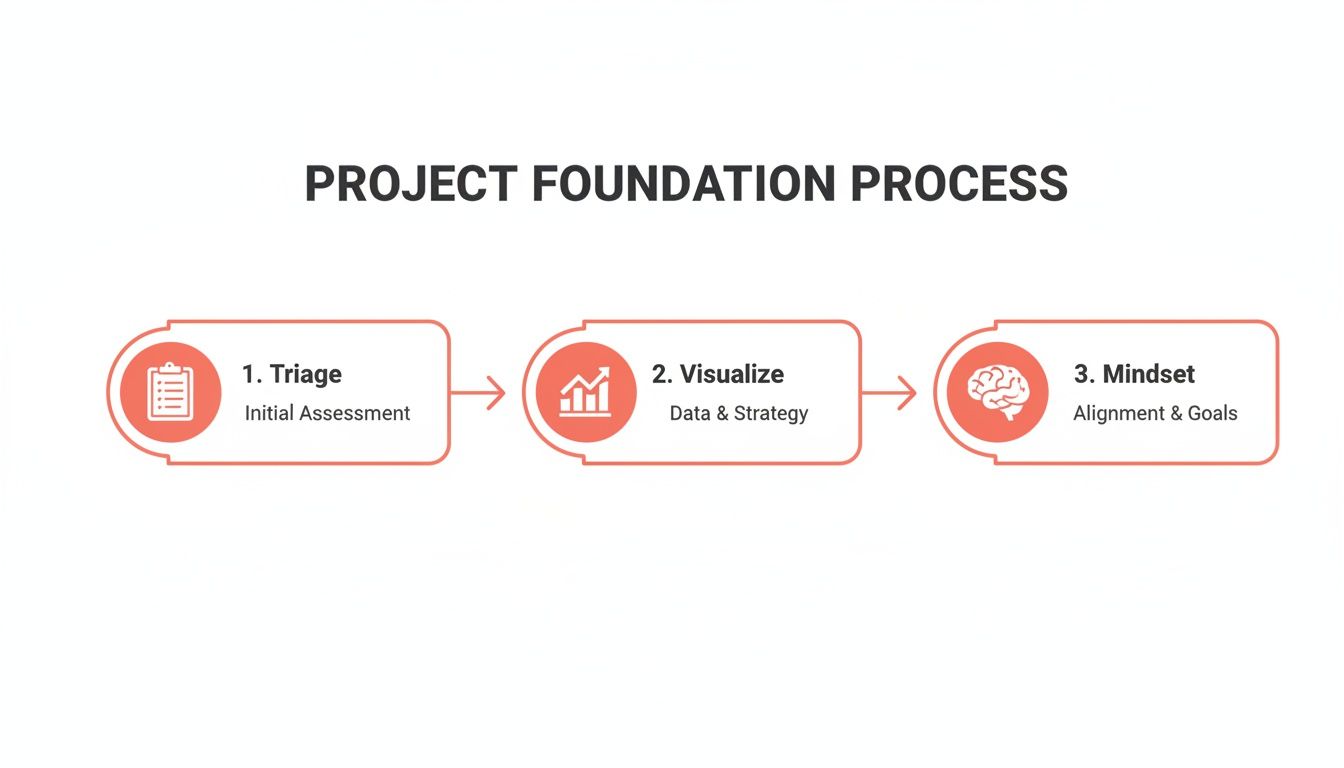
This flow really drives home the importance of categorizing your work before you try to visualize it all—a fundamental step for a successful command center.
A great command center doesn't just store information; it presents it in a way that fuels quick, smart decisions. It should answer key questions at a glance: "Are we on track?" "Who is overloaded?" and "Where are the real bottlenecks?"
This kind of hierarchy is best implemented with a dedicated project management tool. It's surprising, but while the PM software market is expected to hit $15.06 billion by 2030, a staggering 23% of organizations don’t use any.
This is a massive missed opportunity. High-performing organizations completely flip this statistic: 77% of them use PM software, which has been shown to boost internal communication by 80% and drastically improve project outcomes. You can dig deeper into these numbers by reviewing these project management statistical insights.
Ultimately, building this command center is the most critical step you can take. It’s what transforms your workflow from a series of disconnected tasks into a cohesive, predictable, and scalable operation.
Choosing a Ruthless Prioritization Framework
So you’ve got your command center set up and can finally see everything in one place. That's a huge win. But what happens next is the real test. When three different clients have "urgent" requests and a critical internal project is slipping, where do you point your team?
This is precisely where a ruthless prioritization framework stops being a nice-to-have and becomes your most valuable operational tool. It’s what shifts your agency from a reactive, "whoever shouts loudest wins" mode to one driven by objective, data-backed decisions. The whole point is to create a shared understanding of what "priority" actually means, supported by a system everyone gets and respects.
Without one, your project managers are just making gut calls, often swayed by a squeaky-wheel stakeholder or their own biases. That’s not just stressful; it’s a recipe for burnout and inefficiency. A solid framework takes the guesswork out of the equation, guaranteeing your team is always focused on the work that delivers real, strategic value.
The Eisenhower Matrix for High-Level Triage
A fantastic first stop for sorting out your project pipeline is the classic Eisenhower Matrix. It’s deceptively simple but incredibly powerful, forcing you to think about work along two lines: urgency and importance. This helps you instantly cut through the chaos.
It breaks down everything into four easy-to-understand quadrants:
- Urgent & Important (Do First): These are the fires you have to put out now. Think of a major client website launch that’s happening next week or a critical bug that’s crashing an app for every single user. There’s no debating these; they get top billing.
- Important & Not Urgent (Schedule): This is where your best, most strategic work gets done. We're talking long-term planning, process improvements, R&D, and building key client relationships. If you don't intentionally block out time for these, they'll never happen.
- Urgent & Not Important (Delegate): These are the noisy interruptions that feel pressing but don’t move the needle on your main goals. A last-minute request for a minor report or sitting in on a low-value meeting often lands here. The goal is to delegate, automate, or politely decline.
- Not Urgent & Not Important (Eliminate): Pure time-wasters. These are the tasks and activities that offer zero value. Be ruthless and cut them out completely.
Using this matrix gives you a clear, logical reason why one "urgent" project gets your team's full attention while another is scheduled for two weeks from now. It ends the arguments before they start.
MoSCoW for Nailing Down Project Scope
Okay, so a project has made the cut. Now you need to manage priorities inside that project. This is where the MoSCoW method is brilliant for defining scope and keeping stakeholder expectations grounded in reality.
MoSCoW is just an acronym for categorizing features or deliverables:
- Must-Have: Non-negotiable. If these aren't delivered, the project is a failure. Period.
- Should-Have: These are important and add a lot of value, but the project won't fall apart without them.
- Could-Have: Desirable, "nice-to-have" features that you'll tackle only if you have the time and resources to spare.
- Won't-Have (This Time): This is the secret weapon against scope creep. It's a list of everything you've all agreed is out of scope for this particular phase or release.
Getting stakeholders to agree on the "Won't-Have" list is one of the most powerful things you can do. It protects your team's focus and ensures the "Must-Haves" actually get done, which is absolutely critical for keeping multiple projects moving forward.
Value vs. Effort for Smart Task-Level Decisions
Drilling down even further, your team is now looking at a backlog of tasks within a single project. What should they work on today? The Value vs. Effort matrix is perfect for making these daily and weekly calls. It’s all about spotting the quick wins that deliver the biggest bang for your buck.
You just score each task on two simple criteria, maybe on a 1-5 scale:
- Value: How much impact will this have on the client or the project's main goal?
- Effort: How much time and energy will this really take?
This quickly sorts tasks into four buckets: high-value, low-effort (quick wins); high-value, high-effort (major projects); low-value, low-effort (fill-ins); and low-value, high-effort (time sinks).
Focusing on the quick wins first is a game-changer. It builds momentum, shows progress to clients, and keeps team morale high. This simple scoring gives you an objective, defensible plan for what your team is doing and why.
Master the Juggling Act: Resource Allocation and Capacity Planning
You can have the most sophisticated project command center and a bulletproof prioritization system, but if your team is constantly drowning, none of it matters. The most common reason great systems fail is simple: human burnout.
This is where you shift from just assigning tasks to strategically allocating your team's time. It's about getting brutally honest about your team's true capacity—the real number of hours they have for deep work after you account for the meetings, admin, and general chaos of agency life. Getting this right is your best defense against overload.
Honestly, this kind of planning is no longer optional. The industry is facing a massive talent crunch, with a projected need for 87.7 million project management roles by 2027—a huge leap from the current pool of 40 million.
This puts immense pressure on existing teams. We're already seeing managers handle 2-5 projects at once, but the sustainable limit is closer to 3-4 before things start to break. You can dig into more of the numbers in these recent project management statistics.
Find Your Team’s Real Capacity
First things first: you have to stop guessing. The biggest mistake managers make is assuming a 40-hour work week means 40 hours of available project time. It's a recipe for disaster.
To get a real number, you have to subtract all the non-project work that eats up the week:
- Internal Meetings: All-hands, department check-ins, one-on-ones.
- Admin Time: Filling out timesheets, doing expense reports, and clearing the inbox.
- Professional Development: Training, workshops, or just time for skill-building.
- Client Comms: The calls, emails, and meetings that aren't tied to a specific deliverable.
A team member booked at 100% capacity is a brittle resource. They have zero flexibility for unexpected client feedback, helping a colleague, or thinking creatively. I always aim for a 70-80% allocation on billable work to build in a necessary buffer. That’s how you create a resilient, sustainable workflow.
This simple math gives you a baseline for every single person on your team. It's the only number that matters when you start scheduling work.
Build a Visual Resource Plan
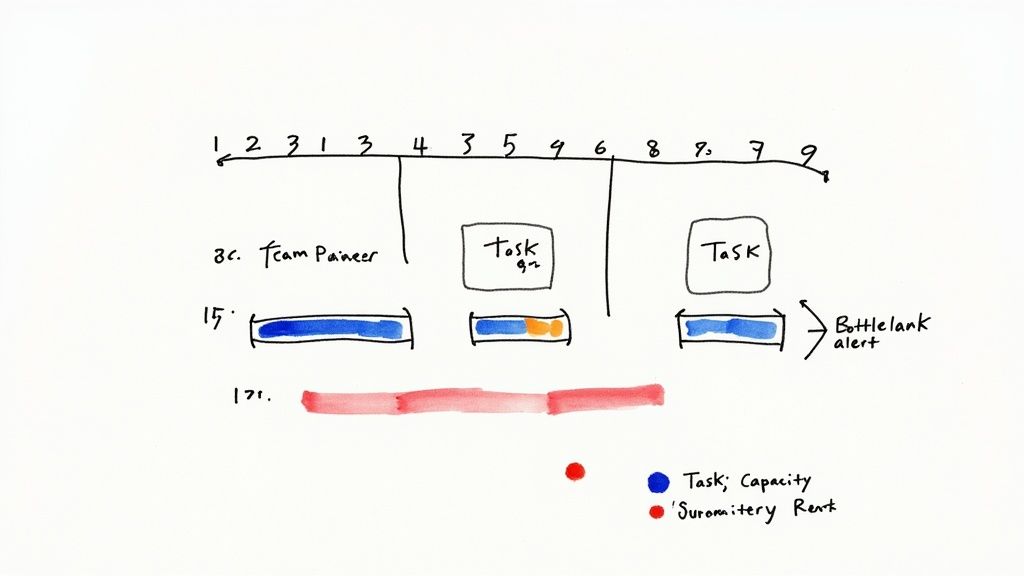
Once you know everyone’s true capacity, you need to see who is working on what, and when. A visual resource management plan, usually built right into your PM tool, is perfect for this. Think of it as a shared calendar for your team’s workload across every single project.
Let's say your design team is juggling three website builds and a couple of branding projects. A visual plan would instantly flag that your lead UX designer is scheduled for 150% of her capacity in week one because two major wireframing phases landed at the same time. Without that high-level view, you wouldn't know there's a problem until deadlines start slipping and the panic sets in.
This visual approach lets you practice resource leveling—the subtle art of shifting timelines and tasks around to smooth out the crazy peaks and quiet valleys in someone's schedule. You might push a lower-priority task to the next week or hand it off to another designer who has the bandwidth.
Resource Capacity Planning Template
Here’s a snapshot of how this looks in practice. This simple table gives you a bird's-eye view of your team's workload, making it easy to spot trouble before it starts.
| Team Member | Total Weekly Hours | Admin/Meeting Hours | Available Project Hours | Allocated Hours | Remaining Capacity (%) |
|---|---|---|---|---|---|
| Alex (Lead UX) | 40 | 8 | 32 | 30 | 6% |
| Brianna (UI) | 40 | 8 | 32 | 35 | -9% |
| Carlos (Junior) | 40 | 10 | 30 | 15 | 50% |
A quick glance tells you Brianna is overbooked. The clear next step? Move some of her less complex UI tasks over to Carlos, who has plenty of room. This one small adjustment saves Brianna from becoming a bottleneck and keeps multiple projects moving forward smoothly.
Mastering this balancing act is how you scale your agency’s output without scaling your team’s stress.
Setting a Clear Communication Rhythm
Consistent, predictable communication is the glue that holds a multi-project environment together. Without it, you’re stuck with a constant barrage of “just checking in” pings, endless status meetings that go nowhere, and nervous stakeholders who are always in the dark. The goal isn't more communication; it's smarter, more rhythmic communication.
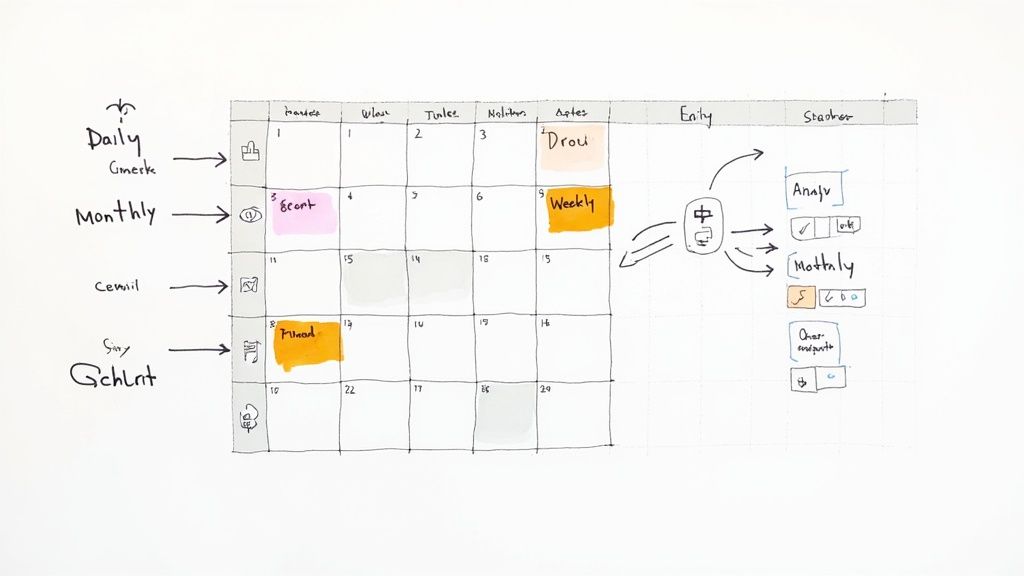
This means building a system of updates and check-ins that proactively answers questions before anyone even thinks to ask. When your team and clients know exactly when and how they'll hear from you, it builds a massive amount of trust. It also frees everyone from the mental load of wondering what’s going on, letting them get back to actual, deep work.
Design a Smart Meeting Cadence
First things first: you need a meeting schedule that delivers clarity without burning everyone out. Not every update needs a face-to-face meeting. The key is matching the format to the function so that every single interaction has a clear purpose.
Here’s a battle-tested rhythm that works well for agencies juggling multiple projects:
- Daily Stand-Ups (15 minutes max): These are quick, rapid-fire syncs for the core project team. The focus is purely tactical: what did you do yesterday, what's on the list for today, and are you blocked by anything? This is an alignment check, not a problem-solving session.
- Weekly Tactical Reviews (30-45 minutes): This one’s for the project manager and key team leads. It's where you'll review progress against the week's goals, shuffle task priorities if needed, and tackle any blockers that came up in the daily stand-ups.
- Monthly Portfolio Reviews (60 minutes): Think of this as the 30,000-foot view with leadership and key stakeholders. The conversation is strategic—reviewing the health of the entire project portfolio, discussing budgets and resources, and making sure everything still ladders up to the big-picture business goals.
The secret to great meetings isn't the perfect agenda; it's a ruthless commitment to purpose. If a meeting's goal can be met with a quick email or a dashboard update, cancel it. Give your team their time back.
This tiered approach ensures the right people are having the right conversations at the right time. The team doing the work gets daily clarity, managers get weekly control, and leadership gets monthly oversight—all without dragging people into meetings that aren't relevant to them.
Lean into Asynchronous Updates
If you truly want to master managing multiple projects, you have to break the addiction to meetings. Asynchronous communication—updates that don’t require an instant response—is your most powerful weapon for keeping everyone in the loop without constant interruptions. This is where you proactively share information and build a culture of documentation.
For instance, that weekly client status call that could easily be an email? Turn it into a standardized weekly summary. This asynchronous update is often more effective than a meeting because it provides a clear, documented record of progress that people can refer back to.
A simple, effective template could include:
- Overall Project Health: A quick status indicator (Green, Yellow, Red).
- Key Accomplishments This Week: Bullet points highlighting what the team just knocked out.
- Upcoming Priorities: A clear list of what’s on deck for next week.
- Action Items & Blockers: Anything you need from the client or decisions that need to be made.
A structured, predictable update like this keeps stakeholders informed on their own time. It respects their schedule and dramatically cuts down on the random, ad-hoc messages that kill productivity, helping your team keep the momentum going across all their projects.
Managing Risks Across Your Entire Project Portfolio
Look, managing risk on a single project is tough. But when you're juggling an entire portfolio? The complexity goes through the roof. A tiny delay on one project can easily cascade, creating a domino effect that throws timelines and budgets into chaos for everyone else.
Real portfolio risk management isn't just about what might go wrong on Project A or Project B, like a client being slow with feedback. It’s about taking a 10,000-foot view to spot the threats that could hit several projects at once. These are the systemic risks, the ones that can genuinely cripple an agency if you're not paying attention.
Thinking Beyond Single Project Risks
Most teams are pretty good at spotting the obvious, in-your-face risks for the project they're working on right now. But portfolio-level threats? They often get missed because they don't have a single "owner." They’re the subtle, background hum of potential problems that can quickly escalate into a full-blown crisis.
Think about common portfolio-level risks we see all the time:
- Key Person Dependency: What’s the plan if your only senior developer—the one holding three critical projects together—walks out the door tomorrow?
- Technology Failures: Your main project management software subscription is about to lapse, and nobody's on top of the renewal. Oops.
- Systemic Burnout: Your best design team has been sprinting at 110% for six weeks straight. Now, their work is starting to slip, not just on one project, but on all of them.
These are the exact kinds of threats that demand a centralized, top-down perspective to catch and handle properly.
Creating a Portfolio-Wide Risk Register
First things first: get these potential problems out of hallway conversations and into a documented, shared space. A portfolio-wide risk register becomes your single source of truth for every potential threat looming over your projects. This isn't just a list of anxieties; it's a structured tool for tracking, analyzing, and actually planning what to do next.
For every risk you identify, your register needs to capture a few key things:
- A clear description of the risk itself.
- Which specific projects would be impacted.
- An assigned owner who is responsible for keeping an eye on it.
Doing this is what shifts your team's mindset from constantly fighting fires to being genuinely prepared.
Risk management isn’t about trying to eliminate every single risk. That’s impossible. It's about increasing your odds of success. When you anticipate what could go wrong at a portfolio level, you give yourself the power to make smart adjustments before a small hiccup snowballs into a complete disaster.
Prioritizing Threats with a Probability and Impact Matrix
Okay, so you've listed out all the things that could go wrong. Now what? You can't tackle everything at once, and not all risks are created equal. This is where a probability and impact matrix becomes your best friend for ruthless prioritization. It forces you to focus your limited time and energy on the threats that truly matter.
The matrix is brilliantly simple. For each risk in your register, you just score it on two scales:
- Probability: How likely is this thing to actually happen? (e.g., Low, Medium, High)
- Impact: If it does happen, how bad will the damage be? (e.g., Low, Medium, High)
This simple scoring exercise lets you sort risks into clear priority buckets. A high-probability, high-impact risk—like that lead developer quitting mid-launch—demands an immediate, rock-solid contingency plan. A low-probability, low-impact risk? You probably just need to keep an eye on it for now.
By making this risk assessment a standard part of your monthly portfolio reviews, you start building resilience into your agency's DNA. It ensures that potential problems are flagged, talked about, and dealt with long before they get a chance to threaten the health of your entire project portfolio. That’s a cornerstone of learning how to manage multiple projects without burning out your team or your business.
Common Questions We Hear
Even with the best system in place, you're bound to run into a few tricky situations when juggling multiple projects. It happens to everyone. Let's tackle some of the most common questions that come up in a busy agency setting.
What's the Best Software for Managing Multiple Projects?
Honestly, there’s no single "best" tool out there. The right choice really comes down to your team’s size, how complex your projects are, and what your budget looks like.
For smaller, nimble teams, a tool like Trello or Asana can be perfect because they're so flexible. If you're a larger agency, you'll probably get more out of a heavy-hitter like Monday.com or ClickUp, since they have more advanced features for reporting and managing who's working on what.
Whatever you choose, make sure it gives you:
- A bird's-eye view of everything in flight at once.
- Crystal-clear task ownership so nothing falls through the cracks.
- Simple, visual ways to see who’s available and who’s swamped.
The best project management tool is the one your team actually uses. Always run a pilot with a real project before you commit. See how it feels in your day-to-day workflow, not just how it looks in a demo.
How Do You Handle Conflicting Stakeholder Priorities?
Ah, the classic agency dilemma. You’ve got two stakeholders, and both think their project is the most important thing in the universe. This is where you have to take the emotion out of the conversation.
Lean on an objective prioritization framework, like the Value vs. Effort model we talked about earlier. When a conflict pops up, don't just mediate—facilitate. Guide the stakeholders through the scoring process for their requests.
By presenting the data, you shift the conversation from "My project is more important" to "Which of these tasks delivers the most value to the business right now?" It's a game-changer.
How Much Buffer Time Should You Really Add to Schedules?
This is more art than science, but a good rule of thumb is to add a 15-25% buffer to your time estimates. This is especially true for those big, hairy projects with a lot of moving parts or unknowns. Think of it less as "padding" and more as a strategic reserve for when—not if—the unexpected happens.
On a portfolio level, never book your team members at 100% capacity. It’s a recipe for burnout. Aim for a max allocation of 70-80%. That leaves them with the breathing room they need to handle urgent requests, help a teammate, or just think, without throwing the entire schedule into chaos.
Tired of juggling disconnected tools to manage your agency? RGK is the unified operating system built to eliminate operational chaos. With integrated project management, billing, and an AI-powered assistant, it provides the single source of truth you need to scale profitably. See how RGK can transform your agency's operations.